Remote video monitoring vs. self-monitoring in Easton, PA should be decided around who receives alerts, who reviews events, how quickly activity can be evaluated, what happens after normal business hours, and whether internal staff can respond consistently.
Northeast Remote Surveillance and Alarm, LLC helps Easton warehouses, industrial properties, offices, healthcare facilities, schools, municipal buildings, contractor yards, parking areas, loading docks, gated sites, and multi-tenant properties compare owner-managed camera alerts with more structured professional video-monitoring workflows.
This page is NERSA’s focused Easton monitoring-comparison spindle beneath Remote Video Monitoring in Easton, PA. It focuses specifically on alert delivery, event review, internal response, professional monitoring, after-hours exposure, video verification, nuisance-alert management, escalation procedures, and the operating conditions that determine which approach is more practical.
For broader camera planning involving placement, image quality, recording, retention, remote access, analytics, and supporting infrastructure, visit Commercial Video Surveillance Systems in Easton, PA.
For property-wide planning across cameras, access control, intrusion alarms, fire-alarm systems, intercoms, monitoring, infrastructure, and upgrades, visit Commercial and Industrial Security Systems in Easton, PA.
Request an Easton Video Monitoring Assessment or call 1-888-344-3846.
What Easton Businesses Are Really Comparing
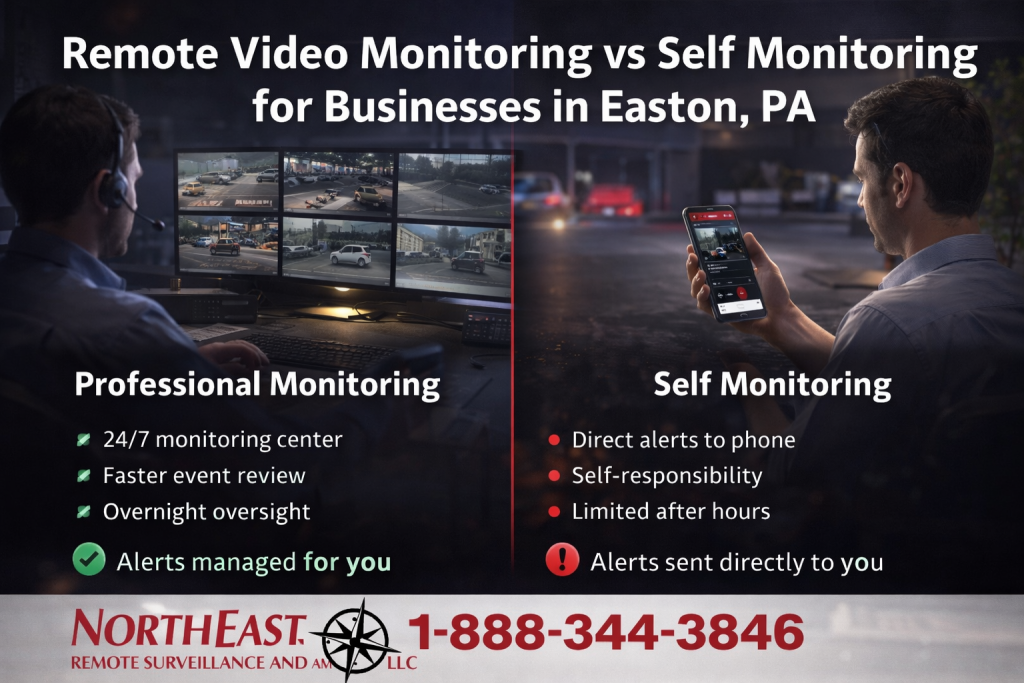
Remote video monitoring and self-monitoring do not simply represent two different ways to receive the same notification. They create different responsibilities for alert review, event verification, decision-making, documentation, and response.
Self-monitoring normally sends camera alerts, analytic events, alarm notifications, emails, text messages, or mobile-app notifications directly to an owner, manager, employee, or internal security contact.
Remote video monitoring creates a more structured process in which approved events can be reviewed according to defined schedules, camera views, alert rules, contact lists, and escalation procedures.
The right decision depends on practical questions:
- Who receives an alert at 2:00 AM?
- Will that person reliably see the notification?
- Can the recipient review the correct camera quickly?
- Does the recipient understand what normal activity looks like?
- Can the person determine whether the event requires action?
- Who is contacted when the first person does not answer?
- Can the business manage nights, weekends, holidays, and vacations?
- How many alerts can internal personnel realistically review?
- Are event decisions and response steps documented?
- Does the property need live audio warnings or a more formal escalation process?
The goal is not to select the option that sounds more advanced. The goal is to choose a monitoring structure that matches the property’s exposure, operating hours, staffing, alert volume, camera coverage, and response expectations.
Remote Video Monitoring vs. Self-Monitoring at a Glance
| Planning Factor | Self-Monitoring | Remote Video Monitoring |
|---|---|---|
| Who receives alerts? | Owners, managers, employees, or internal security contacts | Approved monitoring personnel following the defined monitoring plan |
| Who reviews video? | The internal recipient who notices the alert | Monitoring personnel assigned to review approved event types |
| After-hours consistency | Depends on employee availability and attention | Uses a more structured schedule and response workflow |
| Alert fatigue | Internal users must manage repeated or nuisance alerts | Approved events may be filtered and reviewed through the monitoring process |
| Response procedures | Often informal unless the business creates written instructions | Normally based on defined contacts and escalation instructions |
| Live audio warnings | Possible only when an authorized internal user is available and the system supports it | May be included where appropriate, supported, and authorized |
| Best fit | Lower-risk properties with dependable internal response | Properties with meaningful after-hours exposure or inconsistent internal availability |
Neither approach corrects poor camera placement, weak lighting, unreliable connectivity, excessive alerts, incomplete response instructions, or cameras that do not show the activity the business needs to evaluate.
What Self-Monitoring Means
Self-monitoring normally means that one or more internal users receive notifications directly through the camera, alarm, analytics, or cloud-management platform.
Notifications may arrive through:
- Mobile-app push notifications
- Text messages
- Email alerts
- Alarm-system notifications
- Video clips
- People or vehicle analytic events
- Line-crossing or perimeter alerts
- Door or gate events
- System-health notifications
The owner, manager, employee, or assigned contact is then responsible for deciding whether to open the application, review live video, examine recorded footage, contact someone on site, call another responsible party, or take another approved step.
When Self-Monitoring Can Work Well
Self-monitoring may be practical when:
- The property has limited after-hours exposure.
- Alert volume is low and manageable.
- The business has dependable internal contacts.
- Someone is realistically available during the required hours.
- The cameras provide clear and useful views.
- Alerts are accurately configured.
- The recipient understands normal site activity.
- The business has a clear internal response procedure.
- The consequences of a delayed review are acceptable to the organization.
A smaller professional office, medical practice, service business, or lightly exposed commercial building may find self-monitoring sufficient when alerts are limited and a responsible person can review them consistently.
Limitations of Self-Monitoring
Self-monitoring can become difficult when:
- Alerts occur overnight.
- Owners or managers silence notifications.
- Several employees assume someone else will respond.
- Repeated nuisance events create alert fatigue.
- The property generates too many people or vehicle detections.
- The recipient cannot identify the correct camera quickly.
- Mobile reception or internet access is unreliable.
- The primary contact is driving, sleeping, traveling, or unavailable.
- No secondary response contact is defined.
- Events occur during weekends, holidays, or business closures.
Sending an alert to a phone does not create a dependable response process by itself. The business still needs to define who is responsible, which events matter, how video should be reviewed, and what action is appropriate.
What Remote Video Monitoring Adds
Remote video monitoring adds a structured review and escalation layer to compatible camera and analytics systems.
Depending on the approved system and monitoring plan, remote video monitoring may support:
- Analytics-generated event alerts
- Professional review of approved events
- Visual verification
- Review of multiple related camera views
- Authorized-contact notification
- Live audio warnings where appropriate
- Escalation according to written instructions
- Event notes or recorded documentation
- Defined schedules for monitored areas
Remote monitoring is generally stronger when a business needs more than an alert delivered to an individual employee. It can provide a more consistent process when the property is closed, lightly staffed, or exposed for long periods.
Where Remote Monitoring May Be the Better Fit
Remote video monitoring may be appropriate for properties with:
- Loading docks
- Truck yards
- Trailer yards and drop lots
- Contractor yards
- Vehicle gates
- Parking lots
- Exterior storage
- Equipment areas
- Rear and side entrances
- Fence lines
- Detached buildings
- Recurring trespassing
- Repeated after-hours vehicle or pedestrian activity
- Long periods without on-site personnel
A property with several exterior risk areas may require a more organized response than an owner or manager can consistently provide from a personal phone.
Camera Coverage and Alert Quality Come First
Both monitoring approaches depend on the quality of the camera system.
A monitoring workflow may be weakened by:
- Cameras aimed too far from the target
- Views blocked by trailers, vehicles, trees, inventory, or equipment
- Poor nighttime lighting
- Headlight glare
- Inaccurate analytic zones
- Excessive motion alerts
- Unstable internet or wireless communication
- Incorrect camera timestamps
- Confusing camera names
- No useful view of the area that triggered the alert
Camera locations should be selected according to the event the business needs to evaluate. A wide overview may show general movement, while a tighter camera may be required at a door, gate, dock, vehicle lane, storage area, or perimeter approach.
Monitoring should not be added as a substitute for correcting weak camera coverage. For complete Easton camera-system planning, use Commercial Video Surveillance Systems in Easton, PA.
Analytics, Event Rules, and Nuisance-Alert Reduction
People and vehicle analytics can help reduce the volume of irrelevant activity compared with basic pixel-based motion detection, but analytics still require appropriate camera views and configuration.
Alert planning may involve:
- People detection
- Vehicle detection
- Line-crossing rules
- Restricted-area zones
- After-hours schedules
- Loitering or dwell-time rules
- Gate or entrance events
- Perimeter approaches
- Selected loading or yard areas
Potential nuisance sources include:
- Weather
- Headlights
- Shadows
- Vegetation
- Animals
- Nearby public roads
- Authorized deliveries
- Cleaning or maintenance personnel
- Shift changes
- Forklifts or operational equipment
Alerts should be tested and adjusted under real operating conditions. A system that produces excessive nuisance events can overwhelm internal users and reduce the effectiveness of a professional monitoring workflow.
After-Hours Exposure Is Often the Deciding Factor
After-hours exposure is frequently the strongest reason to move from self-monitoring toward a structured remote-monitoring process.
A business may be a reasonable self-monitoring candidate when:
- The building is occupied late.
- Risk areas are limited.
- Alert frequency is low.
- An internal responder is consistently available.
- The property does not contain extensive exterior storage or yard exposure.
Remote monitoring may become more appropriate when:
- The site is vacant for long periods.
- Vehicles, trailers, tools, inventory, or equipment remain outside.
- Docks, gates, parking, or rear areas remain exposed.
- The owner cannot reliably review every alert.
- The site has recurring after-hours activity.
- The business requires written escalation procedures.
- More than one camera must be reviewed to understand an event.
- Live audio warnings may provide additional deterrence.
For warehouse properties where the broader problem involves overnight dock, yard, parking, trailer, and building exposure, use the dedicated Easton after-hours warehouse resource through the Easton Warehouse Security Systems sub-hub.
Video-Verified Alarms as a Middle Option
Some Easton businesses do not require continuous or scheduled remote video monitoring, but they still need visual context when an intrusion-alarm event occurs.
A video-verified alarm system can associate an alarm zone with one or more relevant camera views.
Examples may include:
- A rear-door contact associated with the rear-entrance camera
- A warehouse motion detector associated with the affected interior cameras
- A restricted-room alarm associated with the room-entrance view
- A gate event associated with the gate and vehicle cameras
Video verification can provide additional context about activity near the alarm point. It does not guarantee that every event can be classified definitively.
For alarm-triggered video review rather than broader event monitoring, visit Video-Verified Alarm Systems for Commercial Properties in Easton, PA.
Hybrid Monitoring Approaches
The choice does not always need to be entirely self-monitored or entirely professionally monitored.
A hybrid plan may involve:
- Internal self-monitoring during business hours
- Professional monitoring after closing
- Remote monitoring for exterior areas only
- Self-monitoring for low-priority operational alerts
- Professional review for restricted zones or high-value areas
- Video verification for alarm events
- Owner notifications after monitoring personnel review an event
The monitoring schedule should match the property’s operating hours. A warehouse may require professional yard monitoring overnight while management continues reviewing operational cameras internally during the day.
A multi-tenant building may monitor common exterior areas professionally while individual tenants manage their own suite cameras or access events.
Response Procedures and Escalation
A monitoring system should define what happens after an event is reviewed.
Response planning may address:
- Which event types require review
- Which cameras should be checked
- What normal authorized activity looks like
- Who receives the first notification
- Who serves as the secondary contact
- Which events require escalation
- Whether audio warnings are authorized
- How deliveries, cleaning personnel, and maintenance activity are handled
- What happens when contacts cannot be reached
- How response instructions are updated
- How events are documented
The contact list should be reviewed regularly. Monitoring becomes less effective when the account contains former employees, disconnected phone numbers, outdated schedules, or unclear instructions.
Live Audio Warnings and Talk-Down
Compatible monitored video systems may allow authorized personnel to issue live audio warnings or instructions through properly positioned speakers.
Potential uses may include:
- Warning a person away from a restricted yard
- Addressing activity near parked equipment
- Directing a driver at a closed gate
- Responding to activity near an exterior storage area
- Giving instructions during a monitored perimeter event
Audio warnings should be used according to the approved system design, site policies, monitoring procedures, user permissions, applicable legal requirements, and written response instructions.
Audio performance depends on speaker placement, background noise, distance, weather, network reliability, and whether the related camera provides enough visual context.
Network, Connectivity, and Cybersecurity
Self-monitoring and remote video monitoring depend on reliable video, network, and account infrastructure.
Planning may need to address:
- Internet reliability
- Camera and recorder connectivity
- Fiber or wireless links
- Network switching and PoE capacity
- Bandwidth
- Cloud-platform communication
- UPS backup
- Surge-protection coordination
- Network segmentation
- System-health notifications
- Secure remote access
User and cybersecurity planning should include:
- Individual accounts
- Role-based permissions
- Multi-factor authentication where supported
- Prompt employee offboarding
- Protection of administrator accounts
- Firmware and software management
- Documented account ownership
- Controlled footage export
Shared passwords, excessive permissions, former users, unsecured remote access, and unsupported devices can weaken either monitoring approach.
Upgrading an Existing Monitoring Setup
Many Easton businesses already receive camera or alarm alerts, but the system may not provide useful or consistent event awareness.
Common problems include:
- Too many nuisance alerts
- Missed phone notifications
- Poor camera placement
- Weak nighttime visibility
- Unclear camera names
- No secondary response contacts
- Inadequate exterior coverage
- Unstable wireless or network communication
- No video verification
- No monitoring schedule
- Former users who still receive alerts
- No written response procedure
An upgrade may include:
- Correcting camera placement
- Improving lighting and nighttime images
- Adjusting analytics and alert zones
- Adding cameras around vulnerable areas
- Improving event delivery
- Cleaning up users and permissions
- Adding video verification
- Adding remote video monitoring
- Creating monitored schedules
- Updating contact and escalation instructions
- Improving network, fiber, wireless, or PoE infrastructure
The best upgrade is not automatically more cameras or more alerts. The correct upgrade creates better information and a response process that matches the property.
For broader camera, alarm, monitoring, infrastructure, and system-modernization planning, visit Easton Security System Upgrades, Retrofits, and Takeovers.
Choosing the Right Monitoring Approach for Easton Property Types
Warehouses and Logistics Facilities
Remote monitoring may be useful around loading docks, truck courts, trailer areas, gates, parking lots, rear doors, exterior storage, and after-hours warehouse activity. Self-monitoring may remain appropriate for lower-priority operational alerts reviewed by daytime management.
Contractor Yards and Equipment Properties
Contractor yards often contain vehicles, trailers, tools, heavy equipment, exterior storage, fuel areas, gates, and detached buildings. Professional after-hours review may provide a stronger process than sending every exterior alert directly to the business owner.
Offices and Multi-Tenant Buildings
Self-monitoring may be sufficient for smaller offices with limited after-hours exposure. Larger multi-tenant properties, shared parking areas, rear entrances, and common exterior zones may benefit from a structured monitoring plan.
Manufacturing and Industrial Properties
Manufacturing sites may use remote monitoring around gates, utility yards, exterior storage, employee parking, detached buildings, and restricted exterior areas while internal personnel manage production-related cameras during operating hours.
Healthcare, Schools, and Municipal Properties
Institutional properties require careful policies, permissions, privacy review, and response procedures. Monitoring should be designed around approved exterior and entry areas rather than used as an uncontrolled surveillance process.
Monitoring Limitations and Operating Boundaries
Remote video monitoring and self-monitoring can support event awareness, verification, notification, deterrence, and documentation. Neither option guarantees that every incident will be detected, classified, prevented, or stopped.
Monitoring does not replace:
- Proper camera placement
- Exterior lighting
- Fence and gate maintenance
- Door and lock maintenance
- Access control
- Intrusion detection
- Employee procedures
- Emergency planning
- Physical inspections
- Supervision
- Insurance or legal responsibilities
The effectiveness of either approach depends on equipment performance, camera views, analytics, network communication, site conditions, schedules, user attention, contact information, and response instructions.
Testing, Training, and Monitoring Documentation
A monitoring plan should be tested before the business depends on it for after-hours event handling.
Testing may include:
- Camera field-of-view verification
- Day and nighttime image review
- Analytics and event-rule testing
- Mobile and email alert delivery
- Monitoring-center event receipt
- Related camera-view verification
- Audio-warning operation where included
- Contact notification
- Escalation procedures
- Network and connectivity testing
- Power and backup operation
Useful documentation may include:
- Monitored camera and zone list
- Monitoring schedules
- Event types and analytic rules
- Responsible-party contacts
- Escalation instructions
- Audio-warning permissions
- Camera names and locations
- User and administrator permissions
- Testing records
- Training information
- Procedures for updating account instructions
Internal users should understand how to review an alert, when to contact another person, how to avoid changing protected settings, and how to report a system or monitoring problem.
Why Easton Businesses Choose NERSA
- Commercial and industrial systems only
- Camera, analytics, monitoring, and response planning
- Self-monitoring, remote monitoring, and hybrid-workflow evaluation
- Warehouse, yard, gate, parking, office, and industrial experience
- New installations, upgrades, and monitoring transitions
- Video verification and intrusion-alarm coordination
- Network, PoE, fiber, wireless, and infrastructure planning
- Testing, documentation, training, and long-term support
- Small commercial through large industrial capability
Northeast Remote Surveillance and Alarm, LLC evaluates the property, cameras, lighting, analytics, operating schedule, staffing, after-hours exposure, response expectations, network infrastructure, and existing equipment before recommending a monitoring approach.
Request an Easton Video Monitoring Assessment
An Easton monitoring assessment should begin with the property’s actual operating conditions rather than an assumption that every business needs the same alert or monitoring service.
An assessment may review:
- Property layout and vulnerable areas
- Operating hours and staffing
- After-hours exposure
- Existing camera placement and image quality
- Lighting and nighttime visibility
- Current analytics and alert volume
- Internal user availability
- Current alert-delivery methods
- Video-verification opportunities
- Remote-monitoring schedules
- Audio-warning requirements
- Contact and escalation procedures
- Network and communication reliability
- User permissions and account security
- Existing-system supportability
- Documentation and future expansion
The objective is to determine whether self-monitoring, remote video monitoring, video verification, or a hybrid approach provides the most practical event-review and response structure for the property.
Request an Easton Remote Video Monitoring vs. Self-Monitoring Assessment or call 1-888-344-3846.
Frequently Asked Questions About Remote Video Monitoring vs. Self-Monitoring in Easton, PA
What is the difference between remote video monitoring and self-monitoring?
Self-monitoring sends alerts directly to owners, managers, employees, or internal security personnel. Remote video monitoring creates a more structured process in which approved events can be reviewed and escalated according to defined schedules and response instructions.
Is self-monitoring enough for some Easton businesses?
Yes. It may be sufficient when after-hours exposure and alert volume are limited and a dependable internal contact can review events consistently.
When is remote video monitoring the better fit?
It may be the better fit when the property is vacant for long periods, contains docks, yards, gates, parking, exterior equipment, trailers, or storage, or when internal staff cannot reliably review every alert.
Does remote monitoring replace security cameras?
No. Remote monitoring depends on properly placed cameras, usable lighting, stable communication, appropriate analytics, and clear views of the areas being monitored.
Does professional monitoring eliminate nuisance alerts?
No. Camera placement, analytics configuration, schedules, lighting, weather, vegetation, traffic, animals, and normal site activity can still produce nuisance events. The system should be tested and adjusted.
Can a business use self-monitoring during the day and professional monitoring at night?
Yes. A hybrid approach may use internal review during operating hours and professional monitoring during nights, weekends, holidays, or other defined periods.
Can remote monitoring provide live audio warnings?
Compatible systems may support live audio warnings where appropriate and authorized. Performance depends on camera views, speaker placement, network reliability, site policy, and written response procedures.
Is video verification the same as remote video monitoring?
No. Video verification normally provides camera context for a specific alarm event. Remote video monitoring may review analytics-generated camera events across defined areas and schedules.
Can remote monitoring work around loading docks and trailer yards?
Yes. Properly designed systems may monitor docks, gates, trailer rows, truck courts, fence lines, parking areas, and other after-hours exposure points.
Can existing cameras be used for remote monitoring?
Sometimes. Existing cameras may be suitable when they provide clear views, usable nighttime images, reliable connectivity, compatible analytics, and enough context for event review.
Can a business upgrade from self-monitoring later?
Yes. A business may begin with self-monitoring and add video verification, professional monitoring, monitored schedules, improved analytics, or a hybrid workflow as its needs change.
Can remote monitoring guarantee that trespassing or theft will be prevented?
No. Monitoring may improve awareness, verification, deterrence, notification, and response support, but it cannot guarantee that every event will be detected, prevented, or stopped.
Does NERSA support both smaller businesses and large industrial sites?
Yes. NERSA supports qualifying projects ranging from smaller offices, medical practices, service businesses, and commercial properties to warehouses, manufacturing plants, contractor yards, logistics operations, industrial parks, and multi-site organizations.
Does NERSA install residential monitoring systems?
No. Northeast Remote Surveillance and Alarm, LLC focuses on commercial, industrial, warehouse, logistics, manufacturing, office, healthcare, school, municipal, institutional, contractor, multi-tenant, and other non-residential properties.