
Northeast Remote Surveillance and Alarm, LLC (NERSA) provides commercial and industrial security services for small businesses, growing companies, and enterprise operations.

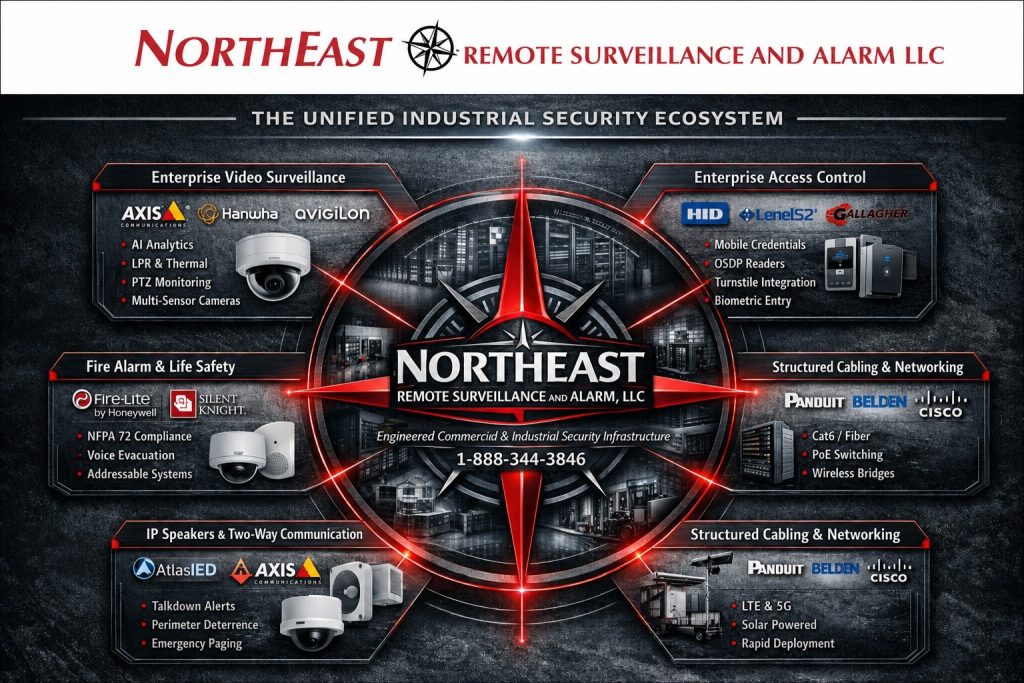
Explore video surveillance, controlled entry, intrusion detection, monitoring, communications, and supporting infrastructure to find the service your property needs.
Choose Small Business Security Systems for a focused business installation or Enterprise Security Systems Integration when systems, people, and responsibilities need to work together across buildings or locations.
Start with the Facility’s Priorities
Describe what is happening at the property, which existing systems need attention, and what the finished project should accomplish. NERSA can assess a focused installation, an inherited system, or a phased project across multiple buildings. Include operating hours, responsible staff, network constraints, and future expansion in the discussion.
For planning organized around the type of property, visit Industries We Serve.
For regional and city coverage, visit NERSA Service Areas.
Commercial and Industrial Systems Only • New Installations • Upgrades • Retrofits • Takeovers • Monitoring • Small Business Through Enterprise
Which Commercial Security Service Do You Need?
Choose the issue closest to yours. Each service guide explains what to consider before selecting equipment.
Need Better Visibility or Recorded Evidence?
If you cannot see the activity you need to review, the Commercial and Industrial Video Surveillance Systems guide explains how coverage, recording, and camera selection affect the result.
Need to Manage Who Can Enter?
Use the Commercial and Industrial Access Control Systems guide to plan who can enter each door, when access is allowed, and how staff will manage permissions.
Need Dependable After-Hours Detection?
The Commercial and Industrial Intrusion Alarm Systems guide covers detection at doors and other vulnerable areas, along with the communication and monitoring needed when the building is empty.
Need Fire Alarm or Life-Safety Protection?
For building fire detection, notification, monitoring, and related upgrades, review Commercial Fire Alarm and Life-Safety Systems and identify which requirements apply with the responsible project team.
Need Professional Alarm Monitoring?
Review Commercial Security Monitoring when you need to establish account contacts, signal handling, and clear instructions for responding to an alarm.
Need Active Exterior Review or Live Intervention?
Consider Remote Video Monitoring and Live Talk-Down when your priority is having someone review qualifying activity at yards, gates, or loading areas while an event is happening.
Need Visitor, Gate, Paging or Facility Communication?
The Two-Way Communication and IP Speaker Systems guide helps you plan how staff will speak with visitors, assist drivers at gates, and make announcements across a facility.
Need Several Security Systems to Work Together?
Explore Unified Commercial and Enterprise Security Systems if staff need to connect related events or manage compatible systems through a more coordinated workflow.
Need Cabling, Fiber, Networking or Supporting Infrastructure?
Check Commercial and Industrial Infrastructure and Cabling before adding devices that need new cable routes, network capacity, wireless connections, or backup power.
Need Security at a Remote or Difficult-to-Wire Location?
At a location without practical wired power or internet access, Solar-Powered and Cellular Video Surveillance explains an alternative that needs site-specific power and connectivity planning.
Need Controlled Vehicle Entry?
Use Commercial Gate Access Control Systems to plan how employees, deliveries, and visitors will enter and who will handle requests at the gate.
Need an Existing Security System Evaluated?
If you have inherited unreliable equipment or missing records, Commercial Security System Upgrades, Retrofits and Takeovers explains how to assess what can stay and what needs attention.
Need Help Choosing the Right Technology Platform?
Compare Security Technologies & Platforms after listing the functions you need, the equipment you hope to retain, and who will own and administer the system.
Security Technologies & Platforms
Choose a platform after you have agreed on what the system needs to do and who will use it.
NERSA works with several commercial platforms, so the recommendation can account for your existing equipment, staff, and plans.
Technology decisions may consider:
- Existing equipment
- Camera requirements
- Access-control requirements
- Intrusion and monitoring requirements
- Cloud-managed versus on-premises operation
- User credentials
- Mobile administration
- Network infrastructure
- Cybersecurity
- Multi-location management
- Integration requirements
- Licensing
- Serviceability
- Future expansion
The correct solution for a single commercial entrance may be very different from the platform required for a warehouse, manufacturing campus, industrial park, healthcare property, or multi-location organization.
For manufacturer and platform planning, visit Security Technologies & Platforms.
Security-System Upgrades, Retrofits and Takeovers
An aging or inherited commercial security system does not automatically require complete replacement.
NERSA can evaluate existing cameras, access control, intrusion alarms, monitoring, intercoms, supporting cabling, fiber, networks, power, software, administrator access, documentation, and applicable fire-alarm interfaces to determine what may reasonably remain in service.
A project may involve:
- Repair
- Reprogramming
- Selective equipment replacement
- Recorder replacement
- Communicator modernization
- System migration
- Expansion
- Integration
- Account cleanup
- Network improvements
- Documentation
- Phased modernization
Keep equipment that still does the job, and make sure someone can support it. Replace parts because they no longer meet your needs, not simply because they are already installed.
For detailed planning, visit Commercial Security System Upgrades, Retrofits and Takeovers.
For system evaluation before major replacement decisions are made, visit Commercial Security System Inspection and Assessment.
Small Business Through Enterprise and Multi-Site Security
NERSA supports qualifying projects ranging from focused small-commercial installations to multi-building and multi-location security environments.
A smaller business may need one controlled entrance, a focused camera system, an intrusion alarm, or professional monitoring without the complexity of an enterprise platform.
Larger organizations may require:
- Centralized administration
- Standardized credentials
- Multi-site video access
- Regional permissions
- Consistent alarm procedures
- Shared monitoring standards
- Standardized equipment
- Account governance
- Documentation
- Common service practices
The system should match the organization rather than forcing a small business into unnecessary enterprise complexity or limiting a growing organization to equipment it will quickly outgrow.
For smaller commercial properties, visit Small Business Security Systems.
For connected systems and organization-wide planning, visit Enterprise Security Systems Integration.
For rollout across locations, use Multi-Site Commercial Security Systems.
Industries and Facilities NERSA Supports
Security requirements vary significantly between property types.
A warehouse may need stronger protection around loading docks, truck courts, employee entrances, and inventory.
A manufacturer may prioritize production areas, restricted rooms, contractors, and shipping operations.
An office building may focus on employee access, visitor entry, parking, and common areas.
A healthcare property, school, municipal building, industrial park, contractor yard, retail property, or multi-tenant building may require a completely different combination of systems.
NERSA designs the system around how the facility actually operates.
Visit Industries We Serve for property-specific security planning.
Compliance-Aware Security Planning
Commercial security projects can intersect with emergency egress, accessibility, fire-rated openings, fire alarm functions, electrified door hardware, workplace safety, privacy, network security, documentation, and inspection-sensitive conditions.
Security equipment does not make a facility compliant by itself.
Projects involving these conditions may require coordination among the customer, security integrator, fire-alarm professionals, door-hardware providers, electrical contractors, IT personnel, design professionals, inspectors, and authorities having jurisdiction.
NERSA approaches these projects with awareness of the larger building and life-safety environment so security improvements do not create unnecessary conflicts elsewhere in the facility.
For broader information, visit Regulatory and Compliance.
How a Commercial Security Project Begins
A commercial security project should begin with the facility rather than a predetermined equipment package.
NERSA reviews:
- How the property operates
- Who uses it
- Employee and visitor movement
- Vehicle activity
- Entrances and gates
- Restricted areas
- Loading and shipping operations
- Existing security equipment
- Existing infrastructure
- Known problems
- Administration requirements
- Monitoring requirements
- Future expansion
The project may then move into design, equipment selection, installation, programming, testing, training, documentation, and long-term service planning.
The strongest security system is not necessarily the one with the most equipment.
It is the system that provides useful visibility, controlled access, dependable detection, practical response, and manageable administration.
For more information about project coordination, testing, documentation, and turnover, visit NERSA Project Delivery Standards.
Prepare a Clear Security Project Brief
Before requesting proposals, describe the problem in terms of a normal working day. Identify when the building opens, who arrives first, how deliveries enter, where visitors wait, and which areas remain active after the main office closes. A short description of these routines helps separate an equipment problem from a scheduling, training, or administrative issue. Include examples of missed events or difficult investigations, but avoid sending passwords, door codes, or sensitive footage through a general inquiry form.
Organize priorities into immediate needs, improvements that can follow, and future expansion. For example, a warehouse might first need dependable recording at receiving, then controlled access to an inventory room, and later a shared platform for another property. This is an illustrative sequence, not a standard package: the correct order depends on the facility. Record the desired outcome for each stage so proposals can be compared against the same business requirements.
Clarify What the Proposal Includes
Ask for a scope that identifies the equipment locations, installation work, programming, testing, training, and documentation included in the project. Record who provides network connections, electrical work, lifts, pathways, and access to restricted spaces. State any operating hours during which installation would interrupt shipping, production, or customer service. These details help the project team plan the work and identify dependencies before scheduling a cutover.
Separate initial installation costs from recurring monitoring, software, licensing, connectivity, and support charges. Ask what happens when a subscription ends, when the organization changes administrators, or when a new location is added. A useful comparison also explains which existing components remain, which are replaced, and what limitations remain after the proposed work. This makes a phased upgrade easier to understand and reduces the risk of comparing proposals with materially different coverage.
Agree on Acceptance Checks Before Installation
Define a small set of observable checks for each selected service. A camera project should demonstrate the views and recording workflow requested by the customer. An access-control project should demonstrate the agreed user permissions and schedules. A monitoring project should establish the approved contacts and event-handling instructions. Record the responsible person for each check and arrange testing with the appropriate service providers so test activity is understood.
Include the people who will use the system after installation. Have an authorized employee practice finding an event, exporting permitted footage, managing a credential, or recognizing a system trouble notification, as applicable. Record questions and unresolved items in a handover list. These exercises help reveal whether the system is understandable in everyday use and whether training needs to cover another shift, location, or administrator.
Plan Ownership and Support After Handover
Decide which business roles can approve changes, create users, review recordings, and request service. Keep the approved administrator list current when employees leave or responsibilities change. Store account recovery information and system documentation in a controlled location available to authorized personnel. The objective is continuity: the organization should know whom to contact and how to regain authorized access without depending on one employee’s memory.
Maintain a simple record of equipment locations, service history, configuration changes, and unresolved concerns. Revisit the plan when doors move, storage arrangements change, another tenant arrives, or operating hours expand. A system that suited the original layout may need an adjustment after those changes. Use the relevant service pages above for deeper planning, and bring the project brief to the assessment so the discussion stays focused on the facility’s actual priorities.
Coordinate the People Behind the Systems
Name a project contact who can gather decisions from facilities, operations, IT, and the people responsible for security administration. For a leased property, establish which decisions require the building owner’s involvement. When several contractors are involved, use one shared list of dependencies and completion dates. This helps prevent a finished device installation from waiting on an unfinished network connection, unavailable room, or unresolved operating procedure.
Before work begins, agree on how changes will be reviewed. A newly requested entrance, additional viewing position, or revised shift schedule can affect the design and the project scope. Record the reason for the change, who approved it, and which drawings or instructions need updating. Keeping those decisions visible gives the customer a clearer record of what was ordered, what was installed, and what remains for a later phase.
Why Commercial and Industrial Clients Choose NERSA
Northeast Remote Surveillance and Alarm, LLC focuses on business and facility security, including commercial, industrial, institutional, and professionally managed apartment properties.
NERSA approaches security as facility infrastructure.
Projects are designed around the property, people, entrances, restricted areas, loading operations, vehicle traffic, exterior exposure, cameras, controlled doors, intrusion detection, monitoring, life-safety coordination, infrastructure, administration, documentation, and future growth.
NERSA also works across multiple commercial security technologies rather than forcing every customer into the same manufacturer’s platform.
The objective is not to sell every customer the same equipment package.
The objective is to provide a dependable, scalable, manageable, documented, and supportable security system designed around the organization’s actual operating conditions.
Request a Commercial Security Assessment
A commercial security assessment can determine which systems, services, technologies, infrastructure, monitoring options, integrations, or project stages apply to the facility.
NERSA can evaluate operating conditions, entrances, restricted areas, loading operations, parking, existing systems, infrastructure, administration, documentation, known concerns, and future requirements before equipment is selected.
Request a Commercial Security Assessment.
Commercial and Industrial Systems Only • New Installations • Upgrades • Retrofits • Takeovers • Monitoring • Small Business Through Enterprise
Frequently Asked Questions About Commercial and Industrial Security Services
What commercial security services does NERSA provide?
NERSA supports commercial video surveillance, access control, intrusion alarms, fire alarm and life-safety systems, professional monitoring, remote video monitoring, intercoms, IP speakers, gate security, integrated systems, structured cabling, fiber, supporting infrastructure, remote-site surveillance, technology-platform planning, and existing-system upgrades.
Does NERSA install security systems for single-family homes?
No. NERSA does not provide security installations for individual homes or single-family residences. We serve businesses, industrial facilities, and professionally managed apartment communities, including shared entrances, common areas, and grounds.
Can NERSA help choose a security technology platform?
Yes. NERSA works with multiple commercial technologies and can evaluate platforms according to the facility, existing equipment, administration requirements, cloud or on-premises architecture, interoperability, serviceability, and future expansion.
Can NERSA upgrade or take over an existing system?
Yes. Existing cameras, access control, intrusion alarms, monitoring, supporting infrastructure, accounts, software, and documentation can be evaluated to determine what may reasonably be retained, repaired, upgraded, integrated, migrated, or replaced.
Can cameras, access control, alarms and intercoms work together?
Yes. Compatible systems can be coordinated when doing so creates a practical operational benefit without adding unnecessary complexity.
Does NERSA provide remote video monitoring and live talk-down?
Yes. Qualifying commercial properties can use remote video monitoring for selected cameras, schedules, analytics, and defined event conditions.
Can NERSA support both smaller businesses and enterprise organizations?
Yes. NERSA supports focused small-commercial projects as well as larger industrial, multi-building, and multi-location security environments.
How does a commercial security project begin?
The project begins with a facility-specific assessment of the property, operating conditions, users, existing systems, infrastructure, known concerns, and future requirements.
Explore Related NERSA Resources
Service Security Resources
Use these supporting guides for a specific device, installation environment, or upgrade question after choosing the main service above.
- Analog Camera System Upgrades — Assess existing analog cameras and cabling before choosing an upgrade path.
- Commercial Elevator Security Cameras — Plan camera coverage and connections for elevator environments.
- Commercial Video Surveillance for Logistics & Distribution Centers — Review camera placement around docks, freight movement and distribution operations.
- Door Access Control and Card Reader Systems — Compare readers, credentials and controlled-door requirements.
- Fiber Infrastructure for Commercial Security Systems — Plan fiber connections between buildings and distant security devices.
- Machine Area Monitoring Cameras — Review camera views around machinery and work areas.
- Office and Commercial Building Video Surveillance Systems — Plan coverage for entrances, shared spaces and office activity.
- PoE Switching for Video Surveillance Systems — Check power budgets and network capacity before adding cameras.
- Restricted Area Video Surveillance — Document activity around spaces reserved for approved personnel.
- Talk-Down Security Monitoring — Define when remote operators should review activity and use live audio.
- Verkada Commercial Video Surveillance Systems — Review the platform’s fit with your camera-management requirements.
- Video Verification Alarm Upgrades — Coordinate alarm events with camera views to support event review.
Customer Projects
Explore NERSA’s commercial and industrial security case studies to see documented project scopes for apartment communities, production and recycling facilities, warehouses, and businesses.