School security systems should be planned around the way students, employees, visitors, contractors, vehicles, deliveries, after-hours programs, exterior doors, classrooms, administrative areas, parking lots, and emergency procedures interact throughout the property.
Northeast Remote Surveillance and Alarm, LLC designs, installs, integrates, upgrades, monitors, and supports security systems for schools and educational facilities that need dependable video surveillance, controlled entrances, access control, intrusion alarms, visitor communication, panic or duress notification, emergency paging, fire alarm coordination, and long-term system administration.
This is NERSA’s primary facility-type planning page for schools and educational properties. For security planning organized by other property types, begin with Industries We Serve.
Request an Educational Facility Security Assessment or call 1-888-344-3846 to discuss the school, campus, training center, administrative building, or educational property.
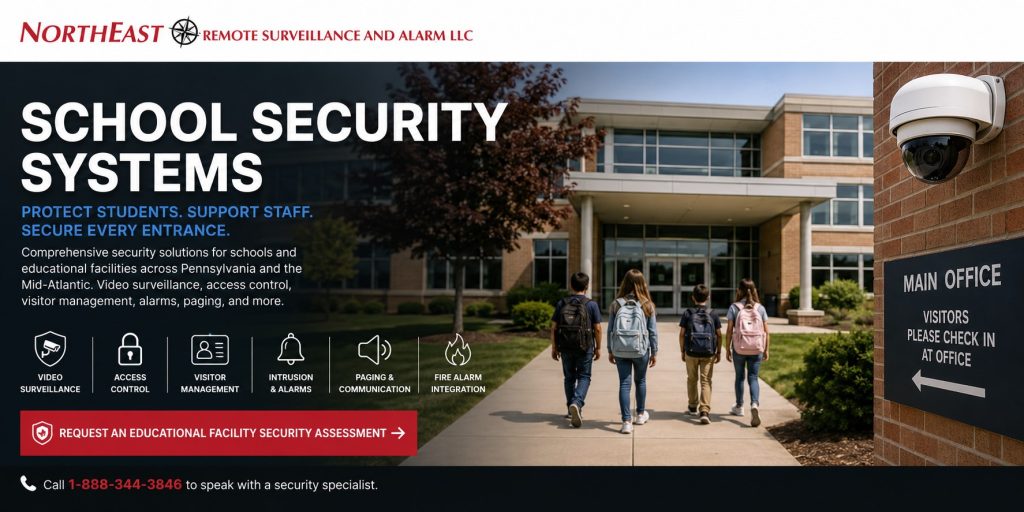
School Security Systems Built Around Real Facility Operations
Schools are active environments with changing schedules, multiple user groups, public-facing entrances, student movement, deliveries, staff transitions, extracurricular activities, maintenance work, evening events, and emergency responsibilities.
A standard equipment package cannot account for every educational property.
The correct school security system depends on factors such as:
- Building layout and number of floors
- Student age groups
- Primary and secondary entrances
- Arrival and dismissal procedures
- Staff and visitor parking
- Bus, van, and parent drop-off areas
- Exterior classroom doors
- Portable or detached buildings
- Administrative offices
- Nurse, counseling, and records areas
- Technology and server rooms
- Gymnasiums, auditoriums, and athletic areas
- After-school activities
- Evening and weekend building use
- Temporary staff, vendors, and contractors
- Existing cameras, alarms, intercoms, and door hardware
- Emergency response procedures
- Fire alarm and life-safety requirements
- Network and low-voltage infrastructure
- Future renovations or campus expansion
NERSA approaches school security systems as facility infrastructure. Cameras, doors, alarms, intercoms, credentials, monitoring, fire alarm interfaces, network equipment, and emergency communication should support one coordinated security plan rather than operate as unrelated devices.
Educational Facilities NERSA Supports
NERSA provides security planning for qualifying non-residential educational environments, including:
- Private schools
- Charter schools
- Religious and parochial schools
- Early learning and childcare facilities
- Vocational and technical schools
- Trade schools
- Adult education centers
- Professional training facilities
- Tutoring and learning centers
- Educational administrative buildings
- College and university support properties
- Multi-building educational campuses
- Athletic, arts, and activity buildings
- Specialized learning facilities
- Education-related offices and operations centers
A smaller private school may need a controlled entrance, several cameras, an intrusion alarm, and visitor communication. A larger educational campus may require centralized video management, multiple access-control panels, building-specific alarm partitions, fire alarm coordination, emergency communication, fiber connectivity, and role-based administration across several buildings.
The design should match the actual facility rather than forcing a small property into an enterprise platform or limiting a larger campus to equipment that cannot scale.
Layered Security for Schools and Educational Facilities
Effective school security systems use multiple coordinated layers. No single camera, lock, alarm, intercom, or detection device can address every situation.
A layered educational security plan may include:
- Controlled primary entrances
- Visitor intercoms and entry communication
- Staff access credentials
- Door-position monitoring
- Interior and exterior video surveillance
- Parking and arrival-area cameras
- Intrusion detection
- Panic and duress devices
- Emergency paging and IP speakers
- Fire alarm and life-safety coordination
- Network and communication-path supervision
- Centralized administration
- Documented response procedures
The objective is not to make the educational environment feel restrictive. The system should improve awareness, accountability, communication, and response while supporting normal student movement, staff operations, accessibility, emergency egress, and approved safety procedures.
Controlled Main Entrances and Visitor Entry
The main entrance is one of the most important parts of an educational facility security plan.
Schools often need a clear process for identifying visitors, communicating with them, authorizing entry, and directing them to the appropriate reception or administrative area. An unlocked door without visitor communication creates uncertainty, while an improperly planned controlled entrance can interfere with accessibility or emergency operation.
A controlled school entrance may include:
- Exterior video intercom
- Entrance camera
- Door-position monitoring
- Remote communication with office staff
- Controlled door release
- Reception-area video
- Visitor routing
- Access-control event records
- After-hours call handling
- Integration with approved locking hardware
Door release should never be treated as a stand-alone button. The intercom, camera view, reader, locking hardware, request-to-exit devices, door closer, power supply, fire alarm interface, and emergency behavior must be planned as one complete opening.
Technology supports the visitor-entry process, but it does not replace school policies, staff training, identification procedures, or emergency protocols.
Access Control for Staff, Administrators, and Restricted Areas
School access control systems help administrators determine who may enter specific buildings or rooms, which schedules apply, when credentials remain active, and how entry activity is documented.
Access control may be appropriate for:
- Staff entrances
- Administrative offices
- Records rooms
- Technology and server rooms
- Maintenance spaces
- Equipment storage
- Nurse or health-support areas
- Athletic facilities
- Detached campus buildings
- Interior staff-only transitions
- Sensitive instructional areas
- After-hours event entrances
Credentials may include cards, key fobs, mobile credentials, or other approved methods. Permissions can be organized by role, department, building, schedule, or individual responsibility.
A teacher may need access to one building during normal hours. A facilities manager may require access across the campus. An administrator may need broader permissions, while a contractor should receive temporary access limited to the required doors and project schedule.
When an employee leaves, a credential can be disabled without rekeying every mechanical lock. Access records may also help administrators review forced doors, denied entry, propped-door conditions, and unusual after-hours activity.
Access control must be coordinated with required egress, accessibility, fire alarm operation, emergency procedures, approved locking arrangements, and the responsible Authority Having Jurisdiction.
Video Surveillance for Schools and Educational Facilities
Educational facility video surveillance should be designed for legitimate security, incident review, operational awareness, and evidence documentation.
Placing cameras throughout a building without defining their purpose can result in blind spots, unusable images, excessive storage use, and inappropriate views. Each camera should have a clear objective.
School camera coverage may include:
- Main entrances
- Visitor vestibules
- Reception areas
- Secondary exterior doors
- Hallways and common areas
- Stairwells
- Cafeterias
- Gymnasium entrances
- Auditoriums and activity areas
- Parking lots
- Parent pickup and drop-off lanes
- Bus loading areas
- Playgrounds and exterior gathering areas
- Building approaches
- Service and delivery entrances
- Administrative corridors
- Detached buildings
- Exterior equipment areas
Camera planning should consider identification distance, field of view, lighting, nighttime performance, glare, weather exposure, mounting height, video retention, remote access, export procedures, and user permissions.
Cameras should not be placed in restrooms, changing rooms, or other areas where surveillance would create inappropriate privacy concerns. Educational organizations should establish clear policies governing who may view video, how footage is requested, how long it is retained, and how recordings are exported or shared.
Video surveillance can support incident review, but it does not replace supervision, emergency procedures, staff training, or responsible school administration.
Parking Lots, Arrival Areas, and Exterior Security
Many incidents affecting educational properties occur outside the building.
Parking areas, sidewalks, arrival lanes, bus zones, playground approaches, athletic areas, detached structures, and side entrances may remain active before classes begin, during dismissal, after school, and during evening programs.
Exterior school security planning may address:
- Vehicle and pedestrian approaches
- Staff and visitor parking
- Student pickup and dismissal
- Bus loading and unloading
- Sidewalks and crosswalk approaches
- Exterior doors
- Playground boundaries
- Athletic-field entrances
- Building-to-building walkways
- Delivery and service areas
- Dumpster and utility areas
- After-hours gathering locations
- Temporary event parking
Wide overview cameras can show movement across a property, but they may not provide adequate identification. A stronger layout may combine general views with focused cameras at entrances, vehicle lanes, pedestrian approaches, or other areas where clear evidence matters.
Lighting, landscaping, seasonal foliage, snow, rain, vehicle headlights, mounting distance, and network availability should be reviewed before exterior cameras are selected.
Intrusion Alarms and After-Hours Protection
Educational buildings are frequently used outside normal classroom hours.
Athletics, meetings, performances, community programs, cleaning crews, maintenance activity, tutoring, deliveries, and weekend events can make a single building-wide alarm schedule difficult to manage.
School intrusion alarm systems may include:
- Exterior-door contacts
- Interior motion detection
- Glass-break detection
- Restricted-room protection
- Separate alarm partitions
- Individual user codes or credentials
- Cellular or IP communication
- Environmental alerts
- Supervised communication paths
- Professional monitoring
- Video verification where appropriate
A partitioned alarm system can allow an approved activity to continue in one part of the building while other areas remain protected. Individual user identification can also help administrators determine who armed, disarmed, or accessed a protected area.
Alarm design should account for custodial schedules, athletics, evening programs, holidays, deliveries, contractors, and other legitimate activity. Poor zoning or unclear user procedures can cause repeated nuisance alarms and eventually reduce confidence in the system.
Panic, Duress, and Emergency Notification
Panic and duress devices may provide staff with a method of initiating an approved emergency notification from specific areas.
Potential locations may include:
- Main offices
- Reception desks
- Administrative suites
- Counseling areas
- Cash-handling locations
- Isolated work areas
- Public-facing service points
- Other spaces identified by the school’s security assessment
Panic devices should not be installed without a defined response plan. Administrators should determine who receives the signal, whether the event is audible or silent, what information is transmitted, how the event is verified, and what staff members are expected to do.
The device, communication pathway, monitoring procedure, responsible-party list, training process, and testing schedule should operate together.
No panic device can guarantee a particular emergency outcome. It is one component of a broader plan that may involve school leadership, emergency responders, staff training, building procedures, communication systems, and other responsible parties.
Intercoms, Paging, and Emergency Communication
Schools often need several forms of communication within the same property.
A visitor intercom may support front-door entry. Paging speakers may support routine announcements. IP speakers may help distribute event-based messages. Administrative offices may need communication with remote entrances, gates, athletic areas, detached buildings, or exterior gathering spaces.
Educational communication systems may support:
- Visitor entry
- Office-to-entrance communication
- Building-wide paging
- Bell and schedule functions
- Staff announcements
- Emergency messaging
- Area-specific notifications
- Exterior speaker coverage
- Athletic or event-area communication
- Communication between detached buildings
- Integration with approved security events
A communication system should be designed around intelligibility, coverage, network reliability, backup power, administrative permissions, and the school’s approved operating procedures.
Speakers should not be added merely because a system supports them. Each device should have a defined purpose, coverage area, activation method, and responsible administrator.
Fire Alarm and Life-Safety Coordination
Fire alarm systems are regulated life-safety systems and must be treated separately from ordinary security equipment.
Educational facilities may require fire alarm detection, notification, sprinkler supervision, monitoring, emergency communication, elevator interfaces, HVAC shutdown, door release, backup power, documentation, testing, inspection coordination, and approval from the responsible Authority Having Jurisdiction.
Security and fire alarm systems may interact at controlled doors, emergency exits, elevators, communication systems, and building-management interfaces. Those interactions must be carefully coordinated.
A security installer should not create a door condition that conflicts with required egress or fire alarm operation. Similarly, emergency communication and security paging should be reviewed so they do not interfere with required life-safety notification.
NERSA considers fire alarm and life-safety conditions when school access control, controlled entrances, door hardware, emergency communication, and building infrastructure interact.
Security technology does not independently establish code compliance. Final requirements may involve school administrators, architects, engineers, fire alarm professionals, door-hardware specialists, IT personnel, inspectors, fire marshals, and other authorities responsible for the project.
Weapons Detection as One Part of a Layered Plan
Some educational organizations evaluate weapons-detection technologies as part of a broader security program.
Weapons detection should not be treated as a replacement for controlled entrances, trained staff, visitor procedures, access control, cameras, emergency communication, alarms, or documented response plans. The technology must be evaluated around the school’s environment, expected traffic volume, staffing, entry procedures, response responsibilities, and operational limitations.
For focused planning on this subject, visit Weapons Detection and School Security Technology.
Any detection technology should be evaluated carefully to understand its intended use, accuracy limitations, staffing requirements, alert procedures, testing needs, privacy considerations, and effect on normal entry.
Multi-Building Campuses and Multi-Site Educational Organizations
Educational organizations operating several buildings or locations need consistency without eliminating necessary differences between facilities.
A multi-building school security system may include:
- Centralized video management
- Building-specific access permissions
- Shared staff credentials
- Individual alarm partitions
- Campus-wide camera naming
- Standard video-retention policies
- Central alarm and event reporting
- Network or fiber links between buildings
- Role-based administrator permissions
- Standardized documentation
- Coordinated maintenance and service
- Phased expansion planning
Centralized management should not give every user unrestricted access.
A principal may need access to one building. District or organization leadership may need broader reporting. Facilities staff may need door and alarm permissions across multiple properties. IT personnel may manage servers and networks without needing unrestricted access to every video recording.
The system should support role-based administration while preserving appropriate separation between buildings, departments, administrators, and other authorized users.
School Security System Upgrades and Takeovers
Many educational properties already have cameras, alarms, intercoms, access control, fire alarm systems, or cabling installed by several different contractors over many years.
Older school security systems may have:
- Inconsistent camera brands
- Poor image quality
- Unreliable recording
- Limited video retention
- Unsupported software
- Shared administrator passwords
- Obsolete door controllers
- Inactive employee credentials
- Poorly labeled alarm zones
- Unsupervised communication paths
- Incomplete drawings
- Aging cabling
- Insufficient network capacity
- Systems that cannot communicate
- Limited remote administration
- No clear expansion plan
A complete replacement is not always necessary.
NERSA can evaluate the existing system to determine what remains dependable, what can be reused, what needs repair, which components are unsupported, and which improvements should be prioritized.
A phased educational facility upgrade may begin with the most critical entrances, camera blind spots, failed recording equipment, outdated access credentials, communication weaknesses, or unreliable alarm transmission. Additional buildings and systems can then be improved according to budget, operational priority, construction schedules, and long-term planning.
Network, Cabling, and System Infrastructure
Modern school security systems depend on reliable low-voltage and network infrastructure.
Cameras, access-control panels, intercoms, speakers, servers, wireless connections, remote management, and cloud services may rely on:
- Structured cabling
- Fiber-optic backbones
- Network switches
- PoE capacity
- Equipment racks
- UPS backup
- Wireless bridges
- Secure internet connectivity
- Network segmentation
- Surge protection
- Cellular backup
- Remote-building connections
- Accurate time synchronization
- System labeling and documentation
Weak infrastructure can create camera outages, recording failures, delayed intercom calls, access-control interruptions, unreliable remote connections, and difficult future expansion.
Network requirements should be coordinated with the school’s IT personnel. Security users should receive only the permissions required for their responsibilities, and default or shared passwords should be eliminated.
Cybersecurity planning may involve administrator controls, software updates, firmware management, secure remote access, network segmentation, backup procedures, credential policies, audit records, and controlled vendor access.
Privacy, Documentation, and Responsible Administration
Educational security systems require disciplined administration.
Schools should establish policies governing:
- Who may view live video
- Who may search recorded footage
- Who may export or share recordings
- How long video is retained
- Who may add or remove credentials
- How terminated users are disabled
- Who receives alarm notifications
- How panic devices are tested
- How intercom and paging permissions are controlled
- How system changes are documented
- How vendors receive temporary access
- How incidents and service events are recorded
Technology alone cannot create a complete security program.
School leadership remains responsible for policies, employee training, emergency planning, student procedures, privacy decisions, legal responsibilities, and coordination with emergency responders and other authorities.
NERSA provides security-system planning, installation, integration, monitoring, infrastructure support, documentation, and technical service. NERSA does not replace school administrators, law enforcement, architects, engineers, legal advisors, fire marshals, code officials, or emergency-planning professionals.
The NERSA Educational Facility Security Assessment
A school security project should begin with an assessment of the property and its operations rather than a predetermined equipment list.
An educational facility security assessment may review:
- Building and campus layout
- Student and employee movement
- Primary and secondary entrances
- Visitor-entry procedures
- Arrival and dismissal operations
- Parking and bus areas
- Exterior doors
- Staff-only spaces
- Administrative areas
- Sensitive rooms
- Existing cameras
- Video quality and retention
- Access-control equipment
- Door hardware
- Intrusion-alarm zones
- Panic and duress devices
- Intercoms and paging
- Fire alarm coordination
- Monitoring procedures
- Network and cabling conditions
- Multi-building connectivity
- User permissions
- Documentation
- Current security concerns
- Planned construction or expansion
The purpose is to identify the areas where better visibility, stronger access management, clearer communication, improved alarm response, dependable infrastructure, or phased modernization can support the facility’s security objectives.
Why Educational Organizations Choose NERSA
Northeast Remote Surveillance and Alarm, LLC focuses on commercial, industrial, institutional, municipal, healthcare, and educational facilities rather than residential alarm packages.
Educational organizations choose NERSA when they need a security partner that understands:
- Controlled public entrances
- Staff credential management
- Commercial door hardware
- Video evidence requirements
- Visitor communication
- Intrusion-alarm zoning
- Emergency notification
- Fire alarm coordination
- Network infrastructure
- Multi-building connectivity
- User permissions
- Documentation
- System upgrades
- Long-term serviceability
NERSA can support a smaller educational property that needs a practical, professionally installed system as well as a larger school, campus, or multi-site organization requiring centralized administration, multiple buildings, scalable infrastructure, and phased long-term planning.
The objective is not to sell the largest system. It is to design a dependable system that matches the property, operating procedures, responsible users, infrastructure, risks, and future requirements.
Request an Educational Facility Security Assessment
Schools and educational facilities need security systems designed around real entrances, schedules, users, buildings, parking areas, communication requirements, emergency procedures, and life-safety conditions.
Northeast Remote Surveillance and Alarm, LLC can evaluate new installations, existing equipment, camera blind spots, uncontrolled entrances, aging alarm systems, visitor communication, access permissions, fire alarm coordination, infrastructure limitations, multi-building management, and phased upgrade requirements.
Request an Educational Facility Security Assessment or call 1-888-344-3846.
Frequently Asked Questions About School Security Systems
What security systems can NERSA provide for schools and educational facilities?
NERSA can design, install, integrate, upgrade, monitor, and support video surveillance, access control, controlled entrances, visitor intercoms, intrusion alarms, panic or duress devices, emergency paging, IP speakers, fire alarm systems, monitoring pathways, structured cabling, fiber, networks, and unified security platforms for qualifying educational facilities.
What types of schools and educational properties can NERSA support?
NERSA supports qualifying private schools, charter schools, religious schools, early learning facilities, vocational schools, training centers, educational offices, specialized learning properties, college support buildings, multi-building campuses, and other non-residential educational environments.
Can NERSA support both small schools and large educational campuses?
Yes. NERSA can design practical systems for smaller educational properties as well as scalable systems for larger schools, multi-building campuses, and multi-site educational organizations. The design is based on the facility’s actual size, risks, infrastructure, administration, and expansion requirements.
Can NERSA upgrade an existing school security system?
Yes. NERSA can assess existing cameras, recorders, access-control systems, credentials, intrusion alarms, intercoms, door hardware, networks, cabling, monitoring paths, and documentation to determine what can be retained, repaired, upgraded, integrated, or replaced.
Should every school use the same security-system design?
No. Building layout, student age, visitor procedures, operating schedules, after-hours programs, emergency plans, door conditions, existing infrastructure, and administrative requirements vary considerably. School security systems should be designed around the individual facility.
Can access control be installed without interfering with emergency egress?
Access control can be designed to support authorized entry while maintaining required egress and emergency operation. The complete opening—including the lock, reader, controller, request-to-exit device, door closer, power supply, fire alarm interface, accessibility, and emergency behavior—must be properly reviewed.
Does video surveillance replace school staff or emergency procedures?
No. Video surveillance supports visibility, documentation, investigation, and event review. It does not replace supervision, trained employees, emergency planning, school policies, law enforcement, or responsible administration.
Does NERSA provide weapons-detection systems for schools?
NERSA can help educational organizations evaluate weapons-detection and related school security technologies as part of a layered plan. Detection technology should be reviewed around staffing, visitor flow, entrance procedures, accuracy limitations, alert response, privacy, testing, and integration with other security measures.
Can school cameras, access control, alarms, and intercoms be integrated?
Compatible systems may be coordinated so administrators can associate door activity with video, review alarm events, communicate with visitors, release approved entrances, manage permissions, and improve event documentation. Integration should be used when it creates a clear operational or response benefit.
How should an educational facility begin a security project?
Begin with an assessment of the buildings, entrances, operating schedules, student and visitor movement, exterior areas, existing systems, emergency procedures, network conditions, known concerns, and long-term plans.
Request an Educational Facility Security Assessment or call 1-888-344-3846.