
Compare Wiegand and OSDP reader communication to plan a compatible access control upgrade with verified Secure Channel configuration, clear installation requirements, and documented acceptance tests.

What the reader protocol controls
The reader-to-controller connection is one part of a controlled opening. It carries information between the device where a user presents a credential and the controller that applies the access rules. Choosing that connection does not decide every other part of the system: the credential technology, administrator accounts, network protection, door hardware, and emergency operation still need their own review.
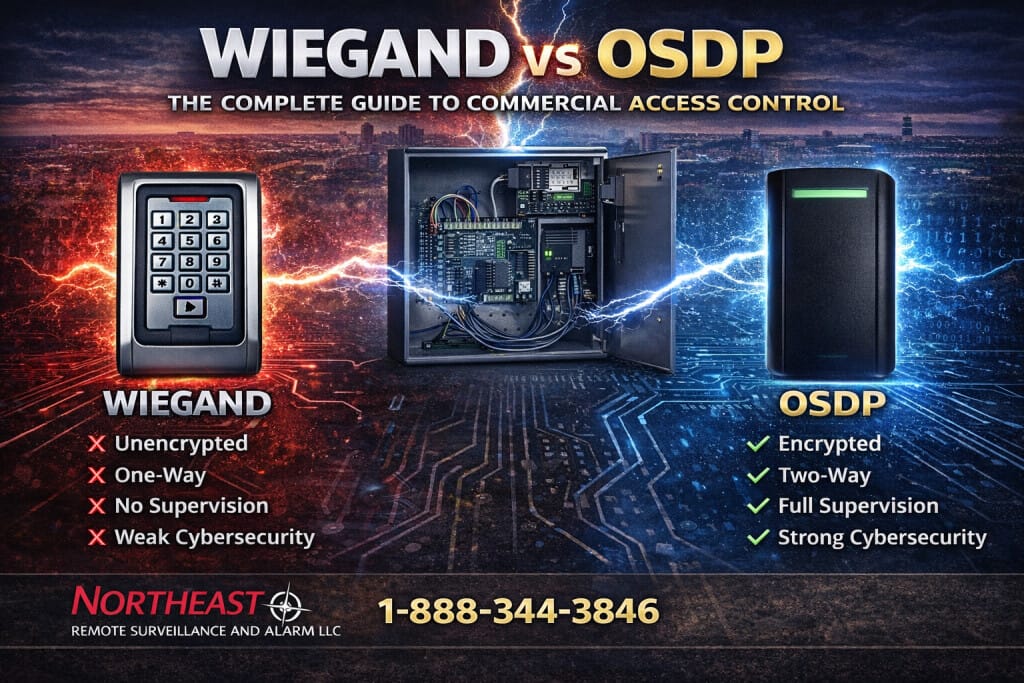
Wiegand installations commonly use Data 0 and Data 1 signal lines to send credential information from the reader to the controller without encryption on that link. OSDP provides bidirectional communication over RS-485 and supports supervision and Secure Channel. The practical question is whether the complete reader, controller, software, and wiring arrangement supports the functions your project requires.
The Security Industry Association’s OSDP overview explains the standard and its Secure Channel support for AES-128 encryption.
OSDP support does not mean Secure Channel is active
A product can communicate using OSDP without the finished installation having an encrypted reader link. Specify Secure Channel explicitly, confirm support at both ends, and verify its operating status during commissioning. A successful card read by itself is not evidence that encryption is active. Keep a record of the configuration and the method used to verify it.
Follow the manufacturer’s process for establishing the secure connection and managing its keys. Installation or enrollment modes need deliberate handling; do not leave the system in a temporary setup state simply because normal entry appears to work. Define who is authorized to change the configuration and how a replacement reader will be commissioned later.
SIA’s Corporate Credential Design Guide recommends OSDP Secure Channel where operationally feasible and emphasizes verifying activation rather than assuming it is enabled.
Compare the exact products and supported functions
Record the reader model, controller model, firmware, access-management platform, and relevant software version. Ask which OSDP functions are supported by that combination, including secure communication, status reporting, configuration, and any proposed update features. Do not assume that a feature supported by one product is available through every controller or software platform.
Use the SIA OSDP Verified product directory to check listed products and their verification details.
Product verification is useful evidence, but the installed combination still needs testing. Check the exact versions and supported profiles against the proposed design. If a feature is important to the operating plan, include its demonstration in acceptance criteria rather than treating a general OSDP label as sufficient proof.
Inspect the wiring before deciding what can remain
Existing cable is not automatically suitable for a conversion. Identify the route, cable construction, length, splices, grounding arrangement, and environmental exposure. Review these against the installation instructions for the selected equipment. Confirm power needs and voltage at the reader under the conditions the manufacturer specifies.
OSDP installations require attention to device addressing, communication settings, topology, and termination as applicable to the selected controller and readers. Do not copy a wiring arrangement from a different product without checking its requirements. Document each reader’s location and address so faults can be traced to a physical opening.
The HID Signo 25B installation guide illustrates why wiring and cable requirements must be checked for the specific reader model.
Where existing cabling does not meet the selected system’s requirements, price the correction explicitly. A realistic scope includes pathways, access to occupied areas, labeling, testing, and any temporary operating arrangements. Avoid promising that every Wiegand cable can be reused or that OSDP always reduces installation cost.
Plan a phased migration around operating needs
Begin with an inventory of controlled openings and their current problems. Prioritize exposed reader wiring, unsupported equipment, recurring faults, and areas with stronger identity or administration requirements. Confirm which controllers and readers can remain and which need replacement or a supported upgrade. Credential compatibility should be reviewed separately from the reader communication protocol.
Some product families offer upgrade paths rather than requiring a new reader at every opening.
HID’s iCLASS SE and multiCLASS SE upgrade kit is one example whose applicability depends on the installed equipment.
Choose a representative opening for the first phase and document the conversion procedure. Agree when the door can be worked on, how authorized users will enter during the change, and who approves its return to service. Keep a defined recovery plan if the proposed combination does not pass testing. Replicate a proven configuration only after recording site-specific differences.
Test the complete opening and its records
Commissioning should cover more than reading a valid badge. Verify authorized and denied access, reader status, schedules, expected indications, and the event records available to authorized staff. Confirm Secure Channel status through the supported configuration or diagnostic method and record the result. Investigate unexpected fallback behavior before accepting the work.
Test the response to a reader communication interruption in coordination with the site contact. Confirm that the event reaches the responsible administrator and uses a useful door or device name. Review recovery when communication returns and verify that routine access continues to follow the approved rules. Plan tests so they do not create an unintended operational or emergency response.
The door, lock, closer, exit hardware, contacts, and any release interfaces must also perform their agreed functions. A protocol upgrade cannot correct a door that binds or fails to latch. Keep mechanical defects and required building coordination visible in the work scope instead of declaring the opening complete after a successful credential test.
Maintain the security configuration after handover
Give the customer an equipment schedule, supported version information, reader addresses, relevant configuration records, and a clear service contact. Protect sensitive configuration and key material using the organization’s approved process. Limit administrative rights to the people who need them and document how access changes when staff or providers leave.
Include reader replacement and software changes in the maintenance plan. A replacement device should receive the same compatibility and secure-configuration checks as the original installation. Review system health reporting periodically and investigate disabled alerts or repeated communication faults. Retain acceptance records so later service work can be compared with the approved operating state.
Keep compliance and cost decisions in context
OSDP Secure Channel can improve protection of the reader link, but it does not by itself establish compliance with a building code, privacy obligation, or cybersecurity framework. The responsible project team must evaluate the complete system and the requirements that actually apply to the facility. Avoid translating a protocol feature into a guarantee about insurance, liability, or prevention of every attack.
Compare proposals on the complete scope: compatible equipment, cabling corrections, commissioning, documentation, staff training, and ongoing support. For an existing system, a phased approach may preserve useful equipment while addressing priority gaps. Record deferred work and its limitations so a partial upgrade is not mistaken for a completed sitewide conversion.
Plan your reader upgrade with NERSA
Use the commercial access control guide to coordinate reader communication with doors, credentials, and system administration.
Request a facility security assessment to review installed equipment, operating requirements, and a practical upgrade sequence.
Call 1-888-344-3846 or request an assessment to discuss your commercial or industrial access control project.