
Commercial and industrial access control systems should help an organization manage who may enter, which doors or areas each person may use, when access is permitted, how credentials are issued and removed, and what activity records are available afterward.
Northeast Remote Surveillance and Alarm, LLC designs and installs commercial access control for warehouses, manufacturing plants, distribution facilities, offices, healthcare properties, schools, municipal buildings, industrial sites, commercial campuses, multi-tenant properties, and multi-location organizations.
A complete system may coordinate credentials, readers, controllers, software, schedules, door contacts, request-to-exit devices, electrified locking hardware, power supplies, network communication, administrator permissions, visitor entry, emergency operation, and approved fire-alarm interfaces.
Access control should be designed around real doors, real users, real schedules, and the way the facility operates—not around a standardized reader package or predetermined door count.
For planning that also includes video surveillance, intrusion alarms, fire-alarm systems, monitoring, intercoms, vehicle gates, and supporting infrastructure, visit Commercial & Industrial Security Services.
Request a commercial access-control assessment or call 1-888-344-3846.
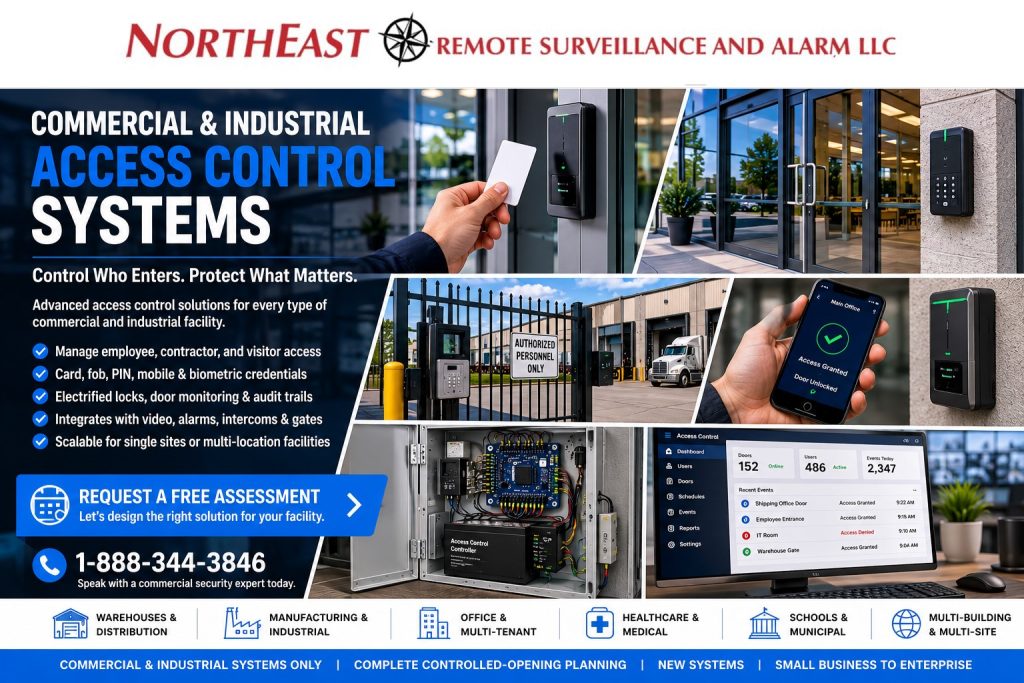
Commercial and industrial systems only • Complete controlled-opening planning • New systems • Small business through enterprise

Access Control Designed Around Real Facility Operations
A commercial access-control system should reflect how employees, visitors, contractors, vendors, tenants, delivery personnel, cleaners, maintenance workers, and administrators move through the property.
Planning may include:
- Main employee entrances
- Secondary and after-hours entrances
- Office-to-warehouse transition doors
- Shipping and receiving offices
- Production-area entrances
- Inventory and tool rooms
- Information-technology rooms
- Records and document storage
- Medication or controlled-supply rooms
- Mechanical and electrical spaces
- Tenant suites
- Shared building entrances
- Parking vestibules
- Detached buildings
- Multiple facilities
The design should also account for normal business hours, work shifts, overtime, holidays, cleaning schedules, delivery windows, contractor assignments, tenant turnover, temporary employees, and emergency procedures.
A small office may need several controlled doors and a straightforward user structure. A warehouse or manufacturing plant may require separate permissions for employee entrances, production areas, shipping offices, tool rooms, maintenance departments, and multiple shifts.
A multi-building organization may need centralized administration while preserving appropriate local control for facility managers, property managers, reception personnel, or security staff.
The objective is not to electronically control every door. It is to identify the openings where managed entry, individual accountability, and centralized administration provide meaningful operational value.
What a Commercial Access-Control System Should Accomplish
A properly designed access-control system can help an organization:
- Replace uncontrolled mechanical-key distribution
- Assign individually managed credentials
- Limit access by door, area, building, or location
- Apply schedules based on job function or operating hours
- Revoke access without rekeying every affected opening
- Establish temporary contractor and visitor permissions
- Record supported credential and door events
- Identify forced and held-open doors
- Manage users from an approved administrative platform
- Coordinate entry with cameras, intercoms, alarms, and gates
- Standardize access practices across several facilities
- Expand to additional doors, departments, and buildings
- Preserve customer control of administrator accounts and system records
Access control does not eliminate every security risk.
A credential can be lost, shared, borrowed, or used by someone other than the person to whom it was issued. An access event normally identifies the credential, opening, and time associated with the transaction; it does not necessarily prove which physical person entered.
Associated video, visitor records, alarm information, and facility procedures can provide additional context when an event requires investigation.
A More Manageable Alternative to Uncontrolled Keys
Mechanical keys remain appropriate for many openings, but uncontrolled key distribution can create long-term management problems.
Keys may be:
- Copied
- Lost
- Shared
- Retained by former employees
- Kept by contractors or vendors
- Difficult to track
- Expensive to replace across a large facility
- Inconsistent among buildings or tenants
Commercial access control allows an authorized administrator to issue, suspend, modify, or revoke a credential without automatically replacing locks throughout the property.
This can be especially valuable when the facility has:
- Frequent employee turnover
- Multiple departments
- Several work shifts
- Contractors or temporary personnel
- Restricted rooms
- Shared commercial entrances
- Tenant changes
- Multiple buildings
- More than one business location
The system should not simply replace a metal key with an electronic badge. It should establish a controlled process for requesting, approving, issuing, reviewing, and removing access.
Users, Permissions, and Credential Lifecycle Management
The long-term value of access control depends on how the organization manages users and permissions after installation.
Individual User Records
Each employee, contractor, tenant, or other authorized person should receive an individually managed credential whenever accountability matters.
Individual records can help management:
- Identify which credential was presented
- Remove a former employee
- Suspend a lost credential
- Limit a contractor to approved areas
- Establish an expiration date
- Assign a temporary schedule
- Review supported activity
- Separate local and corporate permissions
Shared cards, fobs, or PINs reduce accountability and make it more difficult to determine which person used an opening.
Access Groups
Users can be organized according to their responsibilities.
Access groups may reflect:
- Department
- Job function
- Shift
- Building
- Floor
- Tenant
- Contractor assignment
- Management role
- Security responsibility
- Temporary project
An employee who needs access to one office should not automatically receive access to every warehouse, server room, records area, tool crib, production space, or vehicle gate.
Time Schedules
Schedules may control when a credential is valid or when a door follows a programmed state.
Examples include:
- Normal business hours
- First, second, and third shifts
- Weekend production
- Cleaning schedules
- Delivery windows
- Contractor work periods
- Holiday schedules
- Temporary overtime
- Scheduled public entry
- After-hours management access
Schedules should match actual operations so authorized activity is not blocked and doors are not left unlocked longer than required.
User Lifecycle Procedures
A documented credential-management process should identify:
- Who may request access
- Who approves access
- Which doors and schedules are assigned
- Who issues the credential
- How lost credentials are handled
- How temporary access expires
- How transferred employees are updated
- How former users are removed
- Who audits active permissions
- How emergency or exceptional access is documented
The system should not depend on one employee or one service provider remembering every historical user.
Commercial Credential Options
The credential method should match the facility, user population, required security level, administrative process, and long-term migration plan.
Keycards and Key Fobs
Cards and key fobs provide a practical individually managed credential for employee entrances, offices, warehouses, production areas, restricted rooms, tenant spaces, and other commercial openings.
The selected credential technology should be reviewed for:
- Security requirements
- Reader compatibility
- Replacement availability
- Multi-building use
- Multi-site use
- Credential issuance
- Migration from older technology
- Long-term support
Mobile Credentials
Mobile credentials allow compatible smartphones or devices to present an approved credential at supported readers.
They may help organizations:
- Issue access remotely
- Reduce physical badge handling
- Replace lost credentials more efficiently
- Support users who visit multiple facilities
- Manage temporary access
- Modernize aging credential technology
Mobile access should be evaluated alongside device compatibility, employee policy, account ownership, licensing, connectivity, offline operation, user enrollment, and credential-revocation procedures.
Keypads and PIN Entry
PINs may be useful for selected gates, low-volume doors, temporary users, delivery entry, or applications where carrying a physical credential is impractical.
Individual PINs provide more accountability than one shared building code.
PIN entry may also be combined with a card, fob, or mobile credential when the opening requires an additional authentication step.
Smart Credentials
Compatible smart credentials can provide a stronger migration path than older credential technologies when the reader, controller, software, and operational requirements support them.
Planning should confirm:
- Credential format
- Reader compatibility
- Controller compatibility
- Enrollment method
- Issuance procedure
- Replacement procedure
- Multi-site requirements
- Migration from existing credentials
- Long-term manufacturer support
Biometric Credentials
Biometric readers may be appropriate for selected high-security or operationally sensitive applications.
Biometric access requires additional review involving:
- Privacy
- Consent
- Data handling
- Enrollment
- Accuracy
- Environmental conditions
- User acceptance
- Backup credentials
- Administrative policy
- Applicable legal requirements
Biometrics should not be selected merely because the technology is available.
Readers, Controllers, and Management Platforms
Readers, controllers, credentials, and management software perform different functions within the access-control system.
Credential Readers
The reader receives information from a card, fob, mobile credential, PIN, biometric input, or another supported credential method.
Reader selection should account for:
- Indoor or outdoor use
- Weather exposure
- Vandal exposure
- Mounting surface
- Credential technology
- Read distance
- User traffic
- Accessibility
- System compatibility
- Future migration
Access-Control Controllers
The controller receives information from readers and connected door devices, applies programmed permissions and schedules, and sends the appropriate command to the locking hardware.
Controller planning should consider:
- Number of controlled doors
- Expansion capacity
- Local operation during a communication outage
- Input and output capacity
- Reader communication
- Door-monitoring requirements
- Network connection
- Software compatibility
- Firmware support
- Multi-building architecture
- Integrations
- Backup power
An access-control platform should not be selected solely by the appearance of its reader or mobile application.
Management Software
The administrative platform may allow approved users to:
- Add and remove users
- Assign credentials
- Establish access groups
- Manage schedules
- Review supported events
- Monitor door conditions
- Acknowledge selected alerts
- Generate reports
- Administer multiple buildings
- Manage local and corporate roles
- Review system health
- Support future expansion
Software licensing, subscriptions, account ownership, administrator access, integration modules, backups, data retention, and long-term support should be understood before the system is selected.
Cloud, On-Premise, and Hybrid Access Control
Commercial access control may use cloud-managed, locally hosted, or hybrid architecture.
Cloud-Managed Access Control
Cloud-managed systems may simplify:
- Remote administration
- User changes
- Mobile credentials
- Multi-site management
- Software maintenance
- Centralized permissions
- System-health information
- Remote support
The customer should understand:
- Recurring licensing
- Internet dependence
- Local door operation during outages
- Cloud-account ownership
- Supported integrations
- Data retention
- Administrator permissions
- Cybersecurity requirements
- Export and migration options
Many compatible systems can continue making local door decisions during a communication outage, but the exact offline behavior must be confirmed for the selected controller and configuration.
On-Premise Access Control
An on-premise system may be appropriate when the organization has:
- Internal servers
- Dedicated information-technology resources
- Restricted network policies
- Established enterprise software
- Specific data-residency requirements
- Specialized local integrations
- Large user or door counts
The customer should plan for server maintenance, software updates, database backups, operating-system support, administrator control, and secure remote service.
Hybrid Access Control
A hybrid architecture may combine local door controllers and operation with cloud administration, centralized reporting, hosted applications, or selected remote services.
This can support:
- Phased migration
- Multiple building types
- Several business locations
- Existing-controller reuse
- Local operating continuity
- Corporate administration
- Different operational requirements among sites
The architecture should follow the organization’s needs rather than a predetermined preference for cloud or on-premise technology.
The Complete Controlled Opening
A credential reader is only one component of an access-controlled door.
A complete opening may include:
- Door and frame
- Hinges or continuous hinge
- Mechanical lock
- Electric strike
- Electrified lockset
- Electrified exit device
- Magnetic lock where appropriate
- Door closer
- Automatic operator
- Power-transfer device
- Credential reader
- Door-position contact
- Request-to-exit device
- Emergency release hardware
- Access-control controller
- Lock power supply
- Backup batteries
- Intercom release control
- Approved fire-alarm interface
- Low-voltage wiring
Every proposed opening should be evaluated individually.
Two doors in the same building may require different locking hardware, power, wiring, release devices, schedules, monitoring, and emergency behavior.
A card reader cannot correct:
- A damaged frame
- A sagging door
- Worn hinges
- A failed closer
- Misaligned latching
- An unsuitable lock
- Damaged exit hardware
- Insufficient lock power
- A missing power-transfer pathway
- Incorrect request-to-exit operation
The completed opening should close, latch, lock, release, report status, and permit required egress according to the approved design.
Controlled Door Hardware, Release Devices, and Power
A dependable access-controlled opening requires the reader, controller, locking hardware, door contact, request-to-exit device, power supply, wiring, door, frame, hinges, closer, and exit hardware to operate as one coordinated system.
Depending on the opening, the design may use:
- Electric strikes
- Electrified cylindrical or mortise locks
- Electrified exit devices
- Magnetic locks where appropriate
- Door-position contacts
- Request-to-exit devices
- Power-transfer components
- Automatic-operator interfaces
- Dedicated lock power supplies
- Battery backup
- Lock and latch monitoring
The selected hardware should match the door construction, frame, latch, traffic level, environmental exposure, required monitoring, power-loss behavior, fire-rating considerations, accessibility requirements, and approved egress arrangement.
Fail-safe and fail-secure describe how particular locking hardware responds when electrical power is removed; neither configuration is automatically correct for every opening.
The complete door, occupancy, locking method, exit hardware, fire-alarm interface, power supply, emergency procedure, and adopted requirements must be evaluated together.
For deeper planning involving electric strikes, electrified trim, panic hardware, magnetic locks, request-to-exit devices, power transfer, fail-safe and fail-secure behavior, and commercial door-power requirements, visit Access Control Trim and Strike Hardware for Commercial Doors.
Door Status, Request-to-Exit, and Alerts
A complete access-control system should know when an authorized person is leaving and whether the door returned to its secure position.
Request-to-Exit Functions
Request-to-exit may be provided through:
- Exit-device switches
- Lockset switches
- Motion sensors
- Push-to-exit devices
- Touch-sensitive devices
- Automatic-operator controls
- Other approved initiating methods
The selected method depends on the lock, door, occupancy, traffic, security objective, and approved egress arrangement.
Door-Position Monitoring
Door contacts can help identify:
- Door open
- Door closed
- Forced-door activity
- Door held open
- Door failing to close
- Door remaining unsecured after business hours
Programming should account for normal entry time, deliveries, accessibility needs, and the way the opening is actually used.
A held-open alert is useful only when the timing and response procedure are realistic.
Clear Door Naming
Event descriptions should identify the actual location.
Useful names include:
- Main Office – West Employee Entrance
- Warehouse – Shipping Office Door
- Manufacturing – Tool Room Entrance
- Building Two – North Staff Door
- Medical Office – Records Room
- East Vehicle Gate – Entry Lane
Names such as “Door 3” or “Reader 7” become difficult to understand as the system expands.
Egress, Fire Alarm, and Life-Safety Coordination
Access control must be coordinated with the opening’s required egress and emergency behavior.
The project may need to review:
- Door and frame construction
- Existing exit hardware
- Fire-rating labels
- Locking method
- Power-loss behavior
- Emergency release devices
- Request-to-exit operation
- Automatic door operators
- Accessibility
- Fire-alarm interfaces
- Required positive latching
- Approved field modifications
- Occupancy and use
- Local authority requirements
A security-system command should not be used to bypass required mechanical egress, fire-door performance, emergency release, or accessibility.
A fire-alarm interface does not automatically mean every access-controlled door must unlock under every alarm condition. The correct response depends on the complete approved opening, adopted requirements, equipment listings, system sequence, and authority review.
For deeper planning involving access-controlled egress, fire doors, electrified locking, emergency release, and fire-alarm interaction, visit the NFPA Standards and Life-Safety Resource.
Access Control and Video Surveillance
Compatible video and access-control systems may associate door events with nearby camera views.
Video may help authorized personnel review:
- Valid credential use
- Rejected credentials
- Forced doors
- Doors held open
- Visitor entry
- Contractor entry
- Gate activity
- Possible tailgating
- After-hours access
- Activity before and after a door event
Access records identify the credential and transaction. Video may add context concerning the person, vehicle, package, or activity near the opening.
For broader camera-system planning, visit Commercial & Industrial Video Surveillance Systems.
Integration should be confirmed for the exact controllers, software, cameras, licenses, firmware, and event functions included in the project.
Intrusion Alarms and Access-Control Coordination
Access control manages authorized entry, while intrusion detection identifies protected openings or areas that are violated when the assigned alarm partition is armed.
Compatible coordination may support:
- Authorized entry without creating an unnecessary alarm
- Area-specific arming and disarming
- After-hours door-event review
- Video verification
- Forced-door alerts
- Failure-to-secure reporting
- Separate schedules for different departments
- Investigation of activity around alarm events
Access control should not be expected to replace a properly designed intrusion alarm.
The systems perform different functions even when they exchange selected information.
Intercoms, Visitors, and Controlled Entry
Intercoms allow employees to communicate with visitors, drivers, vendors, contractors, and delivery personnel before entry is granted.
A coordinated entrance may include:
- Video intercom
- Credential reader
- Electrified lock
- Door-position contact
- Remote release
- Visitor camera
- Reception station
- Mobile answering
- Access-event record
The organization should define who may answer calls, who may release each opening, and what should happen when the normal recipient is unavailable.
For digital check-in, pre-registration, temporary badges, contractor records, visitor screening, check-in and check-out, and temporary access workflows, visit Enterprise Visitor Management Systems.
Vehicle Gates and Exterior Entry
Commercial access-control credentials and administration may also support vehicle gates, employee parking entrances, delivery gates, contractor yards, fleet facilities, and fenced commercial properties.
A gate project requires separate evaluation of:
- Gate type
- Operator
- Safety devices
- Vehicle-detection equipment
- Traffic flow
- Credentials
- Intercoms
- Cameras
- Emergency access
- Remote release
- Power
- Communications
- Weather exposure
Building-door access control manages people and controlled openings at the building, while gate access control manages vehicles and exterior entry at the property boundary.
The systems may share credentials and administration, but their physical equipment, safety requirements, traffic patterns, and operating conditions remain different.
Access Control by Facility Type
Warehouses and Distribution Facilities
Warehouse access control may manage employee entrances, office-to-warehouse doors, shipping offices, restricted inventory, tool rooms, maintenance spaces, dock-adjacent personnel doors, and multiple work shifts.
For more focused warehouse planning, visit Warehouse Access Control Systems.
Manufacturing and Industrial Facilities
Manufacturing access control may separate production areas, tool cribs, maintenance departments, engineering spaces, material storage, utility rooms, contractor entrances, and restricted processes according to job function and operating schedule.
Offices and Multi-Tenant Properties
Office and multi-tenant systems may control common entrances, tenant suites, employee doors, parking vestibules, shared amenities, server rooms, records areas, and after-hours contractor access while maintaining appropriate administrative separation.
Healthcare and Medical Properties
Healthcare access control may limit entry to staff areas, records rooms, medication storage, laboratories, supply areas, information-technology rooms, equipment rooms, and after-hours entrances based on approved job responsibilities.
Schools, Municipalities, and Institutions
Institutional access control may support staff credentials, secure visitor entry, exterior doors, administrative areas, records rooms, maintenance buildings, public counters, multi-building campuses, and approved emergency procedures.
Facility-specific systems should support the organization’s operating and emergency procedures rather than attempt to replace written policies, training, or responsible personnel.
Multi-Building and Multi-Site Access Control
Organizations operating several buildings or locations may benefit from centralized administration and consistent credential standards.
Multi-site planning may include:
- Shared employee credentials
- Location-specific permissions
- Corporate administrator roles
- Local administrator roles
- Common door-naming standards
- Standard reader technology
- Consistent schedules
- Central user removal
- Multi-location reporting
- Visitor and contractor procedures
- System-health monitoring
- New-site deployment standards
- Phased migration
Not every facility needs an identical physical design, but administration should remain understandable and supportable across the organization.
Local managers should receive only the permissions required for their assigned property, while corporate administrators may receive broader authority where appropriate.
Cybersecurity and Customer Control
Access-control systems may store user names, credential information, door permissions, access groups, schedules, event records, and administrator activity.
This information can reveal employee movement and facility operating patterns, so it should be treated as sensitive business data.
Planning may include:
- Unique administrator accounts
- Role-based permissions
- Strong authentication
- Multi-factor authentication where supported
- Network segmentation
- Secure remote access
- Customer-controlled cloud ownership
- Software and firmware maintenance
- Controlled vendor access
- Audit review
- Backup procedures
- Account recovery
- Timely removal of former users
Shared administrator credentials and unmanaged remote access create unnecessary risk.
The completed system should leave the customer with documented account ownership, defined administrator roles, an understandable support process, and the ability to remove former users and vendors.
Choose the Right Access-Control Service
Complete Commercial Access-Control System
Use this page when the property needs complete planning involving doors, credentials, readers, controllers, permissions, schedules, software, electrified hardware, administration, integrations, and future expansion.
Controlled Door Hardware
Use Access Control Trim and Strike Hardware for Commercial Doors for deeper planning involving electric strikes, electrified locks, panic hardware, magnetic locks, request-to-exit devices, power transfer, and lock-power requirements.
Warehouse Access Control
Use Warehouse Access Control Systems when the primary concern involves warehouse entrances, office-to-warehouse doors, shipping offices, restricted storage, tool areas, dock-adjacent doors, or logistics operations.
Visitor Management
Use Enterprise Visitor Management Systems when the primary need involves pre-registration, digital check-in, temporary badges, contractor records, visitor screening, check-in and check-out, or temporary access workflows.
Unified Security Integration
Use Commercial and Enterprise Unified Security Systems when access control must operate through coordinated workflows with video surveillance, intrusion alarms, intercoms, monitoring, gates, and centralized event management.
Existing-System Inspection and Assessment
Use Commercial Security System Inspection and Assessment when the property already has readers, controllers, credentials, software, locks, wiring, user accounts, or door hardware that must be evaluated before repair, reuse, takeover, upgrade, or replacement.
Access-Control Upgrades and Retrofits
Use access-control upgrade and retrofit services when existing readers, controllers, credentials, software, permissions, door hardware, wiring, or documentation require modernization, migration, or phased replacement.
Access-Control Maintenance and Repair
Use access-control maintenance and repair when controlled doors, readers, power supplies, contacts, request-to-exit devices, communications, or software functions are failing within an otherwise supportable system.
Access-Control Cost Planning
Use Commercial and Industrial Access Control Cost for budgeting factors involving controlled doors, hardware, readers, controllers, wiring, software, licensing, and opening complexity.
Egress and Life-Safety Planning
Use the NFPA Standards and Life-Safety Resource when the project requires deeper planning around fire doors, electrified locking, emergency release, access-controlled egress, fire-alarm interaction, or other life-safety-sensitive openings.
New System, Existing System, or Door Problem?
Correctly classifying the project prevents several different customer needs from being combined into one unclear scope.
Complete New System
This page is the correct starting point when the property needs a new building-door access-control platform designed around users, credentials, openings, schedules, administration, integrations, and future growth.
Existing-System Modernization
Begin with an inspection when the property has:
- Aging controllers
- Unsupported software
- Older credential technology
- Unknown administrator passwords
- Former users who may remain active
- Unreliable readers
- Poor door naming
- Missing documentation
- Several unrelated systems
- Limited expansion capacity
Door or Hardware Problem
A door that does not close, latch, lock, release, or report status correctly should be evaluated as a complete controlled-opening problem before the software, controller, or reader is automatically replaced.
Vehicle-Gate Project
A gate should be evaluated as an exterior access project involving the gate operator, safety devices, vehicle flow, intercoms, credentials, camera visibility, emergency access, and environmental exposure.
Visitor-Management Project
A visitor-management system is appropriate when the organization needs registration, identification, approval, check-in, temporary badges, escort procedures, check-out, or temporary access beyond a basic intercom release.
Commercial Access-Control Project Process
1. Facility and Operational Review
NERSA reviews the property, business hours, shifts, employees, visitors, contractors, tenants, entrances, restricted areas, existing keys, current systems, administrative needs, and future plans.
2. Door-by-Door Assessment
Each proposed opening is evaluated for:
- Door and frame construction
- Handing and swing
- Existing lock
- Exit hardware
- Hinges
- Closer
- Fire-rating labels
- Accessibility
- Wiring path
- Power availability
- Entry method
- Required egress
- Environmental exposure
- Traffic volume
- Existing electronic equipment
3. User and Credential Planning
The organization identifies:
- User groups
- Approval responsibilities
- Credential types
- Door permissions
- Schedules
- Temporary users
- Visitor procedures
- Contractor access
- Administrator roles
- User-removal procedures
4. Architecture Selection
Cloud, on-premise, and hybrid options are evaluated according to:
- Door count
- User count
- Number of buildings
- Number of locations
- Internal IT resources
- Remote administration
- Licensing
- Integrations
- Cybersecurity
- Offline operation
- Long-term ownership
5. System and Hardware Design
The approved design identifies:
- Readers
- Controllers
- Credentials
- Locking hardware
- Door contacts
- Request-to-exit devices
- Power supplies
- Backup batteries
- Network requirements
- Software and licensing
- Intercom interfaces
- Video integrations
- Alarm coordination
- Approved emergency functions
6. Installation and Configuration
Approved equipment is installed, wired, labeled, programmed, and configured according to the accepted scope.
Users, access groups, schedules, door names, administrator roles, alerts, and integrations are established using approved customer information.
7. Door-by-Door Testing
Each affected opening should be tested for:
- Credential response
- Lock operation
- Mechanical egress
- Door-position reporting
- Request-to-exit operation
- Forced-door conditions
- Held-open conditions
- Schedules
- Power-loss behavior
- Backup power
- Intercom release
- Supported integrations
- Required emergency functions
8. Training and Documentation
Authorized personnel receive guidance on:
- Adding and removing users
- Issuing credentials
- Assigning permissions
- Reviewing events
- Managing schedules
- Responding to alerts
- Operating doors
- Requesting service
Depending on the scope, documentation may identify:
- Controlled doors
- Reader locations
- Controller locations
- Power-supply locations
- Administrator roles
- Credential procedures
- Network requirements
- Known limitations
- Service contacts
- Future recommendations
What an Access-Control Proposal Should Define
A professional proposal should clearly identify:
- Number of controlled openings
- General door locations
- Reader and credential types
- Controllers
- Locking hardware
- Exit-device work
- Door contacts
- Request-to-exit devices
- Power supplies
- Power-transfer components
- Wiring and pathways
- Network requirements
- Software
- Licensing or subscriptions
- User and administrator setup
- Schedules and access groups
- Intercom or camera integrations
- Fire-alarm coordination where included
- Automatic-operator coordination where included
- Customer responsibilities
- Work by other contractors
- Exclusions
- Testing
- Training
- Documentation
- Warranty terms
- Future expansion considerations
Two projects with the same number of controlled doors can require substantially different hardware, wiring, labor, software, and coordination.
A straightforward interior office door is not equivalent to an exterior storefront entrance, fire-rated opening, paired door, panic-device exit, automatic door, or vehicle gate.
How a Coordinated Access-Control Design Works
Consider a commercial facility with employee entrances, office-to-warehouse doors, restricted storage, and several work shifts.
A coordinated design would not apply the same credential rules or hardware package to every opening.
Exterior employee doors might use scheduled credentials and door-held-open monitoring. Office-to-warehouse doors might separate administrative employees from production personnel. Restricted storage could use narrower permissions and event review, while supervisors might receive access across several areas without receiving full system-administrator authority.
Clear door names, individually managed users, department-based permissions, appropriate electrified hardware, supported door alerts, documented controller locations, and a defined employee-removal process would then operate as parts of the same system.
This example illustrates the planning method and does not replace a facility-specific assessment.
Why Businesses Choose NERSA
Northeast Remote Surveillance and Alarm, LLC has focused on commercial and industrial security systems since 2008 and works exclusively in non-residential environments.
NERSA approaches access control as a complete system involving:
- Doors and frames
- Credentials
- Readers
- Controllers
- Locking hardware
- Exit devices
- Door contacts
- Request-to-exit equipment
- Power
- Network communication
- User permissions
- Schedules
- Administrator roles
- Audit records
- Integrations
- Emergency operation
- Documentation
- Long-term support
Systems can be planned for a small commercial property with one or several controlled openings or for warehouses, manufacturing plants, campuses, multi-tenant properties, and multi-location organizations with extensive user and administrative requirements.
Existing equipment is evaluated before replacement is recommended. Reuse should depend on condition, compatibility, supportability, testing, security, documentation, and the requirements of the completed system.
Commercial Access-Control Service Area
Pennsylvania is NERSA’s primary service area, with selected commercial and industrial projects supported in nearby New Jersey, Delaware, Maryland, and other Mid-Atlantic markets according to project scope and long-term service requirements.
Project availability depends on:
- Location
- Facility type
- Number of controlled openings
- Door and hardware conditions
- Requested systems
- Permitting or inspection responsibilities
- Required project coordination
- Scheduling
- Travel
- Long-term support needs
For regional, city, industrial-park, and commercial-corridor planning, visit NERSA Service Areas.
Frequently Asked Questions About Commercial Access Control
What is a commercial access-control system?
A commercial access-control system manages entry through selected doors, gates, rooms, buildings, or restricted areas using credentials, permissions, schedules, controllers, locking hardware, and management software.
How is access control better than mechanical keys?
Access control allows authorized administrators to add, remove, suspend, limit, or change credentials without automatically rekeying every affected opening, and it can provide supported activity records that ordinary keys do not create.
What types of commercial doors can be controlled?
Potential openings include employee entrances, office doors, warehouse doors, shipping offices, tenant suites, production entrances, server rooms, records rooms, storage areas, tool rooms, parking vestibules, and other compatible commercial openings.
What credentials can the system use?
Compatible systems may use cards, key fobs, mobile credentials, PINs, smart credentials, biometric readers, or a combination selected according to the facility and required security level.
Can different employees receive different access?
Yes, permissions can be assigned by individual, department, job role, shift, door, building, schedule, tenant, contractor assignment, or management responsibility.
Does an access event prove which person entered?
Not necessarily. The event normally identifies the credential, opening, and time involved, while associated video, visitor records, and other information may provide additional context.
Can access control operate when internet service fails?
Many properly designed systems can continue making local door decisions during a network or internet outage, but the exact offline behavior depends on the selected controller, software, architecture, and configuration.
Is cloud access control better than on-premise access control?
Neither is universally better because the correct architecture depends on administration, internet reliability, IT resources, data policy, integrations, licensing, offline operation, cybersecurity, and long-term ownership.
Can access control integrate with video surveillance?
Compatible systems may associate camera views with credential activity, forced doors, held-open conditions, rejected credentials, visitor entry, or gate events.
Can access control coordinate with an intrusion alarm?
Compatible systems may coordinate selected access events, alarm partitions, schedules, and video verification, although access control and intrusion detection remain separate security functions.
What is fail-safe versus fail-secure locking?
Fail-safe locking releases when electrical power is removed, while fail-secure locking normally remains secured from the entry side during power loss; the correct behavior depends on the complete approved opening design.
Can a magnetic lock be installed on any commercial door?
No. Magnetic-lock applications require careful evaluation of the door, occupancy, egress method, release devices, fire-alarm coordination, power interruption, product listings, and applicable approval requirements.
Can existing readers, locks, controllers, or wiring be reused?
Possibly. Existing equipment may remain when it is identified, tested, compatible, dependable, supportable, correctly installed, and appropriate for the finished system.
Can NERSA control a vehicle gate?
Qualifying gate projects may use credentials, keypads, intercoms, cameras, remote release, and compatible gate controls, but gate operators, safety devices, traffic flow, and emergency access require separate evaluation.
Can NERSA support a small commercial property?
Yes, NERSA supports focused projects involving one or several important openings as well as larger warehouses, plants, campuses, and multi-site organizations.
Can NERSA support several buildings or locations?
Yes, compatible systems can provide centralized users, shared credentials, site-specific permissions, local administrators, reporting, and scalable multi-location administration.
How much does commercial access control cost?
Cost depends on the number and condition of the doors, readers, controllers, credentials, locking hardware, power, wiring, software, licensing, integrations, installation conditions, and work required at each opening.
What is the first step in planning access control?
Begin with a facility and door assessment that identifies who needs access, which openings should be controlled, how users and schedules will be managed, what existing equipment may remain, and how each opening must operate during normal and emergency conditions.
Request a Commercial Access-Control Assessment
Commercial access control should be planned before readers, controllers, credentials, locking hardware, software, and subscriptions are selected.
A professional assessment can identify:
- Doors and areas requiring control
- Employee and contractor groups
- Credential requirements
- Access schedules
- Visitor procedures
- Door and frame conditions
- Locking hardware
- Egress and emergency considerations
- Existing equipment
- Network and power requirements
- Cloud, on-premise, or hybrid architecture
- Video, alarm, and intercom integrations
- Administrator responsibilities
- Documentation requirements
- Future doors, buildings, and locations
Northeast Remote Surveillance and Alarm, LLC designs access-control systems around the facility, its doors, its users, its operating schedule, and the way authorized administrators will manage the system after installation.
Request a commercial access-control assessment or call 1-888-344-3846.
Commercial and industrial systems only • Complete controlled-opening planning • New systems • Small business through enterprise
