Dental office security systems help protect patients, staff, reception areas, operatories, business offices, records, supplies, dental equipment, employee entrances, parking lots, and after-hours building access. Northeast Remote Surveillance and Alarm, LLC designs commercial-grade video surveillance, access control, intrusion alarm, visitor entry, panic, remote viewing, fire alarm coordination, and low-voltage systems for dental offices, orthodontic practices, oral surgery offices, pediatric dental practices, and healthcare-related small businesses. This page is part of our small business security systems hub and is built for dental office owners, practice managers, property managers, and dental groups that need practical commercial protection without a residential-style security package.
Dental offices have different security needs than standard offices, retail stores, restaurants, or warehouses. A dental practice may need controlled employee access, patient-friendly visitor flow, privacy-aware camera placement, records protection, equipment protection, panic options, parking lot visibility, after-hours alarm protection, and clean low-voltage infrastructure that supports daily operations. The right system should protect the practice without disrupting patient care, staff workflow, or the professional environment.
NERSA designs dental office security systems around the way the practice actually operates.
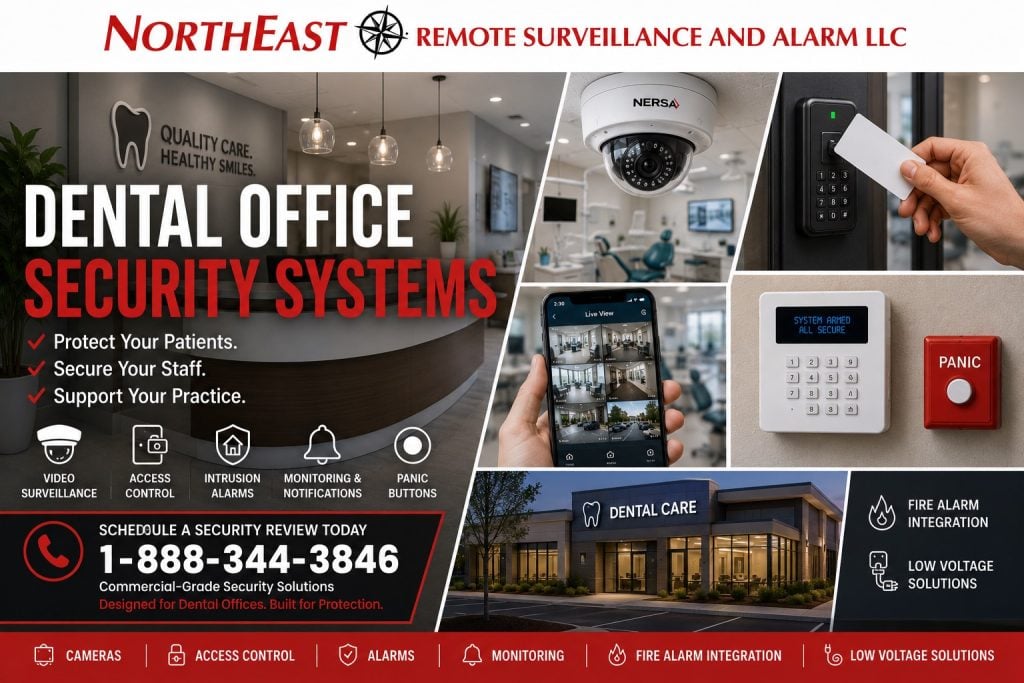
Security for Dental Offices and Dental Practices
Dental office security should be planned around patients, staff, visitors, records, treatment spaces, business offices, equipment areas, parking lots, entrances, and after-hours risk. Some dental offices only need cameras, a monitored alarm, and controlled staff access. Others need access control, visitor entry, panic buttons, remote viewing, parking lot cameras, fire alarm monitoring coordination, and low-voltage infrastructure.
NERSA supports security planning for:
- General dental offices
- Orthodontic practices
- Oral surgery offices
- Pediatric dental offices
- Periodontal practices
- Endodontic practices
- Prosthodontic offices
- Dental implant centers
- Cosmetic dental practices
- Multi-suite dental offices
- Shared medical and dental office buildings
- Multi-location dental groups
- Dental billing and administrative offices
- Healthcare-related small businesses
Each practice should be reviewed based on layout, patient traffic, staff count, business hours, records storage, equipment areas, shared entrances, parking conditions, and after-hours exposure.
Common Dental Office Security Risks
Dental offices may feel controlled and professional, but they still face real security concerns. Many practices contain computers, patient records, billing information, dental equipment, handpieces, tools, supplies, medication or controlled storage where applicable, IT equipment, and private business areas.
Common dental office security concerns include:
- Unauthorized entry
- After-hours break-ins
- Lost keys and uncontrolled access
- Patient or visitor incidents
- Staff safety concerns
- Records room exposure
- Business office access
- Supply room access
- Medication or restricted storage access where applicable
- IT room or network closet access
- Equipment theft
- Parking lot incidents
- Vandalism
- Delivery and vendor access
- Workplace disputes
- False alarms
- Lack of remote visibility for owners or managers
A properly designed dental office security system helps ownership know who entered, what happened, when activity occurred, and whether the practice is protected after hours.
Privacy-Aware Video Surveillance for Dental Offices
Video surveillance can help dental offices document incidents, monitor entrances, protect staff, verify deliveries, improve after-hours visibility, and support parking lot security. Camera placement in a dental environment should be professional, intentional, and privacy-aware.
Dental office camera locations may include:
- Main entrances
- Reception areas
- Waiting areas
- Hallways
- Shared common areas
- Employee entrances
- Business office entrances
- Records room entrances
- Supply room entrances
- IT room entrances
- Exterior doors
- Parking lots
- Building approaches
- Delivery areas
- Rear entrances
Dental office cameras should usually focus on entrances, public areas, shared areas, exterior areas, and security-sensitive access points. Camera placement should avoid operatories, treatment rooms, bathrooms, changing areas, and other private spaces. The goal is to improve security while respecting the patient-care environment.
For dedicated camera planning, NERSA provides commercial security camera installation for dental offices, medical offices, small businesses, professional offices, retail stores, restaurants, warehouses, and commercial properties.
Reception Area and Patient Entry Security
The reception area is one of the most important parts of a dental office security plan. Patients, visitors, vendors, delivery drivers, applicants, sales representatives, and service providers may all enter through the same front area.
Reception security may include:
- Front entrance cameras
- Waiting area cameras where appropriate
- Intercom or visitor entry systems
- Access control at interior staff doors
- Panic buttons where appropriate
- Remote unlock for approved visitors
- Door position monitoring
- Alarm protection after hours
- Visitor flow review
The goal is to allow normal patient access while reducing uncontrolled entry into staff-only areas, business offices, records rooms, supply spaces, and equipment areas.
Staff-Only Area Protection
Dental offices often have staff-only areas that should not be openly accessible to patients, visitors, vendors, or delivery personnel. These areas may include business offices, sterilization areas, storage rooms, records rooms, staff entrances, and IT closets.
Staff-only area protection may include:
- Access control
- Door position monitoring
- Cameras at room entrances
- Alarm contacts
- User activity reporting
- Restricted schedules
- Separate permissions for approved staff
- Remote alerts where appropriate
The system should help practice managers control access without making daily workflow harder for staff.
Access Control for Dental Offices
Access control helps dental offices move away from physical keys and better manage staff access. Instead of rekeying doors when an employee leaves, practice managers can add users, remove users, create schedules, restrict sensitive rooms, and review access activity.
Dental office access control may be used for:
- Main employee entrances
- Staff-only doors
- Business offices
- Records rooms
- Supply rooms
- Medication or restricted storage rooms where applicable
- IT rooms
- Server or network closets
- Sterilization area entrances where appropriate
- Manager offices
- Shared tenant entrances
- Rear entrances
- Multi-suite dental office spaces
A small dental office may only need one controlled staff door. A larger practice may need multiple card readers, mobile credentials, key fobs, remote unlock, audit trails, schedules, and user permission groups.
Door hardware should be reviewed before installation. Electric strikes, electrified locks, maglocks, request-to-exit devices, door contacts, power supplies, fire alarm interfaces, and emergency egress requirements need to be coordinated correctly.
For door and credential planning, visit commercial access control installation.
Intrusion Alarm Systems for Dental Offices
A dental office intrusion alarm should protect the practice when it is closed, lightly staffed, or unattended. The system should cover the right doors, windows, motion areas, records rooms, business offices, supply rooms, equipment areas, and high-risk spaces without creating unnecessary false alarms.
Dental office alarm systems may include:
- Front door contacts
- Rear door contacts
- Window contacts
- Motion detectors
- Glass break detection
- Alarm keypads
- Sirens
- Cellular alarm communication
- Panic or duress buttons where appropriate
- Open and close reporting
- User codes
- Monitoring center dispatch
- Video verification where supported
- App-based arming and disarming
Alarm design should match the way the practice operates. Some dental offices need simple open-and-close protection. Others need user reporting, multiple keypad locations, restricted area protection, video verification, or separate protection for suites, records rooms, or storage areas.
For alarm-specific planning, visit commercial alarm systems.
Records, Billing, and Business Office Security
Dental practices often store patient records, billing information, insurance records, financial documents, practice management computers, keys, access credentials, and business-critical information. These areas should be reviewed as part of the security design.
Security for records and business office areas may include:
- Access control
- Door contacts
- Cameras at entrances
- Alarm protection
- User activity reporting
- Remote alerts
- Separate user permissions
- Controlled employee access
The goal is to control who can enter sensitive business spaces and create a record of activity when access occurs.
Equipment and Supply Area Protection
Dental offices can contain expensive equipment, tools, handpieces, supplies, technology, imaging equipment, and materials that may need protection during and after business hours. These areas should be included in the security design where appropriate.
Security planning may include:
- Cameras at supply room entrances
- Alarm coverage for storage areas
- Access control for restricted rooms
- Door position monitoring
- Inventory room protection
- After-hours alarm response
- Remote viewing for owners or managers
The system should support accountability and after-hours protection without interfering with patient care or staff workflow.
Staff Safety and Panic Buttons
Dental offices may have staff working at reception desks, billing counters, private offices, consultation rooms, or closing shifts where a discreet way to request help may be useful. Panic or duress devices can be considered where the risk profile supports them.
Panic devices may be considered near:
- Reception desks
- Intake counters
- Billing offices
- Manager offices
- Staff work areas
- Consultation rooms where appropriate
- Employee-only areas
Panic button placement and monitoring response should be reviewed carefully so staff understand how the system works, when it should be used, and what response procedures apply.
Visitor Entry and Intercom Systems
Some dental offices need a better way to manage visitors before they enter the practice or before they pass beyond the reception area. Intercom and door entry systems can help staff screen visitors, unlock doors remotely, and reduce uncontrolled access.
Dental office intercom and entry systems may support:
- Front door visitor screening
- Reception-controlled entry
- Remote unlock
- Video intercom calls
- Mobile app calling
- Shared building entrances
- Delivery access
- Employee entrance management
- Multi-tenant dental office entry
A properly designed visitor entry system helps keep the practice accessible for approved visitors while reducing unnecessary access into staff-only areas.
Remote Viewing and Practice Management
Many dental office owners, administrators, and practice managers are not on-site all day. Remote visibility can help them check building activity, confirm openings and closings, review incidents, verify deliveries, and respond to alarm or access events.
Remote dental office security may include:
- Mobile camera viewing
- Alarm notifications
- Remote arming and disarming
- Door access alerts
- User activity history
- Open and close reporting
- Video clips for alarm events
- Multi-location practice views
- Remote support for managers
Remote visibility should give management useful information without creating alert overload.
For active after-hours protection, visit remote video monitoring.
Parking Lot and Exterior Dental Office Security
Dental office security does not stop at the front door. Parking lots, sidewalks, rear doors, employee entrances, delivery areas, dumpster areas, and shared building approaches can create risk.
Exterior cameras can help document:
- Patient vehicle activity
- Employee vehicle activity
- Visitor vehicle activity
- Parking lot incidents
- Vandalism
- Suspicious vehicles
- After-hours loitering
- Slip-and-fall claims
- Delivery activity
- Rear-door access
- Building perimeter activity
Exterior camera design should account for lighting, weather, mounting height, distance, cable pathways, and whether the camera needs to capture general activity, faces, vehicles, or license plates.
Multi-Tenant Dental Office Security
Dental offices are often located in multi-tenant buildings, medical office complexes, professional office parks, shared commercial suites, and mixed-use buildings. These locations need careful planning because multiple businesses may share entrances, hallways, parking areas, elevators, stairwells, and common doors.
Multi-tenant dental office security may include:
- Shared entrance access control
- Tenant-specific door access
- Lobby cameras
- Hallway cameras
- Parking lot cameras
- Intercom systems
- Visitor entry control
- Separate user permissions
- After-hours access schedules
- Management reporting
A clean access control and camera design can help property managers and dental tenants reduce confusion while improving building security.
Multi-Location Dental Practice Security
Some dental practices operate several offices or satellite locations. A patchwork of unrelated cameras, alarms, and access systems can become difficult to manage.
Multi-location dental office security can help standardize:
- Camera systems
- Alarm systems
- User permissions
- Access credentials
- Remote viewing
- Open and close reporting
- Monitoring procedures
- Manager permissions
- Service expectations
- System expansion
Standardization helps ownership and management review multiple offices more efficiently and reduce system confusion across locations.
Fire Alarm Monitoring and Life-Safety Coordination
Dental office buildings may have fire alarm, sprinkler monitoring, elevator monitoring, notification, monitoring, or life-safety coordination needs depending on the building, occupancy, lease requirements, insurance requirements, and authority having jurisdiction.
NERSA can help review security and life-safety coordination such as:
- Fire alarm monitoring
- Cellular fire alarm communicator upgrades
- Sprinkler monitoring where applicable
- Elevator monitoring where applicable
- Fire alarm inspection readiness
- Monitoring path replacement when phone lines are removed
- Coordination between fire alarm and access control
- Door hardware and egress coordination
- AHJ and documentation support
Security, access control, door hardware, and life-safety systems should be planned together when they affect doors, monitoring, emergency response, or code-required operation.
Low-Voltage Infrastructure for Dental Office Security
Dental office security systems depend on reliable wiring, network equipment, power, and communication paths. Cameras, access control panels, card readers, alarm devices, intercoms, network switches, monitoring equipment, and practice technology all need proper infrastructure.
NERSA can help plan:
- Camera cabling
- Alarm wiring
- Access control cabling
- Network cabling
- PoE switches
- Equipment locations
- UPS battery backup
- Cellular communicators
- Conduit where needed
- Surge protection
- Network segmentation
- Future expansion capacity
A clean infrastructure plan helps avoid unreliable cameras, weak remote viewing, alarm communication issues, access control failures, and future service problems.
Dental Office Security System Features
A dental office security system may include:
- Commercial video surveillance
- Entrance cameras
- Reception area cameras
- Waiting area cameras where appropriate
- Hallway cameras
- Parking lot cameras
- Access control
- Card readers
- Mobile credentials
- Door position monitoring
- Intrusion alarm detection
- Glass break detection
- Door contacts
- Panic buttons
- Remote viewing
- Open and close reporting
- Video verification
- Intercom or visitor entry systems
- Cellular alarm communication
- Fire alarm monitoring coordination
- Low-voltage cabling
- Monitoring services
The right combination depends on the practice layout, hours, patient traffic, employee count, records sensitivity, parking conditions, equipment areas, building type, and owner expectations.
NERSA’s Approach to Dental Office Security
Northeast Remote Surveillance and Alarm, LLC designs dental office security systems with a practical, field-first approach. We review how the practice operates, where patients and visitors enter, what areas should be restricted, where records and supplies are stored, how staff access is handled, where after-hours risks exist, and what management needs to see.
Our approach may include:
- Site walk-through
- Camera layout planning
- Reception and visitor flow review
- Access control door review
- Alarm zone planning
- Records room and supply area review
- Parking lot visibility review
- Remote viewing and notification planning
- Fire alarm monitoring coordination
- Low-voltage infrastructure planning
- Monitoring and response discussion
- Future expansion planning
NERSA designs systems for real dental office operations, not cookie-cutter alarm packages.
FAQs
What should a dental office security system include?
A dental office security system should usually include video surveillance, intrusion alarm monitoring, door contacts, motion detection, access control, remote viewing, and protection for entrances, reception areas, records rooms, supply rooms, employee doors, and parking areas. Some practices may also need intercoms, panic buttons, fire alarm monitoring coordination, video verification, or multi-location management.
Where should security cameras be installed in a dental office?
Dental office cameras should usually be placed at main entrances, reception areas, waiting areas where appropriate, hallways, shared spaces, employee entrances, records room entrances, supply room entrances, exterior doors, parking lots, and delivery areas. Camera placement should be professional and privacy-aware.
Where should cameras not be installed in a dental office?
Dental office cameras should not be installed in operatories, treatment rooms, bathrooms, changing areas, or other private spaces. Camera placement should focus on entrances, public areas, shared areas, exterior areas, and security-sensitive access points.
Do dental offices need access control?
Many dental offices benefit from access control on employee entrances, staff-only doors, records rooms, supply rooms, IT rooms, shared tenant entrances, and restricted storage areas. Access control helps reduce key problems and gives management a record of who accessed specific doors.
Can dental office owners view cameras remotely?
Yes. Dental office owners and managers can often view cameras remotely from a phone, tablet, or computer. Remote viewing helps verify openings, closings, deliveries, visitor activity, employee entrances, parking lot events, and after-hours activity.
Are panic buttons useful in dental offices?
Panic buttons may be useful in dental offices where employees work alone, meet with the public, handle sensitive situations, manage disputes, or need a discreet way to request help. Panic button placement should be planned carefully and paired with clear monitoring procedures.
Can one system support multiple dental office locations?
Yes. Multi-location dental practices can standardize cameras, alarms, access control, user permissions, monitoring, and service across multiple sites. This makes the system easier for owners and managers to use.
Can NERSA design security for small dental offices?
Yes. NERSA designs commercial-grade security systems for small dental offices, orthodontic practices, oral surgery offices, pediatric dental offices, healthcare-related small businesses, and multi-location dental practices. Systems can be scaled to fit the office without forcing an oversized design.
Schedule a Dental Office Security Review
If you own or manage a dental office, orthodontic practice, oral surgery office, pediatric dental office, or healthcare-related business, NERSA can help design a security system around your entrances, patients, visitors, employees, records, supplies, equipment, parking areas, and after-hours risks.
Call Northeast Remote Surveillance and Alarm, LLC at 1-888-344-3846 to discuss dental office security systems for your commercial property.
Commercial | Industrial | Fire Alarm | Life Safety | Security | Low Voltage