Warehouse intrusion alarm systems in Easton, PA help distribution centers, logistics facilities, storage buildings, industrial warehouses, and mixed office-warehouse properties detect unauthorized entry, protect overhead and personnel doors, manage after-hours users, and establish a dependable monitored-response process. Request an Easton Warehouse Security Assessment or call 1-888-344-3846.
Northeast Remote Surveillance and Alarm, LLC designs, installs, expands, upgrades, takes over, monitors, and supports commercial intrusion alarm systems for Easton warehouses, distribution centers, freight facilities, logistics operations, industrial storage buildings, fulfillment properties, contractor warehouses, and multi-building commercial sites.
This page focuses specifically on intrusion detection and after-hours alarm protection for warehouse properties. For cameras, access control, loading-dock security, LPR, fire alarm coordination, remote monitoring, and broader facility planning, visit Easton Warehouse Security Systems.
For intrusion-alarm planning across offices, healthcare properties, municipal buildings, schools, manufacturing facilities, contractor operations, and other Easton businesses, visit Commercial and Industrial Intrusion Alarm Systems in Easton, PA.
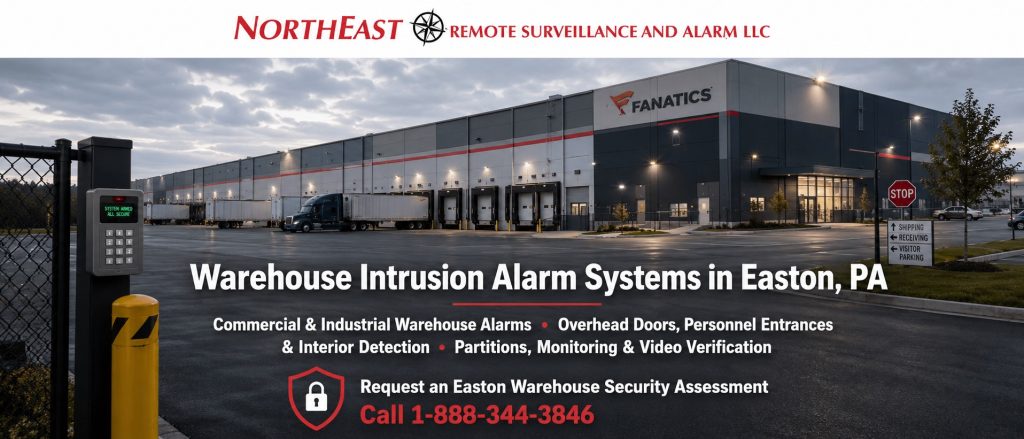
Commercial & Industrial Warehouse Alarms • Overhead Doors, Personnel Entrances & Interior Detection • Partitions, Monitoring & Video Verification
Request an Easton Warehouse Security Assessment
Call 1-888-344-3846
Intrusion Detection Built Around Warehouse Operations
A warehouse alarm system should not be designed by placing several contacts and motion detectors around the building without first reviewing how the facility operates.
Easton warehouse properties may have:
- Multiple employee shifts
- Early arrivals and late departures
- Temporary labor
- Third-party drivers
- Shipping and receiving employees
- Cleaning crews
- Maintenance personnel
- Contractors
- Numerous dock and overhead doors
- Separate office and warehouse areas
- High ceilings
- Long interior distances
- Tall storage racks
- Detached buildings
- Exterior storage
- Weekend loading activity
- Different closing times by department
These conditions affect alarm zones, detector selection, partitions, employee permissions, communication paths, monitoring procedures, and false-alarm prevention.
A warehouse alarm should support daily operations without leaving vulnerable areas unprotected or creating an arming process employees cannot manage reliably.
Warehouse Areas Commonly Protected
Easton warehouse intrusion alarm systems may protect:
- Main employee entrances
- Rear and side personnel doors
- Shipping-office entrances
- Receiving-office entrances
- Overhead loading-dock doors
- Drive-in doors
- Service-bay doors
- Office-to-warehouse transition doors
- Warehouse interiors
- Inventory cages
- High-value storage rooms
- Tool cribs
- Maintenance rooms
- IT and telecommunications rooms
- Electrical and mechanical spaces
- Records rooms
- Dispatch offices
- Roof-access points
- Trailer or yard offices
- Detached storage buildings
- Other restricted after-hours locations
Each protected area should have a defined purpose.
A door contact identifies an opening condition. Interior motion detection identifies movement within an armed space. A panic device supports an employee emergency procedure. Video verification adds visual context to selected alarm events.
No single device performs every function.
Warehouse Personnel-Door Protection
Personnel doors are among the most common intrusion points at warehouses and distribution facilities.
They may include:
- Employee entrances
- Side and rear doors
- Shipping-office doors
- Receiving-office doors
- Maintenance entrances
- Contractor doors
- Emergency exits
- Office-to-warehouse doors
- Detached-building entrances
Commercial door contacts should be selected and mounted around the actual opening.
Planning should consider:
- Door and frame construction
- Contact alignment
- Magnet spacing
- Exterior exposure
- Vibration
- Door movement
- Tampering
- Wiring protection
- Renovations
- Long-term reliability
A damaged or poorly aligned contact can create nuisance alarms or prevent the system from reporting the door correctly.
The alarm zone should also have a clear description such as North Employee Entrance or Receiving Office Exterior Door, rather than a generic label such as “Zone 4.”
Overhead and Loading-Dock Door Alarms
Overhead doors, dock doors, roll-up doors, and service-bay openings require equipment designed for heavy commercial use.
These openings may be affected by:
- Large door travel
- Vibration
- Forklifts
- Pallets
- Trailers
- Floor-level impact
- Dirt and moisture
- Temperature changes
- Exterior weather
- Track movement
- Frequent opening and closing
- After-hours loading
- Different dock schedules
A standard light-duty contact may not be suitable for a warehouse overhead door.
The selected equipment and mounting arrangement should account for the opening’s construction, movement, expected gap, wiring path, and risk of physical damage.
Clear zone descriptions may include:
- Receiving Overhead Door 1
- Shipping Dock Door 8
- West Drive-In Door
- Maintenance Bay Overhead Door
- North Trailer Staging Door
Accurate descriptions help employees, monitoring personnel, and service technicians understand exactly where an event occurred.
Interior Warehouse Motion Detection
Interior motion detection can provide another layer of protection after exterior openings have been secured.
Warehouse detector planning should consider:
- Ceiling height
- Detection distance
- Storage racks
- Changing inventory
- Forklift aisles
- Heating equipment
- Air movement
- Windows and sunlight
- Machinery
- Hanging materials
- Animals
- Dust
- Temperature
- Authorized after-hours movement
- Building additions
- Future layout changes
A detector designed for a small office may not provide suitable coverage in a high-bay warehouse.
The objective is not to install motion detectors indiscriminately. Each detector should cover a defined area and be selected for the warehouse environment.
Possible zones may include:
- East Warehouse Interior
- High-Value Inventory Area
- Shipping Cage Motion
- Tool Room Interior
- North Warehouse Aisles
- Detached Storage Interior
Detector placement should be reviewed again when racking, walls, equipment, or storage layouts change.
Office-to-Warehouse Separation
Many Easton warehouses contain offices, dispatch areas, conference rooms, reception spaces, and administrative departments attached to a larger warehouse.
These areas may operate on different schedules.
For example:
- Office employees may leave before warehouse staff
- Shipping employees may begin earlier
- Cleaning crews may enter after normal hours
- Management may access the office on weekends
- Maintenance personnel may work while warehouse inventory areas remain armed
A partitioned alarm system can allow the office, warehouse, restricted rooms, and detached buildings to be armed independently.
This helps the business maintain protection without requiring the entire property to follow one schedule.
Alarm Partitions for Warehouse Facilities
A partition is an independently controlled section of the alarm system.
Warehouse partitions may be organized around:
- Main office
- Warehouse floor
- Shipping and receiving
- High-value storage
- Tool crib
- Maintenance area
- Tenant space
- Detached building
- Trailer office
- Weekend operations
- Separate departments
Partitions should be easy to understand.
An overly complicated partition structure can lead to:
- Employees arming the wrong area
- Staff entering an armed partition
- Repeated nuisance alarms
- Areas being left unprotected
- Confusing monitoring signals
- Difficult troubleshooting
The goal is to provide the separation the warehouse requires without creating unnecessary operational complexity.
Individual Employee Alarm Codes
Commercial warehouse alarm systems should normally use individual employee codes instead of one code shared by the entire workforce.
Individual codes may help identify:
- Who armed the system
- Who disarmed the system
- Which partition was operated
- When an employee entered
- Whether access occurred outside the normal schedule
- Which users remain active
Permissions may be assigned by:
- Employee
- Department
- Shift
- Management role
- Building
- Partition
- Contractor assignment
- Temporary work period
A shipping employee may be permitted to operate the shipping-office partition without controlling the entire warehouse. A facility manager may receive broader authority. A contractor may receive limited temporary access.
Former employees, completed contractors, and inactive temporary workers should be removed promptly.
Warehouse Alarm Schedules
Warehouse operations frequently extend beyond a standard weekday schedule.
Alarm planning may need to account for:
- First, second, and third shifts
- Early shipping arrivals
- Late truck departures
- Weekend loading
- Holiday operations
- Cleaning schedules
- Maintenance work
- Inventory counts
- Temporary projects
- Seasonal volume
- Weather-related closures
- Different tenant schedules
Supported systems may provide:
- Opening-and-closing reports
- Late-to-close alerts
- Early-opening notifications
- Failure-to-arm events
- Unscheduled disarming alerts
- Partition-specific schedules
- User-specific activity records
Schedules should reflect actual operations rather than create repeated exceptions that employees learn to ignore.
Warehouse Glass-Break and Specialty Detection
Selected warehouse offices, showrooms, dispatch areas, or other spaces may have accessible glass exposure.
Glass-break detection may supplement door contacts and interior motion detection when the room, glass type, acoustics, and detector range support the application.
Other specialty detection may include:
- Interior photoelectric beams
- Roof-access protection
- High-value storage detection
- Long-corridor protection
- Detached-building detection
- Selected perimeter technologies
Exterior and specialty detection require careful planning because weather, animals, vegetation, headlights, equipment, and normal property activity can create unwanted events.
Every detector should have a defined purpose and response procedure.
Panic and Duress Protection for Warehouse Employees
Panic or duress devices may be appropriate in areas where employees interact with drivers, contractors, visitors, customers, or members of the public.
Possible locations include:
- Driver check-in windows
- Shipping offices
- Reception desks
- Dispatch offices
- Cash-handling areas
- Management offices
- Isolated employee workstations
- Guard or gate stations
Available options may include:
- Fixed panic buttons
- Wireless panic devices
- Duress codes
- Wearable devices where supported
- Keypad panic functions where appropriate
Planning should establish:
- Who may activate the device
- Whether the signal is silent or audible
- Which monitoring procedure applies
- Who receives notifications
- Whether verification is required
- What employees should do afterward
- How the device will be tested
- How the system will be documented
A panic device is only one part of an employee-response procedure.
Hardwired Warehouse Alarm Systems
Hardwired alarm systems use cable between the panel, expanders, keypads, contacts, motion detectors, panic devices, and other field equipment.
Hardwired systems may be appropriate when:
- Existing wiring is usable
- New construction provides pathways
- Numerous devices are concentrated in one building
- Wireless conditions are difficult
- A long-term wired architecture is preferred
- Devices require fixed, protected connections
Existing wiring should be evaluated for:
- Cable type
- Condition
- Continuity
- Grounding
- Terminations
- Labeling
- Distance
- Damage
- Abandoned circuits
- Suitability for the proposed system
Existing cable should not be reused simply because it reaches the device location.
Commercial Wireless Warehouse Alarms
Commercial wireless alarm equipment can help protect doors, rooms, or buildings where new wiring would be difficult or disruptive.
Wireless planning should consider:
- Warehouse size
- Concrete and masonry
- Metal wall construction
- Tall storage racks
- Changing inventory
- Equipment rooms
- Device distance
- Repeaters
- Radio interference
- Battery supervision
- Detached structures
- Future construction
A wireless signal that works reliably in an empty warehouse may behave differently after metal racks and inventory are installed.
Commercial wireless systems still require:
- Battery replacement
- Signal supervision
- Device testing
- Repeater planning
- Trouble-response procedures
- Documentation
- Long-term equipment support
Wireless does not mean maintenance-free.
Hybrid Warehouse Alarm Systems
A hybrid system combines hardwired and wireless alarm devices.
This may allow an Easton warehouse to:
- Preserve serviceable existing wiring
- Add devices to new dock doors
- Protect renovated areas
- Extend coverage to difficult locations
- Add a detached building
- Complete a phased upgrade
- Reduce disruption to active operations
The final architecture should be based on reliability, supportability, building conditions, and future expansion—not installation convenience alone.
Alarm Communication and Monitoring
A warehouse intrusion alarm requires a dependable communication path for transmitting alarm, panic, trouble, power, and other approved signals.
Communication options may include:
- Cellular
- Internet Protocol
- Dual-path cellular and IP
- Other compatible supervised methods
Communication planning should evaluate:
- Panel compatibility
- Cellular signal
- Internet reliability
- Network policies
- Communication supervision
- Backup power
- Monitoring-account programming
- Signal classifications
- Existing telephone-line dependence
- Future carrier changes
Professional monitoring should also be supported by accurate account information.
The monitoring account may include:
- Property address
- Responsible-party contacts
- Zone descriptions
- Partition names
- Passcodes
- Verification instructions
- Escalation procedures
- Special operating conditions
- Notification order
Monitoring does not mean that police or another authority will automatically be dispatched after every signal.
Response depends on the event, account instructions, verification requirements, local procedures, contact availability, and the information available at the time.
What Happens After a Warehouse Alarm?
A monitored warehouse alarm may follow this general process:
- A protected device reports an event.
- The alarm panel identifies the zone and partition.
- The signal is transmitted through the configured communication path.
- Monitoring personnel review the account and response instructions.
- Verification or notification procedures are followed.
- Responsible parties or authorities may be contacted when appropriate.
- The event is documented.
- The business reviews what occurred and corrects any deficiency.
A panic alarm, overhead-door event, interior motion alarm, communication failure, and low-battery trouble should not all receive the same response.
Video Verification for Warehouse Alarm Events
Video verification can provide additional context around selected warehouse intrusion alarms.
A camera may help show:
- Who approached the door
- Whether a person or vehicle was present
- What happened before the alarm
- What occurred after the event
- Whether the activity appears authorized
- Whether operational movement may have caused the alarm
Video verification is most effective when:
- The camera clearly covers the protected area
- Nighttime lighting is adequate
- Recording is dependable
- Camera time is accurate
- Network communication is stable
- Alert rules are configured properly
- Monitoring procedures are documented
A camera that does not show the protected zone cannot meaningfully verify the event.
For focused planning, review Video-Verified Alarm Systems in Easton, PA.
Reducing Warehouse Nuisance Alarms
Warehouse nuisance alarms commonly result from a combination of equipment, environmental, programming, and employee issues.
Possible causes include:
- Misaligned personnel-door contacts
- Damaged overhead-door contacts
- Poor motion-detector placement
- Changing inventory blocking detectors
- Forklift or equipment movement
- Shared user codes
- Confusing partitions
- Incorrect schedules
- Cleaning crews entering armed areas
- Contractors using the wrong entrance
- Weak batteries
- Loose wiring
- Repeatedly bypassed devices
- Poor zone descriptions
- Communication trouble
- Building changes not reflected in programming
- Incomplete employee training
Reducing unwanted alarms may require:
- Contact adjustment
- Device replacement
- Detector relocation
- Schedule changes
- Partition redesign
- User cleanup
- Better zone naming
- Employee training
- Communication repair
- Door adjustment
- Improved video verification
- Updated documentation
The underlying problem should be corrected rather than teaching users to ignore or repeatedly bypass the affected zone.
Environmental and Critical-Condition Alerts
Some commercial alarm platforms can also report selected non-burglary conditions within warehouses.
These may include:
- Water detection
- High or low temperature
- Cooler or freezer conditions
- Power failure
- Equipment-room conditions
- Sump-pump alerts
- Refrigeration problems
- Other supported critical events
These events should be clearly named, tested, documented, and assigned to the correct responsible contacts.
Environmental alarm functions do not replace required fire alarm systems, sprinkler supervision, process controls, carbon-monoxide systems, or other regulated life-safety equipment.
Fire Alarm Systems Are Separate
Warehouse intrusion alarms and warehouse fire alarm systems perform different functions.
Intrusion systems protect selected openings and areas when armed. Fire alarm systems provide approved fire detection, occupant notification, sprinkler supervision, monitoring, and required building interfaces.
A warehouse burglary alarm detector should not be presented as a replacement for:
- Fire alarm control equipment
- Smoke or heat detection
- Pull stations
- Horns or strobes
- Sprinkler waterflow monitoring
- Valve-tamper supervision
- Required fire alarm communication
- Testing and inspection
The systems may share selected infrastructure or interfaces, but their functions and approval requirements must remain properly separated.
New Warehouse Intrusion Alarm Installations
A new warehouse alarm should begin with a review of:
- Building layout
- Operating hours
- Employee shifts
- Contractors and cleaners
- Personnel entrances
- Dock and overhead doors
- Warehouse interiors
- Restricted areas
- Detached buildings
- High-value inventory
- Alarm partitions
- User groups
- Monitoring requirements
- Communication paths
- Panic protection
- Video-verification opportunities
- Existing cabling
- Power and battery needs
- Future expansion
The number and type of devices should follow the warehouse requirements rather than determine the design in advance.
Expanding an Existing Warehouse Alarm
A warehouse may need additional intrusion detection after:
- Adding dock doors
- Expanding storage space
- Creating new offices
- Installing a high-value cage
- Adding a maintenance room
- Constructing an addition
- Occupying another tenant area
- Adding a detached building
- Changing operating schedules
- Expanding into another location
Expansion planning should evaluate:
- Panel-zone capacity
- Expander capacity
- Wireless range
- Repeater requirements
- Power supplies
- Battery capacity
- Communication
- Partition limits
- User limits
- Monitoring programming
- Existing documentation
- Future growth
Adding devices without reviewing the existing architecture can create capacity, power, communication, and administration problems.
Upgrading an Existing Warehouse Alarm
An upgrade may improve:
- Alarm control panels
- Keypads
- Door and overhead-door protection
- Interior detection
- Zone descriptions
- User codes
- Partitions
- Schedules
- Communication paths
- Remote administration
- Panic devices
- Video verification
- Monitoring accounts
- Batteries
- Documentation
- Expansion capacity
Existing equipment may remain when it is compatible, dependable, supported, properly installed, and appropriate for the completed system.
The objective is not to replace every device unnecessarily.
The objective is to provide a dependable, manageable, monitored, documented, and expandable warehouse alarm system.
Warehouse Alarm Takeovers and Provider Changes
A business may inherit an alarm after:
- Purchasing a warehouse
- Leasing an existing building
- Changing security providers
- Acquiring another location
- Taking over a former tenant area
- Losing contact with the original installer
- Discovering incomplete system documentation
A takeover assessment may review:
- Panel manufacturer and model
- Installer access
- User codes
- Zone descriptions
- Partitions
- Keypads
- Detection devices
- Communication equipment
- Monitoring account
- Responsible-party contacts
- Batteries
- Wireless coverage
- Available documentation
- Existing deficiencies
- Platform supportability
The warehouse operator must be authorized to control the system.
A successful transition should leave the business with clearer account ownership, updated users, known zones, documented partitions, tested communication, current contacts, and a practical service path.
Testing and Commissioning
A warehouse intrusion alarm should be tested around the approved design and real operating requirements.
Testing may include:
- Personnel-door contacts
- Overhead-door contacts
- Interior motion detectors
- Glass-break devices
- Panic or duress equipment
- Environmental points
- User codes
- Partitions
- Access schedules
- Alarm transmission
- Trouble transmission
- Communication failure
- Power failure
- Battery-supported operation
- Video-verification views
- Monitoring instructions
- Related access-control procedures
Testing one door or one signal does not confirm that the entire warehouse alarm operates properly.
Documentation and Employee Training
Useful warehouse alarm documentation may identify:
- Alarm zones
- Zone descriptions
- Device locations
- Partitions
- Keypad locations
- User roles
- Operating schedules
- Communication paths
- Monitoring-account information
- Responsible-party contacts
- Panic-device locations
- Battery information
- Test results
- Administrator responsibilities
- Service contacts
- Future expansion considerations
Authorized employees should understand:
- How to arm and disarm
- Which partition they control
- Which entrances they may use
- How to recognize a system trouble
- What to do after an alarm
- How to report a damaged device
- How temporary schedule changes work
- When a zone may be bypassed
- Who may add or remove users
- How panic devices operate
- Who to contact for service
A capable system can still generate operational problems when users are not trained.
Warehouse Alarm Systems for Different Facility Sizes
NERSA supports intrusion-alarm projects ranging from smaller office-warehouse properties to large distribution centers, multi-building logistics facilities, and enterprise warehouse portfolios.
A smaller warehouse may need:
- Several personnel-door contacts
- One or two overhead-door contacts
- Interior motion detection
- Individual user codes
- Cellular communication
- Professional monitoring
- A simple office-and-warehouse partition structure
A larger distribution center may require:
- Numerous dock-door contacts
- Multiple employee entrances
- High-bay interior detection
- Several partitions
- Numerous user groups
- Several keypads
- Panic devices
- Video verification
- Dual-path communication
- Detailed opening-and-closing reports
- Detached-building protection
A multi-site warehouse organization may need:
- Standardized alarm panels
- Centralized user administration
- Location-specific permissions
- Consistent zone names
- Regional contact lists
- Common monitoring procedures
- Multi-site reporting
- Documented account ownership
- Phased system modernization
The system should meet the current warehouse requirement without limiting future expansion.
Why Easton Warehouses Choose NERSA
Northeast Remote Surveillance and Alarm, LLC focuses on commercial and industrial security systems rather than residential alarm packages.
Warehouse intrusion-alarm planning considers:
- Personnel and overhead openings
- Shipping and receiving activity
- Employee shifts
- Temporary labor
- Contractors and cleaners
- Warehouse partitions
- Individual user administration
- Interior detection
- Panic protection
- Communication reliability
- Monitoring procedures
- Video verification
- Power and batteries
- Existing infrastructure
- Documentation
- System upgrades
- Provider takeovers
- Future expansion
The objective is not to install the greatest possible number of contacts and motion detectors.
The objective is to provide dependable detection, understandable employee operation, reliable communication, useful monitoring information, clear documentation, and an alarm system the warehouse can manage and expand.
Request an Easton Warehouse Intrusion Alarm Assessment
If your Easton warehouse, distribution center, logistics facility, industrial storage property, contractor warehouse, or mixed office-warehouse building needs personnel-door protection, overhead-door alarms, interior detection, alarm partitions, individual employee codes, panic devices, cellular or dual-path communication, professional monitoring, video verification, system expansion, an alarm upgrade, a provider takeover, or service for an existing system, Northeast Remote Surveillance and Alarm, LLC can help.
An assessment may review:
- Employee entrances
- Rear and side doors
- Shipping and receiving entrances
- Dock and overhead doors
- Warehouse interiors
- Office areas
- Restricted inventory
- Tool and equipment rooms
- IT and utility spaces
- Detached buildings
- Employees and contractors
- Operating schedules
- Existing alarm devices
- Panel and keypad condition
- User codes
- Partitions
- Communication paths
- Monitoring accounts
- Panic protection
- Video-verification opportunities
- Power and batteries
- Documentation
- Future expansion
Request an Easton Warehouse Security Assessment or call 1-888-344-3846.
Frequently Asked Questions About Warehouse Intrusion Alarm Systems in Easton, PA
What is a warehouse intrusion alarm system?
A warehouse intrusion alarm system uses personnel-door contacts, overhead-door devices, interior motion detection, partitions, individual user codes, communication equipment, panic devices, and professional monitoring to detect and report selected unauthorized entry or activity conditions.
How is a warehouse alarm different from a basic office alarm?
Warehouse systems may need numerous dock doors, high-bay motion detection, multiple shifts, several partitions, temporary labor, detached buildings, industrial-grade contacts, video verification, and more complex employee procedures.
Can overhead loading-dock doors be protected?
Yes. Commercial-grade contacts and related devices can be selected for overhead doors, dock doors, drive-in doors, service bays, and other large moving openings.
Can offices and warehouse areas be armed separately?
Yes. Supported systems can use partitions so offices, warehouse floors, restricted rooms, detached buildings, or tenant areas can be armed independently.
Can each warehouse employee receive an individual code?
Yes. Individual user codes can improve accountability and allow permissions to be limited by employee, shift, department, partition, or management role.
Can temporary workers and contractors receive limited alarm access?
Yes. Supported systems can provide temporary users with access limited by partition, schedule, building, or approved work period.
Can the alarm account for multiple warehouse shifts?
Yes. Alarm schedules, employee permissions, partitions, opening-and-closing reports, and late-to-close notifications can be planned around multiple shifts and operating periods.
What type of motion detector works in a high-bay warehouse?
The appropriate detector depends on ceiling height, target area, racking, inventory, distance, temperature, equipment movement, and environmental conditions. Office-style detectors should not automatically be used in high-bay areas.
Can cameras verify warehouse alarm events?
Yes. Properly positioned cameras may provide visual context around personnel-door alarms, overhead-door events, interior motion detection, restricted areas, or exterior activity.
Does video verification replace the intrusion alarm?
No. Alarm devices detect selected conditions. Cameras provide visual context. The systems support one another but perform different functions.
Does a monitored warehouse alarm automatically dispatch police?
Not necessarily. Response depends on the signal type, monitoring instructions, verification requirements, local procedures, contact availability, and the approved escalation process.
Can an old telephone-line alarm communicator be replaced?
Often, yes. Compatible panels may support cellular, IP, dual-path, or another supervised communication method. Required signals should be tested before the old path is removed.
Can panic or duress devices be installed in a shipping office?
Yes. Panic or duress devices may be appropriate in shipping offices, driver windows, dispatch areas, reception desks, management offices, and other employee-facing locations.
Can a warehouse alarm report temperature or water conditions?
Some supported platforms can report temperature, water, refrigeration, freezer, power, or other critical conditions. These functions do not replace required fire alarm, sprinkler, or life-safety systems.
Can NERSA take over a warehouse alarm installed by another provider?
Possibly. The panel, programming, communication, monitoring account, users, partitions, devices, documentation, and platform supportability should be evaluated first.
Can an existing warehouse alarm be expanded?
Yes, when the panel, zone capacity, expanders, power, communication, wireless coverage, user limits, and partition capacity support the proposed expansion.
Can NERSA repair an existing warehouse alarm?
Possibly. NERSA can evaluate panels, keypads, personnel-door contacts, overhead-door contacts, motion detectors, communication equipment, batteries, users, partitions, programming, and monitoring conditions.
Does every warehouse detector need replacement during an upgrade?
No. Existing devices may remain when they are compatible, dependable, supported, properly installed, correctly located, and appropriate for the completed system.
Are warehouse fire alarms part of the intrusion alarm?
No. Warehouse fire alarm systems are separate life-safety systems requiring appropriate detection, notification, sprinkler supervision, monitoring, documentation, testing, and authority review.
Does NERSA support small warehouses and large distribution centers?
Yes. NERSA supports smaller office-warehouse properties, growing distribution operations, high-bay warehouses, logistics facilities, multi-building sites, enterprise distribution centers, and multi-location organizations.
What is the first step?
The first step is an assessment of the warehouse layout, personnel and overhead doors, interior areas, shifts, users, partitions, existing equipment, communication paths, monitoring procedures, video-verification requirements, documentation, and future expansion plans.