
Fiber infrastructure connects commercial networks and security systems across large facilities, remote buildings, gates, and yards.

request a commercial security assessment
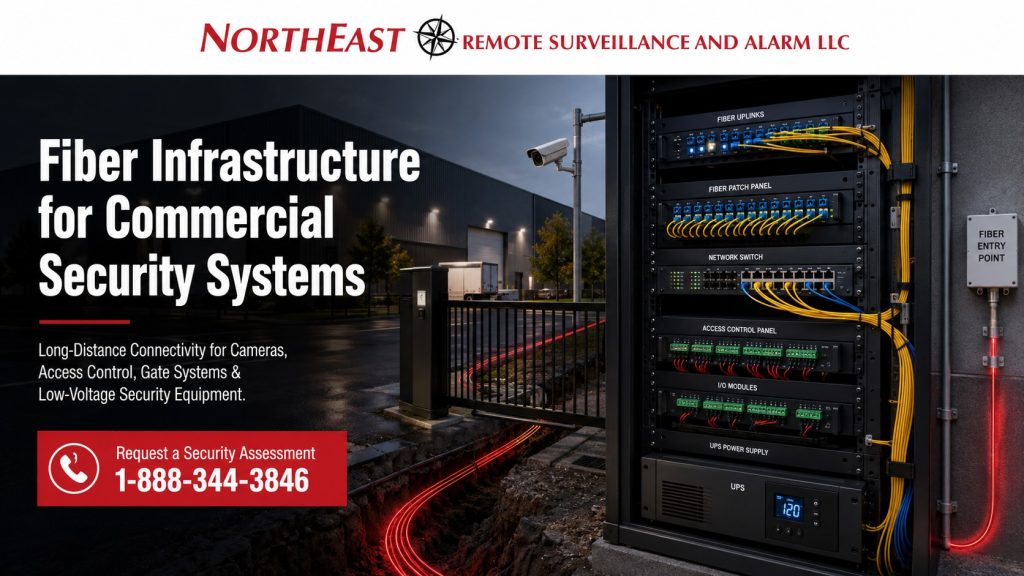
Plan this backbone within commercial low-voltage infrastructure so remote cabinets, power, and connected systems work together.
For service and acceptance details, use fiber testing, fusion splicing, and repair and the cable certification guide.
They explain fault investigation, retesting, and the records to request.
Connect Buildings and Remote Security Equipment
Fiber becomes important when a commercial property outgrows the limits of standard copper cabling. Warehouses, manufacturing facilities, industrial parks, campuses, truck yards, office complexes, municipal buildings, healthcare properties, and multi-building facilities often need reliable security connectivity across distances that copper cable cannot handle well.
A properly planned fiber backbone can support surveillance cameras, access control panels, gate controllers, intercoms, alarm communicators, network closets, remote IDFs, monitoring equipment, and future security expansion. The goal is not just to install cable; the goal is to create a stable security infrastructure path that keeps critical systems connected, documented, and serviceable.
Why Fiber Matters in Commercial Security Design
Standard Ethernet cabling has practical distance limits. In many commercial and industrial environments, cameras, gates, detached buildings, parking areas, loading docks, and perimeter devices sit far beyond those limits.
Fiber helps solve that problem by carrying data over longer distances while reducing exposure to electrical interference. This is especially useful in manufacturing plants, warehouse campuses, industrial yards, and facilities with heavy electrical equipment, long pathways, outdoor runs, or multiple network rooms.
Fiber can also reduce the need to force every device back to one central rack. Instead, a facility can use strategically placed network closets, fiber uplinks, PoE switches, access control panels, and security equipment where they make operational sense.
Common Security Systems That Use Fiber
Fiber infrastructure may support many parts of a commercial security system, including:
- Commercial video surveillance cameras
- PoE camera switches
- Remote camera poles
- Gate and vehicle entrance systems
- License plate recognition cameras
- Access control panels
- Intercom and entry systems
- Alarm communication pathways
- Remote monitoring equipment
- Building-to-building security connections
- Warehouse and industrial network closets
- Fiber is especially valuable when security devices are spread across a large site rather than concentrated in one office or server room.
Fiber for Video Surveillance Systems
Commercial video surveillance often creates the largest bandwidth demand inside a security system. High-resolution cameras, AI video analytics, remote viewing, long retention periods, and multi-camera recording can all place pressure on the network.
Fiber uplinks help carry camera traffic from remote switches, IDFs, warehouses, yards, docks, and detached buildings back to the head-end equipment. When camera networks are planned correctly, fiber can improve system reliability, reduce bottlenecks, and make future camera expansion easier.
For camera-network planning tied directly to switch design, use PoE Switching for Video Surveillance Systems as the supporting infrastructure page.
Fiber for Warehouses, Yards, and Industrial Facilities
Warehouse and industrial properties often need camera coverage far from the main office. Loading docks, trailer parking areas, shipping lanes, employee entrances, storage yards, equipment areas, and perimeter fence lines may all require security coverage.
Fiber allows these areas to connect back to the main system without relying on weak network shortcuts. It can support remote PoE switches, pole-mounted camera groups, exterior enclosures, building-to-building links, and security equipment located closer to the protected area.
This matters because large properties are not always laid out neatly. Security infrastructure must follow the facility’s real operating conditions, not just the shortest theoretical cable path.
Fiber and Structured Cabling Coordination
Fiber should not be planned separately from the rest of the low-voltage system. It needs to coordinate with Cat6 cabling, patch panels, racks, conduit, pathway planning, equipment rooms, labeling, grounding, surge protection, UPS backup, and service access.
A clear design identifies the fiber routes, suitable copper connections, and accessible equipment locations. This keeps the system from becoming a mix of undocumented cable runs, overloaded switches, and difficult troubleshooting paths.
For the copper-side infrastructure that supports cameras, panels, and network drops, continue with Structured Cabling for Commercial Security Systems.
Fiber, UPS Backup, and Security Continuity
Fiber infrastructure should also be considered with power continuity. A fiber path may carry the data, but the connected switches, media converters, access panels, cameras, and network equipment still need protected power.
In commercial security planning, the important question is not only whether the fiber works under normal conditions. The system also needs to be designed so critical surveillance, access control, and alarm equipment can remain operational during short power interruptions or controlled shutdown conditions.
This is especially important for facilities with after-hours operations, remote monitoring, secured entries, gated areas, and warehouse activity outside standard business hours.
Compliance and Documentation Relevance
Fiber infrastructure can affect inspection readiness, serviceability, and long-term system accountability. Commercial facilities should pay attention to pathway documentation, labeling, penetration handling, rack organization, fire-rated areas, cable management, and separation from electrical systems where required.
Fiber planning should also coordinate with applicable low-voltage, building, electrical, and life-safety expectations when security infrastructure passes through commercial or industrial spaces. The focus is not to turn a fiber page into a code article, but to make sure the system is installed and documented in a way that supports future service, inspection, and facility management.
For broader standards and inspection-readiness planning, use Commercial Security Compliance and Inspection Readiness.
Signs a Facility May Need Fiber Infrastructure
A commercial facility may need fiber when cameras, access control panels, gates, or security equipment are located far from the main network room. Fiber may also be appropriate when a property has multiple buildings, long warehouses, exterior security poles, large parking areas, industrial interference concerns, or future expansion plans.
Fiber should also be considered when a facility has experienced unreliable remote camera connections, weak network performance, overloaded closets, undocumented wiring, or repeated service issues caused by poor infrastructure design.
The earlier fiber is planned, the easier it is to build a clean backbone instead of trying to patch together long-distance security coverage later.
Fiber Infrastructure Planning for Commercial Facilities
Northeast Remote Surveillance and Alarm, LLC designs commercial security infrastructure around the facility layout, operating conditions, network requirements, and long-term support needs. Fiber planning can be part of a larger security system design that includes cameras, access control, intrusion detection, alarm communication, remote monitoring, equipment racks, PoE switching, structured cabling, and UPS backup.
We focus on commercial and industrial environments where reliability, documentation, and operational continuity matter. That includes warehouses, manufacturing facilities, office buildings, healthcare properties, municipal sites, industrial yards, logistics facilities, and multi-building commercial properties.
Fiber Optic Testing, Fusion Splicing, and Repair
A fiber project should include a clear acceptance and repair plan. Document the route, fiber type, strand count, termination locations, and services carried before changing a working link. Record which fibers are active and who authorizes an outage. This avoids treating an unidentified strand as a spare during maintenance.
Inspection and cleaning address connector condition. Optical loss testing checks the completed path against its agreed loss budget. OTDR testing helps locate and characterize events along that path. A trace can help investigate a suspected break, bend, connector, or splice, but it does not replace the required end-to-end loss measurement. The test plan should define wavelengths, directions, reference arrangements, and the reports needed for acceptance.
Fluke Networks Versiv provides separate options for these tasks: CertiFiber Pro for optical loss testing and OptiFiber Pro for OTDR analysis. DSX CableAnalyzer addresses copper certification. Specify the measurement module and the test scope rather than asking only for a “Fluke test.” The installed link’s result, the equipment’s calibration record, and the technician’s credentials are separate items.
Fusion splicing joins prepared fibers and protects the joint in a suitable sleeve and tray. A repair plan must also address cable damage, enclosure condition, available slack, strain relief, and access. After repair, update the splice record and test the restored path. A splicer’s estimated loss alone is not the final acceptance record for the complete link.
For service restoration, agree on temporary and permanent arrangements separately. Record which systems were affected, what changed, the test results, and any remaining limitation. Finally, verify the application: confirm the remote switch reconnects, cameras record, and other dependent systems work. Keep the new baseline with the site’s fiber schedule.
The CertiFiber Pro overview explains optical loss testing and reporting.
The OptiFiber Pro datasheet describes the complementary OTDR role.
Use the specified acceptance criteria for the project rather than a generic pass threshold.
Coordinate the Backbone with the Rest of the Building
Start with commercial low-voltage infrastructure and cabling to coordinate fiber with racks, power, copper links, and the connected systems.
The structured-cabling guide covers local connections at each end.
Where a cable route is impractical, compare the constraints in wireless bridge planning before selecting an alternative.
Frequently Asked Questions
What is fiber infrastructure for commercial security systems?
Fiber infrastructure is the backbone cabling and related equipment used to connect commercial security devices across long distances. It can support surveillance cameras, access control panels, gate systems, alarm equipment, remote network closets, and building-to-building security connections.
When should a commercial security system use fiber instead of Cat6?
Consider fiber when devices sit beyond a practical copper route or when you need to connect separate buildings. Also review fiber for exterior coverage and locations with electrical interference concerns.
Does every commercial security camera system need fiber?
No. Smaller systems may work well with properly designed Cat6 cabling and PoE switching. Fiber becomes more important on larger properties, multi-building facilities, industrial sites, warehouses, parking areas, and campuses with long cable pathways.
Can fiber support PoE cameras?
Fiber does not directly power PoE cameras, but it can connect remote PoE switches back to the main network or recording system. The remote switch then powers nearby cameras using copper Ethernet cabling.
Is fiber useful for gate security and vehicle entrances?
Yes. Fiber is often useful for gates, vehicle entrances, license plate recognition cameras, intercoms, and access control equipment located far from the main building. It allows those systems to communicate reliably across longer distances.
Can fiber help with warehouse security systems?
Yes. Warehouses often have long distances between offices, docks, storage areas, yards, and perimeter points. Fiber can help connect remote switches, camera groups, access panels, and monitoring equipment across the facility.
Does fiber infrastructure need UPS backup?
The fiber cable itself does not require power, but the switches, media converters, access control panels, camera equipment, and network hardware connected to it do. Plan UPS backup around the equipment that keeps the security system operating.
Should fiber be documented after installation?
Yes. Document fiber pathways, rack locations, strand usage, terminations, labels, and equipment connections. Good documentation makes future service, expansion, troubleshooting, and inspection coordination much easier.
Can fiber be added to an existing commercial security system?
Yes. Fiber can often be added during an upgrade, expansion, or infrastructure correction project. The design should review existing racks, pathways, switches, cable routes, security devices, and future expansion needs before installation.
Who installs fiber infrastructure for commercial security systems?
Choose a qualified low-voltage security or infrastructure provider to plan and install the fiber. Confirm experience with the connected equipment, commercial pathways, network rooms, and long-term support.
Schedule a Commercial Security Infrastructure Assessment
Plan fiber infrastructure before adding cameras, controlled doors, gates, and remote equipment to unsuitable network paths.
Northeast Remote Surveillance and Alarm, LLC helps commercial and industrial facilities design security infrastructure that supports real operating conditions, long-distance connectivity, documentation, and future expansion.
To review your facility’s fiber, cabling, PoE switching, access control, and low-voltage security needs, request a commercial security assessment.
Compliance, Codes & Project Standards
NERSA plans commercial and industrial security work with applicable code, documentation, inspection and authority-having-jurisdiction requirements in mind. Requirements vary by system, property and jurisdiction. These resources support project planning; they do not establish legal compliance, certification or AHJ approval.
Related guidance: Low-voltage infrastructure compliance · NEC & low-voltage wiring · NERSA project standards