Project availability may depend on property location, installed equipment, system ownership, programming access, manufacturer support, monitoring agreements, communication services, customer authorization, available documentation, building conditions and long-term support requirements.
Upgrade, correct or take over an existing commercial intrusion alarm system at a warehouse, manufacturing facility, office, institutional building or multi-site business in Reading, Pennsylvania.
This focused alarm-system spindle supports NERSA’s Reading Commercial Security System Upgrades, Retrofits and Takeovers hub. It is intended for Reading businesses that already have an alarm system but need better equipment, cleaner user administration, updated communication, dependable monitoring or a new service provider.
An existing system does not automatically need to be removed because it is old, inherited, poorly documented or no longer supported by the original installer. Panels, keypads, door contacts, motion detectors, sirens, wiring and power equipment may remain useful when they can be accessed, tested and incorporated into a supportable long-term system.
Northeast Remote Surveillance and Alarm, LLC evaluates the complete intrusion alarm environment—including the panel, programming access, users, codes, zones, partitions, sensors, communication path, monitoring account, batteries, power, documentation and response procedures—to determine what can be retained, corrected, upgraded or replaced.
The objective is not simply to connect an old panel to another monitoring provider. The objective is to give the business a dependable alarm system it understands, controls and can maintain.
Request a Reading Commercial Alarm Upgrade Assessment or call 1-888-344-3846 to discuss the existing panel, trouble conditions, monitoring arrangement and desired improvements.
Commercial and industrial systems only • Existing-system upgrades • Alarm takeovers • Panel and keypad modernization • Communicator upgrades • User-code cleanup • Zone documentation • Monitoring transitions • Phased replacement • Small businesses through enterprise organizations
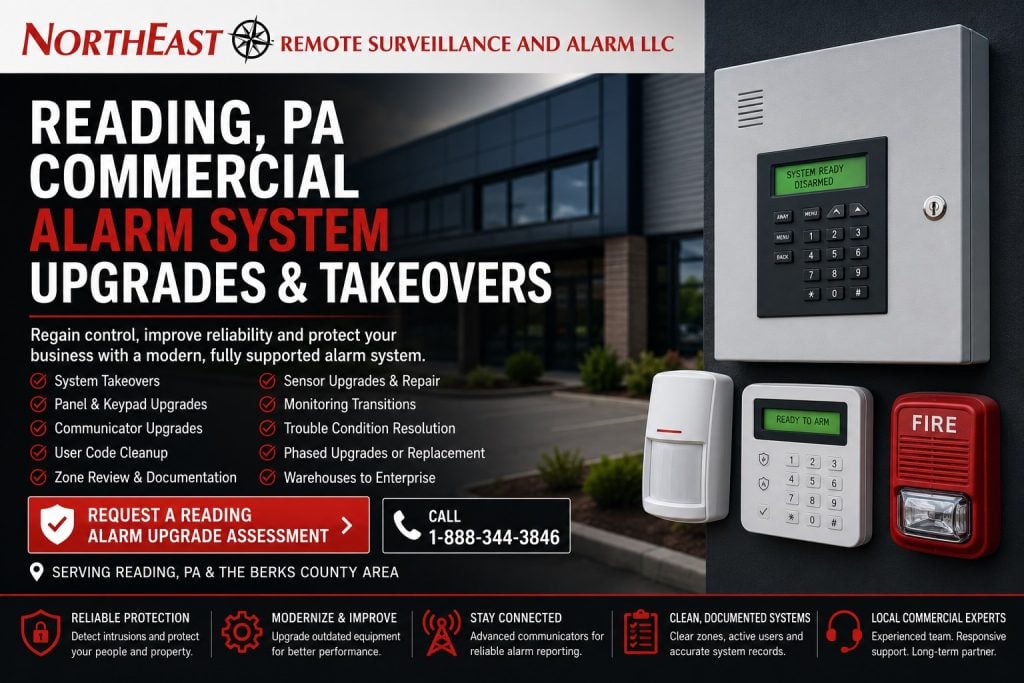
Regain Control of an Existing Commercial Alarm System
Businesses frequently inherit alarm systems without receiving the information needed to administer or support them.
The property may have a functioning panel and several keypads, but the current owner or manager may not know:
- Who owns the installed equipment
- Who possesses programming access
- Which employee or contractor codes remain active
- What each alarm zone protects
- Whether signals are reaching the monitoring center
- Whether the communicator remains supported
- Who receives alarm notifications
- Whether unresolved trouble conditions exist
- What equipment can be expanded or serviced
A commercial alarm takeover should answer these questions before the organization relies on the system for after-hours protection.
When the installed equipment remains accessible and supportable, NERSA may be able to retain useful components while correcting programming, administration, communication and monitoring problems. When the panel or infrastructure is obsolete, inaccessible or unreliable, NERSA can develop a practical replacement path.
Alarm Upgrade, Takeover, Retrofit or Replacement?
These terms describe related but different scopes.
Commercial Alarm System Upgrade
An alarm-system upgrade improves selected parts of an existing intrusion system.
The project may include:
- Replacing an outdated panel
- Installing supported keypads
- Updating the alarm communicator
- Replacing failed door contacts
- Correcting motion-detector coverage
- Adding overhead-door protection
- Expanding zone capacity
- Correcting user permissions
- Improving event reporting
- Adding supported alarm verification
- Establishing a more dependable monitoring path
An upgrade may retain existing equipment when that equipment remains compatible, testable and supportable.
Commercial Alarm System Takeover
A takeover establishes a new service, monitoring and support path for an intrusion alarm originally installed or maintained by another provider.
The process may involve:
- Identifying the panel and connected equipment
- Confirming customer authorization and ownership
- Obtaining authorized programming access
- Reviewing users and alarm codes
- Correcting zone descriptions
- Testing sensors and notification devices
- Replacing the communicator
- Updating emergency contacts
- Transferring monitoring
- Resolving trouble conditions
- Documenting the installed system
- Planning future modernization
For a broader explanation of takeover requirements, provider-controlled equipment and system-transfer limitations, review Commercial Alarm System Takeovers.
Commercial Alarm Retrofit
A retrofit modifies an existing system while retaining equipment or infrastructure that remains useful.
A retrofit may reuse suitable:
- Alarm wiring
- Door contacts
- Motion detectors
- Sirens or sounders
- Keypad locations
- Device locations
- Power infrastructure
- Equipment enclosures
- Communication pathways
Equipment should be retained because it remains dependable and appropriate—not merely because replacing it would require additional work.
Complete Alarm-System Replacement
Complete replacement may be appropriate when the installed system is:
- Unsupported
- Proprietary
- Locked by a previous provider
- Missing authorized programming access
- Repeatedly failing
- Improperly installed
- Too limited for the facility
- Dependent on obsolete communication
- Incompatible with required devices or integrations
- More expensive to maintain than replace
Replacement recommendations should be based on documented conditions rather than age alone.
When a Reading Business Should Consider an Alarm Upgrade
The Alarm System Was Inherited
A new owner, tenant, facility manager or property-management company may inherit an alarm system without receiving:
- Master or administrator credentials
- A current user list
- Accurate zone documentation
- Monitoring information
- Emergency contacts
- Service history
- Equipment ownership records
- Communication details
- Opening and closing procedures
The system should be inspected and documented before new users, sensors, partitions or integrations are added.
The Current Provider Is No Longer Meeting Expectations
A business may have operational equipment but an inadequate service relationship.
Common concerns include:
- Slow service response
- Recurring unresolved troubles
- Unclear monitoring charges
- Provider-controlled programming
- Missing documentation
- Difficulty changing users
- Inaccurate notification lists
- Limited equipment support
- No practical modernization plan
- No dependable commercial service path
A takeover assessment can determine whether the existing system can be transferred or whether selected components must be replaced.
Former Employees May Still Know Alarm Codes
Codes are frequently left active after employees, contractors, cleaning personnel or vendors stop working at a property.
A user review may identify:
- Former employees
- Previous managers
- Former tenants
- Expired contractors
- Shared codes
- Unnamed users
- Permanent temporary codes
- Excessive user authority
- Incorrect partition assignments
- Former administrators who still have access
Individual codes provide better accountability than a single code shared by an entire department.
The Keypad Shows Recurring Trouble Conditions
A trouble message should not be ignored merely because the system continues to arm.
The condition may involve:
- Low backup batteries
- Communication failure
- Telephone-line failure
- Cellular signal problems
- Network interruptions
- Device tamper conditions
- Expander failures
- Wireless supervision
- Missing sensors
- Power problems
- Time and date errors
- Programming conflicts
NERSA can identify the reported condition and determine whether it can be corrected within the existing platform.
Alarm Signals Are Not Reporting Reliably
An alarm panel may operate locally while its communication method becomes unreliable or unsupported.
Older systems may depend on:
- Traditional telephone lines
- Analog telephone emulation
- Outdated cellular technology
- Customer-managed internet service
- Improperly configured network equipment
- Provider-owned communicators
- Inactive communication accounts
A communicator upgrade may introduce cellular, IP or dual-path reporting when supported by the selected panel and monitoring arrangement.
The Building Has Changed
The alarm system may no longer match the property after:
- Interior renovations
- Warehouse expansion
- Tenant changes
- New office construction
- Additional overhead doors
- Changed shipping operations
- New restricted rooms
- Different employee entrances
- Shift changes
- Building additions
- Department relocations
Zone descriptions, sensors, partitions and operating procedures should reflect the facility as it operates today.
Repeated False Alarms Are Reducing Confidence
Repeated unwanted alarms may be caused by:
- Loose door contacts
- Misaligned overhead-door contacts
- Poorly positioned motion detectors
- Damaged wiring
- Unsecured doors
- Incorrect employee procedures
- Weak wireless communication
- Building movement
- Environmental conditions
- Incorrect schedules
- Partition mistakes
- Inaccurate programming
The upgrade should address the underlying cause rather than repeatedly clearing the same condition.
What NERSA Reviews During an Alarm Upgrade Assessment
A Reading commercial alarm assessment examines the complete intrusion system rather than only the keypad.
The review may include:
- Alarm panel manufacturer and model
- Panel condition and capacity
- Programming and administrator access
- Keypad locations and operation
- Active user codes
- Master and manager permissions
- Alarm partitions
- Zone lists and descriptions
- Door contacts
- Overhead-door contacts
- Motion detectors
- Glass-break detectors
- Perimeter devices
- Panic or duress devices
- Sirens and sounders
- Wireless receivers and repeaters
- Power supplies
- Backup batteries
- Cellular or IP communicators
- Telephone-line dependencies
- Monitoring status
- Emergency contacts
- Opening and closing procedures
- Available event history
- Existing documentation
- Future expansion requirements
The assessment should establish what can remain, what requires correction and what should be replaced.
Alarm Panel and Keypad Modernization
The alarm panel receives information from connected sensors, applies programmed logic and communicates reportable events.
A panel review should determine:
- Whether the model remains supported
- Whether authorized programming access is available
- Whether the platform is proprietary
- Whether zone capacity is adequate
- Whether additional partitions are supported
- Whether replacement parts remain available
- Whether modern communication is supported
- Whether useful event history is retained
- Whether user administration is practical
- Whether future expansion can be supported
Keypads should also be evaluated for condition, location and usability.
A keypad installed inside a protected area may create unnecessary entry-delay problems. A damaged or confusing keypad can lead to user mistakes. Additional keypads may be appropriate where separate entrances, departments or alarm partitions are used.
User-Code and Permission Cleanup
Commercial alarm administration should identify each authorized user whenever the platform permits individual codes.
Cleanup may include:
- Removing inactive users
- Replacing shared codes
- Creating individual employee codes
- Assigning manager permissions
- Restricting users to appropriate partitions
- Establishing temporary contractor codes
- Setting expiration procedures
- Reviewing cleaning-company access
- Updating opening and closing responsibilities
- Removing former administrators
The organization should know who is authorized to:
- Arm or disarm the system
- Bypass alarm zones
- Change users
- Operate multiple partitions
- Place the system on test
- Update monitoring contacts
- Request service
- Approve programming changes
User cleanup should occur before outdated records are migrated into a replacement platform.
Zone Review and Alarm Documentation
Each alarm zone should have a clear description that helps the customer, service technician and monitoring center understand what activated.
Useful descriptions may include:
- Main employee entrance
- Rear warehouse personnel door
- Shipping-office door
- Overhead door 4
- First-floor east office motion
- Tool-room door
- Server-room motion
- Receiving vestibule
- South loading-dock entrance
Descriptions such as “Zone 5,” “Back Area” or “Motion 2” provide limited information during an actual event.
An upgrade or takeover should document:
- Device type
- Physical location
- Zone number
- Alarm partition
- Reporting behavior
- Delay settings
- Bypass status
- Associated camera where applicable
- Known limitations
- Testing result
Accurate documentation improves response, troubleshooting and future expansion.
Door and Overhead-Door Protection
Door contacts are common commercial intrusion devices, but they must match the opening and operating environment.
A contact review may consider:
- Door and frame material
- Alignment
- Contact gap
- Mounting method
- Wiring condition
- Exterior exposure
- Traffic volume
- Roll-up or sectional-door movement
- Protection from physical damage
- Zone programming
- Entry and exit delays
Warehouses and distribution properties may contain numerous overhead doors. Contacts should be installed and protected so ordinary door movement does not repeatedly damage or misalign them.
The assessment should also determine whether every monitored opening remains in use and whether newly created openings require protection.
Motion-Detector Upgrades
Motion detection can protect interior areas after a building is closed or lightly staffed.
A detector review may examine:
- Coverage pattern
- Mounting height
- Physical obstructions
- Storage racks
- Machinery
- Heating and cooling movement
- Direct sunlight
- Windows
- Birds or animals
- Employee traffic
- Changed warehouse aisles
- Partition assignment
- Device condition
A detector originally installed for an empty room may no longer provide useful coverage after shelving, partitions or machinery are added.
Placement should be based on the current environment rather than solely on the original design.
Glass-Break and Perimeter Detection
Some commercial systems use glass-break detectors, shock sensors, photoelectric beams or other perimeter devices.
These devices should be reviewed for:
- Coverage
- Compatibility
- Environmental conditions
- Mounting
- Testing requirements
- Programming
- Communication
- Physical damage
- Continued relevance
A device should not be assumed to operate properly merely because it does not display a trouble condition.
Alarm Communicator Upgrades
The communicator sends alarm, trouble and system-status information to the designated receiving platform.
A communicator review may examine:
- Current communication method
- Cellular technology
- Cellular signal strength
- IP connectivity
- Telephone-line dependency
- Dual-path capability
- Antenna placement
- Power and battery backup
- Account ownership
- Monitoring compatibility
- Event transmission
- Communication supervision
- Customer network requirements
A supported communicator may allow a serviceable panel to remain in operation after its original communication path becomes unsuitable.
The final design should identify who owns the communicator, who controls the associated account and what recurring services apply.
Commercial Alarm Monitoring Transitions
Moving an existing alarm system to a new monitoring arrangement requires more than changing a telephone number inside the panel.
The transition may include:
- Customer authorization
- Panel programming
- Communicator enrollment
- Signal-format verification
- Zone-description review
- Emergency-contact updates
- Call-list sequencing
- Password or passcode review
- Opening and closing reporting
- Cancellation procedures
- Dispatch instructions
- Complete signal testing
- Coordination with the former provider
The business should understand which events are monitored, who receives notifications and what response procedure applies.
For broader information about monitoring paths, event handling and commercial response planning, review Commercial and Industrial Security Monitoring.
Alarm Verification and Camera Integration
An alarm signal identifies that a programmed condition occurred. A nearby camera may provide additional context.
Supported integrations may allow authorized personnel to review video associated with:
- Entrance-door alarms
- Overhead-door alarms
- Interior motion alarms
- Restricted-room activity
- Perimeter alarms
- After-hours movement
- Panic or duress events
Video may help determine whether the activity involved an intrusion, an authorized employee, a delivery, building movement or another condition.
Camera integration should support alarm response without making basic intrusion detection unnecessarily dependent on the video platform.
Panic and Duress Device Review
Existing alarm systems may contain fixed or wireless panic and duress devices.
An assessment should identify:
- Device location
- Intended users
- Signal type
- Monitoring response
- Silent or audible operation
- Testing procedures
- Wireless supervision
- Battery condition
- Documentation
- Training requirements
This spindle does not replace a dedicated panic and duress system design. It addresses devices already connected to, or proposed as a limited upgrade for, an existing intrusion alarm system.
Alarm-System Partitions
Partitions allow one panel to manage separate areas with different users, schedules or arming conditions.
Partitions may be useful for:
- Office and warehouse areas
- Multiple tenants
- Separate departments
- Manufacturing and administrative spaces
- Restricted storage
- Independent buildings
- Shipping and receiving
- Areas operating on different shifts
Partition permissions should match actual responsibility. A user assigned to the front office should not automatically be able to disarm a restricted warehouse, inventory area or tenant suite.
Power Supplies and Backup Batteries
A commercial alarm system depends on dependable power.
The review may include:
- Panel transformer
- Power-supply enclosures
- Auxiliary power
- Device current
- Expansion-module load
- Siren load
- Battery condition and capacity
- Voltage
- Charging behavior
- Power-failure reporting
Adding communicators, keypads, receivers or powered devices may increase system demand. Existing power should be tested rather than assumed to remain adequate after expansion.
Wireless Alarm Device Review
Wireless devices can support existing buildings where new wiring would be disruptive or impractical.
A wireless assessment may consider:
- Platform and frequency
- Signal strength
- Device supervision
- Battery condition
- Repeater requirements
- Building construction
- Metal walls or storage racks
- Distance
- Device compatibility
- Replacement availability
- Environmental exposure
Wireless devices should be individually identified and documented so battery replacement, supervision problems and future service can be managed.
Phased Commercial Alarm Modernization
A complete replacement does not always need to occur in one phase.
A phased Reading alarm upgrade may prioritize:
- Communication and monitoring reliability
- User-code cleanup
- Active trouble conditions
- Critical entrances and overhead doors
- Unsupported panel equipment
- High-risk interior areas
- Additional partitions or expansion
- Alarm verification and camera integration
Lower-priority equipment may remain temporarily when a dependable migration path exists.
Each phase should identify what equipment remains, what limitations continue and what future work is planned.
What Existing Equipment May Be Retained?
Existing alarm equipment may remain when it is:
- Customer-owned
- Accessible
- Operational
- Supported
- Compatible
- Properly installed
- Testable
- Adequately powered
- Appropriate for the environment
- Practical to maintain
Potentially reusable equipment may include:
- Door contacts
- Overhead-door contacts
- Motion detectors
- Keypads
- Sirens
- Wiring
- Enclosures
- Expansion modules
- Wireless devices
- Power supplies
- Alarm panels
- Communication pathways
Reuse should be based on inspection, testing and compatibility review.
When Alarm Equipment Should Be Replaced
Replacement may be appropriate when equipment is:
- Unsupported
- Provider-locked
- Proprietary
- Physically damaged
- Repeatedly failing
- Improperly installed
- Incompatible
- Inaccessible
- Dependent on obsolete communication
- Missing authorized programming access
- Inadequately powered
- Too limited for the property
- Unable to support dependable monitoring
- More costly to maintain than replace
The proposal should explain why each major component is being retained or replaced.
Reading Properties That May Need Alarm Upgrades
Warehouses and Distribution Centers
Warehouse alarm modernization may address:
- Employee entrances
- Shipping offices
- Receiving areas
- Overhead and dock doors
- Inventory rooms
- Tool storage
- Warehouse motion detection
- Trailer-adjacent openings
- After-hours activity
- Multiple shifts
- Temporary workers
Manufacturing and Industrial Facilities
Manufacturing alarm systems may protect:
- Production-support areas
- Maintenance rooms
- Tool rooms
- Material storage
- Utility spaces
- Restricted rooms
- Shipping and receiving
- Administrative offices
- Employee entrances
- Exterior buildings
Upgrade work may need to be phased around production schedules and approved shutdown periods.
Offices and Multi-Tenant Buildings
Office and multi-tenant upgrades may include:
- Separate alarm partitions
- Tenant-specific codes
- Common entrances
- Individual suites
- Server rooms
- Records areas
- Shared mechanical spaces
- After-hours users
- Cleaning crews
- Tenant-turnover procedures
One tenant should not automatically receive control of another tenant’s alarm area.
Medical, Educational and Institutional Properties
These facilities may require planning around:
- Staff schedules
- Restricted rooms
- Occupied areas
- Visitor activity
- Records
- Supply storage
- Emergency procedures
- After-hours access
- Multiple departments
- Duress procedures
System operation should align with the organization’s approved operating requirements.
Small Commercial Properties
A smaller Reading office, shop, medical practice, contractor facility or warehouse may need fewer alarm zones, but it still requires proper users, dependable communication, accurate monitoring instructions and documented ownership.
NERSA supports qualifying projects ranging from focused small-business alarm takeovers to multi-building and enterprise modernization.
The NERSA Reading Alarm Upgrade Process
1. Define the Existing Problem
NERSA begins by identifying what the organization needs to correct.
The concern may involve an inherited panel, poor provider support, old codes, recurring troubles, obsolete communication, inaccurate zones, unwanted alarms, expansion or unreliable monitoring.
2. Inspect and Document the System
The assessment reviews accessible panels, keypads, users, partitions, zones, sensors, communicators, batteries, power, monitoring information and existing documentation.
3. Determine Ownership and Access
NERSA reviews available equipment ownership information, authorized programming access and any provider-controlled or proprietary limitations.
4. Classify Existing Equipment
Major components may be classified for:
- Retention
- Testing
- Reprogramming
- Repair
- Expansion
- Communication upgrade
- Phased replacement
- Immediate replacement
5. Develop the Upgrade or Takeover Scope
The scope should identify:
- Equipment being retained
- Equipment being replaced
- User-code cleanup
- Zone corrections
- Communicator changes
- Monitoring transition
- Sensor upgrades
- Programming
- Testing
- Training
- Documentation
- Known exclusions
- Future phases
6. Install, Program and Test
Testing may include:
- Door contacts
- Overhead-door contacts
- Motion detectors
- Glass-break detectors
- Panic devices
- Keypads
- Partitions
- User codes
- Sirens
- Trouble conditions
- Communication paths
- Alarm and restoral signals
- Opening and closing events
- Monitoring contacts
7. Train Authorized Personnel
Authorized personnel should understand how to:
- Arm and disarm
- Operate separate partitions
- Report compromised codes
- Request temporary users
- Respond to trouble conditions
- Place the system on test
- Update emergency contacts
- Request service
8. Deliver Appropriate Documentation
Documentation may identify:
- Panel location
- Keypad locations
- Zone descriptions
- Partition assignments
- Communicator information
- Monitoring account ownership
- Approved administrators
- Basic operating procedures
- Known limitations
- Recommended future work
Upgrade and Takeover Limitations
An alarm upgrade may be limited by:
- Missing customer authorization
- Unknown equipment ownership
- Locked programming
- Proprietary equipment
- Unsupported panels
- Failed wiring
- Hidden building conditions
- Missing device locations
- Inaccurate prior documentation
- Poor cellular service
- Customer network restrictions
- Non-transferable monitoring services
- Provider-owned communicators
- Unavailable replacement parts
- No practical long-term support path
These conditions should be identified before the business depends on the proposed takeover.
What This Page Covers—and Excludes
This page covers existing commercial intrusion alarm upgrades and takeovers in Reading, Pennsylvania.
It addresses:
- Existing alarm panels
- Keypads
- Users and codes
- Partitions
- Alarm zones
- Intrusion sensors
- Communicators
- Monitoring transitions
- Unwanted-alarm conditions
- Documentation
- Phased modernization
It does not target:
- Residential alarm systems
- DIY alarm products
- New general alarm installations
- Fire alarm design or inspection
- Standalone camera installation
- General access-control installation
- Mechanical lock repair
- Broad multi-system modernization
Those services should remain on their appropriate NERSA hubs and focused spindles.
Why Reading Businesses Use NERSA for Alarm Upgrades
A dependable commercial alarm takeover requires more than replacing a keypad or transferring a monitoring account.
It requires an understanding of:
- Panel programming
- User authority
- Alarm partitions
- Zone behavior
- Sensor condition
- Communication technology
- Monitoring procedures
- Backup power
- Facility operation
- Equipment ownership
- Documentation
- Long-term serviceability
Northeast Remote Surveillance and Alarm, LLC focuses on non-residential commercial, industrial, institutional, municipal, healthcare, educational, warehouse, manufacturing, logistics and multi-site environments.
NERSA evaluates the installed alarm system as one operating environment and develops a practical path from an inherited, unsupported or unreliable system to one the customer can understand and manage.
Frequently Asked Questions About Reading Commercial Alarm Upgrades
What is a commercial alarm-system takeover?
A commercial alarm takeover is the process of evaluating and assuming support for an existing business intrusion alarm system. It may include the panel, keypads, users, sensors, communicator, monitoring account and system documentation.
Can NERSA take over a system installed by another company?
NERSA can evaluate qualifying commercial alarm systems installed by another provider to determine whether the equipment can be accessed, supported, monitored, upgraded or partially retained.
Does the entire alarm system need to be replaced?
Not necessarily. Equipment may remain when it is customer-owned, accessible, operational, supported, compatible and appropriate for the property.
What happens when the previous provider locked the panel?
NERSA can review the panel, equipment ownership and available customer authorization. Some systems can be transferred or reprogrammed. Others may require panel or communicator replacement.
Can former employee codes be removed?
Yes, when authorized programming access is available. User cleanup may remove former employees, expired contractors, duplicate users and shared codes.
Can NERSA assign individual employee codes?
Qualifying systems can support individual codes, providing better accountability than one code shared by multiple employees.
Can recurring trouble conditions be corrected?
NERSA can evaluate trouble conditions involving batteries, communication, power, wiring, wireless supervision, tamper conditions, expanders, sensors and programming.
Can an old telephone-line communicator be upgraded?
Often, a serviceable panel can be connected to a supported cellular, IP or dual-path communicator. Compatibility and monitoring requirements must be reviewed.
Can the monitoring provider be changed?
A monitoring transition may be possible with customer authorization, programming access, compatible communication equipment and complete signal testing.
Can existing contacts and motion detectors be reused?
Possibly. Reuse depends on condition, wiring, compatibility, placement, testing results and the proposed alarm platform.
Can warehouse overhead doors be added?
Qualifying overhead doors may be protected after the construction, movement, environment and wiring pathway are evaluated.
Can cameras be associated with alarm events?
Supported systems may associate alarm activity with nearby camera views to provide additional context during an event.
Can one panel control several departments or tenants?
Some commercial panels support separate partitions with different users, schedules and arming conditions. The installed platform must support the required arrangement.
Can only the communicator be replaced?
Possibly. The panel must be operational, accessible, supported and compatible with the proposed communicator and monitoring service.
Can the alarm system be upgraded in phases?
Yes. A phased project may first correct communication, active troubles, user administration and critical openings before lower-priority devices are replaced.
Does this page cover fire alarm takeovers?
No. This page is limited to commercial intrusion alarms. Fire alarm monitoring, inspection, programming and replacement require a separate life-safety evaluation.
Does NERSA support small businesses and enterprise facilities?
Yes. NERSA evaluates qualifying commercial projects ranging from smaller offices, shops and contractor facilities to warehouses, manufacturing plants, institutional properties, multi-building campuses and enterprise systems.
What information should we gather before an assessment?
Useful information includes the current provider, panel location, known codes, monitoring account, emergency contacts, zone list, service history, recurring trouble conditions and any available documentation.
How do we begin a Reading commercial alarm upgrade?
Call 1-888-344-3846 or request a Reading Commercial Alarm Upgrade Assessment. NERSA can evaluate the installed system before recommending retention, correction, modernization or replacement.
Request a Reading Commercial Alarm Upgrade Assessment
A Reading commercial alarm assessment can help determine whether the appropriate path is reprogramming, user cleanup, zone correction, sensor replacement, communicator modernization, monitoring takeover, phased expansion or complete replacement.
The assessment may review:
- Existing alarm panel and keypads
- Users, codes and permissions
- Partitions and zone descriptions
- Door and overhead-door contacts
- Motion and glass-break detectors
- Panic or duress devices
- Wireless equipment
- Sirens and sounders
- Power supplies and batteries
- Cellular and IP communicators
- Monitoring status
- Emergency contacts
- Trouble conditions
- Existing documentation
- Future expansion requirements
Request a Reading Commercial Alarm Upgrade Assessment or call 1-888-344-3846 to discuss the property, installed alarm system, current provider and known problems.