
A Verkada installation should connect cloud-managed security to the facility’s cameras, doors, alarms, intercoms, network, users, and response procedures.

Request a commercial security assessment
Installation Starts With the Building
Northeast Remote Surveillance and Alarm, LLC plans, installs, expands, and supports Verkada systems for commercial and industrial properties. The work begins with facility layout, user movement, door conditions, camera objectives, alarm risks, visitor flow, IT standards, privacy expectations, and the action expected when an event occurs.
Mounting devices is only one part of the project. Cabling, PoE capacity, internet reliability, retention, licenses, permissions, documentation, training, and long-term service all affect the finished system.
Platform Fit and Project Scope
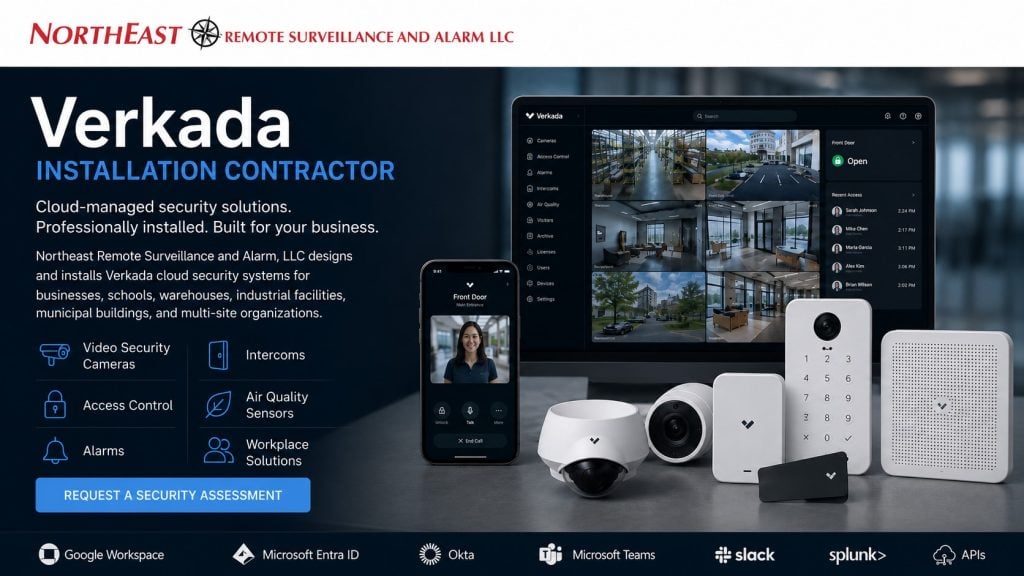
Verkada offers a cloud-managed physical security platform that can coordinate compatible video security, access control, alarms, intercoms, sensors, workplace tools, and integrations.
Available products and features evolve, so the proposed scope should be checked against current Verkada product information, licensing, and regional availability.
- Warehouses, manufacturing plants, offices, schools, healthcare, municipal sites, and multi-site organizations
- New systems, additions, phased deployments, and selected takeovers
- Organizations seeking centralized administration with defined roles and permissions
Video Security Planning
Camera placement should be based on the detail needed at entrances, parking, docks, production areas, corridors, gates, and restricted spaces. Lens choice, target distance, lighting, mounting height, weather exposure, network capacity, recording retention, and review workflow matter more than camera count alone.
NERSA documents the objective for each view and coordinates the installation with the property’s commercial video-surveillance plan.
Access Control and Intercoms
Cloud administration cannot correct a door that fails to close, latch, unlock, or provide required egress. Access-control work may require controllers, readers, credentials, locks, strikes, exit devices, door contacts, request-to-exit devices, power supplies, fire-alarm coordination, and permits.
Intercom design should define who answers, where calls are routed, when a door may be released, what happens after hours, and how visitor activity is documented. Every controlled opening should follow its approved hardware and life-safety requirements.
Alarms, Sensors, and Response
Alarm and sensor placement should follow real risk areas and operating conditions. A complete response plan identifies monitored events, verification, contacts, dispatch instructions, schedules, escalation, and system testing. Environmental readings or analytics should support a defined policy and responsible decision-maker rather than generate unattended alerts.
Network, Cybersecurity, and Administration
Before deployment, the project team should review VLANs, addressing, PoE budgets, switching, bandwidth, internet resilience, identity management, administrator roles, multifactor authentication, privacy, retention, integrations, and offboarding. Access should follow least-privilege practices, and changes should be documented.
Owners should understand subscription terms, data policies, supported integrations, export requirements, and the process for adding or removing users and devices.
New Installations, Expansions, and Existing Systems
NERSA can assess a new deployment, extend an existing Verkada environment, or compare Verkada with another suitable platform. Installed cameras, cabling, doors, locks, networks, and related systems are evaluated before replacement. Compatibility, condition, ownership, licensing, security, and future support determine what can be retained.
Frequently Asked Questions
What does a Verkada installation contractor do?
The contractor assesses the site, plans device locations and infrastructure, coordinates door hardware and networking, configures supported components, documents the system, and provides handoff and support.
Can one platform manage multiple locations?
Compatible deployments can centralize sites, devices, users, and permissions. Each location still needs its own field assessment and documented operating rules.
Can existing equipment be reused?
Sometimes. Reuse depends on compatibility, condition, ownership, licensing, security requirements, performance, and the intended long-term support model.
Is Verkada right for every organization?
No. Platform selection should consider the facility, budget, IT standards, cybersecurity, privacy, integrations, retention, compliance, ownership preferences, and service expectations.
Request a Verkada Installation Assessment
Request a commercial security assessment to plan a Verkada installation, expansion, or platform comparison.