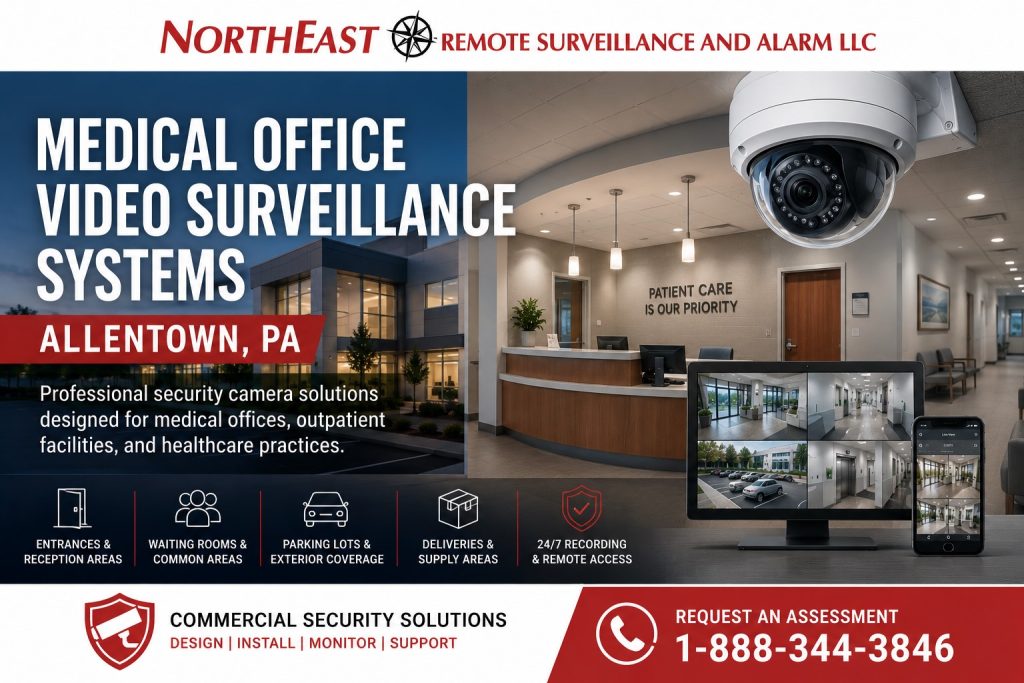
Medical office video surveillance systems in Allentown, PA help healthcare practices improve visibility, document incidents, protect entrances and shared areas, investigate security concerns, and monitor activity around parking lots, reception areas, corridors, staff entrances, deliveries, and restricted-room approaches.
Northeast Remote Surveillance and Alarm, LLC designs, installs, expands, upgrades, and supports commercial video surveillance systems for medical offices, dental practices, outpatient clinics, urgent care centers, therapy offices, diagnostic facilities, specialty practices, administrative healthcare properties, and multi-tenant medical buildings throughout Allentown and the surrounding Lehigh Valley.
This page focuses specifically on video surveillance for medical-office and outpatient healthcare environments. For broader commercial camera planning across warehouses, manufacturing facilities, office buildings, retail properties, parking areas, and other business locations, begin with Commercial Security Camera Systems in Allentown, PA.

Video Surveillance Designed Around Medical Office Operations
Medical offices require a different surveillance approach than general office buildings, retail businesses, warehouses, and industrial facilities.
A healthcare camera system may need to document patient and visitor arrival, staff access, deliveries, after-hours activity, parking incidents, unauthorized entry, disputes, and movement around shared or restricted areas while avoiding inappropriate monitoring of treatment spaces and areas where privacy is reasonably expected.
Planning should consider:
- Patient and visitor arrival patterns
- Reception and check-in procedures
- Staff-only entrances
- Public and restricted corridors
- Medication and supply-storage areas
- Records and administrative rooms
- Delivery and courier activity
- Parking-lot and exterior exposure
- After-hours access
- Existing access-control systems
- Video retention requirements
- Remote-access permissions
- Privacy policies
- Future practice or facility expansion
Every camera should serve a defined security, documentation, or operational purpose.
Common Medical Office Security Concerns
Medical and outpatient properties may experience concerns involving:
- Unauthorized entry
- After-hours access
- Aggressive or disruptive visitors
- Patient or visitor disputes
- Theft from reception or common areas
- Medication or supply diversion
- Package and delivery disputes
- Vandalism
- Vehicle damage
- Parking-lot incidents
- Door-propping
- Tailgating through controlled entrances
- Access to staff-only areas
- Contractor and vendor movement
- Unexplained property damage
- Emergency-event review
Video surveillance can help establish when an incident occurred, who entered an area, how people moved through the property, and what activity took place around the event.
Patient and Visitor Entrance Cameras
Main entrances are among the most important surveillance locations for a medical office.
Entrance cameras may help document:
- Patients and visitors arriving
- Employees entering and leaving
- Delivery personnel
- Contractors and vendors
- After-hours access
- Door-propping
- Tailgating
- Unauthorized-entry attempts
- Activity associated with a controlled door
- Movement between exterior approaches and reception areas
Camera placement should account for:
- Door direction
- Glass reflections
- Exterior sunlight
- Interior lighting
- Mounting height
- Facial detail
- Wheelchair and mobility access
- Walking direction
- Distance from the entrance
- Available field of view
An overview camera may document the entire entrance, while a second camera may be required when identification-level detail is important.
Reception and Check-In Area Surveillance
Reception areas often involve frequent interaction among patients, visitors, employees, delivery personnel, and outside service providers.
Camera coverage may help document:
- Patient and visitor arrival
- Check-in activity
- Waiting-area incidents
- Deliveries
- Disputes
- Unauthorized movement beyond reception
- After-hours activity
- Package placement
- Activity around controlled doors
Camera placement should be planned carefully to avoid unnecessarily capturing:
- Computer screens
- Patient information
- Confidential documents
- Payment details
- Private conversations
- Clinical information
The objective is to document activity around the reception environment without creating unnecessary views of protected or confidential information.
Waiting Room Cameras
Waiting-room surveillance may help document disruptive behavior, property damage, theft, falls, visitor disputes, and activity before or after an incident.
Coverage should be designed around:
- Entry and exit points
- General room activity
- Movement toward restricted corridors
- Reception-area interaction
- Emergency response
- Property protection
Camera placement should not be aimed at documents, sign-in information, computer screens, or other areas where patient information may be visible.
Hallway and Common-Area Cameras
Cameras may be appropriate in public corridors, building connectors, vestibules, shared medical-office hallways, elevator approaches, and other non-treatment common areas.
These cameras may help establish:
- Direction of travel
- Arrival and departure times
- Movement toward staff-only areas
- Contractor and vendor activity
- Activity before or after an incident
- After-hours movement
- Emergency-event timelines
- Access to restricted corridors
Corridor cameras should generally document movement rather than unnecessarily view inside examination, consultation, or treatment rooms.
Staff Entrance Surveillance
Medical offices frequently use separate staff entrances for employees, clinicians, contractors, and deliveries.
Staff-entrance cameras may help document:
- Employee arrival and departure
- After-hours access
- Credential use
- Door-propping
- Tailgating
- Vendor activity
- Unauthorized entry attempts
- Deliveries
- Activity associated with intrusion alarms
Where access control is installed, video may help provide context for door events without replacing credential management or intrusion detection.
Medication and Medical Supply Area Coverage
Medical offices may maintain medication rooms, vaccine storage, controlled supply rooms, equipment storage, or other restricted areas.
Video surveillance should generally focus on:
- The entrance to the restricted room
- The corridor approaching the room
- Activity around the controlled door
- Authorized and unauthorized access
- Delivery or removal of supplies
Camera placement should avoid unnecessary views of patient information, clinical records, medication labels, or private treatment activity.
Video surveillance does not replace access control, inventory procedures, employee accountability, or required healthcare policies.
Records, IT and Administrative Area Protection
Medical offices may require additional surveillance around areas containing business records, network equipment, communications infrastructure, or administrative resources.
These areas may include:
- Records-room entrances
- IT and server-room entrances
- Telecommunications rooms
- Administrative corridors
- Billing-office entrances
- Controlled file-storage rooms
- Equipment rooms
- Facility-management areas
Camera coverage should normally focus on the entrance and activity around the restricted area rather than continuously monitoring confidential work activity.
Delivery, Courier and Package-Area Cameras
Healthcare practices frequently receive medical supplies, pharmaceuticals, laboratory shipments, office supplies, food deliveries, and replacement equipment.
Video surveillance may be appropriate around:
- Delivery entrances
- Courier drop-off points
- Reception delivery areas
- Supply-room approaches
- Rear entrances
- Loading areas
- Package shelves
- Laboratory pickup areas
Recorded video can help determine:
- When a delivery arrived
- Where it was placed
- Who accepted it
- Who entered the area
- When the package was removed
- Whether the delivery reached the correct department
Parking Lot and Exterior Surveillance
Parking areas may expose patients, staff, visitors, vehicles, and property to risks that are not visible from inside the medical office.
Exterior camera coverage may include:
- Patient parking
- Employee parking
- Accessible parking spaces
- Building entrances
- Drop-off and pickup areas
- Pedestrian walkways
- Ambulance or transport access
- Rear entrances
- Delivery areas
- Dumpsters and utility areas
- Building approaches
- Remote parking sections
Exterior surveillance planning should account for:
- Distance
- Lighting
- Weather
- Mounting height
- Vehicle movement
- Pedestrian traffic
- Nighttime image quality
- Network connectivity
- Available power
- Trees and seasonal obstructions
A wide parking-lot overview may document general activity but may not provide enough detail to identify a person, vehicle, or license plate. Camera selection should be based on the intended viewing objective.
Multi-Tenant Medical Office Buildings
Multi-tenant medical buildings require a clear distinction between building-wide surveillance and cameras controlled by individual healthcare practices.
Property-management cameras may cover:
- Main entrances
- Shared lobbies
- Elevator banks
- Common corridors
- Parking areas
- Delivery entrances
- Exterior approaches
- Mechanical and service areas
- Shared package locations
Individual practices may require separate coverage for:
- Suite entrances
- Reception areas
- Waiting rooms
- Staff entrances
- Restricted-room approaches
- Practice-specific delivery areas
A properly organized system should establish:
- Who owns the cameras
- Who controls the recorder
- Who can view live video
- Who can review recordings
- Who can export footage
- Which cameras belong to property management
- Which cameras belong to each practice
- How user permissions are assigned
- How tenant changes are handled
- Who is responsible for maintenance
Users should receive access only to the cameras and functions required for their responsibilities.
Camera Types for Medical Offices
Dome Cameras
Dome cameras are commonly used in reception areas, waiting rooms, corridors, elevator approaches, and interior common spaces.
Their compact appearance can fit professional healthcare environments while providing wide-angle or adjustable coverage.
Turret Cameras
Turret cameras may be used in interior and exterior locations where flexible positioning, dependable nighttime performance, and straightforward servicing are important.
Bullet Cameras
Bullet cameras are commonly used around parking areas, building exteriors, delivery entrances, alleys, and longer-distance exterior locations.
Multi-Sensor Cameras
Multi-sensor cameras may provide several fixed views from one mounting location.
They may be useful around:
- Large lobbies
- Building corners
- Parking areas
- Exterior approaches
- Shared entrances
- Open common areas
Panoramic Cameras
Panoramic or fisheye cameras can provide broad situational awareness in larger lobbies, waiting areas, elevator banks, and shared common spaces.
The required image detail should be evaluated before a panoramic camera is selected.
Recording, Storage and Retention
Medical-office surveillance systems should be designed around how long recorded video needs to remain available.
Retention depends on:
- Number of cameras
- Camera resolution
- Frame rate
- Compression settings
- Continuous or motion-based recording
- Hours of operation
- Amount of movement
- Available storage
- Incident-reporting timelines
- Insurance requirements
- Organizational policies
A medical office may not discover theft, property damage, unauthorized access, or a delivery problem immediately.
Storage should be calculated around how long it typically takes for an incident to be identified, reported, and investigated.
NERSA can evaluate:
- Required retention
- Current storage use
- Recorder capacity
- Camera resolution
- Recording schedules
- Motion settings
- Hard-drive capacity
- Future expansion requirements
Storage should be planned before installation rather than adjusted after important video has already been overwritten.
Secure Remote Video Access
Authorized personnel may need access to live or recorded video from:
- Practice-management offices
- Security desks
- Facility-management workstations
- Remote computers
- Mobile devices
- Corporate offices
- Other authorized locations
Remote access may be provided for:
- Practice owners
- Healthcare administrators
- Facility managers
- Security personnel
- Corporate management
- Authorized investigators
- Approved service personnel
User permissions should be limited according to responsibility.
A general employee should not automatically receive administrator access, and one medical tenant should not be able to view another tenant’s cameras.
Camera Naming and User Permissions
Medical-office camera systems should be organized so authorized personnel can quickly locate the correct camera during an incident.
System organization may include:
- Descriptive camera names
- Floor-based camera groups
- Entrance-camera groups
- Exterior and parking groups
- Practice-specific permissions
- Property-management views
- Mobile-access limitations
- Video-export restrictions
- Administrator controls
- Camera maps
- Incident-review procedures
Names such as “Camera 12” or “Channel 19” provide little value during an investigation.
Clear names such as “Main Patient Entrance,” “Rear Staff Entrance,” or “North Parking Lot Approach” make the system easier to operate and support.
Video Surveillance and Access-Control Coordination
Medical-office surveillance may be coordinated with access control, visitor entry, intercom, and intrusion-alarm systems.
Possible applications include:
- Reviewing video associated with a controlled-door event
- Monitoring staff entrances
- Documenting door-propped-open events
- Verifying after-hours access
- Covering credentialed entrances
- Reviewing intrusion-alarm activity
- Monitoring restricted-room approaches
- Associating video with visitor-entry events
Integration capabilities depend on manufacturers, software platforms, licensing, network configuration, and existing equipment.
Video surveillance should complement access control and intrusion detection rather than replace their functions.
Expanding an Existing Medical Office Camera System
A medical office may need additional cameras after:
- Facility renovations
- Practice expansion
- New treatment departments
- Parking-area changes
- Entrance modifications
- Lobby redesigns
- Tenant changes
- New staff entrances
- Additional restricted rooms
- Increased after-hours activity
- Changes in delivery procedures
Expansion work may involve:
- Adding entrance cameras
- Extending coverage to another floor
- Adding parking-area cameras
- Covering a new reception area
- Adding staff-entrance coverage
- Increasing recorder capacity
- Expanding storage
- Adding network switches
- Increasing PoE capacity
- Extending low-voltage cabling
For projects focused specifically on extending a functioning camera platform, visit Video Surveillance System Expansions and Additional Cameras in Allentown, PA.
Network and Low-Voltage Infrastructure
Modern IP surveillance systems depend on reliable network and low-voltage infrastructure.
Medical-office projects may require:
- Category cabling
- Managed PoE switches
- Network cabinets
- Equipment racks
- Fiber connections
- Secure network segmentation
- UPS backup power
- Surge protection
- Additional network uplinks
- Organized patch panels
- Labeled cabling
- Properly supported pathways
Camera reliability can be affected by:
- Insufficient PoE power
- Overloaded network switches
- Poor cabling
- Unstable network connections
- Improper remote-access configuration
- Undersized storage
- Unprotected exterior pathways
- Unsupported hardware
The surveillance system and supporting infrastructure should be planned together.
Privacy-Aware Medical Office Camera Placement
Medical-office video surveillance should be designed around legitimate security and operational objectives.
Camera placement should generally avoid unnecessary views into:
- Examination rooms
- Treatment rooms
- Restrooms
- Changing areas
- Consultation rooms
- Private clinical spaces
- Areas where patients may be undressed
- Computer screens containing patient information
- Confidential medical documents
- Spaces where privacy is reasonably expected
Audio recording should not be enabled without appropriate legal, policy, and organizational review.
Healthcare providers should establish appropriate policies, notices, permissions, retention practices, and access controls based on their obligations.
NERSA provides security-system design, installation, configuration, and support. NERSA does not provide legal advice, and a surveillance system by itself does not establish HIPAA or other regulatory compliance.
Medical and Healthcare Properties We Support
NERSA provides medical-office video surveillance services for:
- Primary-care offices
- Dental practices
- Specialty medical offices
- Outpatient clinics
- Urgent care centers
- Physical therapy offices
- Behavioral-health administrative properties
- Diagnostic and imaging facilities
- Optometry practices
- Chiropractic offices
- Ambulatory administrative facilities
- Multi-tenant medical buildings
- Healthcare business offices
- Medical billing offices
- Practice-management centers
- Multi-location healthcare organizations
Systems can be designed for smaller practices, larger outpatient properties, multi-floor medical buildings, healthcare campuses, and organizations requiring standardized surveillance across several locations.
Why Allentown Medical Offices Choose NERSA
Northeast Remote Surveillance and Alarm, LLC focuses on commercial security and life-safety systems.
Our medical-office surveillance planning considers:
- Patient and visitor movement
- Staff access
- Entrances and reception areas
- Parking and exterior exposure
- Restricted-room approaches
- Privacy-sensitive locations
- Recording retention
- Network and PoE capacity
- Remote access
- User permissions
- System documentation
- Future expansion
- Long-term serviceability
The objective is to provide dependable visibility and useful recorded evidence without creating unnecessary cameras, inappropriate views, excessive user access, confusing system layouts, or unsupported infrastructure.
Frequently Asked Questions
Where should cameras be installed in a medical office?
Common locations include entrances, reception areas, waiting rooms, public corridors, staff entrances, parking areas, delivery locations, elevator approaches, exterior building approaches, and entrances to restricted administrative, medication, IT, or records rooms.
Should cameras be installed in examination or treatment rooms?
Medical-office surveillance should generally avoid examination rooms, treatment rooms, changing areas, consultation rooms, and other locations where patients have a reasonable expectation of privacy. Any exceptional use should receive appropriate legal, policy, and organizational review.
Can cameras capture patient information at reception?
Camera positions should be selected to avoid unnecessary views of computer screens, forms, sign-in information, payment details, and other confidential patient information.
Can a medical office use remote video access?
Yes. Authorized users may securely access live and recorded video from approved workstations or mobile devices. Permissions should be restricted according to each person’s responsibilities.
Can cameras be coordinated with access control?
Some surveillance and access-control systems can associate video with controlled-door events, credentials, intercom calls, alarms, and after-hours activity. Compatibility and licensing should be evaluated during system planning.
How long should medical-office video be retained?
Retention depends on incident-reporting timelines, camera count, resolution, recording settings, available storage, organizational policy, and other requirements. Storage should be calculated before installation.
Can NERSA add cameras to an existing medical-office system?
In many cases, yes. The existing recorder, software, licenses, storage, network capacity, PoE power, camera compatibility, and cabling should be reviewed before additional cameras are installed.
Does video surveillance make a medical office HIPAA compliant?
No. Video surveillance may support security and incident documentation, but cameras alone do not create HIPAA compliance. Healthcare organizations remain responsible for their privacy, security, policy, legal, and regulatory obligations.
Does NERSA support both small practices and large healthcare properties?
Yes. NERSA supports smaller medical and dental offices, multi-tenant medical buildings, larger outpatient facilities, multi-floor healthcare properties, and multi-location organizations requiring standardized cameras, centralized management, remote access, extensive storage, and scalable infrastructure.
Request a Medical Office Video Surveillance Assessment
If your Allentown medical office needs improved entrance visibility, reception-area coverage, parking-lot surveillance, staff-entrance monitoring, delivery documentation, restricted-area coverage, remote viewing, or additional security cameras, Northeast Remote Surveillance and Alarm, LLC can evaluate the property and develop a commercial video surveillance plan.
For broader citywide planning across video surveillance, access control, intrusion alarms, monitoring, intercoms, upgrades, and supporting infrastructure, visit Commercial Security Systems in Allentown, PA.
Call 1-888-344-3846 to request a medical-office video surveillance assessment.
Commercial systems only • Medical offices • Outpatient facilities • Entrances and reception areas • Parking coverage • Secure recording and remote access