Commercial alarm system upgrades and takeovers in Allentown, PA help businesses improve outdated, unreliable, inherited, poorly documented, or unsupported intrusion-alarm systems without automatically replacing every usable component.
Northeast Remote Surveillance and Alarm, LLC evaluates existing commercial alarm panels, detection devices, wiring, keypads, communicators, user codes, partitions, monitoring connections, zone descriptions, and response procedures to determine what can remain, what should be corrected, and what needs to be replaced.
This page focuses specifically on existing commercial intrusion-alarm systems. For broader planning involving new systems, detection strategies, alarm monitoring, panic protection, partitions, wireless and hardwired equipment, and property-specific intrusion protection, begin with Commercial Intrusion Alarm Systems in Allentown, PA.
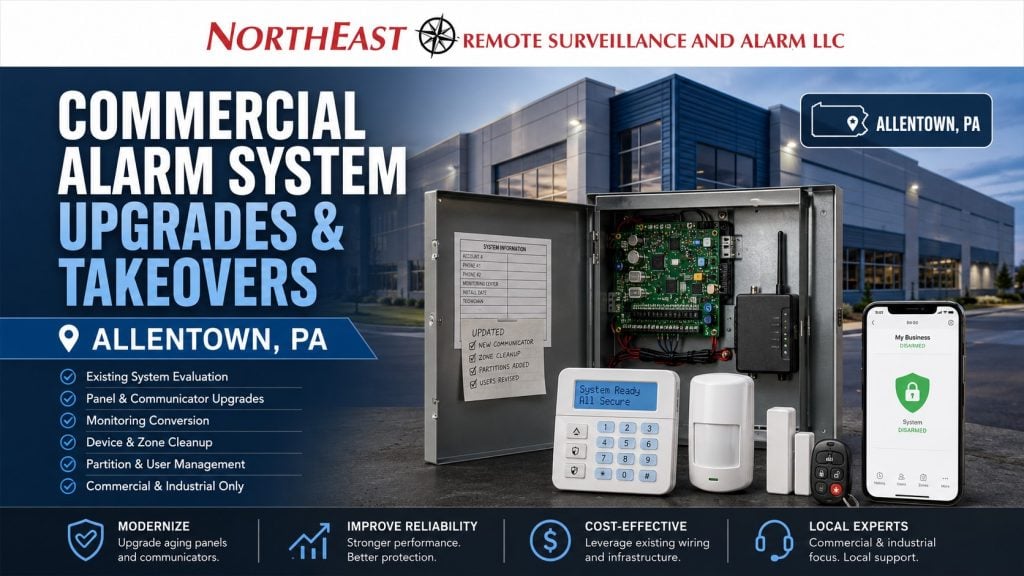
Improving an Existing Commercial Alarm System
Many Allentown businesses already have intrusion-alarm equipment in place. The problem is that the system may no longer match the building, operating schedule, employee structure, monitoring requirements, or level of protection the property needs.
The system may have been installed years ago, inherited from a previous tenant, expanded without documentation, tied to an unresponsive provider, or left dependent on aging communication technology.
Common problems include:
- Unsupported or aging alarm panels
- Unknown installer programming
- Shared employee codes
- Inaccurate zone descriptions
- Failed or unreliable door contacts
- Poorly positioned motion detectors
- Missing overhead-door protection
- Outdated phone-line communication
- Intermittent cellular reporting
- Frequent false alarms
- Unclear monitoring instructions
- Areas that cannot be armed separately
- Former employees who still have active codes
- Damaged or abandoned wiring
- Keypads located in inconvenient areas
- No useful opening and closing reports
- Incomplete service records
- Equipment that cannot support expansion
- Alarm coverage that no longer matches the floor plan
An upgrade should correct the conditions that are holding the system back. A takeover should establish clear responsibility for service, monitoring, programming, documentation, and future improvements.
What Is a Commercial Alarm System Takeover?
A commercial alarm takeover occurs when a business already has an intrusion-alarm system but wants another qualified provider to evaluate, service, monitor, upgrade, or assume responsibility for it.
A takeover may be appropriate when:
- The original installer is no longer available
- The current provider does not respond promptly
- The business wants a local commercial alarm company
- The monitoring agreement is ending
- A property has changed ownership
- A new tenant inherited the system
- The panel is still usable but needs reprogramming
- The system documentation is missing
- The monitoring contact list is outdated
- The business wants one provider for multiple locations
- The system needs additional devices or partitions
- Management wants improved reporting and administration
- The existing provider cannot support the required changes
A takeover does not mean every existing component will automatically be accepted or reused. The equipment must first be identified, inspected, tested, and evaluated for compatibility, condition, supportability, ownership, programming access, and long-term reliability.
Some systems can be taken over with limited changes. Others require a new communicator, updated programming, device replacement, panel modernization, or a planned migration to a more supportable platform.
Takeover, Upgrade, or Complete Replacement
The correct path depends on the existing system.
Alarm System Takeover
A takeover may be appropriate when the panel and detection devices remain serviceable but the business needs better monitoring, support, administration, documentation, or programming.
The project may include:
- Testing the existing system
- Updating contact information
- Reprogramming zones
- Establishing new user codes
- Changing monitoring providers
- Installing a compatible communicator
- Updating response procedures
- Correcting device descriptions
- Documenting existing equipment
- Training authorized users
Alarm System Upgrade
An upgrade may be appropriate when parts of the system remain usable but specific components or functions need improvement.
The project may include:
- Replacing the alarm control panel
- Updating keypads
- Replacing failed door contacts
- Adding overhead-door contacts
- Improving motion detection
- Adding partitions
- Adding cellular or IP communication
- Correcting user permissions
- Adding panic or duress devices
- Improving monitoring reports
- Adding alarm verification
- Expanding the system into new areas
Complete Alarm Replacement
Complete replacement may be the better decision when the system is obsolete, locked, unsupported, unreliable, damaged, poorly installed, or unable to support the property.
Replacement may also be appropriate when:
- Programming access cannot be obtained
- Replacement parts are unavailable
- The system has repeated unexplained failures
- Existing wiring cannot be trusted
- The panel lacks sufficient zone capacity
- Communication options are severely limited
- The property has changed substantially
- The system cannot support required partitions
- Previous modifications created an unstable platform
- Long-term service would cost more than migration
NERSA evaluates the existing equipment before recommending a complete replacement. The objective is to preserve useful value without building a modernized system around weak or unsupported components.
Commercial Alarm Takeover Assessment
A proper takeover begins with a system assessment rather than an immediate monitoring conversion.
The assessment may review:
- Alarm-panel manufacturer and model
- Panel age and condition
- Programming access
- Installer and master-code availability
- Zone capacity
- Expansion modules
- Existing keypads
- Door and window contacts
- Overhead-door contacts
- Motion detectors
- Glass-break detectors
- Panic and duress devices
- Sirens and notification equipment
- Power supplies
- Backup batteries
- Cellular or internet communicators
- Phone-line dependencies
- Monitoring status
- Existing partitions
- Employee user codes
- Opening and closing schedules
- Zone descriptions
- Wiring condition
- Wireless-device supervision
- Available system documentation
- Known trouble conditions
- Future expansion needs
The inspection should establish what is installed, whether it operates correctly, what can be supported, and which deficiencies should be corrected before responsibility for the system is transferred.
Alarm Panel Upgrades
The alarm panel is the central control point for the intrusion system. An outdated or poorly configured panel can limit detection, communication, user management, partitioning, reporting, and future expansion.
A panel upgrade may provide:
- Greater zone capacity
- Additional partitions
- Improved wireless-device support
- Better cellular and IP communication
- More individual users
- Stronger event history
- Remote administration
- Improved opening and closing reports
- More useful device descriptions
- Easier system expansion
- Better compatibility with current equipment
- A more supportable service platform
Panel replacement does not automatically require replacing every field device. Existing contacts, detectors, wiring, sirens, or wireless devices may be reusable when they are compatible, dependable, and properly tested.
The final design should not be limited to copying old zones into a new panel. The upgrade should also address weaknesses in the existing layout, programming, user structure, and daily operation.
Keypad and Arming-Station Upgrades
Keypads should be positioned where authorized users can arm, disarm, review, and manage the system without creating confusion or unnecessary delay.
A keypad upgrade may be appropriate when:
- Displays are difficult to read
- Buttons are worn or unreliable
- Employees cannot identify the alarmed zone
- The keypad is located too far from the entrance
- Separate departments need independent control
- The system requires additional arming stations
- Existing keypads cannot support the upgraded panel
- Management needs improved status information
A larger commercial property may need keypads at employee entrances, shipping offices, security stations, reception areas, warehouse transitions, or other controlled locations.
Keypad placement should support how the building actually opens and closes. Employees should not need to walk through an armed area simply to reach the device used to disarm it.
Cellular and IP Alarm Communication Upgrades
The alarm panel must have a dependable path for reporting alarm, trouble, opening, closing, and supervisory events.
Communication upgrades may involve:
- Cellular alarm communication
- Internet or IP communication
- Dual-path communication
- Replacement of an outdated communicator
- Improved communication supervision
- Updated monitoring account programming
- Removal of obsolete dial-tone dependencies
- Correction of intermittent reporting problems
Businesses should not cancel an existing phone line or communication service until the alarm reporting method has been reviewed and a replacement path has been properly installed, programmed, and tested.
Properties whose primary issue is outdated analog telephone reporting should use POTS Line Replacement for Alarm Systems in Allentown, PA for the narrower communicator-only service.
This page remains focused on broader alarm upgrades and takeovers where communication is only one part of the project.
Door, Window, and Overhead-Door Protection
An alarm takeover should include testing the devices that protect exterior and restricted openings.
Common protected openings include:
- Main entrances
- Rear employee doors
- Side service doors
- Emergency exits
- Shipping and receiving doors
- Loading-dock doors
- Overhead garage doors
- Accessible windows
- Roof hatches
- Interior restricted-room doors
- Storage-building entrances
- Detached utility buildings
Existing contacts may be damaged, misaligned, improperly mounted, bypassed, or incorrectly identified in the panel.
A door labeled “Rear Door” may no longer be useful if the property now has several rear entrances. Accurate descriptions such as “Warehouse Rear Exit,” “Dock Door 4,” or “Second-Floor Records Room” give managers and monitoring personnel more meaningful information.
Overhead doors require devices and installation methods appropriate for larger moving openings. Standard contacts should not be assumed to be suitable for every dock or garage-door condition.
Motion-Detector Upgrades
Motion detection should be evaluated whenever the property layout, shelving, machinery, office configuration, storage arrangement, or operating conditions have changed.
Motion-detector problems may be caused by:
- Poor detector placement
- Blocked fields of view
- High ceilings
- New walls or partitions
- Warehouse racking
- Temperature changes
- Direct sunlight
- Moving equipment
- Air movement
- Insects or contamination
- Incorrect detector type
- Aging components
- Improper sensitivity settings
- Activity expected after hours
An upgrade may involve replacing detectors, relocating devices, changing detection technology, adding coverage to unprotected areas, or removing devices that no longer serve a useful purpose.
The objective is dependable detection without creating avoidable nuisance alarms that cause employees to distrust or bypass the system.
Correcting False and Nuisance Alarms
Frequent false alarms are often a sign that the system needs evaluation rather than repeated resets.
Possible causes include:
- Loose door contacts
- Misaligned overhead-door contacts
- Aging motion detectors
- Weak wireless-device batteries
- Damaged wiring
- Poor detector placement
- Unsecured doors
- Employees using incorrect procedures
- Cleaning crews entering armed areas
- Inaccurate schedules
- Improper delay settings
- Environmental conditions
- Unclear partition operation
- Outdated call lists
- Incomplete employee training
A takeover assessment should review alarm history when available and attempt to identify patterns.
Repeated alarms at the same device, opening, time, or department can help identify whether the cause is equipment, programming, building condition, or user procedure.
The correction may require replacing a device, adjusting the door, changing the arming sequence, revising schedules, retraining users, or redesigning protection for that area.
Alarm Partitions for Different Departments and Schedules
Many commercial properties have areas that should not be controlled as one large alarm section.
Partitions allow defined areas to be armed and disarmed independently.
Partitions may be created for:
- Main offices
- Warehouse sections
- Manufacturing floors
- Shipping and receiving areas
- Tenant suites
- Controlled storage rooms
- Detached buildings
- Maintenance departments
- Executive offices
- Retail and stockroom areas
- Server or communications rooms
- Tool cribs
- High-value inventory areas
Partition upgrades can be particularly valuable when one department closes while another continues working.
Without appropriate partitioning, the business may leave the entire property disarmed because a cleaner, late-shift employee, manager, contractor, or warehouse team remains in one limited area.
Partitioning should remain logical and manageable. Creating too many areas can make the system difficult to operate, while providing too few can leave unnecessarily large portions of the property unprotected.
Individual User Codes and Permission Cleanup
Shared alarm codes reduce accountability and make employee changes difficult to manage.
An alarm takeover provides an opportunity to review:
- Active users
- Former employees
- Manager permissions
- Contractor codes
- Cleaning-service access
- Temporary users
- Partition permissions
- Opening and closing authority
- Remote administration
- Code expiration
- User naming standards
Individual codes can help identify who armed or disarmed the system and when the activity occurred.
Permissions may also be restricted so employees can operate only the areas associated with their responsibilities.
When an employee leaves, that person’s code can be removed without changing the credentials used by every other authorized user.
Opening and Closing Reports
Opening and closing reporting can help management identify whether the system is being operated according to the expected schedule.
Reporting may identify:
- Failure to arm
- Late closing
- Early opening
- Weekend activity
- Holiday access
- Unexpected disarming
- Specific users opening the property
- Repeated schedule exceptions
- Areas left disarmed
- Unusual after-hours activity
The reporting structure should reflect actual operations. A warehouse operating across multiple shifts should not be programmed like an office that closes at 5:00 p.m.
An upgrade may include correcting schedules, assigning responsibility, updating authorized users, and revising how exceptions are communicated.
Monitoring Account and Response Procedure Cleanup
Changing providers or upgrading equipment is also an opportunity to correct the monitoring account.
The review may include:
- Business name
- Property address
- Authorized contacts
- Call order
- Police-response instructions
- Panic or duress procedures
- Opening and closing rules
- After-hours contacts
- Holiday schedules
- Password or verification procedures
- Zone descriptions
- Partition names
- Special site instructions
- Communication test schedules
Outdated monitoring information can delay response or send notifications to employees who are no longer responsible for the property.
The business should understand which events are transmitted, how they are processed, who is contacted, and what monitoring personnel are expected to do.
Commercial Alarm Upgrades for Warehouses
Warehouse intrusion-alarm systems often need protection around large openings, high ceilings, long interior distances, multiple shifts, shipping activity, and changing storage layouts.
An upgrade may address:
- Loading-dock doors
- Overhead doors
- Employee entrances
- Shipping offices
- Warehouse-to-office transitions
- Inventory cages
- High-value storage
- Maintenance rooms
- Battery-charging areas
- Server and network rooms
- Roof hatches
- Detached storage buildings
- Trailer or yard access points
Warehouse upgrades may also require separate partitions for offices, dock areas, storage sections, and operating shifts.
Existing devices should be reviewed after racking, walls, cages, machinery, or operating areas have changed. Detection installed for the previous layout may no longer protect the current facility effectively.
Commercial Alarm Upgrades for Manufacturing Facilities
Manufacturing facilities may have machinery, vibration, temperature changes, air movement, dust, production schedules, maintenance activity, and changing floor layouts that affect alarm performance.
An upgrade may improve protection for:
- Production-support rooms
- Tool cribs
- Parts storage
- Finished-goods storage
- Engineering offices
- Quality-control areas
- Maintenance departments
- Electrical rooms
- Network rooms
- Shipping and receiving
- Restricted inventory
- Exterior service doors
- Detached support buildings
Alarm protection should support production rather than interfere with it.
The system should account for employees who arrive early, maintenance personnel who remain late, overnight production, contractors, sanitation crews, and departments that operate on different schedules.
Commercial Alarm Upgrades for Offices and Multi-Tenant Buildings
Office and multi-tenant properties may inherit alarm systems after ownership changes, lease changes, renovations, or tenant turnover.
Common upgrade needs include:
- Separating tenant suites
- Removing former users
- Updating manager permissions
- Protecting shared entrances
- Adding records-room protection
- Securing IT and communications rooms
- Improving rear-door detection
- Reorganizing partitions
- Relocating keypads
- Correcting monitoring responsibility
- Updating after-hours schedules
The system should clearly define which party controls each area, who receives alarm calls, and who is responsible for opening, closing, service, and monitoring decisions.
Alarm Upgrades for Medical and Professional Properties
Medical offices, dental practices, outpatient facilities, financial offices, legal practices, and other professional properties may need improved protection around records, medication storage, IT rooms, administrative areas, rear entrances, and restricted spaces.
Upgrade planning may include:
- Individual staff codes
- Separate administrative partitions
- Panic or duress devices
- Restricted-room protection
- Cleaning-service permissions
- Opening and closing reporting
- Updated monitoring contacts
- Improved after-hours detection
The project should be scheduled to reduce disruption to patients, employees, appointments, and daily operations.
Panic and Duress Device Upgrades
Existing panic or duress devices should be identified, tested, labeled, and connected to a clearly defined monitoring procedure.
Panic devices may be located at:
- Reception desks
- Cash-handling areas
- Customer-service counters
- Medical offices
- Executive offices
- Shipping offices
- Security stations
- Interview rooms
- Isolated work areas
An upgrade should review whether the device is accessible, whether accidental activation is reasonably controlled, how the signal is identified, and what response instructions are attached to the event.
Employees responsible for using panic devices should understand their purpose and the expected response.
Wireless, Hardwired, and Hybrid Alarm Upgrades
Existing commercial systems may use hardwired devices, wireless devices, or both.
Hardwired System Upgrades
Existing alarm wiring may be reused when it is properly installed, clearly identified, electrically sound, and compatible with the upgraded equipment.
Testing may reveal:
- Damaged cable
- Shorted circuits
- Ground faults
- Improper splices
- Missing end-of-line supervision
- Abandoned devices
- Unlabeled conductors
- Wiring altered during renovations
Reusable wiring can reduce disruption, but it should not be retained merely because it already exists.
Wireless System Upgrades
Commercial wireless devices should be reviewed for:
- Signal strength
- Device supervision
- Battery condition
- Receiver capacity
- Construction-material interference
- Distance
- Environmental conditions
- Repeater requirements
- Device availability
- Long-term maintenance
A wireless system that worked in a small office may need additional infrastructure after a warehouse expansion, building addition, racking installation, or change in interior construction.
Hybrid System Upgrades
A hybrid system may allow serviceable wired zones to remain while wireless devices are added for difficult openings, detached areas, renovated sections, or locations where new cabling would be disruptive.
The system architecture should be selected around reliability and serviceability rather than forcing every device into one technology.
Video Verification and Camera Coordination
Alarm-system upgrades may include coordination with cameras when visual review can improve incident verification.
Examples include:
- Cameras covering alarmed entrances
- Video associated with motion activity
- Views of loading-dock doors
- Cameras covering warehouse transitions
- Review of rear-door alarms
- Video bookmarks connected to alarm events
- Remote review of defined alarm conditions
Camera coordination should strengthen alarm response without turning this page into a general video-surveillance upgrade resource.
A camera system detects and records visual activity. An intrusion alarm detects defined security conditions. The two systems may support each other, but each still requires its own design, maintenance, and operating procedures.
Access-Control Coordination
Some alarm problems are caused by the way employees enter and move through the building.
Examples include:
- Employees sharing alarm codes
- Staff entering through doors outside the intended route
- Users disarming more areas than necessary
- Doors being propped open
- Employees remaining after their department is armed
- Contractors entering outside normal hours
- Restricted areas lacking individual accountability
Access control may help manage who can enter specific doors, but it should not be treated as a substitute for intrusion detection.
Where compatible and operationally appropriate, access events and alarm operation may be coordinated to create a clearer entry and closing process.
For complete citywide planning involving alarms, cameras, access control, remote monitoring, fire-alarm coordination, intercoms, and commercial security infrastructure, use Commercial Security Systems in Allentown, PA.
Reusing Existing Alarm Equipment
Serviceable equipment may sometimes be reused during an upgrade or takeover.
Potentially reusable components may include:
- Door contacts
- Window contacts
- Overhead-door contacts
- Motion detectors
- Glass-break detectors
- Sirens
- Keypads
- Wireless devices
- Expansion modules
- Alarm wiring
- Enclosures
- Power supplies
Reuse depends on compatibility, ownership, condition, supportability, testing results, documentation, and the objectives of the upgraded system.
Existing equipment should not be retained when doing so creates an unreliable installation, prevents proper supervision, limits future expansion, or places unsupported components at the center of the new service arrangement.
Documentation and Zone-Description Cleanup
Poor documentation makes alarm service, monitoring, expansion, and employee training more difficult.
A takeover or upgrade may include:
- Updated zone lists
- Panel and module locations
- Device descriptions
- Partition names
- User lists
- Communication-path information
- Monitoring contact records
- Battery information
- Wiring labels
- Service notes
- Basic operating instructions
- Future expansion recommendations
Zone names should be specific enough to support meaningful action.
“Door 5” may be difficult to locate during an incident. “South Warehouse Employee Entrance” gives the business and monitoring personnel clearer information.
Testing and Final Commissioning
An alarm upgrade or takeover should be tested before the project is considered complete.
Testing may include:
- Every protected door
- Windows and glass protection
- Overhead-door contacts
- Motion detectors
- Panic devices
- Sirens
- Keypads
- User codes
- Partitions
- Entry and exit delays
- Cellular or IP communication
- Backup power
- Monitoring signals
- Opening and closing reports
- Trouble conditions
- Remote administration
- Device descriptions
The business should receive training covering normal operation, alarm cancellation, user management, system troubles, monitoring calls, and the correct process for requesting service.
Alarm Systems for Small Businesses Through Enterprise Facilities
NERSA supports existing alarm systems across different commercial property sizes.
A smaller business may need:
- Several protected doors
- One keypad
- Interior motion detection
- Individual employee codes
- Cellular communication
- Professional monitoring
A larger commercial or industrial facility may require:
- Hundreds of alarm points
- Multiple keypads
- Numerous partitions
- Warehouse and office separation
- Multiple departments
- Centralized administration
- Opening and closing supervision
- Large user databases
- Multi-building communication
- Standardized zone naming
- Multi-site reporting
- Phased migration planning
The upgrade should match the present property while creating a practical path for future users, devices, partitions, buildings, and locations.
What This Page Does Not Cover
This page is limited to upgrades and takeovers of existing commercial intrusion-alarm systems.
It does not replace the following separate planning intents:
- Completely new intrusion-alarm installations
- Communicator-only POTS replacement
- Fire-alarm panel or communicator upgrades
- General security-camera upgrades
- Access-control system upgrades
- Door-hardware retrofits
- Alarm expansions focused only on adding devices
- Stand-alone panic and duress system planning
- Broad multi-system security retrofits
- Residential alarm systems
Fire-alarm systems are separate life-safety systems and should not be represented as ordinary intrusion-alarm takeover projects.
Request a Commercial Alarm Upgrade or Takeover in Allentown, PA
If your Allentown office, warehouse, manufacturing facility, medical property, retail business, industrial building, multi-tenant property, or commercial location has an alarm system that is outdated, unreliable, unsupported, poorly documented, or no longer receiving dependable service, Northeast Remote Surveillance and Alarm, LLC can evaluate the equipment and recommend the correct takeover or upgrade path.
The assessment can determine what should be retained, tested, reprogrammed, repaired, upgraded, documented, or replaced.
Call Northeast Remote Surveillance and Alarm, LLC at 1-888-344-3846 to request a commercial alarm system upgrade or takeover assessment in Allentown, PA.
Frequently Asked Questions About Commercial Alarm System Upgrades and Takeovers in Allentown, PA
Can NERSA take over any existing commercial alarm system?
Not every system can be taken over. NERSA must identify the equipment and evaluate its condition, programming access, compatibility, ownership, supportability, communication method, and long-term reliability before accepting responsibility for it.
Does an alarm-system takeover require replacing the panel?
Not always. A serviceable and supportable panel may remain in use if it can be accessed, tested, programmed, monitored, and maintained properly.
What happens when the installer code is unavailable?
The available options depend on the panel and existing programming. Some equipment can be recovered or defaulted. Other systems may require panel replacement or migration to a supportable platform.
Can existing alarm wiring be reused?
Existing wiring may be reused when it is compatible, properly installed, clearly identified, and electrically dependable. Damaged, undocumented, or improperly supervised wiring may need correction or replacement.
Can an old alarm system be moved away from telephone-line monitoring?
Often, yes. The panel may support a cellular, IP, or compatible replacement communicator. The existing system and reporting requirements should be evaluated before the telephone line is removed.
Can NERSA replace only the alarm communicator?
Yes, when the existing panel remains serviceable and the communication path is the primary problem. Communicator-only projects should be treated separately from broader panel, detection, programming, and takeover work.
Can existing door contacts and motion detectors remain?
They may remain when they are compatible, properly installed, dependable, and successfully tested. Older or unreliable devices should not be reused merely to reduce the initial project scope.
Can the upgraded system have individual employee codes?
Yes. Individual codes can improve accountability and make it easier to change or remove permissions without affecting every other employee.
Can different areas of the building be armed separately?
Yes, when the panel and system design support partitions. Offices, warehouses, tenant areas, storage sections, detached buildings, and restricted rooms may be controlled independently.
Can an upgrade help reduce false alarms?
Yes. False alarms may be reduced by correcting damaged contacts, poor detector placement, weak batteries, programming errors, inaccurate schedules, employee procedures, door problems, and other identifiable causes.
Can cameras be connected to an upgraded alarm system?
Compatible cameras and alarm platforms may be coordinated for event review or verification. The exact capabilities depend on the equipment, software, network, monitoring arrangement, and desired response procedure.
Can NERSA take over monitoring from another provider?
NERSA can evaluate the existing equipment and monitoring configuration to determine whether the system can be converted, reprogrammed, upgraded, or migrated to a supported monitoring arrangement.
Do you upgrade alarms in warehouses and manufacturing facilities?
Yes. NERSA supports commercial and industrial intrusion-alarm upgrades for warehouses, distribution centers, manufacturing properties, offices, medical facilities, retail businesses, institutional buildings, and other non-residential facilities.
Can NERSA support both small commercial systems and enterprise properties?
Yes. NERSA supports smaller commercial properties with a limited number of alarm points as well as large facilities, multi-building properties, industrial operations, and enterprise organizations requiring multiple partitions, numerous users, centralized administration, and phased migration planning.
Is this service available for residential alarm systems?
No. Northeast Remote Surveillance and Alarm, LLC focuses on commercial, industrial, institutional, municipal, healthcare, warehouse, manufacturing, and multi-site security systems.