Commercial Intrusion Alarm Systems in Allentown, PA

Commercial intrusion alarm systems help Allentown businesses detect unauthorized entry, protect vulnerable openings and restricted areas, manage alarm users and schedules, document security events, and communicate alarms to responsible personnel and professional monitoring operators.

Northeast Remote Surveillance and Alarm, LLC designs, installs, programs, monitors, upgrades, expands, takes over, and supports commercial intrusion alarm systems for offices, warehouses, distribution centers, manufacturing facilities, retail businesses, healthcare properties, contractor operations, industrial buildings, municipal facilities, institutional properties, multi-tenant buildings, and multi-location organizations throughout Allentown and the surrounding Lehigh Valley.

NERSA provides:

  • New commercial intrusion-alarm installations
  • Existing-system inspections and evaluations
  • Alarm-system upgrades and takeovers
  • Control-panel and keypad modernization
  • Cellular, IP, and dual-path communication
  • Legacy telephone-line replacement
  • Professional alarm monitoring
  • Video-supported alarm verification
  • Individual employee alarm codes
  • Multiple alarm partitions
  • Panic and duress devices
  • Perimeter and exterior detection
  • Additional zones, devices, and building coverage
  • User, schedule, and contact-list cleanup
  • False-alarm reduction
  • Monitoring-account setup and response planning
  • Signal testing and monitoring verification
  • System documentation and employee training
  • Continuing maintenance and support

Every project is planned around the building, operating schedule, authorized users, entrances, loading areas, restricted spaces, interior risks, after-hours activity, existing equipment, communication reliability, monitoring procedures, response expectations, and future expansion.

For complete citywide planning that also includes video surveillance, access control, fire alarm systems, remote video monitoring, gates, intercoms, and low-voltage infrastructure, visit Commercial Security Systems in Allentown, PA.

Organizations planning intrusion detection across several properties can also review Commercial and Enterprise Intrusion Alarm Systems.

Request an Allentown Commercial Intrusion-Alarm Assessment or call 1-888-344-3846.

Commercial and industrial properties only • New installations • Upgrades • Takeovers • Cellular, IP, and dual-path communication • NERSA professional monitoring • Small business through enterprise

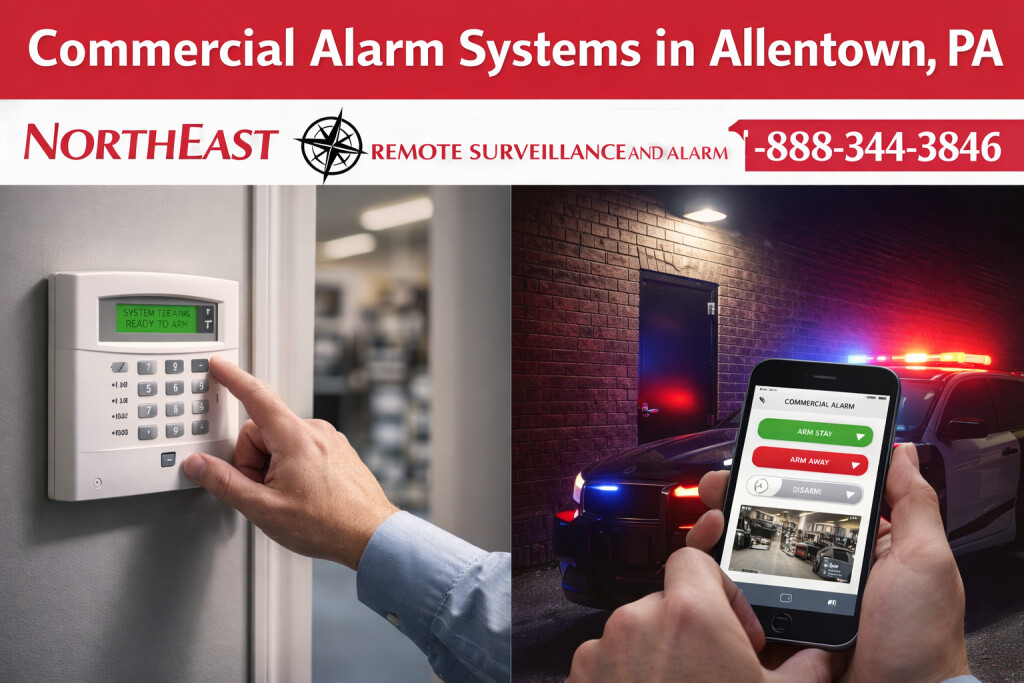
Commercial intrusion alarm systems in Allentown, PA showing an alarm keypad being armed, mobile alarm control, commercial building emergency lighting, intrusion detection, and Northeast Remote Surveillance and Alarm, LLC branding.

Hero alt text

Commercial intrusion alarm systems in Allentown, PA with keypad arming, mobile alarm control, monitored detection, and NERSA branding.


Professional Alarm Monitoring Provided Through NERSA

Northeast Remote Surveillance and Alarm, LLC provides the complete customer-facing alarm and monitoring service for qualifying commercial accounts.

NERSA handles:

  • Property assessment
  • Alarm-system design
  • Equipment selection
  • Installation and programming
  • Zone and partition naming
  • Individual alarm-user setup
  • Communication-path configuration
  • Monitoring-account establishment
  • Responsible-party contact lists
  • Verification and response instructions
  • Signal transmission testing
  • Customer training
  • Account changes
  • System upgrades
  • Ongoing service and technical support

NERSA remains the customer’s alarm-system and monitoring provider. The customer does not have to coordinate separately among an equipment manufacturer, cloud platform, monitoring center, and service company when an account change, signal issue, user update, communication problem, or system upgrade is required.

Alarm.com for Business Technology Delivered and Supported by NERSA

For compatible commercial systems, NERSA can deploy and support Alarm.com for Business technology for remote arming and disarming, individual user-code administration, automatic arming, activity reports, real-time alerts, emergency-contact management, video-supported event review, cellular and internet communication, and multi-location administration.

Alarm.com identifies automatic arming, remote user-code management, and dual-path communication among its commercial intrusion features. Its business platform also supports centralized management across multiple locations, encrypted traffic, and two-factor authentication for account protection. Available functions depend on the alarm panel, communicator, service package, internet or cellular conditions, and approved NERSA system configuration. (Alarm.com)

Alarm.com supplies the compatible cloud technology. NERSA designs the system, configures the account, programs the equipment, establishes user and notification settings, tests operation, trains the customer, and provides continuing service.

NERSA Monitoring Backed by COPS Monitoring

NERSA’s professional monitoring service is backed by COPS Monitoring for qualifying accounts.

COPS supplies the staffed central-station infrastructure and professional operators who receive configured signals and process events according to the monitoring account and customer-approved response instructions. COPS operates staffed, hot-redundant monitoring centers with real-time load sharing and identifies its monitoring operations as UL-listed, FM-approved, IQ-certified, TMA Five Diamond certified, and SOC 2 Type 2 certified. COPS has provided professional monitoring services since 1978 and operates as a wholesale monitoring partner to alarm companies, allowing NERSA to remain the customer-facing service and support provider. (Cops Monitoring)

These credentials apply to COPS Monitoring’s central-station operations. They should not be described as certifications held by NERSA or as automatic certifications of the protected property.

Alarm.com-powered commercial security where specified • COPS central-station infrastructure • NERSA design, installation, programming, monitoring-account management, testing, upgrades, and support


Intrusion Detection Designed Around the Property

A dependable commercial alarm system begins with the way the property operates when it is closed, lightly staffed, partially occupied, or accessed outside ordinary business hours.

Allentown commercial properties may have:

  • Employees arriving before normal business hours
  • Second or third shifts
  • Cleaning personnel
  • Maintenance employees
  • Contractors and vendors
  • Truck drivers and delivery personnel
  • Shipping and receiving activity
  • Employees working late
  • Separate tenant schedules
  • Warehouse sections that close before office areas
  • Restricted rooms requiring continuous protection
  • Exterior yards that remain active after the building is armed
  • Multiple buildings following different schedules
  • Temporary construction or renovation activity

Alarm planning should distinguish legitimate activity from conditions that require review, notification, or response.

A properly planned system should help the organization:

  • Detect entry through protected doors, windows, hatches, and overhead openings
  • Protect interior areas after hours
  • Separate operating areas into understandable partitions
  • Assign individual employee and contractor codes
  • Remove access when users leave
  • Communicate alarm and trouble signals reliably
  • Support professional monitoring
  • Reduce preventable false alarms
  • Provide clear and useful zone descriptions
  • Document opening and closing activity
  • Support future devices, departments, buildings, and locations
  • Remain understandable to everyday users

The objective is not simply to install sensors. It is to create dependable detection, clear reporting, manageable user procedures, reliable communication, professional monitoring, and an appropriate response process.


What a Complete Commercial Intrusion-Alarm System May Include

The correct combination of equipment depends on the property, protected areas, environmental conditions, operating schedule, users, monitoring requirements, existing infrastructure, and future plans.

A commercial system may include:

  • Intrusion-alarm control panel
  • Keypads or touchscreen arming stations
  • Door and window contacts
  • Heavy-duty overhead-door contacts
  • Interior motion detectors
  • Glass-break detectors
  • Shock or vibration detection
  • Beam or long-range detection
  • Roof-hatch protection
  • Restricted-room detection
  • Panic and duress devices
  • Sirens and local notification
  • Individual employee codes
  • Temporary contractor codes
  • Multiple alarm partitions
  • Cellular communicators
  • IP communicators
  • Dual-path cellular and IP communication
  • Backup batteries
  • Professional monitoring
  • Opening and closing reports
  • Late-to-open or late-to-close notifications
  • Mobile and email notifications
  • Remote administration
  • Video-supported verification
  • Communication and system-health supervision
  • Zone, partition, user, and account documentation

The panel, devices, communication path, monitoring account, users, contacts, verification procedures, and response instructions should be designed and tested as one coordinated system.


Exterior Doors, Windows, and Secondary Openings

Perimeter protection helps detect entry through designated building openings before an unauthorized person reaches deeper interior areas.

Common protected openings include:

  • Main entrances
  • Employee entrances
  • Rear and side doors
  • Shipping-office doors
  • Service entrances
  • Emergency exits
  • Windows
  • Roof hatches
  • Detached-building doors
  • Utility-room doors
  • Storage-building entrances
  • Exterior gates
  • Office-to-warehouse transition doors

Commercial doors frequently require more durable contacts, protected wiring, appropriate mounting, and coordination with the physical door and hardware.

A personnel door, overhead door, roof hatch, and exterior gate should not automatically receive the same device or mounting method.

Device selection should reflect:

  • Opening construction
  • Door or gate movement
  • Environmental exposure
  • Traffic and frequency of use
  • Available wiring
  • Physical protection
  • Required serviceability
  • Distance from the alarm panel
  • Whether the opening remains active during partial arming
  • Whether camera coverage or access control also applies

Clear zone names should identify the actual location. East Warehouse Employee Entrance is more useful than Zone 17 when an alarm occurs, a monitoring operator calls, or a technician must investigate a recurring condition.


Loading-Dock and Overhead-Door Protection

Loading docks and overhead doors create different risks from ordinary personnel entrances because they involve freight, trailers, forklifts, drivers, employees, vendors, and large moving openings.

Protection may include:

  • Heavy-duty overhead-door contacts
  • Track-mounted contacts
  • Interior motion detection
  • Dock-area detection
  • Separate alarm partitions
  • Door-status reporting
  • Scheduled access
  • Shipping-office protection
  • Camera coverage
  • Video-supported verification
  • After-hours monitoring instructions

A warehouse should not rely only on general interior motion detection when rows of overhead doors are a primary exposure point.

Device selection must account for:

  • Door vibration
  • Track movement
  • Temperature
  • Moisture
  • Metal construction
  • Forklift activity
  • Trailer movement
  • Physical impact
  • Changing dock operations
  • Cleaning and maintenance procedures

For broader planning involving dock cameras, access control, alarms, trailers, shipping activity, and monitoring, visit Loading Dock Security Systems in Allentown, PA.


Interior Motion Detection

Interior motion detection can provide another layer of protection after unauthorized entry into a protected building or section.

Commercial applications may include:

  • Offices
  • Retail areas
  • Corridors
  • Warehouse aisles
  • Shipping offices
  • Storage areas
  • Production-support spaces
  • Utility rooms
  • Restricted departments
  • Detached buildings
  • Interior approaches to high-value areas

Detector selection and placement should consider:

  • Ceiling height
  • Room dimensions
  • Racking
  • Partitions
  • Machinery
  • Heat sources
  • Air movement
  • Reflective surfaces
  • Temperature changes
  • Animals
  • Changing inventory
  • Employee traffic
  • Operating schedules
  • Expected movement within partially armed areas

A motion detector should not be installed simply because an open wall or ceiling location is available.

The detection pattern must match the protected area and avoid predictable environmental conditions that can create nuisance alarms.


Glass-Break and Window Protection

Glass-break detection may support storefronts, office windows, display areas, vestibules, customer-facing properties, and other glazed openings.

Planning may consider:

  • Glass type
  • Glass size
  • Mounting distance
  • Room acoustics
  • Ceiling height
  • Curtains or blinds
  • Interior partitions
  • Machinery
  • Background noise
  • Environmental conditions
  • Whether contacts or motion detection are also present

Glass-break detection should be part of a layered protection strategy rather than a universal replacement for contacts, interior motion detection, or properly secured windows.


Restricted Rooms and High-Value Areas

Some commercial spaces require protection independent of the larger building perimeter.

These areas may include:

  • Tool cribs
  • Parts rooms
  • Inventory cages
  • Medication or supply rooms
  • Records rooms
  • IT and telecommunications rooms
  • Cash-handling offices
  • Equipment rooms
  • Maintenance departments
  • High-value storage
  • Controlled production areas
  • Management offices

Restricted-area protection may combine:

  • Door contacts
  • Interior detection
  • Separate alarm partitions
  • Individual users
  • Access control
  • Video surveillance
  • Panic or duress devices
  • Special monitoring instructions
  • Event reporting

The alarm design should reflect who is authorized to enter, when the room is normally used, and whether it must remain protected while other parts of the building are occupied.


Alarm Partitions for Complex Facilities

Partitions allow separate buildings, departments, tenant spaces, or operating areas to be armed and disarmed independently.

Partitions may be useful for:

  • Office and warehouse areas
  • Multiple tenants
  • Production and administrative areas
  • Retail and stockroom spaces
  • Shipping and receiving
  • Tool and maintenance departments
  • Restricted storage
  • Detached buildings
  • Areas following different schedules
  • Sections that remain occupied after other areas close

Examples include:

  • The office remains occupied while the warehouse is armed.
  • A shipping department opens before the remainder of the building.
  • Each tenant controls only its assigned suite.
  • A manufacturing facility arms offices, production-support areas, and storage separately.
  • A restricted room remains armed during ordinary business hours.

Partitioning should make the system easier to use—not create confusing arming procedures.

Each partition should have a clear purpose, understandable name, defined users, monitoring instructions, and documented procedure.


Individual Employee Codes and User Governance

Commercial systems should generally use individual employee credentials instead of one shared alarm code.

Individual codes can help document:

  • Who armed the system
  • Who disarmed it
  • Which partition was controlled
  • When the event occurred
  • Whether activity happened outside an expected schedule
  • Whether a former employee still has access
  • Which manager or contractor performed an action

User administration may include:

  • Unique employee codes
  • Manager-level permissions
  • Department-based permissions
  • Temporary contractor codes
  • Scheduled user access
  • Immediate removal of former users
  • Opening and closing reports
  • Late-to-open or late-to-close alerts
  • Remote user administration
  • Multi-site permissions

The organization should establish:

  • Who may approve alarm access
  • Who may create or remove users
  • How temporary users are handled
  • How employee termination is communicated
  • Who reviews opening and closing exceptions
  • Who may change schedules
  • Who receives trouble notifications
  • How administrator credentials are protected
  • How user changes are documented

Compatible Alarm.com-powered systems installed and supported by NERSA may allow authorized administrators to add, remove, restrict, and schedule user codes through the business application or website. Available functions depend on the selected system and service package. (Alarm.com)

Shared codes weaken accountability and make employee turnover more difficult to manage.


Operating Schedules and After-Hours Procedures

Alarm schedules should reflect how the business actually operates rather than assuming the building follows one simple opening and closing time.

Planning may need to account for:

  • Multiple shifts
  • Weekend work
  • Early shipping activity
  • Late production
  • Cleaning crews
  • Maintenance schedules
  • Temporary construction
  • Seasonal staffing
  • Tenant-specific hours
  • Overnight deliveries
  • Emergency access
  • Areas that remain armed during business hours

Scheduled or automatic arming can improve consistency, but the customer must understand what happens when employees work outside the normal schedule.

Opening and closing reports may help identify:

  • Unexpected early entry
  • Late closing
  • Failure to arm
  • Unscheduled disarming
  • Activity by an unexpected user
  • Repeated exceptions at one location

Alarm.com for Business identifies automatic arming and remote system management as supported commercial features on compatible systems. NERSA must still configure the schedules, users, exceptions, notifications, and customer procedures to match the property. (Alarm.com)

Schedules, contacts, and user permissions should be reviewed whenever staffing or operating procedures change.


Cellular, IP, and Dual-Path Alarm Communication

A commercial alarm system requires a dependable communication path to transmit alarm, panic, trouble, communication, and other approved signals.

Communication options may include:

  • Cellular communication
  • Internet Protocol communication
  • Dual-path cellular and IP communication
  • Managed network communication
  • Replacement of legacy telephone-line reporting

Communication planning should consider:

  • Cellular signal strength
  • Internet reliability
  • Communication-path supervision
  • Backup communication
  • Power loss
  • Backup-battery capacity
  • Network changes
  • Firewall requirements
  • Equipment compatibility
  • Monitoring requirements
  • Future supportability
  • What happens when one communication path fails

A mobile application notification is not the same as supervised professional monitoring.

The system should be tested from the protected property, through the selected communication path, to the COPS receiving infrastructure used by NERSA. Installing a communicator without confirming transmission, event classification, account programming, and monitoring receipt does not complete the upgrade.

Dual-path communication on compatible Alarm.com systems can use supported cellular and internet connections to provide more than one route for alarm communication. Exact operation depends on the panel, communicator, services, network, and NERSA programming. (Alarm.com)

Businesses replacing traditional telephone service should review POTS Line Replacement for Alarm Systems in Allentown, PA.


NERSA Professional Alarm Monitoring

Professional monitoring provides a defined process for receiving configured alarm events and following the response instructions NERSA establishes with the customer.

NERSA monitoring planning addresses:

  • Alarm signals
  • Panic and duress signals
  • Trouble conditions
  • Communication failures
  • Opening and closing reports
  • Late-to-open or late-to-close events
  • User-specific reporting
  • Responsible-party contacts
  • Verification procedures
  • Dispatch instructions
  • Escalation procedures
  • Account documentation
  • Temporary schedule changes
  • Holidays and planned closures
  • Monitoring-provider transitions

Before activation, the customer should understand:

  • Which signals are monitored
  • Which events may lead to dispatch
  • What verification procedures apply
  • Who is called and in what order
  • How contacts are updated
  • How testing periods are handled
  • What happens during communication failure
  • How monitoring information is changed
  • Who to contact for service
  • How the account is transferred during a takeover

NERSA handles the customer-facing monitoring account, programming, testing, contact information, response instructions, service, and account changes. COPS Monitoring supplies the professional central-station infrastructure that receives and processes the configured signals.

Self-monitoring depends on an individual noticing and responding to an application, text message, email, or push notification. It should not be presented as identical to professional monitoring.

For broader planning, visit Lehigh Valley Commercial Alarm Monitoring and Video Verification.


Video-Supported Alarm Verification

Video can provide additional context around selected alarm events when compatible cameras, alarm equipment, analytics, communication, and monitoring procedures are correctly configured.

Video-supported review may help distinguish among:

  • Unauthorized activity
  • Employees working late
  • Cleaning personnel
  • Delivery activity
  • Contractors
  • Animals
  • Wind-blown materials
  • Equipment movement
  • Accidental activation
  • Confirmed suspicious activity

Video verification does not replace properly designed intrusion detection.

Alarm devices identify selected conditions. Cameras provide visual information. Access control manages authorized entry. Each system performs a different function.

Useful verification requires:

  • Camera coverage of the alarmed area
  • Suitable day-and-night image quality
  • Reliable network communication
  • Accurate camera and alarm-zone naming
  • Correct event associations
  • Defined monitoring procedures
  • Clear escalation instructions

COPS Monitoring supports event-driven video verification services that can provide operators with video context during the security-dispatch process when the approved system and monitoring arrangement support it. (Cops Monitoring)

For complete camera planning, visit Commercial and Industrial Video Surveillance Systems.


Panic, Duress, and Emergency Alert Devices

Panic and duress systems give selected employees a faster or more discreet way to request assistance during threatening, unsafe, or urgent situations.

Applications may include:

  • Reception desks
  • Customer-service counters
  • Cash-handling areas
  • Medical offices
  • Shipping offices
  • Executive offices
  • Security desks
  • Interview rooms
  • Public-facing municipal areas
  • Restricted administrative spaces
  • Lone-worker locations

Planning should establish:

  • Who may activate the device
  • Whether activation is silent or local
  • How the event is classified
  • Who receives the signal
  • Whether verification applies
  • Which response procedure follows
  • How employees are trained
  • How devices are tested
  • How accidental activations are handled

A panic button should not be installed without a documented response procedure.

Review Panic, Duress, and Emergency Alert Systems for broader commercial planning.


Exterior and Perimeter Intrusion Detection

Some properties require awareness before activity reaches the building interior.

Potential applications include:

  • Contractor yards
  • Fenced storage
  • Equipment compounds
  • Vehicle gates
  • Exterior material areas
  • Remote buildings
  • Rooftop access
  • Utility areas
  • Industrial perimeters
  • Trailer areas
  • Restricted outdoor spaces

Exterior detection requires careful planning because performance may be affected by:

  • Weather
  • Vegetation
  • Animals
  • Vehicle movement
  • Public activity
  • Lighting
  • Snow and rain
  • Wind
  • Fencing
  • Changing material storage
  • Temperature
  • Distance
  • Site layout

Exterior detection may be coordinated with cameras, lighting, gate systems, license plate recognition, and remote video monitoring.

The objective is to detect meaningful activity without producing an unmanageable number of nuisance events.

Contractor and exterior properties can also review Contractor Yard Security Systems in Allentown, PA.


False-Alarm Reduction

False alarms can disrupt operations, frustrate employees, cause unnecessary dispatches, reduce confidence in the system, and expose the organization to local administrative consequences.

Common causes include:

  • Shared user codes
  • Inadequate employee training
  • Incorrect schedules
  • Unsecured or poorly closing doors
  • Loose or damaged contacts
  • Poorly positioned motion detectors
  • Unstable devices
  • Environmental conditions
  • Contractors entering armed areas
  • Cleaning personnel
  • Animals
  • Machinery or air movement
  • Incorrect zone descriptions
  • Communication problems
  • Weak batteries
  • Unmanaged employee turnover
  • Confusing partition procedures
  • Outdated contact lists

False-alarm reduction may involve:

  • Individual user codes
  • Clear zone and partition names
  • Employee training
  • Schedule corrections
  • User cleanup
  • Equipment replacement
  • Detector repositioning
  • Door repair
  • Partition changes
  • Updated monitoring instructions
  • Video-supported verification
  • Communication-path testing
  • Improved documentation
  • Review of recurring alarm history

The solution should not be to disable meaningful protection or reduce sensitivity without understanding the cause.

A dependable system should detect genuine activity while limiting preventable activations.


Existing-System Inspections, Upgrades, and Takeovers

An existing alarm system may still arm and disarm while no longer meeting the organization’s communication, monitoring, user-management, documentation, or expansion requirements.

Common reasons for inspection or modernization include:

  • Obsolete control panels
  • Unsupported keypads or modules
  • Repeated trouble conditions
  • Telephone-line dependence
  • Failed or aging communicators
  • Shared alarm codes
  • Former employees with active users
  • Poor zone descriptions
  • Confusing partitions
  • Missing door or overhead-opening protection
  • Unreliable wireless devices
  • Weak batteries
  • Missing administrator information
  • Inaccurate monitoring contacts
  • No documented service history
  • Limited expansion capacity
  • Provider changes
  • New tenants or departments
  • Building additions
  • Disconnected camera and alarm workflows

A takeover assessment may review:

  • Panel manufacturer and model
  • Keypads and expansion modules
  • Zone programming
  • Partitions
  • Users
  • Contacts and detectors
  • Wireless-device condition
  • Communication path
  • Monitoring compatibility
  • Account ownership
  • Installer and administrator access
  • Batteries and power supplies
  • Event and trouble history
  • Available documentation
  • Future requirements

An older system does not automatically require complete replacement.

NERSA can help determine what may be retained, repaired, reprogrammed, expanded, upgraded, transferred, or replaced.

Review Commercial Alarm System Takeovers and Commercial Security System Upgrades, Retrofits, and Takeovers for broader existing-system planning.


Commercial Intrusion Alarms by Facility Type

Different properties require different detection strategies because their openings, users, schedules, environments, and after-hours conditions are not interchangeable.

Warehouses and Distribution Centers

Warehouse intrusion alarms should account for personnel doors, loading docks, rows of overhead openings, shipping offices, inventory areas, roof hatches, remote sections, tool rooms, trailer activity, and areas following different schedules.

High ceilings, metal construction, racking, machinery, long distances, and changing inventory may affect detector placement and wireless communication.

Review Warehouse Intrusion Alarm Systems in Allentown, PA for warehouse-specific planning.

Manufacturing and Industrial Properties

Manufacturing alarms may protect administrative offices, production-support areas, tool cribs, maintenance departments, parts rooms, controlled-process areas, shipping zones, equipment entrances, utility areas, and detached buildings.

Design should account for machinery, vibration, temperature, air movement, production schedules, contractors, shift changes, and areas that remain active after other sections are armed.

For complete facility planning, visit Manufacturing Security Systems in Allentown, PA.

Offices and Multi-Tenant Buildings

Office properties may need protection around exterior doors, reception areas, executive offices, records rooms, IT rooms, storage spaces, tenant suites, secondary exits, and shared common areas.

Multi-tenant properties should clearly define system ownership, partition responsibility, user administration, monitoring contacts, and who may change programming.

Healthcare, Retail, and Public-Facing Properties

Healthcare and customer-facing properties may require intrusion detection, panic devices, individual codes, opening and closing reports, glass-break protection, restricted-room alarms, and careful planning around public access and employee schedules.

Medical environments should also account for staff movement, privacy-sensitive operations, supply rooms, records areas, and after-hours access.

Retail and customer-facing businesses can review Retail and Commercial Security Systems in Allentown, PA.

Contractor Shops, Yards, and Exterior Properties

Contractor properties may contain offices, shops, tools, vehicles, trailers, equipment, materials, fuel, storage containers, gates, and detached buildings.

A coordinated plan may combine building intrusion alarms, exterior detection, gate contacts, cameras, license plate recognition, remote video monitoring, and defined after-hours response procedures.

Multi-Site Organizations

Multi-site commercial alarm planning may include:

  • Consistent zone naming
  • Standard user roles
  • Centralized reporting
  • Local manager permissions
  • Opening and closing reports
  • Standard communication technologies
  • Common monitoring instructions
  • Employee-transfer procedures
  • Shared documentation standards
  • Location-specific partitions and contacts
  • Central service history
  • Enterprise Alarm.com administration where appropriate

A multi-location organization should not have to manage unrelated panels, shared codes, inconsistent zone names, and outdated contact lists at every property.

Alarm.com supports centralized management across multiple business locations through its Enterprise Dashboard on compatible systems. (Alarm.com)


Hardwired, Wireless, and Hybrid Alarm Systems

Commercial alarm systems may use hardwired devices, wireless devices, or a combination of both.

Hardwired Detection

Hardwired devices may be appropriate when:

  • Cabling pathways are available
  • The building is under construction
  • Existing wiring remains dependable
  • Long-term fixed protection is required
  • Device locations are unlikely to change
  • Environmental conditions favor wired installation

Wireless Detection

Commercial wireless devices may be appropriate when:

  • Running cable is impractical
  • The building is occupied
  • Finished surfaces must be preserved
  • Protection must be added quickly
  • Openings are remote from the panel
  • The system will expand in phases

Wireless design should consider:

  • Building construction
  • Metal walls and racking
  • Concrete
  • Distance
  • Radio interference
  • Repeater placement
  • Battery supervision
  • Environmental conditions
  • Future maintenance
  • Signal testing

Wireless equipment should not be assumed to perform equally well in every warehouse, manufacturing plant, office, or industrial building.

A hybrid system may combine dependable existing hardwired contacts with wireless expansion where new cabling is impractical.


Allentown Alarm Registration and Response Readiness

Before a new monitored alarm is placed into service—or an existing system changes ownership, tenant, monitoring provider, or responsible personnel—the property owner should verify current City of Allentown alarm-registration requirements and response procedures directly with the appropriate city department.

The organization should maintain accurate:

  • Business and property information
  • Alarm-company information
  • Alarm-system type
  • Primary responsible party
  • Backup emergency contacts
  • Monitoring information
  • Authorized-user information
  • Site-access instructions
  • Keyholder or responder information

Emergency contacts should be people who can respond, understand the alarm system, access the property when authorized, and assist with securing the building.

Registration and monitoring information should be reviewed whenever:

  • Ownership changes
  • A tenant moves
  • The alarm or monitoring provider changes
  • Managers leave
  • Emergency contacts change
  • Alarm codes are reassigned
  • Building-access procedures change

The City of Allentown makes an alarm-registration form available through its public website. The customer should confirm that the published form and procedures remain current before submission. (SafeHome.org)

NERSA can help establish clear zone descriptions, current responsible-party contacts, monitoring instructions, and properly identified authorized users, while the property owner remains responsible for current municipal registration requirements.


What a Professional Commercial Alarm Proposal Should Define

A commercial alarm proposal should provide enough information to compare system scope, monitoring, communication, ownership, and long-term support—not only panel price and device count.

A complete proposal should define:

  1. Every protected opening and area
  2. The purpose of each detection device
  3. Device type and mounting assumptions
  4. Alarm-zone descriptions
  5. Partition assignments
  6. Keypads and arming locations
  7. User and administrator capacity
  8. Cellular, IP, or dual-path communication
  9. Communication-path supervision
  10. Backup-power assumptions
  11. Monitoring service and account responsibility
  12. Verification and dispatch procedures
  13. Opening and closing reporting
  14. Panic and duress procedures
  15. Existing equipment being reused
  16. Equipment being removed or replaced
  17. Camera or access-control coordination
  18. Alarm.com, monitoring, communication, or software charges
  19. Testing and commissioning
  20. Employee training
  21. Zone, user, partition, and monitoring documentation
  22. Customer account and administrator ownership
  23. Warranty and service responsibilities
  24. Excluded work and customer responsibilities

A lower proposal may exclude communication equipment, monitoring setup, batteries, additional modules, user programming, documentation, training, testing, or service that the customer assumes is included.


The NERSA Commercial Alarm Planning Process

NERSA plans each intrusion-alarm system around the property, users, operating conditions, existing equipment, communication requirements, monitoring procedures, and desired response.

1. Facility and Operations Review

NERSA reviews entrances, overhead doors, interior risks, restricted areas, operating schedules, employees, vendors, contractors, after-hours activity, and known concerns.

2. Protection-Objective Planning

Each proposed device receives a defined purpose, such as perimeter detection, interior backup, overhead-door protection, restricted-room protection, panic signaling, or exterior awareness.

3. Partition, User, and Schedule Design

The system is organized around departments, tenants, shifts, buildings, restricted areas, and responsible users.

4. Communication and Monitoring Planning

Cellular, IP, dual-path communication, monitoring signals, contacts, verification procedures, dispatch instructions, and reporting requirements are established.

5. Installation and Programming

Approved panels, contacts, detectors, keypads, communicators, modules, power equipment, Alarm.com services where included, and related components are installed and programmed.

6. Testing and Commissioning

The completed system should be tested for:

  • Protected openings
  • Interior detection
  • Glass-break detection
  • Alarm partitions
  • User permissions
  • Arming and disarming
  • Entry and exit delays
  • Panic and duress devices
  • Communication paths
  • Monitoring receipt
  • Event classification
  • Trouble signals
  • Backup power
  • Remote access
  • Applicable video or access-control coordination

7. Training, Documentation, and Turnover

Authorized customer representatives should receive instruction on:

  • Arming and disarming
  • Partition use
  • User-code administration
  • Temporary users
  • Alarm cancellation
  • Test procedures
  • Contact-list changes
  • Trouble conditions
  • Opening and closing expectations
  • Alarm.com application functions where included
  • Service requests

8. Continuing Service and Expansion

The system can be reviewed and supported as users, departments, doors, buildings, communication technologies, and operating schedules change.


Alarm-System Maintenance and Health Review

Commercial alarm systems require continuing attention because communications, batteries, devices, users, schedules, monitoring contacts, and property operations change over time.

A health review may include:

  • Communication-path testing
  • Cellular-signal review
  • IP communication
  • Backup-battery condition
  • Panel and module troubles
  • Wireless battery supervision
  • Device communication
  • Zone and partition naming
  • User-code cleanup
  • Former-employee removal
  • Schedule review
  • Opening and closing exceptions
  • Monitoring-contact verification
  • Repeated false-alarm history
  • Panic-device testing
  • Alarm.com account and notification review
  • Documentation updates
  • Expansion capacity

Recurring alarm problems should be investigated rather than repeatedly cleared without identifying the cause.

Review Security-System Maintenance and Health Monitoring in Allentown, PA for broader preventive-service planning.


Scalable Protection for Small Businesses Through Enterprise Facilities

NERSA supports intrusion-alarm projects ranging from focused systems for smaller commercial properties to multi-building and multi-location environments.

A smaller commercial system may protect:

  • Several exterior doors
  • A reception or office area
  • One stockroom
  • A rear entrance
  • A limited number of users
  • One or two partitions

A larger facility may require:

  • Numerous personnel and overhead doors
  • Multiple partitions
  • Several buildings
  • Large wireless coverage
  • Repeaters
  • Numerous users
  • Centralized reporting
  • Cellular and IP communication
  • Video verification
  • Alarm.com enterprise management
  • Multi-site administration
  • Extensive documentation
  • Phased installation

The system should be appropriately scaled without being unnecessarily complicated, undersized, or limited in a way that prevents reasonable expansion.


Compliance-Aware Alarm Planning

Commercial intrusion alarms may interact with access-controlled doors, emergency procedures, fire alarm systems, communication networks, employee policies, video surveillance, monitoring records, and inspection-sensitive building conditions.

Intrusion detection does not replace:

  • Fire alarm and life-safety systems
  • Required emergency egress
  • Access control
  • Employee training
  • Workplace procedures
  • Professional code review
  • Physical door and lock maintenance
  • Required fire protection

Requirements and responsibilities may depend on the building, occupancy, project scope, installed systems, monitoring arrangement, contractual requirements, and applicable authorities.

Review Compliance-Aware Security Planning in Allentown, PA for broader planning involving documentation, controlled doors, fire alarm coordination, infrastructure, workplace conditions, and inspection awareness.


Why Allentown Businesses Choose NERSA

Since 2008, Northeast Remote Surveillance and Alarm, LLC has focused on commercial and industrial security rather than residential alarm packages.

NERSA plans intrusion detection around:

  • The actual property
  • Exterior openings
  • Interior risks
  • Loading and shipping activity
  • Operating schedules
  • Employees, vendors, contractors, and tenants
  • Alarm partitions
  • Individual users
  • Communication reliability
  • Professional monitoring
  • Alarm.com technology where appropriate
  • Video-supported verification
  • False-alarm history
  • Existing equipment
  • Documentation
  • Long-term serviceability
  • Future growth

Projects may involve:

  • New commercial intrusion-alarm systems
  • Existing-system inspections
  • Provider takeovers
  • Panel replacement
  • Cellular and IP communication
  • POTS-line replacement
  • Additional contacts and detectors
  • Partition reorganization
  • Individual-user cleanup
  • Panic and duress devices
  • Video-supported verification
  • Monitoring-account changes
  • Multi-site standardization
  • Documentation improvements
  • Continuing maintenance and support

NERSA provides one accountable commercial alarm relationship covering the system installed at the property, the technology and communication services included in the approved scope, the monitoring account, programming, testing, training, service, and future upgrades.

The objective is not to sell every business the same panel and sensor package.

It is to provide dependable detection, clear alarm reporting, reliable communication, manageable user procedures, professional monitoring, appropriate response planning, useful documentation, and a system the organization can operate and expand over time.

Learn more through About Northeast Remote Surveillance and Alarm, LLC.


Request a Commercial Intrusion-Alarm Assessment in Allentown, PA

A property-specific assessment helps determine which openings, areas, users, communications, monitoring procedures, upgrades, and documentation should be included before equipment is selected.

An assessment may review:

  • Property layout
  • Operating schedules
  • Employees, vendors, contractors, and tenants
  • Exterior doors and windows
  • Loading docks and overhead doors
  • Roof hatches and secondary entrances
  • Interior areas
  • Restricted rooms
  • Panic and duress needs
  • Existing alarm panel and devices
  • Alarm zones and partitions
  • User codes
  • Communication paths
  • Alarm.com compatibility
  • Monitoring procedures
  • Responsible-party contacts
  • False-alarm history
  • Video-verification opportunities
  • Existing equipment that may be reused
  • Power and batteries
  • Documentation gaps
  • Future expansion

NERSA can help determine whether the property needs a new installation, targeted repair, communication upgrade, monitoring transition, additional protection, false-alarm correction, panel replacement, provider takeover, or phased modernization.

Request an Allentown Commercial Intrusion-Alarm Assessment or call 1-888-344-3846.

Commercial and industrial properties only • New installations • Upgrades • Takeovers • Cellular, IP, and dual-path communication • NERSA professional monitoring • Small business through enterprise


Frequently Asked Questions About Commercial Intrusion Alarms in Allentown, PA

Who provides NERSA’s commercial alarm monitoring?

Northeast Remote Surveillance and Alarm, LLC provides the customer-facing alarm and monitoring service.

NERSA designs, installs, programs, tests, documents, upgrades, and supports the protected-property system. NERSA also establishes the monitoring account, zone information, responsible-party contacts, verification procedures, and customer-approved response instructions.

For qualifying accounts, COPS Monitoring supplies the professional central-station infrastructure and operators that receive and process configured signals. Compatible systems may also use Alarm.com for Business technology for remote administration, alerts, user management, communication, video-supported event review, and multi-location control.

What areas should a commercial intrusion-alarm system protect?

A commercial system may protect exterior doors, windows, loading docks, overhead doors, roof hatches, offices, stockrooms, warehouses, restricted rooms, tool areas, utility spaces, storage buildings, and other vulnerable locations.

Protection should be based on the property layout, operating schedule, environmental conditions, and actual security risks.

Can different parts of a commercial building be armed separately?

Yes. Alarm partitions can allow offices, warehouses, tenant spaces, production-support areas, storage rooms, shipping areas, detached buildings, and other sections to be armed independently.

Partitioning should remain understandable to employees and managers.

Should every employee use an individual alarm code?

Individual credentials are generally preferable because they improve accountability, simplify employee removal, and support user-specific opening and closing records.

Shared codes make it difficult to identify who performed an action or remove one former employee.

Can a commercial alarm communicate without a telephone line?

Yes. Many modern systems use cellular, IP, or dual-path cellular and IP communication.

Compatibility, signal strength, network conditions, supervision, power, and monitoring requirements should be confirmed before the communication method is selected.

What is dual-path alarm communication?

Dual-path communication uses two supported communication methods—commonly cellular and IP—to provide an additional transmission route when one path becomes unavailable.

The exact operation depends on the panel, communicator, programming, services, network, and monitoring arrangement.

Can NERSA take over an existing commercial alarm system?

NERSA can evaluate the panel, devices, wiring, communication equipment, programming, monitoring compatibility, users, documentation, and overall condition.

The assessment helps determine whether the system can be supported, reprogrammed, upgraded, expanded, transferred, or should be replaced.

Can an older alarm panel be upgraded instead of replaced?

Sometimes.

The decision depends on manufacturer support, equipment condition, available parts, communicator compatibility, expansion capacity, programming access, monitoring support, documentation, and long-term serviceability.

Can cameras help verify intrusion-alarm activity?

Yes. Compatible video systems may provide visual context around selected alarm events.

Video verification should supplement properly designed intrusion detection rather than replace contacts, motion detectors, panic devices, or other alarm components.

How can an Allentown business reduce false alarms?

False alarms may be reduced through individual user codes, employee training, clear zone names, proper detector placement, door maintenance, schedule adjustments, partition planning, reliable communication, equipment service, updated contact lists, and video-supported verification.

The recurring cause should be identified before protection is disabled or reduced.

Can an intrusion alarm protect a warehouse with high ceilings and metal construction?

Yes, but device selection and placement must account for ceiling height, racking, machinery, metal construction, radio conditions, changing inventory, temperature, vibration, and the size of the protected areas.

Wireless signal testing and repeater planning may be required.

Is self-monitoring the same as professional alarm monitoring?

No.

Self-monitoring depends on an individual noticing and responding to an application, text, email, or push notification. NERSA professional monitoring uses a configured central-station receiving and response process based on the protected-property account and customer-approved instructions.

Does access control replace an intrusion alarm?

No. Access control manages authorized credentials and controlled openings.

Intrusion alarms detect selected unauthorized entry or movement conditions when the protected property or area is armed.

Is an intrusion alarm the same as a fire alarm system?

No. Intrusion alarms detect defined security events.

Fire alarm systems perform separate regulated life-safety functions involving detection, occupant notification, monitoring, documentation, testing, inspection, and building-system interfaces.

Does NERSA support both small businesses and large commercial facilities?

Yes. NERSA supports smaller commercial properties as well as warehouses, manufacturing plants, industrial buildings, campuses, multi-building facilities, and multi-site organizations requiring numerous zones, multiple partitions, extensive user management, scalable communication, professional monitoring, and detailed documentation.

How does an Allentown commercial alarm project begin?

Begin with a property-specific commercial security assessment.

Call 1-888-344-3846 or request an assessment to discuss the building, openings, operating schedules, interior risks, users, existing equipment, communication, monitoring, false-alarm concerns, and future plans.


Alarm.com-powered commercial security where specified • COPS central-station infrastructure • NERSA design, installation, programming, monitoring-account management, testing, upgrades, and support

Scroll to Top
1-888-344-3846