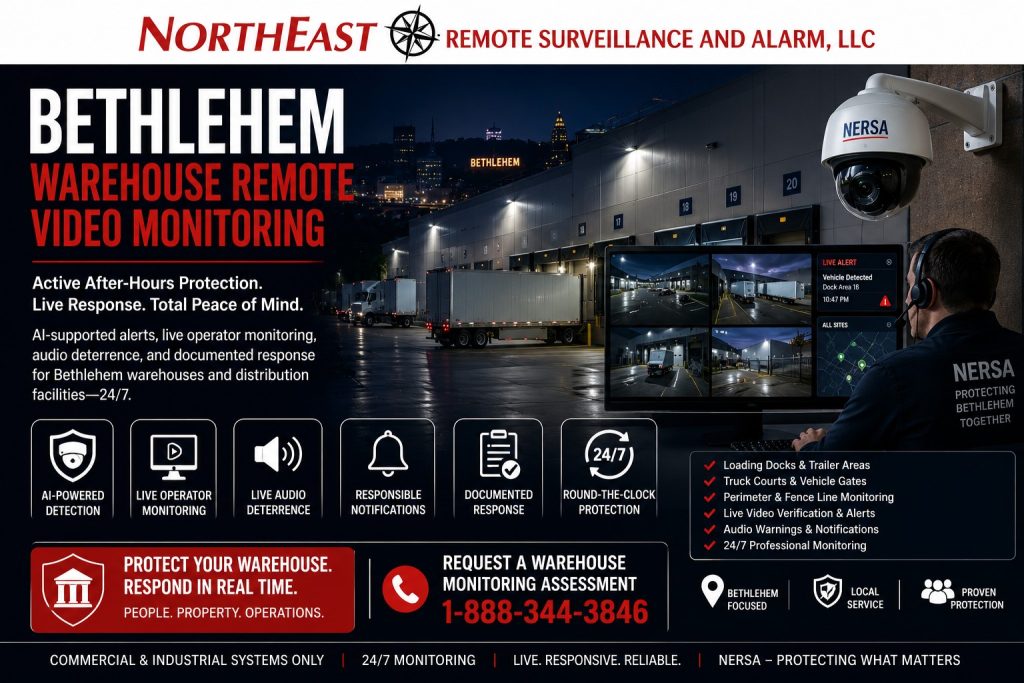
Active After-Hours Video Verification, Live Operator Review, Audio Deterrence, and Documented Response for Bethlehem Warehouses
Bethlehem warehouse remote video monitoring provides more than recorded footage after an incident has already occurred. Properly designed monitored video can detect selected after-hours activity, present the event to a trained operator, support visual verification, issue a live audio warning where appropriate, notify responsible parties, and escalate the event according to written property-specific instructions.
Northeast Remote Surveillance and Alarm, LLC designs, installs, upgrades, integrates, and supports remote video monitoring systems for Bethlehem warehouses, distribution centers, logistics facilities, industrial buildings, fulfillment operations, cold-storage properties, manufacturing-connected warehouses, truck courts, loading docks, trailer areas, exterior storage yards, and multi-building commercial properties.
Every warehouse operates differently. A building that closes each evening requires different monitoring schedules and detection rules than a distribution center operating around the clock. A facility with exterior trailer storage has different exposure than an indoor-only warehouse. A gated logistics property may need vehicle and perimeter review, while a smaller warehouse may need focused monitoring around several docks, employee entrances, and rear approaches.
NERSA begins with the property, operating schedule, warehouse activity, exterior exposure, camera views, lighting, network infrastructure, and response expectations—not a generic monitoring package.
For broader Bethlehem facility planning, begin with Commercial and Industrial Security Systems in Bethlehem, PA.
Request a Bethlehem Warehouse Monitoring Assessment
Call 1-888-344-3846
Commercial and industrial systems only • New installations • Existing-camera evaluations • Upgrades • Integrations • Monitoring takeovers

Remote Video Monitoring Designed Around Warehouse Operations
Warehouse monitoring should not begin by sending every camera alert to an operator.
Loading docks, truck courts, employee entrances, trailer positions, gates, forklift routes, parking areas, exterior storage, and shipping operations may remain active at different hours. Poorly planned monitoring can produce excessive alerts from legitimate employees, scheduled deliveries, windblown material, headlights, animals, weather, or normal warehouse activity.
A Bethlehem warehouse remote video monitoring assessment may review:
- Normal operating hours
- Shift changes
- Overnight staffing
- Shipping and receiving schedules
- Scheduled carrier arrivals
- Employee entrances
- Visitor and contractor access
- Loading-dock activity
- Truck courts
- Trailer parking and staging
- Vehicle gates
- Fence lines
- Exterior storage
- Parking lots
- Rear and side approaches
- Overhead doors
- Detached buildings
- Utility and mechanical areas
- Existing camera fields of view
- Nighttime image quality
- Exterior lighting
- Network reliability
- Recording and retention
- Audio-speaker locations
- Alarm-system events
- Monitoring contacts
- Escalation procedures
- Site-specific exceptions
The objective is to monitor the right areas during the right periods with clearly defined instructions.
What This Bethlehem Warehouse Spindle Covers
This page is focused specifically on remotely monitored video for Bethlehem warehouse environments.
It does not replace the broader Bethlehem security hub, a general warehouse camera page, an intrusion-alarm page, or the main remote-monitoring service pillar. It addresses the intersection of one facility type, one city, and one security intent:
Active video review and response for Bethlehem warehouse properties.
The system may support:
- Scheduled after-hours monitoring
- AI-supported person or vehicle detection
- Live operator review
- Video verification
- Audio intervention
- Responsible-party notification
- Alarm-event verification
- Documented escalation
- Incident reporting
- Camera and communication health supervision
- Multi-location monitoring
- Existing-camera takeovers
- Phased monitored-video deployment
Warehouse cameras that are intended primarily for recording, operational review, incident investigation, freight documentation, and employee accountability should be planned through Bethlehem Warehouse Video Surveillance Systems.
Recorded Video Versus Remote Video Monitoring
Recorded surveillance and remote video monitoring serve different purposes.
A recorded camera system stores footage so authorized users can investigate an incident later. Remote video monitoring introduces an active workflow in which selected events may be evaluated while they are occurring.
A monitored workflow may involve:
- A person, vehicle, or defined event is detected.
- The monitoring platform receives the associated video.
- An operator reviews the event.
- The operator compares the activity with the warehouse’s schedule and instructions.
- A live audio warning may be issued when authorized and appropriate.
- A responsible party may be contacted.
- The event may be escalated according to the approved response plan.
- The activity and actions taken may be documented.
Not every warehouse camera needs active monitoring. Interior cameras used for inventory review, forklift incidents, shipping disputes, or general operations may remain recording-only while selected exterior cameras enter the monitored workflow.
How Warehouse Remote Video Monitoring Works
A properly designed system combines several components rather than relying on one camera feature.
The monitored-video architecture may include:
- Commercial exterior cameras
- Appropriate lenses and viewing angles
- AI-supported analytics
- Monitoring schedules
- Detection zones
- Event transmission
- Operator workstations
- Site instructions
- Speaker systems
- Responsible-party contacts
- Escalation procedures
- Local or cloud recording
- Secure network connectivity
- Backup communication where appropriate
- System-health notifications
- Event and response documentation
The effectiveness of the service depends on the complete workflow.
A high-resolution camera is not useful for monitoring if the important area is outside its field of view. An accurate alert is not useful if the operator has outdated instructions. A live speaker does not provide meaningful deterrence if audio cannot be heard clearly in the monitored area.
Loading-Dock Remote Video Monitoring
Loading docks are among the most active and exposed areas of a warehouse.
They may involve:
- Open overhead doors
- Parked trailers
- Incoming freight
- Outgoing shipments
- Drivers waiting after hours
- Pallet staging
- Forklift traffic
- Shipping-office activity
- Exterior product
- Employee movement
- Contractor access
- Unscheduled vehicle arrivals
Remote monitoring may help identify activity around docks during periods when the area should be inactive or when only specifically scheduled operations should occur.
Monitored dock cameras may support:
- Person detection near closed dock doors
- Vehicle arrival outside scheduled periods
- Activity around staged freight
- Movement between parked trailers
- Door-open event review
- After-hours dock approaches
- Suspicious loitering
- Entry into restricted dock zones
- Audio warnings
- Contact notification
- Escalation under written instructions
The monitoring schedule should recognize legitimate overnight shipping, maintenance, cleaning, and carrier activity. A dock that operates continuously requires more precise detection zones and rules than a dock that should be vacant after closing.
Trailer Area and Truck Court Monitoring
Truck courts and trailer areas may extend far beyond the warehouse walls. They can include moving tractors, parked trailers, drop lots, staging lanes, yard vehicles, drivers, and exterior cargo exposure.
Monitoring may focus on:
- Activity between parked trailers
- Unauthorized trailer approaches
- People entering restricted yard areas
- Vehicles arriving through closed lanes
- Movement near trailer doors
- Suspicious vehicles remaining on the property
- Fence-line approaches
- Activity near stored equipment
- After-hours pedestrian movement
- Gate bypass attempts
- Exterior cargo exposure
Large truck courts usually require a combination of fixed overview cameras and focused documentation views.
A single wide camera may show that activity occurred without providing enough detail to determine who or what was involved. Monitoring cameras should be positioned so operators can make useful decisions rather than merely observe distant movement.
Warehouse Gate and Vehicle-Entrance Monitoring
Vehicle gates can become a natural decision point for monitored video because traffic is concentrated through a defined lane.
Gate monitoring may support:
- Vehicle-arrival alerts
- After-hours gate approaches
- Vehicles waiting outside the gate
- Unauthorized pedestrian approaches
- Gate-held-open events
- Tailgating review
- Intercom events
- Contractor arrivals
- Driver communication
- Vehicle-type documentation
- License-plate capture
- Audio warnings
- Remote notification
Gate overview cameras, plate cameras, intercom cameras, and access-control events serve different purposes.
A plate camera may document the license plate while an overview camera shows the vehicle, lane, gate position, and surrounding activity. An intercom provides communication, while access control documents the credential or authorization used.
These systems should be coordinated without expecting one device to perform every function.
Fence-Line and Perimeter Monitoring
Warehouse fence lines may border roads, railroad areas, undeveloped land, neighboring industrial properties, wooded sections, drainage areas, or other locations where nighttime visibility is limited.
Perimeter monitoring may involve:
- Person detection near designated fence sections
- Line-crossing analytics
- Restricted-zone detection
- Gate-area monitoring
- Exterior lighting
- Thermal or specialized cameras where justified
- Fixed overview cameras
- Audio-warning coverage
- Event schedules
- Operator instructions
- Escalation zones
Not every movement near a fence represents an intrusion. Public sidewalks, neighboring properties, wildlife, landscaping, and passing traffic must be considered when detection areas are established.
The most useful perimeter design defines where activity becomes relevant to the warehouse rather than attempting to monitor every visible movement beyond the property.
Exterior Storage and Equipment Areas
Some Bethlehem warehouse properties maintain pallets, containers, materials, tools, generators, trailers, vehicles, waste equipment, or other assets outside the main building.
Remote monitoring may help support:
- Exterior material protection
- Equipment-yard awareness
- Container-area monitoring
- Generator and utility-area monitoring
- Tool and machinery storage
- After-hours vehicle detection
- Unauthorized pedestrian alerts
- Movement near controlled storage
- Audio deterrence
- Documented response
Camera placement should provide enough detail to determine whether a person is entering the protected area or merely moving through an adjacent permitted zone.
Employee Entrance Monitoring
Warehouse employee entrances may experience concentrated movement during shift changes and little legitimate activity during other periods.
Monitoring can be coordinated around:
- Scheduled shift arrivals
- Late employee departures
- Credential activity
- Forced-door events
- Doors held open
- People following employees inside
- Loitering near entrances
- After-hours approaches
- Contractor or temporary-worker access
- Parking-lot transitions
Access-control records may identify which credential was used, while nearby video helps show what occurred at the opening.
Remote monitoring should not treat normal employee activity as suspicious merely because it occurs outside standard office hours. Warehouse schedules, overtime, maintenance, inventory counts, weather operations, and emergency call-ins should be incorporated into the monitoring instructions.
Employee and Visitor Parking Areas
Parking areas can connect directly to employee entrances, visitor reception, shipping offices, pedestrian paths, and exterior warehouse approaches.
Monitored parking-lot events may include:
- People approaching the building after closing
- Vehicles entering restricted areas
- Activity near employee vehicles
- Pedestrian movement toward rear entrances
- Vehicles remaining after approved hours
- Movement near isolated sections of the property
- Activity around exterior equipment
- Suspicious approaches to parked trailers
Monitoring should focus on defined risk zones rather than treating all parking-lot movement as an alarm event.
AI-Supported Person and Vehicle Detection
AI-supported analytics can help filter video by identifying selected classes of activity, such as people or vehicles entering a defined area.
Possible rules include:
- Person enters a restricted zone
- Vehicle crosses a virtual line
- Person approaches a closed loading dock
- Vehicle enters a truck court after hours
- Movement occurs near exterior storage
- Person remains in a designated area
- Activity occurs near a fence or gate
- Vehicle travels in a prohibited direction
Analytics do not independently determine criminal intent. They identify activity that matches a configured rule and may require operator review.
Performance can be affected by:
- Camera angle
- Object size
- Distance
- Lighting
- Weather
- Headlights
- Shadows
- Vegetation
- Snow
- Reflections
- Animals
- Steam or exhaust
- Normal warehouse activity
Detection zones, schedules, sensitivity, and classifications should be tested under real operating conditions.
Live Operator Review
Operator review adds human evaluation to the event workflow.
Depending on the service design and instructions, the operator may review:
- The triggering camera
- Adjacent camera views
- The direction of travel
- Whether the activity matches an approved schedule
- Whether a marked vehicle or uniform is visible
- Whether a gate or door is open
- Whether the person appears to be approaching protected property
- Whether the activity continues after an audio warning
- Whether a listed contact should be notified
- Whether escalation is authorized
Operators require clear property-specific information. Generic instructions such as “call if suspicious” do not define what the warehouse considers normal, unusual, authorized, or urgent.
Live Audio Talk-Down
Live audio warnings may help an operator communicate with a person in a monitored exterior area.
A warning may advise that:
- The property is closed
- The area is restricted
- Video monitoring is active
- The person should leave the property
- The vehicle should exit through a designated route
- The person should use the approved entrance or intercom
- The event is being escalated
Audio equipment should be selected and positioned around:
- Area size
- Ambient warehouse noise
- Truck engines
- Highway or roadway noise
- Building walls
- Speaker direction
- Weather exposure
- Mounting height
- Required coverage
- Local operating restrictions
Live talk-down should be used within approved procedures. It is not appropriate for every event, every facility, or every monitored area.
For broader planning around operator response, audio intervention, escalation, and commercial exterior protection, review Remote Video Monitoring and Live Talk-Down.
Property-Specific Monitoring Schedules
Warehouse monitoring schedules should reflect actual operations.
Possible schedules include:
- Full monitoring after closing
- Exterior-only monitoring overnight
- Weekend monitoring
- Holiday monitoring
- Dock monitoring after shipping closes
- Trailer-area monitoring during inactive periods
- Gate monitoring outside approved delivery hours
- Restricted-zone monitoring at all times
- Temporary monitoring during shutdowns
- Enhanced monitoring during construction
- Seasonal schedules
- Emergency weather schedules
Schedules may need exceptions for:
- Overtime shifts
- Inventory counts
- Scheduled carriers
- Cleaning crews
- Maintenance teams
- Contractors
- Snow removal
- Emergency repairs
- Facility expansions
- Special projects
- Management visits
The organization should establish a dependable method for communicating temporary schedule changes.
Site Instructions and Response Procedures
Remote monitoring is strongest when the response plan is written before an event occurs.
Site instructions may identify:
- Property name and address
- Building and monitored-zone names
- Normal operating hours
- Authorized after-hours activity
- Common employee or contractor vehicles
- Restricted areas
- Audio-warning procedures
- Primary contacts
- Backup contacts
- Dispatch criteria
- Events requiring immediate escalation
- Events requiring notification only
- Gate and door procedures
- Alarm-verification steps
- Temporary schedule changes
- Incident-report expectations
Contacts should be reviewed when managers, employees, service providers, tenants, schedules, or responsibilities change.
Outdated instructions can reduce the value of an otherwise well-designed monitoring system.
Coordinating Video Monitoring with Intrusion Alarms
Intrusion alarms and remote video monitoring provide different forms of detection.
An intrusion alarm may identify:
- An opened personnel door
- An opened overhead door
- Interior motion
- Broken glass
- Roof-hatch activity
- A protected restricted room
- A communication failure
- A system trouble condition
Associated video may provide additional context around the event.
A coordinated workflow may allow an operator or authorized user to review cameras near the alarmed area, determine whether visible activity is present, follow approved verification procedures, and document the response.
Video should not be expected to eliminate every false alarm or confirm every event. Camera obstruction, darkness, blind spots, network failure, weather, and activity outside the field of view can limit verification.
Camera Placement for Monitored Response
Cameras used for remote monitoring must provide useful decision-making views.
Monitoring design may require:
- Clear views of protected zones
- Appropriate mounting height
- Stable camera installation
- Identification-level views where needed
- Separate overview and focused cameras
- Suitable nighttime performance
- Minimal obstruction
- Correct lens selection
- Defined detection boundaries
- Logical adjacent-camera coverage
- Accurate camera names
- Reliable recording
- Time synchronization
A camera installed too high may show the tops of people and vehicles without useful identifying detail. A camera installed too far away may detect motion without allowing the operator to understand the event.
Camera quantity should be based on coverage objectives rather than on an arbitrary package size.
Nighttime Lighting and Image Quality
Most monitored warehouse events occur during low-light conditions, making nighttime commissioning essential.
Potential problems include:
- Dark truck courts
- Uneven wall lighting
- Headlight glare
- Bright loading-dock fixtures
- Deep shadows between trailers
- Infrared reflection
- Wet pavement
- Snow
- Fog
- Steam or exhaust
- Reflective safety clothing
- Rapid transitions between bright and dark areas
The system should be tested after dark with actual exterior lighting and representative vehicle activity.
A bright-looking image is not automatically a useful image. Exposure settings should preserve enough detail for operators to understand people, vehicles, directions of travel, doors, gates, and surrounding conditions.
Fixed Cameras, Multi-Sensor Cameras, and PTZ Cameras
Fixed cameras provide continuous views of defined warehouse areas. They are generally appropriate for:
- Loading-dock doors
- Gate lanes
- Employee entrances
- Exterior storage
- Fence-line sections
- Trailer positions
- Building approaches
Multi-sensor cameras can provide several fixed views from one mounting location and may be useful at:
- Building corners
- Truck-court intersections
- Large parking areas
- Shared yard spaces
- Wide warehouse approaches
Pan-tilt-zoom cameras may assist with live investigation across larger areas, but they record only the direction in which they are pointed at that moment.
PTZ cameras should not replace fixed coverage of critical detection and documentation areas.
Existing Warehouse Camera Evaluations
An existing camera system may be usable for remote monitoring, but compatibility should not be assumed.
An assessment may review:
- Camera resolution
- Lens selection
- Camera placement
- Nighttime image quality
- Frame rate
- Network reliability
- Recording platform
- Remote connectivity
- Analytics capability
- Event transmission
- Camera health reporting
- User permissions
- Firmware support
- Audio compatibility
- Existing speaker coverage
- Cabling condition
- Power supplies
- Time synchronization
- Video retention
- Platform licensing
- Cybersecurity
- Available integration methods
Some existing cameras may remain useful for recording but may not provide the fields of view, analytics, reliability, or nighttime performance required for active monitoring.
A phased design may retain appropriate equipment while adding focused cameras, lighting, speakers, analytics, or infrastructure in the highest-priority areas.
Network and Communication Infrastructure
Remote monitoring depends on dependable communication.
Infrastructure planning may include:
- Camera-network segmentation
- Internet bandwidth
- Upload capacity
- Managed network switches
- Power-over-Ethernet capacity
- Fiber-optic links
- Wireless bridges
- Exterior network enclosures
- Uninterruptible power
- Surge protection
- Cellular backup where appropriate
- Secure remote connectivity
- Firewall coordination
- Device-health monitoring
- Cable labeling
- Network documentation
A warehouse may continue recording locally during an internet interruption while losing its connection to the monitoring platform. The design should define how communication failures are detected, reported, and corrected.
Audio and Speaker Infrastructure
Live audio response requires more than adding a speaker beside a camera.
Speaker planning may consider:
- Required sound coverage
- Truck and machinery noise
- Property boundaries
- Directional placement
- Weather resistance
- Amplification
- Network connectivity
- Power
- Cabling pathways
- Mounting locations
- Volume testing
- Multiple monitored zones
- Maintenance access
- Backup power
The warning should be understandable in the intended area without creating unnecessary disturbance beyond the protected property.
Reducing Nuisance Events
A monitored-video system that generates excessive irrelevant events can become inefficient and difficult to manage.
Nuisance-event reduction may involve:
- Accurate detection zones
- Person and vehicle classification
- Appropriate monitoring schedules
- Exclusion zones
- Minimum object-size settings
- Directional rules
- Lighting adjustments
- Camera repositioning
- Vegetation maintenance
- Updated site instructions
- Temporary schedule exceptions
- Event-rule testing
- Periodic performance review
Monitoring rules should be reviewed after installation and adjusted as warehouse operations, traffic patterns, landscaping, lighting, or exterior layouts change.
24-Hour Monitoring Versus Scheduled Monitoring
Not every warehouse requires the same monitoring coverage.
Scheduled After-Hours Monitoring
This may be appropriate when:
- The warehouse closes at predictable times
- Exterior areas should be vacant overnight
- Loading operations end each evening
- Weekend activity is limited
- Monitoring is focused on defined risk periods
Continuous Restricted-Zone Monitoring
This may be appropriate for areas where activity is unusual regardless of the facility schedule, such as:
- Selected fence lines
- Utility areas
- Roof access
- Exterior storage
- Closed trailer zones
- High-value equipment areas
- Restricted gates
Event-Based Monitoring
Selected events may be reviewed when generated by:
- Intrusion alarms
- Door contacts
- Gate activity
- Video analytics
- Intercom calls
- Access-control exceptions
- System-health alerts
The correct approach may combine several schedules and event types.
Incident Documentation and Reporting
A monitored event should create a usable record of what occurred and how the event was handled.
Depending on the service and platform, documentation may include:
- Event time
- Camera or zone
- Detection type
- Operator review
- Audio warning
- Contact attempts
- Responsible-party response
- Escalation
- Video snapshots or clips
- Resolution notes
- Recurring-event trends
Warehouse management should define who reviews event reports and how repeated issues are addressed.
Monitoring data may reveal:
- Recurring trespassing routes
- Gate procedures that need correction
- Lighting problems
- Repeated after-hours deliveries
- Doors left open
- False detection sources
- Areas needing additional camera coverage
- Outdated contact instructions
Privacy, User Access, and Cybersecurity
Remote monitoring should be managed through defined permissions and policies.
Planning may include:
- Cameras approved for monitoring
- Areas excluded from monitoring
- Individual user accounts
- Role-based permissions
- Multi-factor authentication where supported
- Secure video transmission
- Monitoring-provider access
- Local management access
- Export permissions
- Video-retention standards
- Account-removal procedures
- Vendor-access controls
- Audit history
- Firmware and software updates
Cameras should not be installed in areas where occupants have a reasonable expectation of privacy.
The organization should understand who can view live video, who can retrieve recordings, who can export footage, and how access is removed when responsibilities change.
Multi-Site Warehouse Monitoring
Organizations operating several warehouses may benefit from consistent monitoring standards across locations.
A multi-site plan may establish:
- Common camera naming
- Standard monitored-zone definitions
- Centralized user permissions
- Location-specific schedules
- Site-specific response instructions
- Standard contact-review procedures
- Consistent event reporting
- Common audio-warning policies
- System-health supervision
- Approved equipment
- Network standards
- Phased upgrade plans
Standardization should make the portfolio easier to manage without treating every warehouse as operationally identical.
Small Warehouses Through Large Distribution Properties
Remote video monitoring can be scaled around the facility.
A smaller Bethlehem warehouse may require:
- Several monitored exterior cameras
- Rear-door protection
- Loading-dock detection
- Employee-entrance coverage
- One or two audio zones
- Scheduled overnight monitoring
A larger distribution or logistics property may require:
- Multiple truck-court zones
- Trailer-area monitoring
- Vehicle-gate cameras
- Dedicated plate capture
- Perimeter analytics
- Several audio zones
- Fiber or wireless infrastructure
- Multiple recording servers
- Centralized administration
- Location-specific response procedures
- Multi-phase implementation
The system should match the actual property rather than forcing a smaller facility into an unnecessarily complex platform or limiting a large warehouse with equipment that cannot support its coverage and response requirements.
Existing-System Upgrades and Monitoring Takeovers
Warehouses may seek a monitoring upgrade because the existing system has:
- Poor nighttime views
- Excessive false alerts
- Unsupported software
- Weak camera placement
- No live audio capability
- Unreliable internet connectivity
- Outdated response instructions
- Shared user accounts
- Inadequate event documentation
- Insufficient exterior coverage
- No system-health reporting
- Disconnected alarm and video systems
NERSA can evaluate existing cameras, recording systems, analytics, speakers, cabling, networks, monitoring workflows, users, schedules, and response procedures.
Compatible components may be retained when they are reliable, supportable, securely configured, and appropriate for the monitoring objective.
Why Bethlehem Warehouses Choose NERSA
Northeast Remote Surveillance and Alarm, LLC is based in Bethlehem and focuses on commercial, industrial, warehouse, logistics, manufacturing, institutional, and multi-site systems.
NERSA approaches warehouse monitoring as a complete operational workflow involving:
- Property assessment
- Camera coverage
- Nighttime image quality
- Analytics
- Monitoring schedules
- Operator instructions
- Audio response
- Alarm coordination
- Network infrastructure
- User permissions
- Event documentation
- System health
- Existing equipment
- Future expansion
- Long-term serviceability
The objective is not to generate the greatest possible number of alerts. The objective is to provide useful detection, informed review, appropriate intervention, documented escalation, and dependable support around the warehouse areas that need active after-hours protection.
Request a Bethlehem Warehouse Remote Video Monitoring Assessment
A remote monitoring assessment should review the warehouse before cameras, analytics, speakers, schedules, and response procedures are selected.
NERSA can evaluate:
- Loading docks
- Trailer positions
- Truck courts
- Vehicle gates
- Fence lines
- Exterior storage
- Employee entrances
- Parking areas
- Warehouse approaches
- Existing camera views
- Nighttime lighting
- Analytics performance
- Network connectivity
- Audio coverage
- Intrusion-alarm events
- Monitoring schedules
- Contact procedures
- Escalation requirements
- Existing equipment
- Future expansion
Request a Commercial Security Assessment or call 1-888-344-3846 to discuss remote video monitoring for a Bethlehem warehouse, distribution center, logistics facility, or industrial property.
Commercial and industrial systems only • New installations • Existing-camera evaluations • Upgrades • Integrations • Monitoring takeovers
Frequently Asked Questions About Bethlehem Warehouse Remote Video Monitoring
What is warehouse remote video monitoring?
Warehouse remote video monitoring uses selected cameras, analytics, schedules, operator review, property-specific instructions, notification procedures, and documented escalation to support active review of qualifying security events.
How is remote video monitoring different from remote camera viewing?
Remote viewing allows an authorized user to open an application and view cameras. Remote video monitoring uses a structured service workflow in which selected events may be sent for operator review and response according to approved instructions.
Can existing warehouse cameras be used for remote monitoring?
Possibly. Existing cameras must be evaluated for placement, image quality, nighttime performance, reliability, analytics support, network connectivity, cybersecurity, and compatibility with the proposed monitoring workflow.
Which warehouse areas should be monitored?
Common monitored areas include loading docks, trailer areas, truck courts, gates, fence lines, exterior storage, employee entrances, parking areas, overhead-door approaches, detached buildings, and other exposed exterior zones.
Can operators issue live audio warnings?
Yes, when the system includes suitable audio equipment and the monitoring plan authorizes talk-down response. Speaker placement, volume, property conditions, and response procedures should be tested before deployment.
Can monitoring distinguish employees from unauthorized people?
Operators and analytics may use schedules, uniforms, vehicle information, access events, location, and site instructions to help evaluate activity. No system can guarantee that every person will be classified correctly, so clear procedures and periodic adjustment remain important.
Can warehouse monitoring operate only after hours?
Yes. Monitoring schedules may be configured around closing times, weekends, holidays, dock schedules, restricted zones, temporary shutdowns, and other property-specific requirements.
Can a warehouse operating overnight use remote video monitoring?
Yes. Monitoring rules can focus on restricted areas, unusual directions of travel, closed docks, fence lines, exterior storage, gates, or other events that remain abnormal even while portions of the warehouse are operating.
Can video monitoring verify intrusion-alarm events?
Selected alarm events may be associated with nearby camera views when the systems and monitoring workflow support that function. Video may add useful context, but it cannot guarantee verification when the activity is outside the camera view or image conditions are inadequate.
Does remote monitoring prevent every theft or trespassing event?
No security system can guarantee prevention. Remote video monitoring can improve awareness, support live intervention, provide additional information, and create a documented response process when qualifying activity is detected.
Does NERSA support smaller warehouses and large distribution centers?
Yes. NERSA supports focused monitored-video systems for smaller commercial warehouses and scalable systems for large distribution centers, logistics facilities, industrial buildings, trailer yards, and multi-site warehouse operations.
Can monitoring be added in phases?
Yes. A warehouse may begin with its highest-risk docks, trailer areas, gates, fence lines, or exterior storage and expand monitoring as camera coverage, infrastructure, operating requirements, and budget allow.
What is the first step in planning warehouse remote video monitoring?
Begin with a facility assessment covering operations, schedules, exterior risks, existing cameras, nighttime lighting, network capacity, analytics, audio coverage, monitoring contacts, and escalation expectations before selecting equipment or service levels.