
Remote video monitoring and live talk-down help commercial and industrial properties move beyond passive recording by adding professional event review, verification, defined response procedures and approved audio intervention when selected activity occurs.

Request a Remote Video Monitoring Assessment
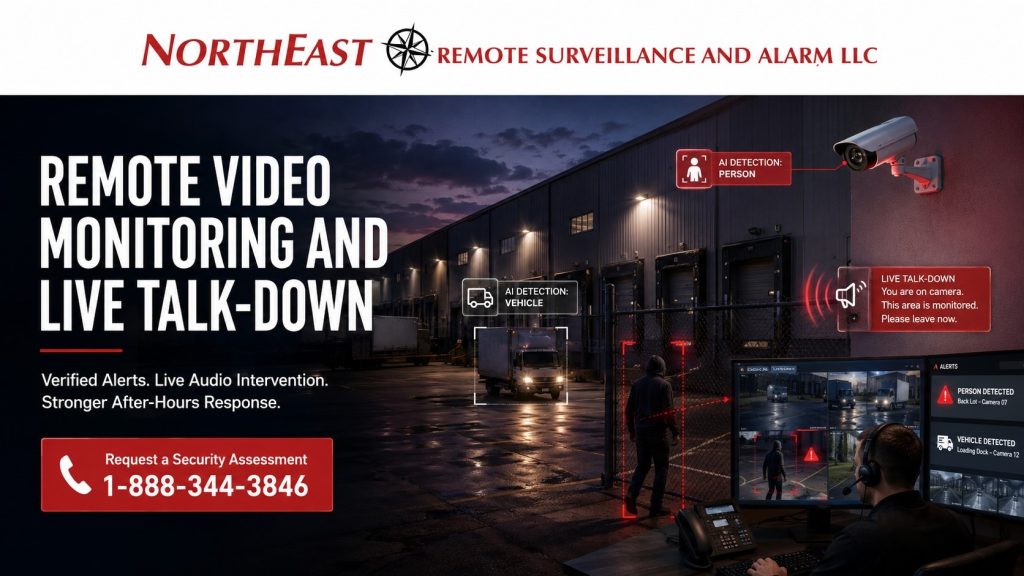
Northeast Remote Surveillance and Alarm, LLC (NERSA) designs, configures, upgrades, integrates and supports monitored video systems for qualifying:
- Warehouses
- Manufacturing facilities
- Logistics properties
- Contractor yards
- Truck yards
- Parking areas
- Equipment yards
- Gated properties
- Commercial campuses
- Industrial facilities
- Other business and professionally managed properties with after-hours exposure
A monitored-video system should begin with the property, the camera views, the operating schedule, the activity that matters and the response process—not simply with motion alerts or a speaker connected to a camera.
For broader camera-system planning, visit Commercial & Industrial Video Surveillance Systems.
For broader alarm and security monitoring, visit Commercial and Industrial Security Monitoring.
Commercial and Industrial Systems Only • Remote Video Monitoring • Event Verification • Live Talk-Down • Exterior Security • After-Hours Response
Remote Video Monitoring for Commercial Properties
Remote video monitoring is different from simply allowing a customer to view cameras from a phone or computer.
A monitored system may combine:
- Selected cameras
- Event rules
- Video analytics where appropriate
- Monitoring schedules
- Operator review
- Documented response procedures
- Audio intervention where included
When an event occurs, the monitoring process may help answer:
- Is someone actually on the property?
- Is the activity authorized?
- Is the event occurring in a restricted area?
- Is a vehicle involved?
- Is the activity continuing?
- Is there enough video context to understand what is happening?
- Should an approved audio warning be issued?
- Should a responsible party be contacted?
- Should the event be escalated?
- Should the incident be documented?
The objective is to create a defined response process around selected video events.
Properties and Areas That May Benefit
Remote video monitoring can be useful where exterior or after-hours activity cannot be continuously observed by on-site personnel.
Potential monitored areas include:
- Loading docks
- Truck courts
- Contractor yards
- Trailer areas
- Parking lots
- Vehicle gates
- Employee entrances
- Rear doors
- Exterior storage
- Equipment yards
- Fenced areas
- Warehouse perimeters
- Building approaches
- Service areas
- Restricted exterior zones
Not every camera should automatically be professionally monitored.
Monitoring should concentrate on areas where verification and response provide meaningful operational value.
Live Talk-Down and Audio Intervention
Live talk-down allows an approved monitoring operator to issue a verbal warning through compatible audio equipment after suspicious or unauthorized activity is identified according to the monitoring procedure.
Potential applications may include:
- Trespassing
- Loitering
- Unauthorized vehicles
- After-hours presence
- Restricted-area entry
- Vandalism
- Suspected theft activity
- Activity around exterior equipment
- Activity near gates or fenced areas
A monitored-video system may combine cameras, speakers, network communication, monitoring software and documented response instructions.
Speaker placement should be planned so warnings can be heard in the intended coverage area.
Live talk-down supports deterrence and response but does not physically intervene or guarantee that an incident will stop.
Camera Placement for Monitored Video
Professional monitoring depends on usable camera views.
A camera that is acceptable for general recording may not provide sufficient detail or context for an operator to confidently evaluate an event.
Camera planning may need to consider:
- Viewing distance
- Mounting height
- Field of view
- Lighting
- Nighttime performance
- Vehicle headlights
- Weather
- Obstructions
- Parked vehicles
- Exterior equipment
- Direction of travel
- Detection zones
- Network reliability
The camera should show both the activity being evaluated and enough surrounding context for the operator to understand the situation.
For broader camera selection, recording and system design, visit Commercial & Industrial Video Surveillance Systems.
Event Rules and Alert Quality
A monitored-video system should generate useful events rather than continuous nuisance activity.
Unnecessary alerts may be caused by:
- Headlights
- Weather
- Animals
- Moving vegetation
- Shadows
- Reflections
- Public roads
- Employee activity
- Deliveries
- Contractors
- Cleaning crews
- Snow removal
- Routine truck movement
Event rules should reflect how the property actually operates.
The objective is to identify activity requiring review while reducing routine events that create unnecessary operator workload.
No analytic system is perfect, so event quality also depends on camera placement, lighting, configuration and actual site conditions.
Monitoring Schedules and Response Procedures
A monitored-video service should have documented procedures before active monitoring begins.
Planning should establish:
- Which cameras are monitored
- When monitoring is active
- What activity is considered normal
- Which events require operator review
- When audio intervention is authorized
- Which contacts should be notified
- When escalation may occur
- What information should be documented
- How temporary schedule changes are communicated
Response instructions should account for legitimate activity such as:
- Employee shifts
- Late deliveries
- Drivers
- Vendors
- Contractors
- Maintenance personnel
- Cleaning crews
- Snow removal
- Scheduled weekend work
Even capable technology can produce inconsistent results when response instructions are unclear.
After-Hours Exterior Protection
Remote video monitoring is particularly useful for areas that remain exposed when a property is closed or lightly staffed.
Applications may include:
- Parking-area awareness
- Fence-line events
- Gate activity
- Loading-area monitoring
- Exterior equipment protection
- Warehouse perimeter coverage
- Vehicle movement
- Rear-building approaches
- Employee entrances
- Restricted exterior zones
Monitoring should distinguish normal site activity from activity that may require review.
Existing Camera Systems
An existing video-surveillance system may sometimes support remote monitoring.
Before adding monitored response, existing cameras and infrastructure should be evaluated for:
- Useful camera views
- Nighttime image quality
- Recording reliability
- Network reliability
- Analytics compatibility
- Remote connectivity
- Administrator ownership
- System-health information
- Existing lighting
- Audio compatibility where required
Existing cameras do not need to be replaced simply because they are already installed.
However, cameras that are too wide, too dark, unreliable, poorly positioned or incompatible with the monitoring workflow may require selective correction or replacement.
For broader existing-system evaluation, visit Commercial Security System Inspection and Assessment.
For modernization planning, visit Commercial Security System Upgrades, Retrofits and Takeovers.
AI-Supported Video Events
Compatible analytics can help identify selected events such as:
- People
- Vehicles
- Restricted-area activity
- Line crossing
- Loitering
- Directional movement
- Other supported conditions
Analytics can help prioritize events, but they do not replace good camera placement, appropriate lighting, operator judgment or documented response procedures.
For dedicated analytics planning, visit AI Video Surveillance Systems.
Alarm Verification With Remote Video
Remote video may provide additional context around a compatible intrusion alarm or other approved security event.
For example, a monitored door alarm may be easier to evaluate when an operator can review an associated camera.
Video should support—not replace—properly designed intrusion detection.
For broader intrusion planning, visit Commercial & Industrial Intrusion Alarm Systems.
For broader commercial monitoring procedures, visit Commercial and Industrial Security Monitoring.
Access Control and Monitored Video
Compatible systems may provide video context around controlled doors, employee entrances, gates and restricted areas.
Potential events may include:
- Forced doors
- Door-held-open conditions
- After-hours entry
- Gate activity
- Restricted-area events
Access control remains a separate system used to manage authorized entry.
For broader controlled-entry planning, visit Commercial & Industrial Access Control Systems.
Gates, Yards and Exterior Properties
Vehicle gates, fenced yards and exterior equipment properties may benefit from monitored-video coverage where the site conditions support dependable event detection.
Monitoring can provide additional context around:
- Vehicle arrival
- After-hours gate activity
- Exterior storage
- Trailer movement
- Equipment areas
- Restricted yard zones
For dedicated gate-entry planning, visit Commercial Gate Access Control Systems.
Remote Video Monitoring for Different Properties
Warehouses and Distribution Centers
Monitoring may focus on docks, trailer areas, truck courts, parking, gates and building perimeters.
Manufacturing and Industrial Facilities
Industrial sites may require monitoring around exterior storage, loading areas, restricted zones and after-hours approaches.
Contractor Yards
Contractor properties may use monitored video around vehicles, tools, equipment, trailers, fences and gates.
Commercial Parking Areas
Parking monitoring may support after-hours activity review, vehicle incidents and building-approach visibility.
Multi-Building Campuses
Larger properties may require monitoring of selected exterior areas across several buildings rather than continuous monitoring of every camera.
The monitored-video design should follow the actual exposure points at the property.
Network and Infrastructure Requirements
Remote video monitoring depends on reliable communication.
Planning may need to consider:
- Network connectivity
- Internet reliability
- Available bandwidth
- Camera streaming requirements
- PoE capacity
- Backup power
- Network segmentation
- Remote access
- Speaker connectivity
- Exterior pathways
A strong monitoring workflow cannot compensate for unreliable network infrastructure or cameras that repeatedly lose communication.
For broader infrastructure planning, visit Commercial & Industrial Infrastructure and Cabling.
Event Documentation
Depending on the monitoring service and platform, monitored events may create records such as:
- Event time
- Camera involved
- Operator review
- Associated video
- Audio intervention
- Responsible-party notification
- Escalation information
- Event notes
Documentation can help management understand how significant events were handled.
Retention and availability depend on the selected system, platform and monitoring arrangement.
Why Businesses Choose NERSA
Northeast Remote Surveillance and Alarm, LLC focuses on commercial and industrial security rather than consumer camera-monitoring services.
NERSA evaluates monitored-video projects around:
- Property conditions
- Camera views
- After-hours exposure
- Lighting
- Detection zones
- Monitoring schedules
- Speaker coverage
- Network reliability
- Response procedures
- Existing equipment
- Future expansion
The objective is to provide a monitored-video system that delivers useful awareness, manageable alert volume, appropriate deterrence and better information when an event occurs.
Review Commercial & Industrial Security Services to coordinate monitored video with the other systems at your facility.
Confirm Service Scope and Loss-of-Communication Procedures
Confirm whether the proposed service reviews triggered events, performs scheduled checks, or provides another defined level of observation. Record the monitored cameras and hours, authorized interventions, escalation contacts, and any response commitments in the service agreement; do not assume that every camera is watched continuously or that an operator can see events outside the agreed coverage.
Agree on how camera, internet, power, or speaker failures are detected, who receives the fault notice, and what temporary site measures apply until service is restored. Before activation, coordinate representative event and audio tests with the monitoring team without generating an unintended emergency dispatch. Verify the received view, contact sequence, schedule exceptions, and event record, then assign an owner to keep contacts and operating instructions current.
Request a Remote Video Monitoring Assessment
A remote-video assessment may review:
- Existing cameras
- Camera placement
- Nighttime image quality
- Monitored areas
- Detection zones
- Analytics
- Lighting
- Network reliability
- Speaker locations
- Monitoring schedules
- Normal site activity
- Responsible-party contacts
- Response procedures
- Existing alarm or access-control systems
If your commercial property needs monitored cameras, live talk-down, after-hours exterior protection, video verification or a more defined response process, NERSA can help determine the appropriate approach.
Request a Remote Video Monitoring Assessment.
Frequently Asked Questions About Remote Video Monitoring and Live Talk-Down
What is remote video monitoring?
Remote video monitoring uses selected cameras, event rules, operator review and documented response procedures to evaluate qualifying activity at a commercial property.
How is remote video monitoring different from remote viewing?
Remote viewing lets authorized customers access their cameras directly. Remote monitoring adds professional event review and defined response procedures.
What is live talk-down?
Live talk-down allows an approved monitoring operator to issue a verbal warning through compatible speakers during qualifying monitored events.
Does every camera need to be monitored?
No. Monitoring should generally focus on cameras where professional verification or response provides meaningful value.
What types of properties use remote video monitoring?
Warehouses, logistics facilities, manufacturing sites, contractor yards, truck yards, parking areas, equipment yards, campuses and other commercial sites with after-hours exposure may benefit.
Does remote video monitoring require AI analytics?
Not always. Analytics may help identify selected activity, but effective monitoring also depends on camera placement, lighting, network reliability and response procedures.
Can existing cameras be used?
Sometimes. Existing systems can be evaluated for image quality, reliability, positioning, connectivity and compatibility with the required monitoring workflow.
Can monitored video support an intrusion alarm?
Yes. Compatible cameras may provide additional context around selected alarm events.
Can monitored video work with access control?
Yes. Compatible systems may provide video context around selected door or gate events.
Is live talk-down a replacement for security guards?
No. Live talk-down can support deterrence and response, but it does not physically intervene.
What areas are commonly monitored?
Common areas include gates, loading docks, parking lots, exterior yards, fence lines, rear doors, employee entrances and equipment areas.
How does a remote video monitoring project begin?
The project begins with an assessment of the property, camera views, after-hours exposure, normal site activity, monitoring schedule, network conditions and response expectations.