Intrusion alarm maintenance and repair in Easton, PA helps businesses restore failed protection, correct nuisance alarms, troubleshoot communication problems, replace deteriorated batteries, repair damaged detection devices, and verify that existing commercial alarm systems operate as intended. Request an Easton Intrusion Alarm Service Assessment or call 1-888-344-3846.
Northeast Remote Surveillance and Alarm, LLC evaluates, troubleshoots, maintains, and repairs supported commercial intrusion alarm systems for Easton warehouses, manufacturing facilities, industrial properties, offices, healthcare buildings, schools, municipal facilities, contractor operations, multi-tenant properties, commercial campuses, and multi-location organizations.
This page focuses specifically on maintaining and repairing an existing commercial intrusion alarm system. The service scope may include alarm panels, keypads, door contacts, overhead-door devices, motion detectors, glass-break sensors, panic devices, wireless equipment, power supplies, batteries, communication paths, partitions, users, programming, and monitoring-signal transmission.
For broader Easton planning involving new alarm installations, warehouse protection, partitions, panic devices, video verification, monitoring, communication, and property-specific intrusion detection, visit Commercial and Industrial Intrusion Alarm Systems in Easton, PA.
Commercial & Industrial Alarm Service • Panels, Keypads, Door Contacts, Motion Detection & Communications • Troubleshooting, Preventive Maintenance & Repair
Request an Easton Intrusion Alarm Service Assessment
Call 1-888-344-3846
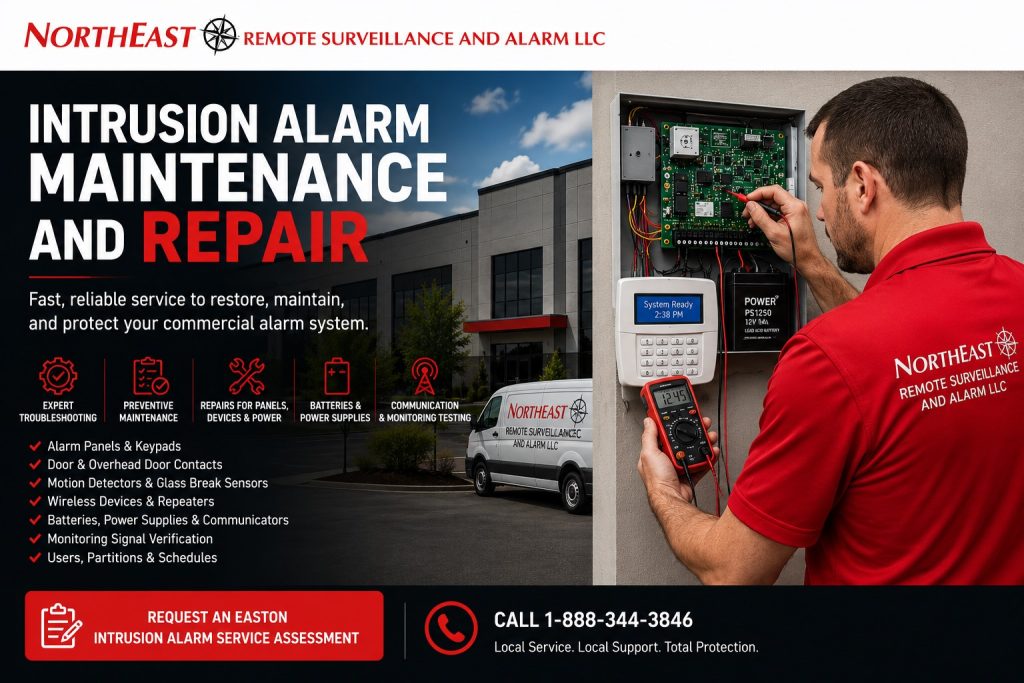
Commercial Alarm Service Built Around the Complete System
An intrusion alarm problem should not be diagnosed by replacing the first device that appears to have failed.
A commercial alarm system depends on several coordinated layers:
- Protected doors and windows
- Overhead and loading-dock openings
- Interior detection
- Restricted-room protection
- Panic or duress devices
- Alarm control panels
- Zone expanders
- Keypads
- Power supplies
- Backup batteries
- Wired or wireless communication
- Cellular or IP alarm transmission
- Alarm partitions
- Individual users
- Access schedules
- Monitoring-account programming
- Clear zone descriptions
- Employee operating procedures
A problem in one layer may appear to be a failure somewhere else.
A door contact may seem defective when the door is actually misaligned. A motion detector may generate alarms because shelving, heat, sunlight, or machinery changed around it. A keypad may display communication trouble caused by a failed communicator, network change, weak cellular signal, or unstable panel power.
NERSA evaluates the complete alarm condition before recommending repair, correction, replacement, or broader modernization.
When an Easton Business May Need Alarm Service
A commercial intrusion alarm may require maintenance or repair when:
- A keypad displays trouble
- The system will not arm
- The system will not disarm
- A protected door shows open when it is closed
- Employees repeatedly bypass the same zone
- Overhead-door contacts report incorrectly
- Motion detectors create unwanted alarms
- Glass-break sensors generate unexplained events
- Wireless devices lose supervision
- Device batteries are low
- The control-panel battery is weak
- The panel repeatedly resets
- Cellular communication fails
- IP communication is interrupted
- Monitoring does not receive alarm signals
- Monitoring receives the wrong zone description
- User codes no longer work correctly
- Partitions arm or disarm incorrectly
- Opening-and-closing reports are inaccurate
- Panic devices fail testing
- Alarm schedules no longer match operations
- Former employees remain active
- Remote applications stop communicating
- Building renovations affect protected areas
- The system has become unreliable after a provider or network change
A live keypad and a normal-looking display do not prove that every zone, battery, communicator, user, partition, panic device, and monitoring signal is functioning properly.
Preventive Alarm Maintenance Versus Corrective Repair
Preventive maintenance and corrective repair serve different purposes.
Preventive Intrusion Alarm Maintenance
Preventive maintenance reviews system condition before a major failure occurs.
Depending on the system and facility, maintenance may include:
- Reviewing alarm-panel troubles
- Inspecting control equipment
- Testing selected detection devices
- Reviewing backup batteries
- Verifying power supplies
- Inspecting door contacts
- Checking overhead-door devices
- Testing motion detectors
- Reviewing wireless supervision
- Confirming communication
- Testing monitoring signals
- Reviewing user codes
- Reviewing partitions
- Checking alarm schedules
- Reviewing false-alarm history
- Confirming zone descriptions
- Updating documentation
- Identifying obsolete or unsupported equipment
The appropriate scope and frequency depend on the platform, device age, operating environment, service history, system size, property risk, and manufacturer guidance.
Corrective Intrusion Alarm Repair
Corrective repair addresses a known failure or operating problem.
Common corrective repairs may involve:
- Failed contacts
- Damaged wiring
- Defective motion detectors
- Broken keypads
- Weak batteries
- Failed power supplies
- Communication faults
- Incorrect programming
- Partition problems
- User-code problems
- Panic-device failures
- Repeater or wireless problems
- Monitoring-signal errors
- Panel troubles
- Remote-application problems
A repair visit may identify broader maintenance or modernization needs, but the immediate objective remains restoring dependable operation.
Commercial Door-Contact Repair
Door contacts detect whether a protected opening is open or closed.
A contact may report incorrectly because of:
- Door or frame misalignment
- Loose hardware
- Excessive magnet spacing
- Damaged wiring
- Corrosion
- Physical impact
- Repeated door slamming
- Frame movement
- Building settlement
- Weather exposure
- Improper mounting
- Door replacement
- Renovation work
- Incorrect programming
- Failed internal components
A technician may need to evaluate both the alarm device and the physical opening.
Replacing the contact without correcting a sagging door, moving frame, or damaged mounting point may cause the new device to develop the same problem.
Zone names should also be verified during repair. A description such as North Employee Entrance is more useful than a generic label such as Zone 4.
Overhead and Loading-Dock Door Alarm Repair
Overhead doors experience different conditions from standard personnel doors.
Warehouse and industrial openings may be exposed to:
- Forklift impact
- Trailer activity
- Pallet movement
- Vibration
- Track movement
- Moisture
- Dirt
- Temperature changes
- Snow and ice
- Floor-level damage
- Large contact gaps
- Frequent opening and closing
- After-hours loading
Common service conditions include:
- Contact does not restore
- Door shows open when secured
- Device wiring is damaged
- Armored cable is crushed
- Magnet is missing or misaligned
- Contact housing is physically damaged
- Zone activates intermittently
- Employees repeatedly bypass the opening
- Door changes were not reflected in programming
The repair should use equipment and mounting appropriate for the commercial opening rather than a light-duty device selected only because it fits temporarily.
Motion-Detector Troubleshooting
Commercial motion detection should be planned around the actual environment.
A motion detector may generate nuisance events because of:
- Incorrect mounting height
- Poor detector placement
- Heating equipment
- Air movement
- Direct sunlight
- Reflective surfaces
- Moving machinery
- Forklift activity
- Animals
- Insects
- Hanging materials
- Changing inventory
- Tall warehouse racking
- Temperature extremes
- Loose mounting
- Physical damage
- Incorrect sensitivity
- Activity occurring during the armed schedule
Service may involve:
- Reviewing event history
- Inspecting the protected area
- Testing the detector
- Checking power and wiring
- Reviewing mounting and aim
- Reviewing schedules
- Confirming the correct detector type
- Relocating the detector
- Replacing damaged equipment
- Correcting partitions or user procedures
An office-style detector may not be suitable for a high-bay warehouse or industrial environment.
Glass-Break and Specialty-Detector Service
Glass-break sensors rely on the acoustic conditions of the room and the type of glass being protected.
A glass-break problem may involve:
- Detector range
- Room acoustics
- Furniture changes
- Ceiling height
- Background noise
- Construction activity
- Device placement
- Damaged equipment
- Power or wiring
- Incorrect programming
Specialty commercial detection may also include:
- Interior photoelectric beams
- Roof-access protection
- Restricted-cage detection
- Long-corridor detection
- Selected exterior devices
- Detached-building sensors
Each device should be tested according to its intended purpose and environment.
A specialty detector should not be replaced with a generic device merely because the replacement is easier to obtain.
Alarm Panel and Keypad Repair
The alarm panel is the central control point for zones, users, partitions, communication, event records, and system operation.
Panel or keypad problems may include:
- Blank keypad
- Unresponsive keys
- Repeated resets
- Corrupted display
- Communication trouble
- Expansion-module failure
- Zone trouble
- Bell or output trouble
- Low auxiliary voltage
- Failed charging circuit
- Software or firmware issues
- Damaged enclosure
- Loose terminals
- Heat or moisture damage
- Unsupported components
- Lost administrator access
Troubleshooting may require reviewing:
- Panel voltage
- Battery condition
- Transformer or power supply
- Keypad bus
- Expansion modules
- Field wiring
- Device loads
- Communication equipment
- Panel programming
- Event history
- Manufacturer support
- Available replacement parts
A panel that operates intermittently should not be assumed reliable merely because it returns to normal after being restarted.
Backup Battery Testing and Replacement
Commercial intrusion alarms rely on backup batteries during utility-power interruptions.
Weak or failed batteries may cause:
- Immediate system shutdown during an outage
- Panel resets
- Communication failure
- Keypad trouble
- Wireless supervision issues
- Loss of event reporting
- Battery trouble conditions
- Charging problems
- Swollen or leaking batteries
- Unreliable panic-device support
- Reduced alarm transmission time
Battery service may include:
- Visual inspection
- Age review
- Voltage testing
- Load evaluation
- Terminal inspection
- Charging-circuit review
- Capacity comparison
- Replacement
- Date labeling
- Documentation
Battery size should be based on the alarm panel, connected modules, communication equipment, keypads, and other system loads.
A battery should not be selected solely because it physically fits inside the enclosure.
Power-Supply and Electrical Troubleshooting
Power problems may resemble communication, panel, keypad, or field-device failures.
Possible conditions include:
- Failed transformer
- Loose AC connection
- Tripped circuit
- Failed power supply
- Blown fuse
- Shorted field wiring
- Low auxiliary voltage
- Overloaded outputs
- Failed charging circuit
- Damaged surge protection
- Unstable building power
- Heat-damaged equipment
- Incorrect replacement components
Replacing a fuse without identifying why it opened may result in repeated failures or equipment damage.
The system should be evaluated for the connected load, circuit condition, power quality, battery charging, and affected equipment.
Cellular and IP Communication Repair
A monitored intrusion alarm must communicate reliably with the monitoring platform.
Communication faults may result from:
- Weak cellular signal
- Carrier changes
- Failed communicator
- Damaged antenna
- Network outage
- Changed IP settings
- Router replacement
- Firewall changes
- Internet-provider changes
- Incorrect programming
- Inactive monitoring account
- Expired cellular service
- Power problems
- Panel incompatibility
- Legacy phone-line removal
- Damaged communication wiring
Testing should verify more than one burglary signal.
Depending on the system, service may need to confirm:
- Burglary-alarm transmission
- Panic or duress transmission
- Trouble signals
- Communication failure
- Power loss
- Low battery
- Restoration signals
- Environmental alerts
- Opening-and-closing events
- Partition identification
- Correct zone descriptions
Monitoring does not automatically mean that authorities are dispatched after every signal. Response depends on the signal, account instructions, verification procedure, local requirements, and available information.
Wireless Device and Repeater Service
Commercial wireless alarm systems may use contacts, motion detectors, panic buttons, environmental sensors, repeaters, and other supervised devices.
Wireless problems may result from:
- Weak batteries
- Failed transmitters
- Device damage
- Radio interference
- Building changes
- Metal racking
- Inventory changes
- Concrete or masonry
- Excessive distance
- Failed repeaters
- Incorrect enrollment
- Device replacement
- Panel changes
- Unsupported wireless generations
Service may include:
- Battery replacement
- Signal-strength review
- Device testing
- Repeater testing
- Device reenrollment
- Relocation
- Programming correction
- Replacement with compatible equipment
- Documentation updates
A wireless device should not be moved or replaced without confirming that the zone, device identification, supervision, and monitoring description remain correct.
User-Code and Administrator Cleanup
Alarm users often become disorganized over time.
Common conditions include:
- Former employees remain active
- Multiple employees share one code
- Temporary contractors never expire
- Users have excessive permissions
- Administrator codes are widely known
- Users control the wrong partition
- Employee names are missing
- Codes cannot be traced to a person
- Opening-and-closing records are unclear
- Remote-application users remain active
Maintenance may include reviewing:
- Active users
- Former employees
- Contractors
- Cleaning personnel
- Managers
- Tenant users
- Temporary codes
- Duress codes
- Administrator accounts
- Remote application access
- Partition permissions
The customer remains responsible for deciding who is authorized to use the system. NERSA can help organize and implement those approved decisions.
Alarm Partition Repair and Cleanup
Partitions allow different areas of a property to be armed independently.
Partition problems may include:
- Employees cannot arm their area
- Users disarm too many areas
- Offices and warehouses are grouped incorrectly
- Detached buildings report under the wrong partition
- Tenant permissions overlap
- Schedules conflict
- Monitoring receives unclear descriptions
- Keypads default to the wrong area
- An expansion was programmed inconsistently
Service should review:
- Partition names
- User permissions
- Zone assignments
- Keypad assignments
- Schedules
- Monitoring descriptions
- Opening-and-closing reports
- Employee procedures
- Documentation
The partition structure should be understandable enough for employees to operate correctly while preserving the separation required by the facility.
Alarm Schedule and Opening-Closing Corrections
Commercial properties often change operating hours without updating the alarm system.
Schedule-related problems may result from:
- New work shifts
- Weekend operations
- Seasonal hours
- Cleaning schedules
- Maintenance work
- Tenant changes
- Temporary projects
- Early deliveries
- Late truck departures
- Holiday operations
- Weather closures
Service may correct:
- Late-to-close alerts
- Early-opening events
- Failure-to-arm notifications
- Scheduled arming
- Temporary schedules
- User access periods
- Partition schedules
- Contact notifications
Temporary exceptions should not remain active indefinitely.
The organization should assign responsibility for approving changes and returning the system to its normal schedule.
Nuisance and False-Alarm Investigation
Repeated nuisance alarms should be investigated rather than routinely ignored or bypassed.
Common causes include:
- Misaligned contacts
- Damaged overhead-door equipment
- Poor motion-detector placement
- Incorrect schedules
- Shared user codes
- Confusing partitions
- Weak batteries
- Loose wiring
- Environmental movement
- Doors that do not close properly
- Employees using the wrong entrance
- Contractors entering armed areas
- Building changes
- Communication problems
- Poor zone descriptions
- Incomplete employee training
- Failing control equipment
Reducing unwanted events may require:
- Device adjustment
- Equipment replacement
- Detector relocation
- Door repair
- Schedule correction
- User cleanup
- Partition redesign
- Better zone naming
- Communication repair
- Employee instruction
- Updated documentation
The objective is to correct the underlying cause rather than make the system less sensitive or less useful simply to stop the alarms.
Panic and Duress Device Maintenance
Fixed panic buttons, wireless devices, wearable units, keypad panic functions, and duress codes require periodic testing and clear procedures.
Service may verify:
- Physical operation
- Wireless communication
- Battery condition
- Correct zone description
- Correct signal classification
- Silent or audible operation
- Monitoring receipt
- Customer notifications
- Video association
- Reset procedure
- Employee assignment
- Documentation
The monitoring provider should be placed on test before activating signals that could trigger emergency response.
Employees should understand what the device does, whether the event is silent, and what procedure to follow after activation.
Environmental and Critical-Condition Alarm Service
Some intrusion-alarm platforms also monitor selected non-burglary conditions, including:
- Water
- Temperature
- Freezer or cooler conditions
- Power loss
- Equipment-room conditions
- Sump-pump operation
- Refrigeration problems
- Other supported critical events
Service should verify:
- Sensor operation
- Clear event description
- Correct responsible contacts
- Monitoring signal
- Notification rules
- Battery or power
- Documentation
- Response procedures
These functions do not replace required fire alarm, carbon-monoxide, sprinkler, process-control, or other regulated systems.
Systems Installed by Another Alarm Provider
NERSA may evaluate commercial alarm systems installed by another company when the customer is authorized to control the equipment and the system is accessible, serviceable, and supportable.
An initial service assessment may need to determine:
- Panel manufacturer and model
- Installer access
- Administrator codes
- Monitoring account
- Communication equipment
- Zone descriptions
- Partitions
- User records
- Existing deficiencies
- Available documentation
- Manufacturer support
- Parts availability
- Platform ownership
When ownership, administrator access, monitoring responsibility, or provider control remains unclear, the project may need to begin as a formal system takeover rather than a standard service call.
Maintenance and Repair Versus System Upgrade
Maintenance and repair restore or stabilize the intended operation of an existing system.
An upgrade modernizes or replaces older technology.
Repair may be appropriate when:
- A supported device has failed
- Wiring is damaged
- A battery is weak
- Programming is incorrect
- A communicator requires repair
- A keypad needs replacement
- A contact is misaligned
- A partition requires correction
- Users need cleanup
An upgrade may be the better path when:
- The panel is obsolete
- Replacement parts are unavailable
- Software is unsupported
- Communication technology is outdated
- Wireless equipment is no longer supported
- Failures are recurring
- The system cannot support current operations
- User administration is severely limited
- The platform cannot be expanded
- Repair costs no longer provide reasonable long-term value
Businesses primarily seeking modernization should review Easton Commercial Alarm System Upgrades.
Maintenance Versus Expansion
Maintenance addresses existing alarm zones, devices, users, partitions, communication paths, and operating problems.
Expansion adds:
- New doors
- Additional motion detectors
- More partitions
- Another tenant
- Warehouse space
- Detached buildings
- Panic devices
- Environmental sensors
- Another business location
Existing troubles should be resolved before the alarm is expanded so faults are not carried into the larger system.
Maintenance Versus Provider Takeover
Maintenance assumes the organization has authorized control of a serviceable alarm system.
A provider takeover focuses on:
- System ownership
- Monitoring responsibility
- Installer access
- User and administrator access
- Account information
- Contact lists
- Communication
- Platform support
- Documentation
- Responsibility for ongoing service
A takeover may identify repairs, but provider-transition issues should be resolved before routine service responsibility is established.
Intrusion Alarm Service for Easton Warehouses
Warehouse service may involve:
- Overhead-door contacts
- Personnel-door contacts
- High-bay motion detection
- Shipping-office protection
- Restricted inventory zones
- Tool rooms
- Multiple shifts
- Numerous users
- Several partitions
- Repeaters
- Communication paths
- Video verification
Warehouse repairs should consider forklift movement, tall racking, temporary labor, cleaning personnel, drivers, frequent door use, and changing layouts.
Manufacturing and Industrial Alarm Repair
Manufacturing properties may experience alarm problems involving:
- Dust
- Heat
- Moisture
- Vibration
- Machinery
- Metal construction
- Production schedules
- Utility areas
- Contractor movement
- Separate buildings
- Restricted processes
Service should be coordinated around facility operations and safe access to equipment.
A device suitable for an office may not be appropriate for an industrial production environment.
Office and Multi-Tenant Alarm Maintenance
Office and multi-tenant properties may require service involving:
- Shared entrances
- Tenant suites
- Management offices
- Common areas
- Cleaning schedules
- Individual tenant partitions
- Shared communication
- User-code transitions
- Vacant spaces
- Building ownership changes
The repair process should clarify whether responsibility belongs to property management, an individual tenant, or a shared building system.
Healthcare, Municipal, and Institutional Alarm Service
Healthcare, municipal, educational, and institutional properties may require service for:
- Public-facing entrances
- Staff areas
- Records rooms
- IT rooms
- Administrative spaces
- Panic devices
- Multiple schedules
- Public meeting areas
- Separate buildings
- Restricted rooms
Service should preserve the intended employee procedures, monitoring response, privacy-sensitive conditions, and after-hours operation.
Contractor Yard and Service-Facility Alarm Repair
Contractor and service properties may use intrusion alarms at:
- Offices
- Shops
- Tool rooms
- Parts storage
- Maintenance buildings
- Detached structures
- Gatehouses
- Equipment areas
- Exterior yards
These properties may rely heavily on wireless communication, cellular transmission, cameras, video verification, and several separate structures.
Each system component should be evaluated around the actual exterior and industrial environment.
Intrusion Alarm Maintenance Process
Reported-Condition Review
NERSA begins by identifying:
- The affected zone
- The reported symptom
- When the problem began
- Whether the condition is constant or intermittent
- Recent building or network changes
- Recent employee or schedule changes
- Operational impact
- Available service history
Panel and Event Review
Available panel status, troubles, event history, communication conditions, partitions, users, and programming are reviewed.
Field-Device Inspection
The affected contacts, motion detectors, keypads, panic devices, expanders, wireless devices, wiring, power supplies, and batteries are evaluated.
Communication and Monitoring Review
Cellular, IP, dual-path, monitoring-account, contact-list, and signal-transmission conditions are reviewed as required.
Corrective Recommendation
NERSA identifies whether the system requires:
- Adjustment
- Programming correction
- Device repair
- Device replacement
- Wiring repair
- Battery replacement
- Communication correction
- User cleanup
- Partition correction
- Schedule changes
- Monitoring-account updates
- Broader upgrade or takeover work
Functional Testing
Approved repairs are tested for normal operation, alarm transmission, restoration, trouble reporting, communication, user operation, and affected monitoring procedures.
Documentation
Completed work, replaced parts, test results, remaining deficiencies, and recommended follow-up work should be documented.
Information That Helps Before a Service Visit
Useful information may include:
- Property address
- Panel manufacturer
- Panel model
- Affected zone description
- Keypad trouble message
- Time the event occurred
- Whether monitoring received a signal
- Whether the problem affects every user
- Whether the system can still arm
- Recent network changes
- Recent electrical work
- Recent renovations
- Available administrator access
- Monitoring provider
- Existing service records
- Photos of the keypad or affected device
- Whether the condition is intermittent
Employees should not remove alarm-panel covers, disconnect communication, alter unfamiliar wiring, or repeatedly activate emergency signals merely to gather information.
Why Easton Businesses Choose NERSA
Northeast Remote Surveillance and Alarm, LLC focuses on commercial and industrial security environments rather than residential alarm packages.
Intrusion-alarm maintenance evaluates:
- Alarm control equipment
- Protected doors
- Overhead openings
- Motion detection
- Specialty detection
- Panic devices
- Power supplies
- Batteries
- Wired and wireless devices
- Communication paths
- Monitoring signals
- Partitions
- User codes
- Schedules
- False-alarm history
- Documentation
- Long-term serviceability
The objective is to identify the actual cause of the problem, restore dependable operation when practical, and clearly separate immediate repairs from modernization, expansion, takeover, or complete replacement.
Request Intrusion Alarm Maintenance or Repair in Easton, PA
If your Easton commercial or industrial property has a failed door contact, damaged overhead-door device, unreliable motion detector, panel trouble, weak battery, keypad problem, communication fault, monitoring issue, user-code problem, partition error, false alarm, panic-device failure, or another problem affecting an existing intrusion alarm system, Northeast Remote Surveillance and Alarm, LLC can help evaluate the condition.
Request an Easton Intrusion Alarm Service Assessment or call 1-888-344-3846.
Frequently Asked Questions About Intrusion Alarm Maintenance and Repair in Easton, PA
Does NERSA repair commercial intrusion alarms in Easton?
NERSA evaluates, troubleshoots, maintains, and repairs supported commercial and industrial intrusion alarm systems in Easton.
Does NERSA repair residential alarm systems?
No. Northeast Remote Surveillance and Alarm, LLC focuses on commercial, industrial, institutional, municipal, healthcare, educational, warehouse, manufacturing, contractor, and multi-location properties.
Can NERSA service an alarm installed by another provider?
Possibly. The system must be authorized, accessible, serviceable, supportable, and suitable for responsible repair. Some systems require a takeover assessment first.
Why does my alarm say a door is open when it is closed?
Possible causes include a misaligned contact, missing magnet, damaged wiring, physical door movement, incorrect programming, corrosion, or a failed device.
Can NERSA repair warehouse overhead-door alarms?
Possibly. NERSA can evaluate commercial contacts, wiring, mounting, alignment, programming, and physical damage affecting overhead and dock-door protection.
Why does my motion detector keep creating alarms?
Possible causes include poor placement, sunlight, heating equipment, air movement, machinery, animals, changing inventory, damaged equipment, incorrect schedules, or authorized activity within an armed area.
Why will the alarm system not arm?
The system may have an open zone, device trouble, communication problem, battery issue, incorrect partition, user-permission problem, or programming condition preventing arming.
Why does the alarm panel show communication trouble?
Possible causes include cellular failure, network changes, internet loss, communicator problems, inactive service, incorrect programming, weak signal, power trouble, or monitoring-account issues.
Can an old telephone-line alarm communicator be repaired or replaced?
Possibly. The existing panel should be evaluated for cellular, IP, dual-path, or other supported communication options.
Can NERSA replace alarm batteries?
Yes, when compatible replacement batteries are available and the charging circuit, load, wiring, and equipment condition support replacement.
Can NERSA fix alarm partitions and user-code problems?
Yes, when authorized administrative access is available and the platform remains serviceable.
Can former employees be removed from the alarm system?
Yes. NERSA can assist with user cleanup based on instructions from the customer’s authorized management team.
Can NERSA test whether monitoring receives alarm signals?
Yes. Monitoring-signal testing may be included when account access, communication, customer authorization, and testing procedures are available.
Should the monitoring provider be notified before testing?
Yes. The monitoring provider should be placed on test before activating signals that might result in notifications or emergency response.
Can panic and duress devices be tested?
Yes. Testing should follow a controlled procedure that verifies the device, zone description, signal classification, communication, monitoring receipt, and approved response instructions.
Can wireless alarm devices be repaired?
Some wireless problems can be corrected through battery replacement, reenrollment, repeater service, relocation, programming, or compatible device replacement.
Is repeated false-alarm activity a maintenance problem?
It can be. Repeated events may result from damaged devices, door alignment, poor detector placement, weak batteries, schedules, partitions, user procedures, communication problems, or outdated equipment.
Is alarm repair the same as an upgrade?
No. Repair restores an existing function. An upgrade modernizes or replaces older technology. A service assessment may determine that modernization offers better long-term value.
Can an obsolete alarm panel be repaired?
Possibly, but parts availability, manufacturer support, platform condition, communication compatibility, recurring failures, and long-term value should be evaluated first.
Can existing alarm wiring be repaired?
Yes, when the fault can be identified and a dependable repair is practical. Severely damaged, undocumented, inaccessible, or unsuitable wiring may require replacement.
Can NERSA repair alarm systems in warehouses and manufacturing plants?
Yes. NERSA focuses on commercial and industrial properties, including warehouses, manufacturing facilities, industrial buildings, contractor operations, and multi-building sites.
Does NERSA support small businesses and enterprise facilities?
Yes. NERSA supports smaller commercial properties, multi-zone business systems, warehouses, industrial facilities, campuses, enterprise properties, and multi-location organizations.
What is the first step?
The first step is an assessment of the reported problem, affected zones, panel status, devices, power, batteries, communication, monitoring, users, partitions, schedules, and available documentation.