Warehouse Video Surveillance Systems in Allentown, PA

Warehouse video surveillance systems in Allentown, PA should be designed around real warehouse movement rather than generic commercial camera placement. Camera coverage must account for long aisles, loading docks, shipping and receiving activity, employee entrances, inventory movement, pallet staging, forklifts, exterior approaches, and the areas where useful incident evidence is most likely to be needed.

Northeast Remote Surveillance and Alarm, LLC designs, installs, upgrades, and supports warehouse camera systems for distribution centers, logistics buildings, industrial warehouses, storage properties, mixed office-warehouse facilities, and other commercial warehouse operations in Allentown.

This page focuses specifically on video surveillance: camera placement, image quality, recording, retention, incident review, remote access, and usable video evidence. For complete warehouse protection involving cameras, access control, intrusion alarms, loading docks, truck yards, perimeter security, fire alarm coordination, cargo-theft prevention, and after-hours monitoring, begin with Warehouse Security Systems in Allentown, PA.

Commercial and industrial systems only • New installations • Camera upgrades • Scalable recording • Long-term support

Call 1-888-344-3846

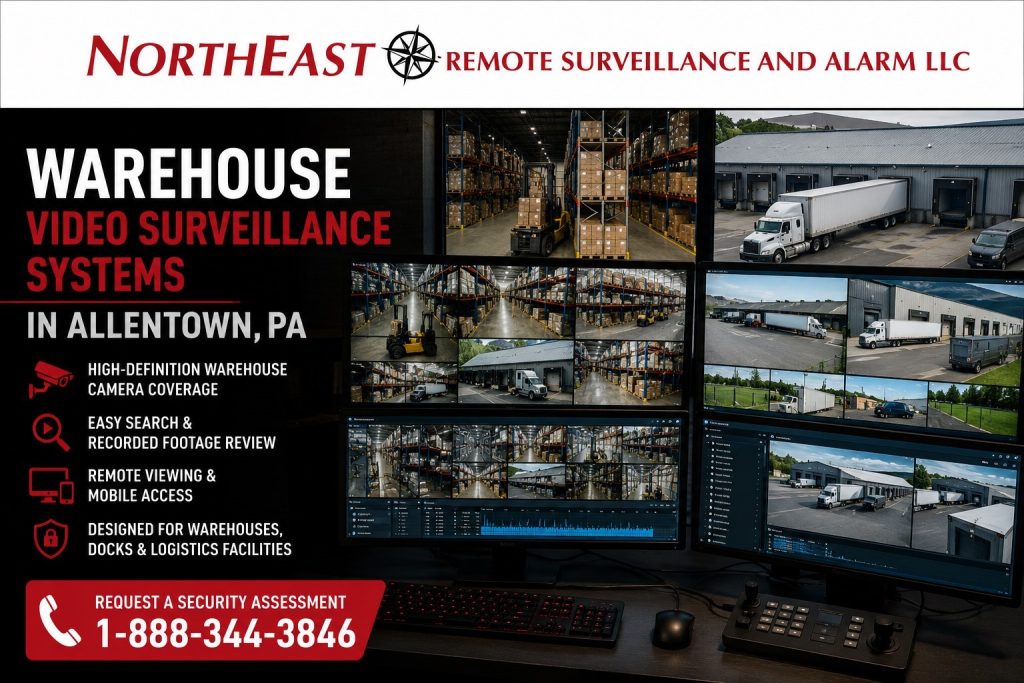
Warehouse video surveillance systems in Allentown, PA showing NERSA-branded warehouse camera monitoring, loading dock views, logistics facility surveillance, recorded footage review, and remote viewing for industrial properties.

Warehouse Camera Planning Around Real Facility Movement

Warehouse video surveillance has a different purpose from camera coverage in an office, storefront, restaurant, or standard commercial building.

Warehouse properties often contain large open spaces, tall racking, long aisles, changing inventory layouts, multiple dock doors, overhead openings, employee entrances, office-to-warehouse transitions, exterior vehicle lanes, and areas that may be lightly supervised during parts of the day.

A useful warehouse camera system should help management:

  • Review incidents and operational activity
  • Document freight and inventory movement
  • Investigate damage or missing-product reports
  • Improve visibility around shipping and receiving
  • Review employee, vendor, and driver movement
  • Identify blind spots around aisles and storage areas
  • Verify activity around exterior doors and docks
  • Access recorded footage when management is off-site
  • Expand coverage as warehouse operations change

The goal is not simply to install more cameras. The goal is to position the correct cameras where they can produce useful footage under the actual lighting, distance, movement, and operating conditions of the facility.

Where Warehouse Cameras Should Be Located

A warehouse camera layout should focus on the areas where employees, visitors, drivers, vehicles, equipment, freight, and inventory move through the property.

Common surveillance areas include:

  • Loading-dock doors
  • Shipping and receiving lanes
  • Pallet-staging areas
  • Warehouse aisles
  • Pick-and-pack areas
  • Inventory storage zones
  • High-value product areas
  • Employee entrances
  • Warehouse office entrances
  • Will-call and customer-pickup areas
  • Overhead doors
  • Forklift travel paths
  • Equipment and tool-storage areas
  • Side and rear building approaches
  • Trailer-adjacent exterior areas
  • Parking and vehicle-approach areas
  • Office-to-warehouse transition points
  • After-hours exterior approaches

Not every area needs the same camera, lens, resolution, mounting height, or field of view. Some locations need a broad operational overview. Others need tighter identification-level coverage or a dedicated view of a specific doorway, lane, dock position, or inventory area.

A wide image that cannot show the relevant person, vehicle, shipment, or event clearly may provide less value than a carefully positioned camera covering a smaller but more important target area.

Camera Coverage for Loading Docks, Shipping and Receiving

Shipping and receiving areas are among the most active and claim-sensitive parts of a warehouse.

These areas may involve:

  • Incoming and outgoing freight
  • Delivery drivers
  • Open dock doors
  • Staged pallets
  • Trailer movement
  • Forklift activity
  • Vendor access
  • Employee movement
  • Pickup and delivery disputes
  • Damaged-product reports
  • Missing-shipment investigations

Warehouse cameras can help document when a delivery arrived, when loading or unloading occurred, how product moved through the dock area, who was present, and what happened before or after an incident was reported.

Useful dock video often requires more than one general exterior camera. The design may need separate views of the dock face, loading apron, trailer position, personnel door, shipping office, staging area, and approach lane.

This page remains focused on camera coverage and recorded evidence. Dock access control, door alarms, driver procedures, after-hours response, gate management, and complete loading-dock protection belong within the broader warehouse-security plan.

Interior Warehouse Camera Coverage

Interior warehouse cameras should be planned for useful review rather than general visibility alone.

Tall racking, stacked inventory, temporary storage, changing aisle layouts, equipment, shelving, and moving forklifts can block views that appeared clear when the system was first planned. The design should account for both the current warehouse layout and predictable changes in product placement or workflow.

Interior warehouse surveillance may support:

  • Incident reconstruction
  • Inventory-movement review
  • Pallet-damage investigation
  • Aisle visibility
  • Restricted-area awareness
  • Internal accountability
  • Employee and vendor movement review
  • Forklift-activity review
  • Shipping and receiving documentation
  • High-value inventory protection
  • Workflow and process review

Camera placement should make it possible for an authorized user to determine where an event occurred, how movement developed, and which camera provides the clearest supporting view.

Coverage should also avoid creating unnecessary privacy concerns or interfering with normal work, emergency movement, signage, lighting, sprinkler systems, fire alarm devices, or warehouse equipment.

Exterior Warehouse Camera Coverage

Warehouse surveillance should not stop at the inside of the building.

Exterior activity around employee entrances, dock approaches, overhead doors, side lots, trailer positions, rear drive lanes, parking areas, fenced sections, service entrances, and exterior storage may be critical to understanding an incident.

Exterior cameras may help document:

  • Vehicle arrivals and departures
  • Employee entrance activity
  • Driver and vendor movement
  • Unauthorized approaches
  • Activity around overhead doors
  • Trailer-adjacent movement
  • Side and rear building access
  • Exterior equipment or material movement
  • Parking-area incidents
  • Conditions before an interior incident is discovered

Effective exterior coverage depends on the distance to the target, mounting height, lens selection, lighting, weather exposure, infrared performance, vehicle headlights, network path, and the type of information the business expects the camera to provide.

An overview camera may show that activity occurred. A separate identification view may be necessary when management needs clearer evidence of a person, doorway, vehicle, or specific event.

Recorded Video for After-Hours Review

Warehouse exposure often increases when the building is closed, lightly staffed, or operating with a limited overnight crew.

Recorded cameras can help management review activity around dock doors, employee entrances, trailer areas, side approaches, rear walls, parking areas, exterior storage, and other locations where unauthorized movement may occur.

The warehouse-video system should preserve usable footage with accurate timestamps, dependable recording, adequate lighting, and enough retention to allow incidents to be discovered and reviewed.

This page addresses recorded video and camera-based visibility. Active operator review, live intervention, alarm response, and formal overnight monitoring procedures are separate services and should be addressed within the broader warehouse-security design.

AI Search and Faster Warehouse Footage Review

Modern warehouse-camera platforms may include tools that make recorded video easier to search.

Depending on the selected system, available features may include:

  • Person and vehicle classification
  • Motion-based event filtering
  • Line-crossing search
  • Restricted-area event review
  • Object-based search
  • Camera-health notifications
  • Time-based event filtering
  • Thumbnail and timeline search
  • Bookmarking and incident export

These features can reduce the time required to review footage from a large warehouse or multi-camera system. Instead of manually watching hours of recording, an authorized manager may be able to narrow the search by camera, time, movement type, person, vehicle, or defined area.

AI-supported search does not correct poor camera placement. The system still needs suitable angles, lighting, image detail, distance, field of view, recording quality, and network reliability.

Analytics should be selected around a real operational objective rather than added merely because a camera supports them.

Recording, Storage and Evidence Retention

Warehouse surveillance should be planned around how long footage may need to remain available.

Retention requirements can be affected by:

  • Facility size
  • Number of cameras
  • Camera resolution
  • Frame rate
  • Recording method
  • Hours of operation
  • Delivery volume
  • Incident-discovery delays
  • Inventory value
  • Insurance or customer expectations
  • Internal investigation procedures
  • Available network and storage infrastructure

A smaller warehouse with limited traffic may have different requirements from a large distribution facility operating several shifts with frequent deliveries and recurring product claims.

Storage may be provided through on-site recording, cloud-supported recording, or a hybrid configuration. The appropriate approach depends on the number of cameras, network capacity, remote-access needs, retention goals, system-management requirements, and long-term operating cost.

Recorded video should be searchable, exportable, understandable, and protected from unauthorized access. A camera system provides limited value when footage cannot be found, when recording silently stops, when timestamps are wrong, or when storage capacity is insufficient.

Secure Remote Viewing for Warehouse Management

Warehouse owners, managers, operations teams, loss-prevention personnel, and authorized supervisors may need access to live or recorded video without being physically present at the facility.

Remote viewing can help authorized users:

  • Review dock activity
  • Verify delivery or pickup times
  • Check employee entrances
  • Review exterior conditions
  • Investigate reported incidents
  • Confirm whether cameras are online
  • View multiple warehouse locations
  • Export footage for an internal review

Remote access should be configured with individual user accounts, strong login practices, appropriate permissions, and role-based access where necessary.

Not every employee should have access to every camera. Administrative access, live viewing, playback, exporting, and system configuration can be separated so users receive only the permissions required for their responsibilities.

Camera Networks, Cabling and System Reliability

Warehouse camera performance depends on the infrastructure supporting it.

A surveillance design may need to account for:

  • Structured cabling
  • Fiber connections
  • Power-over-Ethernet capacity
  • Network switches
  • Equipment racks
  • Wireless bridges
  • Long-distance connections
  • Outdoor pathways
  • Surge protection
  • Backup power
  • Network segmentation
  • Equipment labeling
  • Recorder capacity
  • Future camera expansion

Large warehouse spaces, detached buildings, metal construction, outdoor docks, long cable distances, and remote yard areas can create infrastructure challenges that do not exist in smaller commercial properties.

NERSA evaluates camera locations together with cable pathways, power, network capacity, recorder location, environmental exposure, and future expansion so the surveillance system can be serviced and supported over time.

Integration Without Losing the Page’s Video Focus

Warehouse cameras may support access-control events, intrusion alarms, gate activity, loading-dock investigations, and other security-system functions.

For example, video may help management review:

  • An access-control event at an employee door
  • An alarm activation near an overhead opening
  • A vehicle entering a controlled area
  • Activity around a restricted inventory room
  • A reported incident at a loading dock
  • Movement near an exterior door after hours

Video surveillance does not replace access control, intrusion detection, fire alarm systems, employee procedures, supervision, or life-safety systems. Cameras provide visibility and documentation. Other systems provide control, detection, notification, or response.

For camera-system planning across offices, manufacturing properties, parking areas, warehouses, and other Allentown commercial facilities, use Commercial Video Surveillance Systems in Allentown, PA.

Responsible Camera Placement and System Documentation

Warehouse-camera systems should be planned with responsible placement, cybersecurity, system documentation, workplace conditions, and equipment sourcing in mind.

Planning should consider:

  • Privacy-sensitive areas
  • Authorized access to footage
  • Password and account management
  • Camera and recorder firmware
  • Network separation
  • Export and evidence procedures
  • Accurate system time
  • Retention settings
  • Camera naming and labeling
  • Equipment documentation
  • Maintenance access
  • Workplace and equipment hazards
  • Customer or procurement requirements

Camera placement should support incident review and operational visibility without obstructing emergency movement, interfering with life-safety equipment, or creating unnecessary coverage of areas that do not have a legitimate security or operational purpose.

Video surveillance supports documentation and review. It does not replace workplace policies, employee training, safety procedures, supervision, access control, fire alarm protection, or regulatory responsibilities.

What This Warehouse-Video Page Covers

This page is intentionally limited to warehouse video surveillance systems in Allentown, including:

  • Camera-system design
  • Interior warehouse coverage
  • Loading-dock camera views
  • Exterior building coverage
  • Recorded footage
  • Evidence retention
  • AI-supported footage search
  • Remote viewing
  • Camera infrastructure
  • Video-system reliability

It is not the complete warehouse-security page. It does not attempt to own access control, intrusion alarms, truck-yard security, gate access, cargo-theft prevention, fire alarm systems, or remote video monitoring.

Facilities needing a coordinated warehouse-wide security plan should begin with the Allentown warehouse-security sub-hub linked near the top of this page.

Why Allentown Warehouses Choose NERSA

Northeast Remote Surveillance and Alarm, LLC focuses on commercial and industrial systems rather than residential camera packages.

NERSA plans warehouse video surveillance around:

  • Actual facility movement
  • Useful camera angles
  • Identification and overview needs
  • Lighting and environmental conditions
  • Reliable recording
  • Appropriate retention
  • Secure remote access
  • User permissions
  • Network and cabling conditions
  • Existing equipment
  • Future expansion
  • Long-term system support

Some facilities need a completely new warehouse-camera system. Others need to replace outdated cameras, improve image quality, correct blind spots, expand recording, add remote access, modernize an analog system, or make an inherited platform more manageable.

The objective is to create a dependable surveillance system that helps authorized personnel understand what happened, find the relevant footage, and use the system effectively.

Warehouse Video Surveillance Installation in Allentown, PA

A proper warehouse-camera design begins with the building layout, operating schedule, inventory movement, loading activity, lighting, risk areas, network conditions, recording requirements, retention goals, user-access needs, and management review procedures.

NERSA can evaluate:

  • Existing camera locations
  • Missing interior and exterior views
  • Loading-dock coverage
  • Image quality
  • Recorder performance
  • Storage capacity
  • Remote-access reliability
  • Camera and network health
  • Cabling and infrastructure
  • Opportunities to retain usable equipment
  • Expansion requirements

The resulting system should support the warehouse’s real operations rather than forcing the property into a generic camera package.

Request a Warehouse Video Surveillance Assessment

If your Allentown warehouse needs better camera coverage, clearer loading-dock views, stronger interior review, improved recording, longer retention, secure remote access, upgraded equipment, or a more reliable surveillance layout, Northeast Remote Surveillance and Alarm, LLC can evaluate the facility and recommend a practical system.

Request a Commercial Security Assessment

Call 1-888-344-3846

Frequently Asked Questions About Warehouse Video Surveillance Systems in Allentown, PA

What makes warehouse video surveillance different from a general commercial camera system?

Warehouse surveillance must account for large interior spaces, tall racking, long aisles, loading docks, shipping and receiving activity, forklifts, inventory movement, overhead doors, employee entrances, exterior approaches, and trailer-adjacent areas. A standard office or retail camera layout normally has different distances, lighting, movement, and evidence requirements.

What areas should warehouse cameras cover?

Common coverage areas include loading docks, shipping and receiving lanes, pallet-staging areas, warehouse aisles, high-value inventory, employee entrances, overhead doors, will-call areas, office-to-warehouse transitions, rear approaches, side doors, parking areas, and trailer-adjacent exterior spaces. Final locations should be based on the facility’s layout and operating risks.

Does NERSA install camera systems for both small warehouses and large distribution facilities?

Yes. NERSA designs scalable warehouse video surveillance systems for smaller storage and mixed office-warehouse properties as well as large distribution facilities, logistics operations, multi-shift warehouses, and multi-building industrial sites. Camera quantity, recording capacity, retention, infrastructure, user permissions, and expansion planning are matched to the facility.

Can warehouse cameras help investigate delivery disputes or missing-product claims?

Yes. Properly positioned cameras may help management review arrival times, trailer activity, dock events, pallet staging, employee and driver movement, product handling, and shipping or receiving activity. The usefulness of the footage depends on camera placement, image detail, lighting, recording reliability, retention, and searchability.

Yes. Depending on the selected platform, AI-supported search may help users filter recorded footage by people, vehicles, motion, time, area, or defined events. These tools work best when cameras have appropriate positioning, lighting, distance, and image quality.

How long should warehouse-camera footage be retained?

There is no single retention period for every warehouse. Retention should reflect the number of cameras, resolution, hours of operation, delivery volume, inventory value, incident-discovery time, insurance expectations, internal procedures, and available storage. The recording design should be calculated before installation.

Can warehouse managers view cameras remotely?

Yes. Authorized users can often view live and recorded footage remotely. Access should be protected through individual accounts, secure authentication, appropriate permissions, and role-based controls when multiple employees or departments use the system.

Should warehouse cameras integrate with access control or intrusion alarms?

They can. Video may help verify a controlled-door event, alarm activation, gate entry, restricted-area incident, or after-hours movement. Integration should support investigation and accountability without allowing the warehouse-video page or system design to replace the separate functions of access control, alarms, monitoring, and life-safety systems.

Can NERSA upgrade an existing warehouse-camera system?

Yes. Existing cameras, cabling, switches, recorders, storage, network infrastructure, remote access, and user permissions can be evaluated to determine what can be retained, repaired, repositioned, expanded, integrated, or replaced.

Why should warehouse-camera planning begin with a site assessment?

A site assessment identifies blind spots, lighting problems, blocked views, target distances, loading-dock requirements, recording limitations, network conditions, user-access needs, reusable equipment, and future expansion requirements before camera locations and equipment are finalized.

Scroll to Top
1-888-344-3846