
AI video surveillance costs depend on what the system must detect, where analytics will operate, how video will be recorded, how alerts will be handled, and how the system fits the property’s network and security operations.

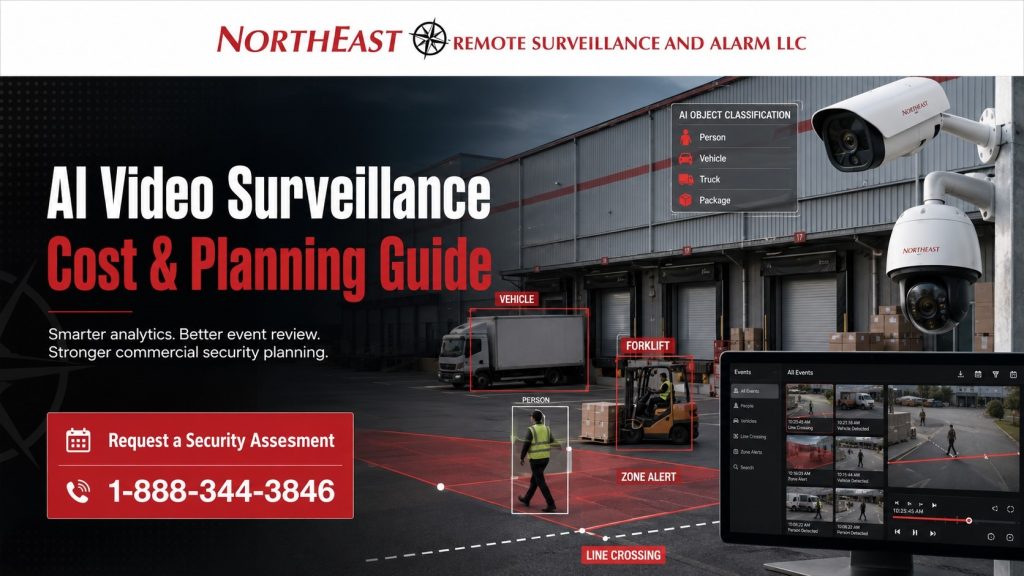
Businesses evaluating AI cameras should plan around the complete system rather than comparing camera prices alone.
The number of cameras matters, but so do analytics capability, recording architecture, storage, licensing, network infrastructure, lighting, camera placement, alert configuration, monitoring requirements, and ongoing support.
This guide is focused specifically on AI video surveillance cost and system planning for commercial and industrial properties.
For the broader purchasing structure across security technologies, start with Commercial & Industrial Security System Costs, Comparisons & Buyer Guides.
What Determines the Cost of AI Video Surveillance?
AI video surveillance is not simply a conventional camera system with a more expensive camera attached.
The additional value comes from the system’s ability to identify, classify, filter, organize, search, and alert on defined activity.
Depending on the equipment and software platform, AI-supported surveillance may help identify:
- people
- vehicles
- movement across defined lines
- activity within restricted areas
- loitering
- after-hours movement
- object movement
- perimeter activity
- loading-dock activity
- parking-lot activity
- specific event categories
The cost of implementing those capabilities depends heavily on the property and the expected outcome.
A small commercial building using AI primarily for faster video search requires a different system than a warehouse, manufacturing facility, distribution center, truck yard, or multi-building property using analytics across large exterior areas.
Primary AI Video Surveillance Cost Factors
The major factors affecting AI surveillance cost include:
- number of cameras
- camera resolution
- camera type
- required analytics
- edge-based versus server-based processing
- cloud, on-premise, or hybrid recording
- software licensing
- video-retention requirements
- storage capacity
- network readiness
- available bandwidth
- camera mounting locations
- lighting conditions
- exterior environmental exposure
- alert-zone complexity
- event schedules
- false-alert reduction
- monitoring integration
- remote access
- multi-site administration
- configuration
- testing
- employee training
- ongoing technical support
The more the system is expected to detect, classify, search, alert, verify, or support an active response, the more important system design becomes.
Camera Count Is Only Part of the Budget
Camera quantity is an obvious cost driver, but simply multiplying a camera price by the number of required views does not create an accurate AI surveillance budget.
Two 20-camera systems can have substantially different requirements.
One property may need straightforward indoor coverage with basic person and vehicle classification.
Another may require exterior perimeter detection, loading-dock analytics, low-light performance, long-distance identification, vehicle classification, alert verification, extended video retention, and integration with an existing security platform.
The camera count may be identical.
The engineering requirements are not.
Camera Selection and AI Performance
Not every surveillance camera provides the same analytics capabilities.
Some cameras perform AI processing directly at the camera. Others rely on a network video recorder, dedicated server, video management system, or cloud platform.
More important, even a camera with sophisticated analytics can perform poorly when the view is improperly designed.
Analytics may become less reliable when a camera is:
- mounted too high
- positioned too far from the target
- covering too wide an area
- aimed at a poor angle
- affected by severe backlighting
- operating in inadequate lighting
- obstructed by equipment or vehicles
- installed without considering the intended analytic
A properly planned system begins with a simple question:
What exactly does the business need the camera to detect?
Camera placement and equipment selection should follow that requirement.
For broader camera-system design and installation information, visit Commercial and Industrial Video Surveillance Systems.
Edge AI vs. Server-Based AI vs. Cloud AI
Where the analytics are processed can significantly affect both the initial investment and ongoing operating cost.
Edge AI
Edge AI performs analytics within the camera itself.
Depending on the platform, this approach can reduce processing requirements at the recorder or server and allow events to be classified close to where the video is captured.
Costs may be influenced by:
- higher-capability cameras
- camera licensing
- firmware requirements
- compatibility with the recording platform
- analytics configuration
Server-Based AI
Server-based analytics process video through a recorder, appliance, or dedicated server.
This architecture may be appropriate for larger systems, centralized processing, or certain upgrades where existing cameras can continue to be used.
Cost considerations may include:
- server hardware
- processing capacity
- video management software
- analytics licenses
- storage
- redundancy
- maintenance
Cloud AI
Cloud-supported platforms can provide analytics, event search, remote administration, alerts, software management, and multi-site access.
Instead of evaluating only the initial equipment cost, businesses should also review:
- recurring licensing
- cloud storage
- bandwidth
- retention
- user licensing
- remote access
- cybersecurity requirements
- long-term subscription costs
No single architecture is automatically best for every property.
The correct choice depends on the size of the system, existing infrastructure, security requirements, operational needs, and expected long-term cost.
AI Analytics and Alert Configuration
Buying AI-capable cameras does not automatically create a useful alerting system.
Analytics have to be configured around the property’s actual operating conditions.
A poorly planned installation can produce excessive alerts or miss important activity.
Potential sources of unwanted alerts include:
- headlights
- shadows
- rain
- snow
- moving trees
- animals
- reflective surfaces
- forklifts
- employee shift changes
- delivery vehicles
- normal loading activity
- poorly defined detection zones
Reducing unwanted alerts may require adjusting camera positions, detection boundaries, schedules, sensitivity, lighting, and the events that are permitted to generate notifications.
The goal is not to activate every analytic available.
The goal is to use the analytics that solve a specific security or operational problem.
AI Video Surveillance for Warehouses and Industrial Properties
AI video analytics can be particularly valuable where large properties create too much activity for efficient manual video review.
Examples include:
- warehouses
- distribution centers
- manufacturing facilities
- logistics properties
- truck yards
- contractor yards
- commercial parking areas
- loading docks
- fenced storage areas
- equipment yards
- multi-building commercial properties
These environments frequently have employees, trucks, forklifts, vendors, deliveries, trailers, and after-hours activity occurring across multiple areas.
AI can help organize recorded events so authorized users can review relevant activity without manually searching hours of unrelated footage.
Planning AI Analytics Around Loading Docks and Yards
Warehouses and logistics facilities present unique challenges because the environment changes throughout the day.
Camera layouts may need to account for:
- trailers blocking views
- trucks entering and leaving
- dock doors opening and closing
- forklift movement
- employee shift changes
- vehicle headlights
- outdoor glare
- rain and snow
- changing daylight
- exterior lighting
- restricted areas
- overnight inactivity
An analytic that works well during an empty overnight period may require a completely different configuration during an active shipping shift.
The surveillance design should reflect how the property actually operates.
AI Video and Remote Security Response
AI analytics can also help support monitored video systems by separating potentially meaningful activity from general movement.
For example, a properly designed system may identify a person entering a restricted exterior area after hours rather than creating an alert every time general motion occurs within the camera view.
However, AI should not be treated as an automatic solution to poor camera placement or uncontrolled site conditions.
Reliable monitored video depends on the relationship between:
- camera views
- lighting
- detection zones
- schedules
- analytics
- alert rules
- verification procedures
- response procedures
Monitoring requirements should therefore be identified during the planning phase rather than added after the cameras have already been installed.
One-Time AI Surveillance Costs
Initial AI video surveillance costs may include:
- cameras
- lenses
- camera mounts
- poles or specialty mounting hardware
- network cabling
- fiber infrastructure
- network switches
- recording hardware
- servers
- storage
- software
- analytics configuration
- installation labor
- lift equipment
- programming
- system testing
- commissioning
- user setup
- employee training
Existing infrastructure can sometimes be reused, but compatibility should be verified before assuming existing cameras, cabling, switches, servers, or recorders will support the new system.
Ongoing AI Video Surveillance Costs
AI surveillance systems may also involve recurring operating expenses.
Depending on the platform and services selected, ongoing costs can include:
- analytics licensing
- video-management licensing
- cloud storage
- remote access
- software subscriptions
- monitoring services
- firmware management
- system health monitoring
- technical support
- maintenance
A lower initial price does not necessarily mean a lower total cost of ownership.
A system that requires excessive troubleshooting, creates unusable alerts, lacks storage capacity, or becomes difficult to expand can become more expensive over its service life.
Existing Cameras and AI Upgrades
Existing cameras do not always need to be replaced when AI capabilities are added.
Some systems can apply analytics through a compatible recorder, server, video management platform, or cloud service.
Whether existing equipment can be retained depends on factors such as:
- camera resolution
- camera condition
- viewing angle
- image quality
- lighting
- frame rate
- network reliability
- recorder compatibility
- video management software
- supported analytics
Reusing equipment only makes sense when it can provide the image quality and system compatibility required for the intended analytic.
Keeping an inadequate camera simply to reduce the initial equipment cost can compromise the purpose of the upgrade.
Storage and Retention Planning
AI does not eliminate the need to properly calculate video storage.
Storage requirements can be affected by:
- number of cameras
- resolution
- frame rate
- compression
- recording schedule
- motion versus continuous recording
- retention period
- cloud versus local storage
- redundancy requirements
Businesses should determine how long recordings need to remain available before selecting the recording architecture.
Increasing retention after the system has been designed can require additional storage or recurring cloud capacity.
Network Infrastructure and Bandwidth
AI video surveillance is also a networked technology.
Before installation, the property may need to be evaluated for:
- network switch capacity
- available PoE power
- uplink capacity
- network segmentation
- fiber requirements
- wireless bridges
- internet bandwidth
- remote-access requirements
- cybersecurity considerations
Network limitations are particularly important for larger commercial and industrial systems and for properties using cloud recording, cloud analytics, or centralized multi-site management.
Why Generic AI Camera Pricing Can Be Misleading
A camera price by itself says very little about the final installed cost of an AI video surveillance system.
A realistic budget needs to answer:
- What needs to be detected?
- Where must detection occur?
- What camera view is required?
- How many cameras are necessary?
- Where will analytics be processed?
- How will users search recorded video?
- How long must recordings be retained?
- Do events need to generate alerts?
- Will those alerts require human response?
- Is remote monitoring required?
- Can existing cameras be reused?
- Is the existing network adequate?
- Does the property have sufficient lighting?
- Will the system need to expand later?
Until those questions are answered, comparing cameras strictly by equipment price can produce a misleading budget.
Planning for Privacy and System Administration
AI surveillance should be deployed for legitimate commercial and industrial security and operational purposes.
Businesses should establish appropriate policies for:
- camera locations
- authorized users
- video access
- retention
- exporting footage
- alert recipients
- remote access
- account permissions
- privacy-sensitive areas
- system administration
AI analytics can improve visibility and event review, but they do not replace security policies, management procedures, employee training, emergency planning, access control, or other security systems.
When Is AI Video Surveillance Worth the Additional Cost?
AI video surveillance is worth evaluating when the technology addresses a specific problem that traditional recording does not handle efficiently.
Common examples include properties experiencing:
- excessive motion events
- slow incident investigation
- large exterior areas
- loading-dock exposure
- truck activity
- restricted-area concerns
- after-hours activity
- parking-lot incidents
- multi-site management
- limited security staffing
- frequent video investigations
- high-value inventory
- expensive equipment
- perimeter exposure
AI does not need to be deployed on every camera.
In many systems, the best design uses advanced analytics only at locations where classification, search, or alerting provides a measurable operational benefit.
How to Compare AI Video Surveillance Proposals
When comparing proposals, businesses should look beyond the total equipment price.
Ask each provider to clearly define:
- camera quantities and models
- camera resolution
- intended camera views
- analytics included
- analytics licensing
- recording architecture
- storage capacity
- video-retention period
- cloud costs
- software costs
- network requirements
- alert configuration
- monitoring requirements
- installation scope
- programming
- commissioning
- training
- warranty
- ongoing support
- recurring charges
Two proposals that appear similar on the first page may represent very different systems once analytics, licensing, storage, installation, and long-term service are compared.
Request an AI Video Surveillance Assessment
Northeast Remote Surveillance and Alarm, LLC designs commercial and industrial AI video surveillance systems around the property and the security objective rather than a generic camera package.
A site-specific assessment can evaluate:
- required camera views
- existing cameras
- lighting
- network conditions
- analytics requirements
- recording architecture
- storage
- retention
- alert objectives
- monitoring requirements
- future expansion
The objective is to determine where AI provides practical value and build the system around those requirements.
Call Northeast Remote Surveillance and Alarm, LLC at 1-888-344-3846 or Request a Security Assessment.
Frequently Asked Questions About AI Video Surveillance Costs
What affects the cost of an AI video surveillance system?
AI surveillance cost depends on camera quantity, camera capability, analytics, recording architecture, storage, retention, software licensing, network infrastructure, lighting, installation conditions, alert requirements, monitoring, and ongoing support.
Is AI video surveillance more expensive than conventional surveillance?
It can be. AI-capable cameras, processing hardware, software licensing, analytics configuration, network upgrades, storage, and recurring services may increase cost. Whether that additional investment is justified depends on the operational value of faster search, event classification, alerts, and incident review.
Do all cameras need AI analytics?
No. AI should be applied where it solves a specific security or operational problem. Some areas may only require reliable recording, while entrances, loading docks, yards, parking areas, or restricted zones may benefit from additional analytics.
Can existing surveillance cameras be upgraded with AI?
Sometimes. Existing cameras may work with recorder-based, server-based, or cloud analytics if image quality and platform compatibility are adequate. Poor camera angles, low resolution, inadequate lighting, unreliable networks, or incompatible equipment may require upgrades.
Does AI video surveillance reduce false alarms?
It can reduce unwanted video alerts when analytics are properly configured to distinguish relevant activity from general motion. Camera placement, lighting, schedules, detection zones, and system tuning remain critical.
Is AI video surveillance useful for warehouses and distribution centers?
Yes. Warehouses and distribution facilities can use analytics to improve review of loading docks, truck courts, employee entrances, parking areas, exterior approaches, trailer areas, restricted zones, and after-hours activity.
Can AI surveillance work with remote video monitoring?
Yes. Properly configured analytics can help identify events that may require review or response. The cameras, detection rules, schedules, lighting, monitoring procedures, and escalation process should be designed together.
How should a business budget for AI video surveillance?
Start by defining what needs to be detected, where detection must occur, how footage will be reviewed, how long recordings must be retained, whether alerts require response, what infrastructure already exists, and what recurring software or monitoring costs will apply.
Should businesses compare AI systems based on camera price?
No. Camera price is only one component of the system. Businesses should compare the complete installed architecture, including cameras, analytics, licensing, recording, storage, network requirements, configuration, installation, commissioning, support, and ongoing operating costs.
What is the best AI video surveillance system for a commercial property?
There is no single platform that is best for every property. The appropriate system depends on the facility, camera views, security objectives, required analytics, existing infrastructure, retention requirements, monitoring strategy, scalability, and long-term operating cost.