
Commercial video should help staff see important activity and find useful recordings.

Request a Commercial Security Assessment
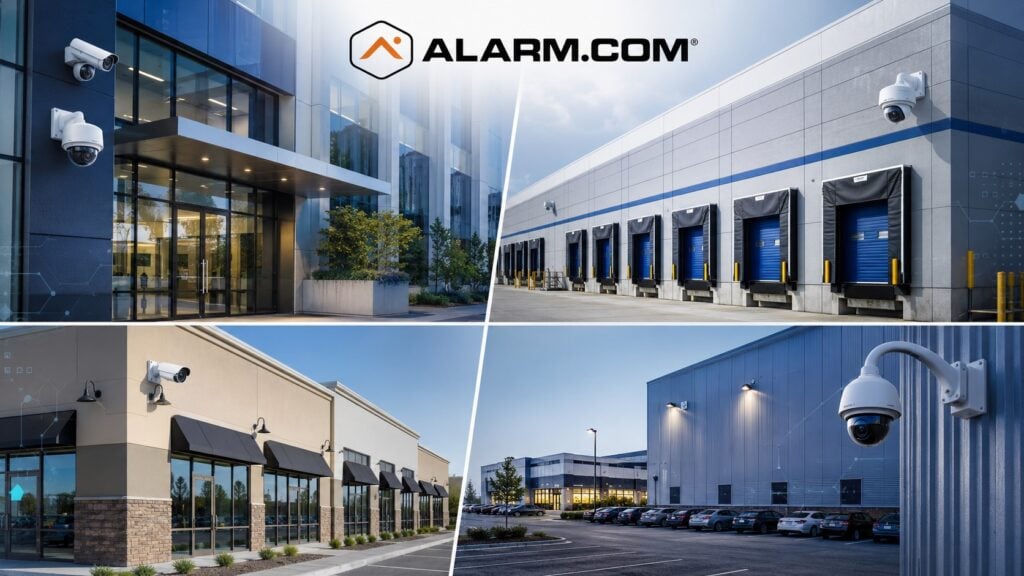
Plan for clear views, reliable evidence, and practical searches.
For the complete Alarm.com commercial platform, visit Alarm.com for Business Security Systems.
This is an independent reference to Alarm.com Commercial Video Surveillance Systems. Product information does not establish a NERSA partnership, certification, authorization or brand-specific service capability. Confirm those details with the proposed provider.
Alarm.com for Business brings commercial cameras and video management into one platform.
Supported options include local or cloud recording, analytics, system health checks, remote viewing, and searches by event.
Alarm.com also supports compatible third-party camera integration and OpenEye for larger commercial video deployments. (Alarm.com)
Commercial Video Designed Around the Property
A strong camera system starts with the property and the information the business needs to capture.
Planning may consider:
- Main entrances
- Employee entrances
- Loading docks
- Shipping and receiving
- Warehouse aisles
- Production areas
- Inventory storage
- Parking lots
- Vehicle gates
- Exterior storage
- Rear approaches
- Restricted rooms
- Office areas
- Multi-building properties
- After-hours activity
The objective is not simply to install more cameras.
Place cameras where they can show the activity the business needs to review. The system should capture and keep useful evidence.
Commercial-Grade Camera Options
Alarm.com offers commercial-grade camera options designed for business applications.
Its Pro Series includes features such as:
- 4MP recording
- HDR and WDR imaging
- IR night vision
- Varifocal lens options
- Indoor and outdoor models
- PoE connectivity
- Business Activity Analytics support
Alarm.com positions these cameras for applications ranging from individual commercial properties to warehouse and multi-location environments. (Alarm.com)
Choose each camera for its location and task. Check the view, lighting, mounting height, distance, and weather exposure. Confirm the detail needed to identify people or activity.
Live and Recorded Video Access
Compatible Alarm.com systems allow authorized users to view live and recorded video through web and mobile interfaces.
This can help managers review:
- Employee entrances
- Customer areas
- Loading activity
- Parking lots
- Deliveries
- Restricted spaces
- After-hours events
- Remote properties
Remote viewing helps staff manage the system. It does not replace good camera placement or reliable recording.
24/7 Recording Options
Some businesses need continuous recording rather than event-only video.
Alarm.com supports 24/7 recording through compatible onboard storage and Commercial SVR solutions, depending on the camera and system configuration.
Its Commercial SVR can support continuous recording and multi-camera playback for compatible commercial deployments. (Alarm.com)
The correct recording approach should consider:
- Number of cameras
- Resolution
- Retention requirements
- Available storage
- Network design
- Bandwidth
- Incident-review needs
- Business operating hours
A warehouse operating continuously may require a different recording strategy from a small office that is vacant overnight.
Video Health Monitoring
A camera system is only useful if the cameras are online, recording, and providing usable images.
Alarm.com provides video health monitoring that can help identify issues such as:
- Offline cameras
- Recording problems
- Reduced storage
- Obstructed camera views
- Other video-health conditions
Alarm.com specifically states that its video health reporting can confirm whether cameras are online and recording, track archived storage days, and identify obstructed views. (Alarm.com)
This can reduce the risk of discovering a camera failure only after an incident has already occurred.
Intelligent Video Analytics
Alarm.com uses intelligent analytics to distinguish meaningful activity from routine motion.
Compatible systems can detect people and vehicles while reducing alerts caused by conditions such as rain, shadows, or other unimportant motion.
Alarm.com also offers Business Activity Analytics for operational insights. (Alarm.com)
Analytics may help businesses identify:
- People entering selected areas
- Vehicles entering property
- After-hours activity
- Activity in prohibited areas
- Operational movement patterns
The analytics capability should be configured around the actual objective of each camera.
For deeper analytics and event-verification planning, visit Alarm.com Video Analytics & Event Verification.
Faster Video Search and Incident Review
Searching through hours of recorded video can waste significant time.
Alarm.com provides event-based search and its 24/7 Smart View timeline so authorized users can move more quickly to important recorded activity instead of manually reviewing long periods of footage. (Alarm.com)
This can be useful when reviewing:
- Theft incidents
- Unauthorized entry
- Deliveries
- Employee activity
- Loading events
- Parking incidents
- After-hours activity
- Access-control events
Useful searches depend on clear camera names and correct system time. Camera placement and event settings also affect what staff can find.
Cloud Storage and Event Protection
Alarm.com combines cloud-managed video with cloud event storage for compatible systems.
Cloud storage can help protect important event footage from being lost solely because of a local recorder failure or on-site incident. (Alarm.com)
Decide which footage to keep and for how long. Check whether the business needs continuous local recording as well as cloud storage for events.
Existing Camera Integration
Moving to Alarm.com does not always require replacing every existing camera.
Alarm.com supports compatible third-party cameras using ONVIF and VAPIX by Axis through its Pro Series CSVR architecture. (Alarm.com)
An existing camera system should be evaluated for:
- Camera condition
- Resolution
- Manufacturer
- Protocol support
- Network design
- Power requirements
- Existing recorder
- Cabling
- Administrator access
- Firmware support
- Image quality
- Future expansion
Some existing cameras may be worth retaining.
Others may be too old, unsupported, poorly positioned, or inadequate for the intended application.
Cellular Video Connectivity
Some commercial properties have areas where traditional wired network connectivity is unavailable or difficult to provide.
Alarm.com offers a Cell Connector for Video designed to provide compatible LTE video connectivity where wired network access is limited or unavailable. (Alarm.com)
Cellular video may suit some remote areas or places without a wired network. Before choosing it, check bandwidth, coverage, power, camera needs, and site conditions.
Alarm.com Video and Access Control
Compatible Alarm.com access control can provide additional context around selected video events.
Access records can show which credential was used at a door. A nearby camera can add a view of the same event.
Alarm.com Video and Intrusion Detection
Compatible Alarm.com intrusion systems can also work with video to provide additional context around selected alarm events.
OpenEye Commercial Video Integration
Alarm.com also supports OpenEye, its cloud-based commercial video management platform, for businesses requiring larger or more specialized video deployments.
OpenEye can integrate Alarm.com access control and intrusion information with commercial video, allowing users to move between systems and synchronize event data. (Alarm.com)
For deeper OpenEye and existing-camera integration planning, visit Alarm.com OpenEye & Existing Camera Integration.
Professional Video Design Matters
Cloud software cannot correct poor physical camera design.
Reliable commercial video surveillance still depends on proper:
- Camera placement
- Lens selection
- Lighting
- Mounting height
- Field of view
- Network design
- PoE capacity
- Cabling
- Storage
- Power
- System time
- User permissions
- Documentation
Specify camera views, lighting, retention, network capacity and export requirements before selecting a video platform.
Frequently Asked Questions
What is Alarm.com commercial video surveillance?
Alarm.com commercial video surveillance combines compatible commercial-grade cameras with cloud-managed access, recording options, intelligent analytics, video health monitoring, event search, and other business-security capabilities. (Alarm.com)
Does Alarm.com support 24/7 recording?
Yes. Compatible Alarm.com systems can support continuous recording through onboard storage or Commercial SVR configurations.
Can Alarm.com monitor camera health?
Yes. Alarm.com’s video health tools can help flag offline cameras, recording or storage problems, and blocked views.
Can Alarm.com detect people and vehicles?
Compatible Alarm.com analytics can detect people and vehicles and reduce unnecessary alerts from unimportant motion. (Alarm.com)
Can existing cameras work with Alarm.com?
Some can.
Alarm.com supports compatible third-party cameras using ONVIF and VAPIX by Axis through supported commercial video hardware. (Alarm.com)
Can Alarm.com video work with access control?
Yes. Compatible Alarm.com video and access-control systems can provide additional context around controlled-door events.
Can Alarm.com video work with intrusion detection?
Yes. Compatible video can provide additional visual information around selected intrusion events.
Does Alarm.com support large commercial video deployments?
Yes. Alarm.com supports commercial video through its own platform and OpenEye for larger or specialized commercial applications.
Prepare for a Commercial Security Assessment
For a review, bring a camera plan and equipment list. State how long recordings must be kept and which incidents the footage needs to help investigate.
Request a Commercial Security Assessment.
When access or intrusion events need associated OpenEye video, review the OpenEye and Alarm.com integration planning guide to distinguish event integration from a camera migration.
Compliance, Codes & Project Standards
NERSA plans commercial and industrial security work with applicable code, documentation, inspection and authority-having-jurisdiction requirements in mind. Requirements vary by system, property and jurisdiction. These resources support project planning; they do not establish legal compliance, certification or AHJ approval.
Related guidance: Regulatory compliance & inspection readiness · Video surveillance compliance · NERSA project standards