
Alarm.com commercial fire communicator planning begins with the existing fire panel, monitoring arrangements and the requirements of the specific property.

Request a commercial security assessment
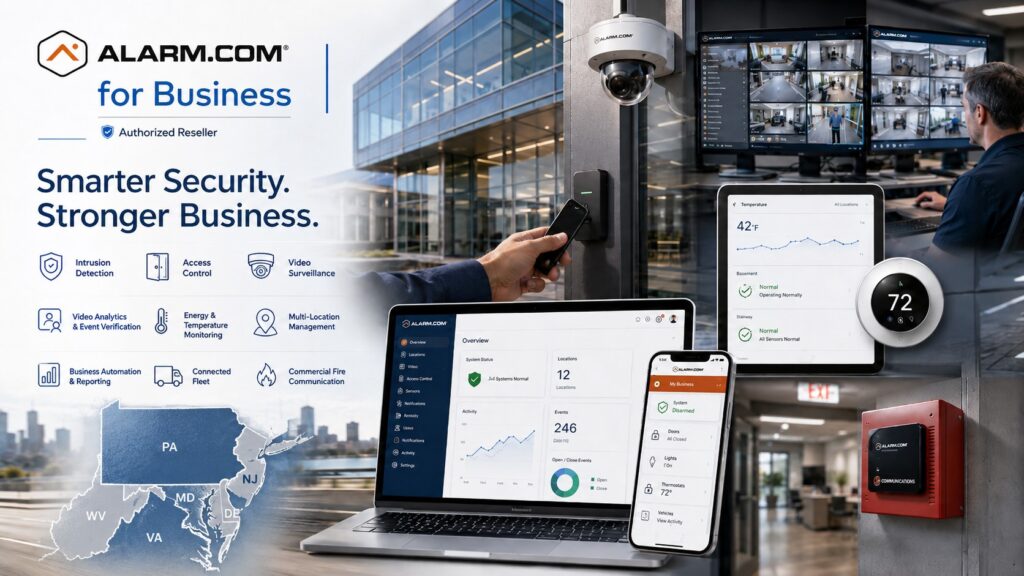
Explore Alarm.com for Business Security Systems for the wider platform, then use this guide to define the requirements for this part of your project.
Understand the communicator’s role
A fire communicator carries information from a compatible fire alarm system to the intended reporting services. Its selection is one part of a wider fire alarm project. Replacing a communication device does not by itself establish the condition, suitability or compliance of the panel, detectors, notification equipment or the complete installation.
Alarm.com’s ADC-FC100 product information describes broadband and LTE communication, supported panel connections, alarm/trouble/supervisory inputs and remote management.
The manufacturer identifies the product as UL Listed.
Confirm the current documentation, proposed panel connection and applicable installation requirements with the responsible fire alarm professionals before specifying it.
Document the existing reporting arrangement
Collect the panel make and model, available drawings, communicator details and monitoring account information through the authorized property representative. Identify who services the fire system and who receives its signals. Record the communication paths currently in use and the problem that prompted the review, such as an obsolete connection or an unreliable reporting arrangement.
Keep account ownership and service responsibilities clear. A building owner, tenant, facilities team and monitoring provider may each hold different information. The project should identify who can approve changes and who must participate in the transition. Do not cancel an existing service merely because a replacement device has arrived.
Confirm compatibility before choosing a cutover date
Ask the installer to confirm the proposed panel connection against the manufacturer’s current documentation. Identify the information the monitoring station needs to receive and whether the design preserves the required event detail. Record any dependency on panel programming, supported reporting formats or additional equipment.
Separate confirmed compatibility from assumptions. If the panel or documentation cannot be identified, resolve that uncertainty before committing to a replacement plan. Existing wiring, enclosure conditions, power arrangements and service access also belong in the review. A proposal should explain the intended work and identify the items that still require investigation.
Review both communication paths
Discuss the broadband and cellular arrangements at the actual equipment location. Identify who manages the network connection and how planned network changes will reach the fire alarm service team. Ask the installer to evaluate the supported communication design and the conditions needed for dependable operation.
The presence of two named paths does not remove the need to review shared dependencies. Document how the selected equipment reports a fault and who acts on it. Confirm the required power arrangements and testing with the responsible professionals. This guide does not set wiring, supervision, battery or inspection requirements for a particular jurisdiction.
Coordinate the monitoring transition
Before work starts, agree on the property identification, account information, contacts and test arrangements with the monitoring provider. Confirm how staff will distinguish a planned test from an event requiring response. Include the responsible property representative and the fire alarm service team in the communication plan.
Write the sequence for the change, the expected interruption, the checks needed before completion and the fallback if a required check fails. The responsible professionals should determine any necessary temporary measures. Keep building staff informed about the agreed work window and the contact for questions during the transition.
Use a documented acceptance process
Acceptance should demonstrate the approved design and the required reporting behavior. Have the installer and monitoring provider define the appropriate tests, including relevant event types, fault reporting and restoration. Record the result at the receiving end as well as at the property. Do not rely only on an app screen to establish that the intended monitoring path works.
- Confirm the property and account identification.
- Record the installed communicator and relevant panel information.
- Verify the agreed event reporting with the receiving service.
- Document communication-path checks performed under the approved test plan.
- Resolve outstanding faults or record the required corrective work.
- Confirm that testing is complete and the system has returned to its intended operating state.
Keep the test records with the property documentation. If an authority, insurer or other responsible party requires additional review, identify that responsibility in the project scope. Manufacturer product statements are useful evidence for equipment selection, but they do not replace site-specific acceptance.
Separate notifications from emergency procedures
Decide which authorized users need informational notifications and who maintains that contact list. Staff should understand the difference between receiving an app message and the monitoring provider’s defined response process. Review what users should do when they see a fault or cannot access the platform.
Use named accounts and appropriate permissions. Identify who can request account changes and who handles service issues. Keep operating instructions available to the facilities team even when the person who managed the original project is away. Emergency procedures should remain those approved for the property.
Compare proposals and retain useful records
Ask the scope to separate equipment, panel work, communications, monitoring setup, testing, documentation and recurring charges. Identify exclusions and unresolved compatibility questions. Confirm who is responsible for any required approvals and coordination. A proposal that names a communicator but leaves those tasks unstated is difficult to compare.
For broader modernization, use fire alarm communicator upgrade planning.
For the wider system, review commercial fire alarm and life-safety services.
Keep the Alarm.com device decision within that complete property discussion.
Fire communicator questions
Does this replace the fire alarm panel?
Not necessarily. The purpose of the review is to determine whether the existing panel can support the proposed communicator and reporting arrangement. Any panel work should appear explicitly in the scope.
Can an existing phone service be removed immediately?
The responsible provider should confirm the completed transition and required tests before an existing reporting service is removed. Identify any other equipment that may depend on that service.
What should the owner receive?
Request equipment records, updated account responsibilities, relevant test results, operating guidance and service contacts. Record any remaining work and the person responsible for it.
Discuss your project with NERSA
Bring your existing equipment details, operating requirements and the questions your team needs to resolve.
Request a commercial security assessment or call 1-888-344-3846 to discuss the scope.
Compliance, Codes & Project Standards
NERSA plans commercial and industrial security work with applicable code, documentation, inspection and authority-having-jurisdiction requirements in mind. Requirements vary by system, property and jurisdiction. These resources support project planning; they do not establish legal compliance, certification or AHJ approval.
Related guidance: Regulatory compliance & inspection readiness · NERSA project standards · Documentation, testing & inspection readiness