Daycare access control systems in Allentown, PA help commercial childcare centers, early-learning facilities, preschool programs, and daycare operators manage staff entry, parent and guardian access, visitor communication, deliveries, restricted interior areas, and unauthorized attempts to enter the building.
Northeast Remote Surveillance and Alarm, LLC designs, installs, upgrades, expands, and supports commercial access control systems around the daily operation of Allentown childcare facilities. Planning may include credentials, readers, controllers, entry intercoms, electrified door hardware, staff permissions, schedules, door-position monitoring, request-to-exit devices, event records, backup power, and administrative procedures.
This page focuses specifically on controlled entry and credential management for daycare and early-learning properties. For broader local planning involving access control platforms, readers, credentials, controllers, software, additional doors, upgrades, takeovers, and ongoing support, visit Commercial Access Control Systems in Allentown, PA.
Commercial and institutional systems only • Staff and guardian entry • Visitor communication • Single-site and multi-location childcare facilities
Request a Commercial Security Assessment
Call 1-888-344-3846
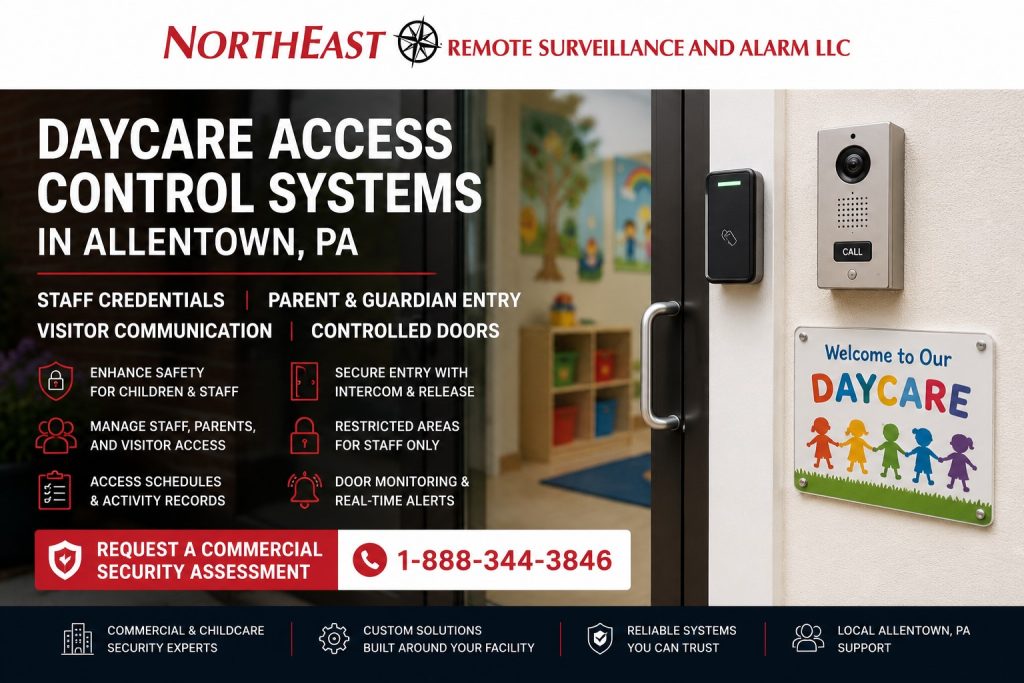
Access Control Built Around Daycare Operations
A daycare entrance operates differently from a standard office or employee-only commercial door.
The main entrance may experience concentrated activity during morning arrival, afternoon dismissal, scheduled pickup periods, staff changes, tours, deliveries, maintenance visits, and special events. Parents and guardians need an efficient process, but the building should not become openly accessible simply because several authorized families arrive at the same time.
A well-planned daycare access control system should help the facility:
- Keep exterior doors secured when they are not being actively supervised
- Provide dependable entry for authorized staff
- Establish a manageable process for parents and guardians
- Allow visitors to request entry before the door is released
- Reduce dependence on shared mechanical keys
- Reduce dependence on widely distributed keypad codes
- Remove access when employment or enrollment ends
- Apply different permissions to staff, families, vendors, and administrators
- Record selected credential and door activity
- Identify doors that are forced or held open
- Protect staff-only and operational areas
- Preserve required emergency egress
- Support the facility without creating unnecessary delays during busy periods
The system should be designed around the building, entrance layout, number of families, operating schedule, staffing model, pickup procedure, visitor process, and the responsibilities of the people managing access.
Why Daycare Entry Requires Specialized Planning
Daycare access control is not simply an office card reader installed at a childcare entrance.
A childcare facility may need to manage several user groups with different responsibilities:
- Directors and owners
- Administrative employees
- Teachers and classroom staff
- Kitchen or food-service personnel
- Cleaning personnel
- Maintenance employees
- Substitute staff
- Temporary employees
- Parents and guardians
- Approved family members
- Vendors and delivery personnel
- Contractors
- Inspectors
- Prospective families
- Visitors attending meetings or events
The system must also account for changing enrollment, employee turnover, temporary custody arrangements, family access changes, busy arrival periods, authorized pickup procedures, and children who should never be able to release a controlled exterior door merely by reaching a button or sensor.
A generic door-control package may not account for these operating conditions.
NERSA plans the complete controlled opening, including how people approach the entrance, how they request access, who makes the release decision, what credential is presented, how the door unlocks, how it closes and relatches, and what happens when the facility loses power or enters an emergency condition.
Controlling the Main Daycare Entrance
The main entrance is usually the most important controlled opening at a daycare or early-learning facility.
A main entrance system may include:
- Card or fob reader
- Mobile credential reader
- Keypad where appropriate
- Audio intercom
- Video intercom
- Reception or office answering station
- Remote door-release control
- Electrified locking hardware
- Door-position monitoring
- Request-to-exit equipment
- Door closer
- Backup power
- Access schedules
- Credential event records
The entrance should remain manageable during normal operating periods without being unnecessarily left unlocked for long stretches of the day.
Some facilities may use staff credentials while parents and guardians communicate with the office before release. Others may issue restricted credentials to approved families. The correct approach depends on the entrance, supervision model, number of users, operating schedule, and the facility’s written entry and pickup procedures.
A reader alone does not create a secure entrance. The system must also confirm that the door closes, latches, relocks, and reports abnormal conditions properly.
Parent and Guardian Access
Daycare operators may consider cards, fobs, mobile credentials, individual PINs, or staff-controlled visitor release for parent and guardian entry.
Each method has different administrative and operational considerations.
Parent Cards and Key Fobs
Cards and fobs can be assigned to individual users and deactivated when they are lost, unreturned, or no longer authorized.
They may be appropriate when:
- The facility has a stable enrollment population
- Individual credentials can be issued and tracked
- Parents understand that credentials should not be shared
- The system can limit access to approved schedules
- The daycare has a defined process for lost credentials
- Access can be removed promptly when enrollment ends
- Staff can verify unusual or after-hours entry attempts
A credential should not automatically provide access to every controlled area in the building.
Mobile Credentials
Mobile credentials may allow approved users to enter with a supported smartphone rather than carrying another card or fob.
They can help reduce physical credential handling, but the facility should consider:
- Reader compatibility
- Software licensing
- Mobile application requirements
- User enrollment procedures
- Device replacement
- Lost or stolen phones
- Credential revocation
- Internet or cloud dependence
- Staff support requirements
- Families who cannot or do not want to use mobile entry
Mobile access should be chosen because it fits the facility’s administration and user population, not simply because it is newer technology.
Individual PIN Codes
Individual PINs are more manageable than one shared building code because they can be assigned and removed separately.
However, PINs can still be observed, shared, written down, or entered by another person.
Where keypads are used, the facility should establish procedures for:
- Assigning unique codes
- Preventing code sharing
- Changing compromised codes
- Removing inactive users
- Reviewing active code lists
- Limiting access by schedule
- Protecting administrator codes
A single code distributed to every family provides limited accountability and may remain known long after individual authorization ends.
Staff-Controlled Entry
Some childcare facilities may choose not to issue electronic credentials to parents or guardians.
Instead, visitors communicate with the office or reception area through an intercom, and authorized staff release the door after applying the facility’s verification procedure.
This approach can provide greater entrance supervision but requires:
- A consistently staffed answering location
- Reliable audio or video communication
- Clear responsibility for releasing the door
- Coverage during breaks and staffing changes
- A plan for periods of high arrival activity
- A process for unanswered entry requests
- Backup operation during equipment or network failure
The correct system should support the facility’s procedures rather than create a release process employees cannot manage consistently.
Access Control Does Not Replace Authorized Pickup Procedures
Electronic access control can help manage who may enter a building, but it does not determine who is legally or operationally authorized to pick up a child.
A credential event may show that a card, fob, mobile device, or PIN was used. It does not automatically establish:
- Which person physically entered
- Whether another person followed through the door
- Whether the credential was borrowed or shared
- Whether the individual remains authorized for pickup
- Whether a temporary custody restriction applies
- Whether identification was verified
- Which child the person is authorized to receive
The daycare remains responsible for its enrollment records, pickup authorizations, identification procedures, custody documentation, visitor handling, and employee training.
Access control should support those procedures, not replace them.
Arrival and Dismissal Periods
Morning arrival and afternoon dismissal can place unusual demands on a controlled entrance.
During these periods:
- Several families may arrive close together
- Staff may be assisting children and parents
- Doors may be opened repeatedly
- One person may hold the door for another
- Children may move near the controlled opening
- Staff attention may be divided
- Unfamiliar visitors may arrive with regular families
- Deliveries may occur at the same time
- Employees may be entering for shift changes
The system should support efficient movement without encouraging uncontrolled entry.
Planning may include:
- Individual credentials rather than one shared code
- Staff supervision at the entrance
- Intercom support for unknown visitors
- Door-position monitoring
- Held-open alerts
- Appropriate unlock timing
- Reliable door closers
- Clear visitor instructions
- Separate staff and visitor procedures
- Entry schedules that match actual operating hours
- A secondary verification process for unusual pickups
Automatically unlocking the main door for the entire arrival or dismissal period may simplify traffic, but it also removes credential-based control during that period. The facility should evaluate whether staff supervision, entrance design, written procedures, and other safeguards adequately support that operating choice.
Staff Access Control
Staff members usually require more consistent access than parents, visitors, or vendors.
A staff credential may permit entry based on:
- Work schedule
- Job responsibility
- Classroom assignment
- Building location
- Administrative role
- Opening or closing responsibilities
- After-hours authorization
- Access to restricted rooms
- Multi-site responsibilities
Not every employee should automatically receive access to every door.
For example:
- Classroom employees may need the main staff entrance
- Directors may need administrative and records areas
- Kitchen employees may need food-service areas
- Maintenance staff may need mechanical or storage rooms
- Cleaning personnel may need limited after-hours access
- Substitute employees may need temporary permissions
- Multi-location managers may need access to several facilities
- Contractors may need one entrance during a defined project period
Permissions should be based on operational responsibility rather than convenience.
Staff Credential Issuance and Offboarding
Daycare access control should be supported by a defined employee credential process.
The facility should establish:
- Who may approve staff access
- Who enrolls new credentials
- Which doors each position may use
- Which schedules apply
- How substitute staff are handled
- How lost credentials are reported
- How temporary assignments are managed
- How administrator accounts are protected
- How quickly former employees are removed
- How inactive credentials are reviewed
- Who may view system reports
- Who may change door schedules
Prompt offboarding is particularly important when an employee leaves unexpectedly or no longer has a business reason to enter the property.
Electronic credentials can usually be deactivated more efficiently than recovering every mechanical key, but the process still depends on management acting promptly.
Visitor Entry and Intercom Communication
Daycare visitors may include prospective families, relatives, inspectors, therapists, service providers, delivery personnel, contractors, and people attending meetings or special events.
An entrance intercom can allow visitors to request access before the door is released.
Depending on the property, visitor entry may include:
- Audio communication
- Video communication
- Reception desk answering
- Director’s office answering
- Mobile answering by authorized staff
- Remote door release
- Camera coverage at the entrance
- Recorded access events
- Instructions displayed near the entry station
- Secondary verification after entry
The system should make it clear who is responsible for answering calls and releasing the door.
A visitor-entry system that rings an unattended office or relies on one employee’s personal phone may become unreliable during breaks, classroom activity, meetings, and staffing changes.
For a deeper review of entrance communication and staff-controlled release, use Visitor Entry and Intercom Access Control in Allentown, PA.
Delivery, Vendor, and Contractor Entry
Daycare properties may receive food deliveries, supplies, maintenance services, cleaning personnel, technology support, equipment deliveries, inspections, and construction contractors.
These users should not automatically receive the same access as permanent staff.
Possible approaches include:
- Intercom entry during staffed hours
- Temporary cards or fobs
- Time-limited mobile credentials
- Individual vendor PINs
- Access limited to one entrance
- Access limited to defined service hours
- Escort requirements
- Credential expiration at the end of a project
- Separate permissions for recurring vendors
- Documented credential return or deactivation
Shared staff credentials should not be handed to vendors simply because temporary access is inconvenient to manage.
The access control platform should make temporary access practical enough that employees do not create informal workarounds.
Interior Restricted Areas
Daycare access control may also be appropriate for selected interior doors.
Potential controlled areas include:
- Administrative offices
- Child and family records rooms
- Staff-only areas
- Medication storage
- Cleaning-supply storage
- Food-storage areas
- IT and network rooms
- Mechanical rooms
- Electrical rooms
- Maintenance spaces
- Staff entrances
- Equipment storage
- Exterior play-area access points
- Shared-building transition doors
Interior access should be assigned according to actual job responsibility.
A credential that opens the main employee entrance does not necessarily need to open medication storage, records areas, utility rooms, or building-management spaces.
The objective is not to install a reader on every interior door. The objective is to identify areas where unrestricted key access, shared codes, or open doors create a meaningful management problem.
Exterior Play-Area and Playground Doors
Daycare facilities may have doors leading to fenced play areas, courtyards, playgrounds, or other supervised exterior spaces.
These openings may need to support:
- Authorized staff movement
- Child-resistant operation
- Required emergency egress
- Door-position monitoring
- Exterior weather conditions
- Reliable closing and latching
- Staff reentry
- Controlled visitor access
- Playground supervision procedures
- After-hours building security
An exterior play-area door should not be treated exactly like the main public entrance.
The opening must be evaluated around the direction of travel, child accessibility, supervision, hardware, weather exposure, emergency operation, and whether staff need credentialed reentry from outside.
Preventing Door Propping and Tailgating
Even a properly designed access control system can be defeated when a controlled door is propped open or when an unauthorized person follows an authorized user inside.
Technology may help through:
- Door-position contacts
- Held-open alerts
- Forced-door alerts
- Appropriate unlock timing
- Reliable closers
- Audible local notifications
- Event reporting
- Entrance camera coverage where used
- Staff notification procedures
Technology alone cannot eliminate tailgating.
Employees and authorized families should understand:
- Credentials should not be loaned
- Unknown visitors should not be waved through
- Doors should not be propped for convenience
- Delivery personnel should follow the visitor process
- Malfunctioning doors should be reported
- Held-open alerts should not simply be ignored
- Staff should follow the facility’s entrance-verification procedures
A system becomes less effective when employees routinely override it to make daily entry easier.
Door-Position Monitoring
A door-position contact allows the access control system to determine whether a controlled opening is physically open or closed.
Depending on the system, it may help report:
- Door opened after valid access
- Door returned to the closed position
- Door forced open
- Door held open beyond the programmed period
- Door left open after arrival or dismissal
- Door that did not relatch
- Contact or wiring problems
A credential record by itself only shows that access was requested or granted. Door-position monitoring provides additional information about what happened at the opening afterward.
This can be particularly useful at:
- Main entrances
- Staff entrances
- Playground doors
- Side and rear exterior doors
- Shared-building entrances
- Kitchen delivery doors
- Doors that have previously been propped
The system’s alerts must be assigned to people who can respond. Generating hundreds of ignored held-open events does not improve security.
Request-to-Exit Devices
People must be able to exit a controlled area as required by the opening and applicable conditions.
The access control system may use:
- Exit-device switches
- Door-handle request-to-exit contacts
- Motion-based request-to-exit sensors
- Push-to-exit devices
- Lock-integrated request-to-exit monitoring
- Other approved release arrangements
The correct method depends on the locking hardware, door type, exit device, building conditions, and required emergency behavior.
In a daycare environment, request-to-exit equipment should also be evaluated around children’s reach, normal staff movement, entrance layout, and the potential for a release device to be activated unintentionally.
Commercial Door Hardware for Daycare Facilities
Access control cannot operate reliably when the physical door does not close, latch, or release correctly.
A daycare controlled opening may involve:
- Electric strike
- Electrified lockset
- Electrified trim
- Exit-device-compatible hardware
- Magnetic locking arrangement where appropriate
- Door-position contact
- Request-to-exit equipment
- Power-transfer hinge
- Armored door loop
- Access control power supply
- Backup battery
- Door closer
- Automatic operator
- Mechanical latch and exit hardware
The hardware must be selected around:
- Door and frame construction
- Existing latch
- Existing exit device
- Fire rating
- Required egress
- Daily traffic
- Child accessibility
- Exterior exposure
- Door alignment
- Closer condition
- Accessible entry
- Wiring pathway
- Power requirements
- Expected operating behavior
For opening-specific planning involving electric strikes, electrified trim, exit devices, request-to-exit equipment, power transfer, and monitored door conditions, visit Access Control Door Hardware in Allentown, PA.
Door Closing and Relatching
The door closer is a critical part of a controlled daycare entrance.
The system may correctly approve a credential and operate the lock, but the building remains exposed when the door:
- Does not close completely
- Drags on the floor
- Binds against the frame
- Fails to latch
- Closes too slowly
- Slams
- Is affected by air pressure
- Is held by damaged hardware
- Is obstructed by weather stripping
- Does not operate correctly with an automatic operator
High traffic during arrival and dismissal can make an existing door problem more noticeable.
Access control should not be installed on a failing opening without addressing conditions that prevent dependable closing and relatching.
Emergency Egress and Life-Safety Coordination
A daycare access control system must support security without interfering with required emergency exit or other life-safety functions.
Controlled openings may involve:
- Emergency egress
- Exit devices
- Fire-rated doors
- Electrified locking hardware
- Fire alarm interfaces
- Automatic door operators
- Accessible entry
- Emergency-release behavior
- Backup power
- Inspection requirements
- Building-owner coordination
- Authority review
The correct locking and release arrangement depends on the specific opening, hardware, construction, building use, project scope, and applicable authority requirements.
Security objectives do not override required door operation.
NERSA evaluates the access control components and coordinates with the property owner, facility representative, door-hardware professionals, fire alarm provider, electrician, design professional, or authority having jurisdiction when the project conditions require broader coordination.
Emergency Operating Procedures
The facility should establish written procedures for conditions such as:
- Fire alarm activation
- Utility power failure
- Access control communication failure
- Main entrance hardware failure
- Emergency evacuation
- Shelter-in-place procedures
- Severe weather
- Staff credential failure
- Intercom failure
- Building lockdown procedures established by the facility
- Emergency responder access
- Temporary operation during system service
The access control system can support approved emergency procedures, but it cannot create those procedures for the daycare.
Management should determine who may initiate schedule changes, unlock selected doors, secure entrances, issue emergency credentials, and restore normal operation.
Power Supplies and Backup Batteries
Readers, controllers, locks, intercom equipment, and monitoring devices require dependable power.
A daycare access control design may need to review:
- Controller power
- Reader power
- Lock power
- Intercom power
- Output distribution
- Battery charging
- Backup battery capacity
- Utility power location
- Dedicated circuits where required
- Voltage drop
- Cable distance
- Enclosure location
- Fire alarm interfaces
- Automatic operator coordination
Backup batteries do not last indefinitely.
They should be evaluated and replaced according to their age, condition, connected load, charging performance, system design, and required operating expectations.
Access Schedules
Daycare access permissions may need to follow the facility’s actual operating hours rather than a simple Monday-through-Friday office schedule.
Schedules may need to account for:
- Opening staff
- Normal arrival periods
- Classroom schedules
- Administrative hours
- Afternoon pickup
- Closing staff
- Cleaning personnel
- Weekend activities
- Staff training
- Holiday closures
- Summer programs
- Early dismissal
- Weather-related closures
- Special events
- Maintenance periods
A parent credential may have a narrower schedule than a director’s credential.
A cleaning contractor may have access to one entrance during limited evening hours.
An opening employee may require earlier access than classroom staff.
Schedules should be reviewed periodically so temporary exceptions do not quietly become permanent permissions.
Cloud-Based and Locally Managed Systems
Daycare access control platforms may be managed through:
- Local workstation software
- On-site server
- Dedicated appliance
- Web-managed platform
- Cloud-based access control
- Hybrid system
Cloud-based management may help authorized directors or administrators:
- Add and remove users
- Adjust schedules
- Review selected events
- Manage several locations
- Issue supported mobile credentials
- Check system status remotely
- Coordinate access across multiple facilities
However, cloud management may also involve:
- Subscription costs
- Internet dependence
- Account ownership
- Administrator security
- Mobile-device policies
- Licensing
- Manufacturer-specific hardware
- Cybersecurity responsibilities
- Long-term platform support
The system should be selected around the operator’s real administrative needs rather than assuming every daycare requires the same platform.
Daycare Access Control in Shared Buildings
Some childcare operations occupy:
- Commercial shopping centers
- Multi-tenant buildings
- Faith-based facilities
- Community buildings
- Office conversions
- Mixed-use properties
- Employer facilities
- Institutional campuses
In these properties, access control responsibilities may be divided among the daycare operator, landlord, building manager, religious organization, institution, or other property representative.
Planning should clarify:
- Who controls the exterior entrance
- Who owns the access control equipment
- Who manages credentials
- Which doors are part of the leased space
- Who maintains the locking hardware
- Who controls shared fire alarm interfaces
- Whether the daycare can modify the door
- Whether building credentials work within the childcare space
- Who receives door alerts
- Who is responsible for emergency access
- What happens when the tenant changes
Access control should not be installed without confirming authorization and responsibility for the affected opening.
Faith-Based and Community Daycare Facilities
A daycare operating within a church, community center, or shared institutional building may have different access requirements during the week, evenings, and weekends.
The building may also host:
- Worship services
- Meetings
- Community programs
- Youth activities
- Food programs
- Administrative offices
- Special events
- Other tenants
The daycare’s controlled area should not automatically become accessible simply because another part of the building is open.
Planning may require:
- Separate daycare permission groups
- Controlled transition doors
- Different schedules for different programs
- Staff-only credentials
- Visitor communication
- Shared-building administrator roles
- Clear emergency procedures
- Separation between public and childcare areas
The access control design should reflect how the building changes throughout the week.
Multi-Site Daycare Access Control
Childcare operators with several locations may need centralized management while preserving site-specific control.
A multi-site platform may support:
- Centralized staff enrollment
- One credential across approved locations
- Site-specific parent credentials
- Regional administrator roles
- Location-specific schedules
- Common naming conventions
- Central event review
- Standard reader technology
- Standard door hardware
- Coordinated employee offboarding
- Temporary cross-location staff access
- Consistent documentation
Not every administrator should necessarily control every facility.
The system may need to separate corporate, regional, director, and site-level authority.
Multi-site planning should also consider what happens when internet service is unavailable, how local controllers continue operating, and how credential changes are synchronized.
Small Daycare Centers Through Multi-Location Providers
NERSA supports scalable access control for smaller childcare facilities and larger organizations.
A small daycare may need:
- One controlled main entrance
- Staff credentials
- Parent intercom entry
- Door-position monitoring
- A simple access schedule
A larger early-learning center may need:
- Several exterior doors
- Staff and parent credential groups
- Interior restricted areas
- Delivery access
- Multiple administrative roles
- Intercom and reception release
- Detailed scheduling
- Backup power
- Event reporting
A multi-location provider may need:
- Centralized user management
- Standard credentials
- Site-specific permissions
- Regional administrators
- Multi-building reporting
- Consistent hardware
- Formal staff onboarding and offboarding
- Future expansion capacity
The system should match the current operation without oversizing a small facility or limiting a growing organization.
Existing Daycare Access Control Systems
Some Allentown daycare properties already have a keypad, card reader, electric strike, intercom, or access control panel, but the system may no longer match the facility’s needs.
Common conditions include:
- One shared keypad code
- Former employees who still have credentials
- Parent credentials that were never returned
- Lost administrator passwords
- Unsupported software
- Unreliable door release
- Door that does not relatch
- Failed intercom audio
- Missing event records
- Unlabeled panels
- Weak backup batteries
- Repeated held-open alarms
- Inconsistent permissions
- Different systems at different locations
An assessment should determine whether the system needs maintenance, programming cleanup, additional doors, a provider takeover, credential modernization, door-hardware correction, or broader replacement.
This spindle remains focused on daycare operating requirements. Detailed upgrade, takeover, expansion, and repair services remain within their dedicated Allentown access control pages.
Common Daycare Access Control Mistakes
A daycare access control project may underperform when the facility:
- Uses one shared code for every family
- Leaves the entrance unlocked during most operating hours
- Issues credentials without tracking them
- Fails to remove former staff promptly
- Gives vendors unrestricted access
- Installs a reader without monitoring door position
- Ignores a door that does not close properly
- Places the release button where children can operate it
- Uses an intercom that employees cannot answer consistently
- Creates too many alerts for staff to manage
- Grants every staff member access to every area
- Does not document administrator accounts
- Fails to plan for power or communication loss
- Allows unknown people to follow authorized users through the entrance
- Treats access events as proof of authorized child pickup
- Installs electronic locking without evaluating required egress
- Selects a platform that cannot support future locations
- Has no process for lost parent or employee credentials
The technology should reinforce clear operating procedures rather than compensate for missing ones.
Daycare Access Control Planning Process
Facility and Entrance Review
NERSA reviews the property layout, main entrance, staff doors, secondary exterior doors, playground openings, interior restricted areas, reception location, and daily movement patterns.
User and Workflow Review
The facility identifies staff groups, parent and guardian entry procedures, visitor handling, delivery processes, operating hours, pickup periods, temporary users, and administrator responsibilities.
Door and Hardware Evaluation
The door, frame, latch, exit device, closer, existing lock, fire rating, accessible entry, power-transfer pathway, request-to-exit method, and monitoring requirements are evaluated.
Credential and Platform Planning
The facility considers cards, fobs, mobile credentials, individual PINs, intercom release, user permissions, schedules, event records, account ownership, and administrative access.
System Design
NERSA develops a plan for readers, controllers, locking hardware, door monitoring, power, batteries, communication, software, intercom equipment, wiring, and future expansion.
Installation and Programming
Approved access control equipment is installed and programmed around the daycare’s authorized users, doors, schedules, and operating procedures.
Functional Testing
The system is tested for:
- Valid credential entry
- Denied credential response
- Door release
- Door closing and relatching
- Request-to-exit operation
- Door-position reporting
- Held-open conditions
- Forced-door conditions
- Schedule operation
- Intercom communication
- Backup operation where included
- Administrative access
Documentation and Training
Authorized staff receive information on issuing credentials, removing users, changing schedules, reviewing events, handling lost credentials, responding to door alerts, and reporting system problems.
Documentation may identify:
- Controlled doors
- Controller locations
- Reader types
- Credential technology
- Permission groups
- Access schedules
- Power supplies
- Backup batteries
- Intercom answering points
- Administrator roles
- Emergency operating information
- Service contacts
Why Allentown Daycare Operators Choose NERSA
Northeast Remote Surveillance and Alarm, LLC focuses on commercial, industrial, institutional, municipal, healthcare, warehouse, manufacturing, and multi-site security systems rather than residential alarm packages or consumer smart-lock products.
Daycare access control planning evaluates the entire controlled-entry environment, including:
- Facility workflow
- Parents and guardians
- Staff credentials
- Visitor communication
- Delivery access
- User permissions
- Access schedules
- Readers and controllers
- Electrified locking hardware
- Door closers and latching
- Door-position contacts
- Request-to-exit operation
- Power and backup batteries
- Network communication
- Software administration
- Emergency operation
- Documentation
- Future expansion
The objective is not simply to install a keypad beside the entrance.
The objective is to create a controlled, manageable, supportable entry process that helps the daycare manage authorized access while preserving daily workflow, required door operation, and clear administrative responsibility.
Request a Daycare Access Control Assessment in Allentown, PA
If your Allentown daycare, childcare center, preschool, early-learning facility, or multi-location childcare organization needs stronger entrance control, staff credentials, parent or guardian access, visitor communication, interior restricted-area control, door monitoring, or an evaluation of an existing system, Northeast Remote Surveillance and Alarm, LLC can help.
Request a Commercial Security Assessment or call 1-888-344-3846 to discuss daycare access control systems in Allentown, PA.
Frequently Asked Questions About Daycare Access Control Systems in Allentown, PA
What is a daycare access control system?
A daycare access control system manages entry at selected doors using credentials, readers, controllers, locking hardware, schedules, permissions, intercoms, and door-monitoring devices. It helps the facility control staff, parent, guardian, visitor, vendor, and contractor entry more deliberately.
Can parents receive cards or key fobs?
Yes. A daycare may issue individual cards or fobs when the facility has a process for approval, issuance, tracking, lost credentials, access schedules, deactivation, and return when enrollment ends.
Can parents use mobile credentials?
Yes, when the selected access control platform and readers support mobile credentials. The facility should also consider licensing, user enrollment, lost phones, device replacement, connectivity, support requirements, and families who may need another entry method.
Should a daycare use one shared keypad code for every family?
A widely shared code provides limited individual control because it can be copied, passed to others, and remain known after authorization ends. Individual credentials or individually assigned codes usually provide a more manageable way to add, change, and remove access.
Can access control confirm that someone is authorized to pick up a child?
Access control can show that a credential was presented or a door was released, but it does not replace the daycare’s pickup authorization, custody documentation, identification verification, or staff procedures.
Can visitors communicate with staff before the door is opened?
Yes. An audio or video intercom can allow a visitor to contact an authorized answering location before staff release the door.
Can the main daycare entrance remain locked during operating hours?
It can when the door, hardware, visitor process, staffing model, accessibility requirements, emergency operation, and daily workflow are planned appropriately.
Can staff members receive different access permissions?
Yes. Permissions may be organized by employee, role, location, schedule, classroom responsibility, restricted area, or management authority, depending on the access control platform.
How quickly can a former employee’s access be removed?
An authorized administrator can generally deactivate an electronic credential without rekeying every controlled door. The facility still needs a prompt offboarding procedure so management acts as soon as access is no longer authorized.
Can substitute teachers or temporary staff receive limited access?
Yes. Temporary staff can receive credentials limited by door, schedule, building, or expiration date when the selected platform supports those functions.
Can deliveries and contractors receive temporary access?
Yes. The facility may use an intercom, temporary credential, individual PIN, restricted schedule, or supervised entry process. Vendors should not automatically receive unrestricted staff access.
Can access control be installed on playground doors?
Possibly. Playground and exterior play-area doors must be evaluated around staff movement, child accessibility, emergency egress, weather exposure, closing and latching, supervision, and required reentry.
Can the system detect a door that is propped open?
A properly installed door-position contact can help the system report when a door remains open beyond its programmed period. The facility must also assign responsibility for reviewing and responding to those events.
Does daycare access control replace video surveillance?
No. Access control manages credentials, permissions, schedules, and controlled doors. Video surveillance documents visual activity. The systems may support each other, but they serve different purposes.
Does access control replace a commercial intrusion alarm?
No. Access control manages authorized entry. An intrusion alarm helps detect unauthorized entry or activity when the building or selected areas are armed.
Can access control interfere with emergency exit?
It can when the wrong locking hardware or release arrangement is used. Controlled openings must be planned around required egress, door hardware, fire alarm interfaces, accessibility, emergency operation, and applicable authority requirements.
Can NERSA support both small daycare centers and large childcare organizations?
Yes. NERSA supports single-door daycare facilities, larger early-learning centers, multi-door childcare properties, shared institutional buildings, and multi-location operators requiring centralized user management and location-specific permissions.
Can an existing daycare access control system be upgraded?
Possibly. Existing readers, controllers, credentials, wiring, power supplies, intercoms, software, and locking hardware should be evaluated to determine what can remain and what requires correction or replacement.
Can NERSA service a system installed by another provider?
Possibly. The system must be authorized, accessible, properly licensed, supportable, and suitable for responsible service. Systems with unclear ownership or missing administrator access may require a takeover assessment first.
What is the first step in planning daycare access control in Allentown?
The first step is an assessment of the property, entrances, users, arrival and dismissal workflow, staff responsibilities, parent and guardian procedures, visitor process, doors, hardware, egress conditions, power, wiring, software, and future expansion requirements.