
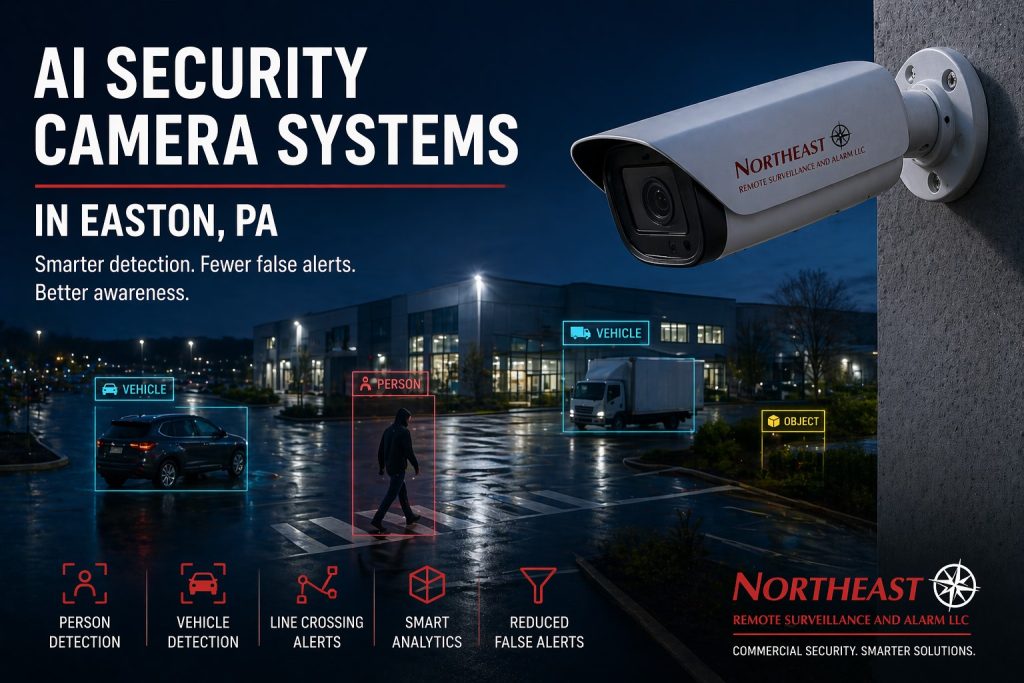
Easton AI security cameras help businesses detect selected people or vehicle activity and reduce irrelevant motion alerts.

For the complete range of related systems, start with the Easton commercial video surveillance guide.
This page focuses on camera analytics and practical event alerts.
Choose the Activity That Matters
Start with a specific event, such as a person entering a closed yard or a vehicle crossing a delivery lane after hours. NERSA reviews the scene, normal traffic, and the action staff should take when that event occurs. This gives each rule a clear purpose.
For example, movement in a tree should not trigger the same review as someone approaching a secured entrance. Supported analytics can filter events by object type, zone, direction, or time. However, available features and results depend on the platform and camera view.
Set Useful Detection Zones
First, check whether the camera shows the target at a useful size and angle. Next, review lighting, glare, shadows, obstructions, and the normal movement in the scene. Then, position a detection zone or crossing line where the intended activity can be seen clearly.
Avoid including a public road or busy neighboring property when that activity is unrelated to the site. Set schedules around actual operating hours. Where supported, dwell-time rules can flag a person or vehicle that remains longer than expected.
Test Alerts Under Normal Site Conditions
Test the selected activity during the day and after dark. Compare expected events with unwanted alerts, then adjust the view or rule as needed. Repeat testing when lighting, landscaping, traffic, or camera positions change.
Easton AI security cameras should support a manageable review process. Assign someone to receive alerts and explain how to check the video before taking action. Analytics can miss events or classify them incorrectly, so staff should verify the recorded scene.
Find and Review Recorded Events
Supported systems can filter recordings by camera, time, object type, or event. Confirm that an operator can locate a test event and export the relevant clip. Keep the camera names and timestamps consistent so the record is easy to understand.
For camera placement and commissioning, review Easton security camera installation.
For response options, compare remote monitoring and self-monitoring.
Select and Validate Analytics for Real Site Events
AI camera features should be chosen after identifying a specific operational problem, not because the device has a long list of classifications. At an Easton contractor yard, the useful event may be a person crossing a rear fence line after closing. At a dock, it may be a vehicle entering a restricted lane outside delivery hours. Set detection zones and schedules around those movements, then identify who receives the alert and what action they can reasonably take.
Models may misclassify objects in rain, darkness, glare, crowded scenes or at the edge of detection range. Test ordinary staff traffic, animals, shadows, forklifts, delivery vehicles and legitimate activity to see how many nuisance events occur. Detection confidence and available features depend on the selected hardware and platform. Camera placement, optics and field commissioning remain prerequisites; use the established Easton camera installation scope rather than presenting software analytics as a substitute for a useful image.
Alert Ownership, Recording and Ongoing Tuning
Decide whether a rule creates a notification, a searchable marker, or a staffed monitoring event. Those are different services. Assign an event owner, response schedule and escalation contacts, and confirm what happens when a message is missed. For remote operator review or talk-down, define the actual contracted coverage and test the workflow; an AI flag by itself does not establish professional monitoring.
Record the original zone shapes, schedules, sensitivity settings and accepted test cases. After a site expands a loading area or changes exterior lighting, retest the detection against real activity. Keep authorized review accounts limited and document image retention, alert history and evidence exports. Where cameras also support safety or workplace investigations, follow applicable privacy, labor and site rules, and avoid presenting algorithmic labels as proof of a person’s identity or intent.
AI camera questions
Will AI eliminate false alarms?
No. Classification and detection zones can reduce some nuisance events, but reliability depends on the scene and configuration. Acceptance should include normal traffic as well as the event to detect.
Do AI camera alerts mean someone is watching the property?
No. An alert may reach only a phone or inbox. Staffed review, live intervention and response are separate services that must be included explicitly in the scope.
Request an AI Camera Assessment
NERSA can review your camera views and recommend detection rules for the activity your Easton property needs to recognize.
Request a security assessment.
Compliance, Codes & Project Standards
NERSA plans commercial and industrial security work with applicable code, documentation, inspection and authority-having-jurisdiction requirements in mind. Requirements vary by system, property and jurisdiction. These resources support project planning; they do not establish legal compliance, certification or AHJ approval.
Related guidance: Regulatory compliance & inspection readiness · Video surveillance compliance · NERSA project standards