Commercial video surveillance systems in Hazleton, PA should be designed around what a business needs to see, document, search, and retrieve after an event. Camera placement, target distance, lighting, recording architecture, video retention, network infrastructure, user permissions, operating schedules, and the movement of people, vehicles, materials, and equipment all affect whether recorded footage is useful.
Northeast Remote Surveillance and Alarm, LLC designs, installs, upgrades, expands, and supports commercial and industrial video surveillance systems for Hazleton warehouses, distribution centers, manufacturing facilities, logistics operations, offices, healthcare properties, schools, municipal buildings, contractor yards, industrial properties, parking areas, loading docks, gated sites, and multi-site organizations.
This page is NERSA’s primary Hazleton video-surveillance sub-hub beneath Commercial and Industrial Security Systems in Hazleton, PA. It focuses specifically on camera-system design, interior and exterior coverage, recording, retention, remote access, AI analytics, vehicle documentation, system integration, remote monitoring, infrastructure, upgrades, and recorded-event review.
For broader warehouse, manufacturing, logistics, and industrial planning across Northeastern Pennsylvania, visit NEPA Logistics Hub Security Directory. For NERSA’s sitewide camera-system authority page, visit Commercial and Industrial Video Surveillance Systems.
Request a Hazleton Video Surveillance Assessment or call 1-888-344-3846.
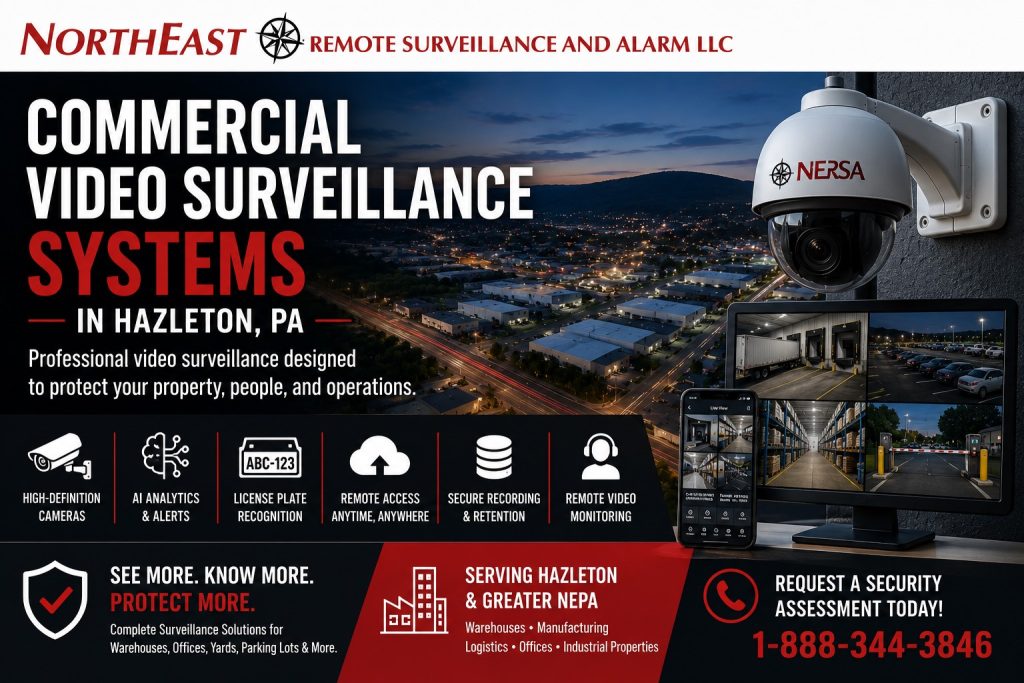
Commercial Video Surveillance Planning for Hazleton Businesses
A commercial camera system should not be built from random camera locations or a predetermined equipment package. The design should begin with the events the business may need to investigate and the information authorized users must be able to retrieve.
A properly planned commercial video surveillance system should help answer practical questions:
- Who entered or left the property?
- Which vehicle arrived, departed, or approached a controlled area?
- What happened near an entrance, loading dock, gate, parking area, warehouse section, or restricted room?
- When did the activity begin?
- What happened immediately before and after the event?
- Which direction did a person, vehicle, piece of equipment, freight shipment, or item move?
- Is the image clear enough to support an investigation?
- Can authorized personnel locate and export the footage quickly?
- Did the activity occur during normal operations or after hours?
- Can the system support future cameras, additional buildings, or multi-site management?
Hazleton commercial and industrial properties may contain front entrances, employee doors, parking lots, loading areas, warehouse aisles, production spaces, shipping offices, fenced yards, truck courts, trailer areas, service lanes, restricted rooms, detached buildings, and exterior approaches. Those areas do not require identical camera views.
A strong commercial design separates broad situational awareness from focused evidence views. An overview camera may document movement across a property, while a dedicated entrance, dock, vehicle-lane, gate, or license-plate camera provides greater detail at a critical location.
The objective is to create a useful video record that helps ownership, management, operations personnel, security teams, human-resources personnel, and other authorized users understand what occurred.
Find the Right Hazleton Security Resource
Use the NERSA resource that most closely matches the property’s primary camera, monitoring, access-control, alarm, infrastructure, or modernization requirement.
Commercial and Industrial Security Systems in Hazleton, PA
Use the primary Hazleton city hub for property-wide planning across video surveillance, access control, intrusion alarms, fire-alarm systems, remote monitoring, infrastructure, upgrades, property types, and industrial markets.
Commercial Access Control Systems in Hazleton, PA
Use this Hazleton sub-hub when controlled doors, credentials, users, schedules, restricted rooms, gates, door hardware, and access-event accountability are the main project concerns.
Commercial and Industrial Intrusion Alarm Systems in Hazleton, PA
Use this page when protected openings, interior detection, alarm zones, partitions, users, communication paths, video verification, and after-hours intrusion protection are the primary requirements.
Remote Video Monitoring in Hazleton, PA
Use this resource when reviewed camera alerts, professional event verification, monitored schedules, authorized notification, live audio warnings where appropriate, and documented escalation procedures are needed.
Low-Voltage and Security Infrastructure in Hazleton, PA
Use this Hazleton sub-hub for structured cabling, fiber, PoE switching, wireless bridges, network cabinets, equipment racks, backup power, security networks, testing, labeling, and system documentation.
Hazleton Security System Upgrades, Retrofits, and Takeovers
Use this Hazleton sub-hub when existing cameras, recorders, storage, network equipment, remote access, cabling, access control, alarms, or monitoring systems need modernization, expansion, or takeover support.
Route 80 Logistics Corridor Security Systems
Use this regional corridor resource when warehouse, truck, trailer, dock, yard, gate, vehicle, and industrial-security planning extends beyond one Hazleton property into the broader I-80 logistics market.
What Commercial Video Surveillance Should Cover
Commercial video surveillance systems in Hazleton, PA should focus on locations where employees, visitors, contractors, vendors, vehicles, inventory, freight, equipment, and daily business activity move through the property.
Common camera priorities include:
- Main customer and visitor entrances
- Employee entrances
- Side, rear, and service doors
- Lobbies and reception areas
- Corridors and interior transition points
- Parking lots and pedestrian walkways
- Vehicle entrances, exits, and drive lanes
- Loading docks and overhead doors
- Shipping and receiving areas
- Warehouse aisles and inventory areas
- Tool rooms and controlled storage
- Production and process-support areas
- Server, network, and equipment-room approaches
- Truck courts and trailer areas
- Contractor yards and exterior storage
- Gates and fenced perimeters
- Detached buildings
- Recurring after-hours activity zones
Every camera should have a defined purpose. Some views provide overall context. Others may be intended to document a person at an entrance, activity at a dock position, a vehicle entering a lane, access through a restricted opening, or an event involving inventory, materials, or equipment.
A camera should not be considered successful simply because it covers an area on a drawing. The recorded image must provide enough usable detail for the business’s actual review objective.
Camera Placement, Field of View, and Evidence Quality
Camera placement is one of the biggest differences between a useful commercial surveillance system and a disappointing one. A high-resolution camera mounted too high, installed too far from the target, aimed into glare, or blocked by vehicles, trailers, shelving, machinery, equipment, or stored materials may still fail to provide useful footage.
Commercial camera placement should account for:
- The target area and review objective
- Mounting height
- Lens selection
- Viewing angle
- Distance from the subject
- Lighting and backlighting
- Nighttime image performance
- Weather exposure
- Structural obstructions
- Shelving, machinery, trailers, and vehicle positions
- Tree growth and seasonal changes
- Expected movement through the scene
- Service and maintenance access
- Future building or yard expansion
Camera count should follow the coverage plan. Fewer cameras placed correctly may provide more useful evidence than a larger number installed without defined objectives.
Overview, Recognition, and Identification Views
A wide overview camera can show the general sequence of an event, but it may not provide enough detail to identify a person, vehicle, trailer number, or license plate.
A tighter camera can provide better detail at an entrance, gate, dock position, service lane, restricted room, or vehicle approach, but it covers a smaller area.
A layered design may combine:
- Wide-area cameras for general context
- Entrance cameras for closer person views
- Exterior cameras for building approaches
- Dock cameras for trailer and freight activity
- Vehicle cameras for controlled drive lanes
- License plate cameras for plate documentation
- Panoramic or multi-sensor cameras for larger areas
- Varifocal cameras for adjustable target coverage
- PTZ cameras for selected large-area applications
- Thermal or specialty cameras where appropriate
The required image detail should be defined before equipment is selected.
Lighting and Nighttime Camera Performance
An exterior camera view that appears acceptable during the day may perform poorly after dark because of shadows, headlights, reflective surfaces, inadequate lighting, open dock doors, weather, or excessive target distance.
Nighttime planning should consider:
- Existing building and pole lighting
- Dark approaches and parking-lot edges
- Headlights at vehicle entrances and exits
- Open loading-dock doors
- Reflective signs, fencing, trailers, and metal surfaces
- Camera infrared performance
- Supplemental lighting
- Color-versus-monochrome nighttime objectives
- Changing trailer and vehicle positions
- Rain, snow, fog, and seasonal conditions
Usable nighttime video depends on the complete scene, not only the camera’s advertised specification.
Exterior views should be tested under the conditions in which the property actually operates. A warehouse, contractor yard, industrial property, parking lot, office building, and manufacturing facility may each require a different combination of lighting, camera placement, lens selection, and nighttime configuration.
Exterior Building and Parking-Area Cameras
Exterior cameras can document activity before a person or vehicle enters the building.
Coverage may include:
- Front entrances
- Employee doors
- Rear service areas
- Side approaches
- Sidewalks and pedestrian routes
- Parking lots
- Loading areas
- Drive lanes
- Dumpsters and exterior storage
- Gates and fence lines
- Utility areas and detached buildings
Exterior camera placement should account for weather, nighttime visibility, glare, target distance, mounting surfaces, and the possibility that vehicles, trailers, equipment, vegetation, snow piles, or stored materials will block the view.
A strong exterior design often uses separate cameras for different purposes. One camera may provide a broad property overview, another may document activity at a rear door, and another may be positioned specifically for a vehicle lane or parking entrance.
Warehouse, Loading-Dock, and Logistics Coverage
Hazleton warehouses and logistics facilities may combine open dock doors, trailer movement, employees, drivers, vendors, forklifts, staged freight, shipping paperwork, temporary labor, and changing lighting conditions within one operating environment.
Warehouse video surveillance may need to cover:
- Dock doors and trailer positions
- Shipping and receiving areas
- Overhead-door activity
- Warehouse aisles
- Inventory and controlled storage
- Shipping and dispatch offices
- Employee entrances
- Office-to-warehouse transitions
- Truck courts and trailer rows
- Gate and vehicle approaches
- After-hours exterior activity
Loading-area cameras may help document trailer arrival and departure, freight movement, driver and vendor activity, forklift movement, employee activity, shortages, damage claims, and activity outside approved schedules.
Camera angles should account for blocked views, open-door glare, trailer shadows, dock numbering, equipment movement, storage layouts, and the facility’s actual shipping and receiving workflow.
When the primary need involves a complete warehouse-security structure across cameras, access control, intrusion alarms, fire alarms, docks, yards, vehicle documentation, monitoring, and infrastructure, the future Hazleton warehouse-and-logistics sub-hub should serve as the primary local parent.
Manufacturing and Industrial Video Surveillance
Manufacturing facilities require camera planning around production flow, materials, equipment, contractors, employees, restricted rooms, maintenance spaces, finished goods, and exterior operations.
Potential manufacturing camera priorities include:
- Employee and contractor entrances
- Production-line approaches
- Material-transfer points
- Raw-material storage
- Work-in-process areas
- Finished-goods staging
- Tool cribs and parts rooms
- Maintenance departments
- Quality-control spaces
- Restricted process-support rooms
- Shipping and receiving transitions
- Exterior utility and equipment areas
Camera selection and placement should consider dust, heat, humidity, vibration, welding glare, machinery, electrical conditions, high ceilings, process lighting, structural obstructions, and changing production layouts.
Video surveillance may provide context around an event, but it does not automatically determine why an incident occurred, whether an employee followed every procedure, or whether equipment was maintained correctly.
Footage may need to be reviewed with access records, employee statements, maintenance records, production documents, alarm history, and physical evidence.
Interior Cameras for Offices and Commercial Buildings
Interior cameras should support legitimate business review without creating unnecessary privacy or workflow concerns.
Common interior coverage areas include:
- Lobbies and reception areas
- Main corridors
- Interior entrances
- Office-to-warehouse transitions
- Shipping offices
- Stockrooms and inventory-transfer areas
- Tool and equipment areas
- Restricted-room approaches
- Server and network-room entrances
- Production-support spaces
Interior camera planning depends on ceiling height, lighting, floor layout, shelving, machinery, employee movement, visitor flow, and the types of incidents the business may need to review.
An office, warehouse, medical property, school, municipal building, and manufacturing facility should not receive the same interior camera layout. Placement should reflect how the property is actually used.
License Plate Recognition and Vehicle Documentation
A general parking-lot or gate camera should not automatically be expected to capture license plates consistently. License plate recognition requires a dedicated view designed around the vehicle lane.
LPR planning may include:
- Vehicle speed
- Lane width
- Camera angle
- Mounting height
- Distance from the plate
- Headlights and nighttime conditions
- Plate reflectivity
- Traffic direction
- Entrance and exit configuration
- Search and retention requirements
LPR may be appropriate at controlled gates, warehouse entrances, truck lanes, contractor yards, service drives, employee parking entrances, industrial properties, and other defined vehicle approaches.
An overview camera and an LPR camera perform different jobs. The overview camera provides context around the vehicle and surrounding activity. The LPR camera provides focused plate documentation where conditions permit.
Video Storage, Recording, and Retention
Storage planning is as important as camera selection. A commercial video surveillance system that records clear footage but overwrites it before an incident is discovered may not meet the business’s operational needs.
Retention should be selected around:
- Number of cameras
- Camera resolution
- Frame rate
- Compression settings
- Continuous, scheduled, or event-based recording
- Hours of operation
- Activity within each scene
- Investigation and reporting timelines
- Evidence-export requirements
- Available storage capacity
- Future camera expansion
High-activity warehouses, logistics operations, manufacturing facilities, schools, and properties with frequent deliveries may require different retention planning than smaller offices or lower-traffic commercial buildings.
The recording system should also make footage practical to retrieve. Clear camera names, logical camera groups, synchronized system time, searchable timelines, controlled export permissions, and dependable playback are critical parts of a commercial system.
Cloud, On-Premises, and Hybrid Video Systems
Hazleton businesses may use locally recorded, cloud-managed, full-cloud, or hybrid video-surveillance systems.
The appropriate architecture depends on:
- Camera count
- Retention requirements
- Available bandwidth
- Cybersecurity policies
- User access
- Licensing
- Multi-site administration
- Internet reliability
- Long-term operating costs
- The organization’s preferred level of local control
On-Premises Recording
An on-premises system normally stores video on a network video recorder, server, or appliance located at the property.
It may be appropriate when the business needs substantial local retention, direct control of recording hardware, or continued local recording during an internet interruption.
Cloud-Managed Video
A cloud-managed platform may simplify remote administration, user management, software updates, multi-site access, system-health visibility, and centralized video review.
Licensing, bandwidth, storage method, internet dependency, administrator security, and long-term operating costs should be reviewed before selection.
Hybrid Video Architecture
A hybrid system may combine local recording with cloud-based administration, event access, system-health reporting, or selected off-site functions.
The architecture should be selected around how the organization expects to record, retain, view, manage, export, and support its video.
Remote Access and Secure User Management
Commercial surveillance should provide approved users with practical access to live and recorded video without relying on shared credentials, excessive permissions, or unsecured network exposure.
Remote-access planning may include:
- Individual user accounts
- Role-based permissions
- Multi-factor authentication where supported
- Separate live-view, playback, export, and administrative rights
- Access limited to selected cameras or locations
- Secure remote connectivity
- Employee and administrator offboarding procedures
- Event and account logs where supported
- Firmware and software management
- Documented responsibility for system administration
Not every user should have access to every camera. Not every user needs permission to export video, modify settings, add accounts, or access multiple properties.
AI Video Analytics and Event Alerts
AI-assisted analytics can help Hazleton businesses filter activity and identify potentially relevant events more efficiently than basic motion detection.
Depending on the platform and scene, analytics may support:
- People and vehicle classification
- Line-crossing alerts
- After-hours activity detection
- Restricted-area rules
- Perimeter events
- Loitering or dwell-time alerts
- Vehicle searches
- Defined activity zones
- Event-based recording and notification
Analytics do not correct poor camera placement. They work best when the target area is visible, lighting is usable, the scene is stable, and alert rules match the property’s actual operating conditions.
Weather, shadows, vegetation, nearby roads, delivery schedules, authorized employees, animals, headlights, forklifts, and changing site conditions can affect event performance. Alerts should be tested and adjusted after installation.
Remote Video Monitoring and After-Hours Oversight
Traditional video surveillance records activity for later review. Remote video monitoring adds a structured event-response layer for properties that require stronger after-hours oversight.
Depending on the system and written response plan, remote video monitoring may support:
- Analytics-generated alerts
- Professional event review
- Visual verification
- Live audio warnings where appropriate
- Authorized-contact notification
- Escalation according to site procedures
- Recorded event documentation
Remote monitoring may be useful for parking lots, loading docks, truck yards, trailer areas, contractor yards, gates, fence lines, exterior storage, equipment areas, rear entrances, and recurring after-hours trouble spots.
Monitoring performance depends on camera placement, lighting, analytics, network reliability, operating schedules, site activity, weather, contact information, and response instructions.
Remote monitoring should not be represented as a guarantee that every event will be detected, prevented, or stopped.
For focused after-hours planning, visit Remote Video Monitoring in Hazleton, PA.
Video Integration With Access Control and Intrusion Alarms
Commercial video surveillance becomes more useful when it provides context around controlled-door and intrusion-alarm events.
Compatible systems may support:
- Video associated with credential activity
- Camera views for forced or held-open doors
- Video verification for intrusion alarms
- Camera views at gates and intercoms
- Recorded clips linked to alarm events
- Restricted-room entrance review
- After-hours access-event review
- Gate and vehicle activity associated with credentials
Access-control records identify which credential was presented, which controlled door was involved, and when the event occurred. A credential record alone does not necessarily prove which person physically used the opening. A related camera view may provide additional context.
Video verification can provide additional information about activity near an alarm point, but it does not guarantee that every event can be classified definitively.
For door-control planning, visit Commercial Access Control Systems in Hazleton, PA. For intrusion-alarm planning, visit Commercial and Industrial Intrusion Alarm Systems in Hazleton, PA.
Network and Low-Voltage Infrastructure
Commercial camera performance depends on more than the cameras. Cabling, switches, network uplinks, equipment rooms, recording hardware, power, and system architecture all affect reliability.
Supporting infrastructure may include:
- Cat6 or Cat6A structured cabling
- Fiber-optic backbones
- Building-to-building fiber
- PoE network switches
- Remote network cabinets
- Wireless bridges
- Outdoor-rated enclosures
- Network video recorders
- Video-management servers
- Equipment racks and patch panels
- UPS backup
- Surge-protection coordination
- Security-network segmentation
- Bandwidth and uplink planning
- Cable testing and labeling
- System and network documentation
A network switch may have enough physical ports while lacking the total PoE power required for all connected cameras.
A recorder may support the stated camera count while lacking sufficient storage, decoding performance, playback capacity, or future expansion capability.
A wireless bridge may show connectivity while remaining unstable for dependable video transmission.
Infrastructure should be sized around current requirements and reasonable future expansion rather than the minimum equipment needed to make the cameras operate.
For infrastructure-specific planning, visit Low-Voltage and Security Infrastructure in Hazleton, PA.
Hazleton Video Surveillance Upgrades and System Takeovers
Many Hazleton businesses already have camera systems that no longer provide the visibility, retention, remote access, security, or reliability the property requires.
Common warning signs include:
- Poor image quality
- Unusable nighttime video
- Dead or intermittent cameras
- Blind spots at entrances or exterior areas
- Insufficient recording retention
- Unreliable remote access
- Unsupported DVR or NVR equipment
- Confusing camera names
- Slow or difficult footage searches
- Insufficient PoE or network capacity
- Damaged or undocumented cabling
- Consumer-grade equipment supporting a commercial property
- Shared user accounts
- Former users who may still have system access
- No practical expansion path
An upgrade may include:
- Analog-to-IP conversion
- DVR-to-NVR or VMS migration
- New camera locations
- Improved nighttime coverage
- Additional storage
- AI-assisted analytics
- Cloud-managed administration
- Stronger remote access
- Upgraded PoE switching
- Network and cabling corrections
- Remote video monitoring
- Expansion into uncovered buildings or exterior areas
An existing system should not automatically be replaced camera for camera. The project should first identify what the current system fails to show, record, retain, search, secure, or manage.
Existing cameras, cabling, mounts, recorders, switches, fiber, wireless links, and supporting infrastructure may sometimes be retained. Reuse should be based on condition, compatibility, supportability, cybersecurity, performance, testing, documentation, and the objectives of the upgraded system.
For broader modernization planning, visit Hazleton Security System Upgrades, Retrofits, and Takeovers.
Video Surveillance for Hazleton Property Types
Warehouses and Logistics Facilities
Hazleton warehouses and logistics properties may need camera coverage around loading docks, overhead doors, warehouse aisles, shipping offices, receiving areas, inventory storage, employee entrances, truck courts, trailer rows, parking areas, gates, and exterior approaches.
Manufacturing and Industrial Facilities
Manufacturing surveillance may support production-area visibility, restricted-room approaches, raw-material storage, finished goods, shipping, receiving, employee entrances, contractor access, maintenance areas, and exterior industrial operations.
Offices and Multi-Tenant Buildings
Office systems may cover entrances, lobbies, common corridors, parking, employee doors, delivery areas, shared spaces, tenant approaches, and restricted-room entrances.
Healthcare, School, Municipal, and Institutional Properties
Public-facing and institutional properties may require cameras around entrances, reception or waiting areas, corridors, parking, staff-only doors, exterior approaches, controlled spaces, and after-hours activity.
Contractor Yards and Exterior Industrial Properties
Contractor yards may require cameras around vehicle gates, fleet rows, trailers, tools, equipment, exterior storage, fuel areas, fence lines, shops, detached buildings, and after-hours activity zones.
Hazleton’s Commercial and Industrial Video Market
Hazleton video-surveillance projects may involve city commercial buildings, Greater Hazleton warehouses, Route 80 and I-81-connected logistics facilities, manufacturing properties, industrial parks, contractor operations, office buildings, institutional properties, and multi-tenant commercial sites.
These properties may combine long building footprints, multiple dock doors, employee parking, truck entrances, exterior storage, production spaces, restricted rooms, separate tenants, detached buildings, and extended periods of reduced staffing.
A smaller Hazleton office may require several carefully positioned entrance, lobby, rear-door, and parking cameras. A larger warehouse or manufacturing property may require dozens of interior and exterior views, fiber connectivity, remote network cabinets, LPR, analytics, longer retention, multi-site access, and remote video monitoring.
Commercial video surveillance systems in Hazleton, PA should be designed around the actual property rather than a generic camera package.
Compliance-Aware Camera Planning
Commercial video surveillance should be planned with privacy expectations, employee policies, signage, audio-recording concerns, cybersecurity, evidence access, retention, low-voltage wiring practices, and property-specific procedures in mind.
Security cameras should not be installed in restrooms, changing rooms, or other inappropriate privacy-sensitive locations. Access to live and recorded video should be limited to authorized users with a defined business need.
Audio functions require particular care because legal requirements and acceptable uses may vary according to the location, circumstances, and people being recorded. Businesses should consult qualified legal counsel regarding audio recording, employee privacy, signage, retention, evidence use, and other project-specific legal questions.
Public-sector, institutional, healthcare, educational, and compliance-sensitive buyers may also have equipment-origin, cybersecurity, procurement, retention, or documentation requirements.
Video surveillance can support visibility, documentation, incident review, and operational accountability. It does not replace employee training, supervision, safety procedures, emergency planning, access control, intrusion detection, fire-alarm systems, or other required controls.
Testing, Training, and Video-System Documentation
A commercial video-surveillance system should be tested under representative operating conditions and documented so it remains manageable after installation.
Commissioning may include:
- Camera field-of-view verification
- Day and nighttime image review
- Recording and playback tests
- Retention verification
- Remote-access testing
- User and permission testing
- Analytics and alert testing
- LPR testing where included
- Remote-monitoring view verification
- Video export testing
- Network and PoE verification
- Wireless and fiber-link testing
- Power and battery-supported operation
- Included access-control or alarm integrations
Useful documentation may include:
- Camera names and locations
- Coverage maps
- Recorder and storage information
- Retention settings
- User and administrator permissions
- Network and switch information where included
- Wireless and fiber records
- Equipment and serial-number records
- Remote-monitoring zones and instructions
- Testing results
- Training and turnover information
- Future expansion notes
Training should address live viewing, playback, event searches, video export, user administration, account security, analytics, monitoring procedures, and requesting technical support.
Why Hazleton Businesses Choose NERSA
- Commercial and industrial video-surveillance systems only
- Facility-first camera planning
- Warehouse, manufacturing, office, institutional, yard, and logistics experience
- New installations, expansions, upgrades, and takeovers
- Local, cloud-managed, and hybrid video platforms
- AI analytics, LPR, remote access, and monitoring capability
- Access-control and intrusion-alarm coordination
- Fiber, PoE, wireless, cabling, and network planning
- Testing, training, documentation, and long-term support
- Small commercial through enterprise and multi-site capability
Northeast Remote Surveillance and Alarm, LLC plans video surveillance around how the Hazleton property operates, what management needs to review, how users access footage, how long recordings must remain available, and how the system should expand as the organization changes.
Request a Hazleton Video Surveillance Assessment
A successful commercial camera project should begin with a property review rather than a predetermined camera count.
A Hazleton video-surveillance assessment may evaluate:
- Property layout and building use
- Customer, employee, visitor, contractor, and driver entrances
- Parking and vehicle movement
- Loading docks and shipping activity
- Warehouse, office, production, and restricted areas
- Exterior approaches and perimeter exposure
- Existing camera locations and image quality
- Nighttime lighting and visibility
- Recording equipment and storage capacity
- Retention and evidence-export requirements
- Remote viewing and user permissions
- AI analytics and event rules
- LPR and vehicle-documentation needs
- Remote video-monitoring opportunities
- Access-control and intrusion-alarm integrations
- Cabling, fiber, PoE, switching, wireless, and bandwidth
- Equipment rooms and backup power
- Existing-system supportability
- Documentation and future expansion
The assessment identifies the views the property needs, determines what the existing system can or cannot provide, evaluates which components may be retained, and creates a commercial video-surveillance plan that remains useful as the organization changes.
Request a Hazleton Commercial Video Surveillance Assessment or call 1-888-344-3846.
Frequently Asked Questions About Commercial Video Surveillance Systems in Hazleton, PA
What is a commercial video-surveillance system?
A commercial video-surveillance system is a camera, recording, viewing, and management platform designed for business properties. It may include IP cameras, recording equipment, remote access, role-based permissions, analytics, monitoring, LPR, network infrastructure, and integration with access control or intrusion alarms.
How is commercial video surveillance different from residential cameras?
Commercial systems are designed for larger properties, multiple authorized users, stronger permissions, longer retention, better evidence quality, cybersecurity planning, integration, service support, and future expansion.
Which areas should a Hazleton commercial camera system cover?
Common priorities include entrances, exits, parking areas, loading docks, shipping areas, warehouse aisles, production spaces, restricted-room approaches, drive lanes, gates, truck courts, trailer areas, exterior storage, fence lines, and after-hours activity zones.
How many cameras does a commercial property need?
The appropriate number depends on the property layout, target areas, required image detail, field of view, lighting, obstructions, recording objectives, and budget. Camera count should follow the coverage plan rather than being selected first.
How long should commercial camera footage be retained?
Retention depends on camera count, resolution, frame rate, recording method, scene activity, storage capacity, investigation timelines, organizational policies, and project-specific requirements.
Should a Hazleton business use cloud or on-premises recording?
The appropriate architecture depends on retention, camera count, bandwidth, licensing, cybersecurity policies, remote administration, multi-site requirements, internet reliability, and the organization’s preferred level of local control.
Can commercial surveillance cameras be viewed remotely?
Yes. Modern commercial systems can provide secure live and recorded video access for authorized users. Remote access should use individual accounts, appropriate permissions, secure networking, and multi-factor authentication where supported.
Can AI alerts be added to a commercial camera system?
Yes. Compatible systems may support people and vehicle classification, line crossing, after-hours activity, perimeter events, loitering rules, and event filtering. Performance depends on camera placement, lighting, scene conditions, configuration, and testing.
Can license plate cameras be added?
Yes. LPR cameras can be installed at controlled entrances, exits, gate lanes, truck entrances, service drives, and other defined vehicle approaches. Reliable plate capture requires a dedicated view designed around speed, angle, distance, lane configuration, and lighting.
Can an existing Hazleton camera system be upgraded?
Yes. NERSA can evaluate existing cameras, recorders, storage, cabling, switches, mounts, remote access, network infrastructure, analytics, monitoring, and user administration to determine what may be retained, corrected, expanded, or replaced.
Can existing camera cabling be reused?
Sometimes. Reuse depends on cable type, condition, distance, termination quality, environmental rating, test results, equipment compatibility, bandwidth, PoE requirements, and the objectives of the upgraded system.
Can video surveillance integrate with access control?
Yes. Compatible systems may associate camera footage with credential events, forced or held-open doors, denied access, gates, restricted rooms, and other controlled-entry activity.
Can cameras verify intrusion-alarm events?
Yes. Video verification can associate an alarm zone with a related camera view, giving authorized personnel additional context about activity near the protected point.
Can remote video monitoring be added to existing cameras?
Sometimes. Existing cameras may be suitable when they provide useful views, adequate nighttime images, reliable connectivity, compatible analytics, and sufficient context for professional event review.
Can NERSA support both smaller businesses and large industrial facilities?
Yes. NERSA supports qualifying projects ranging from smaller offices, medical practices, service businesses, contractor buildings, and light-commercial properties to warehouses, manufacturing plants, logistics facilities, industrial properties, institutions, and multi-site organizations.
Does NERSA install residential camera systems?
No. Northeast Remote Surveillance and Alarm, LLC focuses on commercial, industrial, warehouse, logistics, manufacturing, office, healthcare, school, municipal, institutional, contractor, multi-tenant, and other non-residential properties.
“`