
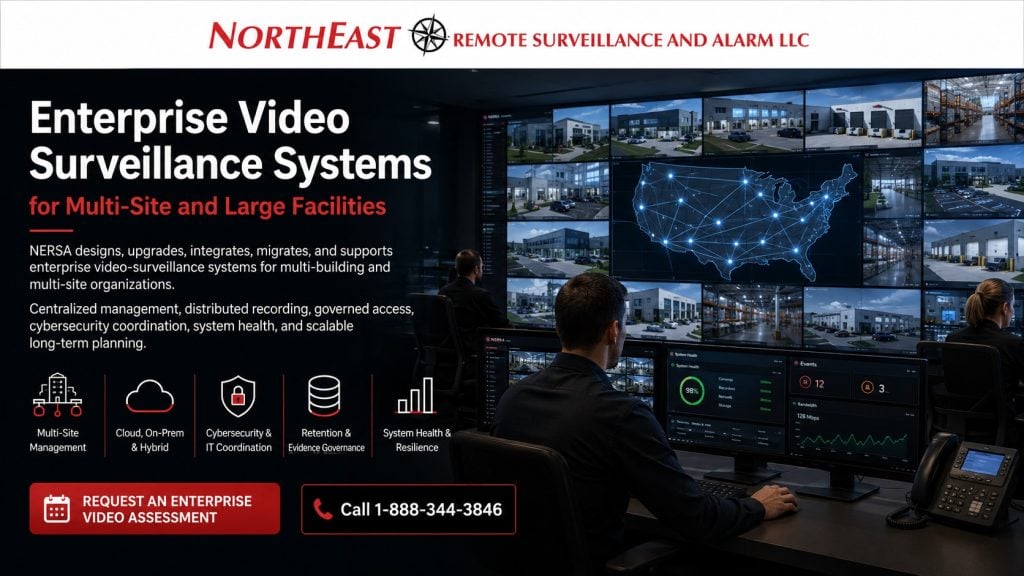
Plan enterprise video surveillance around camera coverage, recording, user permissions, network capacity, evidence review, and administration across facilities.

Request an Enterprise Video Surveillance Assessment
For the wider enterprise framework, see Enterprise Security Systems Integration.
Organizations with several buildings need clear rules for camera management, recording storage, and permission to view or export video. Plan what remains available during communication failures and how system health will be monitored. Future locations should fit the same management approach.
Northeast Remote Surveillance and Alarm, LLC (NERSA) designs, upgrades, integrates, migrates, and supports enterprise video surveillance. We serve industrial campuses, distributed warehouses, manufacturers, healthcare groups, and institutions. Municipal operations, corporate facilities, and logistics networks may also need coordinated video management.
Enterprise video planning may involve:
- Multi-building and multi-site administration
- Centralized or distributed recording
- Cloud-managed and hybrid architectures
- Corporate and local administrator roles
- Cybersecurity and IT coordination
- Recording retention and evidence governance
- System-health monitoring
- Network and storage resilience
- Existing-platform migration
- Organization-wide standards
- Phased deployment
- Long-term lifecycle planning
Organizations planning a conventional single-property camera system should begin with Commercial & Industrial Video Surveillance Systems.
For manufacturer and platform planning, visit Security Technologies & Platforms.
For broader multi-system integration across video, access control, alarms, intercoms and monitoring, visit Unified Commercial and Enterprise Security Systems.
NERSA works exclusively in commercial, industrial and other business and professionally managed environments.
Commercial and Industrial Systems Only • Multi-Building • Multi-Site • Enterprise • New Deployments • Migrations • Upgrades • Long-Term Support
When Video Surveillance Becomes an Enterprise Environment
Enterprise video surveillance is not defined by one arbitrary camera-count threshold.
A facility with hundreds of cameras may still operate effectively with a relatively straightforward local recording architecture.
An organization with fewer cameras spread across several locations may require much more sophisticated administration, cybersecurity, retention, system-health reporting and network coordination.
Enterprise planning becomes appropriate when an organization has conditions such as:
- Several buildings on one campus
- Geographically separate facilities
- Centralized security or operations personnel
- Regional and local administrators
- Different permissions by site, department or business unit
- Distributed recording
- Significant storage or retention requirements
- Corporate cybersecurity standards
- Multiple existing camera platforms
- Organization-wide naming and documentation requirements
- Resilience or site-survivability requirements
- Integration with access control, alarms, gates or intercoms
- Phased migration across active facilities
- Future sites that must fit an established architecture
Enterprise video is therefore both a technical system and an administrative operating environment.
The cameras matter, but long-term success also depends on architecture, administration, account ownership, infrastructure, documentation and support.
Enterprise Video Planning Around the Organization
Large video projects often affect several departments.
Planning may involve corporate security, facility management, operations, information technology, network administration, risk management, regional managers, local site managers, human resources, procurement and other authorized stakeholders.
Different groups may have very different requirements.
A local facility manager may need cameras for entrances, loading areas and parking.
Operations personnel may need video around shipping, production or vehicle movement.
Information technology may focus on bandwidth, segmentation, secure remote access, software support and lifecycle planning.
Corporate security may require centralized investigation tools, consistent permissions and system-health visibility across many properties.
An enterprise assessment should establish:
- What the organization needs video to document
- Which users require live access
- Which users require recorded access
- Which facilities each person may view
- Who may export evidence
- Who may change configuration
- Where recordings will reside
- How long footage should be retained
- What happens during communication outages
- Who receives system-health notifications
- How future sites will be added
- Who owns administrator and licensing accounts
- How the system will be supported over time
These questions should be answered before equipment and licensing are finalized.
Enterprise Video Architecture
Enterprise video may use centralized, distributed, edge-based, cloud-managed or hybrid architecture.
The correct approach depends on the organization’s facilities, network connectivity, retention requirements, administrative model and expected behavior during outages.
Centralized Recording
Centralized recording may allow cameras from several buildings or facilities to record into a primary data-center or server environment.
This can simplify management and storage administration, but it may also increase demands on wide-area connectivity, redundancy, bandwidth and central infrastructure.
The design should clearly establish what happens if a remote location loses connectivity to the central recording environment.
Distributed Recording
Distributed systems keep recording resources at individual buildings or locations while allowing authorized users to manage those environments through a common platform.
This approach can reduce continuous inter-site video traffic and allow sites to continue recording during certain wide-area network interruptions.
Distributed recording should still operate as a governed enterprise system rather than as a collection of unrelated local recorders.
Edge Recording
Some enterprise cameras can record locally at the edge.
Edge storage may support smaller locations, temporary communication failures or selected resilience requirements.
The design should still address storage capacity, evidence retrieval, synchronization, device failure and how footage is presented through the overall platform.
Cloud-Managed Video
Cloud-managed systems can provide centralized administration, remote access, system-health visibility and streamlined multi-site management.
Planning should address internet reliability, bandwidth, subscription structure, account ownership, retention, administrator roles, outage behavior and long-term vendor dependency.
Hybrid Enterprise Video
Hybrid environments may combine local recording with cloud-based administration, health monitoring, analytics, remote access or centralized investigation.
The organization should understand which functions operate locally and which depend on cloud or wide-area connectivity.
For deeper architecture comparisons, visit Cloud Versus On-Premise Versus Hybrid Video Surveillance.
Enterprise Video Management Systems
The video-management platform is the operational layer through which authorized personnel locate cameras, review recordings, investigate incidents, manage users and monitor system condition.
Enterprise platforms may need to support:
- Several buildings or locations
- Site and building hierarchy
- Role-based permissions
- Regional and local administrators
- Investigation and export tools
- System-health reporting
- Distributed recording
- Mobile and workstation access
- Audit history
- Integration with compatible security systems
- Future camera and site expansion
The platform should support the organization’s actual workflows.
A system with many features can still be difficult to use when camera names are inconsistent, locations are poorly organized or users have unnecessary permissions.
Common tasks should remain practical:
- Finding the correct facility
- Locating the correct camera
- Searching a time period
- Reviewing related views
- Exporting an incident
- Confirming cameras are recording
- Identifying system-health problems
- Adding or removing users
- Applying permissions consistently
- Adding new locations
For deeper planning, visit Video Management Systems for Commercial and Industrial Facilities.
Multi-Site Administration and Governance
Enterprise organizations need consistency without pretending every facility operates the same way.
A warehouse, manufacturing plant, healthcare property and office can require different camera coverage while still following a common administrative framework.
Organization-wide standards may address:
- Site naming
- Building naming
- Camera naming
- Recording profiles
- Retention classifications
- User roles
- Administrator ownership
- Export procedures
- System-health notifications
- Remote-access practices
- Documentation
- Expansion procedures
A useful enterprise hierarchy may organize video by organization, region, site, building, operating area and camera.
This allows authorized corporate personnel to navigate multiple facilities consistently while local personnel remain limited to the locations relevant to their responsibilities.
Corporate, Regional and Local Permissions
Enterprise systems may require multiple levels of authority.
Corporate security may require broader access than a plant manager.
A regional manager may need several facilities but not the entire organization.
A local site manager may require one property.
Information-technology personnel may need administrative or network responsibilities without routine access to sensitive recordings.
Service providers may require temporary technical access rather than permanent unrestricted administration.
Permissions should follow job responsibility rather than convenience.
For broader multi-location standardization, visit Multi-Site Security System Standardization.
Administrative Ownership and User Governance
Enterprise video systems become difficult to manage when user permissions and administrator accounts develop informally over many years.
A governed administrative process should establish:
- Who approves users
- Which roles exist
- Which sites each role may access
- Who may view live video
- Who may search recordings
- Who may export evidence
- Who may change configuration
- Who may manage users
- How temporary access expires
- How former employees are removed
- How vendor access is controlled
- Who owns the primary account
Where supported, platforms may also provide role-based administration, multifactor authentication, single sign-on, identity-provider integration, audit logging and time-limited permissions.
These capabilities are platform-dependent and should be confirmed during system selection.
Primary administrator and cloud accounts should use organization-controlled information whenever practical.
The customer should know who owns the system, who controls recovery, who controls licensing and how administration can continue when personnel or service providers change.
Cybersecurity and IT Coordination
Enterprise video surveillance is network-connected technology.
Planning should therefore be coordinated with responsible customer IT and cybersecurity personnel when the security system interacts with corporate infrastructure.
Considerations may include:
- Security-network segmentation
- VLANs
- Firewall requirements
- Secure remote access
- Administrator credentials
- Multifactor authentication where supported
- Controlled vendor access
- Software and firmware lifecycle
- Configuration backups
- Cloud-account governance
- Mobile-device access
- End-of-support planning
- Network monitoring
- Documentation of external connections
The video platform should not be represented as a complete cybersecurity program.
Physical-security systems should operate within the organization’s approved network and administrative requirements.
For deeper guidance, visit Cybersecurity and Data Protection Standards.
Recording, Retention and Evidence Governance
Enterprise organizations may require different retention periods for different cameras or locations.
A loading dock, vehicle entrance, critical production area or high-value storage room may justify different retention from a general awareness camera.
Retention planning should consider:
- Camera count
- Resolution
- Frame rate
- Compression
- Recording method
- Scene activity
- Local, edge or cloud storage
- Redundancy
- Future expansion
- Expected export activity
- Different retention classifications
The organization’s qualified legal, risk, compliance, insurance and management personnel remain responsible for determining applicable retention and evidence policies.
The video platform can provide tools that support evidence preservation, but it does not establish the organization’s legal or chain-of-custody procedures.
For deeper storage guidance, visit Video Storage and Retention Planning for Commercial Surveillance.
System Health, Resilience and Continuity
An enterprise video environment should not depend on someone discovering weeks later that cameras or recording systems have stopped functioning.
Depending on the platform, health monitoring may identify conditions such as:
- Offline cameras
- Recording interruptions
- Storage problems
- Server or recorder failures
- Communication loss
- Low available storage
- Time-synchronization problems
- Licensing issues
- Edge-storage problems
The organization should establish who receives alerts, which conditions require urgent response and who confirms restoration.
System design should also define expected behavior during:
- Internet failure
- Wide-area-network failure
- Local network failure
- Recording-system failure
- Storage failure
- Switch failure
- Utility-power failure
- Building-to-building communication loss
- Cloud-service interruption
- Camera failure
Resilience should be based on operational requirements rather than added simply because a platform advertises redundancy features.
Bandwidth, Fiber and Supporting Infrastructure
Enterprise video depends on infrastructure capable of supporting recording, live viewing, evidence export, administration and future expansion.
Projects may require:
- Structured cabling
- Fiber backbones
- Building-to-building fiber
- Managed PoE switching
- High-capacity uplinks
- Network segmentation
- Point-to-point wireless
- Equipment racks and cabinets
- Backup power
- Surge protection
- Bandwidth planning
- Cable and fiber testing
- Equipment labeling
- Expansion capacity
Distributed organizations should evaluate bandwidth at each facility rather than assuming internet connectivity automatically provides sufficient capacity.
Remote buildings, gates and detached camera locations may require fiber or engineered wireless links.
For dedicated infrastructure planning, visit Commercial and Industrial Infrastructure and Cabling.
Enterprise Video and Other Security Systems
Enterprise video may be coordinated with compatible access control, intrusion alarms, intercoms, gates and monitoring systems where integration provides a defined operational benefit.
Examples may include:
- Video associated with controlled-door events
- Camera review around denied credentials
- Video verification of intrusion events
- Gate activity associated with vehicle views
- Intercom calls associated with live video
- Defined analytic events routed for review
Integration should solve a specific operational, investigative or response requirement.
For broader multi-system integration, visit Unified Commercial and Enterprise Security Systems.
Existing Enterprise Video Systems and Migration
Large organizations frequently inherit multiple generations of video equipment.
Existing environments may contain different camera manufacturers, recorders, cloud platforms, server systems, naming conventions, retention periods, user accounts, licensing arrangements and service providers.
Replacing everything at once may be unnecessary or operationally disruptive.
An enterprise migration assessment can help determine:
- Which equipment remains supportable
- Which cameras remain compatible
- Which systems can temporarily coexist
- Which platforms require priority replacement
- Which sites should migrate first
- Which infrastructure can remain
- How users should be transferred
- How naming standards should be applied
- How retention should be aligned
- How account ownership should be corrected
- How legacy platforms should eventually be retired
The objective is to move toward a manageable enterprise architecture without unnecessarily discarding useful infrastructure.
For broader modernization planning, visit Commercial Security System Upgrades, Retrofits and Takeovers.
Phased Enterprise Deployment
Large video projects should be deployed in controlled stages rather than treated as one oversized equipment purchase.
A project may include:
Enterprise Discovery
Review the organization’s facilities, existing platforms, users, retention requirements, network conditions, account ownership, recurring problems and expansion plans.
Existing-System Inventory
Document major sites, cameras, recorders, platforms, software, storage, infrastructure, user roles, cloud accounts and available documentation.
Architecture and Governance Standards
Establish the intended architecture, site hierarchy, naming, retention classifications, administrator ownership, network requirements, remote-access practices and support responsibilities.
Pilot Deployment
A representative building or facility may be used to validate architecture, permissions, network performance, storage, retention, health monitoring, documentation and support procedures.
Phased Rollout
Deployment may continue by building, campus, region, platform, operational priority or equipment lifecycle.
Commissioning and Acceptance
Testing should verify camera operation, recording, retention, time accuracy, user permissions, evidence export, network performance, health notifications, outage behavior, administrator ownership and included integrations.
The pilot and rollout should validate the operating model, not simply confirm that cameras display video.
Enterprise Environments NERSA Supports
NERSA can support enterprise video planning for:
- Multi-building manufacturing campuses
- Warehouse and distribution networks
- Logistics organizations
- Healthcare groups
- Educational and institutional systems
- Municipal and authority-operated properties
- Corporate facilities
- Industrial parks
- Multi-tenant commercial properties
- Contractor and fleet organizations
- Regional organizations
- Businesses operating multiple facilities
Each location still requires a facility-specific camera design.
Enterprise standardization should improve administration, support and investigation without forcing every property into an identical camera layout.
Why Organizations Choose NERSA for Enterprise Video
Since 2008, Northeast Remote Surveillance and Alarm, LLC has focused on commercial and industrial security systems rather than single-family home camera packages.
NERSA approaches enterprise video around:
- Architecture before equipment selection
- Multi-building and multi-site requirements
- Centralized or distributed management
- Local, cloud-managed and hybrid recording
- Corporate and site-level permissions
- Clear administrator ownership
- Cybersecurity-aware planning
- Coordination with customer IT personnel
- Retention and evidence requirements
- System-health monitoring
- Network and infrastructure capacity
- Existing-platform evaluation
- Phased migration
- Standardized documentation
- Long-term lifecycle planning
The objective is not to create the largest camera system possible.
The objective is to provide a governed, resilient, manageable and scalable enterprise video environment that authorized personnel can use across buildings, regions and locations.
Request an Enterprise Video Surveillance Assessment
An enterprise video-surveillance assessment can review:
- Organizational structure
- Facilities and buildings
- Existing camera and recorder platforms
- Video-management software
- Cloud environments
- Recording architecture
- Storage and retention
- User roles
- Administrator ownership
- Cybersecurity requirements
- Network and bandwidth conditions
- Fiber and building connectivity
- System-health capabilities
- Outage requirements
- Integrations
- Licensing
- Documentation
- Migration priorities
- Pilot opportunities
- Future expansion
NERSA can help determine whether the organization requires a new enterprise platform, centralized management, distributed recording, cloud or hybrid migration, stronger administration, improved retention, existing-system consolidation or phased multi-site modernization.
Request an Enterprise Video Surveillance Assessment.
Frequently Asked Questions About Enterprise Video Surveillance
What makes a video-surveillance system enterprise-grade?
Enterprise video is designed for complex administration, multiple facilities, governed permissions, recording and retention requirements, cybersecurity coordination, system-health monitoring and future expansion.
Is enterprise video defined by the number of cameras?
No. Operational complexity, locations, users, architecture, retention, governance and infrastructure are more important than one camera-count threshold.
Should enterprise recording be centralized or distributed?
The correct approach depends on connectivity, bandwidth, storage, outage requirements, administration, cybersecurity and expected expansion.
Can individual facilities continue recording during a network outage?
Possibly. Expected outage behavior depends on the cameras, recording architecture, edge storage and selected platform and should be established during design.
Can administrators have different permissions by region or site?
Yes. Compatible systems may provide corporate, regional, site-level and other role-based permissions.
Can enterprise platforms support single sign-on and multifactor authentication?
Some platforms can. Availability, licensing and implementation requirements should be verified during platform selection.
Can several existing video platforms be migrated in phases?
Yes. Compatible equipment may remain temporarily while priority systems are replaced and locations are moved onto the intended architecture.
Can NERSA standardize video across multiple facilities?
Yes. Standardization can address naming, site hierarchy, permissions, retention, architecture, health reporting, administrator ownership and documentation while preserving facility-specific camera requirements.
Can enterprise video integrate with access control and intrusion alarms?
Yes, when the systems, software, licensing and operational workflows are compatible.
How does an enterprise video-surveillance project begin?
The project begins with organizational discovery and an inventory of facilities, existing video platforms, networks, users, retention requirements, account ownership, current problems and future plans.
Enterprise planning resources
- Set responsibilities for analytic rules and event handling with Enterprise Video Analytics Governance.
- Define the vehicle events that an enterprise needs to capture and review with Enterprise Vehicle Intelligence.
- Enterprise Video Architecture
Detailed video planning tasks
Use these guides to define tests, permissions, and operator duties before enabling advanced functions.
- Test proposed analytics against agreed acceptance criteria with Enterprise Video Analytics Pilot and Acceptance.
- Set permissions and procedures for searching video across locations with Enterprise Cross-Site Video Search Governance.
- Define who may create, review, and retire vehicle watchlists with Enterprise Vehicle Watchlist Governance.
- Connect vehicle entry decisions with recorded camera and plate events using Enterprise Gate, Video and LPR Integration.
Compliance, Codes & Project Standards
NERSA plans commercial and industrial security work with applicable code, documentation, inspection and authority-having-jurisdiction requirements in mind. Requirements vary by system, property and jurisdiction. These resources support project planning; they do not establish legal compliance, certification or AHJ approval.
Related guidance: Regulatory compliance & inspection readiness · Video surveillance compliance · NERSA project standards