
Upgrade, correct or expand the low-voltage infrastructure supporting cameras, access control, intrusion alarms, intercoms, monitoring equipment and connected security devices at an existing commercial or industrial property in Reading, Pennsylvania.

NERSA security assessment request
For related modernization services, return to Reading Commercial Security System Upgrades, Retrofits and Takeovers.
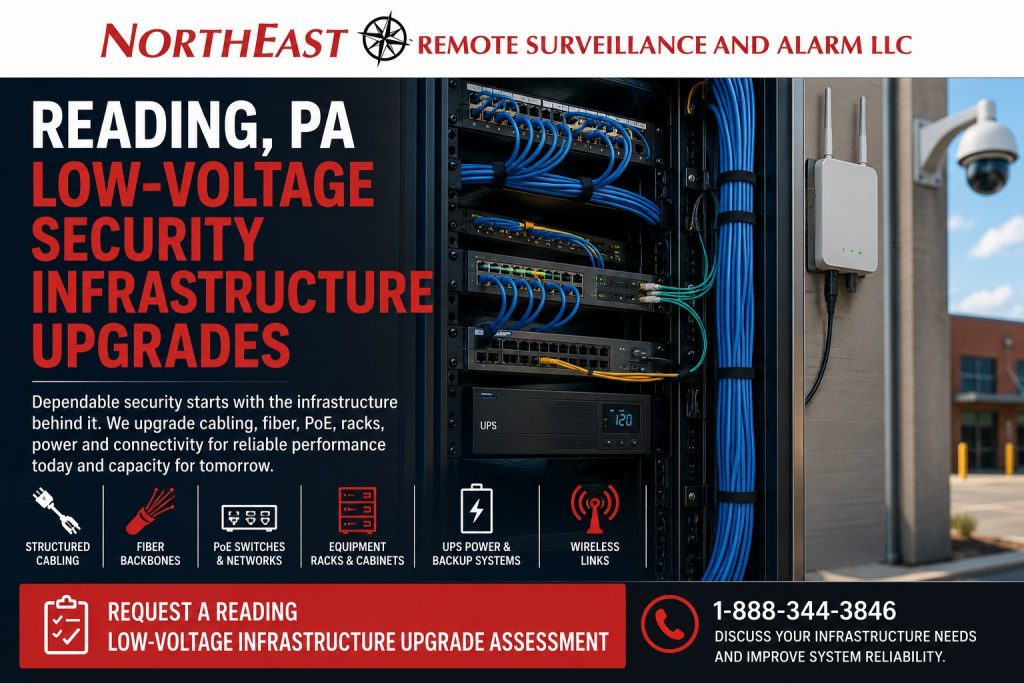
Reliable security performance depends on the cabling, fiber, PoE switches, equipment racks, enclosures, power supplies, wireless links, network connections and documentation behind the visible system. Aging cable, overloaded switches, damaged terminations, weak wireless links, inadequate backup power and disorganized equipment locations can contribute to camera outages, unstable remote viewing, access-control communication failures and limited expansion capacity.
Northeast Remote Surveillance and Alarm, LLC evaluates the existing infrastructure to determine what can remain, what should be corrected and what must be upgraded to support dependable operation and future growth.
Project availability may depend on property location, existing pathways, installed cabling, system ownership, network access, customer IT policies, building construction, equipment condition, power availability, manufacturer support, documentation, testing requirements and long-term service needs.
Security Systems Depend on the Infrastructure Behind Them
A security device cannot operate dependably when the supporting infrastructure is unstable, overloaded, damaged or poorly documented.
A modern commercial security environment may depend on:
- Copper data cabling
- Fiber-optic cabling
- Network switches
- Power over Ethernet
- Media converters
- Fiber transceivers
- Equipment racks
- Wall-mounted cabinets
- Patch panels
- Power supplies
- Backup batteries
- Uninterruptible power supplies
- Wireless bridges
- Cellular connections
- Surge protection
- Conduit and pathways
- Grounding and bonding coordination
- Equipment labeling
- Cable testing
- Network addressing
- Customer-managed network services
- System documentation
A camera may appear defective when the actual problem is voltage loss, damaged cable or an overloaded switch port. An access-control controller may repeatedly disconnect because of an unstable network path. Remote viewing may fail after an undocumented router or firewall change.
Replacing the visible field device without examining the supporting infrastructure can leave the underlying problem unresolved.
For a broader explanation of structured cabling, fiber, switching, pathways and equipment support, review Commercial and Industrial Infrastructure and Cabling.
When a Reading Property Should Consider an Infrastructure Upgrade
Security Equipment Disconnects Intermittently
Intermittent failures may affect:
- IP cameras
- Video recorders
- Access-control panels
- Door controllers
- Intercom stations
- Alarm communicators
- Wireless bridges
- Remote monitoring equipment
- Network-connected fire alarm support equipment
Potential causes may include:
- Damaged cabling
- Poor terminations
- Loose connections
- Moisture exposure
- Excessive cable distance
- Overloaded switches
- Failing power supplies
- Unstable network equipment
- Weak wireless links
- Inadequate grounding
- Unplanned network changes
- Failed surge protection
The failure should be traced through the complete communication and power path rather than assumed to originate at the end device.
The Property Has Accumulated Years of Unlabeled Cabling
Existing facilities often contain cabling from several installation periods and multiple contractors.
The equipment room may contain:
- Abandoned cable
- Unidentified patch cords
- Unmarked switch ports
- Unsupported network devices
- Unused power supplies
- Disconnected fiber
- Duplicate pathways
- Open enclosures
- Unsecured equipment
- Cables routed across ceiling tiles
- Splices without documentation
- Temporary connections that became permanent
Infrastructure cleanup should determine what remains active before equipment or cabling is removed.
The Security System Has Outgrown Its Original Network
A system designed for a few cameras or controlled doors may not support a major expansion.
Growth may require:
- Additional switch capacity
- Higher PoE availability
- More uplink bandwidth
- Fiber between equipment areas
- Additional cabinets
- Larger UPS systems
- Improved cooling
- Separate security-network segments
- Better remote-access planning
- Additional wireless links
- Increased recording capacity
- New cable pathways
Expansion should be planned around the complete infrastructure rather than adding devices until the existing system becomes unstable.
Cameras Lose Power or Restart Repeatedly
Repeated camera restarts may indicate:
- Insufficient PoE capacity
- Excessive cable distance
- Damaged cable pairs
- Poor terminations
- Incompatible switch settings
- Voltage loss
- Defective surge equipment
- Environmental exposure
- Unstable switch power
- Failing UPS equipment
- Device-level problems
The review should compare device requirements with available switch and port capacity.
A switch having an open port does not automatically mean it has enough remaining power or uplink capacity for another device.
Existing Copper Runs Are Too Long
Copper Ethernet cabling has practical distance limitations. Large warehouses, manufacturing properties, campuses, detached buildings and expansive industrial sites may require an alternative architecture.
Possible solutions may include:
- Fiber-optic backbones
- Intermediate equipment locations
- Properly planned switch placement
- Wireless building links
- Localized power and cabinets
- Approved pathway changes
Improvised extenders and unmanaged intermediate equipment may create additional failure points and complicate service.
Buildings Need to Be Connected
A Reading property with multiple buildings may need to connect:
- Cameras
- Access-control panels
- Intercoms
- Network switches
- Alarm equipment
- Monitoring devices
- Remote viewing systems
- Central management platforms
The connection may use fiber, a properly engineered wireless bridge or another supportable method based on distance, pathways, line of sight, bandwidth, environmental conditions and long-term service requirements.
The Business Is Changing Security Platforms
A camera, access-control or alarm upgrade may expose infrastructure limitations.
A new platform may require:
- Higher bandwidth
- More PoE power
- New cable types
- Additional network addresses
- Different switch features
- Fiber uplinks
- Secure remote connectivity
- Improved equipment-room organization
- Additional UPS capacity
- New server or recorder space
- Better documentation
Infrastructure requirements should be evaluated before the new platform is installed.
What NERSA Reviews During an Infrastructure Assessment
A Reading low-voltage infrastructure assessment may include:
- Existing copper cabling
- Cable categories and condition
- Terminations
- Patch panels
- Fiber-optic cabling
- Fiber type and strand availability
- Splice enclosures
- Fiber termination equipment
- Media converters
- Transceivers
- Network switches
- PoE capacity
- Uplink capacity
- Equipment racks
- Wall cabinets
- Lockable enclosures
- Power supplies
- UPS equipment
- Backup batteries
- Surge protection
- Wireless links
- Cellular equipment
- Network ownership
- Customer IT restrictions
- Pathways and conduit
- Outdoor cable routes
- Equipment labeling
- Cable test results
- Existing drawings
- Future expansion requirements
The assessment should produce a practical classification of components that may be retained, corrected, reorganized, expanded or replaced.
Structured Cabling Upgrades
Structured cabling provides an organized physical pathway for connected security equipment.
An upgrade may include:
- Replacing damaged cable
- Re-terminating poor connections
- Installing new cable runs
- Correcting unsupported routing
- Adding patch panels
- Organizing patch cords
- Separating active and abandoned cable
- Labeling both ends
- Testing installed runs
- Creating cable schedules
- Adding capacity for future devices
- Correcting outdoor transitions
- Improving enclosure entry
- Providing service loops where appropriate
Cabling should be selected and installed around the device requirements, pathway conditions, environmental exposure and expected service life.
A new cable should not be installed simply because a route is available. The pathway, support, separation, bend radius, termination method and future service access should also be considered.
Fiber-Optic Infrastructure Upgrades
Fiber can provide dependable high-bandwidth connections over distances that are impractical for ordinary copper Ethernet.
Commercial security applications may use fiber for:
- Connections between buildings
- Warehouse backbone links
- Main-to-intermediate equipment rooms
- Camera-network uplinks
- Remote gate equipment
- Large manufacturing areas
- Industrial campuses
- High-bandwidth recorder connections
- Electrically noisy environments
- Future expansion capacity
A fiber review may examine:
- Single-mode or multimode fiber
- Available strands
- Connector type
- Termination quality
- Splice condition
- Optical loss
- Transceiver compatibility
- Equipment speed
- Patch-panel condition
- Physical protection
- Pathway condition
- Labeling
- Documentation
- Future capacity
Existing fiber should be tested and identified before it is assumed to be reusable.
An available strand does not guarantee compatibility with the proposed equipment, optics, distance or network design.
Power over Ethernet Switch Upgrades
Power over Ethernet can provide network communication and device power through the same cabling path for supported equipment.
Security devices that may use PoE include:
- IP cameras
- Video intercoms
- Access-control devices
- Wireless access points
- Network speakers
- Encoders
- Small network appliances
- Supported monitoring devices
A PoE review should consider:
- Device power requirements
- Switch power budget
- Per-port capability
- Number of connected devices
- Cable distance
- Cable condition
- Uplink capacity
- Switch environment
- Heat
- Equipment-room power
- UPS support
- Surge exposure
- Future expansion
- Management and diagnostics
Adding more devices than a switch can properly support may create unstable operation even when enough physical ports remain open.
The proposed switch should be selected around the connected load, environment, network design and future capacity—not only the port count.
Equipment Racks, Cabinets and Enclosures
Security equipment should be housed in an organized, accessible and appropriately protected location.
An infrastructure upgrade may address:
- Floor-mounted racks
- Wall-mounted cabinets
- Lockable enclosures
- Patch panels
- Cable managers
- Shelving
- Power distribution
- UPS equipment
- Recorder placement
- Network-switch mounting
- Fiber enclosures
- Access-control panels
- Alarm equipment
- Ventilation
- Environmental conditions
- Equipment clearances
- Labeling
A crowded plywood board or open shelf may become difficult to service as equipment is added.
The equipment location should provide enough space for:
- Safe service access
- Proper cable routing
- Equipment ventilation
- Power management
- Battery access
- Future expansion
- Clear identification
- Physical security
Racks and cabinets should not be installed in locations subject to uncontrolled moisture, excessive heat, physical impact or unauthorized access without appropriate protection.
UPS and Backup-Power Upgrades
Networked security systems may stop operating when their switches, recorders, controllers or communication equipment lose power.
Backup-power planning may include:
- Network switches
- Fiber equipment
- Video recorders
- Servers
- Access-control controllers
- Intercom equipment
- Wireless bridges
- Communication devices
- Supporting routers
- Critical network appliances
A UPS review may examine:
- Connected load
- Required runtime
- Battery condition
- Battery age where known
- Equipment startup demand
- Available receptacles
- Monitoring capability
- Environmental condition
- Replacement procedures
- Network dependencies
- Controlled shutdown requirements
A small UPS that supported the original installation may be inadequate after more cameras, switches or controllers are added.
Backup power should be evaluated for the actual connected equipment rather than assumed from the UPS nameplate alone.
Wireless Bridge Upgrades
A wireless bridge can connect remote security equipment when installing new cable or fiber is impractical.
Potential applications include:
- Detached warehouses
- Guard buildings
- Gate entrances
- Remote parking areas
- Contractor yards
- Maintenance buildings
- Utility structures
- Trailer yards
- Temporary operating areas
- Separate commercial buildings
A wireless review may consider:
- Line of sight
- Distance
- Mounting height
- Building obstruction
- Trees and vegetation
- Interference
- Available bandwidth
- Weather exposure
- Power at each endpoint
- Surge protection
- Network addressing
- Alignment
- Redundancy
- Security configuration
- Long-term maintenance
A wireless link should not be selected only because it avoids trenching.
The design should determine whether it can support the required cameras, access events, intercom traffic or other connected devices under real operating conditions.
Conduit, Pathways and Cable Support
Existing pathways may determine whether an infrastructure upgrade is practical.
The review may examine:
- Conduit condition
- Conduit capacity
- Cable tray
- J-hooks and supports
- Sleeve locations
- Fire-rated penetrations
- Underground pathways
- Exterior transitions
- Rooftop routes
- Expansion joints
- Equipment-room entry
- Water exposure
- Physical protection
- Accessibility
Low-voltage cable should not be draped across ceiling systems, laid on lighting fixtures or routed through damaging conditions.
Where electrical, building or life-safety requirements apply, infrastructure work should be coordinated with the appropriate project professionals and applicable authorities.
For focused information about low-voltage security wiring considerations, review NFPA 70 NEC and Low-Voltage Security System Wiring.
Outdoor and Industrial Infrastructure
Warehouses, manufacturing properties and industrial facilities can expose infrastructure to:
- Dust
- Vibration
- Moisture
- Temperature changes
- Vehicle impact
- Forklift activity
- High ceilings
- Long cable distances
- Outdoor exposure
- Electrical interference
- Washdown conditions
- Unauthorized access
Infrastructure planning may require:
- Industrial enclosures
- Outdoor-rated cable
- Fiber backbones
- Protected conduit
- Hardened switches
- Surge protection
- Lockable cabinets
- Environmental monitoring
- Elevated mounting
- Additional service loops
- Physical barriers
- Purpose-built equipment locations
Office-grade equipment may not provide a dependable long-term solution in a harsh industrial environment.
Security Network Segmentation and Customer IT Coordination
Many connected security systems operate on customer-owned network infrastructure.
An upgrade may require coordination with:
- Internal IT staff
- Managed service providers
- Corporate cybersecurity teams
- Network administrators
- Software vendors
- Cloud-platform providers
- Internet-service providers
Planning may address:
- Network ownership
- IP addressing
- Virtual networks
- Switch configuration
- Firewall requirements
- Remote access
- User permissions
- Internet dependencies
- Network monitoring
- Change-management procedures
- Account ownership
- Cybersecurity policies
- Documentation
NERSA does not treat undocumented network access as a dependable long-term solution.
The project should establish who controls the network, who may approve changes, who owns cloud accounts and who must be contacted when a switch, router, firewall or internet connection is modified.
For broader system-level planning, review Commercial Security Infrastructure Planning.
Cabling Testing and Documentation
An infrastructure upgrade should leave the customer with clearer information than existed before the project began.
Documentation may include:
- Cable identifiers
- Device names
- Equipment locations
- Patch-panel positions
- Switch and port assignments
- Fiber strand assignments
- Cabinet locations
- Uplink paths
- Wireless-link endpoints
- Power sources
- UPS assignments
- Network dependencies
- Known limitations
- Test results
- Future capacity
Testing may include appropriate:
- Copper wiremap testing
- Continuity testing
- Cable-length review
- Performance testing
- Fiber loss testing
- Link verification
- PoE operation
- Device connectivity
- Wireless-link performance
- Failover behavior
- UPS operation
The scope should define which testing and documentation are included.
A label such as “Camera” or “Switch” is rarely enough in a building containing many devices and multiple equipment areas.
Infrastructure for Video Surveillance
A camera system may depend on:
- Suitable camera cabling
- PoE power
- Network switches
- Uplink bandwidth
- Fiber backbones
- Recording equipment
- Storage capacity
- Time synchronization
- Remote access
- Backup power
- Cellular or internet connectivity
Infrastructure limitations can contribute to:
- Cameras dropping offline
- Pixelated or delayed video
- Incomplete recordings
- Slow playback
- Remote-viewing problems
- Shorter retention
- Unstable analytics
- Recorder disconnections
- Failed firmware updates
Before adding cameras, the property should confirm that the existing infrastructure can support the additional network traffic, power and recording load.
Infrastructure for Access Control
An access-control system may depend on:
- Controller cabling
- Reader wiring
- Door-position wiring
- Request-to-exit wiring
- Lock power
- Power-transfer pathways
- Network communication
- Controller enclosures
- Backup batteries
- Fire alarm interfaces
- Equipment labeling
Infrastructure upgrades may be required when:
- Controllers disconnect
- Doors report inaccurately
- Power supplies are overloaded
- Wiring is undocumented
- Door hardware is being modernized
- Additional doors are planned
- Cloud connectivity is being introduced
- Controllers are being relocated
- Multi-site administration is being added
Infrastructure corrections should be coordinated with the complete controlled opening rather than treated as isolated network work.
Infrastructure for Intrusion Alarms and Monitoring
Commercial intrusion systems may depend on:
- Sensor wiring
- Bus wiring
- Wireless receivers
- Repeaters
- Alarm-panel power
- Communicators
- Cellular service
- Network connections
- Backup batteries
- Siren wiring
- Equipment enclosures
An infrastructure assessment may identify damaged wiring, unsupported communication paths, poor equipment locations, inadequate power or undocumented expansion modules that affect system reliability.
Infrastructure for Intercoms and Connected Entry Systems
Modern intercom and visitor-entry systems may require:
- PoE power
- Network cabling
- Internet access
- Door-controller integration
- Video bandwidth
- Mobile applications
- Cloud services
- Indoor master stations
- Exterior surge protection
- Backup power
- Customer IT coordination
A new intercom should not be installed before confirming that the pathway, network and controlled-door equipment can support the intended operation.
What Existing Infrastructure May Be Retained?
Existing infrastructure may remain when it is:
- Customer-owned
- Accessible
- Properly installed
- Clearly identified
- Compatible
- Testable
- Adequately protected
- Suitable for the environment
- Capable of supporting the proposed load
- Practical to maintain
Potentially reusable components may include:
- Copper cabling
- Fiber-optic cabling
- Conduit
- Cable tray
- Equipment racks
- Cabinets
- Patch panels
- Network switches
- Power supplies
- UPS equipment
- Wireless links
- Enclosures
- Grounding infrastructure
- Existing network pathways
Reuse should be based on condition, testing, capacity and compatibility rather than age alone.
When Infrastructure Should Be Replaced
Replacement may be appropriate when equipment or cabling is:
- Physically damaged
- Unsupported
- Improperly installed
- Unlabeled
- Inaccessible
- Undersized
- Environmentally unsuitable
- Repeatedly failing
- Incompatible with the proposed system
- Overloaded
- Exposed to moisture or impact
- Dependent on temporary connections
- Missing a practical service path
- More costly to maintain than replace
The proposal should explain why major infrastructure is being retained or replaced.
Phased Infrastructure Modernization
A Reading property may not need to replace every cable, switch and cabinet at one time.
A phased project may prioritize:
- Active system failures
- Critical security devices
- Damaged or unsupported cabling
- Overloaded PoE switches
- Unstable building links
- Equipment-room cleanup
- UPS and backup power
- Fiber or backbone modernization
- Documentation and labeling
- Future expansion capacity
Each phase should identify:
- What remains in service
- What limitations continue
- Which systems depend on the upgraded equipment
- What future work is recommended
- How new and existing infrastructure will coexist
Phasing should not leave the property dependent on undocumented temporary connections.
Reading Properties That May Need Infrastructure Upgrades
Warehouses and Distribution Centers
Warehouse infrastructure may require:
- Long cable routes
- Fiber backbones
- Intermediate equipment cabinets
- High camera counts
- Overhead-door devices
- Dock-area coverage
- Wireless links
- Hardened switches
- UPS power
- Protected pathways
- Expansion capacity
Manufacturing and Industrial Facilities
Manufacturing properties may require planning around:
- Electrical interference
- Vibration
- Dust
- Heat
- Washdown areas
- Production schedules
- Controlled shutdown periods
- Multiple buildings
- High ceilings
- Process equipment
- Restricted network policies
- Rugged equipment locations
Offices and Multi-Tenant Properties
Office infrastructure may involve:
- Shared equipment rooms
- Tenant separation
- Access-controlled suites
- Intercom systems
- Camera networks
- Property-management access
- Network ownership
- Individual tenant accounts
- Common-area equipment
- Turnover procedures
One tenant’s equipment should not be connected through another tenant’s undocumented infrastructure without clear authorization and responsibility.
Healthcare, Educational and Institutional Properties
These facilities may require coordination around:
- Occupied areas
- Restricted rooms
- Approved work periods
- Network-security requirements
- Emergency procedures
- Life-safety systems
- Multiple departments
- Documentation
- Accessibility
- Long-term support
Small Commercial Properties
A smaller Reading business may have fewer devices, but it still benefits from organized cabling, correctly sized PoE equipment, dependable power, documented accounts and a practical service path.
NERSA supports qualifying projects ranging from focused cable and switch corrections to multi-building commercial and industrial infrastructure modernization.
The NERSA Reading Infrastructure Upgrade Process
1. Define the Operational Problem
The process begins by identifying what the property needs to correct or support.
The concern may involve:
- Offline cameras
- Unstable remote viewing
- Access-control disconnections
- Poor cabling
- Overloaded switches
- Building expansion
- Additional devices
- Aging fiber
- Weak wireless links
- Disorganized equipment rooms
- Inadequate backup power
- Missing documentation
2. Inspect the Existing Infrastructure
NERSA reviews accessible:
- Cabling
- Fiber
- Pathways
- Switches
- Cabinets
- Racks
- Power supplies
- UPS equipment
- Wireless links
- Device connections
- Network dependencies
- Documentation
3. Identify Ownership and Responsibilities
The review should establish:
- Who owns the cabling
- Who owns the switches
- Who administers the network
- Who controls cloud accounts
- Which equipment belongs to a previous provider
- Who may authorize network changes
- What infrastructure is shared with other systems or tenants
4. Test and Classify Major Components
Infrastructure may be classified for:
- Continued use
- Re-termination
- Repair
- Reorganization
- Relabeling
- Capacity expansion
- Relocation
- Phased replacement
- Immediate replacement
5. Develop the Upgrade Scope
The proposal should identify:
- Cabling being retained
- New cabling
- Fiber requirements
- Switch requirements
- PoE capacity
- Equipment-rack changes
- Power and UPS changes
- Wireless links
- Network requirements
- Testing
- Documentation
- Customer responsibilities
- Known exclusions
- Future capacity
6. Install and Correct the Infrastructure
Approved work may include:
- New cable installation
- Fiber installation or repair
- Equipment-rack upgrades
- Cabinet installation
- Switch replacement
- PoE expansion
- Wireless-link installation
- UPS upgrades
- Patch-panel work
- Labeling
- Pathway corrections
- Equipment relocation
7. Test Connected Systems
Testing may include:
- Device connectivity
- Camera video
- Access-control communication
- Alarm communication
- Fiber links
- Switch ports
- PoE delivery
- Wireless performance
- UPS operation
- Remote access
- Monitoring communication
8. Deliver Documentation
The completed project should provide appropriate documentation for the approved scope, which may include:
- Cable labels
- Port assignments
- Device names
- Fiber assignments
- Equipment locations
- Power sources
- Network dependencies
- Test results
- Known limitations
- Future recommendations
Upgrade Limitations
A low-voltage infrastructure project may be limited by:
- Inaccessible ceilings or walls
- Unknown cable pathways
- Hidden building conditions
- Hazardous materials
- Customer IT restrictions
- Unsupported network equipment
- Missing administrator access
- Shared tenant infrastructure
- Damaged conduit
- Insufficient power
- Poor environmental conditions
- Weak wireless line of sight
- Unavailable fiber strands
- Provider-owned equipment
- Incomplete documentation
- Production restrictions
- Required shutdown periods
- Permit or engineering requirements
- Work outside the approved security scope
- No practical long-term support path
These conditions should be identified before the property relies on the upgraded infrastructure.
Why Reading Businesses Use NERSA for Infrastructure Upgrades
Dependable security infrastructure requires more than pulling cable from one location to another.
It requires understanding:
- Security-device requirements
- Copper cabling
- Fiber optics
- PoE capacity
- Network switching
- Wireless links
- Equipment racks
- Power supplies
- Backup power
- Building pathways
- Environmental conditions
- Customer IT policies
- Documentation
- Long-term serviceability
Northeast Remote Surveillance and Alarm, LLC focuses on commercial, industrial, institutional, municipal, healthcare, educational, warehouse, manufacturing, logistics and multi-site environments.
NERSA evaluates the infrastructure in relation to the systems it supports. The objective is to provide an organized, supportable foundation that improves present operation and prepares the property for future growth.
Request a Reading Low-Voltage Infrastructure Upgrade Assessment
A Reading infrastructure assessment can help determine whether the appropriate path is cable repair, re-termination, fiber modernization, PoE expansion, switch replacement, wireless-link correction, equipment-rack cleanup, UPS replacement, phased expansion or broader infrastructure replacement.
The assessment may review:
- Copper cabling
- Fiber-optic cabling
- Network switches
- PoE power
- Patch panels
- Equipment racks
- Cabinets and enclosures
- Power supplies
- UPS equipment
- Backup batteries
- Wireless bridges
- Cellular links
- Conduit and pathways
- Outdoor infrastructure
- Device connections
- Network dependencies
- Equipment ownership
- Labeling
- Testing
- Documentation
- Future capacity
Frequently Asked Questions About Reading Low-Voltage Infrastructure Upgrades
What is commercial low-voltage security infrastructure?
It is the cabling, fiber, switching, power, equipment housing, communication pathways and supporting network equipment that allow commercial cameras, access control, alarms, intercoms and monitoring systems to operate.
Can NERSA upgrade infrastructure installed by another contractor?
NERSA can evaluate qualifying customer-authorized infrastructure to determine what may be retained, corrected, tested, expanded or replaced.
Does all existing cabling need to be replaced?
No. Existing cabling may remain when it is accessible, suitable, compatible, correctly installed and capable of passing the required testing.
Can old security cabling be reused for new cameras?
Possibly. Reuse depends on cable type, condition, distance, termination, environmental exposure, test results and the requirements of the proposed cameras and network equipment.
Can NERSA replace overloaded PoE switches?
Yes. The connected devices, switch capacity, power budget, uplinks, environment and future expansion requirements should be evaluated before replacement equipment is selected.
Why do IP cameras keep going offline?
Potential causes include damaged cabling, poor terminations, insufficient PoE power, failing switches, network conflicts, weak wireless links, power problems or defective cameras.
Can fiber be installed between separate buildings?
Yes, when the pathway, distance, building conditions, equipment locations, termination requirements and project scope support fiber installation.
Can existing fiber be reused?
Possibly. The fiber type, available strands, connectors, condition, optical loss, transceivers and proposed network speed must be evaluated.
Can a wireless bridge replace trenching?
A wireless bridge may be suitable when line of sight, distance, interference, bandwidth, power, mounting and environmental conditions support a dependable link.
Can NERSA clean up an existing equipment rack?
Qualifying work may include identifying active equipment, removing approved abandoned components, improving cable management, labeling devices, reorganizing patching and planning replacement capacity.
Does NERSA provide general IT support?
This service focuses on infrastructure supporting security, monitoring and related low-voltage systems. General workstation support, computer repair, and unrelated office IT administration require separate IT support.
Can the security network be separated from the general business network?
Possibly. Network segmentation must be coordinated with the customer’s IT policies, switching, addressing, firewall requirements and security-platform needs.
Does a UPS keep every security device working during an outage?
Only the equipment connected to a properly sized and functioning UPS receives backup power. Runtime depends on the connected load, battery capacity, battery condition and system design.
Can existing conduits be reused?
Possibly. Conduit condition, capacity, accessibility, fill, pathway, ownership and the proposed cable requirements must be evaluated.
Can infrastructure upgrades be completed in phases?
Yes. Critical failures, overloaded switches, backbone links, equipment rooms and backup power may be addressed first while lower-priority corrections are scheduled for later phases.
Does this guide cover fire alarm wiring?
This guide covers infrastructure supporting commercial security systems. Fire alarm wiring, system design and life-safety requirements require separate evaluation within the approved fire alarm scope.
Does NERSA work with both small businesses and large industrial properties?
Yes. NERSA evaluates qualifying projects ranging from smaller commercial buildings to warehouses, manufacturing facilities, institutions, multi-building campuses and enterprise environments.
What information should we gather before an assessment?
Useful information includes device locations, equipment-room access, network contacts, existing drawings, known outages, cable test records, switch information, system administrator contacts and planned expansion.
How does a Reading business begin an infrastructure upgrade?
Call 1-888-344-3846 or submit the NERSA security assessment request.
NERSA can review the existing cabling, fiber, switching, power, pathways and connected systems before recommending the appropriate corrections.
Compliance, Codes & Project Standards
NERSA plans commercial and industrial security work with applicable code, documentation, inspection and authority-having-jurisdiction requirements in mind. Requirements vary by system, property and jurisdiction. These resources support project planning; they do not establish legal compliance, certification or AHJ approval.
Related guidance: Regulatory compliance & inspection readiness · Low-voltage infrastructure compliance · NERSA project standards