Northeast Remote Surveillance and Alarm, LLC (NERSA) provides commercial security installation in Reading, PA for warehouses, manufacturing facilities, offices, and other commercial and industrial properties.

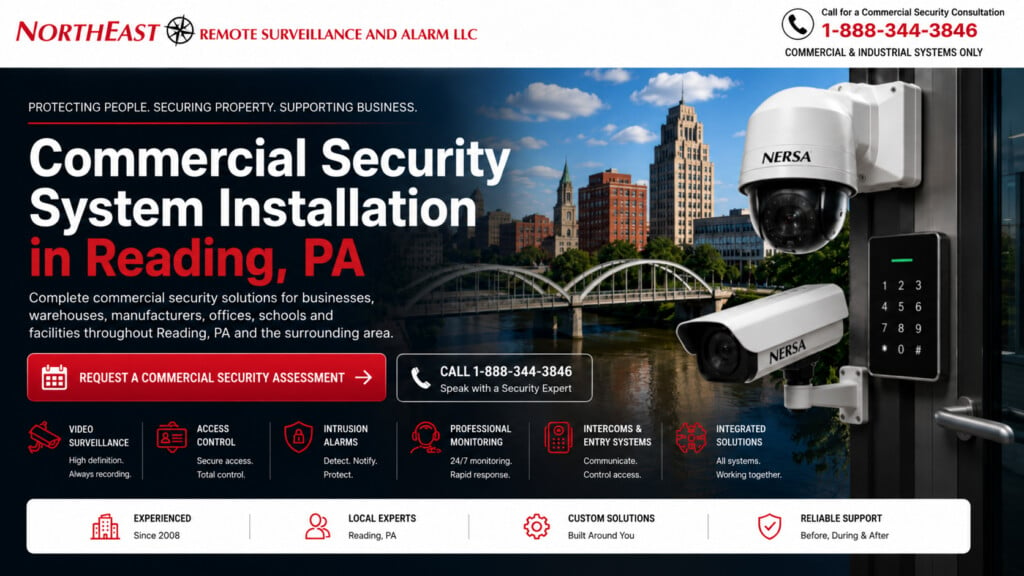
We plan security cameras, access control, intrusion alarms, and monitoring around the building, operating hours, existing equipment, testing, and staff training.
For locations around the city, use Greater Reading commercial security planning to coordinate the wider regional scope.
Documented Berks County installation experience: NERSA’s Drug Plastics & Glass project in Boyertown includes structured cabling with Fluke Versiv certification, commercial video surveillance, access control and video intercom work across manufacturing and office facilities.
That verified project scope is a practical reference for Reading-area businesses comparing installers for connected systems and infrastructure.
Choose a service by the result your Reading property needs
Use the service directory when the problem is already clear: missing camera detail, an uncontrolled entrance, an alarm fault, or a communication gap. Use the property guides when several systems need to work around the same operation. A distribution center, medical office, and municipal building may use similar devices but have different public routes, working hours, and responsibilities.
For an existing system, start with upgrades or maintenance before assuming a complete replacement is needed. Identify whether the limitation is failed equipment, incomplete coverage, unsupported software, inaccessible accounts, or a change in how the building operates. That distinction helps separate repair work from a redesign.
Connect installation with ongoing ownership
A Reading installation scope should identify the areas included, equipment that can remain, supporting power and network work, and any dependencies on doors or building systems. For monitoring, also define the operating hours, event types, responsible contacts, and expected response. Compatible products still need a deliberate configuration and a tested workflow.
Bring current layouts, equipment information, recurring fault details, and planned occupancy changes to the assessment. Agree who will administer users and who will receive the handover records. The finished project should be checked through representative door events, recorded video retrieval, or signal handling as applicable, rather than judged only by whether devices power on.
Reading Commercial Security Installation: Four Primary Service Pages
- Commercial Security Camera Installation in Reading, PA — Plan commercial CCTV, video surveillance, and recording.
- Commercial Access Control Systems in Reading, PA — Plan controlled doors and credential management.
- Commercial Alarm Systems & Installation in Reading, PA — Explore intrusion-alarm protection.
- Fire Alarm Installation in Reading, PA — Plan detection and notification equipment.
Reading Security Support, Upgrades and Related Services
- Remote Video Monitoring and Live Talk-Down in Reading, PA — Review remote video monitoring and live response.
- Commercial Gate Access Control Systems in Reading, PA — Plan gate and vehicle-entry access control.
- Unified Commercial Security Systems in Reading, PA — Review coordinated security-system operation.
- Multi-Site Commercial Security Systems in Reading, PA — Plan security across multiple locations.
- Reading Commercial Security System Upgrades, Retrofits & Takeovers — Review existing-system upgrades and takeovers.
- Reading, PA Commercial Security System Maintenance and Repair — Arrange security-system maintenance and repair.
- Commercial Security Monitoring in Reading, PA — Coordinate monitored events and response procedures.
- Commercial Intercom and Controlled Entry in Reading, PA — Plan communication at controlled entrances.
- Commercial Security Cabling and Infrastructure in Reading, PA — Plan dependable security-system connections.
- Fire Alarm Monitoring in Reading, PA — Review signals and monitoring arrangements.
Security by Property and Application
- Manufacturing Security Systems in Reading, PA — Explore manufacturing-facility security.
- Distribution Center Security Systems in Reading, PA — Explore distribution-center security.
- Warehouse Security Systems in Reading, PA — Review coordinated cameras, access control, alarms and loading-area protection.
- Loading Dock Security Systems in Reading, PA — Review loading-dock security.
- Truck and Trailer Yard Security Systems in Reading, PA — Review truck and trailer-yard protection.
- Contractor Yard Security Systems in Reading, PA — Review contractor-yard security.
- Commercial Parking Lot Security Cameras in Reading, PA — Plan parking-area camera coverage.
- Healthcare and Medical Office Security Systems in Reading, PA — Explore healthcare and medical-office security.
- School and Educational Facility Security in Reading, PA — Explore security planning for educational properties.
- Municipal and Institutional Security in Reading, PA — Explore security planning for public-service facilities.
Create a Reading Property Brief
Use a short property brief to organize the first assessment. Record the address, building use, operating hours, and the areas included in the project. Identify the person who can explain each operation, including receiving, visitor entry, staff access, and after-hours work. A useful brief gives the provider enough context to ask specific questions without assuming that every commercial property follows the same routine.
List observed problems separately from proposed equipment. Describe where the problem occurs, when staff notice it, and what a successful result would look like. For example, an unreadable recording and an unavailable recording are different observations. Keeping that distinction clear helps the assessment explore the right cause before the business commits to a particular replacement.
Include planned changes that may affect the scope, such as a new tenant, relocated storage, extended hours, or an additional work area. Mark uncertain plans as uncertain. The provider can then explain what needs a decision now and what can remain a later option, rather than treating every possible expansion as part of the initial installation.
Use a Location List That Staff Recognize
Give each relevant door, camera area, equipment room, and outdoor zone a consistent name. Use the same names on the property brief, available drawings, and fault reports. If staff call an entrance the receiving door, reconcile that description with any existing system label. Clear names make it easier to discuss the project and verify what has actually been completed.
For each location, record normal use, responsible staff, and the concern that prompted the review. Avoid putting passwords, alarm passcodes, or other confidential account details in a general location list. Keep those in the agreed secure process. The location list should explain the property, while account access should remain limited to authorized people.
Review the list during the site walk. Note additions, blocked areas, inaccessible spaces, and labels that no longer match the building. Keep unresolved questions visible for follow-up. A checked location list is a stronger basis for scope than an old equipment drawing that no one has compared with current conditions.
Distinguish a Fault From a Changed Requirement
A fault means an intended function is not working as expected. A changed requirement means the business now needs something different. Both may lead to a project, but they should not be confused. Explain whether a camera stopped recording, a door became unreliable, or the organization added a new area that the original system was never designed to cover.
Gather the available evidence without assuming a diagnosis. Record the time, affected location, observed behavior, and any recent change. Ask the people who use the system whether the issue is consistent or intermittent. This information helps the service team plan its review and avoids a scope based only on a general statement that the system is outdated.
Use the maintenance guide for a defined operating fault and the upgrade guide for a wider improvement decision. When both are involved, separate urgent restoration from longer-term changes. Record what must be working at the end of the first visit or phase so the owner can judge progress against a clear objective.
Choose the Right Starting Point for Entry
Describe who needs to enter, where they should go, and who approves exceptions. Staff, tenants, visitors, and delivery drivers may follow different routes. Identify which routes are public and which cross into controlled work areas. The access-control, gate, and intercom guides address different parts of this arrangement, so choose the one that matches the actual entry problem.
An illustrative service office may need a receptionist to handle arrivals during the day and a different procedure after the office closes. Document both situations. The project should explain the operating responsibility rather than assume an entrance device will make the decision for the business. Include temporary visitors and contractors in the review, not only permanent staff.
For an existing controlled opening, include the physical door in the assessment. Ask the provider to explain which work relates to the door and which relates to electronic administration. Keep any remaining limitation in the project record. That distinction helps staff report later problems accurately and directs support to the right team.
Describe the Record You Need to Retrieve
A camera project should begin with the activity the business needs to understand. Identify the location, type of event, and staff member who will retrieve the record. An overview of a parking area and a view of a receiving transaction serve different purposes. The video guide helps explore those differences after the operating need has been stated clearly.
Ask authorized users to explain how they currently find and share a relevant recording. Note unclear camera names, missing information, and steps they cannot complete with their assigned permissions. Those observations may reveal a training or administration issue alongside an equipment problem. Include the retrieval task in the scope rather than judging success only by a live picture.
At handover, demonstrate a representative retrieval task agreed with the customer. Record the result and any limitation affecting the intended use. Keep instructions with the current system records so the process remains understandable when staff change. Detailed technical choices should support that practical requirement and be confirmed for the actual installation.
Plan Monitoring as a Service With Responsibilities
Identify the events the business wants reviewed and who should receive the resulting information. Separate equipment trouble, normal operating exceptions, and events that require a security response. Use clear location names and explain any differences between normal hours and closed periods. These details help define the relevant monitoring service instead of assuming every account includes the same functions.
Review the proposed workflow with the responsible provider. Confirm the included service, operating hours, customer contacts, and approved instructions. If video review is involved, clarify its role in the agreed process. A connected camera or alarm does not by itself tell the owner which review, notification, or intervention services are included.
Assign someone to maintain the account information when staff or schedules change. Keep confirmations of authorized updates and follow the provider’s test procedures when checking signals. The business should know how to report a problem and request a change without depending on a former employee or an undocumented arrangement.
Decide What Existing Equipment Can Remain
An existing Reading property may contain equipment from several installation phases. Identify what is present, what information is available, and who controls the relevant accounts. Ask for a supported reason behind each retention or replacement recommendation. Condition, compatibility, support, and the required operating result all matter; age alone does not explain the complete decision.
Record equipment that still needs evaluation separately from equipment approved for continued use. This keeps an unresolved assumption from becoming a promise in the project scope. Include available drawings and service history, but check them against the property. Later changes may not appear in records inherited from an earlier owner or provider.
Where a phased transition is appropriate, describe the temporary operating arrangement and its limitations. Identify who supports each retained system and what triggers the next phase. The owner should understand what will work at each stage and which future decisions remain open, rather than receive one equipment list that obscures the transition.
Align the Project With IT and Facilities
Name the people responsible for pathways, equipment spaces, power, network coordination, and administrative accounts. Ask them to review dependencies before work is scheduled. The installer may need access controlled by a tenant or coordination with another contractor. Recording those requirements early makes the proposed sequence more realistic and reduces avoidable disruption to an occupied property.
Share other planned work that could affect the installation, including a network change, office move, or building alteration. Identify which plans are approved and which remain provisional. The security scope should account for known changes without inventing certainty about work that has not been decided. Keep the relevant decision owners involved as the schedule develops.
After installation, staff should know how to report an issue and who coordinates the response. A physical door problem, a recording question, and an account change may need different expertise. Provide a clear reporting route and maintain the current support contacts with the system documentation.
Make Proposal Comparisons Useful to Management
Compare proposals against the same property brief and required results. Check the included locations, retained equipment, customer responsibilities, exclusions, training, and handover records. Ask how unresolved site conditions are handled. A proposal is easier to assess when the owner can distinguish a confirmed scope from allowances, optional work, and decisions that still depend on inspection.
Separate the initial work from recurring services and future expansion. Confirm equipment ownership, administrative access, and the process for changing services. Clarify who supports retained components and what happens when a fault falls outside the installation scope. This gives management a clearer picture of ongoing operation than a comparison based only on the initial equipment price.
Keep the approved decisions together with any later changes. Record the reason for a change and its effect on the planned result. This provides a useful reference when a different manager reviews the system or the business considers another phase, without requiring the original participants to reconstruct every discussion.
Use Acceptance to Transfer Practical Ownership
Agree on completion checks before work begins. Each check should relate to an approved requirement and identify the person who will review it. Include representative tasks for the actual users, such as finding a recording or completing an authorized administration change. Coordinate alarm-related checks with the provider rather than improvising tests during normal monitoring operation.
Keep a dated list of unresolved items, responsible people, and follow-up actions. Distinguish a correction to the approved work from an additional improvement. Provide the final location list, equipment records, operating instructions, and support information in a place the owner controls. Confirm that the designated staff can find and use those records.
Review early operating feedback after handover. Update instructions when a recurring question exposes an unclear procedure, and direct technical faults to the responsible team. Revisit affected arrangements as the Reading property changes. That continuing ownership helps preserve the value of the installation beyond the day equipment is fitted and the project team leaves.
Regional and Supporting Services
- Commercial & Industrial Access Control Systems — Review commercial and industrial access-control services.
- Commercial & Industrial Security Monitoring — Review professional security monitoring.
- Remote Video Monitoring and Live Talk-Down — Explore commercial remote video monitoring.
- Commercial Fire Alarm & Life Safety Systems — Explore commercial fire alarm services.
- Commercial & Industrial Intercom Systems — Explore commercial intercom services.
Commercial Security Installation Tools and Infrastructure for Reading Facilities
An effective Reading installation starts with the building’s operating pattern rather than a list of hardware. NERSA reviews employee and visitor entrances, production and storage areas, shipping doors, parking, gates, after-hours activity, and who has responsibility for events. The project plan identifies what each camera must show, what access must be restricted, which intrusion zones may be armed during partial occupancy, and how event records will be reviewed. A shared office building has different entry and visitor requirements from a manufacturing plant or distribution center.
That scope must also include the infrastructure behind the devices: copper and fiber paths, cable labeling and applicable certification, power supplies, PoE budgets, switching, UPS requirements, recorder capacity and network separation. For remote structures, a surveyed point-to-point wireless bridge, fiber backhaul or cellular connection may be suitable. Solar-supported camera locations require calculations for equipment load, winter exposure, storage, bandwidth, maintenance visits and connection failures. The selection follows the site survey; wireless and cellular are not automatic substitutes for reliable cabling.
Reading Industrial Parks, Commercial Buildings and Logistics Properties
Reading, West Reading, Wyomissing, Muhlenberg Township, Spring Township and Exeter Township include offices, production buildings, mixed-use commercial properties and industrial operations. Facilities serving the US 222 and US 422 corridors may depend on warehouse shipping schedules, truck entrances and after-hours contractor access. NERSA tailors the work to each property’s actual conditions rather than relying on a generic installation plan. At a shipping yard, an overview camera cannot replace dedicated evidence at the vehicle entry. At a multi-tenant office, shared lobby footage does not replace appropriate credential governance.
Retrofits, Provider Takeovers and Scalable Expansion
Not every commercial project requires replacing existing cameras, locks, controllers or panels. A takeover assessment records models, software licensing, configuration access, monitoring contracts, wiring condition, recorder health, installed credentials and documented faults. Equipment remains only when supported, safe and compatible with the intended system. A phased installation can preserve site operations while replacing unsupported parts, moving users into owner-controlled administration, and defining a reliable path for future buildings or shifts.
Project Coordination, Commissioning and Owner Handover
A complete Reading installation proposal distinguishes equipment costs from labor, lifts, door-hardware changes, cable pathways, network upgrades, permits or qualified engineering coordination where necessary, software subscriptions, monitoring and testing. For an occupied site, NERSA plans work windows and temporary protection with facilities and IT teams. Commissioning includes sample day and night camera footage, secure video export, authorized and denied access, immediate credential removal, alarm communications, trouble conditions, power-outage response and staff training. Deliver cable labels, as-built records, administrator custody and documented exceptions at handover.
Documented Berks County Project Experience
As a real nearby example, NERSA’s Drug Plastics & Glass project in Boyertown combined structured cabling, Fluke Versiv cable certification, surveillance, controlled entry and video intercom work across production, warehousing and office spaces. It illustrates why a dependable installation includes both the security endpoints and the supporting infrastructure; project details are not a generic specification for every Reading property.
Reading Commercial Security Installation FAQs
How Do Reading Businesses Start a Commercial Security Installation?
Start with the actual property, current equipment, operating hours, entrances, incident concerns, IT contacts and any known service problems. A NERSA assessment determines whether the need is a focused repair, a provider takeover, an upgrade or a complete installation.
Can an Existing Commercial Security System Be Retained?
Sometimes. Existing cameras, cabling, readers, alarm panels and recorders are evaluated for condition, compatibility, cyber and physical security, current licensing and owner account access. Retain only equipment that can meet the new project’s documented requirements and testing criteria.
Does NERSA Work With Manufacturing Plants and Distribution Centers?
Yes. Commercial and industrial scopes can address production entrances, shipping docks, trailer yards, offices, warehouse access, network infrastructure and multi-building operations. Camera views, credential rules, intrusion partitions and maintenance requirements are tailored to the actual workflow.
What Should a Complete Security Installation Proposal Include?
The proposal should identify device and door scope, cabling and certification needs, network and power work, permits or qualified design coordination where applicable, software and monitoring terms, installation scheduling, commissioning, training and warranty or support responsibilities.
Are Thermal, Solar or Cellular Cameras Available?
These capabilities are assessed when technically and operationally appropriate. Remote power budgets, storage, data plans, site connectivity, expected weather, false alarms and maintenance must be evaluated. Thermal security cameras and analytics do not replace required listed fire detection or alarm systems.
Request a Reading Security Assessment
Request an assessment to review the property, operating needs, existing equipment, and project priorities.
Compliance, Codes & Project Standards
NERSA plans commercial and industrial security work with applicable code, documentation, inspection and authority-having-jurisdiction requirements in mind. Requirements vary by system, property and jurisdiction. These resources support project planning; they do not establish legal compliance, certification or AHJ approval.
Related guidance: Regulatory compliance & inspection readiness · NERSA project standards · Documentation, testing & inspection readiness