Project availability may depend on property location, customer IT policies, installed equipment, administrator access, network ownership, software licensing, manufacturer support, internet service, firewall coordination, cybersecurity requirements, documentation, project scope and long-term support needs.
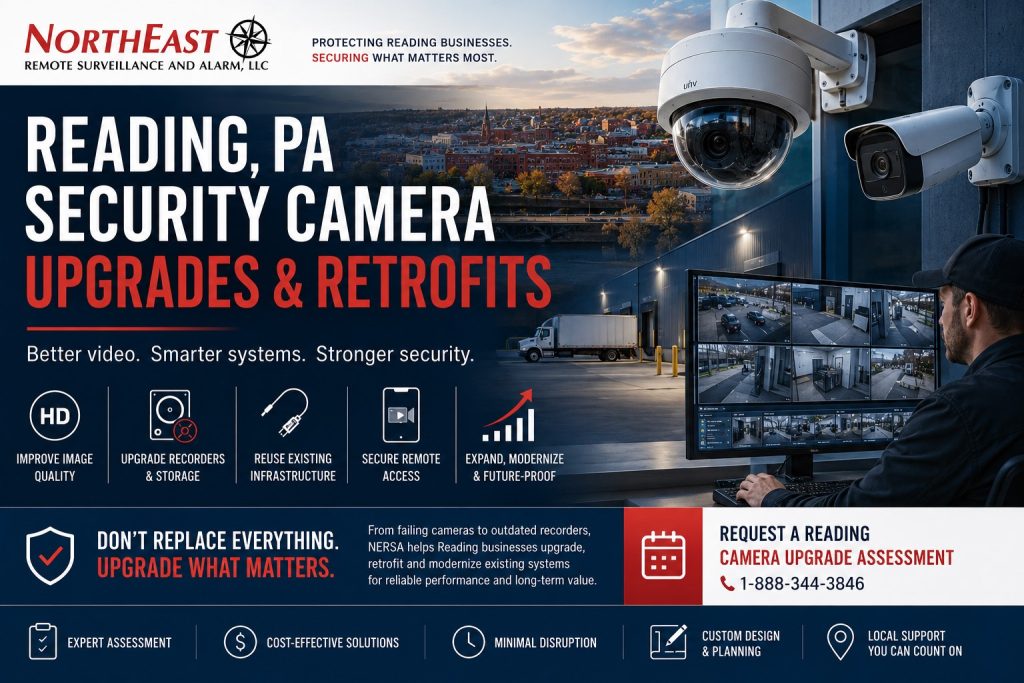
Upgrade, retrofit, expand or selectively replace an existing commercial video-surveillance system in Reading, Pennsylvania.
This focused camera-system spindle is part of NERSA’s Reading Commercial Security System Upgrades, Retrofits and Takeovers hub, which organizes existing-system modernization for commercial and industrial properties throughout Reading, PA.
An existing camera system does not necessarily need to be completely replaced because it is old, inherited, poorly documented, unreliable or no longer suited to the facility’s operations. Cameras, cabling, pathways, network switches, power supplies, equipment racks and other components may remain useful when their condition, compatibility and performance support continued use.
Northeast Remote Surveillance and Alarm, LLC evaluates existing commercial cameras, recorders, video-management software, storage, cabling, networks, remote access, administrator accounts, user permissions, lighting and documentation to determine what may be retained, repositioned, reconfigured, expanded, upgraded or replaced.
NERSA supports camera-system modernization for offices, warehouses, manufacturing facilities, distribution centers, healthcare properties, schools, municipal buildings, contractor yards, industrial properties, multi-tenant buildings and multi-site organizations throughout Reading and the surrounding Berks County commercial market.
The objective is not to replace the greatest possible amount of equipment. The objective is to create dependable recording, useful image quality, practical retention, secure access and a commercial video environment that is easier to operate, investigate and expand.
Request a Reading Security Camera Upgrade Assessment or call 1-888-344-3846 to discuss the property, installed cameras, recorder, known problems and desired improvements.
Commercial and industrial camera systems only • Existing-system assessments • Camera upgrades • Recorder upgrades • Analog-to-IP retrofits • Storage expansion • Remote-access modernization • Small businesses through enterprise organizations
Understand the Existing Camera System Before Replacing It
A commercial camera system should be evaluated as a complete recording environment rather than as a collection of individual cameras.
A business may assume that several cameras have failed when the underlying problem involves a power supply, overloaded network switch, damaged cable, recorder configuration, storage failure or unstable wireless link.
A recorder may display live images while failing to retain video properly. A high-resolution camera may still provide weak evidence because it is mounted too far from the activity, aimed incorrectly or operating in unsuitable lighting. Remote access may stop working after an internet-provider or network change even though onsite recording remains functional.
A proper existing-system review should establish:
- What cameras, recorders and network equipment are installed
- Which equipment is owned by the customer
- Which cameras are operating and recording
- Whether recorded video can be searched and exported
- How much usable retention is available
- Whether the recorder and cameras show accurate time
- Which views provide useful identification
- Which views are obstructed, poorly positioned or outdated
- Whether nighttime images meet the business’s needs
- Whether authorized administrator access is available
- Which users can view, search or export video
- Whether remote access is secure and supportable
- Whether cabling, switching and power can support expansion
- Whether the platform remains supported by its manufacturer
- What should be retained, repaired, repositioned, upgraded or replaced
The assessment should identify the actual problem before replacement equipment is recommended.
When a Reading Business Should Consider a Camera-System Upgrade
Recorded Video Is Missing
A system may show live video while failing to record continuously or retain footage for the expected period.
Potential causes may include:
- Failed hard drives
- Incorrect recording schedules
- Storage errors
- Recorder limitations
- Network interruptions
- Camera disconnections
- Software or licensing problems
- Incorrect system time
- Insufficient storage capacity
- Footage being overwritten sooner than expected
Missing video should be investigated before an incident exposes the limitation.
Image Quality Is No Longer Useful
A camera may technically function while providing insufficient detail to answer the questions the business needs recorded video to resolve.
The image may be too distant, dark, overexposed, obstructed or blurred to identify:
- A person at an entrance
- A vehicle approaching a gate
- Activity at a loading dock
- A transaction or exchange
- A package or piece of equipment
- A license plate
- An event in a parking area
- Entry into a restricted room
Increasing resolution alone does not correct poor camera placement, unsuitable lighting or the wrong lens.
Nighttime Video Is Weak
Commercial camera systems frequently perform differently after sunset.
Nighttime image problems may involve:
- Insufficient lighting
- Excessive infrared reflection
- Headlight glare
- Deep shadows
- Backlighting
- Dirty lenses or covers
- Incorrect camera settings
- Excessive distance from the subject
- Fast-moving people or vehicles
- Rain, snow or fog
An upgrade may involve improved cameras, view correction, adjusted exposure settings, additional lighting or a separate identification camera.
The Recorder Is Unsupported or Unreliable
An older recorder may continue operating while becoming increasingly difficult to maintain.
Warning signs may include:
- Repeated hard-drive failures
- Obsolete remote-viewing software
- Unsupported operating systems
- Unavailable replacement parts
- Unsafe remote-access methods
- Limited storage capacity
- No support for modern cameras
- Difficult video export
- Missing administrator access
- Incompatible mobile applications
Replacing the recorder may improve the entire video environment without requiring every installed camera to be replaced immediately.
Remote Viewing Is Difficult or Insecure
Remote access may depend on outdated software, shared passwords, exposed recorder ports or an account controlled by a former employee or provider.
An upgrade may establish:
- Individual user accounts
- Role-based permissions
- Supported mobile or browser access
- Customer-controlled account ownership
- More secure remote connectivity
- Administrator recovery procedures
- Multi-site viewing
- Practical incident sharing
Remote access should remain convenient for authorized users without exposing the recorder or cameras unnecessarily.
The Facility Has Changed
A camera system designed for the original property layout may no longer match current operations after the business adds:
- Loading areas
- Additional doors
- New parking
- Exterior storage
- Vehicle gates
- Office space
- Warehouse racking
- Production areas
- Restricted rooms
- Additional buildings
- New operating shifts
- Different freight or visitor workflows
A camera that was correctly positioned when installed may become obstructed or irrelevant after operational changes.
The Business Needs Longer Retention
Existing storage may no longer support the required combination of:
- Camera count
- Resolution
- Frame rate
- Recording schedule
- Compression
- Continuous recording
- Event-based recording
- Audio
- Analytics
- Retention period
Retention should be designed around investigation and operational requirements rather than an arbitrary number of days.
The Camera System Was Inherited
A new owner, tenant, property manager or facility team may inherit a camera system without receiving:
- Administrator passwords
- Camera lists
- Recorder information
- Network documentation
- User accounts
- Licensing records
- Retention settings
- Mobile applications
- Service history
- Equipment-ownership information
An inherited system should be documented before it is relied upon, expanded or connected to new platforms.
Camera Upgrade, Retrofit, Expansion or Replacement?
These approaches are related, but they describe different project scopes.
Commercial Security Camera Upgrade
A camera-system upgrade improves the performance, capability, reliability or manageability of an existing video system.
An upgrade may involve:
- Replacing selected cameras
- Repositioning existing cameras
- Replacing the recorder
- Expanding storage
- Improving remote access
- Correcting user permissions
- Adding system-health monitoring
- Updating supported software
- Adding analytics
- Improving video export
The overall system remains in service while selected weaknesses are corrected.
Commercial Camera-System Retrofit
A retrofit adapts newer video-surveillance technology to an existing building or installed infrastructure.
A retrofit may reuse suitable:
- Coaxial cabling
- Ethernet cabling
- Fiber
- Conduit
- Pathways
- Equipment racks
- Managed network switches
- Power locations
- Mounting positions
- Environmental enclosures
Reuse should be based on documented condition and compatibility—not simply on the fact that equipment is already installed.
Camera-System Expansion
An expansion adds coverage or capacity without replacing the complete platform.
Expansion may involve:
- Additional cameras
- More recorder channels
- Additional storage
- New PoE switches
- Additional viewing stations
- New camera groups
- Additional buildings
- New gate or parking coverage
- Expanded user access
The recorder, network, licensing and storage should be evaluated before more cameras are added.
Phased Camera-System Replacement
A phased replacement modernizes the system in planned stages.
A business may begin with:
- Failing recorders
- Critical entrances
- Loading docks
- Parking areas
- Restricted rooms
- Exterior cameras
- Unsupported network equipment
Lower-priority views may be upgraded during later phases.
This approach may be appropriate when the property must remain operational or when the organization needs to distribute the work across planned capital periods.
Complete Camera-System Replacement
Complete replacement may be appropriate when the installed system is:
- Unsupported
- Repeatedly failing
- Insecure
- Poorly installed
- Locked to an unavailable provider
- Missing critical administrator access
- Unable to provide required retention
- Incompatible with modern cameras
- Dependent on damaged infrastructure
- More expensive to maintain than replace
A complete replacement recommendation should be based on documented system conditions rather than equipment age alone.
What NERSA Reviews Before Recommending an Upgrade
Businesses that need a broader documented review of cameras, recorders, users, cabling, networks and related systems can begin with a Commercial Security System Inspection and Assessment.
Camera Condition and Performance
The camera review may examine:
- Camera model and age
- Resolution
- Lens and field of view
- Image detail
- Mounting condition
- Weather exposure
- Nighttime performance
- Lighting and backlighting
- Obstructions
- Housing and lens condition
- Available firmware
- Platform compatibility
- Continued supportability
A camera that powers on is not necessarily providing useful evidence.
Recorder and Video-Management System
The recorder review may include:
- Channel capacity
- Recording status
- Storage health
- Retention
- Hard-drive condition
- Software support
- Licensing
- User administration
- Remote access
- Video export
- Camera compatibility
- Time synchronization
- System-health reporting
- Expansion capacity
Cabling and Communication
Camera problems may be caused by:
- Damaged coaxial cable
- Damaged Ethernet cable
- Poor terminations
- Water intrusion
- Inadequate pathways
- Excessive cable distance
- Failing wireless links
- Fiber problems
- Unmanaged network connections
- Inconsistent labeling
The cabling should be evaluated before useful infrastructure is discarded or unreliable infrastructure is reused.
Network and PoE Infrastructure
IP camera systems may depend on:
- PoE switch capacity
- Available switch ports
- Per-port power
- Total PoE budget
- Network uplink capacity
- IP addressing
- Network segmentation
- Fiber connections
- Wireless bridges
- Internet service
- Firewall coordination
- Remote-access methods
- UPS protection
A switch may have open ports while lacking enough power or network capacity for additional cameras.
User Access and Administration
The assessment should determine:
- Who owns the primary system account
- Who has administrator privileges
- Which employees have remote access
- Whether former users remain active
- Whether shared accounts are being used
- Who can export recorded video
- How passwords are recovered
- Whether provider access is controlled
- Whether multifactor authentication is available
- Whether administrative activity is logged
Common Reading Camera-System Upgrade Paths
Selective Camera Replacement
Not every camera needs to be replaced during every upgrade.
Selected cameras may be prioritized when they cover:
- Main entrances
- Employee entrances
- Loading docks
- Transaction areas
- Restricted rooms
- Vehicle gates
- Parking entrances
- High-value inventory
- Shipping and receiving
- Exterior equipment
- Repeated incident locations
A selective upgrade can preserve useful views while correcting the locations where image quality or reliability is weakest.
Replacement cameras should be selected around the required image—not simply by choosing the highest available megapixel count.
Camera Repositioning and View Correction
A camera may be fully operational but installed in the wrong location.
Common view problems include:
- Excessive distance from the subject
- Camera aimed too high or too low
- Door frames blocking part of the image
- Inventory obstructing the view
- Trailers blocking yard cameras
- Direct sunlight
- Headlight glare
- Poor entrance angle
- Wide views without identification detail
- Camera vibration
- Excessive ceiling height
Repositioning, changing the lens or adding a separate identification camera may provide more value than installing a higher-resolution camera in the same ineffective location.
Recorder and Storage Upgrades
A recorder upgrade may improve:
- Recording reliability
- Storage capacity
- Retention
- Video export
- Remote access
- User permissions
- Camera compatibility
- Event search
- System-health reporting
- Multi-site administration
- Cybersecurity support
Storage planning should consider the complete recording design.
Retention is affected by camera count, resolution, frame rate, compression, scene activity, recording schedules, audio, analytics and available capacity.
The customer should understand the expected retention and the conditions that can change it.
Analog-to-IP Camera Retrofits
An analog camera system may be modernized through several approaches.
Possible paths may include:
- Replacing the DVR with a compatible hybrid recorder
- Retaining selected analog cameras temporarily
- Replacing critical views with IP cameras
- Reusing suitable coaxial cabling with compatible equipment
- Installing Ethernet or fiber where needed
- Completing the transition in planned phases
- Replacing the complete analog platform
The correct approach depends on cable condition, camera performance, recorder compatibility, required image quality, retention, analytics, remote access and long-term support.
An analog-to-IP migration should have a defined destination rather than leaving the property indefinitely dependent on an unsupported mix of platforms.
AI-Assisted Search and Video Analytics
A camera-system upgrade may add supported functions such as:
- Person detection
- Vehicle detection
- Line crossing
- Intrusion zones
- Loitering
- Direction of travel
- Object search
- Appearance search
- Vehicle search
- License plate recognition
- Event filtering
- Alarm verification
Analytics can reduce the amount of recorded video an authorized user must review manually.
They do not correct weak image quality, poor placement or unsuitable lighting. The camera must first provide a usable image.
Alert rules should also reflect actual business operations so employees, deliveries and legitimate after-hours activity do not create an unmanageable stream of notifications.
Cloud and Hybrid Video Modernization
An existing camera system may be upgraded with cloud-connected or hybrid capabilities.
A hybrid system may combine:
- Local recording
- Cloud-based management
- Secure remote access
- Camera-health notifications
- Centralized user administration
- AI-assisted search
- Multi-site viewing
- Selected cloud event storage
- Continued local recording during internet interruptions
The customer should understand:
- Where video is stored
- Which features require subscriptions
- Who owns the primary account
- What happens during an internet outage
- Whether recording continues locally
- How former users are removed
- Whether existing cameras can be retained
- What happens when the platform reaches end of support
Multi-Site Camera Standardization
Organizations with several Reading-area properties may be managing different recorders, camera names, retention periods, passwords and remote-access methods at each location.
A multi-site modernization plan may establish:
- Consistent camera naming
- Standard user roles
- Location-specific permissions
- Shared retention expectations
- Centralized system health
- More consistent video export
- Controlled cloud-account ownership
- Documented support responsibilities
- Standards for future locations
Centralized management should not give every user unrestricted access to every property.
What Existing Equipment May Be Retained?
Existing equipment may remain in service when it is:
- Customer-owned
- Operational
- Supportable
- Securely manageable
- Compatible
- Properly installed
- Suitable for the intended image objective
- Capable of supporting required retention
- Appropriate for future expansion
Potentially reusable components may include:
- Selected cameras
- Coaxial cabling
- Ethernet cabling
- Fiber
- Conduit
- Pathways
- Mounting hardware
- Equipment racks
- Managed switches
- UPS equipment
- Network enclosures
Reuse should be confirmed through inspection and testing.
When Camera Equipment Should Be Replaced
Replacement may be appropriate when equipment is:
- Unsupported by the manufacturer
- Repeatedly failing
- Damaged
- Insecure
- Missing required licensing
- Locked to an unavailable provider
- Unable to receive updates
- Incompatible with the proposed platform
- Producing unusable images
- Unable to provide required retention
- Dependent on unsafe remote access
- Installed on unreliable cabling
- Unable to support future expansion
- More expensive to maintain than replace
The recommendation should explain why the existing equipment cannot provide a practical long-term path.
Camera Upgrade Planning for Reading Commercial Properties
Warehouses and Distribution Facilities
A Reading warehouse may require improved coverage of:
- Loading docks
- Truck courts
- Trailer areas
- Shipping and receiving
- Employee entrances
- Overhead doors
- Inventory zones
- Vehicle gates
- Parking areas
- Exterior storage
An upgrade may prioritize loading-dock evidence, dependable retention, overhead-door activity, after-hours exterior detection and additional camera-network capacity.
Manufacturing Facilities
Manufacturing camera upgrades may involve:
- Employee entrances
- Contractor access points
- Production-support spaces
- Tool rooms
- Maintenance areas
- Shipping and receiving
- Raw-material storage
- Finished goods
- Exterior yards
- Parking areas
The work may require phased installation and coordination with operating shifts, production schedules and authorized customer IT personnel.
Offices and Multi-Tenant Buildings
An office or multi-tenant upgrade may focus on:
- Main entrances
- Visitor entry
- Common areas
- Loading entrances
- Parking areas
- Tenant separation
- User permissions
- Remote access
- Incident export
Building ownership and tenants should understand who controls the cameras, recordings, accounts and retention.
Contractor Yards and Exterior Properties
Exterior properties may require improvements to:
- Gate cameras
- Fence-line coverage
- Vehicle documentation
- Equipment-area cameras
- Wireless links
- Nighttime image quality
- Remote-monitoring readiness
- Cellular or network communication
Weather, vegetation, changing storage arrangements and vehicle impact can affect exterior camera performance.
The NERSA Reading Camera-Upgrade Process
1. Define the Operational Problem
The process begins with what the business needs the camera system to accomplish.
That may include:
- Restoring missing recording
- Improving image detail
- Increasing retention
- Adding camera coverage
- Modernizing remote access
- Replacing an unsupported recorder
- Adding analytics
- Standardizing several properties
2. Inventory the Existing System
NERSA reviews available cameras, recorders, software, storage, cabling, networks, power, users, licensing and documentation.
3. Classify Existing Components
Major components may be classified for:
- Retention
- Repositioning
- Repair
- Reconfiguration
- Upgrade
- Integration
- Phased replacement
- Immediate replacement
4. Establish the Upgrade Architecture
The recommended design should define:
- Camera changes
- Recorder or software changes
- Storage and retention
- Cabling
- Network requirements
- User administration
- Remote access
- Analytics
- Project sequencing
- Future expansion
5. Install and Test the Approved Scope
Testing may include:
- Live video
- Recorded video
- Retention
- Camera views
- Nighttime performance
- Video export
- Remote access
- User permissions
- Analytics
- Network communication
- Time synchronization
6. Train and Document
Authorized personnel should understand how to:
- View cameras
- Search recorded video
- Export an incident
- Manage authorized users
- Respond to system-health alerts
- Report a problem
- Request future expansion
Camera names, administrator responsibilities, recording settings and key system information should be documented appropriately.
Camera-Upgrade and Retrofit Limitations
A camera retrofit may be limited by:
- Damaged cabling
- Insufficient pathways
- Unsupported cameras
- Proprietary equipment
- Missing administrator access
- Expired licensing
- Provider-owned accounts
- Unavailable replacement parts
- Weak internet service
- Customer IT restrictions
- Insufficient PoE capacity
- Poor lighting
- Inadequate mounting locations
- Hidden building conditions
- Unsupported integrations
- Excessive repair cost
- Lack of a practical long-term support path
These conditions should be identified before the business depends on a proposed reuse or migration strategy.
Why Reading Businesses Use NERSA for Camera Upgrades
An effective camera-system upgrade requires more than replacing several cameras with newer models.
It requires an understanding of image objectives, camera placement, recording, retention, cabling, networks, remote access, user permissions, cybersecurity, documentation and long-term support.
Northeast Remote Surveillance and Alarm, LLC focuses on non-residential commercial, industrial, institutional, municipal, healthcare, warehouse, manufacturing, logistics, contractor and multi-site environments.
NERSA approaches camera modernization around what the facility needs to see, record, retrieve and manage.
The objective is to provide a practical path from an unreliable, outdated or poorly documented camera system to a dependable video environment that is easier to operate and expand.
For broader non-geographic guidance, review Commercial Security Camera Upgrades.
Request a Reading Security Camera Upgrade Assessment
A Reading camera-system assessment can help determine whether the appropriate path is repair, repositioning, expansion, recorder replacement, selective camera replacement, analog-to-IP migration, cloud modernization, phased replacement or complete system replacement.
The review may include:
- Existing cameras
- Camera placement
- Image quality
- Nighttime performance
- Recording reliability
- Recorder or server condition
- Storage and retention
- Video export
- Remote access
- Administrator accounts
- User permissions
- Software and licensing
- Cabling and fiber
- Network switches
- PoE capacity
- Wireless links
- Cloud services
- Analytics
- Documentation
- Future expansion
Request a Reading Security Camera Upgrade Assessment or call 1-888-344-3846 to discuss the property, current camera system, known problems and desired improvements.
Frequently Asked Questions About Reading Security Camera System Upgrades
What is a commercial camera-system retrofit?
A retrofit adapts newer video-surveillance technology to an existing commercial building and may reuse suitable cameras, cabling, pathways, racks, switches or other infrastructure when their condition and compatibility support continued use.
What is the difference between a camera upgrade and a complete replacement?
An upgrade improves selected components or capabilities, while a complete replacement removes most or all of the existing platform and installs a new camera and recording environment.
Does every older camera system need to be replaced?
No. Equipment age is only one consideration. Condition, image quality, manufacturer support, cybersecurity, compatibility, storage capacity and operational requirements should guide the decision.
Can existing camera cabling be reused?
Possibly. Existing coaxial, Ethernet or fiber cabling should be inspected for condition, distance, termination quality, compatibility and the requirements of the proposed equipment.
Can an analog camera system be upgraded in phases?
Yes, when the existing cabling, cameras, recorder and proposed platform support a practical phased migration.
Can the recorder be replaced without replacing every camera?
Sometimes. A compatible recorder or hybrid platform may allow suitable existing cameras to remain while storage, software, remote access and selected camera views are improved.
Can cameras be repositioned instead of replaced?
Yes. Repositioning, changing the lens or adding a separate identification view may improve evidence quality when the existing camera remains supportable.
Can an upgrade increase video retention?
Yes. Retention may be increased through additional storage, different recording settings, improved compression or a new recording architecture.
Can AI analytics be added to an existing camera system?
Possibly. The cameras, recorder, software, licensing, image quality, processing capacity and network must support the intended analytics.
Can cloud access be added to an existing system?
Some systems may support a cloud gateway, cloud-managed recorder, updated software or phased migration. The current platform, network and account ownership must be reviewed first.
Can NERSA take over a camera system installed by another company?
NERSA may evaluate qualifying systems installed by another provider, but support depends on equipment ownership, administrator access, licensing, platform support, system condition and long-term serviceability.
Can several Reading-area properties use one video platform?
Yes, when the selected platform, licensing, networks and user-permission structure support centralized multi-site administration.
Can NERSA support a smaller commercial property and a larger enterprise facility?
Yes. Camera-upgrade planning may range from a focused recorder or camera replacement for a smaller business to a phased multi-building or multi-location modernization project.
How much does a commercial camera upgrade cost?
Cost depends on the number of cameras, recorder, storage, cabling, network improvements, software, licensing, analytics, remote access, mounting conditions and the amount of existing equipment that can be retained.
Does this page cover completely new camera installations?
This page is focused on existing commercial camera systems that require repair, expansion, modernization, retrofit or replacement. Completely new installations follow a separate planning path.
Does NERSA upgrade residential camera systems?
This resource is intended for commercial, industrial, institutional, municipal, healthcare, warehouse, manufacturing, logistics, contractor and multi-site properties rather than residential camera packages.
How does a Reading business begin a camera-upgrade project?
Begin with a Reading Security Camera Upgrade Assessment so the cameras, recorder, storage, cabling, network, users and desired improvements can be reviewed before equipment is recommended.