
Commercial security camera systems should provide clear video, reliable recording, useful remote access, and camera views that actually help your business review incidents.

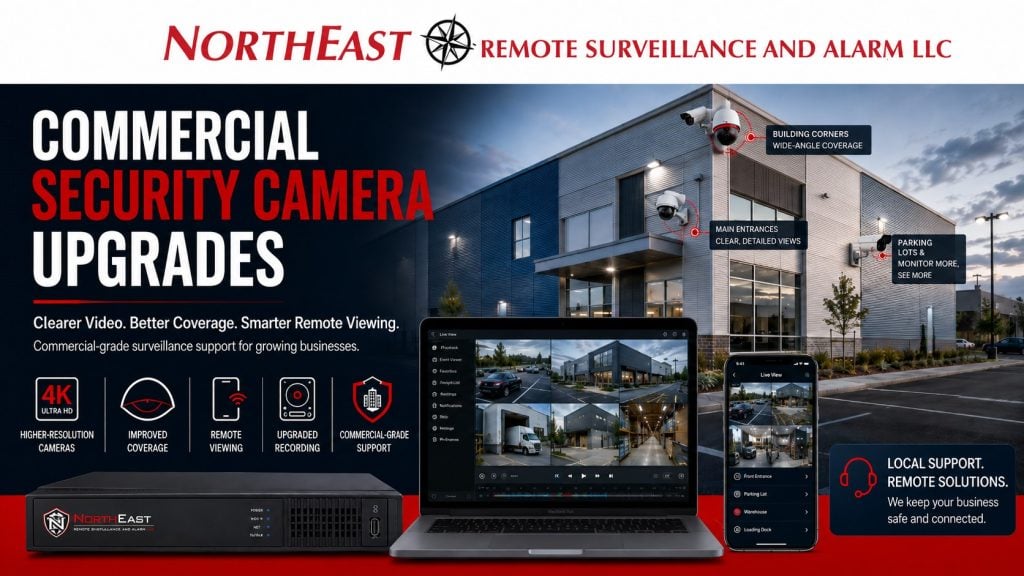
Northeast Remote Surveillance and Alarm, LLC helps commercial and industrial facilities upgrade outdated camera systems, replace weak equipment, improve coverage, and modernize recording platforms without forcing unnecessary replacement of every usable part of the existing system.
For a camera upgrade that also involves other security equipment, Commercial Security System Upgrades, Retrofits & Takeovers helps you decide what to keep, repair, or replace.
Commercial Camera Upgrades for Businesses That Need Better Video
A camera system that technically records video is not always a useful security system.
Installed cameras do not always provide useful footage. Blurry images, poorly aimed views, outdated recorders or unreliable mobile apps can make incident review difficult. Owners, managers, tenants and staff may struggle to review theft, damage, employee incidents, vehicle activity, after-hours entry or customer concerns.
NERSA upgrades commercial camera systems around real security outcomes:
- Clearer image quality
- Better camera placement
- Stronger recording reliability
- Easier remote viewing
- Better video search and export
- Improved coverage of high-risk areas
- More useful parking lot and exterior review
- Better support for access control and alarm events
- Cleaner long-term documentation and serviceability
The goal is not just to install newer cameras. The goal is to make the video system more useful.
When a Commercial Security Camera System Needs an Upgrade
A commercial camera system may need an upgrade when the existing system no longer supports the way the business operates.
Common signs include:
- Video is blurry, dark, pixelated, or unreliable.
- Camera views do not cover the right areas.
- The recorder is outdated or difficult to search.
- Remote viewing is slow, unreliable, or unavailable.
- Footage is hard to export.
- Cameras fail often or drop offline.
- Existing cameras do not handle low-light areas well.
- Parking lot or license plate review is weak.
- Staff cannot find useful footage after an incident.
- The system has poor retention or unknown recording history.
- The business has expanded or changed layout.
- Older analog cameras are no longer meeting expectations.
- The camera system does not work well with access control, alarm, or remote monitoring needs.
If a camera system cannot help answer what happened, where it happened, when it happened, and who or what was involved, it is time to review the system.
Camera Upgrade vs. Full Camera Replacement
Not every commercial camera project requires a full rip-and-replace.
Some buildings have usable cable, good camera locations, working conduit, serviceable mounting points, or existing network infrastructure that can be reused. Other systems are too outdated, unreliable, or poorly installed to support a practical upgrade.
NERSA evaluates the existing system before recommending the path forward.
A camera upgrade may include:
- Replacing older cameras with higher-resolution IP cameras.
- Reusing serviceable cabling where appropriate.
- Upgrading the recorder or video management system.
- Adding cameras to cover blind spots.
- Re-aiming cameras for better review.
- Improving exterior and parking lot coverage.
- Adding remote viewing for authorized users.
- Cleaning up camera names and user permissions.
- Improving recording retention.
- Supporting future expansion.
A full replacement may be required when the existing equipment, wiring, recorder, or camera layout cannot reliably support the facility’s needs.
Existing System Review
Every commercial security camera upgrade should begin with a review of the existing system.
NERSA evaluates:
- Existing camera locations
- Camera image quality
- Field of view
- Lighting conditions
- Night performance
- Recorder condition
- Hard drive health and retention
- Remote access setup
- Network equipment
- Cabling condition
- Mounting locations
- Camera names
- User permissions
- Export capability
- Blind spots
- High-risk areas
- Future expansion needs
This review helps determine which parts of the system can be reused and which parts need to be replaced.
Better Camera Coverage
Camera coverage matters more than camera count.
A commercial property can have many cameras and still miss the most important activity if the cameras are poorly placed. The upgrade process should focus on useful views, not just adding more devices.
Important coverage areas may include:
- Main entrances
- Employee entrances
- Reception areas
- Parking lots
- Loading docks
- Overhead doors
- Warehouse aisles
- Production areas
- Cash handling areas where applicable
- Exterior approaches
- Rear doors
- Dumpster areas
- Truck yards
- Trailer parking areas
- Shared corridors
- Tenant entrances
- Gate areas
- Perimeter fence lines
- High-value storage areas
- After-hours activity zones
A good camera upgrade helps management review activity clearly where incidents are most likely to occur.
Higher-Resolution Cameras
Many older commercial systems still use low-resolution cameras that cannot provide enough detail for modern review needs.
Upgrading to newer high-definition or 4K cameras can improve:
- Face and clothing detail in approved areas
- Vehicle review
- Exterior visibility
- Wide-area coverage
- Loading dock review
- Parking lot review
- Entry and exit documentation
- Evidence quality
- Digital zoom review after recording
Resolution alone does not solve every problem. Camera placement, lens selection, lighting, compression, recording settings, and network performance all matter. NERSA evaluates the full system so the upgraded cameras produce useful results.
Low-Light and Night Coverage Improvements
Many commercial incidents happen after hours.
If the existing cameras do not handle low light, shadows, headlights, dark corners, or exterior lighting changes, the system may fail when it is needed most.
Camera upgrades may improve:
- Nighttime parking lot visibility
- Rear door review
- Loading dock visibility
- Gate and driveway review
- Exterior wall coverage
- Dumpster area monitoring
- Yard and perimeter review
- After-hours employee or vendor activity
Low-light performance should be matched to the actual site conditions. A warehouse dock, office entrance, truck yard, and fenced perimeter may all require different camera planning.
Recording System Upgrade
The recorder is often the weak point in an older commercial camera system.
An outdated DVR or NVR can create problems even when cameras are still working. Search may be slow, remote access may be unreliable, storage may be failing, retention may be too short, and clip export may be difficult.
A recording upgrade can help improve:
- Video search
- Playback speed
- Recording reliability
- Storage capacity
- Retention planning
- Remote access
- Camera grouping
- User permissions
- Clip export
- System health review
- Future camera expansion
The camera system should be easy to use when something happens. If management cannot quickly search and export video, the system is not performing well enough.
Remote Viewing and Mobile Access
Modern commercial camera systems should support secure remote access for authorized users.
Remote viewing can help owners, managers, operations teams, and approved personnel check activity without being physically on site. This is especially valuable for businesses with multiple buildings, after-hours activity, deliveries, tenant concerns, or managers responsible for more than one location.
Remote viewing must be configured properly.
NERSA helps organize:
- Authorized users
- Camera groups
- Mobile app access
- Desktop access
- User permission levels
- Clip export permissions
- Password and account control
- User removal procedures
- Remote support access when appropriate
Remote viewing should be useful without becoming uncontrolled.
Parking Lot Camera Upgrades
Parking lots are one of the most common reasons businesses upgrade commercial camera systems.
Older cameras often provide a general view of the lot but not enough detail to review vehicle damage, theft, dumping, suspicious activity, unauthorized parking, or after-hours movement.
A parking lot camera upgrade may improve:
- Vehicle movement review
- Employee and visitor parking visibility
- Exterior entrance coverage
- Drive lane review
- After-hours activity review
- Incident documentation
- Camera angles for better identification
- Lighting-aware camera placement
For properties that need stronger vehicle documentation, license plate review may also be considered.
Loading Dock and Warehouse Camera Upgrades
Warehouses, logistics properties, and industrial buildings often need upgraded camera coverage around loading docks, overhead doors, truck courts, trailer areas, and shipping zones.
These areas are high-value because they often involve freight, vehicles, vendors, employees, contractors, and after-hours activity.
Camera upgrades can help review:
- Dock door activity
- Truck arrivals and departures
- Trailer movement
- Freight handling
- Employee activity
- Vendor access
- Property damage
- After-hours movement
- Unauthorized entry
- Loading area disputes
For related project planning, see Customer case studies.
Camera Upgrades for Access Control Review
Security cameras become more useful when they support access control events.
A door access log may show that a credential was used. A camera can show what happened at the door. When camera views and controlled openings are planned together, management can review door events with better context.
This can help with:
- Staff entry review
- Denied access attempts
- Held-open doors
- Forced-door conditions
- Vendor entry activity
- After-hours access
- Employee entrance activity
- Visitor entry review
- Multi-tenant door activity
For related access planning, see Commercial & Industrial Access Control Systems.
Camera Upgrades for Intrusion Alarm Review
Camera upgrades can also support intrusion alarm review.
When a business has after-hours alarms, motion events, door alarms, or video-verified alarm needs, camera placement becomes more important. Cameras should be planned around likely alarm points so authorized users or monitoring personnel can review activity quickly.
Useful areas may include:
- Main entry doors
- Rear doors
- Overhead doors
- Warehouse aisles
- Office corridors
- Exterior approaches
- Yard areas
- High-value storage rooms
- Dock areas
- Perimeter zones
For related alarm planning, see Commercial Burglar Alarm and Intrusion Detection Systems.
Reusing Existing Cabling
Many commercial camera upgrades can reuse some existing infrastructure, but only after review.
Existing cabling should be evaluated for:
- Cable type
- Cable condition
- Distance
- Terminations
- Pathway condition
- Labeling
- Interference issues
- Network compatibility
- PoE suitability
- Serviceability
Reusing existing cable can help reduce disruption and cost, but weak infrastructure should not be reused just to save money upfront. A camera upgrade should be built on infrastructure that can support reliable long-term performance.
Network and PoE Review
Modern IP camera systems depend on the network.
NERSA reviews network equipment, PoE capacity, switch locations, cable paths, internet access, remote viewing requirements, firewall coordination, UPS backup, and equipment cabinet conditions before finalizing a camera upgrade.
Poor network planning can cause camera dropouts, recording gaps, slow remote access, weak playback, and service problems.
A reliable commercial camera upgrade should include network review, not just camera replacement.
Camera Naming and System Organization
One of the simplest ways to improve an old camera system is to organize it properly.
Camera names like “Camera 1,” “Camera 2,” and “Camera 3” are not helpful when a manager needs to review an incident quickly. Cameras should be named by location and function.
Better naming may include:
- Main Entrance Exterior
- Front Lobby
- Employee Entrance
- Rear Door
- Loading Dock 1
- Warehouse Aisle 3
- Parking Lot East
- Truck Yard Gate
- Office Hallway
- Shipping Desk
- Electrical Room Entrance
Clean naming helps users find the right camera faster and makes future service easier.
User Permissions and Security
A camera system upgrade should include a review of who can access the system.
Many older systems have shared passwords, old employee accounts, vendor accounts, or unmanaged mobile access. That creates unnecessary risk.
NERSA helps organize user permissions so only authorized users can view, search, export, or administer the system.
Permission planning may include:
- Owner access
- Manager access
- Site supervisor access
- Remote viewing users
- Clip export permissions
- Administrative users
- Vendor or support access
- Former user removal
- Password updates
- Multi-site permission structure
The camera system should protect the business, not create a new access problem.
Before and After
| Before Camera Upgrade | After Camera Upgrade |
|---|---|
| Blurry or outdated camera footage | Clearer video review |
| Poor camera placement | Better coverage of priority areas |
| Outdated recorder | Improved recording, search, and export |
| Unreliable remote access | Better remote viewing for authorized users |
| Limited night visibility | Improved low-light and after-hours review |
| Camera names were unclear | Cleaner camera naming and grouping |
| Old users may still have access | Better user permission control |
| Disconnected system | Better support for access control, alarm, and monitoring needs |
Why Businesses Choose NERSA for Camera Upgrades
Northeast Remote Surveillance and Alarm, LLC focuses on commercial, industrial, institutional, and business and facility security systems.
Commercial camera upgrades require more than replacing old cameras with new ones.
They require understanding building layout, risk areas, network infrastructure, recording needs, user permissions, access control, intrusion alarms, remote viewing, and long-term support.
When evaluating whether existing cameras can be retained, review Alarm.com camera integration and upgrade planning.
NERSA designs camera upgrades around how the facility actually operates.
When to Upgrade Commercial Security Cameras
A business should consider upgrading its camera system if:
- Footage is too blurry to be useful.
- Cameras miss important areas.
- Remote viewing does not work reliably.
- The recorder is old or hard to search.
- Footage cannot be exported easily.
- Cameras fail or go offline.
- Night footage is poor.
- Parking lot incidents are difficult to review.
- Loading dock activity is not visible.
- The business has expanded or changed layout.
- Old users still have access to the system.
- The system cannot support future cameras.
- Management cannot quickly find the right video.
Commercial Security Camera Upgrade Checklist
Before upgrading a commercial camera system, a business should evaluate:
- Existing camera count
- Camera locations
- Camera image quality
- Blind spots
- Night performance
- Recorder condition
- Storage capacity
- Retention needs
- Remote viewing access
- User permissions
- Network equipment
- PoE capacity
- Cable condition
- Mounting locations
- Parking lot coverage
- Loading dock coverage
- Entry and exit views
- Export capability
- Future expansion needs
- Integration with access control or alarms
Request a Commercial Camera Upgrade Assessment
NERSA can evaluate outdated cameras, unreliable recorders, blind spots, and problems with remote viewing or video review. We assess your commercial property’s existing system and recommend a practical upgrade path.
Frequently Asked Questions About Commercial Security Camera Upgrades
What is a commercial security camera upgrade?
A commercial security camera upgrade improves an older or underperforming camera system by replacing weak cameras, upgrading the recorder, improving camera placement, improving remote viewing, organizing user permissions, and improving video review.
Do I need to replace every camera?
Not always. Some existing cameras, cable paths, mounts, or network equipment may be reusable. NERSA evaluates the system before recommending what should be reused, replaced, relocated, or upgraded.
Can old camera wiring be reused?
Sometimes. Existing wiring can be reused if it is in good condition, properly terminated, compatible with the upgraded system, and reliable enough for long-term service. Wiring should be tested and reviewed before reuse.
Can NERSA upgrade an old DVR or NVR?
Yes. NERSA can review older recorders and recommend an upgrade when the system has poor search tools, unreliable remote access, failed storage, weak retention, outdated firmware, or limited camera compatibility.
Are 4K cameras always the best choice?
Not always. 4K cameras can provide excellent detail, but camera placement, lens selection, lighting, recording settings, storage, and network performance all matter. The best camera depends on the view and the goal.
Can upgraded cameras help with parking lot incidents?
Yes. Properly placed cameras can improve review of parking lot activity, vehicle movement, exterior entrances, after-hours incidents, and property damage. Some properties may also benefit from license plate review planning.
Can camera upgrades support access control?
Yes. Cameras can be placed near controlled doors so management can review access events with video context. This is useful for denied access, held-open doors, staff entry, vendor access, and after-hours activity.
Can camera upgrades support intrusion alarms?
Yes. Cameras can help review activity around alarm points such as exterior doors, overhead doors, warehouse aisles, offices, yards, and perimeter areas. This can support video-verified alarm planning where appropriate.
Can authorized users view cameras remotely?
Yes. Remote viewing can be configured for authorized users through mobile or desktop access. User permissions should be managed carefully so only approved personnel can view, search, export, or administer video.
How do we start a commercial security camera upgrade?
Call 1-888-344-3846 or use Request a Security Assessment.
NERSA can review your existing cameras, recorder, cabling, network equipment, remote access, user permissions, and coverage needs before recommending an upgrade plan.
Compliance, Codes & Project Standards
NERSA plans commercial and industrial security work with applicable code, documentation, inspection and authority-having-jurisdiction requirements in mind. Requirements vary by system, property and jurisdiction. These resources support project planning; they do not establish legal compliance, certification or AHJ approval.
Related guidance: Regulatory compliance & inspection readiness · Video surveillance compliance · NERSA project standards