
Commercial security service and support standards are part of Commercial Security Trust & Project Standards because a security system should remain reliable after installation, not just look complete on the day it is turned over.

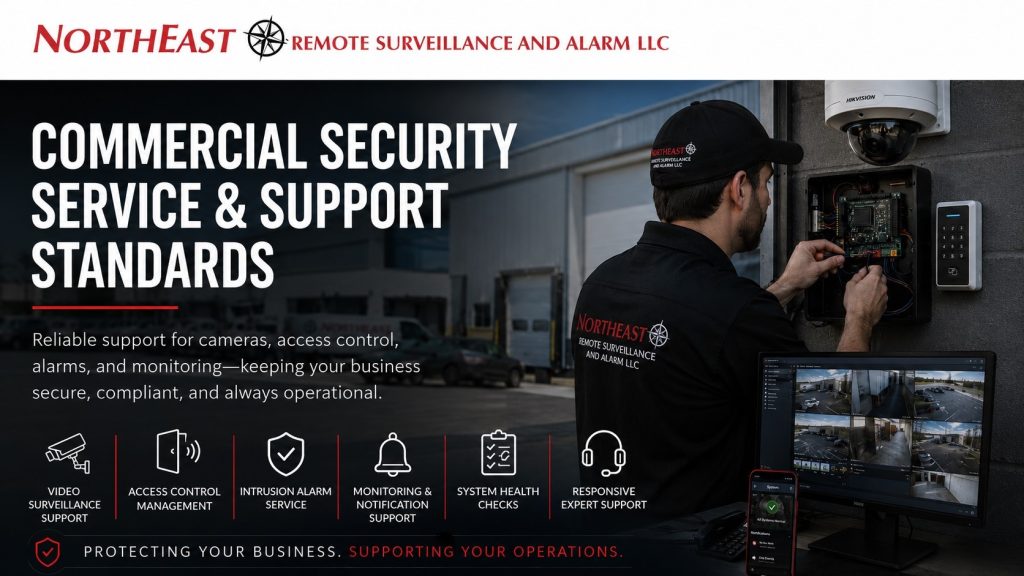
This resource explains how Northeast Remote Surveillance and Alarm, LLC approaches ongoing service, troubleshooting, customer support, documentation updates, system changes, and long-term care for commercial and industrial security systems.
The goal is to help businesses maintain dependable cameras, access control, intrusion alarms, monitoring paths, user permissions, and system documentation throughout the life of the system.
Why Commercial Security Service and Support Standards Matter
A commercial security system is an operational asset. It protects employees, customers, inventory, buildings, entrances, loading areas, offices, yards, production spaces, and sensitive areas. Once the system is installed, it still needs proper support to stay useful.
Without clear service standards, a business may deal with unresolved camera failures, mislabeled devices, outdated users, weak alarm communication, access-control confusion, poor documentation, and repeated service delays. These problems can reduce trust in the system and create unnecessary risk during real security events.
Northeast Remote Surveillance and Alarm, LLC treats service and support as part of the full security lifecycle. The system should be designed, installed, documented, supported, and improved with the same level of commercial discipline.
What Commercial Security Service and Support Standards Include
Commercial security support may include troubleshooting cameras, restoring recorder access, checking network-connected devices, reviewing access-control events, updating users, replacing credentials, testing alarm communication, confirming monitoring paths, adjusting notifications, reviewing system health, and documenting changes.
Support can also include helping customers understand how their system is performing. A camera may be offline because of a network issue. A door may not report correctly because of a contact problem. A user may not receive alerts because of a permission or notification setting. A recurring false alarm may come from a device location, schedule, user habit, or environmental condition.
A professional support process looks beyond the symptom and works toward the real cause.
Service Request Intake Standards
A strong support process begins with clear service request intake. When a customer reports an issue, the support team should identify the system type, affected location, device name, problem description, urgency, recent changes, and any impact on business operations.
For example, a down camera at a loading dock may be more urgent than a minor label correction. A failed alarm communicator may require faster attention than a routine user change. A door that will not secure properly may need immediate review because it affects building access and physical security.
Good intake reduces wasted time. It helps the technician arrive prepared, improves remote troubleshooting, and allows the support team to prioritize issues based on operational risk.
Communication During Service
Commercial customers need clear communication during support. The customer should understand whether the issue is being handled remotely, whether an on-site service visit is needed, what information is required, and what the expected next step is.
Support communication should avoid vague answers. A business should not be left wondering whether a camera problem is a hardware issue, a network issue, a software issue, a credential issue, or a programming issue.
Northeast Remote Surveillance and Alarm, LLC focuses on practical communication that helps the customer understand the status of the issue without unnecessary technical confusion.
Remote Support and Diagnostics
Many modern commercial security systems can be reviewed remotely when proper permissions, connectivity, and platform access are available. Remote support may help confirm device status, recorder health, user permissions, alarm history, access-control events, monitoring communication, camera connectivity, or notification settings.
Remote support is useful because it can reduce downtime and avoid unnecessary site visits. In some cases, a setting, user issue, camera status, or notification problem can be identified quickly without dispatching a technician.
However, remote support has limits. Physical problems such as damaged cabling, failed power supplies, loose connections, door hardware issues, poor camera aiming, field device failure, or damaged alarm devices may still require an on-site service visit.
On-Site Commercial Security Service and Support Standards
When on-site service is required, the technician should approach the work with a clear understanding of the reported issue, affected system, operational area, and site conditions. Commercial and industrial facilities often have active operations, employee movement, deliveries, production activity, forklifts, contractors, and restricted areas that must be respected during service.
On-site service may include testing field devices, checking cabling, replacing equipment, reviewing power, adjusting cameras, inspecting door hardware, testing alarm zones, verifying communication paths, or confirming system operation with the customer.
After work is completed, the service outcome should be communicated clearly. The customer should understand what was found, what was repaired, what may need future attention, and whether any system documentation should be updated.
Camera System Commercial Security Service and Support Standards
Camera system support should focus on restoring useful visibility and recording reliability. Common support needs include offline cameras, poor image quality, failed recording, weak night views, incorrect camera labels, remote access problems, mobile app issues, recorder alerts, storage concerns, and camera angle adjustments.
For commercial facilities, camera support should consider the purpose of the camera. A loading dock camera, parking lot camera, office entrance camera, warehouse aisle camera, production floor camera, and gate camera all support different operational needs.
Support should confirm that the camera is not only online, but useful. A camera that records the wrong angle, misses the risk area, or has poor lighting may not provide the evidence the customer expects.
Access Control Commercial Security Service and Support Standards
Access control support should address both software and physical door performance. Common needs include adding or removing users, replacing credentials, correcting access levels, reviewing denied access events, troubleshooting door contacts, checking request-to-exit devices, inspecting electric strikes or locks, and confirming schedule behavior.
Access control support is especially important when employees leave, vendors change, managers rotate, or a facility adds new doors or departments. If permissions are not managed properly, a business may accidentally leave former employees active or give current users more access than they need.
Support should protect both security and usability. The system should allow authorized people to move efficiently while keeping restricted areas controlled.
Intrusion Alarm Commercial Security Service and Support Standards
Commercial intrusion alarm support should focus on reliable detection, communication, user understanding, and false alarm reduction. Common service needs include keypad issues, user code changes, door contact problems, motion detector concerns, panic button testing, communicator trouble, battery replacement, siren issues, zone labeling, and monitoring signal verification.
Alarm support should also consider how the building operates. A warehouse with shift changes, cleaning crews, dock activity, and after-hours deliveries may need different alarm support than a small office or medical suite.
When alarm problems occur, support should help identify whether the issue is caused by equipment, programming, user behavior, schedule conflicts, environmental conditions, or communication problems.
Monitoring and Notification for Commercial Security Service and Support Standards
Monitoring and notification support helps ensure the right people receive the right information at the right time. This may include central station communication, video verification, mobile app alerts, email notifications, push alerts, operator instructions, escalation lists, and event labels.
A business may have a working system but still have poor response if notifications are outdated or assigned incorrectly. Former employees may still receive alerts. New managers may not be added. A monitoring instruction may no longer match the customer’s current operation.
Support should include periodic review of notification paths when systems, staff, or operating hours change.
Documentation During Support
Service work should not create undocumented changes. If a device is replaced, renamed, relocated, reprogrammed, or removed, the system record should be updated when appropriate. Documentation helps the customer and future technicians understand what changed and why.
This is especially important for commercial systems with many cameras, doors, alarm zones, user groups, and monitoring instructions. Poor documentation can turn a simple future service call into a confusing investigation.
The supporting resource for organized system records is Security System Documentation Standards.
Strong documentation makes support faster, cleaner, and more reliable over time.
User Changes and Permission Control
User changes are a major part of commercial security support. Businesses add employees, remove employees, change roles, rotate managers, replace credentials, update mobile users, and revise access permissions over time.
Support should encourage disciplined user management. Former employees should be removed promptly. Lost credentials should be deactivated. Temporary vendor access should be limited. Administrative privileges should be controlled carefully.
A security system can become weaker if user permissions are ignored after installation. Ongoing support helps keep the system aligned with the current people and current operating structure of the business.
Training-Related Commercial Security Service and Support Standards
Some support issues happen because users were never properly oriented or because staff changed after the original handoff. A manager may not know how to export video. A supervisor may not understand alarm zones. An administrator may not know how to remove a user or assign the correct door group.
In those cases, the issue may not be a failed device. It may be a training gap. The appropriate support path may include additional system orientation, administrator review, or user guidance.
The next planning step for handoff and retraining is Client Training and System Orientation Standards.
Training helps reduce avoidable support requests and gives customers more confidence using the system.
Preventive Maintenance and System Health
Commercial security systems should be reviewed periodically, especially when they support critical business operations. Preventive maintenance may include checking camera status, recorder health, storage performance, door operation, alarm communication, backup batteries, power supplies, user lists, access schedules, monitoring instructions, and documentation accuracy.
Preventive support is important because many security problems are not obvious until an incident occurs. A business may not notice that a camera stopped recording, a notification stopped working, or a former employee still has access until there is a real problem.
A structured support approach helps catch issues before they become operational failures.
Support for Multi-Site Commercial Systems
Multi-site businesses need organized support because each location may have different managers, users, cameras, doors, alarm zones, operating hours, and network conditions. Without standard support procedures, multi-site security can become inconsistent and difficult to manage.
Support should help maintain consistency across locations. This may include standardized camera naming, consistent user roles, organized access groups, location-specific notification lists, documented service history, and clear escalation procedures.
For regional businesses, centralized support standards help ownership and management maintain control without forcing every location to operate differently.
Compliance and Inspection Relevance
Service and support can affect compliance and inspection readiness when security systems interact with fire alarm systems, monitored communication, access-controlled egress, emergency release functions, restricted areas, or regulated commercial environments.
This does not mean every support request becomes a compliance project. It means service work should be handled carefully when system changes could affect life safety, documentation, access accountability, alarm communication, or authority-having-jurisdiction expectations.
Where code-sensitive or regulated conditions are involved, support should align with Commercial Security Compliance Planning so changes are documented, reviewed, and handled with the proper level of care.
Lifecycle Support and Upgrade Planning
A commercial security system changes over time. Cameras age, door hardware wears, alarm communicators require updates, software platforms evolve, cloud services change, and business operations expand. Support standards should help customers understand when repair is enough and when an upgrade should be considered.
A system may need lifecycle review when devices fail repeatedly, recording needs increase, new doors are added, employees need mobile credentials, monitoring requirements change, or older equipment no longer supports the business.
Good support does not pressure customers into unnecessary replacement. It helps them make informed decisions about repair, upgrade, expansion, or phased improvement.
Common Service Problems to Avoid
Common service problems include failing to document changes, ignoring user permissions, leaving old employees active, using unclear camera names, skipping monitoring updates, delaying critical repairs, treating recurring false alarms as random events, and not explaining the repair outcome to the customer.
Another major problem is separating support from operations. A technician may fix the device but fail to consider whether the system still supports the customer’s real workflow. Commercial support should look at both the technical issue and the operational impact.
A support standard creates consistency so problems are addressed clearly, not randomly.
Northeast Remote Surveillance and Alarm’s Support Approach
Northeast Remote Surveillance and Alarm, LLC supports commercial and industrial security systems with a focus on reliability, documentation, communication, and long-term operational usefulness. Our support approach is designed to help businesses keep cameras recording, access control organized, alarms communicating, monitoring instructions current, and users properly managed.
Support may include remote diagnostics, on-site service, troubleshooting, repair coordination, system review, user changes, documentation updates, alarm communication checks, access-control support, camera system support, and lifecycle planning.
The goal is to help the customer maintain a security system that remains dependable after installation and continues supporting the business as operations change.
When to Request a Support Review
A business should request a support review when cameras are offline, access permissions are outdated, former employees may still have credentials, alarms are generating false dispatches, monitoring instructions are unclear, notifications are going to the wrong people, documentation is missing, or the system no longer matches the facility’s current layout.
A support review is also useful after staff turnover, building expansion, tenant changes, software updates, service problems, security incidents, or repeated confusion with the system.
If your commercial or industrial security system needs service review, troubleshooting, documentation cleanup, monitoring-path verification, user-permission review, or long-term support planning, request a security assessment.
Northeast Remote Surveillance and Alarm, LLC can review your cameras, access control, intrusion alarms, monitoring paths, documentation, and support needs so your system remains reliable after installation.
Frequently Asked Questions about Commercial Security Service and Support Standards
What are commercial security service and support standards?
Commercial security service and support standards are the procedures used to keep cameras, access control, intrusion alarms, monitoring paths, user permissions, and documentation reliable after installation. They help ensure service issues are handled clearly, consistently, and professionally.
Why does a commercial security system need ongoing support?
A commercial security system needs ongoing support because buildings, users, schedules, devices, networks, and business operations change over time. Without support, systems can develop offline cameras, outdated users, alarm problems, unclear notifications, and missing documentation.
What types of systems require service support?
Commercial service support may apply to video surveillance, access control, intrusion alarms, alarm monitoring, remote video monitoring, intercoms, gate access, mobile apps, recorders, cloud platforms, and related network-connected security devices.
Can security system problems be fixed remotely?
Some problems can be reviewed or corrected remotely when the system has proper connectivity and authorized access. Remote support may help with user changes, device status, notification settings, camera access, alarm history, or access-control events. Physical equipment issues may still require on-site service.
When is on-site service needed?
On-site service is usually needed when the issue involves cabling, power, door hardware, physical devices, damaged equipment, camera aiming, alarm contacts, batteries, or field testing that cannot be completed remotely.
Why is documentation important during service?
Documentation is important because service changes can affect future troubleshooting, support, and system management. Updated camera names, door names, alarm zones, user groups, monitoring instructions, and device records help keep the system organized.
Should former employees be removed from access control and alarm systems?
Yes. Former employees should be removed promptly from access-control systems, alarm systems, mobile apps, and notification lists. Leaving inactive users in the system can create unnecessary security risk.
What causes repeated false alarms?
Repeated false alarms may be caused by user habits, incorrect schedules, door contact issues, motion detector placement, environmental conditions, communication problems, or incomplete training. A support review can help identify the real cause.
How often should a commercial security system be reviewed?
A commercial security system should be reviewed periodically and after major changes such as staff turnover, renovations, added doors, added cameras, monitoring changes, tenant changes, or business expansion.
Can Northeast Remote Surveillance and Alarm support existing systems?
Yes. Northeast Remote Surveillance and Alarm, LLC can review existing commercial and industrial security systems for camera issues, access-control concerns, alarm communication problems, monitoring-path questions, user-permission cleanup, documentation gaps, and long-term support needs.