
Security system documentation handoff standards are part of Commercial Security Trust & Project Standards because a completed commercial security project should be turned over with clear system records, not just installed equipment.

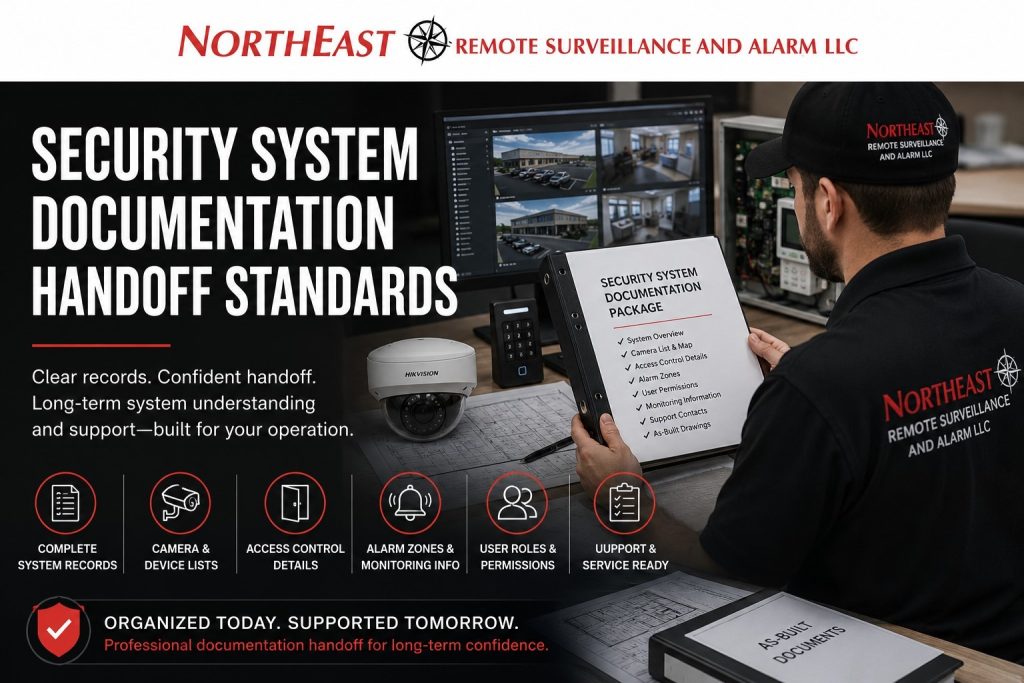
This resource explains how Northeast Remote Surveillance and Alarm, LLC approaches documentation delivery, project closeout records, system orientation materials, and long-term support readiness for commercial and industrial security systems.
The goal is to help business owners, facility managers, IT contacts, administrators, and future service technicians understand what was installed, how it is organized, and how the system should be supported after turnover.
What the Documentation Handoff Includes
Documentation handoff is the closeout step where the customer receives organized information about the completed security system. It is different from simply creating documentation during the project. Handoff focuses on delivering the right records to the right people at the right time so the system can be operated, managed, serviced, and expanded with less confusion.
For a commercial security project, documentation handoff may include camera lists, door lists, access-control details, alarm zone information, monitoring instructions, user-permission notes, device names, network-related notes, service contacts, warranty information, and approved system changes.
A proper handoff helps prevent the customer from being left with a system they cannot explain, manage, or support. The installation may be complete, but the project is not truly finished until the customer has usable closeout information.
Why Documentation Handoff Standards Matter
Commercial security systems often become long-term operational assets. Cameras may be used for incident review, access control may manage employee movement, intrusion alarms may protect after-hours spaces, and monitoring instructions may affect emergency response.
If system documentation is not handed off clearly, the business may struggle later. A manager may not know which camera covers a loading dock. An administrator may not understand which access group controls a warehouse door. A service technician may not know how an alarm zone is labeled. A new facility director may inherit a system with no clear record of what was installed.
Documentation handoff reduces these problems by making the finished system easier to understand, support, audit, and improve.
How This Guide Differs From General Documentation Standards
Documentation handoff delivers, reviews, and transfers system records to the customer after installation, testing, and training.
For records maintained throughout the system’s life, review Security System Documentation Standards.
Handoff covers final delivery, customer turnover, the closeout package, and readiness for ongoing support.
Documentation standards define which records matter; handoff standards define how those records are delivered and reviewed at project closeout.
What Should Be Included in a Security System Documentation Handoff
A commercial security documentation handoff should be practical, organized, and relevant to the installed system. The handoff package should not overwhelm the customer with unnecessary technical clutter, but it should provide enough information to support real operations.
A typical handoff identifies cameras, controlled doors, alarm zones, devices, and the system platform. It may also include recording notes, user groups, keypad or partition details, monitoring instructions, notification recipients, service contacts, and support procedures.
For larger facilities, the handoff may also include site drawings, device schedules, low-voltage infrastructure notes, network coordination details, equipment serial information, and approved change records.
The exact handoff should match the project scope and the customer’s operational needs.
To keep agreed work and project records aligned as requirements change, review our change-order and scope-change standards.
Camera Security System Documentation Handoff Standards
Camera documentation handoff should help the customer understand where cameras are located, how they are labeled, what areas they cover, and how video is reviewed. A commercial camera system should not be handed over with vague labels such as Camera 1, Camera 2, and Camera 3 when the customer needs to search footage quickly during an incident.
Useful camera labels may identify areas such as front entrance, employee entrance, loading dock, shipping area, receiving area, warehouse aisle, parking lot, gate, office hallway, production floor, or exterior perimeter. The naming should make sense to the people who will use the system.
If the system includes recording, remote access, mobile viewing, video export, analytics, or retention settings, those details should be explained during handoff. The customer should know where to look, how to search, and what the camera system is intended to support.
Access Control Security System Documentation Handoff Standards
Access control documentation handoff should explain how doors, credentials, users, access groups, schedules, and events are organized. The customer should understand which doors are controlled, what each door is called in the system, what access groups exist, and who is responsible for managing permissions.
For commercial and industrial buildings, access control documentation is especially important because employee roles change over time. Managers may leave, vendors may rotate, contractors may need temporary access, and departments may require different permissions.
A clean handoff helps prevent permission confusion. It gives the customer a starting point for future user management and helps reduce the risk of former employees, vendors, or temporary users remaining active longer than they should.
Intrusion Alarm Security System Documentation Handoff Standards
Intrusion alarm documentation handoff should identify the protected areas, zone names, keypad locations, partitions where applicable, communication paths, monitoring instructions, user-code responsibilities, and basic operating expectations.
Alarm documentation should be written so the customer can understand where an event came from. A zone labeled “Zone 7” is far less useful than a zone labeled “Rear Warehouse Man Door” or “Shipping Office Motion.”
For larger commercial sites, alarm handoff should consider loading areas, overhead doors, dock doors, office areas, utility rooms, fenced yards, restricted rooms, and after-hours employee entrances. Clear labels improve response, reduce confusion, and help service technicians diagnose future problems faster.
Monitoring and Notification Security System Documentation Handoff Standards
If the system includes central station monitoring, remote video monitoring, video verification, push notifications, email alerts, mobile app alerts, or operator response instructions, those details should be reviewed during handoff.
The customer should understand who receives alerts, what events generate notifications, what monitoring instructions are active, and how updates should be requested. This is especially important after staff changes, management changes, operating-hour changes, or business expansion.
Monitoring and notification documentation helps prevent alerts from going to the wrong people. It also helps reduce confusion between routine system notifications, urgent alarm events, service alerts, and operator response procedures.
User Permission and Administrator Handoff
User-permission handoff should identify who has administrative authority, who can manage users, who can view cameras, who receives notifications, who can arm or disarm alarms, and who is responsible for future changes.
Administrator access should be handled carefully. Too many administrators can create security risk, but too few can create operational problems if the only trained person leaves the company.
A proper handoff should encourage the customer to maintain at least one primary administrator and one backup contact when appropriate. It should also explain that user permissions should be reviewed after employee turnover, department changes, vendor changes, or security incidents.
Approved Changes and As-Built Records
Commercial security projects often change during installation. A camera may move because the original view was blocked. A door may require a different hardware approach. A cable path may change because of building conditions. A device may be added, removed, or renamed after field review.
Documentation handoff should include approved changes that affect the final system. The customer should not receive documents that only reflect the original proposal if the finished installation changed during the project.
As-built records help close the gap between the planned system and the actual completed system. They are especially important for future troubleshooting, expansion, compliance review, and lifecycle support.
Documentation Handoff After Testing and Commissioning
Documentation handoff should take place after the system has been tested and commissioned. If records are delivered before final testing, the documentation may not match the finished system.
The better sequence is to install the system, test major functions, verify labels, confirm monitoring paths, review permissions, update closeout records, and then deliver the documentation package. This helps make the handoff accurate and useful.
The supporting process for final functional verification is Security System Testing and Commissioning Standards.
Testing confirms that the system works.
Documentation handoff confirms that the customer receives usable records for the working system.
Documentation Handoff During Client Training
Documentation handoff should connect directly with client training. A customer may receive camera lists, alarm zone names, access-control groups, and monitoring instructions, but those records are most useful when someone explains how they apply to daily operations.
During orientation, the customer should be shown how labels, user roles, event names, and documentation relate to real tasks. That may include reviewing video, removing a former employee, checking an alarm event, updating a notification contact, or requesting service.
The next supporting step for customer understanding is Client Training and System Orientation Standards.
Training helps turn documentation into something the customer can actually use.
Support and Service Readiness
A documentation handoff should prepare the system for future support. If a customer calls for service later, the support process is much easier when device names, alarm zones, access-controlled doors, user roles, and monitoring details are organized.
Good handoff records reduce time spent identifying equipment, confirming locations, asking basic questions, or trying to determine what was installed. They also help future technicians understand whether a problem is caused by equipment, user permissions, monitoring instructions, network conditions, or field changes.
For commercial and industrial systems, support readiness matters because downtime can affect building access, employee safety, asset protection, operational continuity, and incident response.
Documentation for Multi-Site Commercial Systems
Multi-site documentation handoff should be especially organized. A business with several locations may need separate records for each facility, standardized device naming, consistent administrator roles, and clear location-specific monitoring instructions.
A regional manager may need an overview across multiple sites, while a local manager may only need documentation for one facility. A corporate administrator may need user and access-control structure across the full organization.
Without a structured handoff, multi-site systems can become difficult to manage quickly. Proper documentation helps the business maintain consistency across offices, warehouses, clinics, branches, campuses, yards, and regional facilities.
Common Documentation Handoff Problems
Common handoff problems include missing camera lists, unclear door names, incomplete alarm zone labels, outdated monitoring contacts, undocumented field changes, missing administrator information, weak user-permission notes, and no clear support process.
Another common problem is delivering documentation that is too technical for the customer to use. A documentation package should be accurate, but it should also be understandable to the people responsible for the system.
A good handoff gives the customer practical control. It should help them operate, review, support, and expand the system without starting from scratch every time a question comes up.
Compliance and Inspection Relevance
Documentation handoff can support compliance, inspection readiness, and internal accountability when security systems affect monitored communication, access-controlled egress, alarm response, restricted areas, fire alarm interfaces, or regulated commercial environments.
This does not mean every security system handoff becomes a compliance package. It means that closeout records should be handled carefully when documentation may support future inspections, service history, emergency response planning, or authority-having-jurisdiction review.
For commercial and industrial clients, organized handoff records help demonstrate that the system was not only installed, but also reviewed, explained, and prepared for long-term use.
Northeast Remote Surveillance and Alarm’s Handoff Approach
Northeast Remote Surveillance and Alarm, LLC approaches documentation handoff as part of professional project closeout. The process is designed to help customers understand what was installed, how the system is organized, who manages access, how support is requested, and what records should be kept for future service.
Our handoff approach may include device lists, camera labels, access-controlled door records, alarm zone information, monitoring instructions, user-permission review, administrator notes, approved project changes, service contacts, and customer walkthrough support.
The goal is to leave the customer with a system that is not only installed and working, but documented clearly enough to support daily use and future service.
When Documentation Should Be Updated After Handoff
Documentation should be updated when cameras are added, doors are added, alarm zones change, users or administrators change, monitoring instructions change, notifications are revised, building layouts change, tenant spaces change, or system platforms are upgraded.
A handoff package is the starting point, not the end of documentation responsibility. Commercial security systems evolve as the business changes.
Keeping documentation current helps protect the customer from confusion later. It also improves future support, system expansion, and incident review.
Request a Security Assessment
If your commercial or industrial security system needs documentation handoff, closeout review, as-built records, user-permission review, monitoring-path clarification, or project turnover support, request a security assessment.
Northeast Remote Surveillance and Alarm, LLC can review your cameras, access control, intrusion alarms, monitoring details, user roles, and system documentation so your business has clearer records after installation.
Frequently Asked Questions
What are security system documentation handoff standards?
Security system documentation handoff standards define how project records should be delivered to the customer after installation, testing, and turnover. They help ensure the customer receives usable information about cameras, access control, alarms, monitoring, users, and support procedures.
How is documentation handoff different from general security system documentation?
General documentation standards focus on what system records should exist. Documentation handoff standards focus on how those records are delivered, reviewed, and transferred to the customer during project closeout.
What should be included in a commercial security documentation handoff?
A documentation handoff may include camera lists, door names, access-control groups, alarm zones, monitoring instructions, notification contacts, user-permission notes, administrator information, approved changes, support contacts, and system platform details.
Why are camera labels important during handoff?
Camera labels help the customer quickly find the right view during an incident. Clear labels such as loading dock, front entrance, parking lot, or warehouse aisle are more useful than generic labels like Camera 1 or Camera 2.
Why should access-control permissions be reviewed during handoff?
Access-control permissions should be reviewed so the customer understands who has access, which doors are controlled, which groups exist, and who is responsible for adding or removing users after turnover.
Should alarm zone names be included in the handoff?
Yes. Alarm zone names should be included so the customer can understand where alarm events are coming from. Clear zone names improve response, reduce confusion, and help future service technicians troubleshoot issues.
Should monitoring contacts be reviewed during documentation handoff?
Yes. Monitoring contacts, notification recipients, and escalation instructions should be reviewed so alerts go to the correct people and the customer understands how changes should be requested.
When should documentation handoff happen?
Documentation handoff should happen after installation, testing, commissioning, and final labeling are complete. This helps ensure the records match the finished system.
Should documentation be updated after the original handoff?
Yes. Documentation should be updated when devices, users, doors, zones, monitoring instructions, notifications, or system platforms change. A handoff package should remain useful as the system evolves.
Can Northeast Remote Surveillance and Alarm review an existing system’s documentation?
Yes. Northeast Remote Surveillance and Alarm, LLC can review existing commercial and industrial security system documentation for missing camera records, access-control confusion, alarm zone issues, monitoring-path gaps, user-permission concerns, and service-readiness problems.
Compliance, Codes & Project Standards
NERSA plans commercial and industrial security work with applicable code, documentation, inspection and authority-having-jurisdiction requirements in mind. Requirements vary by system, property and jurisdiction. These resources support project planning; they do not establish legal compliance, certification or AHJ approval.
Related guidance: Regulatory compliance & inspection readiness · Documentation, testing & inspection readiness