A multi-site business security system should not feel different at every location. Northeast Remote Surveillance and Alarm, LLC helps commercial and industrial organizations standardize security cameras, access control, intrusion alarms, remote viewing, user permissions, device naming, documentation, and support across multiple properties. This case study explains how a multi-site business can move from disconnected security systems to a cleaner, more consistent security standard that supports operations, accountability, and long-term growth.
For related planning, visit Case Studies by Northeast Remote Surveillance and Alarm, LLC, Commercial Video Surveillance Systems, Commercial & Industrial Access Control Systems, and Commercial & Enterprise Unified / Integrated Security Systems.
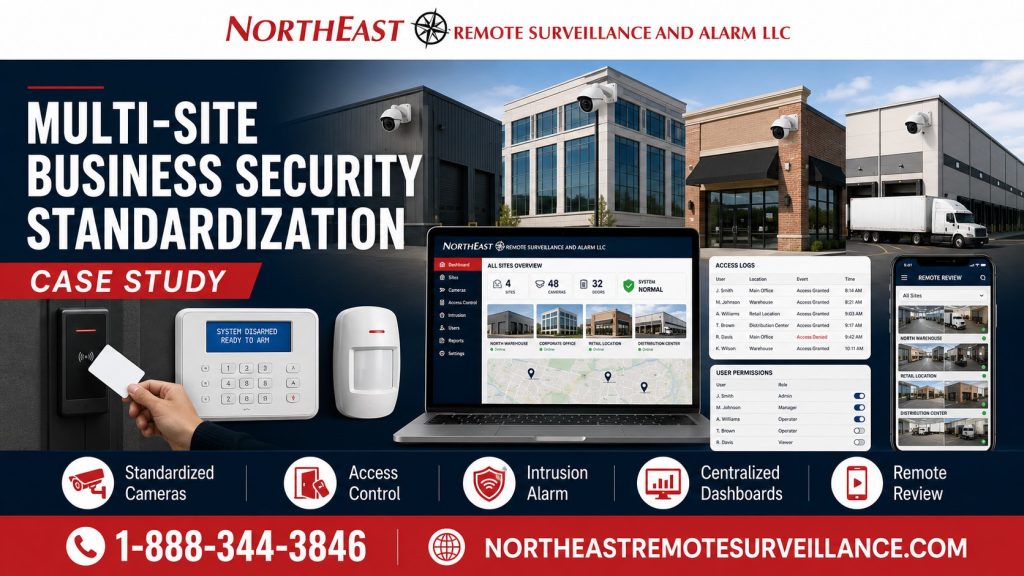
Project Snapshot
| Project Area | Details |
|---|---|
| Facility Type | Multi-site commercial / industrial business |
| Primary Concern | Different security systems, inconsistent camera coverage, disconnected access control, varied alarm layouts, and unclear user management across locations |
| Existing Condition | Each location had its own equipment, naming, permissions, remote access method, and documentation level |
| Upgrade Focus | Security standardization across cameras, access control, intrusion alarms, user permissions, remote review, documentation, and service support |
| Main Goal | Create a repeatable security standard that could be applied across multiple business locations |
| System Approach | Standardize the security design while still adapting to each building’s layout and risk profile |
| Result | Cleaner management, better remote review, stronger accountability, easier support, and a scalable standard for future locations |
The Problem: Every Location Was Different
The business had multiple locations, but the security systems were not consistent.
Some sites had newer cameras. Other sites had older cameras. Some doors were controlled electronically. Other doors still depended on physical keys. Some managers had remote access. Others did not. Camera names, alarm zones, access groups, user permissions, and documentation were different from one location to another.
That created several operational problems:
- Managers had to learn different systems at different sites.
- Camera views were named inconsistently.
- Remote video review was not standardized.
- Access control permissions varied by location.
- Former users were harder to remove across every site.
- Alarm procedures were not consistent.
- Service troubleshooting took longer.
- Documentation was incomplete or different at each site.
- Expansion to new locations was harder than it needed to be.
- Ownership did not have a clean security standard to enforce.
The business did not just need more equipment. It needed one security playbook across all locations.
Why Multi-Site Standardization Matters
A single-location security system can be designed around one building. A multi-site security program must be designed around consistency.
When every location is different, security becomes harder to manage. Ownership, operations managers, HR, IT, facilities staff, and site managers may all need access to cameras, doors, alarm activity, user permissions, and reports. If every location uses different names, rules, permissions, and procedures, the system becomes inefficient and harder to support.
A strong multi-site security standard helps a business:
- Manage users consistently.
- Review cameras faster.
- Compare sites more easily.
- Remove former employees across locations.
- Standardize door schedules and access groups.
- Reduce training confusion.
- Improve incident review.
- Simplify service support.
- Create cleaner documentation.
- Plan future locations faster.
- Avoid rebuilding the security strategy from scratch every time a site is added.
The goal is not to make every building identical. The goal is to create a consistent security framework that can be adapted to each location.
Existing System Challenges
The multi-site business had several problems that are common when security systems are added over time.
Inconsistent Camera Systems
Each location had different camera layouts, camera names, recording settings, remote access methods, and review procedures.
That created problems when management needed to review an incident. A camera called “Front Door” at one site might be called “Lobby Cam” at another site, “Entrance 1” at another, and “Camera 03” at another. Some sites had useful parking lot views. Others had blind spots. Some sites could export clips quickly. Others were slower and harder to search.
The issue was not only camera quality. It was inconsistent management.
Different Access Control Rules
Access control was not standardized across the business.
Some locations had electronic access control. Some relied on keys. Some users had more access than they needed. Some sites had old users still active. Schedules and permission groups were not consistent.
That made it harder to answer basic questions:
- Who should have access to each location?
- Which doors should be controlled?
- Which users should have after-hours access?
- Which employees need multi-site access?
- Which vendors should be limited to certain sites?
- Who removes access when someone leaves?
- How fast can access be disabled across all locations?
A multi-site business needs access control that follows a standard process.
Intrusion Alarm Procedures Were Not Consistent
The business also had inconsistent intrusion alarm procedures.
Some sites had different keypad locations, user codes, arming schedules, partitions, door contacts, motion detection, and monitoring instructions. That made training and troubleshooting more difficult.
A multi-site intrusion alarm standard helps the business reduce confusion and improve after-hours accountability.
Remote Access Was Fragmented
Remote review was one of the biggest pain points.
Ownership and management needed a consistent way to review cameras, access events, and alarm activity. Instead, different locations used different logins, interfaces, permissions, and mobile access methods.
That created risk and inefficiency. A business should not need a different process every time it reviews a different site.
Documentation Was Incomplete
Documentation was inconsistent from site to site.
Some locations had records. Others had limited notes. Device names, camera views, access-controlled doors, alarm zones, network equipment, user roles, and service history were not organized in one standard format.
That made support harder and slowed down future upgrades.
Upgrade Objectives
Northeast Remote Surveillance and Alarm, LLC planned the standardization project around the business’s long-term operating needs.
The main objectives were:
- Create one security standard across multiple locations.
- Standardize camera naming and review structure.
- Improve remote video access for authorized users.
- Organize access control users, groups, schedules, and permissions.
- Review intrusion alarm coverage and procedures.
- Create repeatable documentation for each site.
- Improve onboarding and offboarding procedures.
- Reduce service confusion.
- Support future locations with a repeatable template.
- Keep each site flexible enough to match its building layout and risk profile.
Recommended Solution
NERSA recommended a multi-site business security standardization plan.
The plan did not treat each location as a separate one-off project. Instead, it created a consistent security framework that could be applied across the business.
The recommended approach included:
- Site-by-site security review.
- Standard camera naming format.
- Standard access control user groups.
- Standard access schedules.
- Standard remote viewing permissions.
- Standard intrusion alarm naming and user structure.
- Standard documentation template.
- Standard service and support process.
- Priority upgrade list by location.
- Future-location deployment template.
This gave the business a cleaner way to manage security across all locations.
Scope of Work
The standardization project included assessment, planning, configuration, testing, documentation, and handoff.
The project scope included:
- Review of each business location.
- Existing camera system assessment.
- Existing access control assessment.
- Intrusion alarm system review.
- Network and remote access review.
- User permission audit.
- Former user and inactive credential review.
- Camera naming standard development.
- Door naming and access level standard development.
- Alarm zone naming and user code review.
- Remote viewing user setup.
- Site manager permission structure.
- Ownership and operations permission structure.
- Standard documentation format.
- Training and system handoff.
- Recommendations for future upgrades and new locations.
Camera Standardization
Camera standardization was one of the most important parts of the project.
The business needed a consistent way to view and search cameras across locations. That meant camera names, camera groups, recording settings, user permissions, and export procedures had to be organized.
The camera standard included:
- Consistent camera naming.
- Site-based camera grouping.
- Common naming for entrances, exits, parking lots, docks, lobbies, warehouses, yards, and restricted areas.
- Remote viewing permissions by role.
- Camera health review process.
- Recording and retention review.
- Clip export procedure.
- Future camera expansion naming rules.
This helped management review video faster and train users more easily.
Access Control Standardization
Access control standardization helped the business control who could enter each location and when.
Instead of treating every site differently, NERSA helped organize a repeatable access control structure.
The access control standard included:
- Standard user groups.
- Standard door naming.
- Standard access levels.
- Standard schedule structure.
- Multi-site user permissions.
- Vendor access rules.
- Manager access rules.
- After-hours access rules.
- Employee offboarding process.
- Inactive credential review.
- Administrative permission limits.
A multi-site business should know who has access, which doors they can use, and how quickly that access can be changed.
Intrusion Alarm Standardization
The intrusion alarm review focused on consistent arming, disarming, monitoring, and response procedures.
A multi-site business can create confusion when every alarm system has different names, codes, partitions, and operating procedures. Standardization helps reduce mistakes and makes training easier.
The intrusion alarm standard included:
- Review of keypad locations.
- Review of alarm users and codes.
- Standard naming for alarm areas.
- Standard naming for doors, motions, and zones.
- Review of arming and disarming procedures.
- Review of opening and closing schedules where applicable.
- Monitoring contact review.
- After-hours procedure review.
- Documentation for site managers.
For related alarm planning, see Commercial Burglar Alarm and Intrusion Detection Systems.
User Permissions and Identity Management
User management was a major part of the project.
The business needed a cleaner way to control who could view cameras, manage doors, use alarm systems, export video, and access multiple sites.
The permission structure was organized around roles, not random access.
Common user groups may include:
- Ownership
- Operations management
- Regional managers
- Site managers
- Human resources
- Facilities staff
- IT administrators
- Security administrators
- Approved vendors
- Cleaning crews
- Temporary staff
- After-hours authorized users
Not every user needs access to every system. Standardization helped the business give users the access they need without overexposing the system.
Onboarding and Offboarding Process
Employee changes are one of the biggest reasons multi-site security systems become messy.
If a business does not have a clear process, old users can remain active in camera systems, access control platforms, alarm panels, mobile apps, and remote viewing accounts.
The standardization project helped create a cleaner process for:
- Adding new employees.
- Assigning correct access levels.
- Giving managers the right permissions.
- Removing users who leave.
- Disabling lost credentials.
- Reviewing inactive users.
- Removing vendor access when no longer needed.
- Updating multi-site permissions when roles change.
A multi-site security system is only as strong as its user management process.
Remote Review and Centralized Visibility
Multi-site businesses often need centralized review.
Ownership and operations teams may need to check multiple locations without driving to each property. Remote review can support incident review, after-hours checks, manager oversight, and faster response when something happens.
The standardized remote review plan included:
- Authorized user access.
- Site-based viewing groups.
- Role-based permissions.
- Mobile access where appropriate.
- Desktop access where appropriate.
- Camera search and export permissions.
- Access event review.
- Alarm event review where supported.
- User removal process.
- Account security expectations.
The goal was to make remote access useful without making it uncontrolled.
Site Manager vs. Ownership Access
A strong multi-site system should separate site-level permissions from company-level permissions.
Site managers may only need access to their own location. Ownership or operations leadership may need visibility across all sites. IT or security administrators may need higher-level permissions, but not every manager should have administrative control.
The standardized model helped create cleaner permission boundaries.
This reduced the chance of accidental system changes, unnecessary access, and inconsistent management.
Network and Infrastructure Standards
Security standardization also required infrastructure review.
Cameras, access control panels, alarm communicators, and remote access platforms all depend on stable network and power infrastructure. If each location has different cabling, switching, UPS backup, internet reliability, and equipment placement, the system becomes harder to support.
The infrastructure standard considered:
- Network equipment locations.
- PoE switch capacity.
- Cable labeling.
- Equipment cabinet layout.
- UPS backup.
- Internet connection reliability.
- Remote access requirements.
- Firewall and network coordination.
- Device naming.
- Service access.
- Future expansion capacity.
For related infrastructure planning, see Commercial Low Voltage and Network Infrastructure Services.
Documentation Standard
Documentation was one of the biggest improvements.
NERSA helped organize the security system information into a standard format so each site could be supported more easily.
Documentation may include:
- Site name and address.
- Camera list.
- Camera names and views.
- Recorder or VMS information.
- Controlled door list.
- Reader locations.
- Access levels.
- Alarm zone list.
- Keypad locations.
- Network equipment notes.
- User role structure.
- Monitoring information where applicable.
- Service notes.
- Expansion recommendations.
Good documentation reduces confusion, speeds up service, and makes future upgrades easier.
Before and After
| Before Standardization | After Standardization |
|---|---|
| Each location had a different security setup | Locations follow a repeatable security standard |
| Camera names were inconsistent | Camera naming and grouping are easier to understand |
| Remote viewing was fragmented | Authorized users can review sites more consistently |
| Access control permissions varied by location | Access levels, schedules, and user groups are organized |
| Alarm procedures were inconsistent | Alarm users, zones, and procedures are reviewed and documented |
| Former users were harder to remove | User removal process is clearer |
| Documentation was incomplete | Each site can follow a standard documentation format |
| Future locations required new planning from scratch | New sites can follow a repeatable deployment template |
Why Standardization Does Not Mean Every Site Is Identical
A good multi-site security standard does not force every location to have the same exact camera count, door count, alarm layout, or equipment placement.
Each site still has different risks. One site may have a truck yard. Another may have a showroom. Another may have a warehouse. Another may have a medical office, school, manufacturing floor, office suite, or multi-tenant building.
Standardization means the structure is consistent:
- Consistent naming.
- Consistent user roles.
- Consistent remote access rules.
- Consistent documentation.
- Consistent support process.
- Consistent upgrade strategy.
The design still adapts to the building.
Results
The business gained a cleaner and more manageable security program across multiple locations.
The standardization helped deliver:
- Better multi-site visibility.
- Faster camera review.
- Cleaner user permissions.
- Better access control management.
- More consistent alarm procedures.
- Easier user onboarding and offboarding.
- Reduced confusion for managers.
- Better documentation.
- Improved supportability.
- A repeatable plan for future sites.
The result was not just a security upgrade. It was a standardized security operating model for a growing business.
Why This Project Was a Good Fit for NERSA
Northeast Remote Surveillance and Alarm, LLC focuses on commercial, industrial, institutional, and non-residential security systems.
Multi-site businesses need more than a local camera installer. They need a provider that understands video surveillance, access control, intrusion alarms, remote access, user permissions, network infrastructure, documentation, service support, and long-term standardization.
NERSA designs systems around how businesses actually operate across multiple facilities.
What This Case Study Is and Is Not
This page is a multi-site business security standardization case study.
It is not a residential security page. It is not a single-location camera article. It is not a product-only page. It is not a general IT policy guide. It is not a fire alarm design page.
This page focuses on standardizing commercial security systems across multiple locations: cameras, access control, intrusion alarms, remote review, user permissions, documentation, infrastructure, and support.
Lessons From This Case Study
This multi-site standardization project shows several important lessons:
- Multi-site businesses need a security standard, not disconnected local systems.
- Camera naming matters when management reviews multiple locations.
- Access control permissions should be role-based.
- Former users must be removed across every platform.
- Remote access should be useful but controlled.
- Alarm procedures should be documented consistently.
- Network and power infrastructure affect long-term reliability.
- Documentation makes service easier.
- New sites should follow a repeatable template.
- Standardization reduces confusion as the business grows.
When a Multi-Site Business Should Standardize Security
A business should consider standardizing security if:
- Each location has a different camera system.
- Remote viewing is inconsistent.
- Site managers have different access levels.
- Former employees may still have access.
- Access control schedules are not organized.
- Alarm procedures vary by location.
- Documentation is missing or outdated.
- Video search and export procedures are different at each site.
- New locations are being added.
- Ownership wants better centralized visibility.
- Service support is taking too long.
- Security decisions are being made one site at a time.
Multi-Site Security Standardization Checklist
Before standardizing a multi-site security program, a business should evaluate:
- Number of locations
- Camera systems at each site
- Camera naming
- Recording retention
- Remote viewing users
- Access-controlled doors
- Access levels
- Door schedules
- Credential holders
- Former users
- Vendor access
- Alarm panels
- Alarm zones
- User codes
- Monitoring contacts
- Network equipment
- PoE switch capacity
- Internet reliability
- User roles
- Administrative permissions
- Documentation
- Service history
- Future expansion plans
Request a Multi-Site Security Standardization Review
If your business operates multiple offices, warehouses, medical offices, schools, industrial buildings, retail sites, logistics facilities, contractor yards, or commercial properties with inconsistent security systems, Northeast Remote Surveillance and Alarm, LLC can help.
Call 1-888-344-3846 or use Request a Security Assessment to schedule a multi-site business security standardization review.
Frequently Asked Questions About Multi-Site Business Security Standardization
What is multi-site business security standardization?
Multi-site business security standardization is the process of organizing cameras, access control, intrusion alarms, remote access, user permissions, documentation, and support procedures across multiple locations so the business can manage security more consistently.
Why should a business standardize security across multiple locations?
Standardization helps reduce confusion, improve remote review, simplify user management, make service easier, and create a repeatable process for future locations.
Does every location need the exact same security equipment?
No. Each site should be designed around its own layout and risk profile. Standardization means the naming, permissions, procedures, documentation, and support structure are consistent, even when the physical design changes by location.
Can cameras be standardized across multiple sites?
Yes. Camera names, camera groups, remote viewing permissions, recording settings, export procedures, and review workflows can be standardized so managers can search and review video more efficiently.
Can access control be standardized across multiple business locations?
Yes. Access levels, user groups, door schedules, credential rules, vendor access, manager permissions, and offboarding procedures can be standardized across multiple locations.
How does standardization help remove former employees?
A standardized system creates a clearer process for removing users from access control, camera platforms, alarm systems, and remote viewing accounts when employment or vendor access ends.
Can site managers only see their own location?
Yes. A properly configured system can give site managers access to their own location while giving ownership, operations, or security administrators broader visibility across multiple sites.
Can NERSA help standardize older systems?
Yes. NERSA can review older cameras, access control systems, intrusion alarms, remote access methods, cabling, network equipment, user permissions, and documentation before recommending a standardization plan.
Is multi-site standardization useful for growing businesses?
Yes. A repeatable security standard helps businesses add future locations faster because camera naming, user roles, access levels, documentation, and support expectations are already defined.
How do we start a multi-site security standardization project?
Call 1-888-344-3846 or use Request a Security Assessment. NERSA can review your locations, systems, users, permissions, remote access, documentation, and future growth plans before recommending a standardization path.