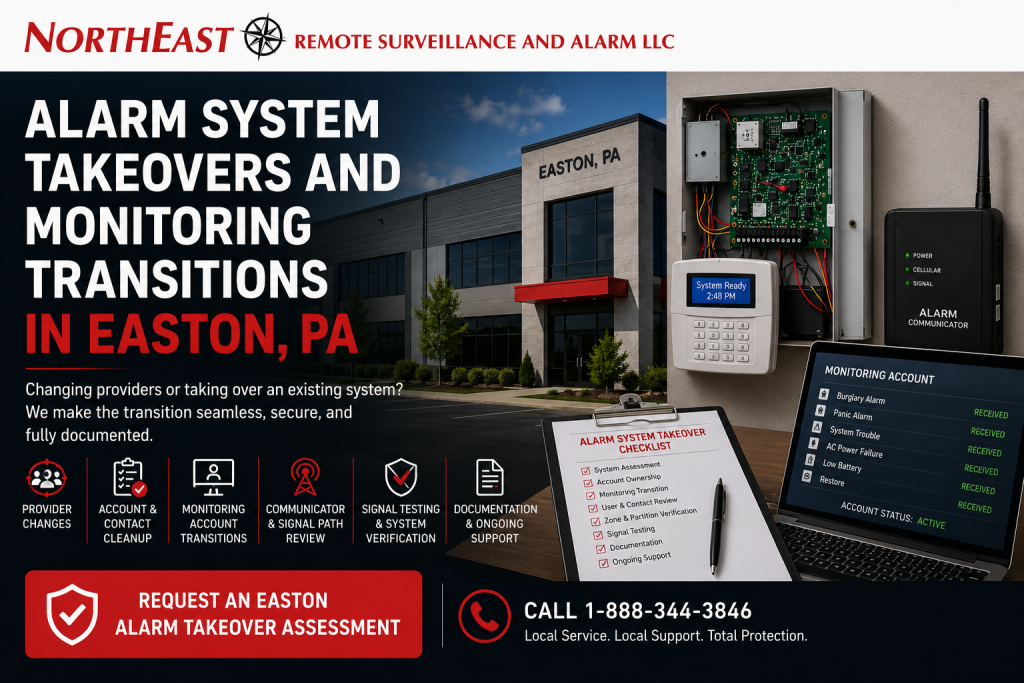
Alarm system takeovers and monitoring transitions in Easton, PA help commercial and industrial organizations establish authorized control over an inherited intrusion alarm, change security providers, update monitoring information, verify signal transmission, and create a clear long-term service path. Request an Easton Alarm Takeover Assessment or call 1-888-344-3846.
Northeast Remote Surveillance and Alarm, LLC evaluates commercial intrusion alarm systems for Easton warehouses, manufacturing facilities, offices, healthcare properties, schools, municipal buildings, contractor operations, industrial sites, multi-tenant properties, commercial campuses, and multi-location organizations changing providers or assuming responsibility for existing equipment.
This page focuses specifically on alarm-provider changes, inherited systems, monitoring-account transitions, account ownership, user and contact cleanup, communication verification, documentation, and establishment of ongoing support.
For new intrusion-alarm installations, partitions, door protection, motion detection, panic devices, video verification, and complete Easton alarm planning, visit Commercial and Industrial Intrusion Alarm Systems in Easton, PA.
For monitoring procedures, communication paths, alarm-signal handling, responsible-party contacts, video verification, and multi-site monitoring, review Commercial and Industrial Security Monitoring.
Commercial & Industrial Alarm Takeovers • Provider Changes • Monitoring-Account Transitions • Signal Testing, Documentation & Long-Term Support
Request an Easton Alarm Takeover Assessment
Call 1-888-344-3846
What Is a Commercial Alarm-System Takeover?
A commercial alarm-system takeover is the structured evaluation and transition of an existing intrusion alarm that was installed, programmed, monitored, or serviced by another provider.
The process should determine:
- Whether the customer is authorized to control the system
- Who owns the installed equipment
- Who controls the monitoring account
- Whether administrator and installer access are available
- Which panel, keypads, modules, and communicators are installed
- Whether the equipment remains supported
- Which users and codes are active
- How alarm zones and partitions are programmed
- Whether monitoring contacts are current
- Whether required signals transmit correctly
- What documentation is available
- Which deficiencies require attention
- Whether NERSA can responsibly service the system
- What should happen before ongoing support begins
A takeover is not merely changing the telephone number programmed into an alarm panel.
The provider, monitoring, communication, users, contacts, documentation, equipment condition, and customer authorization should be reviewed as one transition.
When an Easton Business May Need an Alarm Takeover
An Easton organization may need a takeover or monitoring transition after:
- Purchasing a commercial property
- Leasing a building with an alarm already installed
- Taking over a former tenant’s space
- Acquiring another business location
- Changing security providers
- Changing monitoring providers
- Experiencing poor or inconsistent service
- Losing contact with the original installer
- Discovering that no employee has administrator access
- Finding outdated monitoring contacts
- Inheriting shared user codes
- Receiving unexplained alarm or trouble signals
- Losing traditional telephone service
- Discovering incomplete or missing documentation
- Finding former employees still active
- Consolidating several locations under one security program
- Preparing an older system for repair, expansion, or modernization
An alarm panel may appear normal while the business lacks meaningful control over its users, monitoring account, communication path, zone descriptions, service access, or emergency contacts.
A structured review helps expose those problems before the organization depends on the system during an actual incident.
Authorization, Ownership, and Customer Control
NERSA must work with an authorized representative of the property owner, business, tenant, institution, or organization responsible for the system.
The takeover process may require confirmation of:
- Property ownership or authorized tenancy
- Authority to modify the alarm equipment
- Authority to change monitoring
- Ownership of cellular or cloud accounts
- Existing service agreements
- Monitoring-account responsibilities
- Access to panel programming
- Installer or administrator credentials
- Existing customer passcodes
- Responsibility for shared-building systems
- Responsibility for tenant-specific systems
NERSA does not bypass passwords, assume ownership of accounts, or alter alarm programming without proper authorization.
When administrator or installer access is unavailable, the transition may require coordination with:
- The property owner
- The prior alarm provider
- The monitoring company
- The panel manufacturer
- The cloud-platform provider
- The former tenant
- The organization’s legal or facilities representative
- Other authorized parties
Some systems can be transferred cleanly. Others may require account release, software recovery, communicator replacement, panel reprogramming, hardware replacement, or a phased migration.
Taking Over an Inherited Alarm System
A business that purchases or leases a building may inherit alarm equipment without receiving useful information about it.
Management may not know:
- Who installed the system
- Who currently monitors it
- Whether monitoring is still active
- Which telephone numbers are on the account
- Who holds the master or installer code
- Which zones remain active
- Which devices have been bypassed
- Whether former tenants still have user codes
- Whether panic signals are programmed
- How partitions are organized
- Whether cellular service is active
- Whether the panel uses an old telephone line
- When batteries were last replaced
- Whether trouble signals are reaching monitoring
- What open deficiencies exist
- Whether the platform is still supported
The existing system should not be relied upon solely because a keypad displays Ready or System Normal.
A takeover assessment should establish what the system actually protects, who controls it, where its signals go, and whether it can be supported responsibly.
Changing Alarm and Security Providers
A business may decide to change providers because of:
- Slow service
- Poor communication
- Recurring unresolved troubles
- Incomplete documentation
- Monitoring problems
- Provider-owned accounts
- Limited support for the existing platform
- Ownership or management changes
- Consolidation of several properties
- A need for stronger commercial and industrial support
- A desire to coordinate alarms with cameras or access control
- An upcoming system upgrade
A provider change should be planned carefully so the property is not left without functioning alarm communication or clear response instructions.
The transition may involve:
- Reviewing the existing agreement
- Confirming customer authorization
- Identifying the installed alarm platform
- Recovering available programming information
- Verifying panel and communicator compatibility
- Establishing the new monitoring account
- Updating customer contacts
- Confirming zone and partition names
- Reprogramming signal destinations
- Testing required alarm and trouble events
- Removing obsolete provider access
- Documenting the completed transition
The goal is a controlled handoff—not an abrupt disconnect followed by an untested alarm account.
Monitoring-Account Transitions
Changing monitoring requires more than opening a new account.
The transition should address:
- Correct property address
- Business name
- Alarm-panel information
- Communicator information
- Alarm-zone descriptions
- Partition names
- Panic and duress signals
- Environmental points
- Responsible-party contacts
- Call order
- Verification procedures
- Passcodes
- Opening-and-closing reporting
- Special property conditions
- Authority-notification procedures
- Test status
- Effective transition date
The new monitoring account should match the way the alarm system is actually programmed.
For example, the panel should not transmit Zone 12 while the monitoring record describes it as a different door or building.
Signal names, panel programming, monitoring records, and customer documentation should align.
Avoiding Gaps in Alarm Monitoring
A monitoring transition should be scheduled to reduce the risk of a service gap.
Planning may include:
- Confirming when the prior account ends
- Establishing the new account before final cutover
- Verifying the new communication path
- Placing accounts on test during programming
- Testing signals before the previous service is disconnected
- Confirming responsible-party contacts
- Confirming monitoring receipt
- Documenting the transition time
- Advising authorized customer representatives
- Resolving rejected or incorrectly classified signals
- Confirming restorals and trouble events
The previous communication path should not be removed until the new path has been configured and successfully tested.
A system that can generate a local siren but cannot reach the monitoring platform does not provide complete monitored protection.
Monitoring Contacts and Call-List Cleanup
Monitoring contacts often become outdated as employees, managers, tenants, ownership, and facilities responsibilities change.
Common problems include:
- Former employees remain first on the call list
- Disconnected telephone numbers
- Duplicate contacts
- Wrong call order
- Personal numbers belonging to former managers
- Missing after-hours contacts
- Contacts who do not know the property
- No backup responsible party
- Incorrect passcodes
- Contacts assigned to the wrong location
- Tenant contacts listed for common building areas
- Regional managers missing from multi-site accounts
The customer should identify:
- Primary responsible parties
- Backup contacts
- Property-management contacts
- Tenant contacts where applicable
- Regional or corporate contacts
- After-hours contacts
- Individuals authorized to cancel an alarm
- Individuals authorized to place the account on test
- Individuals authorized to change account instructions
Contact lists should be reviewed periodically and after significant staffing or property changes.
Zone Descriptions and Alarm-Point Cleanup
Clear alarm-zone descriptions help monitoring personnel and customer contacts understand where an event occurred.
Useful descriptions include:
- Main Employee Entrance
- Rear Office Door
- Receiving Overhead Door 4
- Shipping Office Exterior Door
- East Warehouse Motion
- Tool Crib Door
- Second-Floor Records Room
- Reception Panic Button
- North Detached Storage Building
- Freezer High-Temperature Alert
Weak descriptions include:
- Zone 1
- Door 2
- Motion 5
- Back Area
- Old Office
- Expansion Zone
A takeover should compare:
- Panel programming
- Keypad display
- Monitoring records
- Building layout
- Device locations
- Customer documentation
- Existing service notes
Incorrect or vague descriptions can delay understanding, complicate service, and cause the wrong area to be investigated.
Alarm Partitions During a Takeover
Partitions allow different areas of a commercial property to be armed separately.
A takeover may uncover partitions that are:
- Poorly named
- No longer used
- Assigned to the wrong keypad
- Controlled by the wrong users
- Missing from monitoring records
- Combined despite different operating schedules
- Separated unnecessarily
- Configured for a former tenant
- Difficult for employees to understand
- Inconsistent across several buildings
Partitions may separate:
- Offices and warehouses
- Different tenants
- Shipping and receiving
- Restricted rooms
- Detached buildings
- Manufacturing and administrative areas
- Weekend operating spaces
- Tool or inventory rooms
- Separate departments
A takeover assessment should document the existing structure before significant changes are made.
The customer can then decide whether the current partitions should remain, be corrected, or be redesigned through a separate upgrade project.
User-Code and Administrator Cleanup
Inherited alarm systems frequently contain disorganized user records.
Possible conditions include:
- Shared user codes
- Former employees still active
- Temporary workers with permanent access
- Unknown users
- Duplicate names
- Contractors with broad permissions
- Cleaning personnel controlling every partition
- Master codes known by too many people
- Remote-application users who no longer work for the company
- Missing administrator credentials
- Duress codes that no one understands
- Users assigned to the wrong building
A takeover may include reviewing:
- Active employees
- Former employees
- Managers
- Contractors
- Cleaning personnel
- Tenant users
- Temporary codes
- Master and administrator users
- Remote-application accounts
- Duress codes
- Partition permissions
- Opening-and-closing reporting
The customer remains responsible for approving who should retain access.
NERSA can help organize and implement those authorized decisions while documenting the final user structure.
Alarm Panel and Platform Evaluation
The control panel determines what zones, users, partitions, communicators, keypads, applications, and integrations the system can support.
A takeover assessment may identify:
- Panel manufacturer
- Model
- Firmware version
- Zone capacity
- Expansion modules
- Partition capacity
- User capacity
- Keypad compatibility
- Wireless-device compatibility
- Communication options
- Available event history
- Remote-administration capabilities
- Manufacturer support
- Parts availability
- Existing programming access
- Signs of recurring failure
A functioning panel may still be unsuitable for long-term support when:
- Programming cannot be accessed
- Parts are unavailable
- Communication options are obsolete
- Cellular service is unsupported
- User capacity is inadequate
- Expansion is impossible
- Keypads are failing
- Wireless devices are obsolete
- Remote applications no longer function
- The system repeatedly resets or loses communication
The takeover should separate immediate provider-transition requirements from modernization recommendations.
Communicator and Signal-Path Evaluation
Commercial intrusion alarms may communicate through:
- Cellular
- Internet Protocol
- Dual-path cellular and IP
- Legacy telephone lines
- Other compatible supervised methods
The takeover review may examine:
- Communicator manufacturer and model
- Account ownership
- Cellular activation
- Carrier compatibility
- Antenna placement
- Cellular signal quality
- IP configuration
- Network requirements
- Firewall or router changes
- Telephone-line dependence
- Power source
- Backup-battery load
- Communication supervision
- Monitoring destination
- Signal classifications
- Service expiration
- Platform support
A communicator that was owned or managed by the former provider may need to be released, reactivated, replaced, or removed.
The customer should understand who owns the communication equipment, who controls its account, and what recurring services are required.
Replacing Legacy Telephone-Line Communication
Some inherited systems still rely on traditional copper telephone service.
A monitoring transition may be an appropriate time to evaluate whether the old communication method remains available, reliable, and supportable.
A communicator upgrade may involve:
- Panel compatibility review
- Cellular or IP equipment
- Dual-path communication
- New account activation
- Power and battery evaluation
- Antenna placement
- Network coordination
- Signal programming
- Monitoring-account changes
- Complete transmission testing
- Documentation updates
The old telephone line should not be disconnected until the replacement communication path and required signals have been tested successfully.
Communicator modernization is an upgrade function when it requires substantial equipment replacement. The takeover page should identify that need without becoming a duplicate alarm-upgrade page.
Alarm-Signal Testing
A takeover is not complete until required signals have been tested through the new monitoring arrangement.
Testing may include:
- Burglary alarms
- Personnel-door contacts
- Overhead-door contacts
- Interior motion detection
- Glass-break detection
- Panic signals
- Duress signals
- Environmental points
- Power failure
- Low battery
- Communication failure
- System trouble
- Zone restoration
- System arming
- System disarming
- Opening-and-closing activity
- Partition identification
- Video-verification events where included
Testing one door contact does not confirm that every signal type is programmed correctly.
The monitoring provider should be placed on test before signals are activated to avoid unintended response.
Test results and deficiencies should be documented.
Panic and Duress Signals During a Transition
Panic and duress devices require particular attention because they may initiate urgent response procedures.
The takeover should confirm:
- Device locations
- Zone descriptions
- Silent or audible operation
- Signal classification
- Monitoring instructions
- Responsible-party contacts
- Communication path
- Panel programming
- Employee understanding
- Video association where included
- Testing procedure
- Documentation
A device labeled simply Panic may not provide enough location information in a large building.
Clear descriptions such as Main Reception Panic or Shipping Office Duress provide more useful information.
Panic signals should never be tested casually. Monitoring must be placed on test and the approved testing procedure should be followed.
Video Verification During a Monitoring Transition
Video verification can provide additional context around selected alarm events.
A monitoring transition should identify:
- Which alarm zones have camera coverage
- Which cameras correspond to those zones
- Whether nighttime footage is usable
- Whether camera time is accurate
- Whether the monitoring platform can access the view
- Whether video permissions are authorized
- Whether cameras are recording
- Whether alert associations remain correct
- Whether the prior provider controlled the camera account
- Whether response instructions mention video verification
Video verification does not replace intrusion detection.
The alarm reports the protected condition. The camera may help show what occurred around it.
For dedicated Easton planning, visit Video-Verified Alarm Systems for Commercial Properties in Easton, PA.
Access-Control Coordination
An inherited alarm may be connected with access control for:
- Employee entry
- Alarm disarming
- Partition control
- Forced-door events
- After-hours access
- Opening-and-closing activity
- Video bookmarks
- Gate entry
- Restricted-room monitoring
A provider transition should identify whether these integrations exist and whether they remain supported.
The business should understand:
- Which credentials disarm the alarm
- Which partition is affected
- What happens after access is denied
- Whether former employees remain active
- Whether integration depends on provider-owned software
- Whether an access-control outage affects alarm operation
- Whether fire alarm or emergency release functions are involved
A transition should not introduce automated actions that employees do not understand.
Access control, intrusion alarms, video, and fire alarm systems should retain clearly defined responsibilities.
Existing Devices and Field Equipment
The takeover review may include:
- Personnel-door contacts
- Overhead-door contacts
- Motion detectors
- Glass-break sensors
- Photoelectric beams
- Panic devices
- Environmental sensors
- Wireless transmitters
- Repeaters
- Keypads
- Expanders
- Sirens
- Power supplies
- Batteries
- Tamper switches
- Field wiring
Existing devices may remain when they are:
- Compatible
- Properly installed
- Dependable
- Supported
- Correctly located
- Clearly identified
- Suitable for the environment
- Capable of being tested
- Appropriate for the customer’s requirements
A device should not be retained merely because it currently shows normal status.
Damaged, bypassed, obsolete, incorrectly placed, or unsupported equipment may require repair or replacement.
Bypassed, Disabled, and Unused Zones
Inherited systems may contain zones that have been bypassed or disabled for long periods.
Reasons may include:
- A damaged contact
- A nuisance motion detector
- Construction
- A removed door
- A former tenant area
- An unsupported wireless device
- A damaged cable
- An abandoned panic button
- A device no one recognizes
- Repeated false alarms
Each bypassed or disabled zone should be identified.
The customer should understand:
- What the zone protects
- Why it was bypassed
- Whether the opening still exists
- Whether repair is practical
- Whether the device should be removed
- Whether monitoring records require correction
- Whether the zone can be restored safely
- Whether broader modernization is needed
A takeover should not silently copy every unknown bypass into the new monitoring account.
Batteries, Power, and System Trouble
A provider transition is an appropriate time to review the system’s power condition.
The assessment may examine:
- Panel battery age
- Battery condition
- Charging voltage
- Communicator power
- Auxiliary power supplies
- Wireless-device batteries
- Repeater batteries
- Trouble history
- Power-failure reporting
- Battery-restoration reporting
- Swollen or leaking batteries
- Unlabeled replacement dates
- Overloaded outputs
A system that operates while utility power is available may fail quickly during an outage if its batteries have deteriorated.
Battery replacement should account for the connected equipment and required load—not merely whether a battery fits inside the enclosure.
Monitoring Instructions and Response Procedures
The customer should decide how monitoring personnel should handle each major signal type.
Instructions may address:
- Burglary alarms
- Verified alarms
- Unverified alarms
- Panic or duress events
- Communication failures
- Power failures
- Environmental alerts
- Late-to-close events
- Failure-to-arm events
- Opening events
- Specific high-risk zones
- Detached buildings
- Multi-tenant conditions
Monitoring instructions should be:
- Clear
- Current
- Practical
- Authorized
- Consistent with customer procedures
- Consistent with local requirements
- Reviewed after significant operational changes
Different events should not automatically receive the same response.
A panic event, low-battery trouble, verified overhead-door alarm, and freezer-temperature alert require different handling.
What Happens After an Alarm Signal?
A monitored alarm event may follow this general process:
- A protected device reports an event.
- The alarm panel identifies the zone and partition.
- The communicator transmits the signal.
- The monitoring platform identifies the account and response instructions.
- Verification and notification procedures are followed.
- Responsible contacts or authorities may be notified where appropriate.
- The event is documented.
- The customer reviews what occurred.
- Any equipment or procedural deficiency is addressed.
Monitoring does not guarantee that police or another authority will be dispatched after every signal.
Response depends on the signal type, account instructions, verification requirements, local procedures, contact availability, and information available at the time.
Alarm Takeover Versus System Upgrade
A takeover and an upgrade address different primary needs.
Alarm-System Takeover
A takeover focuses on:
- Changing providers
- Establishing customer authorization
- Monitoring-account transition
- Account ownership
- User cleanup
- Contact-list correction
- Zone and partition documentation
- Signal testing
- Existing-system evaluation
- Establishing ongoing service responsibility
Alarm-System Upgrade
An upgrade focuses on:
- Replacing an obsolete panel
- Installing new keypads
- Modernizing communication
- Adding zones
- Redesigning partitions
- Replacing unsupported wireless devices
- Improving detection
- Adding panic protection
- Adding video verification
- Expanding capacity
- Migrating to another platform
A takeover assessment may identify required upgrades, but the provider transition should remain the primary purpose of this page.
Businesses primarily seeking modernization should review Easton Commercial Alarm System Upgrades.
Takeover Versus Maintenance and Repair
A takeover establishes control, monitoring, documentation, and provider responsibility.
Maintenance and repair correct operating problems such as:
- Failed contacts
- Damaged overhead-door devices
- Motion-detector problems
- Weak batteries
- Panel troubles
- Keypad failures
- Communication faults
- User-code issues
- Partition errors
- Nuisance alarms
- Panic-device failures
A takeover may uncover repair needs, but corrective service remains a separate project function.
This distinction keeps provider transition from becoming a general repair page.
Takeover Versus New Installation
A new installation begins without a practical existing alarm system.
A takeover begins with installed equipment that must be evaluated for ownership, accessibility, condition, compatibility, monitoring, and supportability.
Complete replacement may be necessary when:
- The system cannot be accessed lawfully
- The panel is obsolete
- Communication is unsupported
- Parts are unavailable
- Programming cannot be recovered
- Equipment is unreliable
- Wireless devices are incompatible
- Existing wiring is unusable
- The prior provider controls essential accounts
- Documentation cannot be reconstructed
- Continued use creates unreasonable limitations
The decision should be based on the actual system—not an assumption that every inherited alarm must be replaced.
Multi-Site Alarm Takeovers
Organizations with several locations may inherit different:
- Alarm panels
- Monitoring providers
- Communication methods
- User-code structures
- Zone names
- Partition designs
- Contact lists
- Applications
- Provider agreements
- Documentation standards
A multi-site transition may require a location-by-location review before systems are standardized.
The process may identify:
- Which platforms can remain
- Which communicators require replacement
- Which monitoring accounts can be consolidated
- Which users should have multi-location access
- Which contacts are site-specific
- Which locations have open deficiencies
- Which properties need upgrades
- How zone names should be standardized
- How account ownership should be documented
- How future acquisitions should be handled
Standardization does not require replacing every alarm panel immediately.
A phased plan can prioritize unsupported, unreliable, poorly documented, or higher-risk locations.
Takeovers for Easton Warehouses and Logistics Facilities
Warehouse transitions may require special attention to:
- Employee entrances
- Overhead and dock doors
- Shipping and receiving
- Warehouse motion detection
- High-value storage
- Tool rooms
- Multiple shifts
- Temporary labor
- Contractors
- Office-and-warehouse partitions
- Video verification
- Panic devices
- Detached buildings
- Cellular signal
- Opening-and-closing reports
A warehouse may continue operating around the clock while specific offices, storage areas, or detached buildings remain armed.
The takeover should preserve those operating requirements without carrying forward confusing zones, shared codes, or obsolete account information.
Manufacturing and Industrial Takeovers
Industrial properties may have alarm systems affected by:
- Dust
- Heat
- Moisture
- Vibration
- Machinery
- Metal construction
- Radio-frequency conditions
- Several buildings
- Utility spaces
- Restricted processes
- Multiple shifts
- Contractors
- Production schedules
The transition should identify whether existing devices remain suitable for the environment and whether service can be completed without unnecessary disruption to operations.
Office and Multi-Tenant Transitions
Office and multi-tenant properties may require separation among:
- Property-management areas
- Common building spaces
- Individual tenant suites
- Vacant areas
- Management offices
- Records rooms
- IT areas
- Cleaning schedules
- Maintenance personnel
- After-hours users
The takeover should clarify:
- Who owns the shared system
- Which tenant controls each partition
- Who pays for monitoring
- Who may place the account on test
- Who receives alarm calls
- How tenant changes are handled
- Whether former tenant users remain active
- Whether one provider serves the entire building
Responsibility should not remain ambiguous after the transition.
Healthcare, School, and Municipal Transitions
Healthcare, educational, municipal, and institutional properties may have:
- Public-facing entrances
- Administrative offices
- Records rooms
- Panic devices
- Multiple schedules
- Separate buildings
- Restricted areas
- Video verification
- Numerous responsible contacts
- Formal emergency procedures
A transition should preserve employee-safety and emergency procedures while correcting users, monitoring instructions, account ownership, communication paths, and documentation.
Panic and duress signals require controlled testing and should not be treated like ordinary burglary zones.
Contractor Yards and Service Properties
Contractor and service operations may use alarms for:
- Offices
- Shops
- Tool rooms
- Parts storage
- Detached buildings
- Gatehouses
- Exterior storage
- Equipment areas
- Vehicle yards
These properties may rely on cellular communication, wireless devices, cameras, remote video monitoring, or several separately armed structures.
The takeover should identify which systems and accounts protect each building or exterior area.
The NERSA Alarm-Takeover Process
Authorization and Information Collection
NERSA identifies the authorized customer representative and collects available information concerning:
- Property ownership
- Existing provider
- Monitoring account
- Alarm panel
- Communicator
- Users
- Zones
- Partitions
- Responsible contacts
- Existing service records
- Known deficiencies
- Available documentation
Existing-System Assessment
The alarm panel, keypads, expanders, communication, power, batteries, detection devices, panic equipment, users, partitions, and system condition are reviewed.
Monitoring and Account Review
NERSA reviews the current monitoring arrangement, contact list, signal descriptions, communication path, account ownership, verification instructions, and transition requirements.
Transition Recommendation
The customer receives a clear determination of:
- What can remain
- What requires correction
- What should be replaced
- What access or authorization is still required
- How monitoring can be transitioned
- Which signals must be tested
- Whether repairs or upgrades should be completed separately
Monitoring Setup and Programming
Approved monitoring and communication changes are programmed and coordinated with the new account.
Signal Testing
Required alarm, panic, trouble, power, communication, environmental, opening, and restoration signals are tested as appropriate.
User and Contact Cleanup
Authorized users, administrator permissions, monitoring contacts, passcodes, partitions, and schedules are updated according to customer approval.
Documentation and Handoff
The completed transition should document:
- Panel and communicator
- Account ownership
- Monitoring provider
- Zone descriptions
- Partition names
- Active users
- Responsible contacts
- Tested signals
- Open deficiencies
- Service responsibilities
- Future recommendations
Information That Helps Before an Assessment
Useful information may include:
- Property address
- Current provider
- Monitoring-company information
- Alarm-panel manufacturer
- Panel model
- Keypad photographs
- Existing account number
- Administrator or master codes
- Service agreement
- Recent alarm history
- Monitoring contact list
- Recent trouble messages
- Known bypassed zones
- Building plans
- Zone lists
- Partition information
- Communicator photographs
- Information about recent network or telephone changes
- Known user or employee changes
- Existing service records
Customers should not open alarm panels, disconnect communicators, alter wiring, or activate panic signals merely to collect information.
Why Easton Businesses Choose NERSA
Northeast Remote Surveillance and Alarm, LLC focuses on commercial and industrial security systems rather than residential alarm packages.
Alarm takeover and monitoring-transition planning evaluates:
- Customer authorization
- System and account ownership
- Alarm panels and keypads
- Detection devices
- Panic and duress signals
- User codes
- Administrator rights
- Zones and partitions
- Communication paths
- Monitoring instructions
- Responsible-party contacts
- Signal transmission
- Power and batteries
- Documentation
- Existing deficiencies
- Repair needs
- Upgrade requirements
- Long-term supportability
The objective is not simply to move an account from one monitoring provider to another.
The objective is to give the customer clearer control over the system, accurate monitoring information, verified communication, current users and contacts, useful documentation, and a defined service relationship.
Request an Easton Alarm Takeover Assessment
If your Easton business has inherited an alarm system, is changing security or monitoring providers, lacks administrator access, has outdated monitoring contacts, uses old telephone-line communication, needs to consolidate several locations, or wants to determine whether existing equipment can be supported, Northeast Remote Surveillance and Alarm, LLC can help evaluate the transition.
An Easton alarm takeover assessment may review:
- Customer authorization
- Panel and keypads
- Existing provider
- Monitoring account
- Communicator
- Signal paths
- Zone descriptions
- Partitions
- User codes
- Panic devices
- Responsible contacts
- Account instructions
- Power and batteries
- Device condition
- Existing deficiencies
- Documentation
- Repair needs
- Upgrade requirements
- Multi-site standardization
Request an Easton Alarm Takeover Assessment or call 1-888-344-3846.
Frequently Asked Questions About Alarm Takeovers and Monitoring Transitions in Easton, PA
What is a commercial alarm-system takeover?
A takeover is the authorized evaluation and transition of an existing intrusion alarm installed, programmed, monitored, or serviced by another provider.
Is a takeover the same as an alarm upgrade?
No. A takeover establishes provider responsibility, account control, monitoring, documentation, users, contacts, and signal verification. An upgrade modernizes equipment or capabilities.
Can NERSA take over every alarm system?
No. The system must be authorized, accessible, serviceable, supportable, and suitable for continued use. Proprietary, locked, obsolete, or unsupported systems may require correction or replacement.
Do we need the existing installer code?
The installer or administrator code is helpful and may be necessary for certain systems. When it is unavailable, recovery or replacement options depend on the panel, account ownership, manufacturer, prior provider, and customer authorization.
Can NERSA bypass a password held by the former provider?
NERSA does not bypass system security without proper authorization. Account or programming recovery may require coordination with the owner, former provider, monitoring company, manufacturer, or another authorized party.
Can monitoring be changed without replacing the alarm panel?
Often, yes. The decision depends on the panel, communicator, programming access, monitoring compatibility, account ownership, and system condition.
Can an existing cellular communicator be reused?
Possibly. The communicator must be compatible, supported, transferable or activatable, properly owned, and suitable for the new monitoring arrangement.
Can old telephone-line monitoring be replaced?
Often, yes. Compatible systems may support cellular, IP, dual-path, or another supervised communication method.
Will the alarm be offline during the transition?
The transition should be scheduled to minimize interruption. The exact process depends on the existing account, communication path, new monitoring setup, programming access, and required testing.
What alarm signals should be tested?
Testing may include burglary, door, motion, panic, duress, trouble, power, battery, communication failure, environmental, opening, closing, partition, and restoration signals as applicable.
Does changing monitoring automatically notify police?
No. Response depends on the signal type, monitoring instructions, verification procedures, local requirements, customer contacts, and approved escalation process.
Can monitoring contacts be updated during the transition?
Yes. The responsible-party list, call order, passcodes, verification instructions, and other authorized account information should be reviewed and updated.
Can former employees be removed?
Yes. NERSA can assist with user cleanup based on decisions made by the customer’s authorized management team.
Can alarm partitions be corrected during a takeover?
Minor corrections may be included when authorized and practical. Major redesign may be treated as separate upgrade work.
Can panic and duress devices be transferred?
Possibly. Each device, zone, signal classification, monitoring instruction, communication path, and response procedure should be verified.
Can video verification be retained?
Possibly. Compatibility depends on cameras, alarm platforms, monitoring workflows, accounts, permissions, communication, and current system ownership.
What happens to the former provider’s remote access?
Obsolete or unauthorized provider access should be identified and removed where the platform, authorization, and account structure permit.
Can NERSA take over a warehouse alarm?
Possibly. Warehouse systems should be evaluated for overhead doors, partitions, high-bay detection, users, communication, video verification, monitoring, and existing documentation.
Can several locations be moved to one monitoring provider?
Often, yes. Each site should be reviewed for panel compatibility, communication, account ownership, contacts, zone naming, signal testing, and site-specific procedures.
Can the existing alarm equipment remain?
Equipment may remain when it is compatible, dependable, supported, properly installed, accessible, and suitable for the customer’s requirements.
What happens if the alarm panel is obsolete?
NERSA can identify whether limited service remains practical or whether the panel and related equipment should be modernized through a separate upgrade project.
Does NERSA repair problems discovered during a takeover?
Possibly. Immediate deficiencies may be corrected when authorized and supported. Broader repairs or modernization may be proposed as separate work.
Does NERSA support small businesses and enterprise properties?
Yes. NERSA supports smaller commercial properties, offices, warehouses, industrial facilities, institutions, multi-building campuses, enterprise properties, and multi-location organizations.
Does NERSA take over residential alarm systems?
No. Northeast Remote Surveillance and Alarm, LLC focuses on commercial, industrial, institutional, municipal, healthcare, educational, warehouse, manufacturing, contractor, and multi-site properties.
What is the first step?
The first step is an authorized assessment of the existing panel, monitoring, communicator, users, zones, partitions, contacts, signal paths, documentation, deficiencies, and support requirements.