
Capture searchable license plate and vehicle records at commercial gates, parking entrances, truck lanes, service drives and controlled vehicle routes throughout Allentown, Bethlehem, Easton and the surrounding Lehigh Valley.

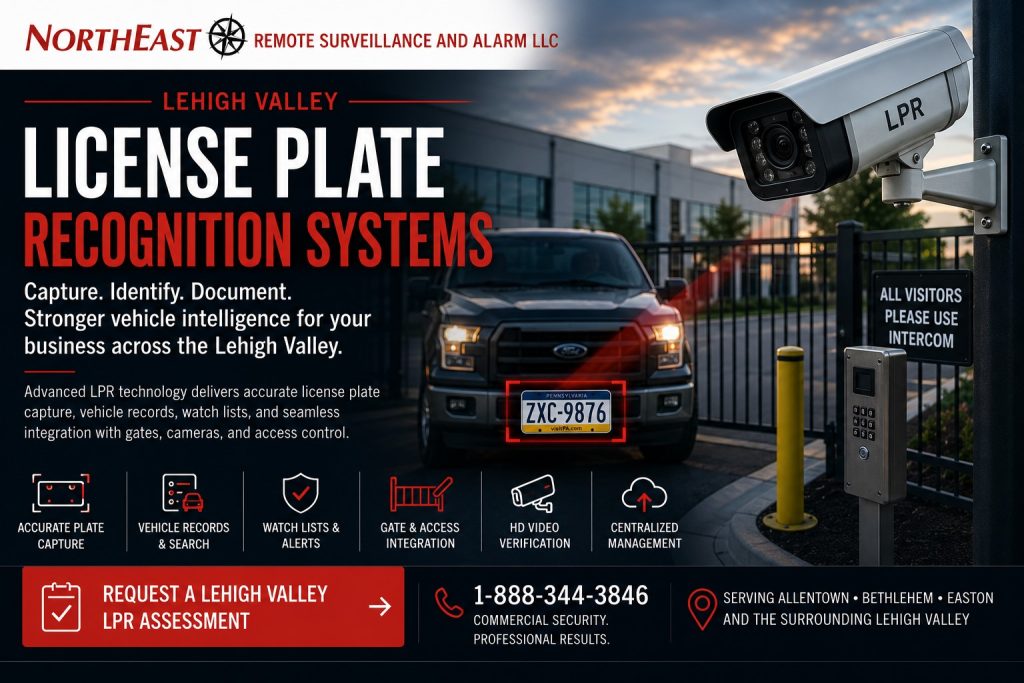
This focused regional resource is part of NERSA’s Lehigh Valley Commercial and Industrial Security Systems guide, which organizes commercial and industrial security planning across the region.
A general security camera may show that a vehicle entered a property without producing a dependable plate image.
License plate recognition requires a dedicated capture objective, controlled camera position, suitable lens, appropriate lighting and image settings designed around the vehicle lane.
On this page: LPR explained · Planning process · Common questions · Assessment
Northeast Remote Surveillance and Alarm, LLC designs, installs, integrates, upgrades and supports commercial license plate recognition in the Lehigh Valley. We serve warehouses, manufacturing plants, distribution centers, contractor yards and fleet facilities. Other sites include industrial parks, commercial campuses, municipal properties, parking areas and organizations with multiple tenants or locations.
A properly designed LPR system may coordinate dedicated plate cameras, vehicle-overview cameras, gate access control, entrance and exit records, watch lists, authorized vehicle lists, event search, remote monitoring and broader video-surveillance management.
The objective is not simply to record traffic. The objective is to produce useful vehicle information that can support access review, incident investigation, delivery documentation, parking management and commercial security operations.
Commercial and industrial systems only • Plate capture • Vehicle records • Gate integration • Parking entrances • Truck lanes • Watch lists • Event search
Project availability may depend on property location, lane geometry, vehicle speed, plate angle, lighting, camera distance, network conditions, software licensing, retention requirements, equipment ownership, administrator access, project scope and long-term support requirements.
What Is a Commercial License Plate Recognition System?
A commercial license plate recognition system uses a dedicated camera and supported software to capture, read, store and search vehicle plate information.
Depending on the platform and approved configuration, an LPR system may provide:
- Entrance plate capture
- Exit plate capture
- Date and time records
- Vehicle snapshots
- Plate-number search
- Partial-plate search
- Authorized vehicle lists
- Watch lists
- Gate-event associations
- Parking-entry records
- Truck-lane documentation
- Visitor records
- Multi-site vehicle search
- Alerts for selected plates
- Associated overview video
- Exportable incident information
The system should be designed around a specific vehicle lane and documentation objective rather than using a general overview camera and expecting reliable plate capture.
LPR Cameras and General Security Cameras Serve Different Purposes
A general security camera is usually intended to show the wider scene.
It may document:
- Vehicle type
- Vehicle color
- Direction of travel
- Gate activity
- Driver behavior
- Pedestrians
- Tailgating
- Loading activity
- Surrounding property conditions
An LPR camera is optimized for the smaller, more demanding objective of capturing the plate.
It may use:
- Narrower fields of view
- Faster shutter settings
- Controlled exposure
- Infrared illumination
- Specialized plate-processing settings
- Specific mounting angles
- Dedicated lane positioning
A complete vehicle-security design frequently uses both.
The LPR camera captures the plate, while an overview camera documents the vehicle, driver, lane and surrounding event.
Why Lehigh Valley Businesses Use License Plate Recognition
Document Vehicles Entering and Leaving
LPR can create a searchable record showing when a vehicle entered or exited a controlled route.
This may help businesses review delivery activity, contractor arrivals, employee vehicles, fleet movement or incident timing.
Improve Gate Event Records
A gate-access event may show that a credential was used, but it may not identify which vehicle passed through.
Associating plate capture with credentials, intercom calls or remote releases can create a more complete record.
Support Incident Investigation
When theft, property damage, trespassing, dumping, unauthorized entry or a parking dispute occurs, plate information may help narrow the review.
The usefulness of the record depends on capture quality, retention and whether the vehicle passed through the monitored lane.
Manage Authorized and Restricted Vehicles
Supported platforms may allow authorized vehicle lists, watch lists or event alerts.
These features should be managed carefully so obsolete records are removed and alerts are tied to legitimate business procedures.
Improve Truck and Delivery Documentation
Warehouses, manufacturing facilities and logistics properties may use LPR to document carriers, tractors, trailers, vendors and recurring delivery activity.
LPR should support—not interfere with—the facility’s actual shipping, receiving and gate workflow.
Standardize Vehicle Records Across Several Properties
Multi-site organizations may use a common LPR platform to review vehicles across multiple Lehigh Valley locations when licensing, networks and permissions support centralized administration.
Entrance and Exit License Plate Capture
A property may require plate capture at the entrance, exit or both.
Entrance Capture
Entrance capture documents vehicles approaching or entering the property.
It may support:
- Gate access review
- Visitor documentation
- Delivery records
- Employee vehicle records
- Contractor access
- Watch-list alerts
- Incident timelines
Exit Capture
Exit capture documents vehicles leaving the property.
It may support:
- Entry-and-exit comparison
- Duration review
- Vehicle movement investigation
- Delivery completion
- Unauthorized departure review
- Multi-lane traffic documentation
Dual-Lane Capture
Separate cameras may be required when entrance and exit traffic use different lanes or travel directions.
One camera should not be expected to capture plates reliably from opposing directions unless the lane geometry and equipment are specifically designed for that purpose.
For local lane geometry, lighting, and recorded plate testing, see license-plate camera installation in Easton.
LPR at Commercial Vehicle Gates
License plate recognition can add vehicle information to a controlled gate environment.
A coordinated system may associate:
- Plate number
- Vehicle image
- Entry or exit time
- Access credential
- Intercom call
- Remote gate release
- Access granted or denied
- Gate-position event
- Entrance overview video
- Exit overview video
LPR may be used for documentation, alerts or approved gate workflows.
It should not automatically be treated as the only access credential.
Plates can be changed, obscured, damaged, stolen or copied. Properties requiring stronger accountability may combine LPR with an employee credential, mobile credential, intercom verification or another authorization method.
For broader vehicle-entry planning, review Lehigh Valley Commercial Gate Access Control Systems.
LPR for Parking Areas and Employee Entrances
Commercial parking entrances may serve employees, customers, visitors, tenants, contractors and fleet vehicles.
LPR may help document:
- Employee arrivals
- Visitor vehicles
- Contractor access
- Parking incidents
- Unauthorized vehicle activity
- Vehicles associated with reported events
- Repeated after-hours activity
- Entry and exit times
- Multi-tenant parking use
A plate system does not replace general parking-lot video.
Overview cameras may still be required to document pedestrian movement, vehicle damage, parking behavior, building approaches and activity outside the narrow plate-capture lane.
LPR for Warehouses and Distribution Centers
Warehouses and distribution centers may receive high volumes of tractors, trailers, vendors, contractors and employee vehicles.
LPR planning may involve:
- Truck entrances
- Employee parking entrances
- Visitor gates
- Shipping and receiving lanes
- Trailer-yard approaches
- Guard facilities
- Remote release points
- Exit lanes
- Multi-building logistics campuses
The design should account for truck height, lane width, cab position, plate location, stopping distance and vehicle speed.
Equipment positioned for passenger vehicles may not provide reliable results for tractor-trailers.
LPR for Manufacturing Facilities
Manufacturing properties may use separate entrances for employees, contractors, shipping, fleet vehicles and visitors.
An LPR system may help document:
- Shift traffic
- Contractor vehicles
- Vendor arrivals
- Fleet movement
- Restricted-yard access
- Delivery activity
- After-hours vehicles
- Multiple gate lanes
Plate data should be coordinated with access procedures and user responsibilities rather than collected without a defined operational purpose.
LPR for Contractor Yards and Fleet Properties
Contractor yards may contain trucks, trailers, tools, machinery, materials and outdoor storage.
LPR may support:
- Employee vehicle records
- Fleet entry and exit
- Vendor arrivals
- Contractor access
- After-hours activity
- Gate incidents
- Vehicle identification
- Remote-monitoring review
- Theft investigations
The plate camera should be part of a broader perimeter plan that may also include gate access, overview cameras, intrusion detection, lighting and remote video monitoring.
LPR for Industrial Parks and Multi-Tenant Properties
A shared industrial-park entrance may serve multiple tenants, employees, visitors, delivery vehicles and contractors.
LPR planning should address:
- Shared-lane ownership
- Tenant permissions
- Data access
- Alert administration
- Retention
- Visitor procedures
- Property-management oversight
- Multi-building reporting
- Tenant turnover
One tenant should not automatically have access to another tenant’s vehicle records.
User permissions and administrative responsibility should be defined before the system is placed into service.
LPR for Municipal and Institutional Properties
Municipal, institutional and public works facilities may use LPR at fleet yards, employee parking, controlled compounds and service entrances.
A system may support:
- Department vehicle records
- Contractor access
- Fleet movement
- Restricted-area review
- After-hours activity
- Public visitor entrances
- Multi-building administration
- Incident documentation
Permissions should reflect operational responsibility and any applicable organizational policies.
Camera Position and Lane Geometry
LPR performance depends heavily on how the camera sees the plate.
Important conditions may include:
- Distance from the capture point
- Horizontal angle
- Vertical angle
- Camera height
- Lane width
- Vehicle stopping position
- Vehicle speed
- Plate size in the image
- Direction of travel
- Entrance and exit separation
- Curves or turns
- Obstructions
- Weather exposure
- Vibration
A camera mounted where convenient may not be located where dependable plate capture is possible.
The lane should be evaluated before final equipment selection.
Vehicle Speed and Stopping Position
Slower and more consistent vehicle movement generally makes plate capture easier to control.
LPR planning should consider whether vehicles:
- Stop at a gate
- Pause at an intercom
- Present a credential
- Move continuously
- Accelerate through the lane
- Approach from a curve
- Enter from a public road
- Travel in multiple lanes
- Include tractor-trailers
- Queue closely together
A controlled stopping point may improve capture, but the security system should not create unsafe traffic conditions or unnecessary congestion.
Daytime, Nighttime and Headlight Conditions
A plate may be difficult to capture because of:
- Direct sunlight
- Backlighting
- Headlights
- Reflections
- Wet plates
- Snow
- Dirt
- Plate covers
- Deep shadows
- Rapid changes in lighting
- Nearby building lights
- Uneven lane illumination
A dedicated LPR camera may use specialized exposure and infrared illumination to reduce these challenges.
Nighttime performance should be tested under realistic vehicle and lighting conditions rather than assumed from daytime images.
Plate Capture and Vehicle Overview Cameras
A dependable vehicle-documentation system may use several views.
Dedicated Plate View
The LPR camera is focused on the area where the plate should appear.
This view may be too narrow or dark to provide useful general context.
Vehicle Overview View
An overview camera can document:
- Vehicle type
- Vehicle color
- Damage
- Trailer
- Driver interaction
- Gate movement
- Surrounding activity
- Direction of travel
Driver or Intercom View
A separate camera may document the person presenting a credential, using the intercom or interacting with the entrance equipment.
Exit View
An exit camera may document the vehicle leaving, the rear or front plate and surrounding activity.
The required views should be selected around the questions the organization may need to answer later.
LPR Software and Search Functions
Supported LPR platforms may allow authorized users to search by:
- Full plate number
- Partial plate number
- Date
- Time
- Camera
- Entrance
- Exit
- Location
- Watch-list status
- Authorized-list status
- Vehicle image
- Associated gate event
The quality of the search result depends on capture accuracy, software configuration, retention and proper system time.
Users should be trained to verify the associated image rather than relying only on interpreted text.
Characters may occasionally be read incorrectly because of plate condition, angle, obstruction or image quality.
Authorized Vehicle Lists
An authorized vehicle list may identify employee, fleet, contractor or tenant vehicles.
The process should define:
- Who may add vehicles
- Who approves them
- Which entrance they may use
- When access is permitted
- Whether a second credential is required
- When records expire
- How former employees are removed
- How replacement vehicles are handled
- How rental or temporary vehicles are treated
Authorized lists should be maintained like other access-control records.
Old vehicles should not remain active indefinitely because removing them is inconvenient.
Watch Lists and Vehicle Alerts
Supported systems may create alerts when selected plates appear.
A watch-list process should define:
- Who may add a plate
- Why it is being added
- Who receives the alert
- What action is authorized
- How long the record remains active
- Who reviews the list
- How false or outdated entries are removed
- What supporting video should be reviewed
An alert does not by itself establish purpose, ownership or criminal activity.
Authorized personnel should review the associated images and follow the organization’s approved procedures.
License Plate Recognition and Access Control
LPR may coordinate with gate access control in several ways.
A supported system may:
- Associate a plate with a credential
- Compare a vehicle with an authorized list
- Create an alert for a denied vehicle
- Record the plate during remote release
- Link entrance video with the gate event
- Search activity by vehicle
- Support entry-and-exit reporting
Where stronger access accountability is required, the property may use two factors such as:
- Plate plus employee credential
- Plate plus mobile credential
- Plate plus intercom verification
- Plate plus scheduled authorization
- Plate plus guard approval
The correct method depends on risk, traffic volume and operational requirements.
License Plate Recognition and Remote Video Monitoring
LPR can provide additional information to remote-monitoring personnel reviewing gate or parking activity.
A qualifying event may include:
- Plate record
- Vehicle overview
- Direction of travel
- Gate status
- Time of activity
- Associated alert
- Additional camera views
- Property-specific instructions
Remote monitoring may be useful for repeated trespassing, unauthorized vehicles, illegal dumping, after-hours parking or exposed commercial yards.
LPR alone does not provide active response. It must be connected to an approved monitoring or notification workflow when real-time action is required.
Multi-Site License Plate Recognition
Organizations with several properties may use centralized LPR administration when the selected platform supports it.
A multi-site system may help standardize:
- Camera naming
- Entrance and exit labels
- User permissions
- Search procedures
- Watch lists
- Authorized vehicle lists
- Retention standards
- Alert procedures
- Incident export
- System documentation
Central administration should not mean every user can search every location.
Permissions should be limited by role, property and operational need.
Existing Camera System LPR Upgrades
An existing camera system may support the addition of LPR when the recorder, video-management software, network, licensing and lane conditions are compatible.
An upgrade may involve:
- Adding a dedicated plate camera
- Adding an overview camera
- Repositioning an existing camera
- Improving lane lighting
- Upgrading recording software
- Adding LPR licensing
- Expanding storage
- Correcting network capacity
- Updating user permissions
- Adding gate-event integration
- Adding remote monitoring
- Standardizing several sites
A standard camera should not automatically be relabeled as an LPR camera without confirming that it can provide the required capture performance.
Businesses with aging, inherited or under-supported video systems should review Lehigh Valley Commercial Security System Upgrades, Retrofits and Takeovers.
Network, Storage and Infrastructure Requirements
Commercial LPR systems may require:
- Ethernet cabling
- Fiber connections
- PoE switching
- Wireless bridges
- Cellular communication
- Network segmentation
- IP addressing
- Video-management servers
- Recorder capacity
- LPR software licensing
- Database storage
- Time synchronization
- UPS protection
- Surge protection
- Equipment enclosures
- Device labeling
- Secure remote access
- Expansion capacity
Plate records, snapshots and associated video may create different storage requirements from general surveillance alone.
Retention should be planned around legitimate business needs, system capacity and organizational policy.
For broader infrastructure planning, review Lehigh Valley Low-Voltage and Security Infrastructure.
User Permissions and Administrative Control
LPR systems may contain searchable vehicle information, watch lists, alerts, exports and access associations.
Administrative procedures should define:
- Who can search plate records
- Who can export images
- Who can add watch-list entries
- Who can manage authorized vehicles
- Who can change retention
- Who can view multiple sites
- Who can change camera settings
- Who can manage software licenses
- Who owns the cloud or server account
- How former users are removed
- How administrator access is recovered
- How system activity is audited
Not every camera user should automatically have full access to plate databases or watch-list functions.
Individual accounts and role-based permissions should be used where supported.
Cybersecurity-Aware LPR Planning
An LPR system may connect cameras, recorders, databases, cloud services, access-control platforms and remote users.
Cybersecurity-aware planning may include:
- Supported equipment
- Individual administrator accounts
- Strong credentials
- Multi-factor authentication where supported
- Network segmentation
- Secure remote access
- Controlled cloud administration
- Software and firmware maintenance
- Removal of obsolete users
- Documented account ownership
- Limited vendor access
- Event logs
- Backup and recovery planning
- End-of-support planning
A system that records searchable vehicle information should not rely on shared or undocumented administrative access.
Retention and Vehicle-Record Management
LPR retention should be based on an identified business need.
A property should determine:
- Why plate records are being retained
- How long they are required
- Whether associated video has the same retention
- Who may search the records
- Who may export them
- How incident evidence is preserved
- How routine records are deleted
- Whether different properties need different policies
- How storage capacity affects retention
Retaining every vehicle record indefinitely may increase cost and administrative risk without creating additional operational value.
LPR Accuracy and Limitations
No LPR system reads every plate correctly under every condition.
Performance may be affected by:
- Plate angle
- Vehicle speed
- Dirt or snow
- Damaged plates
- Plate covers
- Temporary plates
- Decorative frames
- Headlights
- Glare
- Weather
- Poor camera position
- Low plate resolution
- Multiple lanes
- Obstructions
- Unusual character formats
- Network interruptions
- Software limitations
The interpreted plate text should be verified against the captured image when accuracy is important.
A missed or incorrect read does not necessarily mean the camera failed; the complete lane, plate and image conditions should be reviewed.
When LPR May Not Be the Right Solution
LPR may not provide sufficient value when:
- Vehicles do not pass through a controlled lane
- Camera placement cannot be controlled
- Vehicle speed is excessive
- Plate angles vary widely
- The property lacks a defined use for the data
- Retention responsibilities are unclear
- General overview video would answer the business need
- The system cannot be securely administered
- Licensing cost exceeds the operational benefit
- Required infrastructure is unavailable
- Plate data would not change the response process
A well-positioned overview camera may sometimes provide more useful information than an improperly designed LPR system.
The NERSA LPR Planning Process
1. Define the Vehicle-Documentation Objective
The process begins with what the organization needs to know.
The objective may involve gate records, parking activity, truck documentation, incident investigation, watch-list alerts or multi-site vehicle review.
2. Review the Vehicle Lane
NERSA reviews traffic direction, lane width, speed, stopping position, lighting, plate location, camera distance and available mounting points.
3. Define Required Camera Views
The design should determine whether the property needs:
- Plate capture
- Vehicle overview
- Driver view
- Gate overview
- Entrance capture
- Exit capture
- Multiple lanes
- Associated parking coverage
4. Establish Software and Search Requirements
The customer should determine whether the system requires basic recorded plate images, searchable text, authorized lists, watch lists, alerts, gate integration or centralized multi-site search.
5. Review Network, Recording and Retention
The proposed system should account for communication, storage, licensing, time synchronization, user permissions and cybersecurity.
6. Install and Configure the Capture Point
Camera position, lens, shutter, exposure, infrared and capture area should be configured around the actual lane.
7. Test Under Real Vehicle Conditions
Testing should include representative vehicles, daytime conditions, nighttime conditions, headlights, entrance and exit traffic and expected vehicle speeds.
8. Train and Document
Authorized users should understand how to search records, verify plate text, review associated video, manage lists, preserve incident evidence and request service.
Questions to Answer Before Selecting an LPR System
A business should determine:
- Which vehicle lanes require plate capture?
- Is entrance capture required?
- Is exit capture required?
- Are passenger vehicles, trucks or both involved?
- Do vehicles stop or continue moving?
- What is the expected speed?
- Is gate integration needed?
- Is an overview camera required?
- Is a driver view required?
- Are searchable plate records required?
- Are authorized vehicle lists needed?
- Are watch-list alerts needed?
- Who will receive alerts?
- What action should follow an alert?
- How long should records be retained?
- Who may search or export records?
- Is centralized multi-site access required?
- Is network service available?
- What lighting exists at night?
- Will additional lanes or locations be added?
The correct system should be selected around the lane and business objective rather than a generic camera specification.
Commercial LPR System Limitations
A project may be limited by:
- Poor lane geometry
- Excessive vehicle speed
- Uncontrolled traffic paths
- Weak mounting locations
- Insufficient power
- Inadequate cabling
- Weak network connectivity
- Poor lighting
- Multiple uncontrolled lanes
- Dirt or weather exposure
- Unsupported recording platforms
- Missing administrator access
- Expired licensing
- Proprietary equipment
- Customer IT restrictions
- Insufficient storage
- Unclear retention requirements
- Inadequate user administration
- Lack of an operational response process
These conditions should be identified before the organization depends on plate information for access or incident response.
Related Lehigh Valley Vehicle-Security Resources
Lehigh Valley Commercial and Industrial Security Systems
Use the primary regional guide for broader Lehigh Valley planning by city, corridor, system, facility and operational risk.
Lehigh Valley Commercial Video Surveillance Systems
Use this regional resource for broader camera placement, recording, retention, remote access and incident-review planning.
Lehigh Valley Commercial Gate Access Control Systems
Use this resource when plate capture needs to coordinate with credentials, intercoms, gate release and vehicle-access records.
Lehigh Valley Unified Commercial Security Systems
Use this resource when LPR needs to coordinate with cameras, access control, alarms, monitoring and multi-site administration.
Lehigh Valley Commercial Security System Upgrades, Retrofits and Takeovers
Use this resource when the property has an inherited, aging or under-supported camera and gate system.
Request a Lehigh Valley LPR Assessment
A commercial LPR assessment should begin with the vehicle lane, speed, lighting, plate angle and documentation objective—not with a predetermined camera model.
NERSA can evaluate:
- Commercial gates
- Employee parking entrances
- Visitor lanes
- Truck entrances
- Service drives
- Contractor yards
- Fleet facilities
- Industrial parks
- Entrance and exit lanes
- Existing cameras
- Gate access control
- Vehicle overview cameras
- Driver views
- Network and power
- Recorder capacity
- Software licensing
- Retention
- User permissions
- Watch lists
- Authorized vehicle lists
- Multi-site administration
- Future expansion
The assessment can help determine where plate capture is practical, which additional camera views are needed and how vehicle records should coordinate with the property’s broader security environment.
Frequently Asked Questions About Lehigh Valley License Plate Recognition Systems
What is a commercial license plate recognition system?
A commercial LPR system uses dedicated cameras and software to capture, interpret, store and search vehicle plate information at controlled lanes or entrances.
Is an LPR camera different from a regular security camera?
Yes. An LPR camera is configured for plate capture, while a general security camera is usually intended to show the wider vehicle and surrounding scene.
Does an LPR camera also show the vehicle?
It may show part of the vehicle, but a separate overview camera is often recommended for vehicle type, color, driver activity and surrounding context.
Can LPR capture plates at night?
Yes, when the camera position, infrared illumination, exposure, lane conditions and equipment are designed for nighttime plate capture.
Can LPR capture tractor-trailer plates?
Yes, but the lane, plate location, vehicle height, speed and camera position must be designed around commercial trucks.
Can LPR be used at a commercial gate?
Yes. LPR may be associated with gate events, access credentials, intercom calls, remote releases and entrance video.
Can a license plate open a gate automatically?
Some supported systems can use authorized plate lists, but the property should consider accuracy, security risk and a backup access method before relying on plates alone.
Does LPR replace access-control credentials?
Not always. Facilities requiring stronger accountability may combine plate recognition with credentials, intercom verification or scheduled authorization.
Can LPR create alerts for selected vehicles?
Supported platforms may provide watch-list alerts, but the organization should define who manages the list, who receives alerts and what response is authorized.
Can LPR search partial plate numbers?
Many supported platforms allow partial-plate searches, but available functions depend on the selected software.
How accurate is license plate recognition?
Accuracy depends on camera placement, plate size, angle, speed, lighting, weather, plate condition and software; the interpreted text should be verified against the captured image when accuracy matters.
Can several Lehigh Valley properties share one LPR system?
Yes, when the platform, licensing, networks and user permissions support centralized multi-site administration.
How long can plate records be stored?
Retention depends on storage capacity, platform configuration, business requirements and organizational policy.
Can NERSA add LPR to an existing camera system?
Possibly. The recorder, software, licensing, network, storage and lane conditions must be evaluated first.
Can LPR work without a gate?
Yes. LPR may be used at parking entrances, service drives, truck approaches and other controlled vehicle routes where the lane conditions support dependable capture.
Does LPR identify the driver?
No. LPR identifies or documents the vehicle plate; separate cameras or procedures are required when driver identification is needed.
Does NERSA install single-family home LPR systems?
This resource is intended for commercial, industrial, municipal, institutional, warehouse, manufacturing, logistics, contractor, fleet and multi-site properties rather than single-family home driveways.
How much does a commercial LPR system cost?
Cost depends on the number of lanes, camera views, vehicle types, speed, lighting, software, licensing, storage, network infrastructure, gate integration and installation conditions.
How does a Lehigh Valley business begin an LPR project?
Begin with a Lehigh Valley LPR Assessment so the lane, vehicles, lighting, camera position, software, retention and operational requirements can be reviewed before equipment is recommended.