
Manage commercial video surveillance through cloud-connected, locally recorded or hybrid architectures designed for businesses throughout Allentown, Bethlehem, Easton and the surrounding Lehigh Valley.

Lehigh Valley Cloud Video Assessment
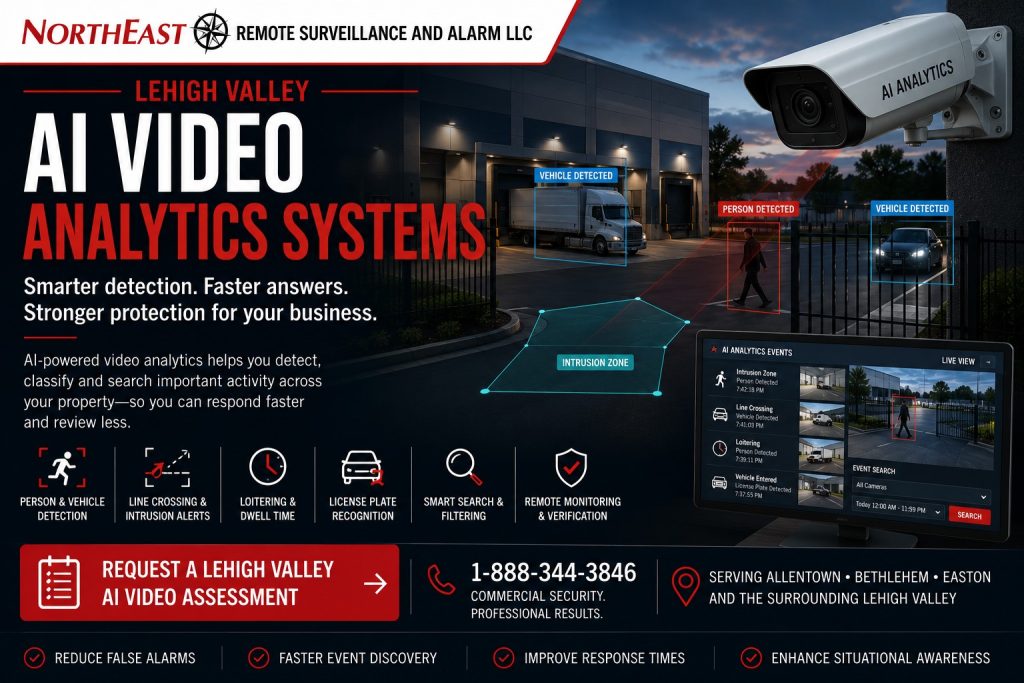
This focused regional resource is part of NERSA’s Lehigh Valley Commercial and Industrial Security Systems guide, which organizes commercial and industrial security planning across the region.
Commercial video does not have to be limited to a recorder sitting in one building or require every camera to store all video exclusively in the cloud.
On this page: Bandwidth · Outages · Account ownership · Assessment
Cloud-connected and hybrid video surveillance systems can combine local recording, secure remote access, centralized administration, AI-assisted event search, health monitoring, user permissions and multi-site management according to the facility’s operational and retention requirements.
Northeast Remote Surveillance and Alarm, LLC designs, installs, integrates, upgrades and supports commercial cloud and hybrid video surveillance systems throughout the Lehigh Valley. We serve warehouses, manufacturing facilities, distribution centers and logistics operations. Other sites include offices, healthcare properties, schools, municipal buildings, contractor yards, industrial parks, multi-tenant properties and multi-site organizations.
The correct architecture may use cloud-managed cameras, an onsite recorder with cloud connectivity, local storage with centralized software, cloud event storage, edge recording or a combination of local and remote resources.
If installing or replacing cameras is part of the scope, use Lehigh Valley commercial security camera installation planning for cable routes, network power, camera placement and commissioning.
Choose the mix of local and cloud services that meets the site’s needs. Balance recording, remote access, retention and available bandwidth. Cybersecurity, administration and ongoing support also affect whether the system will be dependable and manageable.
Commercial and industrial systems only • Cloud-managed video • Hybrid recording • Local storage • Remote access • Centralized administration • AI-assisted search • Multi-site video
Project availability may depend on property location, installed cameras, internet service, network design, bandwidth, storage requirements, software licensing, subscriptions, equipment ownership, administrator access, manufacturer support, cybersecurity policies, project scope and long-term service needs.
What Is Cloud Video Surveillance?
Cloud video surveillance uses an internet-connected platform to provide some combination of camera management, user administration, remote viewing, event search, alerts, system health information and video storage.
Depending on the selected platform, cloud-connected video may include:
- Cloud-managed cameras
- Cloud-managed onsite recorders
- Direct-to-cloud recording
- Cloud event storage
- Local camera storage with cloud access
- Centralized multi-site administration
- Web and mobile viewing
- AI-assisted search
- Camera-health notifications
- User and role management
- Software updates
- Remote configuration
- Incident sharing
- Audit records
- Subscription-based services
“Cloud video” does not describe one universal architecture.
Some platforms store most recorded video remotely. Others store video locally while using the cloud for management and remote access. The proposed system should clearly explain where video is recorded, how it is accessed and what occurs when internet service is interrupted.
What Is Hybrid Video Surveillance?
Hybrid video surveillance combines onsite recording or edge storage with cloud-connected management, remote access or selected cloud services.
A hybrid system may use:
- Onsite network video recorder
- Video-management server
- Camera memory cards
- Local appliance storage
- Cloud-based user administration
- Remote browser or mobile access
- Cloud health monitoring
- Cloud event indexing
- Selected event uploads
- Centralized multi-site management
- AI-assisted search
- Local continuous recording
- Remote incident sharing
Hybrid architecture can preserve dependable local recording while adding the convenience and management advantages of a cloud-connected platform.
It may be appropriate for properties that need substantial video retention, limited internet dependence, centralized administration or continued recording during temporary connectivity interruptions.
Cloud, On-Premises and Hybrid Video Compared
The correct architecture depends on the business, property, network and operational requirements.
Cloud-Managed Video Surveillance
Cloud-managed video typically uses an online platform for administration, remote access, software features and system health.
Potential advantages may include:
- Simplified remote access
- Centralized user management
- Multi-site administration
- Easier software updates
- Cloud-based event search
- Remote camera-health visibility
- Fewer customer-managed servers
- Consistent access across locations
Potential limitations may include:
- Recurring subscriptions
- Internet dependence
- Bandwidth requirements
- Platform-specific hardware
- Account-ownership concerns
- Cloud-service outages
- Retention limits
- Long-term licensing cost
- Migration restrictions
On-Premises Video Surveillance
On-premises systems record and manage video primarily at the property using an onsite recorder or server.
Potential advantages may include:
- Local continuous recording
- Greater control over onsite storage
- Reduced dependence on public internet for local operation
- Flexible high-capacity retention
- Compatibility with selected enterprise platforms
- Local system administration
Potential limitations may include:
- More onsite equipment
- Greater customer responsibility
- Server maintenance
- Software administration
- Remote-access configuration
- Backup planning
- Multi-site complexity
Hybrid Video Surveillance
Hybrid systems combine local recording with cloud-connected management, access, analytics or event storage.
Potential advantages may include:
- Local recording continuity
- Centralized remote administration
- Flexible retention
- Multi-site visibility
- Selected cloud services
- Lower upstream bandwidth than continuous cloud recording in some designs
- Gradual migration from existing systems
- A balance of local and remote capabilities
Potential limitations may include:
- More architectural complexity
- Compatibility requirements
- Multiple licensing elements
- Dependence on both local equipment and cloud services
- Additional documentation needs
- Vendor-specific integration limits
No architecture is automatically best for every Lehigh Valley business. The correct system should be selected around the organization’s video objectives, infrastructure, staffing, cybersecurity requirements and long-term ownership expectations.
Why Lehigh Valley Businesses Use Cloud and Hybrid Video
Centralize Video Across Multiple Locations
Organizations with several properties may need one authorized view of cameras, events and system health across Allentown, Bethlehem, Easton and surrounding locations.
A centralized platform can reduce the need to maintain separate applications, passwords and recorder configurations at every property.
Improve Remote Access
Authorized users may need to review live or recorded video from another office, home, mobile device or regional management location.
Cloud-managed access can simplify remote connectivity when accounts, permissions and network security are properly controlled.
Reduce Dependence on One Local Workstation
Older systems may require a specific computer, application or local network connection to retrieve video.
A modern cloud-connected platform may allow authorized users to access video through supported browsers, desktop applications or mobile devices.
Improve System-Health Awareness
Some cloud platforms can report:
- Camera offline
- Recorder offline
- Storage problem
- Network interruption
- Licensing issue
- Recording failure
- Device tampering
- Software condition
- Connectivity status
Health alerts do not replace maintenance, but they can help identify problems before an incident requires missing video.
Support Faster Event Search
Cloud and hybrid platforms may include AI-assisted search for people, vehicles, motion, selected visual characteristics or defined events.
This can reduce the time required to review long periods of recorded video.
Standardize User Permissions
A centralized platform can help define which users may view specific properties, cameras or recorded events.
Permissions can be organized by location, department, job role or operational responsibility.
Support Phased Expansion
A cloud or hybrid architecture may allow a business to add cameras, buildings or locations in stages when the selected platform, licensing and network capacity support expansion.
Local Recording With Cloud Management
Many commercial properties benefit from keeping continuous recorded video onsite while using a cloud platform for administration and remote access.
A local-recording, cloud-managed system may include:
- Cameras recording to an onsite appliance
- Cloud user administration
- Remote live viewing
- Remote recorded-video review
- Event notifications
- Health monitoring
- AI search
- Centralized multi-site management
- Incident sharing
- Local retention
- Cloud account control
This architecture may reduce the amount of continuous video sent through the internet while preserving remote management.
If internet service is interrupted, local recording may continue when the cameras, recorder, network and power remain operational.
Remote viewing, cloud notifications and centralized management may be temporarily unavailable during the outage.
Direct-to-Cloud Video Recording
Direct-to-cloud systems transmit recorded video or selected events to remote storage without relying on a traditional onsite recorder.
Potential uses may include:
- Small commercial properties
- Remote locations
- Temporary sites
- Limited-camera deployments
- Properties requiring offsite event preservation
- Sites without space for recording equipment
- Multi-site businesses seeking a standardized platform
Direct-to-cloud recording requires careful review of:
- Available upload bandwidth
- Camera count
- Resolution
- frame rate
- Retention
- Subscription cost
- Internet reliability
- Local buffering
- Outage behavior
- Account ownership
- Cybersecurity
- Export procedures
- Long-term platform support
A high-resolution, continuously recorded system can create significant bandwidth and storage requirements.
The design should be based on measured conditions rather than assuming the existing internet connection can support the proposed load.
Edge Recording
Edge recording stores video within the camera or a nearby device.
Storage may use:
- Camera memory card
- Solid-state storage
- Local edge appliance
- Embedded recorder
- Distributed recording device
Edge recording may provide:
- Local resilience
- Reduced dependence on a central recorder
- Temporary recording during network interruption
- Additional redundancy
- Event buffering
- Smaller distributed deployments
Edge storage also has limitations.
Memory cards and embedded storage have finite capacity, service-life considerations and physical exposure. A camera that is stolen or destroyed may take its local recording with it unless video is also transmitted elsewhere.
The system should explain whether edge recording is the primary recording method, a temporary buffer or a secondary copy.
Cloud Event Storage and Video Backup
Some hybrid platforms upload selected events or video clips rather than every second of continuous recording.
Potential uses may include:
- Alarm events
- Analytic events
- Access-control events
- Gate activity
- Remote-monitoring events
- Panic events
- Bookmark exports
- Important incident clips
- Selected cameras
- Specific schedules
Event-based cloud storage can preserve important clips offsite while controlling bandwidth and subscription requirements.
It should not be represented as a complete backup of all recorded video unless the system actually provides that capability.
The customer should understand:
- Which events are uploaded
- How much video is included
- How long it is retained
- What happens when internet service is unavailable
- Whether failed uploads are retried
- Who can access the clips
- How evidence is exported
- Whether local recording also exists
Remote Viewing and Mobile Access
Cloud-connected video platforms may allow authorized users to review cameras from supported devices.
Remote access may include:
- Live video
- Recorded video
- Event search
- Camera groups
- Maps
- Alerts
- Incident sharing
- Multi-site navigation
- User management
- System-health information
Remote access should be controlled through individual accounts whenever possible.
Shared logins make it difficult to determine who viewed or exported video and create problems when an employee leaves the organization.
Mobile applications should be removed from former employees’ devices and access should be revoked promptly.
Multi-Site Cloud Video Management
Multi-site organizations may use one management environment for several Lehigh Valley properties.
A centralized platform may help standardize:
- Camera naming
- Location naming
- User permissions
- Recording settings
- Retention expectations
- Event categories
- Health alerts
- Remote-access procedures
- Incident export
- Software administration
- New-site deployment
- Service documentation
Each property may still require different retention, camera placement, alert rules and user access.
A warehouse, office and contractor yard should not automatically use identical settings merely because they share one platform.
Cloud Video for Warehouses and Distribution Centers
Warehouses and distribution centers may require video across:
- Employee entrances
- Loading docks
- Shipping and receiving
- Truck courts
- Trailer areas
- Inventory zones
- Offices
- Restricted rooms
- Vehicle gates
- Parking areas
These environments can generate substantial amounts of video.
A cloud or hybrid design should consider:
- Number of cameras
- Image resolution
- Retention period
- Continuous versus event recording
- Export needs
- Multi-user access
- Multiple shifts
- Remote management
- Internet capacity
- Local recording continuity
- Integration with access control and alarms
For large warehouse systems, hybrid recording may provide a practical balance between substantial local retention and centralized cloud administration.
Cloud Video for Manufacturing Facilities
Manufacturing facilities may require cameras across production-support areas, shipping, employee entrances, materials storage, maintenance spaces, exterior yards and restricted rooms.
A cloud-connected platform may support regional or corporate management while preserving onsite recording.
Planning may need to address:
- Production-network separation
- Customer IT policies
- Industrial network conditions
- Multiple buildings
- Shift-based users
- Restricted camera groups
- Contractor access
- Incident export
- Local recording during internet outages
- Cybersecurity
- Long-term storage requirements
Security video should not be placed on a production network without authorization and appropriate network planning.
Cloud Video for Offices and Multi-Tenant Buildings
Offices and multi-tenant properties may benefit from centralized administration across entrances, common areas, parking, loading areas and multiple suites.
The system should define:
- Which cameras belong to the building owner
- Which cameras belong to tenants
- Which users can view common areas
- Whether tenants can access their own cameras
- Who manages retention
- Who owns the cloud account
- How tenant turnover is handled
- How exports are authorized
- How building-management access is separated
One tenant should not automatically receive access to another tenant’s cameras or event history.
Cloud Video for Contractor Yards and Exterior Properties
Contractor yards may need cameras around gates, fleets, trailers, equipment, materials, fence lines and exterior storage.
A cloud or hybrid system may support:
- Remote live viewing
- AI person and vehicle detection
- Gate-event review
- LPR
- Multi-site management
- Camera-health alerts
- Remote video monitoring
- Live talk-down
- Offsite event storage
- Cellular or wireless connectivity
Exterior sites may have limited internet or building infrastructure.
The design may require wireless bridges, cellular communication, local edge storage, solar power or a hybrid combination.
Cloud Video for Healthcare, Schools and Institutions
Healthcare, educational and institutional properties may need centralized video administration while maintaining strict permissions.
Planning may include:
- Staff-only camera groups
- Public entrances
- Parking areas
- Visitor-entry views
- Restricted locations
- Incident exports
- User audit records
- Privacy-sensitive areas
- Emergency procedures
- Network-security requirements
- Retention policy
- Multi-building administration
Cloud convenience should not override privacy, organizational policy or life-safety considerations.
Cloud Video for Industrial Parks and Commercial Campuses
Industrial parks and commercial campuses may include several buildings, tenants, shared roads, parking areas, loading docks, gates and exterior spaces.
A cloud or hybrid platform may help provide:
- Property-wide administration
- Building-specific permissions
- Shared-area video
- Tenant separation
- Centralized health monitoring
- Gate and LPR integration
- Incident search
- Multi-building maps
- Standardized camera naming
- Future expansion
Administrative ownership should be defined before deployment.
The property owner, manager and tenants should understand who controls accounts, cameras, retention and service responsibility.
Cloud Video and AI Analytics
Cloud and hybrid platforms may include AI-assisted functions such as:
- Person detection
- Vehicle detection
- Line crossing
- Intrusion zones
- Loitering
- Appearance search
- Vehicle search
- License plate recognition
- Event filtering
- Camera-health analytics
- Multi-site event search
Analytics may be processed in the camera, onsite recorder, server or cloud.
The architecture should explain where processing occurs, what licenses are required and what happens during a network interruption.
For broader regional analytics planning, review Lehigh Valley AI Video Analytics Systems.
Cloud Video and Alarm Verification
A cloud or hybrid video platform may associate cameras with intrusion alarms, access-control events or analytic alerts.
A supported workflow may provide:
- Alarm-zone information
- Associated live video
- Pre-event video
- Post-event video
- Access-control activity
- Person or vehicle classification
- Site instructions
- Monitoring review
- Incident documentation
Video verification depends on dependable cameras, recording, network communication and correct system associations.
For broader monitored-response planning, review Lehigh Valley Commercial Alarm Monitoring and Video Verification.
Cloud Video and Remote Monitoring
Cloud-connected cameras may support remote video monitoring when the platform, analytics, audio equipment, network and approved service are suitable.
A monitored-video workflow may include:
- AI-generated event
- Operator review
- Additional camera review
- Live audio warning
- Customer notification
- Escalation instructions
- Event documentation
- Multi-site administration
Remote monitoring requires more than cloud access.
The system must provide reliable detection, useful camera views, manageable event volume and clear property-specific response procedures.
Cloud Video and Access Control Integration
Video may be associated with access-control activity such as:
- Access granted
- Access denied
- Forced door
- Held-open door
- Credential use
- Visitor entry
- Remote release
- Gate access
- Multi-site user activity
A cloud or hybrid platform may allow authorized users to move directly from an access event to the associated camera.
Integration can improve incident review, but access control and video should remain dependable as individual systems.
Existing Camera System Cloud and Hybrid Upgrades
An existing video system may be modernized without replacing every camera.
NERSA may evaluate existing equipment to determine whether a cloud or hybrid migration could involve:
- Retaining compatible cameras
- Adding a cloud-managed gateway
- Replacing the recorder
- Adding cloud management
- Adding remote access
- Updating software
- Adding analytics licenses
- Adding health monitoring
- Expanding storage
- Correcting network conditions
- Reorganizing users
- Replacing unsupported cameras
- Completing a phased migration
- Standardizing multiple sites
Compatibility depends on camera protocols, firmware, recorder support, licensing, image quality, cybersecurity and platform requirements.
A camera that can produce video may not be suitable for secure long-term cloud management.
Internet Bandwidth Requirements
Cloud-connected video systems depend on internet connectivity, but the required bandwidth varies substantially by architecture.
Bandwidth may be affected by:
- Number of cameras
- Resolution
- Frame rate
- Compression
- Continuous versus event upload
- Number of remote users
- Simultaneous viewing
- Cloud recording
- Event clip upload
- Software updates
- Multi-site management
- Audio
- Analytics
- Export activity
The upload speed is especially important because cameras and recorders may need to send video away from the property.
An internet plan advertised with high download speed may still provide limited upload capacity.
Bandwidth should be reviewed using realistic camera and viewing requirements.
What Happens During an Internet Outage?
The answer depends on the system architecture.
Local Recording May Continue
In a hybrid system, onsite recording may continue if the cameras, recorder, local network and power remain operational.
Cloud access, alerts and remote management may be unavailable until connectivity returns.
Edge Recording May Continue
Cameras with supported edge storage may continue recording locally during selected interruptions.
Video may synchronize later when the platform supports recovery or backfill.
Direct-to-Cloud Recording May Be Interrupted
A direct-to-cloud system may lose remote recording during an outage unless the cameras or gateway provide local buffering.
The system should clearly document how long local buffering lasts and whether missing video is uploaded automatically after service returns.
Remote Viewing May Stop
Even when onsite recording continues, users outside the property may be unable to view cameras until internet service is restored.
A proper design should explain outage behavior before the customer depends on the system.
Video Retention Planning
Retention should be based on the organization’s operational and investigative needs.
A business should determine:
- How long video needs to remain available
- Which cameras require longer retention
- Whether all cameras record continuously
- Whether selected cameras use event recording
- Whether local and cloud retention differ
- How incident video is preserved
- How exports are handled
- Whether multi-site standards apply
- How subscription tiers affect retention
- How storage expansion is managed
Longer retention increases storage and cost.
The objective should be useful retention, not indefinite storage without a defined purpose.
Subscription and Licensing Considerations
Cloud and hybrid video systems may require recurring licensing.
Licensing may apply per:
- Camera
- Recorder
- Gateway
- User
- Site
- Analytics feature
- Retention tier
- Cloud storage amount
- Monitoring service
- LPR channel
- Integration
- Support level
The customer should understand:
- Initial license term
- Renewal responsibility
- Renewal cost structure
- What happens when a subscription expires
- Whether recording continues
- Whether remote access remains available
- Whether video can be exported
- Whether licenses transfer
- Whether hardware remains usable
- Who owns the account
- How additional cameras are licensed
A low initial hardware cost may be offset by long-term subscription expense.
The architecture should be evaluated using total ownership expectations rather than purchase price alone.
Account Ownership and Administrative Control
Cloud platforms require clear account ownership.
The customer should know:
- Who owns the primary account
- Which email address controls it
- Who can add administrators
- Who can create users
- Who can change retention
- Who can export video
- Who can delete devices
- Who can view multiple properties
- How recovery information is maintained
- How former employees are removed
- How provider access is controlled
- What happens if the service relationship changes
The main customer account should not depend solely on one employee’s personal email or an undocumented provider-owned login.
Individual accounts and role-based permissions should be used where supported.
Cybersecurity-Aware Cloud Video Planning
Cloud-connected video may involve cameras, recorders, mobile applications, web portals, cloud storage and remote users.
Cybersecurity-aware planning may include:
- Supported hardware
- Current software and firmware
- Individual administrator accounts
- Strong credentials
- Multi-factor authentication where supported
- Network segmentation
- Secure remote access
- Controlled cloud administration
- Removal of obsolete users
- Documented account ownership
- Limited vendor access
- Event logs
- Encryption where supported
- Backup and recovery planning
- End-of-support planning
Cloud access should not be confused with automatic cybersecurity.
Poor user administration, shared accounts, unsupported devices and weak network practices can undermine an otherwise capable platform.
Network Segmentation and IT Coordination
Commercial camera systems may share infrastructure with customer networks or operate on a dedicated security network.
Planning may include:
- Security VLAN
- Dedicated switches
- Firewall policies
- Controlled internet access
- IP addressing
- DNS and time services
- Remote support
- Bandwidth limits
- Device isolation
- Cloud destinations
- Logging
- IT approval
- Change management
Security-system network changes should be coordinated with the customer’s authorized IT personnel.
NERSA should not make unapproved changes to a customer’s production network, firewall or administrative credentials.
User Permissions and Video Access
A cloud or hybrid platform may provide access to live video, recorded video, exports, analytics, settings and several properties.
Not every user should be able to:
- View every camera
- Review every location
- Export video
- Share incident links
- Change retention
- Add users
- Modify analytics
- Delete devices
- Change recording settings
- Access administrative logs
Permissions should match job responsibilities.
Organizations should establish procedures for:
- Adding users
- Removing users
- Reviewing active accounts
- Managing contractors
- Controlling mobile access
- Approving exports
- Protecting administrator accounts
- Separating tenant access
- Managing multi-site roles
- Recovering account control
Video Sharing and Incident Export
Cloud platforms may allow authorized users to share clips or incident links.
Sharing procedures should define:
- Who may create a share
- Who may receive it
- How long the link remains active
- Whether download is allowed
- Whether access is logged
- How sensitive events are handled
- How evidence is preserved
- Whether legal or management approval is required
- How links are revoked
Convenient sharing should not result in uncontrolled distribution of security video.
Important incident evidence should be exported and preserved according to the organization’s procedures rather than relying solely on a temporary cloud link.
Privacy and Responsible Video Use
Cloud connectivity makes video easier to access, which increases the importance of appropriate policies.
Organizations should consider:
- Where cameras are installed
- Who may view them
- Whether audio is recorded
- How long video is retained
- Who may export video
- Whether employees or visitors require notice
- How tenant permissions are separated
- How mobile access is controlled
- How law-enforcement requests are handled
- How former users are removed
- Which legal and organizational requirements apply
NERSA can assist with technical design, but the customer remains responsible for its policies, employment practices, notices and legal obligations.
Cloud Platform Portability and Vendor Lock-In
Cloud-managed systems can simplify operation but may also create dependence on one manufacturer or platform.
A business should understand:
- Whether cameras can be reused elsewhere
- Whether video can be exported in standard formats
- Whether devices function without the subscription
- Whether accounts transfer
- Whether licenses are refundable or portable
- Whether local recording remains available
- Whether third-party cameras are supported
- How data is retrieved when service ends
- What happens at hardware end of support
- Whether another integrator can service the platform
Platform convenience should be balanced against long-term ownership, serviceability and migration options.
Cloud and Hybrid Video Limitations
A project may be limited by:
- Insufficient upload bandwidth
- Unreliable internet service
- Unsupported cameras
- Proprietary equipment
- Missing administrator access
- Expired subscriptions
- Inadequate local storage
- Customer IT restrictions
- Weak network security
- Insufficient PoE capacity
- Outdated firmware
- Unsupported software
- Limited cloud retention
- Provider-owned accounts
- Non-transferable licenses
- Cloud-service outages
- Poor camera placement
- Inadequate image quality
- Lack of a practical long-term support path
These conditions should be identified before the business depends on the proposed cloud or hybrid platform.
When Cloud Video May Not Be the Right Solution
A cloud-first architecture may not provide sufficient value when:
- Internet service is unreliable
- Continuous upstream bandwidth is unavailable
- Very long local retention is required
- Customer policy prohibits cloud storage
- Existing enterprise infrastructure already meets the need
- Subscription cost exceeds the operational benefit
- Platform lock-in is unacceptable
- Local operation must remain independent of external services
- Existing cameras are incompatible
- The organization lacks a clear account owner
- Remote access is not required
A well-designed onsite or hybrid system may provide a better balance in these conditions.
The NERSA Cloud and Hybrid Video Planning Process
1. Define the Video Objectives
The process begins with what the organization needs to see, record, search, share and manage.
Objectives may include remote access, multi-site administration, longer retention, AI search, camera-health alerts or reduced dependence on customer-managed servers.
2. Review the Property and Existing System
NERSA reviews cameras, recorders, networks, internet service, storage, software, users, licensing and documentation.
3. Compare Architecture Options
The project may compare:
- Cloud-managed local recording
- Direct-to-cloud recording
- On-premises recording
- Hybrid recording
- Edge storage
- Event-based cloud storage
- Centralized multi-site management
4. Calculate Recording and Bandwidth Requirements
The design should consider camera count, resolution, frame rate, compression, retention, event upload and remote viewing.
5. Define Account and User Administration
The customer should identify the account owner, administrators, user roles, multi-site permissions and recovery procedures.
6. Establish Cybersecurity and IT Requirements
Network segmentation, internet access, firewall coordination, remote support and cloud destinations should be reviewed with authorized IT personnel.
7. Install, Configure and Test
Testing may include:
- Local recording
- Cloud connectivity
- Remote viewing
- Recorded-video review
- Camera-health alerts
- User permissions
- Internet-outage behavior
- Event search
- Video export
- Multi-site operation
- Mobile access
8. Train and Document
Authorized personnel should understand how to view video, search events, export incidents, manage users, respond to health alerts and request service.
The customer should know where video is stored, what licensing applies and what happens during an internet outage.
Questions to Answer Before Selecting a Cloud or Hybrid Video System
A business should determine:
- How many cameras are required?
- What image quality is needed?
- How long should video be retained?
- Should recording remain onsite?
- Is cloud video storage required?
- Is local recording during an internet outage required?
- Is remote live viewing required?
- Is remote recorded-video review required?
- Are multiple properties involved?
- Who will administer the platform?
- Who owns the cloud account?
- Which users may view each site?
- Are AI analytics required?
- Is LPR required?
- Is alarm verification required?
- Is remote video monitoring required?
- What upload bandwidth is available?
- What subscription term is acceptable?
- Can existing cameras be retained?
- What happens if the platform is changed later?
The correct system should be selected around recording, access, administration and ownership requirements rather than the appeal of a cloud label alone.
Related Lehigh Valley Video Resources
Lehigh Valley Commercial and Industrial Security Systems
Use the primary regional guide for broader Lehigh Valley planning by city, corridor, security system, facility type and operational risk.
Lehigh Valley Commercial Video Surveillance Systems
Use this regional resource for broader camera design, image quality, recording, retention, remote access and incident-review planning.
Lehigh Valley AI Video Analytics Systems
Use this resource when the organization needs person and vehicle detection, event search, perimeter alerts or analytics-supported video review.
Lehigh Valley Unified Commercial Security Systems
Use this resource when cloud video needs to coordinate with access control, intrusion alarms, intercoms, gates, monitoring or multi-site administration.
Lehigh Valley Commercial Security System Upgrades, Retrofits and Takeovers
Use this resource when an aging, inherited or under-supported video system requires migration, reuse, phased modernization or provider transition.
Request a Lehigh Valley Cloud Video Assessment
A cloud and hybrid video assessment should begin with the organization’s recording, retention, remote-access, network, account-ownership and multi-site requirements—not with a predetermined cloud platform.
NERSA can evaluate:
- Existing cameras
- Existing recorders
- Cloud-managed recording
- Local recording
- Hybrid recording
- Direct-to-cloud video
- Edge storage
- Event-based cloud storage
- Remote live viewing
- Remote recorded-video review
- AI-assisted search
- Camera-health monitoring
- Multi-site administration
- Internet bandwidth
- Network segmentation
- Local storage
- Cloud retention
- Software licensing
- Subscription requirements
- User permissions
- Account ownership
- Cybersecurity
- Existing-system migration
- Future expansion
The assessment can help determine which video should remain onsite, which cloud services provide useful value and how the system should operate during connectivity interruptions.
Frequently Asked Questions About Lehigh Valley Cloud and Hybrid Video Surveillance
What is cloud video surveillance?
Cloud video surveillance uses an internet-connected platform for some combination of camera management, remote access, user administration, event search, system health and video storage.
What is hybrid video surveillance?
Hybrid video combines local or edge recording with cloud-connected management, remote access, analytics or selected cloud storage.
Does cloud video mean all recordings are stored online?
No. Some cloud-managed systems store video locally while using the cloud for administration and remote access.
Can video continue recording during an internet outage?
It may continue when the system has local or edge storage and the cameras, recorder, network and power remain operational.
Can a direct-to-cloud system record during an outage?
Only if the cameras or gateway provide supported local buffering or edge storage; otherwise remote recording may be interrupted.
Is cloud video better than an onsite recorder?
Not automatically. The correct architecture depends on retention, bandwidth, remote-access, cybersecurity, subscription and operational requirements.
Can existing cameras be used with a cloud platform?
Possibly. Compatibility depends on the cameras, firmware, protocols, licensing, image quality, cybersecurity and selected platform.
Can NERSA convert an existing recorder to cloud-managed video?
Some systems may support a gateway, software update, new recorder or phased migration, but the installed equipment must be evaluated first.
Does cloud video require a subscription?
Most cloud-managed or cloud-storage platforms require recurring licensing or subscriptions.
What happens when a cloud subscription expires?
The result depends on the platform and may affect remote access, recording, retention, analytics or device management; renewal terms should be understood before installation.
How much internet bandwidth does cloud video require?
Bandwidth depends on camera count, resolution, frame rate, compression, recording method, event upload and remote-viewing activity.
Is upload speed important?
Yes. Cloud recording and remote access can depend heavily on the property’s internet upload capacity.
Can several Lehigh Valley locations use one cloud video platform?
Yes, when the platform, licensing, networks and permissions support centralized multi-site management.
Can users have access to only certain cameras or locations?
Supported platforms may limit users by site, camera group, function or administrative role.
Can cloud video include AI analytics?
Yes. Supported platforms may provide person and vehicle detection, event search, line crossing, loitering or other analytics.
Can cloud video integrate with access control?
Supported systems may associate cameras with door, credential, gate or visitor-entry events.
Can cloud video support remote monitoring?
Qualifying systems may support operator review, analytics, live talk-down and approved response procedures.
Is cloud-stored video secure?
Security depends on the platform, account controls, encryption, network design, software support and customer administration; cloud use alone does not guarantee cybersecurity.
Who should own the cloud account?
The customer should have clearly documented ownership and recovery control over the primary account, with provider access limited appropriately.
Does NERSA install single-family home cloud cameras?
This resource is intended for commercial, industrial, institutional, municipal, healthcare, educational, warehouse, manufacturing, logistics, contractor, fleet and multi-site properties rather than single-family home camera packages.
How much does a commercial cloud or hybrid video system cost?
Cost depends on camera count, existing equipment, storage, retention, subscriptions, analytics, network improvements, recording architecture, integrations and installation conditions.
How does a Lehigh Valley business begin a cloud-video project?
Begin with a Lehigh Valley Cloud Video Assessment so the cameras, recording, bandwidth, retention, remote access, licensing and account-ownership requirements can be reviewed before a platform is recommended.
Compliance, Codes & Project Standards
NERSA plans commercial and industrial security work with applicable code, documentation, inspection and authority-having-jurisdiction requirements in mind. Requirements vary by system, property and jurisdiction. These resources support project planning; they do not establish legal compliance, certification or AHJ approval.
Related guidance: Regulatory compliance & inspection readiness · Video surveillance compliance · NERSA project standards