
Loading docks are high-activity transition areas where trailers, drivers, employees, forklifts, freight, vendors, overhead doors, shipping records, and exterior traffic come together.

Request a Loading Dock Security Assessment
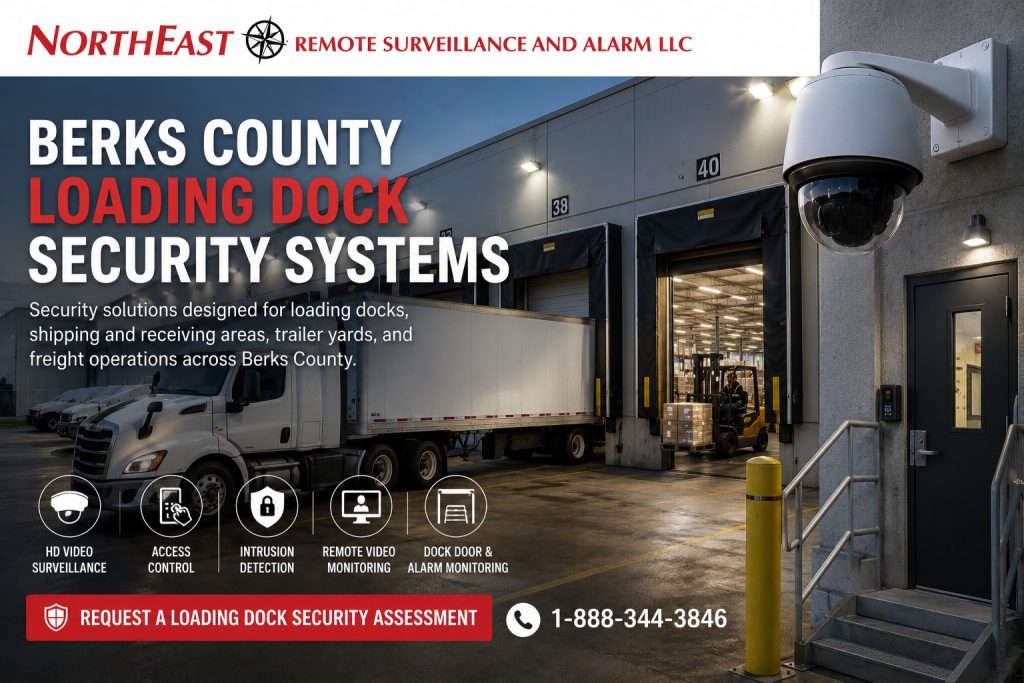
A useful dock security system must document more than a general view of the building.
Plan it around the exact events facility management may need to verify before, during, and after a shipment.
On this page: What to assess · Common questions · Assessment
NERSA designs, installs, upgrades, and supports loading-dock security systems across Reading and Berks County. We serve warehouses, distribution centers, manufacturers, cold-storage sites, and freight terminals. Projects can include system integration and monitoring within the agreed scope.
NERSA focuses on commercial, industrial, municipal, institutional, healthcare, logistics, and enterprise environments. We do not install single-family home security systems.
Coordinate loading-dock decisions with the surrounding yard and buildings using Berks County Industrial & Logistics Corridor Security Systems.
Call 1-888-344-3846 to discuss loading-dock visibility, controlled access, after-hours monitoring, or an existing system upgrade.
Loading Dock Security Should Follow the Freight Transfer
A loading-dock security design should begin with the sequence of activity that occurs at the facility.
Depending on the operation, that sequence may include:
- A truck arriving at the property
- Driver identification or check-in
- Gate entry
- Trailer assignment
- Movement into the truck court
- Trailer positioning at a dock
- Overhead-door opening
- Driver access to a shipping office
- Freight movement through the dock opening
- Interior staging or inspection
- Transfer to storage, production, or another trailer
- Trailer closing and departure
A single camera rarely documents that entire sequence with useful detail. A wide exterior view may show that a trailer was present but not what occurred at the dock threshold. An interior camera may document freight movement but not show which trailer was positioned outside. A camera mounted high above a row of docks may provide general awareness while failing to identify a person or resolve a disputed event.
The design should identify which stages matter to the facility and then assign the appropriate camera view, access-control event, alarm condition, or monitoring response to each stage.
The objective is not to record every square foot at the same level of detail. It is to create usable documentation at the points where responsibility, custody, access, or exposure changes.
What a Loading Dock Security Assessment Examines
A loading-dock assessment should account for more than the number of overhead doors.
NERSA may evaluate:
- The number and arrangement of dock positions
- Trailer approaches and backing patterns
- Active, inactive, and seasonal dock doors
- Interior shipping and receiving areas
- Freight staging and exception zones
- Pedestrian doors beside the docks
- Driver check-in procedures
- Shipping-office access
- Trailer-yard and truck-court visibility
- Existing camera positions
- Interior and exterior lighting
- Headlight glare and backlighting
- Overhead-door contacts and alarm zones
- Access-controlled entrances
- Network pathways and available switching
- Recording capacity and retention requirements
- Existing cabling, fiber, wireless links, and enclosures
- After-hours staffing and response procedures
- Repeated theft, damage, shortage, or trespassing concerns
- Planned dock additions or facility expansion
Management should also identify what questions the system may need to answer.
Examples include:
- Which trailer was at a particular dock?
- When did the trailer arrive and leave?
- When was the overhead door opened?
- Who entered the loading area?
- What freight crossed the dock threshold?
- Was product staged, moved, returned, or redirected?
- Was a dock-adjacent personnel door used?
- Did activity occur outside the normal schedule?
- Was a camera recording when the incident happened?
- Can the relevant video be found before it is overwritten?
Those questions help establish the required views, recording settings, retention, integrations, and response procedures.
Exterior Dock Face and Trailer-Position Visibility
The exterior dock face should provide enough context to understand trailer placement and activity around the loading doors.
Depending on the facility, exterior coverage may need to document:
- A trailer approaching the dock
- The selected dock position
- The tractor remaining attached or departing
- Movement between adjacent trailer positions
- Employees or drivers walking along the dock face
- Activity around trailer doors
- Exterior dock stairs and pedestrian entrances
- Overnight trailer access
- Unscheduled vehicles
- Movement between the yard and dock area
Long dock rows can be difficult to cover with one camera. Trailers may block neighboring views, and the most useful camera position can change as trailers are added, removed, or repositioned.
An overview camera can provide valuable context, but it should not automatically be expected to provide person identification, plate capture, seal detail, or a clear view inside every trailer. Those objectives may require additional, more tightly framed views.
Trailer Identification and Position Records
A general truck-court camera may show the type or color of a trailer but fail to provide a readable trailer number, company marking, tractor identifier, or license plate.
When dependable vehicle or trailer identification is required, the design should account for:
- Where the vehicle slows or stops
- The direction of travel
- Lane width
- Camera angle
- Mounting height
- Headlight exposure
- Day and night lighting
- Expected speed
- The size and position of the identifying information
Reliable plate capture usually requires a dedicated view designed for that purpose. A wide dock overview camera should not be represented as a substitute for a properly planned license plate recognition position.
Trailer-Seal Documentation
Some operations may want video showing a trailer seal before opening, during loading, or before departure.
A dedicated view may assist with visual documentation, but video alone does not create a formal seal-control or chain-of-custody program. The facility still needs an operating procedure defining:
- Who applies or removes the seal
- How the seal number is recorded
- Who verifies it
- Where the activity occurs
- How exceptions are handled
- How video and written records are matched
The camera should support the process rather than being treated as a replacement for it.
Interior Shipping, Receiving, and Staging Areas
Interior dock coverage should document the movement between the dock opening and the next point of responsibility.
That may include:
- Shipping and receiving lanes
- Freight staging areas
- Inspection points
- Cross-dock transfer paths
- Pallet holding areas
- Returns
- Damaged-product areas
- Exception or quarantine zones
- High-value freight cages
- Forklift travel paths
- Office-to-dock entrances
- Interior pedestrian routes
A wide view of the shipping area may miss details at a staging position. A close-up view may capture one transaction but miss the activity around it. Review both the detail and context needed to understand an event.
The layout should combine context and detail where both are required.
Freight Movement Across the Dock Threshold
The dock threshold is often one of the most important positions in the system.
Management may need to determine:
- What entered or left the trailer
- When the movement occurred
- Which employee or forklift was involved
- Whether freight was redirected
- Whether product was left unattended
- Whether an unexpected person entered from the dock
- What happened immediately before or after a reported shortage
The required view depends on the size of the opening, trailer position, interior lighting, exterior daylight, camera angle, freight type, and expected level of detail.
A camera mounted directly above the door may show the top of a person or pallet but provide little identifying detail. A camera facing an open dock door may also struggle with severe backlighting. The best location is determined by the evidence objective, not simply by the easiest available mounting point.
Returns, Exceptions, and Damaged Freight
Returns and exception areas deserve separate consideration because product may remain there longer than freight moving through the normal process.
These areas may contain:
- Rejected shipments
- Damaged goods
- Freight awaiting inspection
- Product with incomplete paperwork
- Customer returns
- Inventory awaiting reconciliation
- High-value or disputed items
Coverage should help management understand who entered the area, what was placed there, what was removed, and when the activity occurred.
When access needs to be restricted, cameras may be combined with an access-controlled door, gate, or cage opening.
Dock Doors and Overhead-Door Monitoring
Overhead doors create large perimeter openings that may be used repeatedly throughout the day.
Security planning may need to distinguish between:
- Normal scheduled operation
- A door opened outside approved hours
- A door left open longer than expected
- A door opened while the associated area is armed
- An unused dock door being accessed
- A door that appears closed but is not secured
- A device or contact that is no longer communicating
Commercial alarm contacts can be used to monitor selected overhead doors when the door construction, operating conditions, and alarm design support them.
The facility should determine:
- Which doors require monitoring
- When each door is expected to be open
- Whether different dock areas need separate alarm partitions
- Who receives a notification
- Whether video should be reviewed with the event
- What response is required after hours
- How recurring operational alerts will be handled
Alarm design should reflect the dock’s actual operation. A contact that generates constant nuisance alarms during normal loading activity will eventually be ignored or bypassed.
Dock-Adjacent Personnel Doors
Pedestrian doors near loading docks may be used by employees, drivers, vendors, maintenance personnel, or contractors. These doors can also create a path from an exterior loading area into the building.
Access control can help manage:
- Employee permissions
- Shift schedules
- Temporary contractor access
- Shipping-office entry
- Driver access to approved areas
- Forced-door events
- Door-held-open conditions
- Lost or terminated credentials
- Weekend and holiday permissions
Camera coverage can provide visual context around credential events or unauthorized entry.
Evaluate the complete opening. A reader alone does not correct a damaged door, unsuitable lock, weak frame, poorly adjusted closer, or improper request-to-exit arrangement.
Any access-controlled egress door must be coordinated with the applicable door hardware, emergency-release, fire-alarm, and life-safety requirements.
Driver Check-In and Controlled Movement
Truck drivers may need access to a gate, call station, shipping window, vestibule, dispatch office, restroom, waiting area, or document exchange point.
A defined driver-entry process can reduce uncontrolled movement through the warehouse or loading area.
Depending on the facility, the process may use:
- A gate or dock intercom
- Video verification
- A call station
- Remote entry release
- A shipping-office window
- A restricted vestibule
- Temporary credentials
- Time-limited permissions
- A designated walking route
- Camera coverage of the check-in area
The process should be practical enough that drivers and employees will follow it. A security system that creates unnecessary delays may be bypassed, propped open, or replaced with informal practices.
NERSA plans the electronic security around the facility’s actual operating procedure rather than assuming every dock should use the same entry method.
Freight Claims, Shortages, and Damage Investigations
Loading-dock footage may help management review a freight shortage, damage report, disputed delivery, unauthorized pickup, or trailer-access concern.
For the video to be useful, the system should provide the necessary sequence rather than one isolated image.
An investigation may require footage showing:
- The truck or trailer entering the property
- The trailer being positioned
- The dock door opening
- Freight crossing the threshold
- Product entering a staging area
- Employees or drivers interacting with the shipment
- Freight being moved, returned, or redirected
- The dock door closing
- The trailer leaving
The system does not determine legal responsibility, insurance coverage, product condition, or contractual liability. It provides documentation that authorized personnel may use as part of a broader investigation.
Recording Retention for Delayed Claims
A freight issue may not be reported on the day it occurs.
The facility should consider:
- How quickly shortages are usually discovered
- How long customers or carriers have to report damage
- How long internal investigations take to begin
- Whether several locations must be reviewed
- Whether footage may need to be preserved manually
- Whether legal, insurance, or customer procedures require longer retention
Calculate recording storage from the required footage and retention period, rather than the number of hard drives alone.
Retention is affected by:
- Camera count
- Resolution
- Frame rate
- Compression
- Scene activity
- Continuous or event-based recording
- Redundancy
- Audio, where lawfully and appropriately used
- Future camera additions
The final system should also include a process for preserving relevant footage before routine recording overwrites it.
Camera Design for Loading Dock Evidence
Camera quality is not determined by resolution alone.
A high-resolution camera can still produce poor evidence when it is mounted too high, aimed through severe glare, assigned an excessively wide view, or expected to identify activity beyond the useful range of its lens.
Awareness, Recognition, and Identification
Each view should have a defined objective.
A camera may be intended to provide:
- General awareness of the dock area
- Recognition of a familiar employee
- Identification of an unknown person
- Documentation of a trailer position
- A detailed view of freight movement
- Review of an overhead-door event
- Evidence around a controlled entrance
- After-hours analytic detection
The mounting position and lens should match that objective.
Trying to make one wide-angle camera perform every function often produces coverage that appears impressive on a live monitor but lacks the detail needed during an investigation.
Exterior and Interior Views
Many loading docks benefit from separate interior and exterior coverage.
The exterior view can document the trailer, truck court, dock face, and activity outside the building. The interior view can document the threshold, freight transfer, staging area, and movement into the facility.
Not every dock requires an individual interior and exterior camera. Choose the number of views based on the layout, operating volume, risk level, available mounting positions, and evidence requirements.
Backlighting and Headlights
Open dock doors can create extreme differences between bright exterior light and a darker interior. At night, headlights and dock lighting can produce glare or deep shadows.
Test the design under these conditions:
- Daylight through open doors
- Early morning and late afternoon sun
- Headlights
- Wet pavement reflections
- Interior lights turning on or off
- Trailers blocking exterior light
- Dock doors opening during darkness
- Seasonal lighting changes
A camera that looks acceptable during installation at midday may perform differently during the actual operating conditions that matter.
Camera Names, System Time, and Searchability
Video becomes harder to use when cameras are named inconsistently or system time is incorrect.
Use camera names that tell authorized users:
- Building
- Dock number
- Interior or exterior location
- Direction of view
- Associated entrance or staging area
Examples might include:
- Building A – Dock 12 Exterior
- Building A – Dock 12 Interior
- Shipping – Exception Area
- West Truck Court Overview
Recorders, cameras, access-control systems, and alarm panels should use coordinated time settings where practical. An incident becomes harder to reconstruct when one system is several minutes different from another.
System-Health Awareness
A loading-dock system should not depend on someone noticing weeks later that a camera stopped recording.
Depending on the selected platform, system-health monitoring may help identify:
- Offline cameras
- Recording failure
- Storage problems
- Network loss
- Device communication trouble
- Time synchronization issues
- Tampering or a changed camera view
Available health features vary by platform and configuration. Review them during system design and commissioning.
Access Control and Intrusion Detection Around the Dock
Loading-dock security may combine video with access control and intrusion detection when the facility needs more than recorded footage.
Possible applications include:
- Controlled shipping-office doors
- Restricted dock-to-warehouse entrances
- Driver vestibules
- High-value staging cages
- Returns areas
- Detached shipping buildings
- After-hours overhead-door monitoring
- Separate alarm partitions for dock areas
- Forced-door and held-door notifications
- Video associated with door or alarm events
Integration can improve investigation when the selected platforms are compatible. For example, an authorized user may be able to review the camera associated with a forced-door event or examine footage around a credential transaction.
Verify integration before proposing equipment. Not every existing recorder, alarm panel, access-control system, cloud platform, or proprietary device can exchange events reliably.
Remote Video Monitoring for After-Hours Dock Exposure
Recorded video is useful after an event, but some properties need active awareness during nights, weekends, holidays, shutdowns, or low-staff periods.
Remote video monitoring may be applied to selected:
- Loading docks
- Truck courts
- Exterior personnel doors
- Trailer rows
- Shipping entrances
- Staging areas
- Building approaches
- Fence lines
- High-risk exterior zones
Analytics or event rules can identify activity within approved areas and schedules. A monitoring operator can review the associated camera and follow the facility’s documented response procedure.
Depending on the approved service and site configuration, the response may include:
- Documenting the event
- Contacting designated personnel
- Issuing a live verbal warning
- Escalating continued activity
- Requesting an appropriate response
Monitoring should not be built around sending every movement event to an operator. Detection zones, schedules, lighting, trailer movement, weather, site rules, and normal operational activity must be considered during setup.
For broader dock-security planning across multiple regions or facilities, review Loading Dock Security Systems.
Analytics for Loading Areas
Video analytics may help identify people, vehicles, line crossing, loitering, or activity inside a defined area. They may also help authorized users search recorded video more efficiently.
Analytics should be treated as a configured tool rather than a universal solution.
Loading docks present difficult conditions:
- Trailers arrive and leave
- Doors open and close
- Shadows move
- Headlights appear
- Rain, snow, fog, and insects affect exterior views
- Forklifts and employees operate close together
- Stored material changes
- Normal activity may continue after traditional business hours
Validate detection rules in the actual dock environment. An analytic that performs well in an empty parking lot may require different settings at an active loading dock.
Security Infrastructure for Long Dock Rows
Loading areas may be located far from the primary network room or security equipment.
Infrastructure planning may include:
- CAT6 or CAT6A cabling
- Fiber-optic connections
- PoE switching
- Intermediate equipment locations
- Weather-resistant enclosures
- Surge protection
- Backup power
- Point-to-point wireless links
- Conduit and protected pathways
- Equipment labeling
- Cable testing
- Network segmentation
- Expansion capacity
Exterior cameras should not rely on exposed indoor-rated connectors or equipment placed in unsuitable environments.
Large buildings may require distributed switches or fiber between equipment locations. Detached shipping buildings, gates, guard houses, and remote dock areas may require dedicated connectivity.
The infrastructure should be designed for the full system rather than added as an afterthought after the camera count has been selected.
Loading Dock Environmental Conditions
Loading docks experience environmental conditions that are different from those inside a conventional office.
Equipment and installation methods may need to account for:
- Temperature changes
- Moisture and condensation
- Dust
- Wind-driven rain or snow
- Vehicle exhaust
- Vibration
- Forklift or material impact exposure
- Washdown or cleaning procedures
- Corrosive environments
- High mounting locations
- Limited service access
- Bright exterior and dark interior transitions
The camera, housing, mount, junction box, cable pathway, connector protection, network equipment, and power source should all be appropriate for the location.
Security cameras do not replace dock locks, trailer restraints, wheel chocks, levelers, barriers, traffic controls, required lighting, employee training, or loading-dock safety procedures. Electronic security should be coordinated with those systems rather than represented as a substitute for them.
Existing Loading Dock Security System Upgrades
Many facilities already have cameras around their dock area but still lack useful evidence.
Common problems include:
- One camera covering too many dock doors
- Exterior views blocked by trailers
- Cameras mounted too high
- Poor interior detail when doors are open
- Inadequate night visibility
- Short recording retention
- Unreliable remote access
- Incorrect time settings
- Unnamed or poorly named cameras
- Offline devices
- Unsupported recorders
- Insufficient network capacity
- Exposed or damaged cabling
- Unknown administrator accounts
- No process for exporting evidence
An upgrade does not always require complete replacement.
NERSA can assess:
- Existing camera locations
- Camera and recorder compatibility
- Available licensing
- Storage capacity
- Current retention
- Cabling condition
- PoE switch capacity
- Fiber and wireless connections
- Power supplies
- Enclosures
- Network configuration
- User accounts
- Cloud ownership
- Password availability
- System-health features
- Expansion limitations
Dependable components may be retained when they are compatible, properly installed, supportable, and appropriate for the new design. Obsolete, unreliable, insecure, or poorly performing components may need replacement.
The objective is to improve the useful result rather than replace equipment merely because it is already installed.
How NERSA Plans a Loading Dock Security Project
Operational Review
NERSA begins by learning how the dock operates.
The review may include:
- Shipping and receiving schedules
- Dock assignments
- Employee shifts
- Driver procedures
- Freight flow
- High-value products
- Returns and exceptions
- After-hours activity
- Recurring incidents
- Claims and investigation needs
- Planned expansion
Operations, facilities, security, IT, shipping, receiving, and management personnel may each identify different requirements.
Existing-System Assessment
NERSA evaluates the installed cameras, recorders, cabling, switches, fiber, alarm contacts, access-control hardware, intercoms, enclosures, wireless links, and monitoring connections.
This helps identify what may be reusable and what is preventing the current system from meeting the facility’s needs.
Evidence-Objective Planning
Each proposed view should have a defined purpose.
That may include:
- Trailer-position documentation
- Person identification
- Freight-threshold visibility
- Staging-area review
- Door-event verification
- Driver check-in
- Vehicle identification
- After-hours detection
- General dock awareness
A camera should not be added without understanding what management expects it to show.
System and Infrastructure Design
The design should address:
- Camera positions
- Lens requirements
- Recording settings
- Retention
- Network capacity
- Cable pathways
- Equipment locations
- Alarm zones
- Access permissions
- Monitoring schedules
- Administrator ownership
- Future dock or camera additions
The proposal should clearly describe the intended scope rather than relying on a generic camera package.
Installation Coordination
Dock-security work may need to be coordinated around:
- Active shipping and receiving
- Trailer schedules
- Lift access
- Forklift traffic
- Employee shifts
- Restricted work areas
- Sanitation requirements
- Cold-storage procedures
- Shutdown periods
- Other contractors
- Facility safety rules
NERSA can phase larger projects to reduce disruption while preserving one consistent system design.
Commissioning and Training
Commissioning may include:
- Verifying every camera view
- Testing day and night image quality
- Confirming recording
- Checking retention
- Verifying system time
- Testing access-controlled doors
- Testing overhead-door contacts
- Confirming alarm partitions
- Reviewing monitoring schedules
- Testing approved integrations
- Confirming administrator access
- Organizing camera names
- Training authorized users
- Reviewing video export procedures
A camera being visible on a monitor does not by itself confirm that the completed system meets the required objective.
Security for One Loading Dock or a Large Logistics Facility
A smaller warehouse, manufacturing shop, commercial building, or receiving operation may need focused coverage around one or several dock positions.
That project may involve:
- Exterior dock views
- Interior shipping coverage
- One controlled personnel entrance
- Overhead-door alarm contacts
- Expanded recording
- After-hours monitoring
A larger distribution center or logistics campus may require:
- Long dock rows
- Several shipping and receiving areas
- Multiple trailer yards
- Separate buildings
- Gate and driver documentation
- Centralized video management
- Numerous controlled doors
- Fiber between equipment locations
- Longer retention
- Integrated monitoring
- Standardized naming and permissions
- Multi-site administration
NERSA can plan systems for smaller commercial facilities and larger industrial or enterprise operations. The design is based on the number of docks, operating procedures, evidence needs, infrastructure, risk areas, and future plans rather than forcing every facility into the same equipment package.
Loading Dock Security Throughout Berks County
NERSA serves truck-served commercial and industrial properties throughout Reading and surrounding Berks County communities.
Facilities may be located near US 222, US 422, I-176, PA 61, I-78, local industrial roads, established manufacturing areas, distribution properties, or regional industrial parks.
Projects may involve one receiving door, an operating warehouse, a manufacturing plant, a cross-dock facility, a distribution center, a freight operation, a cold-storage building, or a multi-building industrial property.
Mentioning these communities does not imply that NERSA maintains a physical office in each municipality. Service is provided through NERSA’s established regional operation.
Why Facilities Choose NERSA for Loading Dock Security
NERSA’s loading-dock security approach emphasizes:
- Commercial and industrial work rather than single-family home packages
- Planning around actual freight and dock operations
- Defined objectives for each camera
- Exterior and interior documentation where required
- Coordination between video, access control, alarms, and monitoring
- Evaluation of existing equipment before recommending replacement
- Infrastructure planning for large and multi-building properties
- Installation coordination around active operations
- System testing under realistic conditions
- Organized camera naming and time synchronization
- Authorized-user training
- Long-term serviceability and expansion
The system should help facility managers understand an event by showing what happened before, during, and after it.
Request a Berks County Loading Dock Security Assessment
A loading-dock assessment follows the movement of trucks, freight, drivers, and staff. It reviews approaches, dock doors, staging areas, and nearby entrances. It also checks camera views, lighting, recording, alarms, access control, and monitoring needs. Existing cabling, network capacity, and expansion plans help define the installation scope.
NERSA can help determine whether the property needs a new system, additional dock coverage, a phased upgrade, improved recording, an existing-system takeover, or active after-hours monitoring.
Request a Loading Dock Security Assessment.
Frequently Asked Questions About Berks County Loading Dock Security Systems
What types of properties need loading dock security systems?
Loading-dock security may be appropriate for warehouses, distribution centers, manufacturing plants, cold-storage facilities, third-party logistics operations, freight terminals, retail distribution buildings, food-processing properties, institutional receiving areas, and other commercial facilities with active shipping or receiving doors.
How many cameras does a loading dock need?
There is no universal camera count. The number depends on the dock layout, number of doors, trailer positions, interior staging areas, lighting, obstructions, required image detail, recording goals, and incidents the facility may need to investigate.
Does every dock door need its own camera?
Not necessarily. Some facilities can document several doors with well-positioned overview and detail cameras. Other operations need dedicated views at selected doors because trailers, walls, lighting, or freight movement block broader coverage. Each required event should have an appropriate view.
Should loading docks have both interior and exterior cameras?
Many facilities benefit from both. Exterior cameras can document trailer position and activity outside the building, while interior cameras can document the threshold, staging area, freight movement, and employee interaction. The final design depends on the facility’s evidence requirements.
Can loading-dock video help investigate freight damage or shortage claims?
Yes, when the system documents the relevant sequence and retains footage long enough for staff to find it. Video may help management review trailer position, door activity, freight movement, staging, employee interaction, and departure. It does not independently determine liability or the condition of unseen freight.
Can an overhead dock door generate an alarm or notification?
Selected overhead doors may be monitored with commercial alarm contacts or compatible door-status devices. Define the schedule, alarm partition, notification process, and normal operation so routine dock activity does not create unmanageable alerts.
Can access control be installed on doors beside the loading docks?
Yes. Dock-adjacent personnel doors, shipping offices, driver vestibules, restricted cages, and warehouse entrances may use access control when the opening and life-safety requirements support it. The reader, lock, door contact, request-to-exit device, power supply, and door hardware must be evaluated together.
Can remote video monitoring operate only after the dock closes?
Yes. Configure monitoring schedules for nights, weekends, holidays, shutdowns, selected docks, trailer areas, and defined exterior zones. Base detection rules and response instructions on the property’s normal activity and approved procedures.
Can NERSA upgrade an existing loading-dock camera system?
Yes. Existing cameras, recorders, cabling, switches, fiber, wireless links, alarm contacts, access-control equipment, and mounting locations can be evaluated. Compatible and dependable components may be reused, while equipment that is obsolete, unreliable, poorly positioned, or unsupported may need replacement.
What infrastructure may be needed for a long row of loading docks?
A large dock area may require CAT6 or CAT6A cabling, fiber, distributed PoE switches, equipment enclosures, surge protection, backup power, conduit, wireless bridges, or additional network capacity. The appropriate infrastructure depends on distance, environment, pathways, power, and expected expansion.
How much does a loading dock security system cost?
Cost depends on the number of docks, camera objectives, interior and exterior coverage, recording retention, access-controlled doors, alarm monitoring, remote video monitoring, cabling, fiber, network equipment, environmental conditions, lift requirements, existing infrastructure, and integration scope. A facility assessment is needed to produce an accurate proposal.
Can NERSA support both a small receiving area and a large distribution center?
Yes. A smaller facility may need several cameras, one controlled entrance, overhead-door protection, and commercial monitoring. A larger operation may require long dock rows, extensive recording, several access-control panels, fiber, multiple buildings, centralized administration, and active after-hours monitoring.
How does a Berks County loading dock security project begin?
The project begins with a facility and operational assessment. NERSA reviews how trailers, drivers, employees, freight, dock doors, staging areas, existing systems, lighting, network infrastructure, and after-hours procedures work together before recommending a design.
Compliance, Codes & Project Standards
NERSA plans commercial and industrial security work with applicable code, documentation, inspection and authority-having-jurisdiction requirements in mind. Requirements vary by system, property and jurisdiction. These resources support project planning; they do not establish legal compliance, certification or AHJ approval.
Related guidance: Regulatory compliance & inspection readiness · NERSA project standards · Documentation, testing & inspection readiness