
Commercial intrusion protection should be designed around the way a business actually operates, not around a generic alarm package.

Request a Commercial Security Assessment
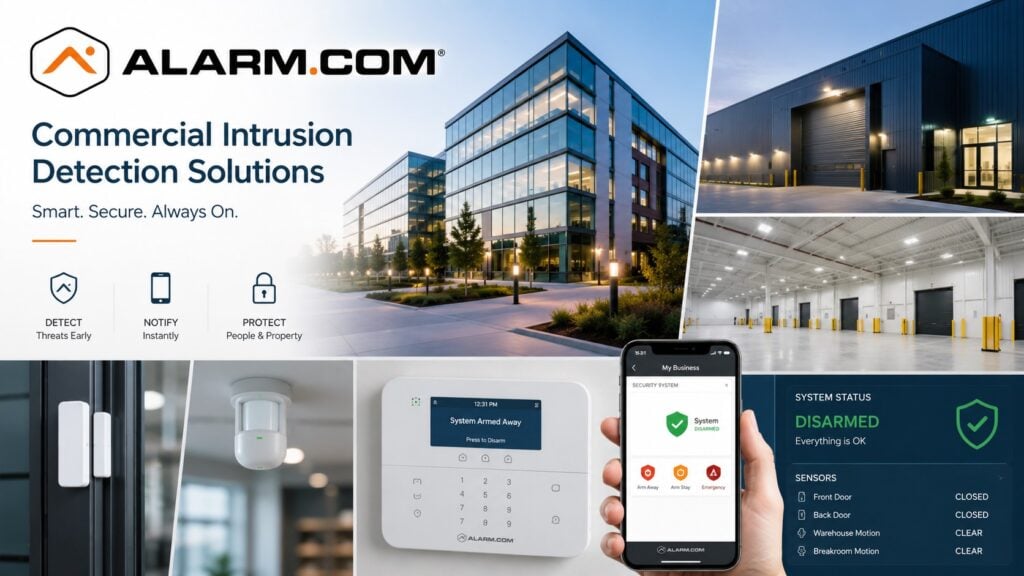
For the complete Alarm.com commercial platform, visit Alarm.com for Business Security Systems.
This is an independent reference to Alarm.com Commercial Intrusion Detection Systems. Product information does not establish a NERSA partnership, certification, authorization or brand-specific service capability. Confirm those details with the proposed provider.
Compatible Alarm.com systems can support cloud-based controls for business alarms. Features may include automatic arming, separate user codes, remote controls, and alerts. Some setups can also work with other compatible security systems.
Commercial Intrusion Protection Designed Around the Property
Plan the alarm around the building layout, work hours, staff, and entrances. Include the risks that matter when the business is closed.
Planning may consider:
- Main entrances
- Employee entrances
- Rear doors
- Loading doors
- Overhead doors
- Warehouse areas
- Offices
- Restricted storage
- Equipment rooms
- Interior zones
- Exterior openings
- Multiple operating schedules
- After-hours activity
- Existing alarm equipment
- Monitoring requirements
Protect the areas that matter most. Keep daily alarm use clear and practical for staff and managers.
Automatic Arming
One of the useful commercial capabilities available through Alarm.com is automatic arming.
A business may occasionally be left unarmed because an employee forgets to set the system at closing.
Compatible systems can use schedules and rules to help arm the alarm at closing. Check which closing conditions the chosen setup can use.
Automatic arming can be especially useful for businesses with:
- Multiple managers
- Changing shifts
- Cleaning crews
- Weekend operations
- Contractors
- Early-opening schedules
- Late-closing schedules
- Multiple departments
Automatic arming should support good operating procedures rather than replace them.
Schedules and rules should be configured around the actual business.
Commercial Alarm User Management
Shared alarm codes can create unnecessary security and administrative problems.
Compatible systems can give each approved user a separate alarm code or account.
Individual user management can help businesses administer:
- Owners
- Managers
- Employees
- Maintenance personnel
- Cleaning crews
- Contractors
- Vendors
- Temporary workers
When someone no longer needs alarm access, remove that user’s permission. Other employees can keep their own codes.
This provides better control than relying on one shared code throughout the organization.
Door and Opening Protection
Exterior openings are a major part of commercial intrusion planning.
Depending on the property, protected openings may include:
- Main doors
- Employee entrances
- Rear doors
- Service entrances
- Warehouse personnel doors
- Loading doors
- Overhead doors
- Selected windows
- Roof access
- Other vulnerable openings
Door and opening protection should be designed around the actual risks and operating conditions of the property.
The goal is not to place a sensor on every possible opening without purpose.
The goal is to establish dependable perimeter awareness where unauthorized entry is most likely to occur.
Interior Intrusion Detection
Interior sensors can add protection by detecting movement inside the building after someone gets past the outer doors or openings.
The correct detection approach may depend on:
- Building layout
- Ceiling height
- Warehouse racking
- Equipment placement
- Interior partitions
- Environmental conditions
- Normal after-hours activity
- Production schedules
- Maintenance activity
Large warehouse and industrial spaces should not automatically be treated like oversized offices.
The detection method should be selected around the environment.
Partitioned Commercial Alarm Systems
Some commercial properties require different areas of the building to operate independently.
A warehouse may remain active while the administrative office is armed.
A multi-tenant property may need separate areas for different occupants.
A manufacturing facility may have departments operating on different schedules.
Compatible systems may support partitions that allow different areas to have separate:
- Users
- Schedules
- Arming conditions
- Operating procedures
Partitions can be useful, but they should be planned carefully.
Too many unnecessary partitions can make a commercial alarm system harder for employees to understand and manage.
Alarm Notifications and Remote Awareness
Managers are not always physically present when an alarm event occurs.
Compatible Alarm.com systems can provide authorized users with remote information and notifications about important security conditions.
Depending on the system configuration, notifications may involve:
- Alarm activity
- Arming status
- Disarming activity
- Selected sensor events
- Unusual opening activity
- Other defined security conditions
Notifications should be configured around events management actually needs to know about.
Too many unnecessary alerts can reduce the value of the system by making important events easier to overlook.
Commercial Alarm Communication
Reliable communication is an important part of a professionally monitored intrusion system.
Choose the communication method around the alarm equipment, network, and monitoring service. It must also suit the business’s needs.
Commercial alarm planning may need to consider:
- Primary communication path
- Backup communication
- Cellular connectivity
- Network availability
- Monitoring-station communication
- Power conditions
- Battery backup
- Service continuity
Communication should be treated as part of the complete intrusion system rather than as an isolated accessory.
Existing Commercial Alarm System Upgrades
Moving to Alarm.com does not always mean that every existing alarm component must be replaced.
An existing system should first be evaluated for:
- Alarm panel condition
- Door contacts
- Motion detectors
- Keypads
- Wiring
- Power supplies
- Battery backup
- Communication equipment
- Partitions
- User programming
- Monitoring configuration
- Documentation
- Expansion capacity
Depending on the installed system, the appropriate project may involve:
- Communication modernization
- Platform upgrade
- Reprogramming
- Additional detection
- Selective equipment replacement
- System expansion
- Complete replacement
Existing equipment should be retained when it remains compatible, reliable, supportable, and appropriate for the property.
For broader modernization planning, visit Commercial Security System Upgrades, Retrofits & Takeovers.
Alarm.com Intrusion and Video
Compatible Alarm.com video can provide additional visual context around selected alarm events without changing the primary purpose of the intrusion system.
For broader camera and video capabilities, visit Alarm.com Commercial Video Surveillance Systems.
Alarm.com Intrusion and Access Control
Compatible Alarm.com access control can support coordinated workflows between authorized employee entry and intrusion-system operation.
For deeper controlled-entry planning, visit Alarm.com Commercial Access Control Systems.
Commercial Alarm Monitoring Procedures
A commercial intrusion system should have clear monitoring and response procedures.
Businesses should maintain current information for:
- Owners
- Managers
- Emergency contacts
- After-hours contacts
- Authorized responders
- Monitoring procedures
Contact lists should be reviewed periodically so former employees, outdated phone numbers, and obsolete response instructions are removed.
A strong intrusion system depends on both good technology and good administration.
Why Professional Design Matters
Cloud-based management cannot correct poor physical system design.
Reliable intrusion protection still depends on proper:
- Sensor placement
- Door contacts
- Interior detection
- Panel configuration
- Partition design
- Communication
- Power
- Battery backup
- User administration
- Monitoring setup
- Documentation
Define protected openings, detection zones, communication paths and the response process before choosing the intrusion platform.
Frequently Asked Questions
What is Alarm.com commercial intrusion detection?
Alarm.com commercial intrusion systems combine compatible alarm equipment with cloud-based controls. Supported features may include user management, remote access, alerts, automatic actions, and monitoring workflows.
Can Alarm.com automatically arm a commercial alarm system?
Compatible Alarm.com systems can use schedules and automation rules to help arm a property when expected closing conditions occur.
Can managers add or remove alarm users?
Compatible systems can support individual user administration so authorized users can be added, changed, or removed without relying on one shared alarm code.
Can Alarm.com monitor doors and openings?
Yes. Compatible systems can monitor selected outside doors, staff entrances, loading doors, and overhead doors. Choose coverage to suit the property’s risks.
Can a commercial alarm system use partitions?
Yes. Compatible systems may support partitions that allow different areas of a property to operate on separate schedules or arming conditions.
Can an existing commercial alarm system be upgraded to Alarm.com?
Sometimes. Compatibility depends on the installed panel, communication equipment, sensors, wiring, condition, and the capabilities required.
Can Alarm.com intrusion work with video surveillance?
Compatible systems can associate intrusion events with video for additional context, but video remains a separate security discipline.
Can Alarm.com intrusion work with access control?
Yes. Compatible Alarm.com access-control systems can support coordinated workflows with intrusion protection.
Prepare for a Commercial Security Assessment
For an assessment, provide a floor plan, protected openings, existing panel details, user requirements and the proposed alarm response process.
Request a Commercial Security Assessment.
Compliance, Codes & Project Standards
NERSA plans commercial and industrial security work with applicable code, documentation, inspection and authority-having-jurisdiction requirements in mind. Requirements vary by system, property and jurisdiction. These resources support project planning; they do not establish legal compliance, certification or AHJ approval.
Related guidance: Regulatory compliance & inspection readiness · NERSA project standards · Documentation, testing & inspection readiness