
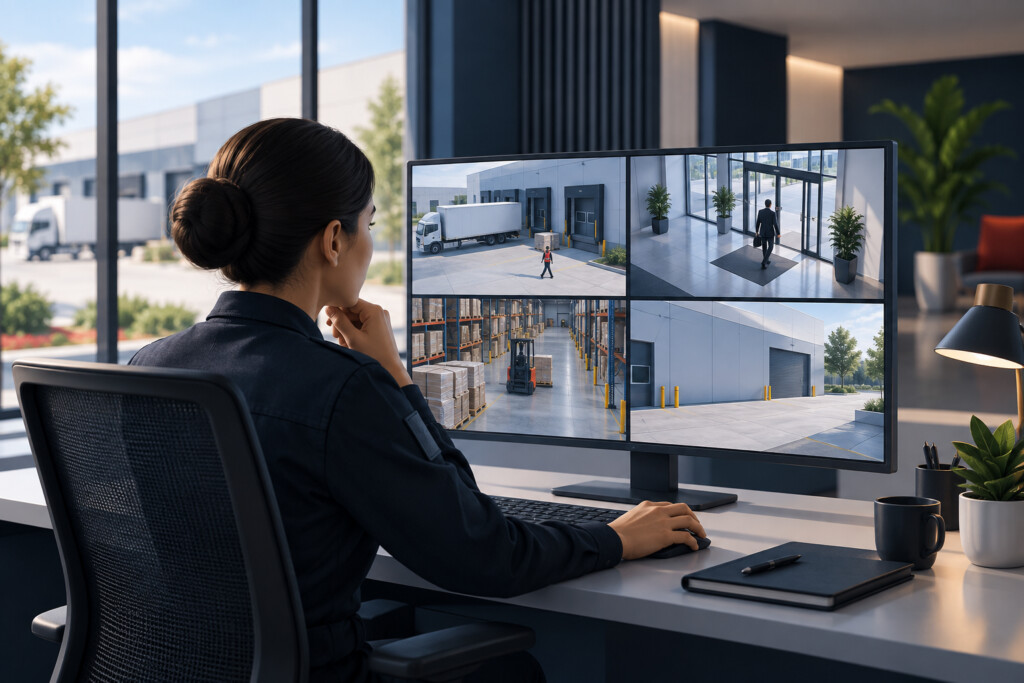


Video verification planning defines how an intrusion event reaches the right reviewer with relevant visual context. The interface, monitoring scope, and response instructions must be agreed together.
Part of Unified and Integrated Security Systems.
Route alarms to the right reviewer
Map each selected intrusion event to the site, zone, camera context, recipient, and expected action. State coverage hours and whether review occurs with customer personnel or a contracted monitoring service. Confirm event delivery, supported clips or live views, licensing, and operator permissions for the exact systems.
Plan for missing video and unavailable contacts
Plan for missing video, interrupted communications, duplicate events, nuisance triggers, and unavailable contacts. The absence of visible activity does not by itself establish that an event is harmless. Define the approved escalation process and preserve original event information. Monitoring and response obligations belong in the agreed service scope.
Exercise verification and escalation
Exercise representative alarms, unavailable camera views, failed communication paths, and escalation handoffs. Confirm the reviewer receives accurate location information and can document the outcome. Measure the actual workflow during the pilot and use the results to refine site instructions before extending the integration.
Define the event-to-video handoff
For a multi-site rollout, create an event map before connecting the systems. Each row should identify the facility, alarm partition and zone, camera or view, review destination, and approved action. Use names that an operator can distinguish without local knowledge: “Building B, north loading door” is more useful than a zone number alone. Check that event timestamps and recorded video agree, especially when sites use different time zones.
Specify what the interface actually transfers. A supported connection may provide an alarm notification, a recorded clip, a link to playback, or a live camera view; these are different capabilities. Confirm the exact panel, video platform, software version, licenses, and monitoring arrangement before promising a workflow. A shared dashboard does not automatically give the reviewer permission to disarm a partition, unlock a door, or change the alarm response.
Example: an after-hours loading-door alarm
A warehouse door contact reports an alarm while the building is armed. The reviewer needs the correct site and door identity, the relevant camera view, and enough recorded context to understand activity around the event. A camera pointed at an adjacent dock may not show the protected opening. During planning, check the view with the door open and closed and under the lighting conditions expected after hours.
If the video is unavailable or inconclusive, the event should follow the agreed fallback instructions rather than being silently closed. Document who can acknowledge the alarm, whom to contact, and how the outcome is recorded. This is an illustrative workflow; the final sequence depends on the equipment and contracted service.
Include these checks in the handover
- Trigger a selected zone and verify the site, zone, timestamp, and associated view at the actual review destination.
- Test a missing camera view and a communication interruption; record the fallback notification and escalation result.
- Verify reviewer permissions and the availability of alarm history and video for an authorized follow-up review.
- Provide an event map, current contact list, responsibility assignments, and a process for retesting when zones or cameras change.
Related planning resources
- Video Verification Alarm Upgrades
- Security Operations Center and Managed Security Response
- Enterprise Intrusion Alarm Systems for Multi-Site and Large Facilities
Let’s talk about your next step
Tell us what you want to improve and which locations are involved. We can help you work through the questions, check what your systems support, and define a practical project scope.