
Plan enterprise intrusion alarms around site-specific detection, shared administration, communication paths, monitoring responsibilities, and consistent event handling.

Request an enterprise intrusion-alarm assessment
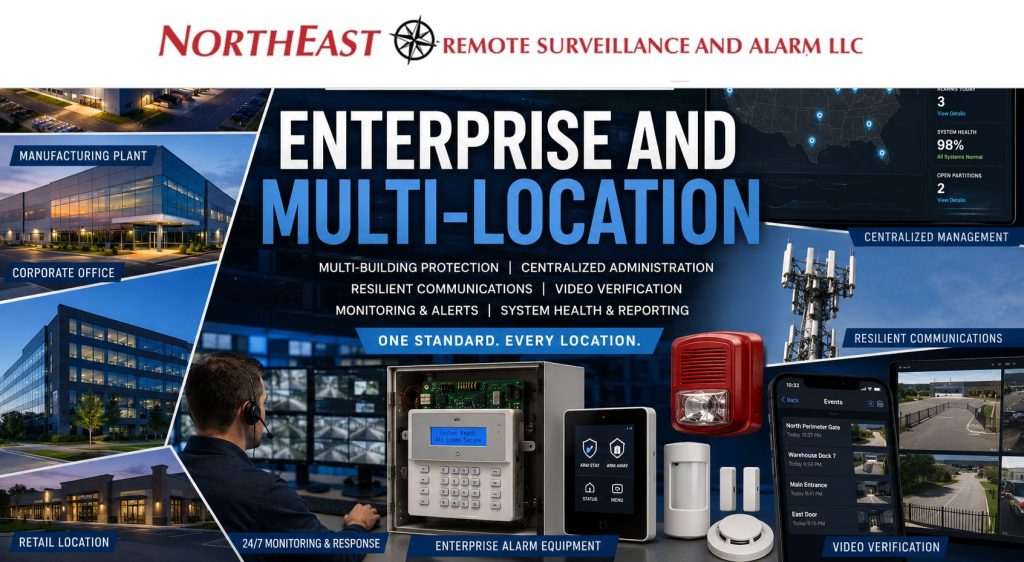
They need an enterprise intrusion-alarm architecture that defines how buildings and protected areas are organized, who may operate each portion of the system, how events are verified and escalated, what continues working during communication failures, how system health is monitored, and how future locations can be added without creating another disconnected platform.
Northeast Remote Surveillance and Alarm, LLC designs, upgrades, integrates, migrates, standardizes, and supports enterprise intrusion alarm systems for distribution networks, manufacturing organizations, industrial campuses, warehouse portfolios, healthcare groups, educational institutions, municipal operations, office portfolios, multi-tenant properties, and other organizations with complex alarm-management requirements.
Enterprise planning may include multiple buildings, numerous alarm partitions, corporate and local administrators, role-based users, separate operating schedules, professional monitoring, cellular and IP communication, video verification, access-control coordination, system-health reporting, acquisition integration, and phased replacement of inherited platforms.
This guide covers:
- Multi-building and multi-site alarm architecture
- Corporate and local administration
- Standardized site, partition, and zone organization
- User and administrator governance
- Opening, closing, and schedule supervision
- Monitoring and response standards
- Communication resilience
- Video and access-event verification
- System-health and exception reporting
- Existing-platform migration
- Portfolio-wide lifecycle planning
For panels, keypads, contacts, motion detectors, device placement, wiring, programming, installation, and commissioning at an individual property, visit Commercial & Industrial Alarm Installation.
Commercial and industrial systems only • Multi-building and multi-site architecture • Existing-platform migration • Enterprise lifecycle support
Enterprise Alarm Architecture Built Around the Organization
An enterprise alarm program should reflect how the organization operates across departments, buildings, shifts, regions, and business locations.
One facility may close completely each evening. Another may operate continuously while administrative offices and storage areas are armed. A warehouse may remain active for late shipping while restricted inventory areas are protected. A manufacturing organization may have several plants using different schedules, alarm panels, monitoring accounts, and communication methods.
An enterprise assessment may review:
- Number of locations and buildings
- Building use and operating schedules
- Departments and restricted areas
- Employee and contractor activity
- Local and regional management responsibilities
- Existing alarm panels and platforms
- Current zones and partitions
- User and administrator records
- Monitoring providers and account structures
- Primary and backup communication paths
- Opening and closing procedures
- Late-closing and failure-to-arm reporting
- Video-surveillance coverage
- Access-control systems
- Existing service agreements
- Product-support status
- Available system documentation
- Planned acquisitions, expansions, or relocations
- Capital-replacement priorities
The objective is not to force every property into an identical device layout. It is to establish an understandable operating standard while allowing each building to retain the protection, schedules, permissions, and response instructions required by its actual use.
When an Enterprise Intrusion Platform Is Appropriate
An enterprise approach becomes valuable when alarm responsibility extends beyond one simple building and one local manager.
Common indicators include:
- Several buildings on one campus
- Multiple business locations
- Large numbers of alarm zones
- Numerous independently controlled departments
- Different operating schedules within one facility
- Several local administrators
- Corporate or regional security oversight
- Multiple monitoring accounts
- Inconsistent zone and partition names
- Separate panels installed by different providers
- Shared or outdated alarm codes
- Former employees who may remain active
- Unsupported communication equipment
- Lost administrator credentials
- Acquired facilities using unrelated platforms
- Incomplete drawings and programming records
- Recurring failure-to-arm conditions
- No consolidated system-health reporting
- Expansion that exceeds the current platform
- A need for coordinated lifecycle replacement
The correct enterprise solution may be centralized, distributed, or hybrid. The architecture should follow operational continuity, site conditions, IT policies, supportability, and long-term ownership rather than a predetermined preference for one platform type.
Centralized, Distributed, and Hybrid Alarm Architecture
Centralized Architecture
A centralized architecture places primary user management, reporting, administration, and oversight within one approved enterprise environment.
Depending on platform capability, centralized administration may support:
- Company-wide user records
- Corporate administrator roles
- Regional administrator roles
- Consistent alarm-point naming
- Shared reporting standards
- Multi-location event review
- Standard monitoring procedures
- Central user removal
- System-health dashboards
- Organization-wide audit records
- Common software maintenance
- Consistent expansion standards
Centralized management can reduce fragmented administration, but the design must identify which functions continue operating locally if the connection to the enterprise platform is interrupted.
Distributed Architecture
A distributed architecture allows each location or building to operate through its own local panel, users, partitions, and communication paths while providing approved regional reporting or remote access.
Distributed architecture may be appropriate when:
- Locations require strong local independence
- Internet availability varies among sites
- Existing panels remain supportable
- Facilities have different operating requirements
- Local managers retain defined responsibilities
- A complete platform replacement is not practical
- Sites must continue operating during a wide-area outage
- Migration will occur over several budget cycles
Distributed systems still require consistent naming, documented administrators, monitoring instructions, user procedures, software support, and lifecycle planning.
Hybrid Architecture
A hybrid architecture combines centralized administration or reporting with selected local control, communication, and system independence.
A hybrid program may:
- Retain local alarm panels while centralizing reports
- Use enterprise software at larger facilities and cloud-managed panels at smaller locations
- Preserve existing sensors while replacing control equipment
- Standardize communication paths before replacing every panel
- Migrate acquired facilities through planned phases
- Provide corporate oversight while preserving local operating authority
- Maintain local detection during network interruptions
- Consolidate monitoring without requiring immediate hardware replacement
Hybrid architecture is often the most practical approach for organizations inheriting different systems, building types, and stages of equipment life.
Site, Building, Partition, and Zone Organization
Enterprise systems become difficult to operate when each facility uses unrelated names and programming conventions.
A documented hierarchy may include:
- Organization
- Region
- Business unit
- Site
- Building
- Floor
- Department
- Alarm partition
- Protected area
- Individual zone or point
A consistent name such as:
RDG-DC1 – Building A – East Shipping – Overhead Door 12
provides more useful information than unrelated descriptions such as:
- Door 12
- Rear Door
- Zone 47
- Warehouse Alarm
- East Contact
Naming should remain consistent across:
- Alarm software
- Monitoring accounts
- Keypads
- Site drawings
- Service records
- Video-surveillance systems
- Access-control systems
- Customer documentation
- Incident reports
Clear naming allows regional administrators, monitoring personnel, local managers, investigators, and service technicians to understand an event without relying on undocumented local knowledge.
Enterprise Partition Strategy
Alarm partitions allow approved areas to be armed, disarmed, scheduled, and reported independently.
Enterprise partition planning may separate:
- Administrative offices
- Warehouse operations
- Shipping and receiving
- Restricted inventory
- Production departments
- Tool and maintenance areas
- Individual tenants
- Separate floors
- Detached buildings
- Vehicle-gate facilities
- Utility buildings
- High-value storage
- Areas operating on different shifts
Partition design should support real operating procedures.
An organization should not create so few partitions that employees must disarm unrelated areas, but it should also avoid an excessively complicated structure that users cannot operate reliably.
Each partition should define:
- Included alarm points
- Authorized users
- Normal operating schedule
- Local and corporate administrator rights
- Opening and closing responsibilities
- Automatic arming where supported
- Failure-to-arm procedures
- Approved bypass authority
- Monitoring instructions
- Relevant camera views
- Access-control coordination
- Exception-reporting requirements
Changes to departments, tenants, schedules, and building use should trigger a review of the partition structure.
Corporate and Local User Governance
Enterprise alarm systems require defined administrative roles so responsibility can be centralized without giving every user unrestricted authority.
Potential roles include:
- Corporate security administrator
- Regional operations administrator
- Local facility manager
- Local alarm-system administrator
- Information-technology administrator
- Human-resources administrator
- Security officer
- Property manager
- Monitoring-account administrator
- Service provider
- Temporary project administrator
A corporate administrator may need organization-wide reporting and user-removal authority, while a local manager may need control over only one building or partition.
User governance should identify:
- Who approves new users
- Which sites each user may access
- Which partitions each user may control
- Whether remote arming is permitted
- Whether a user may bypass zones
- Whether a user may place accounts on test
- Whether a user may change schedules
- Whether a user may review reports
- Whether temporary access expires automatically
- Who may create or remove administrators
- How emergency access is documented
- How vendor access is controlled
Shared alarm codes should be eliminated where individual credentials or codes are practical.
Employee and Contractor Lifecycle Management
Alarm permissions should follow hiring, role changes, transfers, temporary assignments, contractor projects, and employee departures.
A documented process should address:
- User request and approval
- Site and partition assignment
- Operating schedule
- Remote-access permissions
- Temporary-user expiration
- Contractor end dates
- Employee transfers
- Lost or compromised codes
- Former-employee removal
- Administrator audits
- Emergency-access procedures
- Periodic user certification
Central user removal is especially important when an employee has permissions at several buildings or locations.
One local manager should not have to remember to remove the same former employee from several unrelated systems.
Opening, Closing, and Schedule Governance
Enterprise organizations need visibility into when sites open, when they close, which areas remain unarmed, and when activity occurs outside expected schedules.
Depending on platform and monitoring capabilities, the program may support:
- Opening reports
- Closing reports
- Early-opening notifications
- Late-closing notifications
- Failure-to-arm alerts
- Partition-specific status
- Holiday schedules
- Overtime exceptions
- Cleaning schedules
- Delivery windows
- Weekend activity
- User-specific events
- Remote status review
- Sites remaining open beyond an approved time
Schedule rules should reflect actual business operations.
A plant operating continuously should not use the same alarm procedures as an office that closes completely each evening. A warehouse receiving late freight may require different partition rules from the administrative section of the same property.
Exception reporting should focus on conditions management can act upon rather than generate excessive notifications that are routinely ignored.
Monitoring and Response Standardization
Enterprise monitoring should establish a consistent governance framework while preserving site-specific response instructions.
A monitored account may identify:
- Protected business and building name
- Correct street address
- Site and building codes
- Alarm-point descriptions
- Alarm partitions
- Responsible-party order
- Local management contacts
- Corporate escalation contacts
- Verification procedures
- Dispatch instructions
- Gate and building-access information
- Special hazards
- Operating hours
- Passcode procedures
- Communication-failure instructions
- Temporary construction instructions
- Account-change authority
The organization may establish common standards for:
- Contact-list format
- Passcode handling
- Verification methods
- Escalation order
- Account testing
- Opening and closing supervision
- Communication-failure response
- Event documentation
- Annual account review
Local response information should remain specific to the facility.
Corporate oversight should supplement—not replace—the local contacts who understand the property, operating schedule, entrances, and current conditions.
For deeper planning involving monitored signal handling, call lists, passcodes, provider transitions, and response procedures, visit Commercial Security Monitoring.
Communication Resilience and Local Continuity
Enterprise alarm systems depend on communication paths that can report events and system trouble without making local detection entirely dependent on one network connection.
Communication planning may evaluate:
- Cellular communication
- Internet or IP communication
- Dual-path communication
- Approved radio communication
- Existing legacy pathways
- Cellular coverage
- Internet reliability
- Network ownership
- Firewall requirements
- Communication-path supervision
- Backup power
- Antenna location
- Monitoring compatibility
- Equipment support status
- Future carrier or network changes
The system should identify:
- Which path is primary
- Which path provides backup
- Whether both paths depend on the same power source
- Whether both paths depend on the same building network
- How a communication failure is reported
- Who receives the failure notification
- Which local functions continue during an outage
- How restored communication is verified
Two communication methods do not provide meaningful resilience when both depend on the same modem, switch, internet connection, or unprotected power source.
Local alarm panels should continue performing their approved detection, local annunciation, and control functions according to the selected system design when enterprise connectivity is interrupted.
Video Verification and Correlated Event Review
Video verification can add visual context to selected enterprise alarm events when the camera system, alarm platform, network, software, monitoring provider, and response procedures support the function.
Potential applications include:
- Exterior-door alarms
- Loading-dock alarms
- Overhead-door events
- Interior motion alarms
- Restricted-room activity
- Gate events
- Detached-building alarms
- Perimeter activity
- Panic or duress events where appropriate
A useful enterprise verification program should define:
- Which alarm zones are linked to cameras
- Which camera view supports each event
- Whether the image is useful during protected hours
- Who may view the footage
- Whether monitoring personnel receive video
- How privacy is handled
- How event timestamps are synchronized
- How unavailable video is reported
- What response follows verification
- How the event is documented
Video should not be represented as proving the cause of every alarm.
A blocked, poorly illuminated, excessively wide, or incorrectly aimed camera may provide limited verification value.
For enterprise camera architecture, centralized viewing, recording governance, and multi-site video administration, visit Enterprise Video Surveillance Systems.
Access-Control Coordination
Access-control information can add context to an enterprise alarm event.
Compatible workflows may associate:
- Credential activity with alarm status
- Forced doors with camera views
- Doors held open with local alerts
- Denied credentials with after-hours events
- Authorized entry with alarm disarming
- Restricted-area access with partition status
- Gate activity with alarm and video events
- Employee movement with incident review
Access control identifies the credential presented at an opening. It does not necessarily prove which physical person entered.
The organization should define:
- Which credential actions affect alarm status
- Which users may disarm a partition
- Whether automatic disarming is permitted
- Whether two systems remain operational independently
- How failed integrations are reported
- Which event source is considered authoritative
- How emergency operation is handled
- Who tests the integrated sequence
For complete door, credential, controller, permission, and electrified-hardware planning, visit Commercial & Industrial Access Control Systems.
Enterprise System Health and Exception Management
A multi-site alarm program should identify system trouble before a critical event reveals that a panel, communicator, sensor, or power source is not operating correctly.
Depending on platform capability, system-health information may include:
- Panel communication status
- Communicator status
- Cellular or IP path failure
- AC power loss
- Low battery
- Panel battery condition
- Wireless-device supervision
- Sensor battery condition
- Zone trouble
- Tamper conditions
- Disabled or bypassed points
- Keypad trouble
- Expansion-module trouble
- Siren or output trouble
- Sites failing to arm
- Repeated nuisance alarms
- Unsupported hardware
- Software or firmware status
Enterprise reporting should identify exceptions that require action rather than produce unmanageable volumes of routine information.
A system-health process should define:
- Who receives the alert
- Who investigates it
- Expected response time
- How service is authorized
- How the condition is documented
- How restoration is confirmed
- When the issue becomes a capital-replacement priority
Reporting, Audit Trails, and Management Review
Enterprise reports should help management identify risk, exceptions, and recurring operational problems across several facilities.
Useful reports may include:
- Opening and closing activity
- Late closings
- Failure-to-arm conditions
- Early openings
- User activity
- Partition activity
- Alarm events by location
- Repeated alarms by zone
- Zone bypass activity
- Administrator changes
- Users added or removed
- Communication failures
- Power and battery trouble
- System-health exceptions
- Monitoring-account changes
- Service history
- Sites with unsupported equipment
Reports should be selected according to the decisions the organization can make from the information.
Generating large volumes of data without assigning ownership for review does not improve security.
Management should establish:
- Which reports are reviewed
- Review frequency
- Responsible department
- Exception thresholds
- Escalation requirements
- Record-retention procedures
- Corrective-action documentation
Cybersecurity and Information-Technology Coordination
Enterprise intrusion-alarm systems may connect through business networks, cloud applications, cellular services, mobile devices, remote service tools, and centralized management platforms.
Planning may address:
- Unique administrator accounts
- Role-based permissions
- Multi-factor authentication where supported
- Customer-controlled cloud ownership
- Secure remote access
- Network segmentation
- Firewall coordination
- Software maintenance
- Firmware review
- Device credentials
- Vendor access
- Account recovery
- Data backups
- Time synchronization
- Mobile-device access
- Administrator audit records
- Removal of former users
- Incident-recovery procedures
NERSA can coordinate alarm-system network requirements with the customer’s approved information-technology personnel while leaving business-network authority and cybersecurity policy under the organization’s control.
No enterprise system should depend on undocumented administrator accounts, passwords controlled solely by a former employee, or remote-access tools that the customer cannot identify.
Existing Systems, Acquisitions, and Inherited Platforms
Acquisitions, property changes, and years of independent installations can leave an organization with different alarm panels, communicators, monitoring providers, zone names, user databases, service agreements, and support conditions.
An enterprise inventory may document:
- Site and building
- Alarm-panel manufacturer and model
- Product-support status
- Zone count
- Partition structure
- Keypads
- Communicator
- Communication paths
- Monitoring provider
- Monitoring-account number
- User and administrator access
- Sensors and wireless devices
- Battery condition
- Available expansion capacity
- Related cameras
- Access-control integration
- Service agreement
- Available drawings
- Programming records
- Inspection or test records
- Known deficiencies
The first priorities should be:
- Recovering authorized administrative control
- Removing former users and vendors
- Confirming monitoring contacts
- Testing communication
- Identifying unsupported equipment
- Correcting critical failures
- Documenting immediate operational risk
Replacement decisions can then be made according to condition, compatibility, supportability, system ownership, communication requirements, cybersecurity, expansion needs, and long-term standards.
Standardization and Phased Migration
An enterprise alarm migration does not always require replacing every location at once.
A phased program may include:
- Portfolio inventory
- Critical-failure correction
- Administrator recovery
- Monitoring-account cleanup
- Naming and documentation standards
- Communication-path modernization
- Priority-site replacement
- User and partition standardization
- Video-verification additions
- Remaining-site migration
- Retirement of unsupported platforms
- Ongoing system-health review
Each completed phase should leave the affected site operational, documented, and supportable.
A phased migration should identify:
- Which sites are retained
- Which sites require immediate replacement
- Which components may be reused
- Which monitoring accounts are consolidated
- Which platforms remain temporarily
- How users are migrated
- How partition names are converted
- How event history is preserved where practical
- How cutovers are tested
- How former equipment is retired
- How future locations will follow the new standard
Enterprise Alarm Applications
Warehouses and Distribution Networks
Warehouse portfolios may require standardized overhead-door protection, employee entrance detection, shipping-office partitions, failure-to-arm reporting, communication resilience, video verification, local supervisor roles, and regional oversight.
Manufacturing Organizations
Manufacturing organizations may need separate plant, department, production-support, maintenance, tool-room, storage, office, and utility partitions aligned with multiple shifts and plant-specific operating procedures.
Office and Multi-Tenant Portfolios
Office portfolios may require centralized user removal, tenant separation, local property-manager roles, cleaning-contractor schedules, common-area responsibility, suite-specific monitoring instructions, and after-hours exception reporting.
Healthcare, Educational, and Municipal Organizations
Institutional organizations may require coordinated administration across several facilities while preserving local emergency procedures, panic-device response, public-access requirements, privacy responsibilities, and separate life-safety systems.
Industrial Campuses and Multi-Building Facilities
Campuses may require several local panels, building-specific partitions, detached structures, fiber or network connectivity, cellular backup, regional reporting, standardized monitoring, and documented site exceptions.
Commercial Fire Alarm Systems Remain Separate
Enterprise intrusion alarms remain separate from required commercial fire-alarm systems.
Fire alarms involve distinct equipment, signal classifications, design responsibilities, notification, sprinkler supervision, inspection, testing, monitoring, documentation, permitting, and authority requirements.
An enterprise intrusion platform should never be represented as replacing:
- Required fire detection
- Occupant notification
- Sprinkler monitoring
- Fire-alarm control equipment
- Fire-alarm inspection
- Fire-alarm testing
- Required life-safety communication
- Authority acceptance
Security-system integrations must not interfere with required egress, fire-door performance, accessibility, emergency access, or approved fire-alarm operation.
Enterprise Maintenance and Lifecycle Planning
Enterprise alarm systems require portfolio-wide maintenance and replacement planning because the same generation of panels, communicators, batteries, and wireless devices may reach end of life across several locations within a similar period.
Lifecycle planning may include:
- Panel support review
- Communicator replacement
- Cellular-technology changes
- Battery replacement
- Wireless-sensor battery review
- Zone testing
- User audits
- Administrator audits
- Monitoring-account review
- Communication-path testing
- Software updates
- Firmware review
- Report review
- Documentation updates
- Spare-equipment planning
- Product end-of-life tracking
- Capital-replacement schedules
An organization should not wait for several locations to lose communication or experience panel failure before establishing a replacement strategy.
NERSA Enterprise Intrusion-Alarm Process
1. Portfolio Discovery
NERSA identifies the organization’s locations, buildings, panels, zones, partitions, users, administrators, communication paths, monitoring providers, integrations, and available documentation.
2. Site Assessments
Each property is evaluated according to building use, protected openings, operating schedules, user procedures, existing equipment, communication, monitoring, and known deficiencies.
3. Standards Development
The organization establishes naming conventions, user roles, partition principles, communication requirements, monitoring-account standards, documentation expectations, and approved exceptions.
4. Architecture and Migration Planning
Centralized, distributed, or hybrid architecture is selected, and each existing location receives a retain, repair, upgrade, migrate, or replace recommendation.
5. Priority Deployment
Critical failures, unsupported communication, high-risk properties, newly acquired locations, and strategically important facilities are addressed according to the approved sequence.
6. Programming and Administration
Zones, partitions, users, schedules, monitoring information, reports, and system-health functions are organized according to the approved standards.
7. Testing and Validation
Alarm points, partitions, users, communication paths, monitoring signals, video verification, access-control coordination, power conditions, and reporting are tested according to project scope.
8. Training and Documentation
Corporate administrators, regional managers, local personnel, and approved technical staff receive role-appropriate instruction and system documentation.
9. Ongoing Review
The organization reviews users, administrators, monitoring contacts, communication health, service history, unsupported equipment, nuisance alarms, and future expansion.
Why Organizations Choose NERSA
Northeast Remote Surveillance and Alarm, LLC has focused on commercial and industrial security systems since 2008 and works exclusively in business and professionally managed environments.
NERSA approaches enterprise intrusion alarms as an operating program involving:
- Multi-building architecture
- Alarm zones and partitions
- Corporate and local administrators
- User lifecycle management
- Opening and closing supervision
- Monitoring standards
- Communication resilience
- Video verification
- Access-control coordination
- System-health reporting
- Existing-system migration
- Documentation
- Phased deployment
- Lifecycle replacement
- Long-term support
NERSA supports complex warehouses, manufacturing plants, campuses, institutional organizations, multi-tenant portfolios, and multi-location companies requiring more than isolated alarm installations.
Enterprise Intrusion-Alarm Service Area
Pennsylvania is NERSA’s primary service area, with qualifying enterprise projects supported in selected New Jersey, Delaware, Maryland, and other Mid-Atlantic markets according to system scope, number of locations, project coordination, travel requirements, and long-term support needs.
Frequently Asked Questions About Enterprise Intrusion Alarm Systems
What is an enterprise intrusion alarm system?
An enterprise intrusion alarm system coordinates detection, zones, partitions, users, schedules, communications, monitoring, reporting, and administration across a large facility, several buildings, or multiple business locations.
How is this different from commercial alarm installation?
Commercial alarm installation focuses on panels, sensors, protected openings, wiring, programming, device placement, testing, and commissioning at an individual property, while enterprise planning focuses on architecture, governance, standardization, reporting, resilience, migration, and multi-site administration.
Can one enterprise system manage several buildings?
Yes, compatible platforms may manage or report several buildings through centralized, distributed, or hybrid architecture while preserving appropriate local operation and permissions.
Do all locations need identical alarm equipment?
No. Locations may follow common naming, communication, monitoring, documentation, and administration standards while using different compatible equipment where building conditions or approved exceptions justify it.
Can local managers retain alarm-system control?
Yes. Local managers can receive permissions appropriate to their assigned building or partitions while corporate administrators maintain broader oversight.
Can corporate administrators remove a user from every site?
Compatible enterprise platforms may support centralized user removal, although exact capability depends on the selected panels, software, account structure, and system architecture.
Can alarm partitions follow different work schedules?
Yes. Separate offices, departments, warehouses, production areas, tenants, and buildings can use different schedules and permissions when the selected platform supports the required partition structure.
What happens when internet service fails?
Local alarm panels may continue approved detection and local operation, while remote access, central reporting, or signal transmission depends on the available communication paths, backup power, and system configuration.
Can enterprise alarm systems use both cellular and IP communication?
Compatible systems may support cellular and IP communication, but the actual independence, supervision, monitoring compatibility, backup power, and failure reporting should be evaluated.
Can existing alarm panels remain in service?
Possibly. Existing panels may remain when they are serviceable, supportable, properly documented, compatible with the required architecture, and capable of meeting the organization’s operating and reporting needs.
Can systems installed by different providers be standardized?
Yes. An organization can establish common naming, monitoring, user, communication, reporting, and documentation standards while migrating different platforms through planned phases.
Can video surveillance verify enterprise alarm events?
Compatible systems may associate selected alarm zones with relevant camera views when the camera placement, recording, network, software, licensing, monitoring, and response procedures support the workflow.
Can enterprise intrusion alarms coordinate with access control?
Compatible systems may coordinate selected credential events, forced doors, held-open conditions, alarm partitions, user activity, and video review while remaining separate security functions.
Does an enterprise intrusion system replace a fire alarm?
No. Required fire-alarm systems remain separate regulated life-safety systems with distinct equipment, monitoring, testing, inspection, documentation, and authority requirements.
Can an enterprise migration be completed in phases?
Yes. Organizations can prioritize critical locations, unsupported communication, high-risk buildings, acquisitions, and strategic facilities while migrating remaining locations through a documented plan.
Can newly acquired locations be added?
Yes. Acquired locations can be inventoried, secured, documented, and migrated according to administrative control, monitoring, communication, compatibility, supportability, and risk priorities.
How much does an enterprise intrusion-alarm system cost?
Cost depends on the number of locations, buildings, panels, zones, partitions, users, communication paths, monitoring accounts, software, integrations, inherited equipment, documentation, migration work, and long-term support requirements.
Request an Enterprise Intrusion-Alarm Assessment
An enterprise assessment can identify existing platforms, administrative ownership, monitoring accounts, communication paths, naming inconsistencies, unsupported equipment, user risks, system-health gaps, and the most practical path toward coordinated multi-building or multi-site management.
Northeast Remote Surveillance and Alarm, LLC designs enterprise alarm programs around the organization, its facilities, its operating schedules, its administrators, and the way events must be detected, verified, reported, and managed over time.