
Modernize an existing commercial access control system without replacing serviceable equipment unnecessarily.

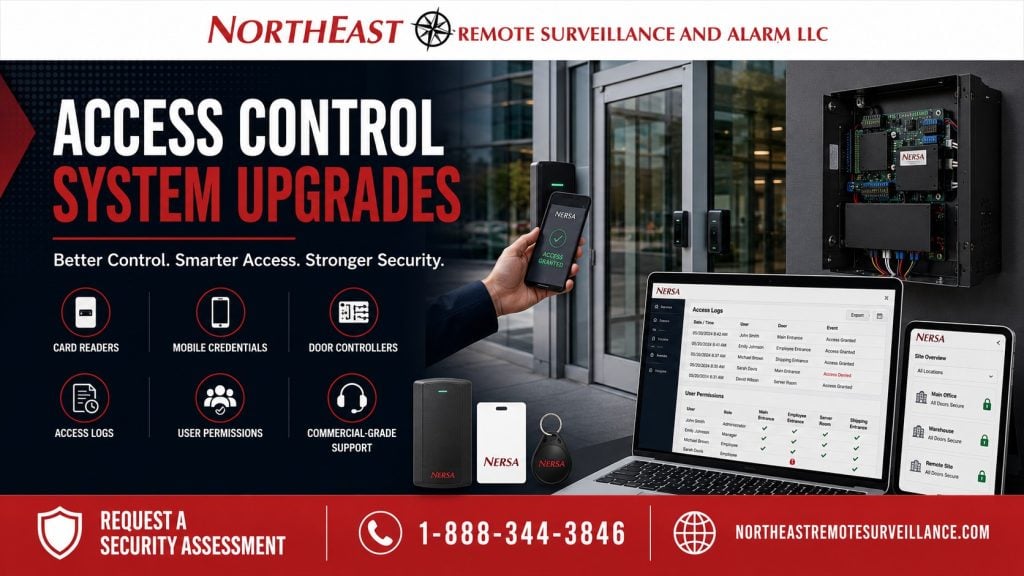
Northeast Remote Surveillance and Alarm, LLC (NERSA) upgrades commercial and industrial access control. We review systems that are unreliable, no longer supported, or hard to manage. We also check whether the setup still fits how you use the building.
An upgrade may change controllers, readers, badges, software, or power equipment. It may also improve user permissions and door schedules.
Start with three questions: What still works? What needs an upgrade? What is stopping the system from meeting your needs?
NERSA upgrades systems for small businesses, commercial sites, and industrial properties. We also support organizations with several buildings and larger enterprise systems.
For modernization involving access control together with other existing security systems, visit Commercial Security System Upgrades, Retrofits & Takeovers.
When an Existing Access Control System Needs an Upgrade
Many businesses keep the same access-control system as their buildings, teams, and daily routines change.
An upgrade may become appropriate when:
- Controllers are obsolete or unsupported
- Software is outdated
- Readers are unreliable or incompatible
- Credential technology is difficult to support
- User administration has become cumbersome
- Access permissions are disorganized
- Former employees or contractors remain active
- Door schedules no longer match operations
- Event information is difficult to review
- Remote administration is limited
- Power equipment has become unreliable
- Replacement components are difficult to obtain
- Documentation is incomplete
- The existing platform limits future requirements
Check whether your current system is still reliable, easy to manage, and supported.
Age alone does not determine whether equipment should be replaced.
Start With the Existing System
Every access-control modernization project should begin with an evaluation of what is already installed.
NERSA may review:
- Access-control platform and software
- Controllers and expansion boards
- Readers and credential technology
- Controlled openings
- Existing electric locking hardware
- Door-position contacts
- Request-to-exit equipment
- Power supplies and batteries
- Communication infrastructure
- Field wiring
- Existing users
- Access levels
- Administrator permissions
- Door schedules
- Event reporting
- Available documentation
The review shows which parts still work well. It also identifies the equipment or management problems that the upgrade needs to solve.
Check the existing design before replacing parts. This can help avoid added cost, parts that do not work together, and new service problems.
What Can Be Reused?
An upgrade does not necessarily require complete replacement.
Existing infrastructure may remain in service when it is:
- Compatible with the modernized system
- Reliable
- Supported
- Properly installed
- Properly powered
- Serviceable
- Appropriate for the controlled opening
- Suitable for continued long-term use
Some readers, wiring, door contacts, and exit devices may be reusable. Locks, power supplies, enclosures, controllers, and badges may also stay if they suit the new system.
Reuse should be based on actual condition and compatibility—not simply because the equipment is already installed.
Likewise, equipment should not be replaced merely because newer technology is available.
Keep useful wiring and equipment where practical. Replace the parts that limit reliable use, staff control, support, or future growth.
Controllers, Readers and Credential Modernization
Controllers are a central part of an access-control system.
An older controller may still work but limit your options. Check software and reader compatibility, event reports, and communication. Also confirm that parts and manufacturer support remain available.
An upgrade may replace selected controllers while retaining compatible equipment at the doors.
Readers may need replacement if they fail often, lack support, or do not work with the chosen badge or mobile credential.
Depending on the platform and project requirements, modernized credential options may include:
- Cards
- Key fobs
- Keypad credentials
- Multi-technology readers
- Mobile credentials
- Supported encrypted credential technologies
The credential environment should also be reviewed.
Check for inactive badges, old fobs, shared PINs, and former staff accounts. Review who still has approved access and set clear rules for issuing credentials.
Modernization provides an opportunity to establish a cleaner and more manageable credential structure.
Software, Users and Permissions
The hardware may still function while the administrative side of the system has become difficult to use.
Older access-control software can create problems involving:
- User enrollment
- Access-level management
- Door schedules
- Event searches
- Administrator permissions
- Credential management
- Remote administration
- Manufacturer support
An upgrade can also be an opportunity for the customer to review existing users and determine who should still have access.
Outdated records may include:
- Former employees
- Duplicate users
- Lost credentials
- Old contractor accounts
- Expired temporary personnel
- Incorrect door assignments
- Excessive administrator privileges
- Access groups that no longer match operations
Set access around the customer’s approved rules. These may depend on a person’s role, shift, department, building area, or after-hours needs.
The customer determines who is authorized to enter the property. NERSA configures supported systems around those approved access decisions.
Schedules, Door Monitoring and Event Information
Access schedules should reflect the way the organization currently operates.
An older system may still contain schedules for departments, tenants, shifts or business hours that no longer exist.
Modernization can address:
- Current business hours
- Employee shifts
- Weekend access
- Holiday schedules
- After-hours authorization
- Contractor access
- Temporary access periods
- Restricted openings
Existing controlled doors may also provide incomplete status information.
Where supported by the installed or modernized system, door monitoring may provide information such as:
- Door open or closed
- Door held open
- Door forced open
- Request-to-exit activity
- Credential accepted
- Credential denied
Make door and access records easier for approved staff to use. Clear records help them review the access events the system already captures.
Power, Wiring and Controlled-Door Infrastructure
Modern access-control equipment still depends on reliable field infrastructure.
Check old power supplies and batteries. Trace poorly marked circuits and wiring that has changed over time. Record what each circuit serves.
Existing wiring may remain in service when it is compatible, properly installed, correctly identified and in suitable condition.
Damaged, unidentified or incompatible cable should not be carried forward simply because replacing it is inconvenient.
Existing locking hardware and door equipment should also be evaluated when they directly affect the modernization project.
Plan the upgrade around the electronic system and the doors it serves. List major door rebuilding or unrelated hardware replacement as separate work.
Upgrade, Repair, Expansion or Takeover?
These requirements are related but they are not the same.
Repair corrects a specific failure in an otherwise suitable system, such as one failed reader, power supply, door contact or communication path.
Upgrade modernizes an existing system because its technology, administration or architecture no longer adequately meets current requirements.
Expansion adds additional controlled doors, buildings or system capacity.
Takeover changes administrative or service responsibility for an existing system previously supported by another provider.
Coordinate related repairs and integrations when modernizing an existing commercial access-control system.
Commercial Access Control Upgrade Process
Existing-System Assessment
NERSA identifies the installed platform, controllers, readers, credentials, controlled openings, power equipment, communications, users, permissions, schedules and available documentation.
Modernization Requirements
The specific limitations driving the upgrade are identified.
Reuse Determination
Existing components are evaluated to determine what can reasonably remain in service.
Upgrade Design
The project is structured around the equipment and administrative functions that actually require modernization.
Installation and Configuration
Approved equipment is installed and supported access-control functions are configured around the customer’s requirements.
For local review of retained equipment, account ownership, and migration steps, see access-control upgrades and takeovers in Scranton.
Testing
Applicable credential operation, door release, relatching, monitoring, permissions, schedules and controller communication are verified.
Documentation
Relevant changes should be documented so the modernized system remains understandable and serviceable.
Frequently Asked Questions
Does an access-control upgrade require complete replacement?
No. Existing readers, controllers, wiring, locking hardware, power equipment or credentials may remain usable when they are compatible, dependable, supported and appropriate for continued service.
Can existing access-control wiring be reused?
Potentially. Existing wiring should be evaluated for condition, compatibility, identification and suitability before being retained.
Can older card readers be upgraded?
Yes. Reader replacement may be appropriate when existing equipment is unsupported, unreliable or incompatible with the selected credential technology.
Can existing cards or fobs remain in use?
Sometimes. Continued use depends on compatibility between the credentials, readers, controllers and modernized platform.
Can an older system support mobile credentials?
Possibly. Support depends on the installed platform, controllers, readers, software, licensing and the modernization required.
Do old controllers automatically need replacement?
No. Controller replacement should be based on compatibility, reliability, manufacturer support and the requirements of the upgraded system.
Is an access-control upgrade the same as repair?
No. Repair corrects a specific fault. An upgrade modernizes a system because its technology or administration no longer adequately meets current requirements.
Is adding more doors considered an upgrade?
Not by itself. Adding additional controlled openings is primarily an expansion. Modernizing the technology serving existing openings is an upgrade.
Request a Commercial Access Control Upgrade Assessment
NERSA can review an existing access-control system that is hard to use or keep running. Common concerns include old controllers, worn readers, unsupported badges, unclear user rights, and unreliable power. The review helps define a practical upgrade.
The objective is to retain serviceable infrastructure where practical while modernizing the components that are limiting reliability, administration, supportability or future growth.
Request a Security Assessment.
Small Business – Enterprise Scalable Solutions
Commercial & Industrial Systems Only • Access Control Upgrades • Modernization • Existing Systems
Compliance, Codes & Project Standards
NERSA plans commercial and industrial security work with applicable code, documentation, inspection and authority-having-jurisdiction requirements in mind. Requirements vary by system, property and jurisdiction. These resources support project planning; they do not establish legal compliance, certification or AHJ approval.
Related guidance: Regulatory compliance & inspection readiness · Access control & door hardware standards · NFPA 101 & egress planning · ADA access-control planning