Industrial Remote Video Monitoring in Bethlehem, PA

Industrial remote video monitoring in Bethlehem, PA should be planned around after-hours activity, perimeter movement, gate events, loading areas, truck courts, restricted zones, employee entrances, exterior doors, yard exposure, and verified response workflows. Northeast Remote Surveillance and Alarm, LLC designs commercial and industrial monitored video systems for Bethlehem manufacturing plants, industrial buildings, warehouse-connected operations, logistics properties, utility areas, and multi-building facilities. For broader Bethlehem industrial security planning, start with Manufacturing & Industrial Security Systems in Bethlehem, PA.

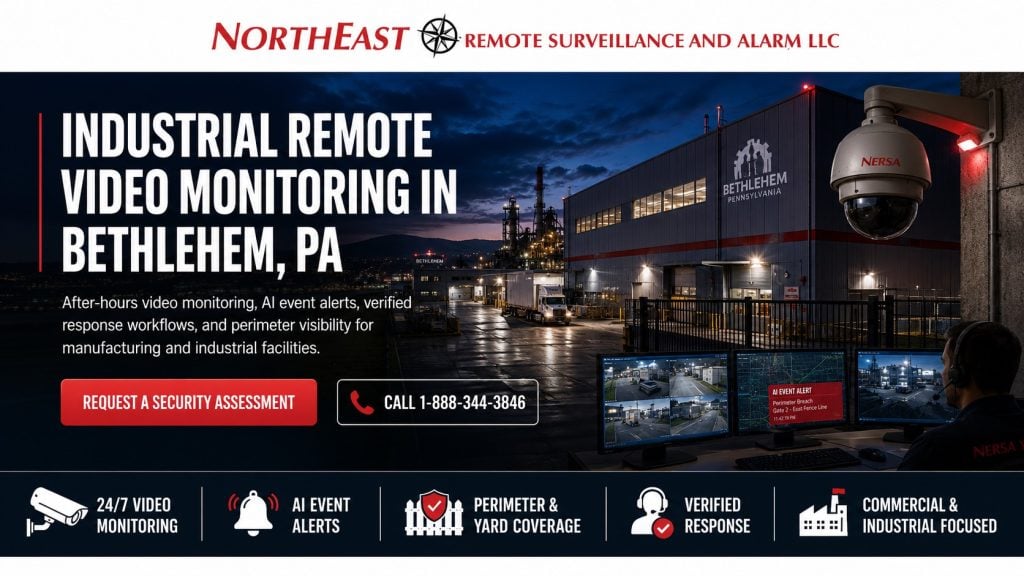
Industrial remote video monitoring in Bethlehem, PA for Northeast Remote Surveillance and Alarm, LLC showing a monitored industrial facility, perimeter security cameras, AI event alerts, gate and yard coverage, live monitoring screens, verified response workflows, and commercial industrial after-hours security.

Industrial Remote Video Monitoring for Bethlehem Facilities

Industrial remote video monitoring gives Bethlehem facilities a stronger way to manage activity when employees, supervisors, or security staff are not physically watching the property. Instead of relying only on recorded footage after an incident, monitored video can help verify activity, support faster response, and provide better documentation when something happens.

This type of system is especially useful for industrial properties with exterior yards, truck movement, fence lines, employee parking, contractor access, loading docks, trailer areas, outdoor storage, utility spaces, and after-hours exposure. The goal is not to monitor every camera every second. The goal is to design the right cameras, analytics, schedules, response rules, and monitoring workflows around the real risks of the facility.

Northeast Remote Surveillance and Alarm, LLC does not install residential systems. Our focus is commercial, industrial, municipal, institutional, healthcare, logistics, warehouse, manufacturing, and enterprise environments where security, monitoring, infrastructure, documentation, and long-term service support matter.

Why Industrial Remote Video Monitoring Matters

Many industrial incidents begin outside the building or during times when staffing is limited. A person may enter a yard, approach a dock, cross a fence line, walk near exterior equipment, move between buildings, enter a restricted area, or appear near a gate after hours.

Recorded video is valuable, but it is reactive. It helps review what happened after the fact. Remote video monitoring is more active because it can help identify activity while it is happening, verify whether the event is meaningful, and support a planned response.

Industrial remote video monitoring may help address:

  • After-hours trespassing
  • Fence-line activity
  • Gate approaches
  • Unauthorized vehicle movement
  • Truck court activity
  • Loading dock exposure
  • Trailer and container areas
  • Outdoor storage yards
  • Employee parking lots
  • Exterior door activity
  • Utility and mechanical area access
  • Contractor movement
  • Remote buildings
  • Restricted exterior areas
  • Repeated nuisance activity

A properly designed system helps reduce guesswork. Facility managers should be able to understand what camera saw the activity, what rule triggered the event, what action was taken, and what documentation is available afterward.

Remote Monitoring Is Not the Same as Mobile Viewing

Many businesses already have cameras they can view from a phone or computer. That is remote access. It is not the same as remote video monitoring.

Remote access depends on someone from the business noticing a problem, opening the app, finding the right camera, and deciding what to do. Remote video monitoring is designed around event rules, AI-supported detection, monitoring schedules, verification procedures, site contacts, escalation instructions, and documentation.

A monitored video system should answer practical questions:

  • Which cameras should generate alerts?
  • What times should monitoring be active?
  • What activity should be ignored?
  • What activity should be verified?
  • Who should be contacted first?
  • When should live talk-down be used?
  • When should police or emergency response be requested?
  • How should events be documented?
  • How should false alerts be reduced?

For full service-level planning, use Remote Video Monitoring and Live Talk-Down.

Where Industrial Remote Video Monitoring Helps Most

Remote video monitoring works best when it is applied to areas where activity can be clearly defined and where a response process makes sense. Not every camera on an industrial property needs live monitoring.

Common monitored areas include:

  • Vehicle gates
  • Pedestrian gates
  • Fence lines
  • Truck entrances
  • Truck courts
  • Loading dock approaches
  • Trailer parking areas
  • Outdoor storage yards
  • Equipment yards
  • Employee parking lots
  • Visitor parking areas
  • Exterior doors
  • Service entrances
  • Utility areas
  • Remote buildings
  • Contractor entrances
  • Warehouse-to-yard openings
  • Drive lanes
  • Restricted exterior zones

Monitoring should be focused. A camera watching constant normal production activity may not be a good monitoring candidate. A camera watching a closed gate, a restricted yard, an after-hours dock, or an exterior storage area may be much more useful.

AI Alerts and Event-Based Monitoring with Industrial Remote Video Monitoring in Bethlehem, PA

AI video analytics can help make industrial remote video monitoring more practical by filtering activity better than basic motion detection. A standard motion alert may trigger from shadows, rain, insects, headlights, wind, or moving debris. AI-supported alerts can help focus attention on people, vehicles, line crossing, restricted-area movement, loitering, and after-hours activity.

AI monitoring rules may include:

  • Person detection near fence lines
  • Vehicle detection in restricted areas
  • Line-crossing alerts
  • Gate approach alerts
  • After-hours motion in yards
  • Loitering near doors or docks
  • Wrong-direction vehicle movement
  • Restricted-area entry
  • Parking lot after-hours activity
  • Perimeter intrusion zones

AI should be planned carefully. Camera angle, lighting, mounting height, lens selection, weather exposure, detection zones, schedules, and normal site activity all affect alert quality. Remote video monitoring is strongest when analytics are designed around the property, not added as an afterthought.

Live Talk-Down for Industrial Properties with Industrial Remote Video Monitoring in Bethlehem, PA

Live talk-down can add active deterrence to monitored video. When suspicious or unauthorized activity is verified, a monitoring operator may be able to issue an audio warning through speakers at the property.

Live talk-down may help deter:

  • Trespassing
  • Loitering
  • Vandalism
  • Theft attempts
  • Unauthorized vehicle activity
  • After-hours gate activity
  • Outdoor storage access
  • Restricted-area movement
  • Loading dock activity
  • Fence-line intrusion

Speaker placement matters. The message must be heard in the right area without creating unnecessary disruption across the property. A truck court, fenced yard, gate lane, parking lot, or exterior storage area may need a different speaker plan than a narrow walkway or building entrance.

For speaker and audio system planning, use Two-Way Communication & IP Speaker Systems.

Gate, Yard, and Perimeter Monitoring

Industrial sites in Bethlehem often have gates, fenced yards, rear approaches, parking exposure, loading areas, and shared industrial traffic. These areas can be difficult to supervise after hours, especially when the property has multiple buildings or large exterior areas.

Remote video monitoring can support gate and perimeter activity by connecting cameras, AI alerts, and response procedures around the areas most likely to create risk.

A gate or perimeter monitoring plan may include:

  • Gate approach cameras
  • Gate position awareness
  • License plate views where appropriate
  • Fence-line cameras
  • Yard overview cameras
  • Restricted-area analytics
  • After-hours monitoring schedules
  • Audio warning speakers
  • Monitoring instructions
  • Site contact escalation

A monitored perimeter system should help determine whether the activity is normal, authorized, suspicious, or requires action.

For broader exterior planning, use Industrial Perimeter Security in Bethlehem, PA.

Loading Dock and Truck Court Monitoring with Industrial Remote Video Monitoring in Bethlehem, PA

Loading docks and truck courts are common monitoring areas for industrial and warehouse-connected properties. These locations may have trailers, drivers, pallets, staged materials, dock doors, lift truck movement, delivery disputes, exterior doors, and after-hours exposure.

Remote monitoring can help review dock and truck court activity such as:

  • Vehicles entering after hours
  • People near dock doors
  • Trailers being approached
  • Unscheduled movement near staged goods
  • Activity near overhead doors
  • People walking between trailers
  • Unauthorized vehicle parking
  • Gate-to-dock movement
  • After-hours exterior door activity

A strong dock monitoring plan should coordinate cameras, lighting, analytics, alarm events, access control, and response procedures. The monitoring center should not receive vague alerts from unclear cameras. The system should be designed so the event can be understood quickly.

Monitoring Restricted Industrial Areas with Industrial Remote Video Monitoring in Bethlehem, PA

Some Bethlehem industrial facilities have restricted exterior areas, utility spaces, equipment yards, mechanical rooms, material storage, hazardous areas, fleet areas, tool storage, or maintenance access points. These spaces may not need constant employee supervision, but they may require awareness when activity occurs outside normal schedules.

Remote video monitoring can help verify activity near:

  • Electrical rooms
  • Generator areas
  • Outdoor mechanical equipment
  • Fuel areas
  • Chemical or material storage
  • Maintenance yards
  • Tool and equipment storage
  • Remote utility structures
  • Restricted gates
  • Detached buildings
  • Roof access points

Monitoring should be aligned with the facility’s internal policies. Some areas may need immediate escalation. Others may only need documentation or contact with a designated manager.

Coordinating Monitoring With Access Control with Industrial Remote Video Monitoring in Bethlehem, PA

Remote video monitoring becomes more useful when it is coordinated with access control. A door access event may show that a credential was used, but video can show what happened around that event.

This can help with:

  • Employee entrance verification
  • Contractor access review
  • Gate access confirmation
  • Held-open door activity
  • Forced-door events
  • Restricted-area entry
  • After-hours door use
  • Visitor or vendor activity
  • Multi-building movement

Access control and monitored video should be planned together when doors, gates, and restricted areas are part of the same security concern. For broader credential, door, and gate planning, use Commercial & Industrial Access Control Systems.

Coordinating Monitoring With Intrusion Alarms

Remote video monitoring can also support intrusion alarm verification. When a protected area triggers an alarm, video can help determine whether the event appears to be an actual intrusion, an employee error, weather-related activity, an open door condition, or another issue.

Video verification can support:

  • Exterior door alarms
  • Overhead door alarms
  • Gate events
  • Yard intrusion zones
  • Remote building alarms
  • Utility room alarms
  • Warehouse motion alarms
  • After-hours restricted-area movement

Alarm verification should be planned before the event occurs. The system should identify which cameras support which alarm areas, how alerts are handled, and what response instructions should be followed.

Industrial Monitoring Schedules and Response Rules

Industrial remote video monitoring should not be treated as a generic 24/7 watching service unless the property truly needs that level of review. Many facilities benefit from scheduled monitoring based on operating hours, shift schedules, closed periods, holidays, weekend exposure, or specific high-risk areas.

Monitoring schedules may be built around:

  • After-hours periods
  • Weekend closures
  • Holiday closures
  • Shift-change windows
  • Delivery windows
  • Restricted-area schedules
  • Gate closure times
  • Temporary projects
  • Seasonal outdoor storage
  • High-risk event periods

Response rules should be documented. A monitoring operator should know when to issue a talk-down message, when to call a site contact, when to escalate, and when to simply document the event.

Reducing False Alerts with Industrial Remote Video Monitoring in Bethlehem, PA

False alerts weaken monitored video programs. If every shadow, truck headlight, rain event, or employee movement triggers monitoring, the system becomes harder to trust and more expensive to manage.

False alert reduction begins with design. The system should consider:

  • Camera angle
  • Camera height
  • Lighting
  • Detection zones
  • AI rules
  • Monitoring schedules
  • Normal site traffic
  • Weather exposure
  • Headlight glare
  • Vegetation movement
  • Reflective surfaces
  • Gate movement
  • Truck routes
  • Employee paths

The objective is not to remove every alert. The objective is to make alerts meaningful enough that monitoring staff can respond properly and facility managers can trust the system.

Camera Design for Monitored Video with Industrial Remote Video Monitoring in Bethlehem, PA

Remote monitoring depends on camera views that can be interpreted quickly. A camera may be acceptable for general recording but still be poor for live event verification.

A monitored camera should help answer:

  • Is the person inside or outside the fence?
  • Is the vehicle entering or leaving?
  • Is the person approaching a door?
  • Is the gate open or closed?
  • Is activity happening near staged material?
  • Can the operator see enough detail?
  • Is lighting good enough at night?
  • Does the view support talk-down?
  • Is the detection zone clear?

For broader camera system planning, use Industrial Video Surveillance Systems.

Lighting and Night Visibility with Industrial Remote Video Monitoring in Bethlehem, PA

Most remote monitoring concerns happen after hours, which means night visibility matters. Poor lighting, glare, shadows, reflective surfaces, and uneven coverage can reduce the value of monitored cameras.

Lighting should be reviewed around:

  • Gates
  • Fence lines
  • Parking lots
  • Truck courts
  • Loading docks
  • Exterior doors
  • Outdoor storage
  • Walkways
  • Utility areas
  • Drive lanes

Lighting does not need to be excessive. It needs to support camera visibility, safe movement, useful review, and a reliable monitoring workflow.

License Plate Recognition and Vehicle Events

Some industrial sites may benefit from license plate recognition as part of the monitoring plan. This can be useful around vehicle gates, employee parking, visitor entry, truck entrances, fleet yards, and repeated after-hours vehicle activity.

LPR should be designed separately from general overview cameras. Plate capture depends on angle, distance, lens, lighting, mounting height, speed, and lane control. A wide camera that shows a driveway may not reliably capture plates.

When properly planned, LPR can help document:

  • Vehicle entry
  • Vehicle exit
  • Gate activity
  • Vendor vehicles
  • Employee vehicles
  • Delivery trucks
  • Unknown vehicles
  • After-hours vehicles

LPR should support the overall monitoring plan, not replace cameras, access control, alarms, lighting, or response procedures.

Remote Video Monitoring for Multi-Building Facilities

Some Bethlehem industrial properties include more than one building, detached utility structures, separate production areas, remote equipment areas, shared roads, or tenant-separated spaces. These properties need monitoring plans that clearly identify which building, gate, camera, door, or yard area is involved.

  • Multi-building monitoring may require:
  • Fiber or wireless bridge connectivity
  • Centralized video management
  • Building-specific camera naming
  • Separate access permissions
  • Separate alarm partitions
  • Gate and yard coordination
  • Monitoring maps
  • Contact lists by building
  • Escalation rules by area
  • Future expansion planning

A multi-building system should make the site easier to understand during an event. Monitoring operators and facility managers should not have to guess which camera, gate, or building is involved.

Network Infrastructure and Monitoring Reliability

Industrial remote video monitoring depends on reliable infrastructure. Cameras, switches, network cabinets, fiber, wireless links, internet service, UPS systems, speakers, access control panels, alarm communicators, and video management platforms all affect system performance.

Infrastructure planning should account for:

  • Bandwidth
  • Camera count
  • Recording method
  • Remote viewing needs
  • Monitoring platform requirements
  • Network segmentation
  • Cybersecurity expectations
  • Power backup
  • Surge exposure
  • Outdoor cabling
  • Equipment rooms
  • Service access
  • Documentation

A monitored system is only as reliable as the infrastructure supporting it. Poor cabling, weak network design, unstable internet, or undocumented equipment can create long-term service problems.

Cloud, On-Premise, and Hybrid Monitoring Models

Industrial properties may use cloud, on-premise, or hybrid video systems depending on the facility’s needs. The right model depends on camera count, bandwidth, retention requirements, remote access needs, cybersecurity expectations, monitoring workflow, and long-term support.

Cloud-managed systems can help with remote access and centralized management. On-premise systems may be preferred for larger camera counts or local recording control. Hybrid systems may combine local recording with cloud access, AI event filtering, or monitoring connectivity.

The system should be designed around the site, not around a one-size-fits-all platform.

Monitoring Documentation and Event Reporting

Industrial remote video monitoring should be documented clearly. Facility managers should know which cameras are monitored, when monitoring is active, what events trigger review, what speakers are connected, who receives calls, and how events are reported.

Good documentation may include:

  • Camera lists
  • Camera names
  • Monitoring schedules
  • Event rules
  • Response instructions
  • Site contact lists
  • Gate and door references
  • Speaker zones
  • Alarm coordination notes
  • Access control notes
  • Network information
  • Retention settings
  • User permissions

Documentation matters when staff changes, new managers are added, monitoring instructions need updates, or an incident requires review.

Privacy, Audio, and Responsible Monitoring

Remote video monitoring should be planned around legitimate commercial and industrial security needs. Camera placement should focus on exterior risk areas, restricted spaces, operational security points, gates, yards, docks, parking areas, and access points.

Cameras should not be placed in private areas such as restrooms, locker rooms, changing areas, or other locations where privacy expectations make surveillance inappropriate.

Audio and talk-down features should be reviewed carefully. Facilities should consider signage, employee policies, visitor notification, state consent laws, recording settings, internal procedures, and legal guidance before enabling audio recording or two-way audio features.

NERSA designs and installs commercial security systems, but legal, employment, and privacy policy decisions should be reviewed by the facility’s qualified advisors.

Integration With Unified Security Systems

Industrial remote video monitoring is strongest when it works with the rest of the facility’s security systems. Cameras, access control, intrusion alarms, gates, intercoms, IP speakers, lighting, and monitoring procedures should support one another.

An integrated system can help connect:

  • Gate activity
  • Access control events
  • Video verification
  • Alarm events
  • Live talk-down
  • Restricted-area alerts
  • After-hours activity
  • Incident documentation
  • Management review

For broader coordination across cameras, alarms, access control, intercoms, monitoring, and system management, use Commercial & Enterprise Unified Integrated Security Systems.

Upgrading Existing Cameras for Remote Monitoring

Many Bethlehem industrial properties already have cameras, but existing cameras may not be ready for remote monitoring. A system that works for basic recording may need improvements before it can support reliable event-based monitoring.

Common upgrade needs include:

  • Better camera angles
  • Improved night visibility
  • AI-capable cameras
  • Speaker installation
  • Network upgrades
  • Recording platform upgrades
  • Internet reliability review
  • Camera naming cleanup
  • Monitoring schedule setup
  • Response procedure documentation
  • User permission cleanup
  • Alarm integration
  • Access control integration

The best upgrade is not always replacing everything. The best upgrade is a practical system plan that improves the areas where monitoring will actually help.

What This Page Does Not Cover

This page is focused only on industrial remote video monitoring in Bethlehem, PA. It is intended for manufacturing plants, industrial buildings, warehouse-connected properties, logistics facilities, exterior yards, gates, loading areas, truck courts, restricted zones, utility areas, and multi-building sites that need event-based video review and response workflows.

It is not the full Bethlehem manufacturing security page. It is not the full video surveillance page. It is not the full perimeter security page. It is not the full access control page. It is not the full intrusion alarm page. It is not the full fire alarm page. It is not a general residential camera monitoring page.

Facilities that need broader Bethlehem industrial security planning should return to the Manufacturing & Industrial Security Systems in Bethlehem, PA page.

Request an Industrial Remote Video Monitoring Assessment in Bethlehem, PA

If your Bethlehem industrial facility needs after-hours monitoring, AI alert verification, live talk-down, gate monitoring, yard activity review, loading dock monitoring, perimeter event response, restricted-area alerts, or monitoring coordination with access control and intrusion alarms, Northeast Remote Surveillance and Alarm, LLC can help evaluate the property and recommend the right system design.

A proper assessment should review operating hours, camera views, exterior exposure, lighting, gates, docks, yards, alarm areas, access-controlled doors, network infrastructure, internet reliability, speaker needs, monitoring schedules, response rules, and long-term support expectations.

Request a Security Assessment or call 1-888-344-3846 to discuss industrial remote video monitoring in Bethlehem, PA.

Frequently Asked Questions About Industrial Remote Video Monitoring in Bethlehem, PA

What is industrial remote video monitoring?

Industrial remote video monitoring uses cameras, AI alerts, event rules, monitoring schedules, and response procedures to help verify activity and support response at commercial and industrial properties.

How is remote video monitoring different from remote camera viewing?

Remote camera viewing lets a user open an app and look at cameras. Remote video monitoring is built around event detection, verification, monitoring procedures, site contacts, escalation rules, documentation, and response workflows.

What areas should be monitored at an industrial facility?

Common monitored areas include gates, fence lines, truck courts, loading docks, parking lots, exterior doors, outdoor storage yards, trailer areas, utility spaces, contractor entrances, restricted zones, and remote buildings.

Can remote video monitoring help after hours?

Yes. Remote video monitoring is often used after hours to help review activity when the facility is closed, lightly staffed, or operating with limited supervision.

Does remote video monitoring include live talk-down?

It can. Live talk-down may be added when cameras, speakers, monitoring procedures, and response rules are designed to support real-time audio warnings at the property.

Can AI video analytics reduce false alerts?

Yes. AI analytics can help separate people, vehicles, line crossing, loitering, and restricted-area activity from general motion. Proper camera placement, lighting, schedules, and rule setup are still important.

Can existing cameras be used for remote monitoring?

Sometimes. Existing cameras can be reviewed to determine whether the views, night visibility, resolution, recording platform, network infrastructure, analytics, and remote access are suitable for monitoring.

Can remote video monitoring work with intrusion alarms?

Yes. Cameras can help verify intrusion alarm activity by showing what happened near doors, gates, yards, remote buildings, or restricted areas when an alarm occurs.

Can remote video monitoring work with access control?

Yes. Video can be coordinated with access control events at gates, employee entrances, restricted doors, contractor doors, utility rooms, and other controlled access points.

Is remote video monitoring useful for loading docks and truck courts?

Yes. Loading docks and truck courts are common monitoring areas because they often involve vehicles, drivers, trailers, dock doors, staged materials, and after-hours exposure.

Does NERSA install residential remote video monitoring systems?

No. Northeast Remote Surveillance and Alarm, LLC focuses on commercial, industrial, municipal, institutional, healthcare, warehouse, logistics, manufacturing, and enterprise security systems.

How do we start an industrial remote video monitoring project in Bethlehem?

Start with a site assessment. Northeast Remote Surveillance and Alarm, LLC can review the property layout, cameras, lighting, gates, docks, yards, alarm areas, access control, network infrastructure, monitoring goals, and response procedures before recommending a system.

Scroll to Top
1-888-344-3846