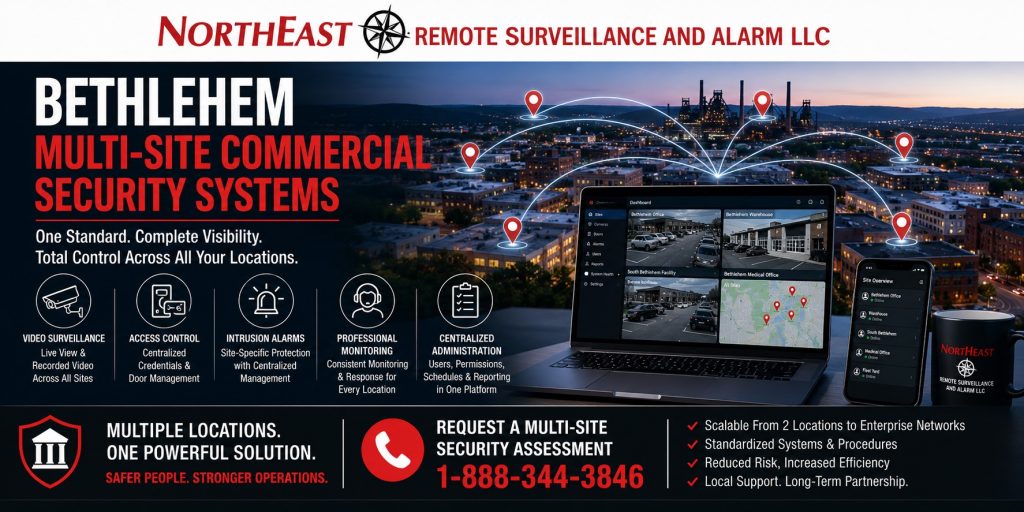
Centralized Video Surveillance, Access Control, Intrusion Alarms, Monitoring, and Security Administration for Multiple Bethlehem Locations
Bethlehem multi-site commercial security systems should make several properties easier to view, control, investigate, maintain, and expand without forcing each location to operate as a separate security island.
Northeast Remote Surveillance and Alarm, LLC designs, installs, integrates, monitors, upgrades, and supports coordinated security systems for businesses and organizations operating multiple offices, warehouses, manufacturing buildings, healthcare properties, educational facilities, municipal buildings, contractor yards, service locations, commercial campuses, industrial properties, and other non-residential facilities in Bethlehem, Pennsylvania.
A multi-site organization may operate two nearby buildings, several locations across Bethlehem, a combination of offices and warehouses, multiple facilities throughout the Lehigh Valley, or a broader regional portfolio. The system should provide consistent standards while still allowing each property to maintain the cameras, doors, alarm schedules, permissions, monitoring instructions, and operating procedures appropriate to that location.
For broader planning around an individual Bethlehem property, begin with Commercial and Industrial Security Systems in Bethlehem, PA.
Request a Bethlehem Multi-Site Security Assessment
Call 1-888-344-3846
Commercial and institutional systems only • Small business through enterprise • New installations, upgrades, integrations, takeovers, monitoring, and expansion

Security Planning for Multiple Bethlehem Properties
A single building can sometimes be managed through local knowledge and informal procedures. A multi-site organization requires a more structured approach.
As locations are added, common problems can include:
- Different camera platforms at each property
- Inconsistent camera names
- Separate passwords and user accounts
- Mechanical keys that cannot be tracked
- Access cards that work differently at every building
- Shared alarm codes
- Former employees remaining active
- Unclear monitoring contact lists
- Different video-retention periods
- Inconsistent incident-export procedures
- Unsupported recorders or control panels
- Unlabeled cabling and network equipment
- Limited visibility for regional managers
- Excessive permissions for local users
- No documented system standard
- Service providers using different installation practices
- Expansion decisions made one location at a time
Bethlehem multi-site commercial security systems should correct these inconsistencies without creating an unnecessarily complex enterprise environment.
The objective is to establish one manageable operating standard while recognizing that every property has different doors, cameras, risks, schedules, departments, infrastructure, and life-safety requirements.
What This Bethlehem Multi-Site Spindle Covers
This page is specifically for organizations responsible for more than one non-residential property in Bethlehem.
It is not the general Bethlehem security page. It is not only a video-surveillance page, access-control page, alarm page, or monitoring page. It does not target residential security.
This resource focuses on coordinating several commercial or institutional locations through:
- Centralized camera access
- Standardized access control
- Site-specific intrusion protection
- Consistent alarm monitoring
- User and credential administration
- Location-based permissions
- Common device naming
- Video-retention standards
- Network and infrastructure planning
- System-health supervision
- Incident documentation
- Phased upgrades
- New-location deployment
- Long-term service planning
A well-designed system should allow ownership, management, facilities personnel, information-technology staff, and authorized local employees to perform their responsibilities without giving every user unrestricted access to every property.
One Standard Without Treating Every Building the Same
Multi-site standardization does not mean installing identical equipment in every building regardless of the property’s needs.
A warehouse may require loading-dock cameras, truck-yard visibility, overhead-door alarms, employee entrance access control, and after-hours monitoring.
An office may require visitor-entry communication, lobby cameras, controlled staff doors, parking-lot visibility, and intrusion protection.
A healthcare property may require staff credentials, restricted-room control, panic devices, privacy-aware camera placement, and carefully managed user permissions.
A manufacturing facility may require production-area surveillance, tool-room access control, industrial alarm zones, contractor management, yard security, and dependable network infrastructure.
The standard should define how systems are selected, named, administered, documented, monitored, maintained, and expanded while allowing the final device layout to reflect each property.
Multi-Site Security Assessment and Property Inventory
Planning should begin with an inventory of every location rather than with a predetermined product package.
A multi-site assessment may document:
- Property addresses
- Facility types
- Operating hours
- Departments and occupants
- Employee entrances
- Visitor entrances
- Loading and delivery areas
- Parking lots
- Vehicle gates
- Exterior yards
- Restricted rooms
- Existing cameras
- Existing recorders
- Access-control panels
- Readers and credentials
- Intrusion-alarm systems
- Monitoring providers
- Communication paths
- Fire alarm interfaces
- Intercoms
- Network equipment
- Cabling and fiber
- Wireless building links
- Power supplies and backup power
- System software
- User accounts
- Existing licenses
- Video-retention periods
- Alarm contacts
- Service records
- Drawings and documentation
- Known failures and blind spots
- Planned renovations
- Anticipated future locations
This inventory helps determine which systems can be retained, which locations require immediate correction, and where a common standard can be introduced through phased modernization.
Multi-Site Video Surveillance
Video surveillance across several properties should provide authorized users with clear, organized access without forcing them to search through unrelated camera systems, inconsistent names, or separate applications.
A Bethlehem multi-site camera system may support:
- Centralized live viewing
- Recorded-video review
- Site-by-site permissions
- Building and floor organization
- Consistent camera naming
- Standard recording settings
- Defined retention periods
- Remote incident review
- Secure video export
- System-health alerts
- Mobile and desktop access
- Multi-location maps
- User activity logging
- Camera replacement standards
- Expansion templates
Camera names should identify the location and the area being viewed.
A structured naming convention may include:
- Property abbreviation
- Building designation
- Floor or exterior zone
- Entrance or operational area
- Camera number or device role
Names such as “Camera 17” or “Back Camera” become difficult to use when the organization operates several buildings. A clear name such as “Bethlehem Warehouse 2 – East Employee Entrance” allows managers, investigators, monitoring personnel, and service technicians to locate the correct camera quickly.
Consistent Camera Objectives
Standardization should also define what each camera is expected to document.
Common objectives may include:
- Facial identification at entrances
- Vehicle documentation
- License-plate capture at selected lanes
- Parking-lot awareness
- Loading-dock review
- Employee entrance accountability
- Visitor activity
- Restricted-room access
- Production-area visibility
- Cash-handling areas
- Exterior perimeter activity
- Gate events
- After-hours movement
- Alarm verification
A wide overview camera should not automatically be expected to provide identification-quality detail at long distance. Each location should combine contextual and focused views according to the facility’s actual requirements.
The organization may establish common performance expectations for image quality, recording reliability, nighttime visibility, retention, cybersecurity, and export procedures even when different lenses or camera models are needed at each property.
Video Retention Across Multiple Locations
Different properties can generate very different amounts of video.
A large warehouse with continuous activity may require more storage than a small administrative office. A parking lot with constant movement may generate different recording demands than a restricted interior corridor.
Multi-site retention planning should consider:
- Incident-discovery timelines
- Insurance requirements
- Organizational policy
- Camera count
- Camera resolution
- Frame rate
- Continuous or event recording
- Motion activity
- Local or cloud storage
- Available bandwidth
- Export requirements
- Weekend and holiday gaps
- Legal or contractual obligations
- Storage redundancy
- System expansion
The organization may choose one standard retention objective or establish several approved retention levels based on property type and operational risk.
Retention should be calculated rather than assumed.
Multi-Site Access Control
Access control becomes increasingly important as an organization adds employees, departments, buildings, contractors, vendors, temporary workers, and locations.
Mechanical keys and shared codes become difficult to manage across multiple properties. A lost key may affect several doors. A shared alarm or entry code may remain in use long after an employee leaves. Local managers may issue access without a consistent approval process.
A multi-site access-control system can help administrators control:
- Which locations a person may enter
- Which buildings are included
- Which doors are permitted
- What days access is allowed
- What times credentials are active
- Whether access expires automatically
- Which restricted areas are excluded
- Who may issue or modify credentials
- Which managers may review reports
- How former employees are removed
- How contractors and temporary users are managed
Credentials may be organized around departments, positions, shifts, locations, responsibilities, or temporary assignments.
Centralized Credentials with Local Permissions
Centralized administration does not require every employee to have access to every Bethlehem property.
An employee may be authorized for:
- One building only
- Several Bethlehem locations
- A specific department
- An office and warehouse
- Normal business hours
- Overnight shifts
- Temporary project access
- Selected maintenance rooms
- Vehicle gates
- Employee entrances
- Emergency or management access
A regional manager may need broader visibility than a local supervisor. Human resources may need to initiate credential changes without viewing cameras. Information-technology personnel may manage servers without administering employee access. Local staff may need to unlock one visitor entrance without changing system-wide permissions.
The platform and administrative process should support these separate responsibilities.
Door Hardware and Controlled Openings
A common access-control platform does not eliminate the need to inspect each door.
Every controlled opening may have different:
- Locking hardware
- Door frames
- Panic devices
- Door closers
- Accessible operators
- Request-to-exit devices
- Door-position switches
- Power-transfer requirements
- Fire alarm interfaces
- Emergency-release requirements
- Mechanical override
- Wiring pathways
- Environmental exposure
A reader mounted beside an unreliable door does not create dependable access control.
Multi-site standards should define acceptable equipment, installation practices, door monitoring, emergency operation, documentation, and testing while allowing hardware to be selected around the individual opening.
Intrusion Alarm Systems Across Several Locations
Each property may require its own alarm zones, partitions, schedules, users, monitoring instructions, and response procedures.
A multi-site commercial intrusion system may protect:
- Exterior personnel doors
- Overhead doors
- Windows
- Roof hatches
- Interior areas
- Restricted rooms
- Offices
- Warehouses
- Production spaces
- Maintenance areas
- Detached buildings
- Equipment storage
- Vehicle gates
- Utility rooms
- Server rooms
One property may operate around the clock while another closes every evening. One building may require several partitions, while a smaller location may operate as a single alarm area.
Standardization should establish a consistent administrative structure without forcing every property into an identical arming schedule.
Alarm Codes, Users, and Schedules
Shared alarm codes reduce accountability and become difficult to control when employees change.
Multi-site alarm administration should consider:
- Individual user codes
- Employee identifiers
- Department groups
- Location-specific permissions
- Opening and closing schedules
- Late-to-close notifications
- Early-opening notifications
- Invalid-code events
- Temporary users
- Contractor access
- Code-expiration procedures
- Former-employee removal
- Local manager authority
- Central administrator authority
- Audit reporting
Alarm users and schedules should be reviewed regularly, not only after a security incident.
Consistent Professional Monitoring
Monitoring becomes more difficult when every location uses different contacts, building names, verification procedures, and escalation instructions.
A multi-site monitoring standard may establish:
- Standard location names
- Accurate property addresses
- Building and partition descriptions
- Primary and secondary contacts
- Department-specific contacts
- Verification procedures
- Dispatch instructions
- Video-verification workflows
- Panic or duress response
- Communication-failure response
- After-hours schedules
- Holiday exceptions
- Weather-emergency procedures
- Escalation requirements
- Testing schedules
- Contact-review intervals
A monitoring center should be able to distinguish between buildings and alarm areas without relying on informal descriptions.
The organization should also know who is responsible for updating contacts when employees, managers, vendors, or operating schedules change.
Site-Specific Response Procedures
Standardized monitoring does not require the same response to every event.
A loading-dock alarm at an active overnight warehouse may require different handling than a forced door at a closed office. A panic signal, fire alarm trouble, communication failure, or exterior video event may each require a separate procedure.
Each location should have documented instructions identifying:
- What event occurred
- Which area is involved
- Who should be contacted
- Whether video should be reviewed
- Whether dispatch is required
- Whether a local manager should respond
- What escalation occurs when contacts do not answer
- How the event is documented
- Who reviews recurring problems
Response procedures should be reviewed after significant operational changes and after incidents that reveal weaknesses in the existing plan.
User Roles and Administrative Permissions
One of the largest multi-site risks is giving too many people excessive system access.
Role-based administration may separate:
- Ownership
- Executive management
- Facility management
- Regional security
- Local management
- Human resources
- Information technology
- Reception staff
- Monitoring personnel
- Investigators
- Service technicians
- Temporary users
Permissions may control whether a person can:
- View live cameras
- Review recorded video
- Export footage
- Add credentials
- Remove users
- Change door schedules
- Unlock doors
- Arm or disarm alarm areas
- Modify notification rules
- View audit reports
- Change system settings
- Administer one property
- Administer all properties
Permissions should reflect actual responsibilities and should be reviewed when job duties change.
Cybersecurity and Account Management
A multi-site platform may provide valuable centralized access, but it also increases the importance of secure account administration.
Planning may include:
- Individual accounts
- Strong passwords
- Multi-factor authentication where supported
- Role-based access
- Network segmentation
- Secure remote connectivity
- Software and firmware updates
- Approved device policies
- Account-review schedules
- Removal of inactive users
- Vendor-access controls
- Audit logging
- Backup procedures
- Credential recovery
- Incident-response planning
Shared administrator accounts should be avoided whenever the platform supports individual users.
The organization should know who can access each system, what each user can do, and how access will be removed when the person no longer requires it.
Naming Standards and System Organization
Consistent naming is essential when several locations share one platform.
A naming standard may cover:
- Properties
- Buildings
- Floors
- Doors
- Cameras
- Alarm partitions
- Intrusion zones
- Intercom stations
- Vehicle gates
- Network switches
- Equipment racks
- Power supplies
- Communication paths
- Monitoring accounts
- Mobile notifications
Names should be understandable to managers, operators, monitoring personnel, and service technicians.
Abbreviations should be documented. Duplicate names should be avoided. Device labels in the software should correspond with labels at the physical equipment whenever practical.
Documentation and As-Built Records
Multi-site systems become difficult to maintain when documentation is incomplete or scattered among local managers, contractors, emails, and outdated drawings.
A documentation standard may include:
- Site surveys
- Device schedules
- Camera-view descriptions
- Door and hardware schedules
- Alarm-zone lists
- User-role descriptions
- Network diagrams
- IP-address records
- Cable labels
- Panel and enclosure locations
- Monitoring account information
- Communication paths
- Equipment warranties
- Software licenses
- System credentials
- Test records
- Training records
- As-built drawings
- Change histories
- Service records
- Approved equipment standards
Documentation should be updated when systems are expanded, relocated, replaced, or reconfigured.
Low-Voltage and Network Infrastructure
Centralized security management depends on dependable infrastructure at every property.
Multi-site infrastructure planning may involve:
- Category cabling
- Fiber-optic connections
- Power-over-Ethernet switching
- Secure network segmentation
- Wireless building links
- Cellular backup
- Equipment racks
- Lockable enclosures
- Uninterruptible power supplies
- Surge protection
- Grounding
- Remote system-health monitoring
- Bandwidth planning
- Internet-service limitations
- Cloud connectivity
- Cable labeling
- Spare capacity
- Standard network documentation
A weak network connection, overloaded switch, failing power supply, or undocumented cable can create problems that appear to be camera or access-control failures.
Infrastructure should be included in the security standard rather than treated as an unrelated information-technology issue.
Local, Cloud-Managed, and Hybrid Systems
Multi-site organizations may use local, cloud-managed, or hybrid security platforms depending on operational requirements, existing equipment, bandwidth, cybersecurity policies, retention needs, and administrative preferences.
Local Systems
Local systems may keep primary recording or control equipment at each property while allowing approved remote management.
This approach may be appropriate when the organization requires:
- Local recording
- High camera counts
- Extended retention
- Limited internet dependence
- Existing server infrastructure
- Specific network policies
Cloud-Managed Systems
Cloud-managed systems may simplify administration, user management, software updates, system-health review, and multi-location access.
The organization should still evaluate:
- Subscription costs
- Internet dependence
- Bandwidth
- Storage terms
- Retention
- User permissions
- Cybersecurity
- Export procedures
- Long-term platform support
Hybrid Systems
A hybrid system may combine local recording or controllers with cloud-based administration, notifications, health monitoring, or remote access.
The correct architecture should be selected around the organization’s actual requirements rather than around one platform preference.
Different Facility Types Under One Organization
A Bethlehem multi-site organization may operate several types of properties.
Common combinations include:
- Corporate office and warehouse
- Manufacturing plant and administrative office
- Main facility and detached storage building
- Healthcare office and administrative location
- School and administrative building
- Municipal office and public works property
- Contractor office and equipment yard
- Retail locations and distribution warehouse
- Multiple professional offices
- Several industrial buildings
- Main campus and remote facilities
The organization may establish common standards for administration, naming, credentials, monitoring, documentation, and service while allowing security coverage to reflect each facility’s specific operations.
New Locations, Acquisitions, and Expansion
Security systems often become inconsistent when new properties are added quickly.
A repeatable new-location process may include:
- Inspect the property and inherited systems.
- Document existing cameras, doors, alarms, networks, and monitoring.
- Compare the property with the approved security standard.
- Identify immediate risks and unsupported equipment.
- Determine what can be retained.
- Correct users, credentials, passwords, and monitoring contacts.
- Standardize naming and documentation.
- Connect the property to centralized administration where appropriate.
- Train local and regional users.
- Establish service and review procedures.
This process helps prevent each new acquisition or leased property from introducing another unrelated platform.
Existing-System Upgrades and Takeovers
A multi-site modernization project does not always require every location to be replaced at once.
Existing equipment may be retained when it is:
- Compatible
- Supportable
- Securely configured
- Properly documented
- Reliable
- Appropriate for the property
- Capable of meeting the current standard
An upgrade assessment may review:
- Analog and IP cameras
- Recorders
- Cloud platforms
- Access-control panels
- Readers and credentials
- Door hardware
- Intrusion panels
- Alarm devices
- Monitoring communication
- Intercoms
- Network equipment
- Cabling and fiber
- Wireless links
- Power supplies
- Backup power
- Software versions
- User accounts
- Licensing
- Documentation
The organization can then prioritize locations according to risk, system condition, business importance, lease plans, available budget, and operational disruption.
Phased Multi-Site Standardization
A phased project may begin with:
- Critical employee entrances
- Unsupported recorders
- Former-user cleanup
- Alarm communication failures
- Monitoring-contact corrections
- High-risk parking areas
- Restricted rooms
- Network deficiencies
- Locations with repeated incidents
- Properties scheduled for renovation
Later phases may address lower-priority cameras, common-area coverage, credential migration, centralized reporting, additional integration, and long-term infrastructure improvements.
Each phase should move the organization closer to the approved standard rather than create another temporary platform with no defined future.
Fire Alarm and Life-Safety Coordination
Multi-site security planning should recognize that fire alarm systems, emergency egress, accessibility, elevator interfaces, sprinkler supervision, and other life-safety functions may vary by property.
Access-controlled doors must continue to operate according to applicable emergency and fire alarm requirements.
Planning may involve:
- Fire alarm door release
- Emergency egress
- Accessible entrances
- Magnetic door-holder release
- Elevator-related interfaces
- Sprinkler supervisory signals
- Fire alarm communication
- Backup power
- Inspection access
- Site-specific testing
- Documentation of system interfaces
Security standardization should not override property-specific life-safety requirements or approval responsibilities.
System Health and Preventive Maintenance
Centralized visibility should include more than live camera images.
Depending on the selected platforms, system-health monitoring may identify:
- Offline cameras
- Recording failures
- Storage problems
- Communication loss
- Controller failures
- Low battery conditions
- Power-supply trouble
- Network interruption
- Reader problems
- Door-position faults
- Alarm communication failures
- Software or licensing issues
The organization should define who receives health notifications, who investigates them, and how unresolved problems are escalated.
A device that has been offline for several months provides no value during an incident.
Service Standards Across Several Properties
Multi-site service planning may establish:
- Approved points of contact
- Service-request procedures
- Emergency priorities
- Remote-support permissions
- Site-access requirements
- Equipment standards
- Replacement procedures
- Spare-device strategy
- Documentation updates
- Testing requirements
- Technician access
- System backups
- Change authorization
- Completion reporting
A consistent service process helps prevent undocumented field changes and incompatible replacement equipment from gradually weakening the standard.
Bethlehem Locations and Broader Regional Operations
This spindle is focused on organizations operating multiple commercial properties in Bethlehem.
Businesses with additional facilities elsewhere in the Lehigh Valley, Pennsylvania, or selected Mid-Atlantic markets may require a broader geographic service plan. Review NERSA Commercial Security Service Areas when the organization needs consistent security standards across Bethlehem and locations outside the city.
Project support may depend on location, property type, system requirements, inspection responsibilities, technical complexity, project scope, travel, scheduling, and long-term service needs.
Scalable Systems for Growing Businesses Through Enterprise Operations
NERSA supports multi-site planning for growing commercial businesses and larger organizations.
A growing business may begin with:
- Two offices
- An office and warehouse
- Several retail or service locations
- A main property and detached yard
- A small group of medical practices
- Multiple contractor facilities
A larger organization may require:
- Centralized video administration
- Hundreds of users
- Multiple departments
- Regional permissions
- Standardized credentials
- Several alarm partitions
- Common monitoring procedures
- Multiple recording servers
- Cloud and local platforms
- Fiber and network infrastructure
- Formal documentation
- Multi-phase deployment
The system should match the organization’s current scale while providing a practical path for additional locations, users, doors, cameras, and administrative responsibilities.
Why Bethlehem Multi-Site Organizations Choose NERSA
Northeast Remote Surveillance and Alarm, LLC is based in Bethlehem and has focused on non-residential security systems since 2008.
NERSA approaches multi-site security as an operational, administrative, infrastructure, and long-term service project—not merely as the installation of devices at several addresses.
Planning may consider:
- Property operations
- Facility types
- Employee and visitor movement
- Central and local management
- Camera objectives
- Credential permissions
- Door hardware
- Alarm schedules
- Monitoring response
- Network infrastructure
- Cybersecurity
- Naming standards
- Documentation
- System health
- Existing equipment
- Life-safety coordination
- Future acquisitions
- Long-term serviceability
The objective is to provide a security structure that ownership and authorized managers can understand, administer, document, maintain, and expand.
Request a Bethlehem Multi-Site Security Assessment
A multi-site security assessment should review the organization and its properties before platforms, camera quantities, readers, alarm panels, or monitoring procedures are selected.
NERSA can evaluate:
- The number and types of locations
- Existing security platforms
- Cameras and recording
- Access-control systems
- Credentials and permissions
- Intrusion alarms
- Monitoring accounts
- User roles
- Video retention
- Device naming
- Network infrastructure
- Cabling and fiber
- System documentation
- Life-safety interfaces
- Known failures
- Planned expansion
- New-location procedures
- Opportunities for phased standardization
Request a Commercial Security Assessment or call 1-888-344-3846 to discuss a Bethlehem multi-site commercial security project.
Commercial and institutional systems only • Small business through enterprise • New installations, upgrades, integrations, takeovers, monitoring, and expansion
Frequently Asked Questions About Bethlehem Multi-Site Commercial Security Systems
What is a multi-site commercial security system?
A multi-site commercial security system coordinates security across more than one non-residential property. It may include video surveillance, access control, intrusion alarms, professional monitoring, intercoms, remote administration, user permissions, reporting, documentation, and infrastructure standards.
What types of Bethlehem organizations need multi-site security?
Multi-site security may benefit organizations operating several offices, warehouses, industrial buildings, healthcare properties, educational facilities, municipal properties, contractor yards, service locations, commercial campuses, or combinations of these facility types.
Can several Bethlehem locations use one camera platform?
Yes, when the selected platform, network design, bandwidth, cybersecurity policy, recording architecture, and user permissions support centralized management. Each location can still maintain separate camera groups and access permissions.
Can access-control credentials work at more than one building?
Yes. A properly designed system may allow one credential to work at selected locations while preventing access to unauthorized buildings, doors, schedules, or restricted areas.
Can each property have different alarm schedules?
Yes. Each property or alarm partition can have operating schedules, user permissions, zones, contact lists, and monitoring instructions appropriate to that location.
Can managers receive access only to their assigned properties?
Yes. Role-based permissions can limit managers and employees to the locations, cameras, doors, reports, and functions required for their responsibilities.
Should every location use identical cameras and equipment?
Not necessarily. The organization may standardize approved platforms, naming, administration, image objectives, retention, documentation, and service procedures while selecting individual devices around the conditions at each property.
Can NERSA upgrade a mix of older systems across several locations?
Yes. NERSA can inspect existing cameras, recorders, access-control panels, alarms, monitoring paths, cabling, networks, users, and documentation to determine what can be retained, corrected, integrated, upgraded, or replaced.
Can a multi-site upgrade be completed in phases?
Yes. A phased plan can prioritize high-risk locations, failed equipment, unsupported platforms, user-account problems, monitoring deficiencies, and critical entrances while maintaining a defined standard for later phases.
Does NERSA support small businesses as well as enterprise organizations?
Yes. NERSA can support a growing business with two or three properties as well as larger organizations with multiple departments, buildings, user groups, cameras, controlled doors, alarm areas, and regional administrative requirements.
Can Bethlehem locations be coordinated with properties outside the city?
Potentially. NERSA supports selected multi-site projects across the Lehigh Valley, Pennsylvania, and surrounding Mid-Atlantic markets. Project availability depends on location, system type, scope, complexity, inspection requirements, travel, and long-term service fit.
How should an organization begin a multi-site security project?
Begin with an inventory and assessment of each property, its existing systems, operating schedules, users, cameras, controlled doors, alarms, monitoring, networks, documentation, known problems, and future expansion plans. The organization can then establish a practical standard and phased implementation plan.