Commercial access control systems in Hazleton, PA should be designed around who needs to enter the property, which doors and restricted areas each user may access, when access is permitted, how door activity is documented, and how the system will be managed as employees, tenants, contractors, and business operations change.
Northeast Remote Surveillance and Alarm, LLC designs, installs, upgrades, expands, and supports commercial and industrial access control systems for Hazleton warehouses, distribution centers, manufacturing facilities, industrial buildings, offices, healthcare properties, schools, municipal facilities, contractor operations, multi-tenant buildings, commercial campuses, and multi-site organizations.
This page is NERSA’s primary Hazleton access-control sub-hub beneath Commercial and Industrial Security Systems in Hazleton, PA. It focuses specifically on controlled doors, credentials, users, schedules, restricted areas, audit trails, door hardware, visitor entry, warehouse and industrial access, remote administration, system integration, upgrades, takeovers, testing, documentation, and long-term access management.
For broader warehouse, manufacturing, logistics, freight, and industrial planning across Northeastern Pennsylvania, visit NEPA Logistics Hub Security Directory.
For NERSA’s sitewide access-control authority resource, visit Commercial and Industrial Access Control Systems.
Request a Hazleton Access Control Assessment or call 1-888-344-3846.
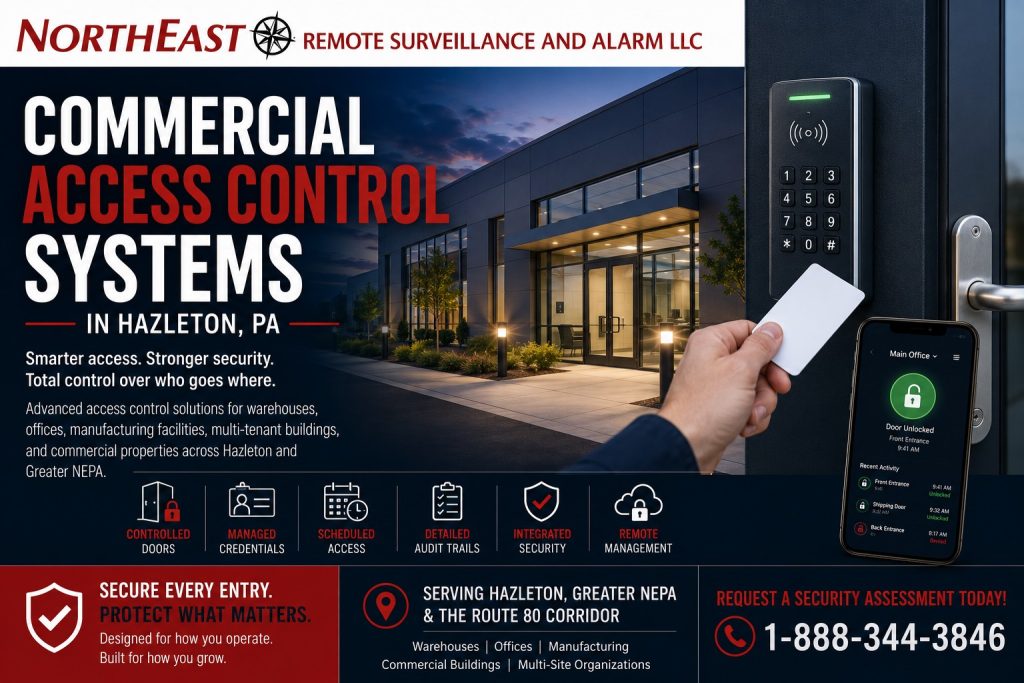
Access Control Built Around Doors, Users, and Operations
A commercial access control system should not be designed by simply adding readers to a list of doors. The system should be planned around how the property operates, which people use each opening, what schedules apply, which areas require tighter control, how emergency exit must function, and who will administer the system after installation.
A Hazleton access-control assessment may review:
- Main employee and staff entrances
- Visitor and public-facing entrances
- Rear, side, and service doors
- Office-to-warehouse or office-to-production transitions
- Shipping, receiving, and dispatch offices
- Tool cribs, parts rooms, and controlled inventory
- Server, communications, electrical, and mechanical rooms
- Records rooms, management offices, and confidential areas
- Tenant entrances and shared commercial spaces
- Contractor, vendor, cleaning, and temporary-worker access
- Vehicle and pedestrian gates
- Detached buildings and remote structures
- Existing locks, closers, panic hardware, readers, and controllers
- Current credentials, user permissions, and access schedules
- Fire-alarm interfaces, emergency egress, and accessible entry
- Network, cabling, power, and system-expansion requirements
The objective is to create a manageable entry-control system that supports normal business operations while improving accountability around important doors and restricted areas.
Find the Right Hazleton Security Resource
Use the NERSA resource that most closely matches the property’s primary access, video, alarm, monitoring, infrastructure, or modernization requirement.
Commercial and Industrial Security Systems in Hazleton, PA
Use the primary Hazleton city hub for property-wide planning across access control, video surveillance, intrusion alarms, fire-alarm systems, remote monitoring, infrastructure, upgrades, and commercial property types.
Commercial Video Surveillance Systems in Hazleton, PA
Use this Hazleton sub-hub when cameras, recording, retention, remote access, vehicle documentation, and visual context around controlled-door events are the main project concerns.
Commercial and Industrial Intrusion Alarm Systems in Hazleton, PA
Use this Hazleton sub-hub when protected openings, forced-entry detection, alarm partitions, users, communication paths, video verification, and after-hours intrusion protection are the primary requirements.
Remote Video Monitoring in Hazleton, PA
Use this resource when reviewed camera alerts, after-hours verification, responsible-party notification, live audio warnings where appropriate, and documented response procedures are needed.
Commercial Fire Alarm Systems in Hazleton, PA
Use this page for separate life-safety planning involving fire-alarm detection, notification, monitoring, sprinkler supervisory signals, controlled-door release, testing, and inspection readiness.
Low-Voltage and Security Infrastructure in Hazleton, PA
Use this Hazleton sub-hub for structured cabling, fiber, PoE switching, network cabinets, equipment racks, wireless connectivity, power, backup, testing, labeling, and system documentation.
Hazleton Security System Upgrades, Retrofits, and Takeovers
Use this Hazleton sub-hub when existing readers, controllers, locks, credentials, alarms, cameras, cabling, networks, or management platforms need modernization, expansion, or takeover support.
Why Hazleton Businesses Install Access Control
Traditional keys become difficult to manage when employees leave, tenants change, contractors rotate, vendors require limited access, cleaning personnel enter after hours, or several departments need different permissions.
Commercial access control can help a business:
- Reduce dependence on copied or unreturned keys
- Issue individual credentials
- Remove users without rekeying every opening
- Assign access by employee, role, department, door, or schedule
- Limit access to restricted rooms
- Create temporary contractor or vendor permissions
- Document granted and denied credential events
- Review forced-door and held-open conditions where supported
- Manage several doors, buildings, or locations
- Expand the system as the property grows
The real value of access control comes from the permissions, procedures, administration, and documentation behind the hardware—not simply from placing a card reader beside a door.
Credentials, Users, and Access Permissions
Commercial access control systems may support several credential types depending on the selected platform and property requirements.
Credential options may include:
- Access cards
- Key fobs
- Mobile credentials
- PIN codes
- Encrypted smart credentials
- Biometric readers where appropriate
- Vehicle credentials for selected gate applications
The credential should match the operating environment. A warehouse employee entrance, office suite, healthcare supply room, vehicle gate, contractor shop, and high-security equipment room may not require the same credential or reader.
Individual Users and Role-Based Permissions
Shared cards, fobs, or PINs weaken accountability. Commercial systems should generally use individual users and permissions appropriate to each person’s responsibilities.
Permissions may be assigned according to:
- Employee or user
- Department
- Job role
- Door or group of doors
- Building or location
- Shift
- Day of the week
- Holiday schedule
- Temporary assignment
- Tenant or business unit
An employee should receive access to the doors required for the job rather than every controlled opening in the building.
Temporary Contractors, Vendors, and Service Personnel
Contractors, vendors, cleaning personnel, maintenance technicians, and temporary workers may require limited access without receiving the same permissions as permanent employees.
Temporary access may be controlled through:
- Door-specific permissions
- Defined schedules
- Automatic expiration dates
- Temporary cards or mobile credentials
- Contractor-specific user groups
- Approved entrances
- Event-history review
The organization should define who approves temporary access, which doors may be used, when credentials expire, whether an escort is required, and who is responsible for removing access after the work is complete.
Access Schedules and After-Hours Entry
Hazleton commercial and industrial properties may operate during normal business hours, multiple shifts, weekends, overnight production, scheduled maintenance, or reduced-staffing periods.
Access schedules may support:
- Normal employee working hours
- Second- and third-shift permissions
- Weekend access
- Holiday restrictions
- Cleaning and maintenance schedules
- Temporary project access
- Early deliveries and late pickups
- Tenant-specific operating hours
- Restricted-room schedules
- Emergency or management access
After-hours access should be intentional. The system should help management identify which credential was used, which opening was involved, and when the event occurred.
Access-control records do not necessarily prove which person physically used a credential. A related camera view may provide additional context around the opening.
Audit Trails and Door-Event Accountability
Access-control event history can help authorized users review activity involving controlled doors and credentials.
Depending on the system, event records may include:
- Granted access
- Denied access
- Credential name or number
- Controlled door
- Date and time
- Door-forced-open events
- Door-held-open events
- Remote-release events
- Administrative changes
- User creation or removal
Audit trails may support internal investigations, after-hours review, tenant administration, user management, restricted-area accountability, and incident documentation.
Event records should be interpreted with other available information, including camera footage, employee statements, visitor records, alarm events, and physical evidence.
Door Hardware and Complete Opening Assessment
Access control is not only a reader-and-software project. The complete door, frame, lock, closer, exit hardware, hinges, power, wiring, and daily operation affect whether the controlled opening will work correctly.
A door assessment may review:
- Door and frame condition
- Existing lock type
- Electric strike suitability
- Electrified lock or trim options
- Magnetic-lock applications where appropriate
- Panic and exit hardware
- Door closers
- Automatic operators
- Door-position switches
- Request-to-exit devices
- Power supplies and batteries
- Fire rating
- Required emergency behavior
- Accessible use
A card reader will not correct a door that drags, fails to close, does not latch, has a damaged frame, uses unsuitable hardware, or creates an egress problem.
The hardware method should be selected around the door, occupancy, operating requirements, security objective, life-safety conditions, and approved project design.
Emergency Egress and Life-Safety Coordination
Commercial access control must control entry without preventing required exit or interfering with approved life-safety functions.
Planning may need to consider:
- Free and unobstructed egress
- Panic and exit hardware
- Request-to-exit operation
- Emergency release
- Fire-rated door operation
- Fail-safe or fail-secure locking
- Loss-of-power behavior
- Fire-alarm release where required
- Accessible entry and use
- Automatic-door operators
- Authority Having Jurisdiction requirements
Magnetic locks, electric strikes, electrified panic hardware, automatic operators, and other controlled-door components require application-specific planning.
Access control does not replace required fire-alarm systems, emergency procedures, building-code review, approved plans, inspections, or AHJ approval.
Reader Communication and Credential Security
Access-control security depends not only on the credential but also on how readers communicate with controllers and how the system protects user information.
Planning may involve:
- Credential technology
- Reader-to-controller communication
- Encrypted credentials
- Supervised reader communication
- Controller compatibility
- Reader wiring
- Firmware and software support
- Mobile-credential administration
- Lost-credential procedures
- User offboarding
Older reader technologies and communication protocols may not provide the same level of supervision, encryption, or long-term credential security as modern platforms.
When a property is upgrading readers or controllers, the project should review whether the selected hardware supports current and future credential requirements.
For deeper reader-protocol planning, visit Wiegand vs. OSDP Access Control.
Cloud, On-Premises, and Hybrid Access Control
Hazleton businesses may use on-premises, cloud-managed, or hybrid access-control platforms.
On-Premises Access Control
An on-premises system normally uses local controllers, management software, and servers or workstations located at the property or within the organization’s network.
This approach may be appropriate when the organization prefers direct local management, has internal technical resources, or has policies requiring local administrative control.
Cloud-Managed Access Control
A cloud-managed platform may simplify remote administration, credential management, software updates, multi-location visibility, user changes, and system-health awareness.
Licensing, internet dependency, cybersecurity, account administration, mobile access, long-term operating costs, and data-management policies should be reviewed before selection.
Hybrid Access Control
A hybrid system may combine local door operation and controllers with cloud-based administration, reporting, mobile access, or multi-site management.
The architecture should be selected around how the organization expects to manage users, doors, schedules, reporting, connectivity, and long-term support.
Warehouse and Logistics Access Control
Hazleton warehouses and logistics facilities may require access control around much more than the main office entrance.
Common warehouse access priorities include:
- Employee entrances
- Office-to-warehouse transition doors
- Shipping and dispatch offices
- Dock-adjacent personnel doors
- Inventory and controlled-storage rooms
- Tool cribs and parts areas
- Maintenance rooms
- Server and network rooms
- Tenant or department separation
- Detached warehouses
- Vehicle and pedestrian gates
Warehouse permissions may need to account for multiple shifts, temporary labor, delivery activity, cleaning crews, drivers, contractors, supervisors, and employees returning after normal office hours.
Overhead loading doors are normally handled differently from standard controlled personnel doors. The operating workflow, safety devices, door controls, alarm detection, and camera coverage should be reviewed as parts of the larger warehouse plan.
Manufacturing and Industrial Access Control
Manufacturing and industrial facilities may require controlled entry around production-support areas, raw materials, finished goods, tool rooms, maintenance departments, quality-control spaces, utilities, and restricted process areas.
Potential controlled areas include:
- Employee entrances
- Contractor entrances
- Tool cribs
- Parts rooms
- Maintenance shops
- Electrical and mechanical rooms
- Server and communications rooms
- Raw-material storage
- Finished-goods areas
- Quality-control rooms
- Laboratories
- Process-control spaces
Permissions should reflect job role, department, shift, training, building, and operational need.
Security technology can support restricted-area accountability, but it does not replace employee training, supervision, safety procedures, contractor-management requirements, or process controls.
Office and Multi-Tenant Access Control
Office and multi-tenant buildings require clear separation between common-area authority and tenant-specific control.
Potential controlled openings include:
- Main shared entrances
- Individual tenant suites
- Employee entrances
- Records rooms
- Management offices
- Human-resources rooms
- Server and IT rooms
- Supply areas
- Shared service entrances
- Utility and mechanical rooms
The operating plan should define:
- Who administers the main building doors
- Who creates or removes tenant users
- Which openings are controlled by property management
- Which openings are controlled by each tenant
- How cleaning and maintenance personnel are handled
- How former tenant credentials are removed
- Who reviews access events
- How after-hours entry is managed
Healthcare, School, and Municipal Access Control
Healthcare, educational, municipal, and institutional properties may require controlled entry around public-facing areas, staff-only spaces, records, supplies, equipment, administrative offices, and restricted support rooms.
Planning may involve:
- Public and employee entrances
- Staff-only doors
- Records and document rooms
- Medicine or supply areas where applicable
- IT and server rooms
- Administrative departments
- Maintenance and utility areas
- Visitor-entry procedures
- Panic or duress coordination
- Emergency release and lockdown procedures where applicable
Access-control design should respect privacy, public access, emergency operations, accessibility, employee policy, and life-safety requirements.
Gate Access and Vehicle Entry
Hazleton warehouses, industrial facilities, contractor yards, manufacturing properties, and commercial campuses may require controlled vehicle or pedestrian gates.
Gate access may involve:
- Cards, fobs, mobile, or keypad credentials
- Long-range vehicle credentials where appropriate
- Driver and visitor intercoms
- Remote gate release
- Time-based schedules
- Temporary contractor access
- Gate-position monitoring
- Vehicle and overview cameras
- License plate recognition
- Pedestrian-gate control
A gate access-control system must also account for the physical gate operator, vehicle loops, photo eyes, edge sensors, emergency access, traffic flow, gate travel, manufacturer requirements, and other safety devices.
Vehicle gate control should not be treated as a standard door-reader installation.
Visitor Entry, Intercoms, and Remote Release
Some Hazleton businesses need staff to communicate with visitors, delivery drivers, vendors, or contractors before releasing a controlled entrance or gate.
A visitor-entry workflow may involve:
- A visitor initiates a call from an entrance or gate station.
- The call reaches reception, security, shipping, or an authorized employee.
- Staff determine the purpose of the visit.
- A camera may provide visual context.
- An authorized user releases a compatible controlled opening.
- The visitor follows the property’s access procedure.
An intercom or camera does not independently establish identity or authorization. Staff should follow the organization’s visitor, delivery, and contractor procedures before releasing an opening.
Integration With Video Surveillance
Video surveillance can add context to access-control events.
Compatible systems may support:
- Camera views associated with controlled doors
- Video review of credential events
- Forced-door and held-open event clips
- Denied-access review
- After-hours entrance review
- Gate and vehicle documentation
- Restricted-room entrance review
Access-control records identify which credential was presented and when. Video may provide additional context about what happened around the opening.
The camera should be positioned to provide a useful view of the doorway or approach rather than a distant overview with limited detail.
Integration With Intrusion Alarms
Access control and intrusion alarms may be coordinated to provide better event context and more practical building operation.
Potential coordinated events include:
- Forced-open doors
- Doors held open too long
- Denied credentials
- After-hours entry
- Credential activity associated with alarm events
- Scheduled arming and disarming
- Alarm-partition control
Integration should make events easier to understand without creating unnecessary dependencies or interfering with emergency egress, fire-alarm functions, or required door operation.
Network, Power, and Low-Voltage Infrastructure
Modern access control may rely on controllers, network communication, cloud platforms, PoE devices, power supplies, batteries, structured cabling, and building-to-building connectivity.
Supporting infrastructure may include:
- Reader and door wiring
- Controller cabinets
- Power supplies and batteries
- Cat6 or Cat6A cabling
- Fiber-optic backbones
- PoE switching where applicable
- Network cabinets
- Wireless bridges for remote buildings
- UPS backup
- Surge-protection coordination
- Network segmentation
- Secure remote connectivity
- Cable testing and labeling
- System diagrams and equipment records
Controllers and power supplies should have enough capacity for the installed doors and reasonable future expansion.
Door hardware, readers, controllers, networks, and power should be designed as parts of one system rather than isolated components.
New Installations, Expansions, and Additional Doors
A new access-control project should begin with the building layout, users, door hardware, schedules, life-safety requirements, administrative responsibility, and future growth.
Early planning can help prevent:
- Controlling the wrong doors
- Insufficient controller capacity
- Unsuitable locking hardware
- Weak credential technology
- Shared user accounts
- Poor reader placement
- No path for additional doors
- Incomplete life-safety coordination
- Weak network or power infrastructure
- Inadequate documentation
An existing system may be expanded when the controllers, software, licensing, network, power, wiring, credential technology, and hardware support the additional doors and users.
Expansion may involve:
- Additional employee entrances
- New restricted rooms
- Tenant fit-outs
- Warehouse additions
- New production areas
- Vehicle gates
- Detached buildings
- Mobile credentials
- Multi-site administration
Access Control Upgrades and System Takeovers
Many Hazleton businesses already have access-control systems, but the equipment may be outdated, unsupported, difficult to manage, poorly documented, or unable to support modern credentials and expansion.
Common warning signs include:
- Unsupported controllers or management software
- Obsolete readers and credentials
- Shared cards or PINs
- Former users who remain active
- Limited reporting
- No mobile-credential support
- Unreliable door hardware
- Readers that work intermittently
- Incorrect door schedules
- Insufficient controller capacity
- Weak network connectivity
- Missing drawings and documentation
- No practical multi-site management
An upgrade may include:
- Reader replacement
- Credential modernization
- Controller replacement
- Cloud or hybrid migration
- Mobile credentials
- Additional controlled doors
- User and permission cleanup
- Door-hardware corrections
- Network and power improvements
- Video and alarm integration
- Updated system naming and documentation
An inherited-system takeover should begin with a review of the controllers, readers, credentials, software, door hardware, wiring, power supplies, network, users, permissions, event history, integrations, and available documentation.
Existing equipment may sometimes be retained. Reuse should be based on condition, compatibility, supportability, cybersecurity, testing, performance, documentation, and the objectives of the upgraded system.
Testing, Training, and Access-Control Documentation
A commercial access-control system should be tested and documented so it remains manageable after installation.
Commissioning may include:
- Credential and reader testing
- Door release and relocking
- Door-position monitoring
- Request-to-exit operation
- Forced-door and held-open events
- Access schedules
- Temporary and expired credentials
- Remote administration
- Video and alarm integrations
- Fire-alarm release where included
- Loss-of-power behavior
- Network and communication testing
- Battery-supported operation
Useful documentation may include:
- Controlled-door list
- Reader and controller assignments
- Access-level and permission structure
- Credential types
- Door-hardware information
- Power-supply and battery records
- Network and communication information
- Fire-alarm interface details
- Camera assignments
- Administrator responsibilities
- Testing records
- Training and turnover information
- Future expansion notes
Training should address adding and removing users, assigning permissions, changing schedules, reviewing events, responding to held-open or forced doors, managing administrator accounts, and requesting technical support.
Hazleton’s Commercial and Industrial Access-Control Market
Hazleton access-control projects may involve city commercial buildings, Greater Hazleton warehouses, Route 80 and I-81-connected logistics operations, manufacturing facilities, industrial properties, contractor yards, offices, healthcare buildings, schools, municipal properties, and multi-tenant commercial sites.
A smaller professional office may require controlled employee entry and several restricted rooms. A warehouse may require employee entrances, shipping offices, warehouse transitions, temporary-worker schedules, and gate access. A manufacturing property may require controlled tool rooms, maintenance areas, production-support spaces, and contractor permissions.
The access-control system should be designed around the actual Hazleton property rather than a generic door package.
Compliance and Operational Boundaries
Access control can support controlled entry, accountability, restricted-area management, and incident review. It does not automatically make a property compliant with every building-code, fire-code, accessibility, privacy, workplace, insurance, or contractual requirement.
Access-control planning should not interfere with:
- Required emergency egress
- Fire-rated openings
- Panic and exit hardware
- Fire-alarm functions
- Emergency release
- Accessible entry and routes
- Required locking or unlocking sequences
- Employee and visitor procedures
Project requirements depend on the property, occupancy, doors, adopted requirements, approved documents, responsible design professionals, and Authority Having Jurisdiction.
Why Hazleton Businesses Choose NERSA
- Commercial and industrial systems only
- Facility-first access-control planning
- Warehouse, manufacturing, office, institutional, gate, and multi-tenant experience
- Cards, fobs, mobile credentials, PINs, and modern reader technologies
- New installations, expansions, upgrades, and takeovers
- Door-hardware and life-safety coordination
- Video, intrusion-alarm, intercom, and gate integration
- Network, cabling, fiber, power, and infrastructure planning
- Testing, training, documentation, and long-term support
- Small commercial through enterprise and multi-site capability
Northeast Remote Surveillance and Alarm, LLC plans access control around the Hazleton property’s doors, users, schedules, restricted areas, operating procedures, life-safety requirements, infrastructure, and future expansion.
Request a Hazleton Access Control Assessment
A commercial access-control project should begin with a review of the property rather than a predetermined reader or door count.
A Hazleton access-control assessment may evaluate:
- Main, employee, tenant, rear, service, and contractor entrances
- Warehouse, office, production, and restricted-room transitions
- Current locks, closers, panic hardware, and door condition
- Credentials, users, access levels, and schedules
- Temporary workers, vendors, cleaning personnel, and contractors
- Vehicle and pedestrian gates
- Fire-alarm interfaces and emergency egress
- Video-surveillance and intrusion-alarm coordination
- Existing readers, controllers, software, and power supplies
- Network, cabling, fiber, wireless, and PoE infrastructure
- Remote administration and cybersecurity
- Existing-system supportability
- Documentation and future expansion
The objective is to determine which doors require control, which credential and hardware methods fit the property, how user permissions should be organized, which existing equipment may be retained, and how the system can remain manageable as the business changes.
Request a Hazleton Commercial Access Control Assessment or call 1-888-344-3846.
Frequently Asked Questions About Commercial Access Control Systems in Hazleton, PA
What is a commercial access-control system?
A commercial access-control system manages who may enter controlled doors or areas using credentials, readers, controllers, permissions, schedules, door hardware, and management software.
How is access control better than traditional keys?
Electronic credentials can be added, removed, limited, or changed without rekeying every controlled opening. Access control also provides event records that traditional keys do not.
Which doors should a Hazleton business control?
Common priorities include employee entrances, tenant doors, office-to-warehouse transitions, shipping offices, tool rooms, server rooms, inventory areas, maintenance spaces, rear doors, and vehicle or pedestrian gates.
What credentials can commercial access control use?
Systems may use cards, key fobs, mobile credentials, PINs, encrypted smart credentials, biometric readers, or vehicle credentials depending on the property and requirements.
Can employees have different permissions?
Yes. Access may be assigned by employee, department, role, door, building, shift, schedule, tenant, or operational requirement.
Can contractor and vendor access expire automatically?
Many systems support temporary credentials, defined schedules, door-specific permissions, and automatic expiration dates.
Can access control support multiple shifts?
Yes. Different employees and departments may receive permissions based on first, second, third, weekend, holiday, or temporary operating schedules.
Can access control be used in warehouses?
Yes. Warehouse applications may include employee doors, shipping offices, office-to-warehouse transitions, tool rooms, inventory areas, server rooms, maintenance spaces, and gates.
Can access control be used in manufacturing facilities?
Yes. Manufacturing applications may include employee entrances, tool cribs, maintenance rooms, quality-control areas, production-support rooms, utilities, materials, and restricted process areas.
Can access control work with security cameras?
Yes. Compatible systems may associate door and credential events with nearby camera footage for stronger event review.
Can access control work with intrusion alarms?
Yes. Compatible systems may coordinate forced doors, held-open doors, denied credentials, after-hours access, alarm partitions, and related camera views.
Can an access-controlled door release during a fire alarm?
Where required by the approved design, compatible controlled openings may release or change state during a fire-alarm event. The exact operation depends on the door, lock, occupancy, approved documents, and AHJ requirements.
Can an existing Hazleton access-control system be expanded?
Sometimes. Expansion depends on controller capacity, software licensing, power, wiring, network infrastructure, credential compatibility, hardware, and future system requirements.
Can an older access-control system be upgraded or taken over?
Yes. NERSA can evaluate readers, controllers, credentials, software, door hardware, wiring, power, networks, users, permissions, integrations, and documentation to determine what may be retained, repaired, expanded, modernized, or replaced.
Can existing readers and wiring be reused?
Sometimes. Reuse depends on condition, compatibility, supportability, cybersecurity, protocol, cable type, test results, and the requirements of the upgraded system.
Can NERSA support both small businesses and large industrial facilities?
Yes. NERSA supports qualifying projects ranging from smaller offices, medical practices, service businesses, and light-commercial properties to warehouses, manufacturing plants, logistics facilities, industrial campuses, institutions, and multi-site organizations.
Does NERSA install residential access-control systems?
No. Northeast Remote Surveillance and Alarm, LLC focuses on commercial, industrial, warehouse, logistics, manufacturing, office, healthcare, school, municipal, institutional, contractor, multi-tenant, and other non-residential properties.
“`