
A commercial security system takeover gives your business a way to regain control of an existing camera, access control, intrusion alarm, or monitoring system without starting from scratch.

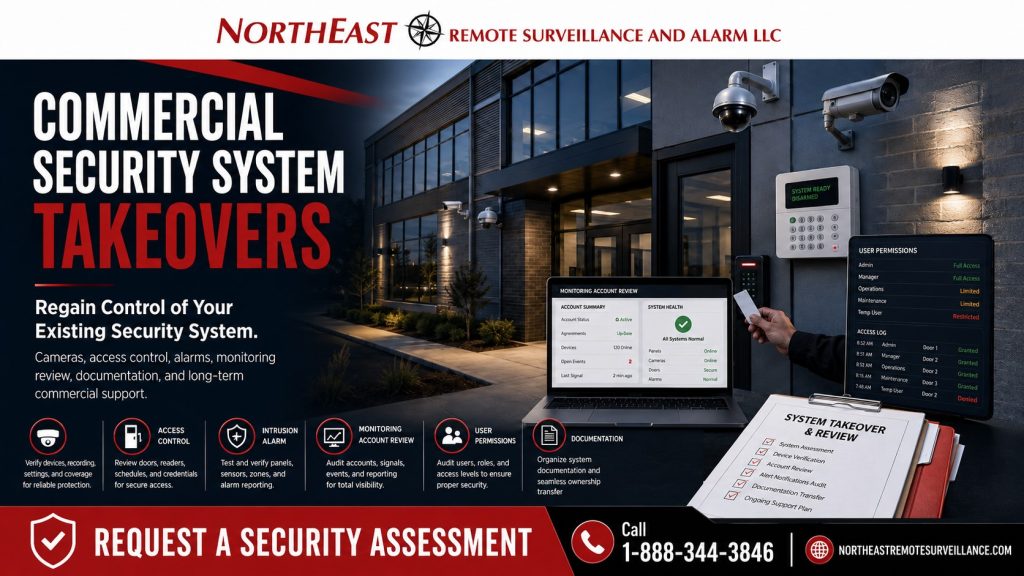
Northeast Remote Surveillance and Alarm, LLC helps commercial and industrial facilities take over under-supported, poorly documented, outdated, or abandoned security systems through practical review, correction, documentation, and long-term support.
When changing providers, use Commercial Security System Upgrades, Retrofits & Takeovers to consider account access, ongoing support, and any equipment changes together.
Commercial Security System Takeovers for Existing Buildings
Many businesses have security equipment but lack the support and records needed to manage it properly.
Start by identifying what you own, who administers it and which functions no longer meet your needs. An inherited system, lost records or a provider change calls for an equipment and account review. That review establishes whether support, a partial upgrade or replacement is the appropriate next step.
A commercial security system takeover helps answer the most important questions:
- What equipment is already installed?
- What still works?
- What needs repair or replacement?
- Who has access to the system?
- Can the cameras be viewed remotely?
- Are old users still active?
- Are alarm signals reporting properly?
- Are access control permissions organized?
- Is documentation available?
- Can the system be supported long term?
The goal is not to sell a full replacement when a takeover, cleanup, or partial upgrade can solve the problem.
When a Commercial Security Takeover Is Needed
A business should consider a security system takeover when the existing provider, equipment, or documentation is no longer supporting the property.
Common takeover situations include:
- The current security provider is slow to respond.
- The business inherited an old camera or alarm system.
- Remote viewing no longer works.
- Admin passwords or user access are unclear.
- Former employees may still have access.
- Camera names are confusing or undocumented.
- Access control permissions are disorganized.
- Alarm monitoring information is unclear.
- The system has recurring trouble conditions.
- The recorder, panel, or access control platform is outdated.
- The building changed ownership or management.
- The business wants local commercial support.
- Multiple systems are disconnected.
- The company needs a long-term security partner instead of a one-time repair.
A takeover is often the first step toward making an existing security system usable again.
What NERSA Reviews During a Takeover
Northeast Remote Surveillance and Alarm, LLC starts with a practical review of the existing system.
The takeover review may include:
- Security camera locations
- Recorder or video management system
- Remote viewing access
- User accounts and permissions
- Access control panels and readers
- Controlled doors
- Door hardware condition
- Intrusion alarm panel
- Door contacts and motion detectors
- Keypads and sirens
- Alarm communicator
- Monitoring account information
- Network equipment
- Cabling and pathways
- Power supplies and backup power
- Device names and labels
- Available documentation
- Service history
- Future upgrade needs
This review helps determine whether NERSA can support the existing system as it stands or whether it needs repairs, upgrades or phased replacement.
Camera System Takeovers
Many commercial takeover projects begin with the camera system.
A business may have cameras installed, but that does not mean the system is useful. The recorder may be outdated, remote viewing may be unreliable, footage may be difficult to search, or camera views may not cover the right areas.
NERSA reviews the camera system for:
- Image quality
- Camera placement
- Blind spots
- Recorder health
- Storage capacity
- Retention period
- Remote access
- Mobile app access
- User permissions
- Clip export capability
- Camera naming
- Network condition
- Future expansion options
If the system is serviceable, NERSA may be able to take it over and clean it up. If the system is too outdated or unreliable, NERSA can recommend a focused camera upgrade instead of a full unnecessary replacement.
Access Control Takeovers
Access control takeovers require careful review because they affect who can enter the building.
Consider a takeover review when credentials, active users or controlled doors are unclear. The review should also identify administrators and check door schedules.
NERSA reviews access control systems for:
- Controlled doors
- Reader locations
- Controller condition
- Credential types
- Active users
- Former employees
- Vendor access
- Door schedules
- Access levels
- Administrative accounts
- Door position monitoring
- Request-to-exit operation
- Power supplies
- Emergency egress considerations
- Documentation and labeling
Organize access control around the way the business operates today. Review settings left over from earlier uses of the building.
Intrusion Alarm Takeovers
A commercial intrusion alarm takeover can help a business regain control of an existing alarm system.
An alarm system may still work while important details remain unclear. Check the monitoring path, current user codes, former users’ access and whether each alarm zone works properly.
NERSA reviews intrusion alarm systems for:
- Alarm panel condition
- Keypad locations
- User codes
- Door contacts
- Motion detectors
- Glassbreak detectors where applicable
- Sirens
- Partitions or areas
- Arming and disarming procedures
- Alarm communicator
- Monitoring path
- Signal reporting
- Trouble conditions
- Zone names
- Battery condition
- Documentation
The goal is to make the alarm system support current operations and reduce confusion during after-hours events.
Monitoring Account Review
Review monitoring takeovers carefully and proceed only with proper authorization from the business.
NERSA can help review the monitoring path, communicator, account information, contact list, signal reporting, and system condition where applicable. In many cases, the system may need updated contacts, corrected zone descriptions, new user procedures, or a communicator upgrade to support dependable reporting.
Monitoring review may include:
- Current monitoring provider status
- Account ownership
- Emergency contact list
- Call list accuracy
- Alarm signal testing
- Trouble signal review
- Communication path review
- Cellular or IP communicator review
- Panel programming review where authorized
- Documentation cleanup
The business should know where alarm signals go, who receives calls, and whether the system reports properly.
User Permission Cleanup
User cleanup is one of the most important parts of a takeover.
Older systems often have shared logins, former employees, vendor access, duplicate users, weak passwords, unmanaged mobile access, and unclear administrator roles. That creates risk even if the equipment still works.
NERSA helps organize user permissions for:
- Camera viewing
- Video playback
- Clip export
- Access control administration
- Credential holders
- Alarm users
- Remote app access
- Vendor support access
- Manager access
- Owner access
A security system takeover should not leave old users in control of the building.
Documentation Cleanup
Many takeover projects reveal gaps in system records.
A business may not know where equipment is located, which camera is which, which door is controlled, what alarm zone names mean, where the network switch is, or who has administrator access.
NERSA helps clean up documentation for:
- Camera names
- Camera views
- Recorder location
- Access-controlled doors
- Reader locations
- Alarm zones
- Keypad locations
- Communicator information
- Network equipment
- User permission structure
- Monitoring information where applicable
- Service notes
- Recommended upgrades
Good documentation makes future service faster and helps the business avoid repeating the same problems.
Takeover vs. Retrofit vs. Upgrade
A takeover, retrofit, and upgrade are related, but they are not the same.
A takeover means NERSA reviews and assumes support for an existing commercial security system where possible. A retrofit modifies, repairs or modernizes the existing system while reusing serviceable infrastructure. An upgrade improves specific equipment or functions, such as cameras, access control, alarm devices, recorders, communicators or remote access.
Many projects involve all three.
The takeover starts the process. The retrofit corrects the weak points. The upgrade improves performance where the existing system no longer meets the business’s needs.
Before and After
| Before Takeover | After Takeover |
|---|---|
| Previous provider was unresponsive | Local commercial support path |
| System documentation was incomplete | Cleaner device and user documentation |
| Former users may still have access | User permissions reviewed and cleaned up |
| Remote viewing was unreliable | Remote access reviewed and corrected where possible |
| Camera names were confusing | Cameras organized by location and purpose |
| Access control was disorganized | Doors, users, and schedules reviewed |
| Alarm monitoring was unclear | Monitoring path and contacts reviewed where applicable |
| Service was reactive | Better long-term support plan |
Why Businesses Switch Security Providers
Businesses usually seek a takeover because the existing support model is no longer working.
Common reasons include:
- Poor service response
- Lack of documentation
- Confusing user access
- Outdated technology
- Unreliable remote viewing
- Unclear monitoring
- Recurring system problems
- No local commercial support
- Provider no longer supports the platform
- Business changed ownership
- Site manager changed
- Company needs a more professional security partner
Switching providers should give the business more control, not more confusion.
What Can Usually Be Reused
A takeover does not automatically require system replacement.
Depending on condition and compatibility, NERSA may be able to reuse:
- Existing cameras
- Existing camera cabling
- Existing recorder
- Existing network equipment
- Existing access control readers
- Existing controllers
- Existing door hardware
- Existing alarm panel
- Existing door contacts
- Existing motion detectors
- Existing sirens
- Existing power supplies
- Existing conduit or cable pathways
Reuse depends on ownership, compatibility, condition, reliability, documentation, and whether the equipment can be supported long term.
For an acquired building joining an existing portfolio, follow the new-facility readiness and acceptance guide.
What May Need to Be Replaced
Installed equipment still needs a condition and suitability review.
Replacement may be recommended when equipment is:
- Obsolete
- Unsupported
- Locked to another provider
- Failing
- Poorly installed
- Incompatible
- Undocumented
- Unreliable
- Too limited for current needs
- Unable to support secure remote access
- Unable to support proper user management
- Not worth continued service expense
NERSA makes takeover recommendations based on practical system value, not unnecessary replacement.
Commercial Facilities That Need Security Takeovers
NERSA supports commercial and industrial security takeovers for:
- Warehouses
- Manufacturing facilities
- Distribution centers
- Office buildings
- Healthcare offices
- Schools and education facilities
- Retail stores
- Contractor shops
- Auto repair shops
- Laundromats
- Industrial parks
- Multi-tenant buildings
- Logistics facilities
- Truck yards
- Professional offices
- Municipal and institutional facilities
Plan each takeover around the building, system condition and business operations.
Related Planning
A takeover depends on ownership, authorized access, system condition, and support. Some systems require equipment changes.
When to Request a Commercial Security System Takeover
A business should request a takeover review if:
- The current provider is not responding.
- The system was inherited from a previous owner.
- Admin access is unclear.
- Remote viewing does not work properly.
- Former employees may still have access.
- Alarm monitoring details are unclear.
- Camera footage is hard to find or export.
- Access control users are disorganized.
- The system is outdated but may still be partly usable.
- The business wants local commercial support.
- Multiple locations need standardization.
- The company wants a provider that can support cameras, alarms, access control, and future upgrades together.
Commercial Security Takeover Checklist
Before taking over an existing system, a business should gather:
- Current provider information
- Admin logins where available
- Monitoring account information
- Equipment list if available
- Camera list if available
- Access control user list
- Alarm user list
- Site contact list
- Building floor plan if available
- Known trouble conditions
- Remote viewing app information
- Recorder location
- Alarm panel location
- Network equipment location
- Existing service history
- Known passwords or reset documentation
- Authorized decision maker approval
If some of this information is missing, NERSA can still review the site and determine the best path forward.
Request a Commercial Security System Takeover Review
If your commercial building, warehouse, office, healthcare office, school, industrial facility, logistics property, contractor yard, retail location, or multi-site business is stuck with an under-supported security system, Northeast Remote Surveillance and Alarm, LLC can help.
Frequently Asked Questions About Commercial Security System Takeovers
What is a commercial security system takeover?
A commercial security system takeover is the process of reviewing and assuming support for an existing business security system. It may involve cameras, access control, intrusion alarms, monitoring paths, remote viewing, user permissions, documentation, and system cleanup.
Can NERSA take over an existing camera system?
Yes. NERSA can review existing cameras, recorders, cabling, remote viewing, user accounts, retention, and camera names to determine whether the system can be supported, cleaned up, upgraded, or partially replaced.
Can NERSA take over an existing access control system?
Yes. NERSA can review existing access control hardware, controlled doors, users, credentials, schedules, administrators, and door activity to determine whether the system can be supported or needs correction.
Can NERSA take over an existing intrusion alarm system?
Yes. NERSA can review existing commercial intrusion alarm panels, keypads, door contacts, motion detectors, sirens, communicators, user codes, zones, monitoring paths, and trouble conditions.
Do I need permission to transfer or take over a system?
Yes. The business owner, property owner or approved decision maker should authorize security system takeover work. Monitoring accounts, administrator access, and system changes must be handled properly.
What happens if the old provider locked the system?
If a system is locked, proprietary, undocumented, or tied to another provider, NERSA can review the available options. Some systems can be transferred or reset with proper authorization. Others may require partial equipment replacement.
Will every existing device be reused?
No. Reuse devices only when they are serviceable, compatible, reliable, supportable and appropriate for the business’s needs. Outdated or unreliable equipment may need replacement.
Can a takeover improve remote viewing?
Yes. A takeover can include remote viewing review, user cleanup, camera naming, recorder evaluation, app access correction, and permission management. If the existing equipment cannot support reliable remote viewing, an upgrade may be recommended.
Can a takeover help remove former employees?
Yes. User cleanup is one of the most important takeover steps. NERSA can review active camera users, access control users, alarm codes, mobile app access, credentials, and administrator accounts where the system allows.
How do we start a commercial security system takeover?
Call 1-888-344-3846 or use Request a Security Assessment.
NERSA can review the existing system, identify what can be supported, clean up users and documentation, and recommend the right takeover or upgrade path.
Enterprise planning resources
For the wider enterprise framework, see Enterprise Security System Modernization.
Compliance, Codes & Project Standards
NERSA plans commercial and industrial security work with applicable code, documentation, inspection and authority-having-jurisdiction requirements in mind. Requirements vary by system, property and jurisdiction. These resources support project planning; they do not establish legal compliance, certification or AHJ approval.
Related guidance: Regulatory compliance & inspection readiness · NERSA project standards · Documentation, testing & inspection readiness