Healthcare offices need security systems that support patient flow, staff accountability, restricted-area protection, and usable video review without disrupting daily care operations. Northeast Remote Surveillance and Alarm, LLC helps medical offices, outpatient clinics, healthcare administration spaces, specialty practices, and professional healthcare buildings upgrade security cameras and access control around real workflows. This case study explains how a healthcare office security camera and access control upgrade can improve controlled entry, staff-only access, incident review, documentation, and long-term security management.
For related planning, visit Case Studies by Northeast Remote Surveillance and Alarm, LLC, Commercial Video Surveillance Systems, and Commercial & Industrial Access Control Systems.
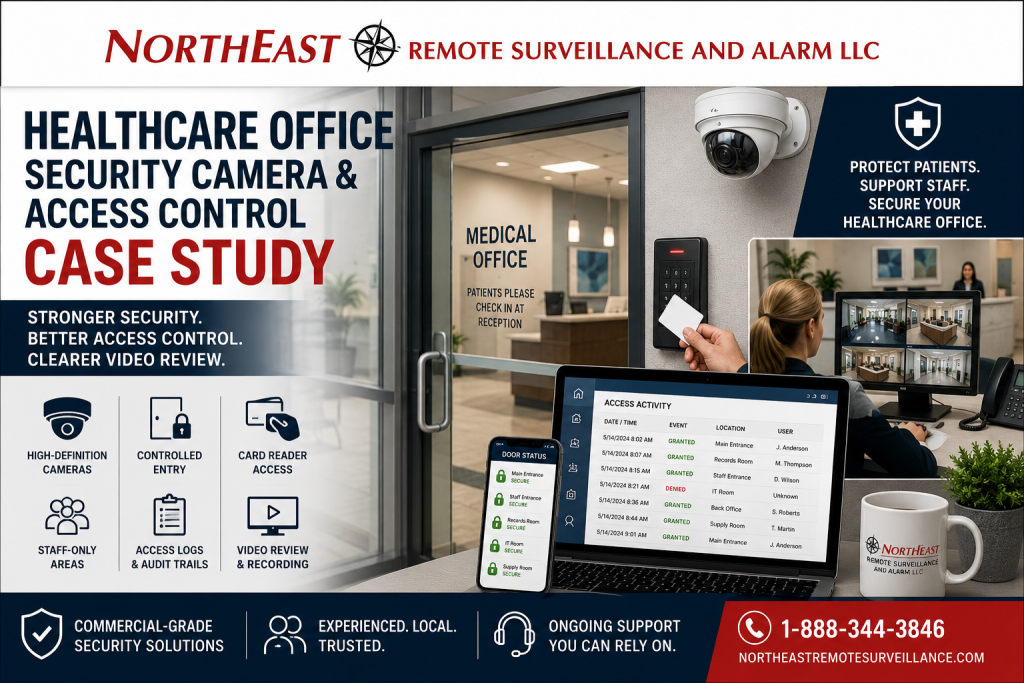
Project Snapshot
| Project Area | Details |
|---|---|
| Facility Type | Healthcare office / medical office / outpatient professional space |
| Primary Concern | Limited video review, unmanaged keys, staff-only area exposure, and disconnected security systems |
| Existing Condition | Older cameras, physical key dependency, limited access logs, and inconsistent visibility at key areas |
| Upgrade Focus | Security cameras, controlled doors, card readers, access logs, patient entry review, restricted-area protection, and administrative control |
| Main Goal | Improve security, accountability, and review capability without interfering with patient-facing operations |
| System Approach | Commercial-grade camera and access control upgrade designed around healthcare office workflows |
| Result | Stronger controlled access, better incident review, clearer staff accountability, and improved long-term security support |
The Problem: The Healthcare Office Needed Better Visibility and Better Control
The healthcare office had a common security problem: the building had patient-facing areas, staff-only areas, records or administrative areas, equipment and supply storage, and after-hours activity, but the existing system did not give management enough control or review capability.
The existing setup created several problems:
- Physical keys were difficult to manage.
- Staff-only doors were not easy to audit.
- Older cameras did not provide strong review quality.
- Reception and entry activity had limited documentation.
- Administrative areas needed better access control.
- After-hours activity was harder to verify.
- Access control and camera review were not working together.
- The office needed a system that supported security without disrupting patient flow.
The goal was not to overcomplicate the office or create a hostile environment. The goal was to protect the property, support staff, improve review capability, and help the healthcare office manage access more professionally.
Why Healthcare Office Security Is Different
A healthcare office is not the same as a standard office building.
Medical and healthcare environments often include a mix of public-facing areas and restricted areas. Patients, visitors, staff, providers, vendors, cleaning crews, delivery personnel, and after-hours workers may all use the building differently.
That creates security needs around:
- Main entrances
- Reception areas
- Waiting areas
- Staff-only corridors
- Records or administrative rooms
- Medication or supply storage
- IT and network rooms
- Employee entrances
- Parking areas
- After-hours access
- Vendor access
- Shared building areas
- Multi-tenant suite entrances
A basic camera package does not solve all of those needs. A basic door lock does not solve them either. The strongest plan connects video surveillance, access control, user permissions, access logs, and administrative review.
Existing System Challenges
The healthcare office had several limitations that needed to be corrected.
Physical Keys Created Management Risk
The office relied too heavily on traditional keys. That made it harder to remove access when staff changed, limit access by role, or know who entered certain areas.
Physical keys can be lost, copied, shared, or left in circulation. In healthcare office settings, that creates unnecessary exposure around staff-only areas, administrative spaces, supply areas, and after-hours access.
Older Cameras Limited Incident Review
The existing camera system did not provide the level of review the office needed. Some camera views were not positioned around the most useful security areas, and some footage was harder to review than it should have been.
A camera system has to do more than record. It must provide usable video when management needs to review an incident, confirm entry activity, verify a concern, or document what happened.
Staff-Only Areas Needed Better Control
Healthcare offices often have areas that should not be accessible to patients, visitors, vendors, or unauthorized personnel.
Those areas may include administrative spaces, storage rooms, employee entrances, IT rooms, supply rooms, records areas, staff corridors, and back-office spaces. The office needed a better way to manage who could enter those areas and when.
Entry Activity Needed Better Documentation
The office needed clearer review at key entry points. Patient and visitor movement, vendor entry, staff arrivals, after-hours access, and front-office activity all needed stronger visibility and accountability.
Systems Were Disconnected
The existing security setup did not provide a strong connection between door activity and video review.
A door log can show that a credential was used. A camera can show what happened at the door. When those layers are planned together, the office has a much better way to review activity.
Upgrade Objectives
Northeast Remote Surveillance and Alarm, LLC planned the upgrade around healthcare office operations.
The main objectives were:
- Improve camera coverage at approved security areas.
- Improve review quality at entries, reception support areas, exterior approaches, and staff-only zones.
- Reduce dependence on physical keys.
- Add controlled access to selected doors.
- Support credential-based access for staff.
- Create access logs for selected openings.
- Improve after-hours accountability.
- Support administrative review without unnecessary complexity.
- Protect emergency egress and life-safety requirements.
- Respect privacy-aware camera placement.
- Build a system that could grow with the office.
Recommended Solution
NERSA recommended a combined security camera and access control upgrade.
The camera portion focused on better visibility, usable recorded video, practical camera placement, remote review, and incident documentation. The access control portion focused on controlled entry, staff credentials, user permissions, schedules, access logs, and restricted-area protection.
Together, the systems helped the healthcare office answer two critical questions:
- Who accessed the area?
- What happened at the same time?
That combination is much stronger than relying on disconnected cameras, keys, and manual notes.
Scope of Work
The healthcare office security upgrade included planning, installation, testing, and user handoff.
The project scope included:
- Site walkthrough and security review.
- Review of patient-facing, staff-only, administrative, and after-hours areas.
- Review of existing cameras, doors, locks, network paths, and recording equipment.
- Identification of priority camera views.
- Identification of doors needing controlled access.
- Camera replacement or camera additions in approved areas.
- Access control reader and controller planning.
- Review of door hardware and egress requirements.
- Credential and user group setup.
- Door schedule planning.
- Access log configuration.
- Video recording and remote review setup.
- Administrative permission setup.
- Testing of controlled doors.
- Verification of camera views and recording.
- Staff training on basic system use.
- Documentation and system handoff.
Camera System Upgrade
The camera upgrade focused on usable coverage, not just adding devices.
Healthcare office cameras should be placed where they support security, accountability, and incident review. Camera placement should be planned carefully around privacy, policy, patient flow, staff workflow, and approved review areas.
Typical healthcare office camera areas may include:
- Main entrance areas
- Reception support areas
- Waiting room entry views
- Public corridors
- Staff entrances
- Exterior doors
- Parking areas
- Delivery areas
- Back-office approaches
- Shared building entrances
- Approved administrative areas
- Approved exterior and interior security zones
The goal was to help authorized management review activity clearly without placing cameras where they do not belong.
Privacy-Aware Camera Placement
Healthcare office camera planning must be handled carefully.
Cameras should support safety, security, and incident documentation in approved areas. They should not be installed in private treatment rooms, exam rooms, restrooms, changing areas, or other sensitive spaces where privacy expectations make surveillance inappropriate.
NERSA plans healthcare office camera coverage around approved security views such as entrances, exterior approaches, reception-adjacent areas, hallways, parking areas, staff-only access points, and other areas approved by the facility.
The system supports the office’s security procedures. It does not replace the healthcare provider’s internal privacy policies, compliance program, staff training, or legal responsibilities.
Access Control Upgrade
The access control upgrade helped the healthcare office move from loose key control to managed credential-based access.
A properly planned access control system can help healthcare office administrators:
- Add users quickly.
- Remove users when staff changes occur.
- Limit access by role.
- Set door schedules.
- Review access activity.
- Reduce rekeying after lost keys.
- Protect staff-only areas.
- Control selected administrative areas.
- Improve after-hours accountability.
- Support long-term audit and review procedures.
The system was designed around how the office actually operated, not around a generic door package.
Controlled Areas
The access control plan focused on selected areas where credential-based control created real value.
Potential controlled areas may include:
- Employee entrances
- Staff-only corridors
- Administrative offices
- Records areas
- IT rooms
- Supply rooms
- Medication or inventory storage areas
- Back-office doors
- Multi-tenant suite entrances
- After-hours access doors
- Vendor access points
Not every door needs access control. The right plan controls the doors that matter most and avoids wasting budget on openings that do not need electronic control.
User Permissions and Role-Based Access
Healthcare offices often have different access needs for different users.
A strong access control system should not give every staff member the same access to every controlled door. Permissions should be based on job role, schedule, location, and operational need.
Common user groups may include:
- Providers
- Office managers
- Front desk staff
- Clinical staff
- Billing or administrative staff
- Cleaning crews
- Maintenance personnel
- Approved vendors
- Temporary staff
- After-hours authorized users
Each group may need different doors and different access schedules. NERSA helped organize access in a way that was practical for daily management.
Access Logs and Audit Trails
Access logs were one of the most important benefits of the upgrade.
Depending on system configuration, access logs can help the healthcare office review:
- Who used a credential
- Which door was accessed
- When access occurred
- Whether access was granted or denied
- Whether a door was held open
- Whether a forced-door condition occurred
- Whether activity happened after hours
Access logs do not replace management procedures, but they provide stronger documentation when the office needs to review activity.
Video and Access Control Working Together
The strongest result came from combining access control and camera review.
When door activity and video are planned together, authorized staff can review:
- Staff entry events
- Denied access attempts
- Held-open doors
- Forced-door conditions
- After-hours entries
- Vendor entry activity
- Patient-facing entry concerns
- Suspicious activity near exterior doors
- Incidents near controlled openings
Access control shows the event. Video provides context.
That combination makes investigations faster, clearer, and more reliable.
Reception and Patient Entry Support
The reception area is one of the most important zones in a healthcare office.
The security plan supported better review of entry activity while keeping patient flow practical. Cameras were planned around approved views that help management review who entered, what happened near the front office, and whether an incident occurred in a public-facing area.
For many healthcare offices, the goal is not to create friction for patients. The goal is to give staff better tools to review activity and manage the space.
After-Hours Security
Healthcare offices often have after-hours activity.
Cleaning crews, staff, providers, vendors, property managers, maintenance teams, and emergency access needs may all occur outside normal business hours. Physical keys make that harder to manage.
Access control helped the office structure after-hours access with credentials, schedules, and reviewable activity logs.
Camera coverage helped support review of after-hours events around entrances, parking areas, corridors, and approved interior areas.
Door Hardware and Life Safety Planning
Access control must be planned around the door, not just the reader.
A controlled healthcare office door should improve security without creating unsafe egress or code conflicts. NERSA reviewed controlled doors with attention to hardware, locking method, door condition, request-to-exit operation, door contacts, power, emergency release behavior, and serviceability.
Important planning points included:
- Emergency egress
- Door hardware condition
- Fire-rated openings where applicable
- Request-to-exit operation
- Door position monitoring
- Electric strike or electrified lock planning
- Power supply and backup power
- ADA considerations
- AHJ expectations
- Long-term service access
A properly designed access control system supports safety and security together.
Administrative Management
The system was configured so authorized office personnel could manage normal changes without unnecessary service calls.
Administrative functions may include:
- Adding users
- Removing users
- Assigning access levels
- Adjusting schedules
- Reviewing access logs
- Searching video
- Exporting authorized clips
- Checking device status
- Reviewing activity
- Managing permissions
This is important because a security system is only effective if the office can manage it after installation.
Before and After
| Before Upgrade | After Upgrade |
|---|---|
| Heavy use of physical keys | Credential-based access at selected doors |
| Limited ability to remove access quickly | Users can be added, changed, or removed more efficiently |
| Older camera system with limited review value | Improved camera coverage and clearer video review |
| Staff-only areas had limited auditability | Access logs support review of selected doors |
| Entry activity was harder to document | Better review at approved patient, staff, and exterior entry areas |
| Door activity and video were disconnected | Access events and camera review can support each other |
| After-hours activity was harder to verify | Better schedule-based access and video review |
| System management was reactive | More structured daily security management |
Results
The healthcare office gained a more manageable and more useful security system.
The upgrade helped deliver:
- Better visibility at approved security areas.
- Stronger controlled access at selected doors.
- Reduced dependence on physical keys.
- Better protection for staff-only areas.
- More useful video review.
- Access logs for selected openings.
- Better after-hours accountability.
- Stronger administrative control.
- Improved support for incident documentation.
- A platform that can grow with future needs.
The result was not just a camera upgrade and not just an access control upgrade. It was a stronger security management system for a healthcare office environment.
Why This Project Was a Good Fit for NERSA
Northeast Remote Surveillance and Alarm, LLC focuses on commercial, industrial, institutional, and non-residential security systems.
Healthcare offices need a security provider that understands cameras, access control, door hardware, staff permissions, privacy-aware placement, network infrastructure, life-safety coordination, documentation, and long-term support.
NERSA designs systems around how the facility actually operates.
For broader system planning, see Commercial & Enterprise Unified / Integrated Security Systems.
What This Case Study Is and Is Not
This page is a healthcare office security camera and access control case study.
It is not a residential camera page. It is not a general alarm page. It is not a fire alarm design page. It is not a legal compliance guide. It is not a replacement for a healthcare provider’s internal privacy policy, legal counsel, HIPAA program, or compliance procedures.
This page focuses on practical security system planning for healthcare office environments: camera coverage, controlled access, access logs, staff-only areas, patient entry review, after-hours accountability, documentation, and long-term support.
For broader industry planning, see Industries We Serve.
Lessons From This Case Study
This healthcare office security upgrade shows several important lessons:
- Cameras and access control work best when planned together.
- Physical keys can create unnecessary risk in staff-only areas.
- Healthcare camera placement must be privacy-aware.
- Access permissions should match real staff roles.
- Door hardware and life safety must be reviewed before installation.
- Video quality matters more than camera count.
- Access logs are valuable for accountability.
- After-hours activity should be controlled and reviewable.
- Staff training and documentation are part of the project.
- The system should be built for long-term management, not just installation day.
When a Healthcare Office Should Consider a Security Upgrade
A healthcare office should consider a security camera and access control upgrade if:
- Keys are difficult to manage.
- Former staff may still have physical keys.
- Staff-only areas need better control.
- Camera footage is unclear or hard to retrieve.
- Entry activity is difficult to review.
- After-hours access is not well documented.
- Supply, records, IT, or administrative areas need stronger protection.
- Door activity and video review are disconnected.
- The office is expanding or renovating.
- Management needs better incident documentation.
- The current system is outdated or difficult to use.
Healthcare Office Security Upgrade Planning Checklist
Before upgrading cameras or access control, a healthcare office should evaluate:
- Which doors need controlled access.
- Which areas should remain public-facing.
- Which areas should be staff-only.
- Which areas should not have cameras.
- Which camera views are approved and useful.
- Which staff groups need access.
- Which users need after-hours access.
- How access logs will be reviewed.
- How video will be searched and exported.
- Whether the network can support the system.
- Whether existing door hardware can be reused.
- Whether emergency egress is protected.
- Who will administer the system.
- How old users will be removed.
- How the system will be supported after installation.
Request a Healthcare Office Security Assessment
If your healthcare office, medical office, outpatient clinic, specialty practice, administrative healthcare facility, or professional medical building needs better camera coverage, stronger access control, improved staff-only area protection, access logs, or better incident review, Northeast Remote Surveillance and Alarm, LLC can help.
Call 1-888-344-3846 or use Request a Security Assessment to schedule a healthcare office security camera and access control review.
Frequently Asked Questions About Healthcare Office Security Cameras and Access Control
What is a healthcare office security camera and access control upgrade?
A healthcare office security camera and access control upgrade improves video review, controlled entry, staff-only access, access logs, after-hours accountability, and security management. It may include cameras, recording equipment, card readers, door controllers, credentials, electric locking hardware, remote review, and user permissions.
Why do healthcare offices need access control?
Healthcare offices often have staff-only areas, administrative areas, IT rooms, supply rooms, records spaces, and after-hours access needs. Access control helps limit who can enter selected areas and creates logs that support review and accountability.
Can cameras be installed in healthcare offices?
Yes, but camera placement should be planned carefully. Cameras are commonly used in approved security areas such as entrances, reception support areas, parking areas, public corridors, staff entrances, and exterior approaches. They should not be placed in private treatment rooms, exam rooms, restrooms, changing areas, or other sensitive spaces.
Does access control replace healthcare office policies?
No. Access control supports security procedures, but it does not replace office policy, staff training, privacy procedures, compliance programs, or legal responsibilities.
Can access logs help healthcare office management?
Yes. Access logs can show who used a credential, which door was accessed, when the event occurred, and whether access was granted or denied. This can support investigations, staff accountability, and after-hours review.
Can cameras and access control work together?
Yes. Access control shows door activity, while cameras help show what happened at the same time. When planned together, the office can review door events with better context.
What areas should be controlled in a healthcare office?
Common controlled areas may include employee entrances, staff-only corridors, administrative offices, IT rooms, records areas, supply rooms, medication or inventory storage areas, back-office doors, and after-hours access points.
Do controlled healthcare office doors still need emergency exit?
Yes. Access-controlled doors must still support safe egress and applicable life-safety requirements. Door hardware, request-to-exit devices, emergency release behavior, fire-rated openings, ADA considerations, and AHJ expectations should be reviewed before installation.
Can NERSA upgrade an older healthcare office camera system?
Yes. NERSA can evaluate older cameras, weak video quality, poor placement, outdated recorders, limited remote access, poor retention, blind spots, and disconnected systems before recommending an upgrade plan.
How do we start a healthcare office security upgrade?
Call 1-888-344-3846 or use Request a Security Assessment. NERSA can review the office layout, doors, cameras, staff-only areas, patient entry points, access needs, recording requirements, and long-term support plan before recommending a system.