A commercial video surveillance system provides value only when its cameras, recorders, storage, network connections, remote-access services, and critical system functions are operating correctly.
A camera may appear to be installed and powered while failing to record usable video. A recorder may remain online while a hard drive is degrading. A remote-access application may work for one location while another site has stopped communicating. A camera can also be physically moved, obstructed, disconnected, or left with an incorrect time setting without anyone noticing until footage is needed.
Managed video surveillance and camera system health monitoring help commercial and industrial organizations identify these conditions sooner.
Northeast Remote Surveillance and Alarm, LLC provides managed video surveillance support for businesses that need better awareness of camera availability, recording performance, storage capacity, device communication, and multi-site system status.
Our services are designed for commercial, industrial, institutional, municipal, logistics, healthcare, manufacturing, warehouse, office, retail, and multi-location environments.
For broader managed-service planning across video surveillance, access control, intrusion alarms, fire alarm systems, and other connected security technologies, visit Managed Security Systems and System Health Monitoring.
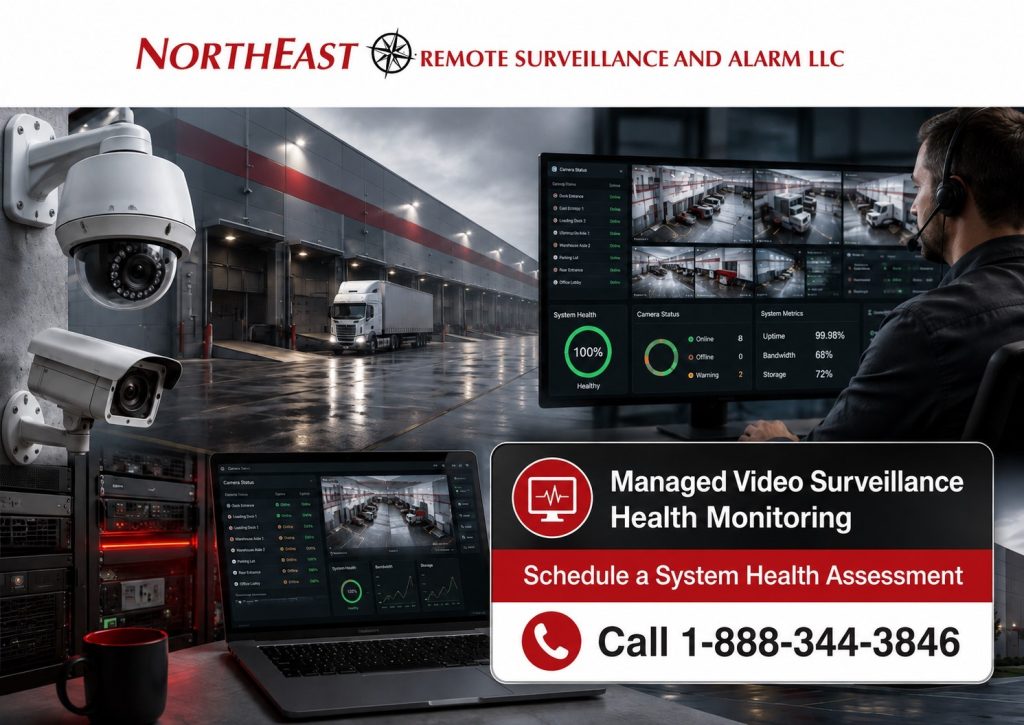
What Is Managed Video Surveillance?
Managed video surveillance combines a properly designed commercial camera system with ongoing system-health visibility, service coordination, documentation, account administration, and defined response procedures.
The exact services depend on the surveillance platform, network environment, customer requirements, service agreement, and equipment capabilities.
A managed video surveillance program may include:
- Camera communication monitoring
- Recorder and video-server health awareness
- Recording-status supervision
- Storage-capacity monitoring
- Hard-drive or storage-condition alerts
- Network-path awareness
- Remote-site communication monitoring
- Camera-view verification
- Video-retention review
- Time and date synchronization checks
- Firmware and software coordination
- User and account administration
- Cloud-service status review
- Licensing and subscription management
- Periodic system reviews
- Service-ticket coordination
- Multi-site reporting
- System lifecycle planning
- Documentation of recurring failures
- Escalation procedures for critical issues
Managed video surveillance is not simply remote viewing and it is not the same as watching live cameras around the clock.
Its primary purpose is to help keep the underlying camera and recording environment available, supportable, documented, and aligned with the organization’s operating requirements.
Why Camera System Health Monitoring Matters
Many surveillance failures remain invisible during normal operations.
Employees may assume the system is working because cameras are still visible on a monitor. Management may assume that video is being retained because the recorder appears online. Remote users may continue to access selected cameras without realizing that other cameras have stopped recording.
The failure may only become apparent after:
- A theft
- A workplace incident
- A vehicle accident
- A vandalism event
- An employee complaint
- A shipment discrepancy
- Unauthorized entry
- Property damage
- An insurance claim
- A safety investigation
- A law-enforcement request
- A customer dispute
At that point, the business may discover that the required camera was offline, the recorder had stopped, the storage period was too short, or the footage was not usable.
Health monitoring can reduce the length of time between a technical failure and its discovery. It does not guarantee that every incident will be captured, but it can provide better awareness of system conditions that might otherwise remain unnoticed.
Conditions a Managed Video System May Identify
Depending on the platform and service configuration, video surveillance health monitoring may help identify:
- Offline cameras
- Cameras that repeatedly disconnect
- Interrupted recording
- Recorder communication failures
- Video-management server failures
- Hard-drive errors
- Reduced available storage
- Storage arrays operating in a degraded condition
- Network communication loss
- Failed remote-site connections
- Camera power interruptions
- Cloud-service communication problems
- Incorrect time or date settings
- Camera views that have changed
- Obstructed or severely degraded camera images
- Device licensing problems
- Firmware or software issues
- Edge-storage failures
- Excessive event or analytic activity
- Lost connections between cameras and recorders
- Remote-access problems
- Sites that have stopped reporting
Not every surveillance platform exposes the same diagnostic information. Available monitoring capabilities must be verified for the specific cameras, recorders, servers, cloud services, network equipment, and software in use.
Camera Uptime Is Only Part of System Health
A camera showing as online does not automatically mean the system is producing useful evidence.
A complete health-monitoring strategy should consider the entire video path:
- The camera must receive reliable power.
- The camera must communicate across the network.
- The recorder or cloud service must receive the video.
- The system must record according to the intended schedule.
- Storage must remain available.
- Video must be retained for the required period.
- The camera view must remain useful.
- The system time must be accurate.
- Authorized users must be able to retrieve footage.
- Exported evidence must be playable and understandable.
A failure at any point can reduce the usefulness of the surveillance system.
NERSA evaluates the broader operating chain rather than treating camera connectivity as the only measure of system condition.
Camera View and Image-Quality Verification
A camera can remain powered, connected, and recording while no longer providing a useful view.
Common causes include:
- A camera being bumped or intentionally moved
- New shelving blocking a warehouse view
- Trees or vegetation obstructing an exterior camera
- Dirt, water spots, insects, or debris on the lens
- A banner, sign, or temporary structure blocking the scene
- Lighting changes
- Headlight glare
- Infrared reflection
- Spiderwebs affecting nighttime video
- A painted or covered camera
- A renovated wall changing the intended field of view
- A vehicle or trailer remaining parked in front of the camera
- Focus deterioration
- Physical vibration
- Changes to production equipment or storage layouts
Automated health tools may identify certain image-quality or scene-change conditions, but periodic human review remains important.
Critical camera views should be compared with the operational purpose of each camera. A loading-dock camera, for example, should still show the dock activity, vehicle approach, trailer position, or shipment-transfer area it was intended to document.
Recording and Storage Monitoring
Recording failures can occur even when cameras remain visible.
Potential causes include:
- Failed hard drives
- Storage arrays in a degraded condition
- Recorder software problems
- Database corruption
- Incorrect recording schedules
- Full or improperly allocated storage
- Camera licensing limits
- Network bandwidth problems
- Excessive frame-rate or resolution settings
- Retention settings that no longer match business requirements
- Cloud-account or subscription problems
- Failed edge-storage cards
- Incorrect motion or analytic configuration
Managed system-health services may help identify warning conditions before a complete loss of recording occurs.
Storage should also be reviewed whenever cameras are added, recording quality is increased, frame rates are changed, analytics are enabled, or retention requirements are extended.
A system originally designed for 30 days of retention may no longer provide 30 days after multiple high-resolution cameras are added.
For complete surveillance-system planning, camera selection, recording architecture, storage, remote access, and coverage design, visit Commercial and Industrial Video Surveillance Systems.
Video Retention Verification
The number displayed in a recorder’s storage settings does not always prove that the system is retaining that amount of usable footage.
Actual retention can be affected by:
- Camera resolution
- Frame rate
- Compression settings
- Scene activity
- Continuous versus event-based recording
- Audio recording
- Analytic metadata
- Storage capacity
- Failed drives
- Added cameras
- Exported or protected video
- Recording schedules
- Cloud subscription limits
- Network interruptions
Periodic retention verification involves reviewing the oldest available footage and confirming that critical cameras are recording for the expected period.
Organizations with contractual, insurance, operational, or legal retention requirements should establish written expectations for how long footage must remain available.
Network and Communication-Path Awareness
Modern commercial surveillance systems depend heavily on network infrastructure.
A camera may lose communication because of:
- Failed PoE switch ports
- Damaged cabling
- Fiber-link problems
- Wireless-bridge failures
- Network configuration changes
- VLAN or firewall changes
- Internet outages
- Failed routers
- Incorrect IP addressing
- Duplicate IP addresses
- Power interruptions
- Disabled ports
- Bandwidth limitations
- DNS or cloud-connectivity problems
The video platform may report the camera as offline, but identifying the underlying cause may require network troubleshooting.
NERSA can coordinate surveillance-system diagnostics with the associated low-voltage and network infrastructure so that recurring failures are not treated as isolated camera problems.
Cloud, On-Premises, and Hybrid Video Health Monitoring
The monitoring model depends on where video is recorded and how the system is managed.
On-Premises Video Surveillance
An on-premises system normally records video to an NVR, DVR, server, or storage appliance located at the customer’s facility.
Health monitoring may focus on:
- Recorder availability
- Camera communication
- Hard-drive condition
- Storage capacity
- Recording status
- Local network performance
- Remote-access connectivity
- Software and licensing
- Backup power
- Multi-site communication
Cloud Video Surveillance
A cloud-managed system may send video, events, metadata, or device-health information to a cloud platform.
Monitoring may include:
- Camera-to-cloud communication
- Subscription status
- Cloud account administration
- Device firmware
- User permissions
- Remote-access availability
- Local gateway status
- Edge storage
- Internet connectivity
- Cloud retention settings
Hybrid Video Surveillance
A hybrid system combines local recording with selected cloud services.
This may provide local storage while also supporting cloud-managed access, system-health information, selected backup functions, or centralized multi-site management.
Hybrid systems require both the local recording environment and the cloud communication path to remain operational.
For a detailed comparison, visit Cloud vs. On-Premises vs. Hybrid Video Surveillance.
Multi-Site Video Surveillance Management
Organizations with several facilities often struggle with inconsistent camera systems, separate user accounts, different recording periods, unsupported equipment, and unclear responsibility for service.
A managed multi-site approach can help establish:
- A current inventory of cameras and recorders
- Standard naming conventions
- Consistent user roles
- Defined retention expectations
- Centralized health awareness
- Site-specific escalation contacts
- Standard service procedures
- Equipment lifecycle planning
- Consistent time settings
- Recorder and software standardization
- Documentation of network requirements
- Approved camera and storage standards
- Centralized reporting
- Regional service coordination
Multi-site management does not require every facility to become identical immediately.
NERSA can help organizations establish a practical standard while supporting legacy systems during a phased migration.
This can be valuable for:
- Warehouse networks
- Distribution companies
- Manufacturing groups
- Healthcare organizations
- Commercial property portfolios
- Municipal departments
- Educational campuses
- Retail operations
- Contractor facilities
- Logistics terminals
- Corporate offices
- Multi-building industrial properties
Managed Video Surveillance for Warehouses and Logistics Facilities
Warehouse and logistics environments frequently depend on recorded video for shipment verification, dock activity, trailer movement, employee incidents, inventory disputes, and exterior security.
Critical surveillance areas may include:
- Loading docks
- Shipping and receiving areas
- Trailer rows
- Truck courts
- Gate lanes
- Employee entrances
- Warehouse aisles
- High-value storage
- Returns areas
- Equipment yards
- Parking lots
- Fence lines
- Fueling areas
- Compactor and dumpster locations
- Exterior doors
Camera downtime in these areas may affect more than security. It can also reduce the organization’s ability to resolve operational disputes and document workplace events.
Managed health monitoring can help warehouse operators maintain better awareness across critical views and multiple facilities.
Managed Video Surveillance for Manufacturing Facilities
Manufacturing facilities may use surveillance for security, production visibility, workplace safety review, quality investigations, contractor oversight, restricted-area documentation, and perimeter protection.
A managed program may help monitor cameras covering:
- Production entrances
- Raw-material storage
- Finished-goods areas
- Shipping docks
- Employee entrances
- Maintenance areas
- Utility rooms
- Restricted production zones
- Tool rooms
- Exterior storage
- Parking areas
- Fence lines
- Vehicle gates
- Waste-handling areas
Video-system planning should respect employee privacy, facility policies, labor requirements, and applicable laws. Cameras should be positioned for a legitimate business purpose rather than installed without an identified operational objective.
Managed Video Surveillance for Offices and Commercial Properties
Office buildings and commercial properties may depend on cameras for:
- Main entrances
- Reception areas
- Parking facilities
- Loading areas
- Building approaches
- Shared corridors
- Elevator lobbies
- Service entrances
- Tenant entrances
- Equipment rooms
- Exterior common areas
Property managers may need to coordinate access for multiple authorized users while protecting system administration and maintaining a clear audit trail.
Managed services can help establish who owns the system account, who may view live video, who may export recordings, and who is contacted when a device or recorder fails.
Managed Video Surveillance Versus Remote Video Monitoring
Managed video surveillance health monitoring and remote video monitoring solve different problems.
Managed Video Surveillance Health Monitoring
Health monitoring focuses on whether the surveillance infrastructure is functioning as intended.
It may examine:
- Camera connectivity
- Recording status
- Recorder health
- Storage condition
- Network communication
- Retention
- Camera views
- Account status
- Software and licensing
- System maintenance conditions
Remote Video Monitoring
Remote video monitoring focuses on security events.
It may use:
- Camera analytics
- Event alerts
- Monitoring personnel
- Video verification
- Live camera review
- Audio warnings
- Escalation procedures
- Guard or police dispatch
- Customer notification
A facility may use one service or both.
Health monitoring helps determine whether the system is operational. Remote video monitoring helps determine whether an event requires action.
For event-based video verification, after-hours observation, and active deterrence, visit Remote Video Monitoring and Live Talk-Down.
Managed Video Surveillance Versus Preventive Maintenance
Preventive maintenance normally involves scheduled physical inspection, testing, cleaning, adjustments, and service.
System-health monitoring provides visibility between scheduled visits.
The strongest support model may combine:
- Continuous or periodic platform health awareness
- Defined notification procedures
- Remote diagnostic review
- Scheduled physical inspection
- Camera cleaning
- View and focus verification
- Storage testing
- Firmware and software review
- Backup-power inspection
- Documentation updates
- Corrective service when required
Health monitoring does not eliminate the need for physical maintenance. A platform cannot remotely clean a dirty lens, repair damaged cable, realign a camera, replace a failed hard drive, or correct a power problem that requires on-site work.
Remote Diagnostics and Service Coordination
When a surveillance problem is reported, remote diagnostics may help determine whether the likely cause involves:
- The camera
- The recorder
- The storage system
- The local network
- Internet service
- A power supply
- A PoE switch
- Software
- User permissions
- A cloud account
- Licensing
- The viewing workstation
- The mobile application
This information can improve service coordination and reduce unnecessary troubleshooting.
Some issues may be resolved remotely. Others require an on-site technician, customer IT support, internet-service provider, software vendor, or equipment manufacturer.
NERSA coordinates the surveillance portion of the response and documents the condition so the appropriate corrective action can be taken.
User Accounts and Remote-Access Governance
Remote access should be managed as part of the surveillance system rather than treated as an informal convenience.
A stronger account-management approach may include:
- Individual user accounts
- Role-based permissions
- Removal of former employees
- Multi-factor authentication where supported
- Strong password requirements
- Defined export permissions
- Limited administrative access
- Documented account ownership
- Periodic user review
- Secure credential recovery
- Audit-log review where available
- Separation of installer and customer accounts
Shared passwords make it difficult to determine who accessed the system and create unnecessary risk when employees or contractors leave.
NERSA can help customers establish a clearer account structure while preserving the organization’s ownership and control of its system.
Firmware, Software, and Lifecycle Planning
Commercial surveillance systems depend on software, firmware, operating systems, storage devices, licensing, and manufacturer support.
Over time, systems may face:
- Unsupported operating systems
- Expired licenses
- Discontinued cameras
- Obsolete recorders
- Mobile-app incompatibility
- Browser compatibility issues
- Cybersecurity concerns
- Manufacturer support changes
- Storage limitations
- Lack of replacement parts
- Inability to support newer analytics
- Inconsistent platforms across multiple sites
Managed support should include long-term planning rather than waiting for a complete system failure.
NERSA can help businesses identify which components remain supportable, which should be upgraded, and which can continue operating during a phased migration.
Existing Camera System Takeovers
A business does not always need to replace its complete surveillance system to improve support.
NERSA can evaluate existing commercial camera systems for possible takeover, modernization, or phased replacement.
A takeover assessment may review:
- Camera manufacturers and models
- Recorder platform
- Administrative credentials
- Account ownership
- Recording condition
- Available retention
- Hard-drive status
- Camera views
- Cabling
- Network switches
- Remote access
- Software licensing
- Firmware versions
- System documentation
- Manufacturer support status
- Expansion capacity
- Integration requirements
Some existing equipment may be retained. Other components may need replacement because they are unsupported, inaccessible, unreliable, improperly configured, or incompatible with the required managed-service functions.
What Managed Video Surveillance Does Not Guarantee
Managed video surveillance can improve system awareness and service coordination, but it cannot eliminate every possible failure or guarantee that every incident will be recorded.
Limitations may include:
- Internet outages
- Utility-power failures
- Network equipment not controlled by NERSA
- Deliberate equipment destruction
- Unreported construction changes
- Unsupported third-party products
- Customer changes to system settings
- Camera views blocked after inspection
- Platform limitations
- Delayed manufacturer notifications
- Cyber incidents outside the surveillance platform
- Failure of equipment without advance warning
- Conditions not exposed by the manufacturer’s health tools
- Events occurring outside camera coverage
- Poor lighting or environmental conditions
The managed-service agreement should clearly identify which components are monitored, which conditions generate notifications, who receives those notifications, and what corrective services are included.
Building a Managed Video Surveillance Program
A managed program should begin with a clear assessment rather than a generic subscription.
NERSA’s planning process may include:
- Identifying critical cameras and operating areas
- Reviewing the current video platform
- Confirming administrative access and account ownership
- Documenting cameras, recorders, servers, and storage
- Reviewing network and remote-access requirements
- Confirming recording schedules and retention expectations
- Identifying available platform-health functions
- Establishing notification priorities
- Defining customer and service-provider responsibilities
- Creating escalation contacts
- Identifying unsupported or high-risk equipment
- Establishing periodic review and maintenance procedures
- Planning future upgrades and expansion
The result should be a support plan built around the actual facility and system—not a vague promise that the cameras are being monitored.
Commercial and Industrial Facilities We Support
NERSA supports managed video surveillance planning for:
- Warehouses
- Distribution centers
- Manufacturing plants
- Industrial facilities
- Logistics terminals
- Commercial offices
- Medical and healthcare properties
- Schools and institutional buildings
- Municipal facilities
- Contractor yards
- Equipment yards
- Retail and mixed-use properties
- Parking facilities
- Multi-building campuses
- Commercial property portfolios
- Multi-site organizations
- Small businesses
- Enterprise operations
Systems can be designed for a single commercial property or standardized across a regional facility network.
Why Businesses Choose NERSA
Northeast Remote Surveillance and Alarm, LLC focuses on commercial and industrial security systems.
We design, install, upgrade, integrate, monitor, and support video surveillance systems around actual operating conditions, including camera purpose, evidence requirements, facility layout, network infrastructure, system ownership, retention, response procedures, and future expansion.
Our capabilities include:
- Commercial video surveillance
- Managed camera-system health monitoring
- Video system upgrades and takeovers
- Remote video monitoring
- Live talk-down
- AI video analytics
- Cloud, on-premises, and hybrid video systems
- Multi-site surveillance management
- License plate recognition
- Low-voltage cabling and fiber
- Wireless network bridges
- Unified security integration
- Commercial security monitoring
NERSA serves businesses throughout Pennsylvania and selected commercial and industrial projects across New Jersey, Delaware, Maryland, and the surrounding Mid-Atlantic region.
Frequently Asked Questions About Managed Video Surveillance
What is managed video surveillance?
Managed video surveillance combines a commercial camera system with ongoing health awareness, account administration, service coordination, reporting, maintenance planning, and defined procedures for responding to technical problems.
Can NERSA tell when a security camera goes offline?
Depending on the camera, recorder, software platform, network environment, and service configuration, NERSA may be able to receive or review notifications when a camera loses communication. Available monitoring functions must be verified for each system.
Can camera health monitoring identify recording failures?
Compatible systems may report recording interruptions, recorder failures, storage problems, hard-drive errors, camera communication loss, or other technical conditions. Not every platform exposes the same information.
Does camera health monitoring mean someone is watching our live video?
No. System-health monitoring generally focuses on device and recording status. Live or event-based video review is a separate service that must be specifically designed and authorized.
Is managed video surveillance the same as remote video monitoring?
No. Managed video surveillance focuses on keeping the technical system operational and supportable. Remote video monitoring focuses on reviewing security events and initiating an approved response.
Can NERSA monitor an existing camera system?
Possibly. NERSA must evaluate the existing cameras, recorder, software, account access, network, licensing, storage, and manufacturer support. Some systems can be taken over, while others require upgrades or replacement.
Can NERSA monitor cameras at multiple business locations?
Yes. NERSA can help commercial organizations create a multi-site strategy for device inventory, system health, user permissions, retention, service procedures, reporting, and lifecycle planning.
Does health monitoring guarantee that video will always be available?
No. Health monitoring can improve awareness of failures, but it cannot prevent every outage, equipment failure, network problem, blocked camera view, or event outside the system’s coverage.
Can NERSA verify how many days of video are being retained?
NERSA can review recording settings, storage capacity, camera configuration, and the oldest available footage to help determine actual retention. Retention can change when cameras or recording settings are modified.
Can a camera be online but fail to record?
Yes. A camera may remain visible in live view while recording has stopped because of a recorder, storage, licensing, schedule, software, or network problem.
Does NERSA provide preventive maintenance for commercial camera systems?
NERSA can provide scheduled inspection and maintenance options based on the system and service agreement. Physical maintenance may include camera cleaning, view verification, recorder inspection, storage review, and correction of identified problems.
Can managed video surveillance support both a small business and an enterprise organization?
Yes. NERSA can build a managed support plan for a small commercial property, a large industrial facility, or a multi-site enterprise. The monitoring scope, reporting, escalation procedures, maintenance requirements, and platform design are adjusted to the size and complexity of the organization.
Does NERSA install residential camera systems?
No. Northeast Remote Surveillance and Alarm, LLC focuses on commercial and industrial video surveillance and security systems.
Request a Managed Video Surveillance Assessment
A commercial camera system should not remain unattended until the day footage is needed.
Northeast Remote Surveillance and Alarm, LLC can evaluate your existing surveillance system, identify available health-monitoring capabilities, review cameras and recording infrastructure, establish support priorities, and recommend a managed video surveillance plan for your facility.
Whether you operate one commercial property or a network of warehouses, manufacturing plants, offices, or industrial facilities, NERSA can help improve visibility into the condition of your video system.
Call 1-888-344-3846 to schedule a commercial managed video surveillance and system-health assessment.
For complete managed-security planning, continue to Managed Security Systems and System Health Monitoring.