
Plan commercial video surveillance around the evidence, visibility, alerts, retention, and response your property actually needs.
Define What Each Camera Must Accomplish
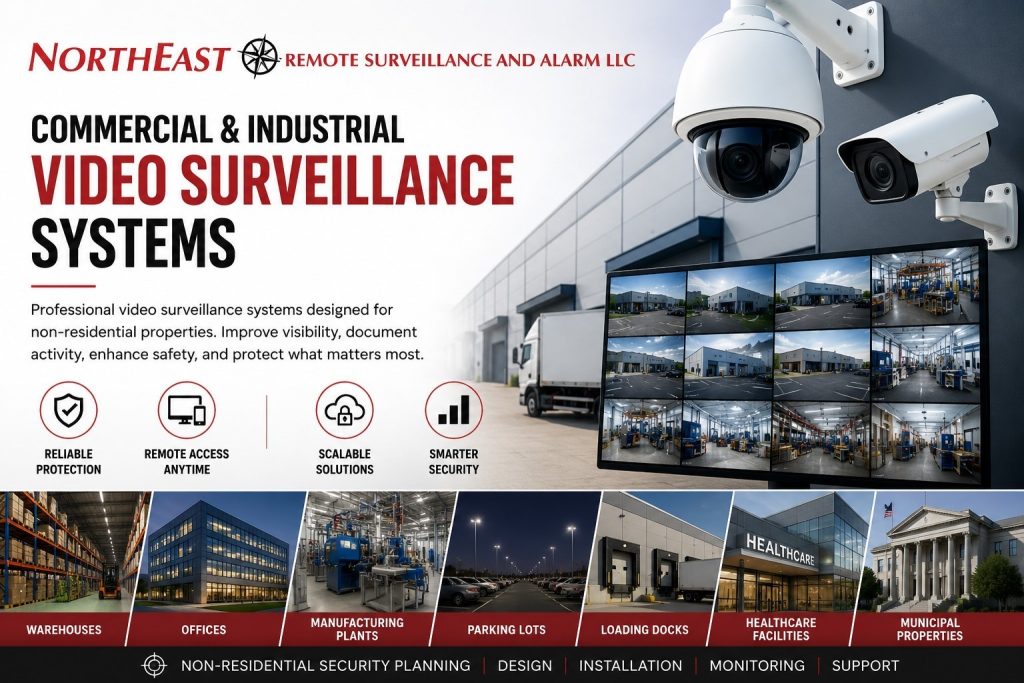
Northeast Remote Surveillance and Alarm, LLC designs, installs, upgrades, and supports nonresidential video systems for warehouses, manufacturers, offices, healthcare properties, schools, municipalities, contractor operations, commercial campuses, industrial sites, and multi-location organizations.
A camera should have a defined job before its model or resolution is selected. One wide view may show movement without providing the detail needed to identify a person, read a plate, document a transaction, or verify an alarm.
| Camera objective | What the view should provide |
|---|---|
| General overview | Movement, activity patterns, occupancy, and the sequence of an event |
| Person identification | A useful face view at a predictable entrance, counter, or controlled point |
| Process documentation | Clear activity around registers, production, shipping, receiving, or valuable materials |
| Vehicle documentation | Vehicle type, direction, lane activity, and—when specifically designed—license-plate detail |
| Perimeter or alarm verification | A relevant view of the detection area with suitable lighting, positioning, and response rules |
Choose Cameras and Recording Architecture
Fixed dome, turret, and bullet cameras suit many defined views. Multi-sensor or panoramic cameras can reduce blind spots in wide areas. Pan-tilt-zoom cameras add operator-controlled detail but should not be treated as simultaneous coverage in every direction. Thermal and specialty cameras apply only where the environment and detection objective justify them.
Recording may be local, cloud-managed, or hybrid. Local systems can retain video on site and may continue recording during an internet outage when properly designed. Cloud-managed systems can simplify remote administration and multi-site access but depend on the selected service, bandwidth, licensing, and retention plan. Hybrid designs can combine local recording with cloud-managed access, health reporting, or selected off-site services.
Plan Image Quality, Lighting, and Retention
Resolution is only one part of usable evidence. Lens selection, field of view, subject distance, mounting height, angle, motion, compression, frame rate, low-light performance, backlighting, and nighttime illumination all affect what can be seen.
Retention should follow operational, investigative, contractual, and applicable policy requirements. More days of video require storage, bandwidth, or recurring cloud capacity. The proposal should state the intended retention assumptions, recording method, image settings, overwrite behavior, and any event-based limitations.
Make Video Easy to Search, Export, and Control
Authorized users should be able to find the correct camera and time, review an incident, preserve relevant footage, and export it in a usable format. Consistent camera names, time synchronization, maps or groups, event bookmarks, audit history, and role-based permissions make a system easier to manage.
Administrator ownership matters. Customers should retain appropriate account access, understand remote-access methods, know which services renew, and receive documentation for cameras, recorders, networks, credentials, retention, and export procedures.
Understand Analytics, Verification, and Remote Monitoring
Compatible analytics may classify people or vehicles, search recorded attributes, define lines or areas, and generate selected alerts.
Accuracy depends on camera position, image quality, lighting, scene activity, configuration, environment, and the selected platform.
Analytics reduce review time; they do not guarantee detection or prevention.
- AI video surveillance can improve search and event filtering on suitable systems.
- Video verification associates a defined alarm event with a nearby camera view or clip.
- Remote video monitoring adds operator review for selected events under a documented service and escalation plan.
Recorded video, automated alerts, alarm verification, and continuous live observation are different services. The proposal should identify exactly what is included.
Coordinate Integrations and Infrastructure
Video may work with access control, intrusion alarms, intercoms, gates, or monitoring when integration solves a defined investigative, administrative, operational, or response problem.
Reliable operation also depends on suitable power, PoE capacity, switches, fiber or wireless links, network design, cabinets, surge protection, environmental conditions, cybersecurity, and backup power.
Review commercial security infrastructure and cabling.
Upgrade Existing Video Before Replacing Everything
Existing cameras, recorders, cabling, networks, mounts, power supplies, licenses, and accounts may still have value. NERSA evaluates purpose, coverage, image quality, condition, ownership, compatibility, firmware, credentials, retention, cybersecurity, and manufacturer support before recommending what should be retained, repositioned, repaired, expanded, migrated, or replaced.
Use security-system upgrades and takeovers for mixed or inherited systems.
Specialized resources are also available for industrial video surveillance, warehouse security, and license-plate capture planning.
Build a Camera-by-Camera Coverage Plan
Start with a marked floor plan or a simple property sketch. Number the proposed views and record the question each one must answer. At a receiving door, the question might concern which shipment arrived and where it was placed. At an employee entrance, the objective might be to review who entered during a particular period. A parking overview serves a different purpose from a close view at a vehicle lane. Treat these as separate requirements even when the cameras are physically close.
Walk the property with someone who understands daily operations. Ask where trailers park, which racks change height, where temporary materials accumulate, and whether doors are routinely held open. Note windows, reflective surfaces, outdoor lighting, and locations where equipment may obstruct a view. Keep the proposed camera positions tied to these observations. A coverage drawing is most useful when it explains the intended result, rather than showing camera symbols without describing what those cameras should see.
Document the Conditions That Matter
Record the hours and operating conditions in which each view is needed.
An empty daytime loading area is not the same scene as a busy evening shift.
Include the expected subject movement and the important viewing distances in the review.
Ask for representative recorded examples under the conditions relevant to the project.
Axis advises validating camera performance across the required lighting conditions and expected motion; its image-quality troubleshooting guide explains why a sharp stationary scene may still produce motion blur when subjects move.
Define the acceptance question in everyday language: can an authorized reviewer understand the event at the intended location and time? Avoid approving a view solely because the live image looks bright or covers a large area. If the task cannot be demonstrated, revisit the position, field of view, lighting, or requirement before accepting the installation. Keep any limitations documented so staff know which questions the system can answer and where an additional view may be necessary.
Make Recording and Retrieval Part of the Design
Describe the incident-review workflow before selecting a recording package. Identify who normally discovers a problem, how long discovery may take, who is allowed to review footage, and how an event reaches the person responsible for preserving it. A delivery discrepancy noticed several days later creates a different retrieval need from an alert reviewed immediately. Use those working practices to discuss retention and access, rather than choosing a number of recording days without a reason.
Ask the proposal to distinguish the intended recording period from the assumptions used to estimate capacity. Camera settings, recording schedules, event rules, and changes to the system should be documented. If additional cameras are planned, ask whether the proposed design includes that expansion or requires a later capacity review. For a subscription service, record what the service includes, which features depend on the plan, and how an authorized customer can retrieve footage when administrative responsibilities change.
Practice an Incident Review
Use an agreed test event to walk through the complete review process. Start with an approximate time and location, find the relevant view, check adjacent views when available, and identify the material to preserve. Have the customer’s authorized reviewer perform the steps rather than only watching a demonstration. Record where the process is confusing, whether camera names match the property, and whether the account has the permissions needed for its assigned role.
Complete the exercise by exporting the permitted material and confirming it can be opened in the intended review environment. Establish who may receive an export and where it should be stored under the organization’s policies. Keep the operating instructions accessible to authorized staff, including people on other shifts who may need to report an incident. A clear review procedure makes the recorded system more useful without adding another camera.
Separate Recording, Alerts, and Monitored Response
For each important scene, decide whether the business needs a record, an automated notification, a reviewed monitoring event, or a combination. Write down who receives the information and what that person is expected to do. If a manager receives an alert while unavailable, identify the intended alternative. If a monitoring service is included, confirm the cameras, event types, schedules, and escalation instructions covered by the service agreement.
Test the agreed workflow with the parties responsible for handling the event. Distinguish an alert-delivery problem from an image-quality problem or a gap in the contact procedure. Keep the test controlled and coordinated with the service provider. A useful handover record states which functions were demonstrated and which conditions remain outside the selected service. For a more detailed discussion of operator review and live intervention, follow the remote video monitoring resource linked above.
Plan an Upgrade Without Losing Track of Existing Equipment
For an inherited system, create an inventory before deciding on a replacement package. Record the device location, its current purpose, visible condition, account ownership, and whether the customer can retrieve recordings. Identify the components that are understood and the components that need investigation. Keep an unresolved item visible rather than assuming that an unidentified recorder, camera, or license will work with the proposed system.
A phased project should explain the state of the system at the end of each stage. Specify which views move to the new platform, which remain on the existing system, and how staff will find footage during the transition. Agree on a cutover window and the people who must be available. Before retiring equipment, resolve any customer requirements for existing recordings and access. This helps the customer understand both the immediate improvement and the work reserved for a later phase.
Organize Access Across Employees and Locations
List the groups that need access and the locations each group is responsible for. A local supervisor may need only one facility, while a regional investigator may need a broader set of views. Define who can review live video, search recordings, export material, change settings, and manage other users. Confirm the selected platform supports the intended separation before relying on that structure in the operating plan.
Use a consistent naming method for sites and cameras. Include recognizable building and area names so a person reviewing an incident can find the correct view without memorizing equipment numbers. Record the owner of administrator access and the process for reviewing accounts when staff responsibilities change. For a multi-location rollout, pilot the naming and review workflow at one property before repeating it elsewhere. Incorporate feedback from the people who actually use the system.
Keep the Coverage Plan Useful After Installation
Assign responsibility for reporting unavailable views, incorrect times, obstructed cameras, and retrieval problems. Include the location, approximate time, and a concise description when requesting service. Use approved support channels for sensitive information rather than placing credentials or private recordings in a general message. Keep a record of recurring issues so service work can address the underlying condition instead of repeatedly treating the same symptom.
Review the camera plan when the property changes. New storage racks, a relocated entrance, different shipping hours, or an expanded yard can change what a previously accepted view accomplishes. Update the drawing and the operating instructions along with the equipment. The aim is to maintain an understandable relationship between the business need, the installed view, and the way authorized staff retrieve or respond to information.
Frequently Asked Questions
How many cameras does a business need?
There is no reliable universal number. Camera count follows the required views, detail, blind spots, lighting, property layout, operating areas, retention, infrastructure, and response objectives.
Are higher-megapixel cameras always better?
No. More pixels do not correct the wrong lens, excessive distance, poor lighting, bad positioning, motion blur, compression, insufficient bandwidth, or inadequate storage.
Can cameras record if internet service fails?
Properly designed local or hybrid systems may continue recording on site, but cloud access, notifications, off-site services, and remote viewing can be affected. The exact behavior depends on the architecture.
Can existing cameras or cabling be reused?
Often. Reuse depends on condition, purpose, ownership, compatibility, image requirements, network capacity, credentials, cybersecurity, documentation, and long-term supportability.
Commercial & Industrial Security Services
Request a Video-Surveillance Assessment
Tell us what must be seen, where incidents occur, how footage will be used, who needs access, and what is not working today.