
NERSA · Commercial & Industrial Security

For regional service coverage, start with the Poconos commercial security guide.
NERSA provides commercial security system installation for qualifying Poconos hotels, resorts and hospitality properties. Plan security cameras, access control, intrusion alarms and visitor entry around public areas, staff-only doors, service access, seasonal occupancy and clear response responsibilities.
Support a welcoming property with clear security responsibilities. NERSA reviews commercial security for Poconos hospitality and visitor-facing facilities, with attention to public areas, staff-only routes, service access, changing occupancy, and multi-building operations.
Start with the visitor and staff journeys
Map arrival, reception, approved common areas, employee entrances, deliveries, maintenance, storage, and management spaces. Identify where visitors should move freely and where staff need controlled access. A useful design should make those boundaries clear without forcing every task through a single shared account or entrance.
Record differences between normal hours, busy periods, special events, and reduced staffing. Include vendors and temporary workers. The security plan should explain who approves exceptions and who updates the system when operating patterns change.
Give public-area cameras a defined purpose
Specify the business need for each proposed view, such as reviewing an arrival, delivery, or reported incident in an authorized common area. Assess lighting, doors, queues, signs, parked vehicles, and normal obstructions. Review actual recordings under representative conditions.
Coordinate placement, notices where applicable, access, retention, and disclosure with the owner’s privacy and legal responsibilities. Do not treat broad camera coverage as permission to record private spaces. Give recording exports a named approving role and a controlled handling process.
Manage staff and service access
Create roles for management, reception, housekeeping or cleaning, maintenance, vendors, and contractors as appropriate to the property. Define who grants each role, when it applies, and how it is removed. Test the intended restrictions so one role does not inherit unrelated access.
Existing guest-locking or property-management systems need their own compatibility and ownership review. A proposed security integration should state exactly which supported functions connect and who maintains them. Do not assume that commercial staff access control automatically integrates with every guest-entry platform.
Make visitor and delivery calls easy to handle
For intercoms, document the answering location, backup route, verification procedure, and approved release action. Include late deliveries and unanswered calls. Check the actual audio and video conditions at the entrance.
Separate door or gate authorization from the specialist work required for safe operation and emergency egress. Assign hardware, fire-alarm interfaces, powered-gate safety, and related approvals to the responsible professionals.
Coordinate alarms and after-hours responsibilities
Staff-only rooms, stock, offices, and detached buildings may require protection while other parts of the property remain active. Define supported alarm areas, authorized users, and response contacts. Keep instructions current as staffing changes.
Distinguish intrusion alarms, fire and life-safety functions, equipment faults, and environmental monitoring. Each can require a different receiving process and decision owner. A common dashboard does not make their responsibilities interchangeable.
Connect a multi-building property
Identify cabling, networks, power, external services, and the location of recording or management functions. Remote buildings and outdoor equipment need a surveyed connection plan. Record local behavior during an outage and who receives a fault notification.
Use consistent names for buildings, entrances, cameras, and alarm areas. Staff should be able to report a problem without guessing which device an installer meant. Retain an up-to-date inventory and approved support-access process.
Prepare for seasonal closure and reopening
Before reducing occupancy, identify the buildings and staff-only areas that stay active, remove expired temporary credentials, and confirm alarm contacts and any contracted remote-review instructions. Check camera views for vegetation, moved furniture, seasonal displays and changing lighting. Confirm how a communications or equipment fault reaches the responsible person.
Before reopening, test recording retrieval, entrance calls, permitted staff access and representative alarm events. Update user roles and device names when rooms or service areas change. For detached facilities, include the power and communications checks needed after weather or an extended shutdown.
Plan installation around the operation
Agree work windows, occupied areas, advance notices, access restrictions, and temporary arrangements before installation. Protect ongoing service during a provider transition. Keep unfinished items visible and assign a person to coordinate corrections.
- Demonstrate recording retrieval with the approved staff role.
- Test staff permissions and removal of temporary access.
- Verify entry calls and approved escalation procedures.
- Coordinate representative monitored events with the provider.
- Train staff and transfer ownership, device, and service records.
For hospitality, retail and visitor-facing properties along that local corridor, use the Tannersville and Bartonsville guide. Confirm the actual project location and support arrangement with NERSA.
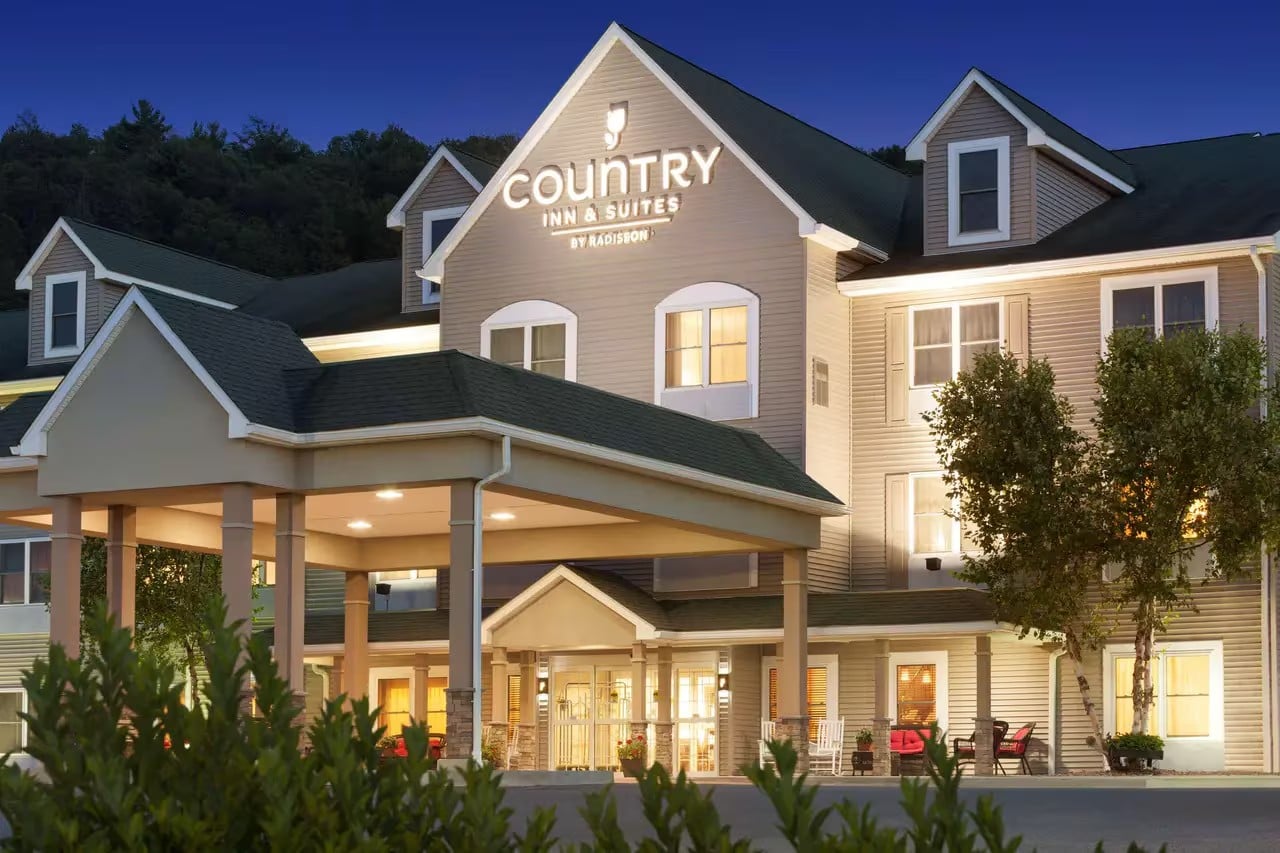
Local hotel project: Country Inn & Suites Lehighton
NERSA upgraded the hotel’s eight-camera analog system with a hybrid 4K approach, retaining useful embedded coax and adding 4K IP coverage for entrances, parking and operational areas. The project illustrates how a hospitality retrofit can improve existing views and add coverage while accounting for the building’s installed infrastructure. Read the Country Inn & Suites Lehighton project.
Common project questions
Can a small hotel start with a limited upgrade?
Yes. Prioritize the entrances, staff-only areas and recording tasks that matter most, while documenting any remaining limitations. A larger resort can phase the same planning by building, service area or season.
How should seasonal access be managed?
Use named administrators and role-based permissions where the selected system supports them. Remove expired temporary access, update alarm contacts, and test affected doors and entry calls before each reopening or major staffing change.
Does hotel staff access control replace guest-room locks?
Not automatically. Staff and service entrances can have a separate scope. Any connection to guest-room locks or property-management software requires a specific compatibility, ownership and support review.
Related Poconos planning
For retained equipment and a staged installation, use the Poconos assessment and phased-upgrade guide.
Commercial, industrial, institutional, and other qualifying projects. Confirm project scope, scheduling, and service arrangements for the specific property.
Compliance, Codes & Project Standards
NERSA plans commercial and industrial security work with applicable code, documentation, inspection and authority-having-jurisdiction requirements in mind. Requirements vary by system, property and jurisdiction. These resources support project planning; they do not establish legal compliance, certification or AHJ approval.
Related guidance: Regulatory compliance & inspection readiness · NERSA project standards · Documentation, testing & inspection readiness
Define the right scope for your property
Tell Northeast Remote Surveillance and Alarm, LLC about the property address, operating hours, current equipment, and the problems you need to solve. We’ll review the proposed systems, installation coordination, and service requirements for the actual location.
Request a security assessmentCall 1-888-344-3846