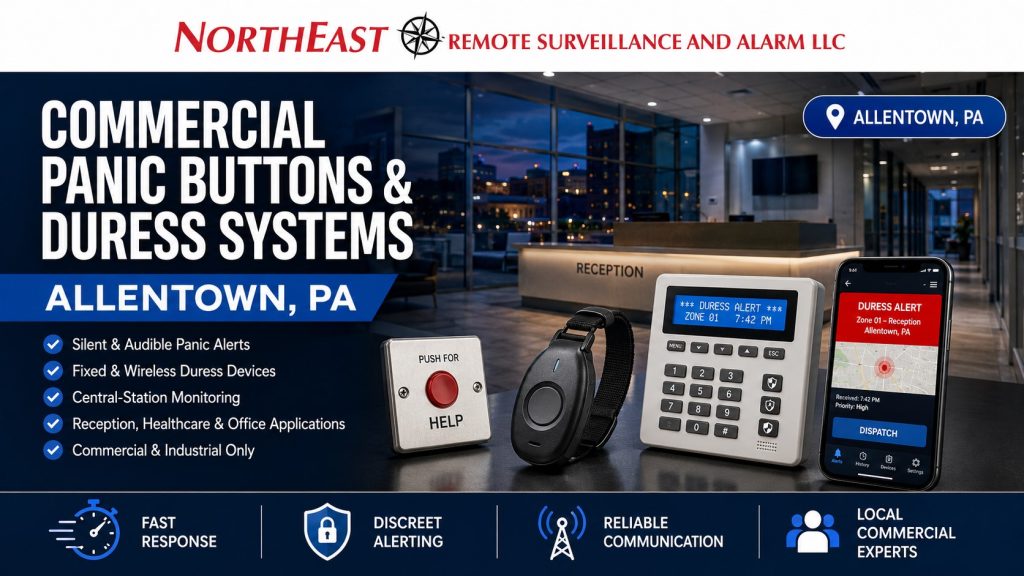
Commercial Panic Buttons and Duress Systems in Allentown, PA

Commercial panic buttons and duress systems in Allentown, PA give authorized employees a direct way to initiate a security alarm when threatening, violent, suspicious, or potentially dangerous activity requires immediate attention.

Northeast Remote Surveillance and Alarm, LLC designs, installs, upgrades, integrates, monitors, and supports commercial panic and duress systems for Allentown offices, warehouses, manufacturing facilities, medical properties, retail businesses, financial offices, municipal buildings, institutional facilities, industrial properties, customer-service environments, and multi-site commercial organizations.

A dependable duress system requires more than placing a button beneath a desk. Device location, activation method, signal communication, alarm identification, monitoring instructions, employee training, testing, documentation, and the intended emergency response must all work together.

This page focuses specifically on employee-initiated panic and duress alarms. For broader planning involving intrusion detection, alarm panels, door contacts, interior protection, partitions, communications, and complete building protection, begin with Commercial Intrusion Alarm Systems in Allentown, PA.

What Is a Commercial Panic or Duress System?

A commercial panic or duress system allows an employee or other authorized person to manually initiate an alarm during a threatening or emergency situation.

The activation may come from:

  • A fixed under-desk panic button
  • A wall-mounted duress button
  • A wireless handheld device
  • A wearable duress transmitter
  • A portable security fob
  • A foot-operated switch
  • A keypad panic function
  • A programmed duress code
  • A workstation-mounted device
  • A customer-service counter button
  • A compatible mobile application
  • A dedicated security station control

Depending on the system and response plan, activation may:

  • Transmit a silent alarm
  • Activate a local audible device
  • Notify a central monitoring station
  • Send an alert to designated managers
  • Identify the building and activation location
  • Associate the event with nearby cameras
  • Trigger a defined internal response procedure
  • Notify on-site security personnel
  • Generate an event in the alarm-system history
  • Initiate an approved access-control response

The device itself is only one component. The complete system must identify where the activation occurred, transmit the signal reliably, and support a response procedure understood by the business.

Panic Alarms, Hold-Up Alarms, and Duress Alarms

The terms panic, hold-up, and duress are sometimes used interchangeably, but they can represent different operating situations.

Panic Alarm

A panic alarm is a manually initiated security signal used when an employee believes immediate assistance may be required.

Panic alarms may be installed in:

  • Reception areas
  • Customer-service counters
  • Medical offices
  • Interview rooms
  • Executive offices
  • Security stations
  • Shipping offices
  • Isolated work areas
  • Property-management offices
  • Public-facing service areas

The alarm may be silent or audible depending on the intended procedure.

Hold-Up Alarm

A hold-up alarm is generally associated with robbery, threatened theft, cash handling, or a situation in which the employee should activate the alarm discreetly.

Potential applications include:

  • Retail checkout areas
  • Cash offices
  • Financial-service locations
  • Payment counters
  • Pharmacy counters
  • Business offices handling deposits
  • Customer-service desks
  • Secured transaction areas

A hold-up system must be designed carefully so the activation method does not increase danger to the employee or customers.

Duress Alarm

A duress alarm may be used when an employee is being threatened, followed, coerced, trapped, confronted, or otherwise placed in a situation requiring discreet assistance.

Duress systems may be appropriate for:

  • Healthcare employees
  • Reception personnel
  • Social-service staff
  • Human-resources offices
  • Interview rooms
  • Municipal employees
  • Property managers
  • Lone workers
  • Warehouse offices
  • Security personnel
  • Employees working after hours
  • Staff interacting with distressed or unpredictable individuals

The correct terminology, signal classification, and response instructions should be established during system planning.

Panic Buttons Are Different From Automatic Intrusion Detection

A door contact or motion detector activates when the system detects a programmed physical condition.

A panic or duress device activates because a person intentionally requests assistance.

That difference affects how the event should be handled.

An intrusion alarm may indicate:

  • An exterior door opened while armed
  • Movement occurred in a protected area
  • Glass was broken
  • An overhead door was raised
  • A restricted room was entered

A duress activation may indicate:

  • An employee is being threatened
  • A confrontation is escalating
  • A robbery may be occurring
  • A customer has become violent
  • Someone is attempting to force access
  • An employee is trapped or unable to call
  • A staff member needs discreet assistance
  • A security incident is occurring in a defined area

Because the activation is employee initiated, the monitoring and internal response procedure may need to differ from the procedure used for a conventional burglary alarm.

Where Commercial Panic Buttons May Be Installed

Panic buttons should be placed where employees can reach them discreetly and reliably during the situations the system is intended to address.

Potential locations include:

  • Beneath reception desks
  • Under customer-service counters
  • Inside cash-handling areas
  • At pharmacy counters
  • At medical reception stations
  • In executive offices
  • In interview rooms
  • At security desks
  • In warehouse shipping offices
  • At guard stations
  • Near employee service windows
  • In property-management offices
  • At municipal transaction counters
  • In isolated workspaces
  • In records or controlled-administration areas
  • At late-night employee workstations

Placement should be based on employee position and movement.

A button located where the employee must visibly reach across a desk, turn away from the threat, or leave the protected workstation may not provide practical value.

The device should also be protected against accidental contact, cleaning activity, stored objects, office-chair movement, and routine use of the workstation.

Fixed Under-Desk Panic Buttons

Fixed under-desk buttons are common in reception, retail, healthcare, administrative, and customer-facing environments.

Advantages may include:

  • Consistent location
  • Discreet activation
  • Permanent mounting
  • Reduced risk of the device being misplaced
  • Clear assignment to a specific workstation
  • Easier location identification
  • Hardwired reliability when cabling is available

A properly placed under-desk button should be reachable without requiring obvious movement.

Installation considerations include:

  • Which hand the employee is most likely to use
  • Whether the employee sits or stands
  • Desk construction
  • Drawer movement
  • Cable protection
  • Cleaning procedures
  • Leg and chair clearance
  • Accidental activation prevention
  • Accessibility for testing and service

A single reception desk may require more than one activation point if employees work from different positions.

Wall-Mounted Duress Buttons

Wall-mounted devices may be appropriate in rooms where employees move around rather than remain at one desk.

Possible locations include:

  • Interview rooms
  • Examination rooms
  • Employee-only corridors
  • Security stations
  • Shipping offices
  • Customer consultation rooms
  • Controlled-access areas
  • Service counters
  • Back-office workspaces

The device should be mounted where authorized employees can reach it but where customers, visitors, patients, or unauthorized persons are unlikely to activate it accidentally.

Wall-mounted devices may include protective covers, recessed activation mechanisms, dual-action buttons, or other features intended to reduce unintended activation.

Wireless Panic Buttons

Wireless devices can provide flexibility in finished buildings, temporary work areas, larger rooms, or applications where new wiring would be disruptive.

Wireless options may include:

  • Handheld panic transmitters
  • Wearable devices
  • Belt-mounted buttons
  • Pendant-style devices
  • Portable fobs
  • Desk-mounted wireless buttons
  • Wireless foot switches

Commercial wireless duress systems should be evaluated for:

  • Signal range
  • Building construction
  • Concrete and masonry walls
  • Metal shelving
  • Warehouse racking
  • Machinery
  • Device supervision
  • Battery condition
  • Receiver capacity
  • Repeater requirements
  • Device identification
  • Maintenance intervals
  • Risk of the device being misplaced

A wireless device should not be selected only because it is easy to install. The signal must remain dependable throughout the actual working area where the employee may need to activate it.

Wearable and Portable Duress Devices

Wearable devices can help protect employees who move through a building rather than remain at a fixed workstation.

Potential users include:

  • Healthcare staff
  • Property managers
  • Lone workers
  • Warehouse supervisors
  • Security personnel
  • Municipal employees
  • Maintenance staff
  • Social-service employees
  • Managers closing a building
  • Employees moving between departments
  • Staff working in isolated areas

A wearable device may provide greater mobility, but it also creates administrative responsibilities.

The business must address:

  • Who receives each device
  • How the device is identified
  • How it is charged or maintained
  • Where it is stored between shifts
  • How missing devices are handled
  • How batteries are tested
  • How employees are trained
  • How activation locations are determined
  • Whether the device works across the entire property
  • How former employees are removed from the system

A portable button that remains in a drawer or loses its battery cannot provide dependable protection.

Foot-Operated Panic Switches

Foot-operated devices may allow an employee to activate an alarm without moving their hands from the desk or counter.

They may be considered for:

  • Transaction counters
  • Reception desks
  • Cash-handling stations
  • Security desks
  • Customer-service positions

Foot switches require careful placement.

They should not be positioned where normal leg movement, cleaning equipment, stored boxes, or furniture can cause accidental activation. Employees must also be able to locate the switch consistently without looking down.

Keypad Panic Functions

Some alarm keypads provide programmed emergency buttons or button combinations.

A keypad panic function may be useful where employees already work near an alarm keypad, but it should not automatically be treated as the primary duress method.

Limitations may include:

  • The keypad is not within immediate reach
  • Activation requires multiple buttons
  • The employee must visibly approach the keypad
  • The keypad is located near the entrance
  • Employees may forget the required sequence
  • Visitors may have access to the keypad
  • The keypad may not identify the exact workstation
  • The function may be confused with normal alarm operation

Keypad panic functions should be clearly documented and tested.

Duress Codes

A duress code is a special alarm-system code that may appear to operate the system normally while transmitting a programmed duress event.

For example, an employee being forced to disarm the alarm may enter the duress code instead of the regular user code.

Duress-code planning requires caution.

The business must determine:

  • Which employees should know the code
  • How the code is distinguished from regular codes
  • How it is communicated securely
  • Whether employees can remember it under stress
  • What monitoring personnel should do
  • Whether verification calls are appropriate
  • How accidental use is handled
  • How the event is identified
  • Whether the alarm platform supports the required function

A duress code should not be added without a defined response procedure and employee training.

Silent and Audible Panic Alarms

Panic and duress events may be silent, audible, or coordinated with another local notification method.

Silent Panic Alarms

A silent alarm may transmit without activating a siren at the employee’s location.

Silent operation may be considered where an audible alarm could:

  • Escalate a robbery
  • Alert the threatening person
  • Increase risk to employees
  • Disrupt a controlled response
  • Cause panic among customers or patients

The monitoring procedure must clearly identify the event as silent so personnel do not make inappropriate verification calls or take actions that could expose the employee.

Audible Panic Alarms

An audible panic alarm may be appropriate where the objective is to:

  • Draw attention to the area
  • Alert nearby employees
  • Discourage threatening activity
  • Initiate an internal security response
  • Warn occupants of an active threat

Audible operation should be selected deliberately. It may not be appropriate for every environment or event type.

Local Internal Notification

Some systems may notify:

  • On-site security
  • Facility management
  • A defined employee group
  • A security operations center
  • Designated supervisors
  • A corporate security team

Internal notification should not be added casually. The business must define who is expected to respond and what employees should do after receiving the alert.

Central-Station Monitoring for Panic and Duress Signals

A monitored panic or duress signal may be transmitted to a central station through the commercial alarm system.

The monitoring account should clearly identify:

  • The business and property
  • The building or partition
  • The activation type
  • The exact device location
  • Whether the alarm is silent
  • Whether verification calls are permitted
  • Which contacts should be notified
  • Whether law enforcement response should be requested
  • Which employees can cancel the event
  • What site-specific instructions apply
  • Whether associated video may be available

A generic alarm description such as “Panic Zone 12” provides limited information.

Descriptions should be specific, such as:

  • Main Reception Under-Desk Panic
  • Pharmacy Consultation Room Duress
  • Shipping Office Counter Panic
  • Human Resources Interview Room
  • First-Floor Cash Office Hold-Up
  • Executive Reception Duress
  • Municipal Payment Counter 2
  • Warehouse Guard Station Panic

For broader information about commercial central-station procedures, communication paths, contact lists, opening and closing reporting, and alarm account management, use Commercial Intrusion Alarm Monitoring in Allentown, PA.

Verification Calls and Response Procedures

Panic and duress events should not automatically follow the same verification process as an ordinary door or motion alarm.

The business and monitoring provider should establish whether:

  • A verification call should be made
  • Calling the premises could increase danger
  • A designated mobile number should be used
  • Law enforcement should be requested immediately
  • On-site security should be notified
  • Video should be reviewed
  • A special cancellation password is required
  • Only certain contacts can cancel the event
  • The employee’s identity should be protected
  • Separate procedures are needed for different devices

A silent duress alarm may require a different procedure from an audible employee-assistance button.

Response procedures should be written, documented, tested, and reviewed with authorized employees.

Emergency response, dispatch practices, and responder priority can vary by jurisdiction, alarm type, verification information, established procedures, and current conditions. A panic system should not be represented as a guarantee of a particular response time or outcome.

Accurate Device and Location Identification

Every panic device should have a unique and meaningful description.

Accurate identification helps monitoring personnel, managers, security employees, and responders understand where the activation occurred.

A device list may identify:

  • Building
  • Floor
  • Department
  • Room
  • Desk or workstation
  • Counter number
  • Employee function
  • Device type
  • Alarm partition

For example:

  • Building A – Main Reception – Under-Desk Panic
  • Warehouse – Shipping Office – Counter Button
  • Medical Suite – Reception Station 2 – Duress
  • Office Building – Second-Floor HR Interview Room
  • Retail Location – Manager Cash Office – Hold-Up
  • Municipal Building – Public Counter 4 – Panic

Descriptions should be updated when desks move, departments relocate, tenants change, or rooms are renamed.

Video Verification for Panic and Duress Events

Compatible panic and duress systems may be coordinated with nearby cameras when visual information can support the response process.

Video may help authorized personnel determine:

  • Whether threatening activity is visible
  • How many people are involved
  • Where the incident is occurring
  • Whether the situation is moving to another area
  • Whether an employee appears to be under duress
  • Whether the activation may have been accidental
  • Which entrance or exit was used
  • Whether on-site security can approach safely

Camera coordination may involve:

  • Reception-area cameras
  • Customer-service counter views
  • Interview-room entrance cameras
  • Shipping-office cameras
  • Cash-office approach views
  • Lobby cameras
  • Corridor cameras
  • Parking-area cameras
  • Exterior entrance cameras

Camera placement must respect legitimate business, employee, customer, patient, and privacy requirements.

Cameras should not be placed in inappropriate or legally restricted areas.

Video review should support the established response procedure without creating unnecessary delay during an employee-safety event.

Access-Control Coordination

Panic and duress systems may be coordinated with access control when doing so supports a clearly defined security procedure.

Possible functions may include:

  • Notifying security personnel
  • Releasing a controlled interior door
  • Securing selected non-egress doors
  • Recording nearby credential activity
  • Identifying who entered the area
  • Sending an event to a security management platform
  • Calling up the affected door and camera
  • Initiating a property-specific lockdown function

Access-control responses require careful planning.

A duress activation should not create an egress hazard, interfere with required emergency exiting, or secure doors in a way that conflicts with life-safety requirements.

Any locking or lockdown function must be coordinated with the building’s door hardware, access-control system, fire-alarm operation, emergency plans, applicable requirements, and qualified project professionals.

This page remains focused on employee-initiated panic and duress alarms rather than becoming a general access-control or lockdown resource.

Dedicated Panic Systems Versus Integrated Alarm Systems

Panic devices may be connected to an existing commercial intrusion-alarm panel or installed through a dedicated platform.

Integrated Panic Devices

Connecting panic devices to the intrusion-alarm system may provide:

  • Use of the existing communicator
  • Centralized monitoring
  • Shared backup power
  • Alarm event history
  • Defined zone descriptions
  • Existing mobile or management tools
  • Easier coordination with other alarm functions

The existing panel must have sufficient capacity, appropriate programming, compatible inputs, and reliable communication.

Dedicated Duress Systems

A dedicated system may be appropriate when:

  • Numerous mobile devices are required
  • Location information is important
  • The building needs specialized wireless coverage
  • The existing alarm panel lacks capacity
  • The business wants independent administration
  • Staff protection requires a separate platform
  • Multiple buildings need centralized duress management
  • The application requires dedicated supervision
  • The organization has enterprise reporting requirements

The correct architecture depends on the property, number of users, operating risks, coverage requirements, communication method, and desired response.

Hardwired Panic Buttons

Hardwired devices can be appropriate for permanent desks, counters, security stations, interview rooms, and new construction.

Potential advantages include:

  • Stable communication
  • No individual transmitter battery
  • Clear device assignment
  • Permanent mounting
  • Easier location identification
  • Compatibility with existing alarm inputs
  • Reduced risk of the device being misplaced

Hardwired installation should include:

  • Protected cable routing
  • Proper circuit supervision
  • Clear labeling
  • Accessible service points
  • Suitable device mounting
  • Documented input assignments
  • Testing from the device to the monitoring station
  • Backup-power planning

Wiring should not be exposed where it can be damaged, disconnected, or easily identified by an unauthorized person.

Wireless Duress Systems

Wireless duress systems can support employees who move through the property or work in spaces where new cabling is impractical.

The system design should evaluate:

  • Receiver locations
  • Signal strength
  • Building materials
  • Floor-to-floor coverage
  • Warehouse racking
  • Metal construction
  • Concrete walls
  • Elevator areas
  • Stairwells
  • Outdoor work areas
  • Detached buildings
  • Battery supervision
  • Repeater requirements
  • Device identification
  • System capacity
  • Future expansion

Signal testing should be performed in the actual areas where employees work.

A device that communicates reliably near the receiver may not communicate from a distant warehouse aisle, basement, parking area, or reinforced room.

Hybrid Panic and Duress Systems

A hybrid system can combine fixed hardwired devices with wireless or wearable devices.

For example:

  • Reception desks may use hardwired buttons
  • Managers may carry wireless fobs
  • Interview rooms may use wall-mounted devices
  • Lone workers may use wearable transmitters
  • Security stations may have fixed and portable activations
  • Warehouse offices may use hardwired devices while supervisors use mobile units

Hybrid design can provide permanent protection at high-risk workstations while preserving mobility for employees who move throughout the facility.

Commercial Panic Buttons for Offices

Office properties may need duress protection for employees who interact with visitors, customers, terminated employees, vendors, or members of the public.

Potential locations include:

  • Main reception
  • Human-resources offices
  • Executive reception
  • Interview rooms
  • Customer-service desks
  • Property-management offices
  • Conference-room entrances
  • Cash or records offices
  • Isolated administrative areas

Office planning should consider:

  • Employees working late
  • Visitors entering without appointments
  • Employee termination meetings
  • Customer disputes
  • Shared reception areas
  • Multi-tenant buildings
  • Cleaning personnel
  • Rear employee entrances
  • Access to executive areas

The system should identify the exact activation location rather than transmitting one generic office panic signal.

Panic and Duress Systems for Warehouses

Warehouse employees may work in large buildings, shipping offices, guard stations, isolated dock areas, and locations separated from the main office.

Potential applications include:

  • Shipping and receiving offices
  • Guard booths
  • Driver check-in windows
  • Warehouse management offices
  • High-value inventory areas
  • Employee entrances
  • Security stations
  • Tool cribs
  • Cash or document handoff locations
  • Remote sections of the property
  • Late-shift operations

Wireless coverage can be challenging because of:

  • Metal racking
  • Stored inventory
  • Steel construction
  • Long distances
  • Machinery
  • Loading docks
  • Detached buildings
  • Changing layouts

Warehouse systems should be tested after major changes to racking, storage, walls, equipment, or building use.

Duress Systems for Manufacturing Facilities

Manufacturing facilities may need employee-assistance devices in areas involving:

  • Security stations
  • Shipping offices
  • Human-resources departments
  • Tool cribs
  • Restricted production-support areas
  • Engineering offices
  • Quality-control rooms
  • Employee entrances
  • Isolated maintenance areas
  • Guard stations
  • Contractor check-in points
  • After-hours work areas

Machinery, noise, vibration, metal construction, and large floor plans can affect device selection and communication.

An audible alarm may be difficult to hear in a loud production area, while a wireless signal may require additional infrastructure to communicate reliably.

The design should account for actual production conditions rather than treating the facility like a conventional office.

Panic Buttons for Medical and Healthcare Properties

Medical offices and other healthcare environments may have employees interacting with distressed, unpredictable, angry, or confused individuals.

Potential locations include:

  • Reception desks
  • Check-in areas
  • Consultation rooms
  • Administrative offices
  • Medication-storage areas
  • Billing offices
  • Staff-only entrances
  • Behavioral-health interview areas
  • Isolated treatment-support rooms
  • Employee workstations

The system should consider:

  • Patient and visitor access
  • Employee privacy
  • Appropriate camera placement
  • Late appointments
  • On-call staff
  • After-hours cleaning
  • Multiple reception positions
  • Restricted rooms
  • Internal employee response
  • Whether silent or audible activation is appropriate

Panic systems do not replace clinical emergency procedures, medical-alert systems, staff training, or workplace-violence planning.

Panic Buttons for Retail and Customer-Facing Businesses

Retail and customer-facing businesses may need panic or hold-up protection around:

  • Checkout counters
  • Manager offices
  • Cash rooms
  • Customer-service desks
  • Pharmacy counters
  • High-value merchandise areas
  • Rear receiving offices
  • Employee service windows
  • Opening and closing procedures

The device should be accessible without being visible or easily activated by customers.

Employees should understand:

  • When the button should be used
  • Whether the alarm is silent
  • Whether they should continue normal interaction
  • What happens after activation
  • Whether a cancellation procedure exists
  • Who will be notified
  • Whether associated cameras are reviewed
  • How accidental activations are reported

Panic Systems for Municipal and Institutional Properties

Municipal, educational, institutional, and public-service properties may have employees serving individuals in emotionally charged or high-conflict situations.

Potential applications include:

  • Public transaction counters
  • Administrative reception areas
  • Interview rooms
  • Permit or payment offices
  • Security stations
  • Employee-only areas
  • Public meeting spaces
  • Counseling offices
  • Records departments
  • Facility-management offices

These environments may require coordination between:

  • Central-station monitoring
  • On-site security
  • Building management
  • Local emergency procedures
  • Access-control systems
  • Camera systems
  • Employee notification
  • Public-area response plans

The system should be designed around the organization’s approved emergency plan.

Lone-Worker Duress Protection

Employees working alone or in isolated areas may not be able to reach a fixed desk button.

Potential lone-worker applications include:

  • Warehouse supervisors
  • Maintenance employees
  • Property managers
  • Security guards
  • After-hours office employees
  • Employees opening or closing buildings
  • Staff in detached buildings
  • Workers in remote storage areas
  • Employees traveling between departments
  • Staff performing inspections

A lone-worker system may involve:

  • Wearable duress devices
  • Portable transmitters
  • Check-in functions
  • Scheduled employee verification
  • Location-aware systems
  • No-motion or man-down features where supported
  • Escalation procedures
  • On-site and off-site notification

The exact capabilities depend on the selected platform.

A panic button alone does not constitute a complete lone-worker safety program. The organization must establish procedures for check-ins, missed communications, emergency response, employee training, and equipment maintenance.

Preventing Accidental Activations

Panic buttons must be accessible during an emergency without being so exposed that normal activity triggers repeated alarms.

Accidental activation may be reduced through:

  • Recessed buttons
  • Protective covers
  • Dual-action mechanisms
  • Deliberate press-and-hold operation
  • Proper mounting
  • Separation from normal controls
  • Employee training
  • Clear device labeling
  • Suitable foot-switch placement
  • Controlled wireless-device storage
  • Testing procedures
  • Cleaning-staff instructions

The activation method should not be made so difficult that an employee cannot use it under stress.

The correct balance depends on the workstation, employee, threat scenario, and operating environment.

Employee Training

Employees should not discover how the panic system works during an actual emergency.

Training should cover:

  • Device location
  • Activation method
  • Silent or audible operation
  • Appropriate use
  • What happens after activation
  • Whether verification calls occur
  • Whether the alarm can be canceled
  • Who receives notifications
  • Internal response procedures
  • When to move to safety
  • How accidental activations are reported
  • How device trouble is reported
  • How portable devices are assigned
  • How batteries are maintained
  • How employee changes are handled

Training should be repeated for new employees and after equipment, procedures, room assignments, or monitoring instructions change.

The business should also avoid posting sensitive response details where unauthorized visitors can see them.

Testing Panic and Duress Devices

Every device should be tested through the complete signal path.

Testing may include:

  • Physical activation
  • Panel-zone identification
  • Correct device description
  • Central-station receipt
  • Silent or audible operation
  • Contact-list procedure
  • Mobile notification
  • Camera association
  • Internal notification
  • Wireless signal strength
  • Battery condition
  • Backup power
  • Device reset
  • Event-history recording

Testing should be coordinated so emergency responders are not requested during a planned test.

Employees should follow the approved testing procedure and confirm that the monitoring account has been placed in the appropriate test status.

Maintenance and Periodic Review

Commercial panic and duress systems require ongoing maintenance.

Periodic review may include:

  • Fixed-button operation
  • Wireless signal strength
  • Wearable-device condition
  • Device batteries
  • Receiver and repeater status
  • Alarm-panel batteries
  • Communication-path testing
  • Central-station signal testing
  • Device descriptions
  • Monitoring contacts
  • Employee assignments
  • Camera views
  • Mobile-user permissions
  • Internal response procedures
  • Training records
  • Documentation
  • Replacement of damaged devices

The system should also be reviewed after:

  • Desk relocation
  • Office renovation
  • Department changes
  • Employee turnover
  • Tenant changes
  • Warehouse expansion
  • New machinery or racking
  • Network changes
  • Alarm-panel upgrades
  • Monitoring-provider changes
  • Changes to emergency procedures
  • Changes in building ownership

A device can still transmit while its location description points to a desk or department that no longer exists.

Upgrading an Existing Panic or Duress System

Existing panic devices may remain serviceable even when the surrounding alarm or monitoring system needs improvement.

An upgrade assessment may review:

  • Device type
  • Device condition
  • Wiring
  • Wireless coverage
  • Alarm-panel compatibility
  • Zone programming
  • Monitoring instructions
  • Signal classification
  • Device descriptions
  • Employee access
  • Accidental activation history
  • Camera coverage
  • Backup power
  • Communication paths
  • System documentation

Possible improvements may include:

  • Replacing outdated buttons
  • Adding protective covers
  • Adding wearable devices
  • Improving wireless coverage
  • Installing repeaters
  • Replacing the alarm panel
  • Adding cellular or IP communication
  • Correcting monitoring procedures
  • Adding location-specific descriptions
  • Coordinating cameras
  • Adding internal notifications
  • Removing abandoned devices
  • Updating employee training

Existing devices should not be reused solely because they are already installed. They must be dependable, properly located, compatible, and successfully tested.

Taking Over an Existing Duress System

A business may inherit panic devices from a previous tenant, property owner, security provider, or alarm company.

A takeover should determine:

  • Who owns the equipment
  • Whether programming access is available
  • Which devices are active
  • Where each device is located
  • Whether signals reach the monitoring station
  • Whether device descriptions are accurate
  • Whether former employees have access
  • Whether wireless devices are missing
  • Whether batteries are being supervised
  • Whether the current response instructions remain appropriate
  • Whether the equipment can be supported
  • Whether the system should be upgraded or replaced

A panic button should never be assumed to work because it is visible beneath a desk.

The complete path from the device to the intended response must be tested.

Documentation and Device Mapping

Commercial duress systems should have clear documentation.

Documentation may include:

  • Device list
  • Device type
  • Exact location
  • Alarm zone
  • Partition
  • Monitoring description
  • Silent or audible classification
  • Employee assignment
  • Wireless-device identification
  • Battery information
  • Receiver and repeater locations
  • Camera association
  • Response procedure
  • Testing history
  • Service notes

Device mapping becomes especially important in multi-floor, multi-building, warehouse, healthcare, municipal, and enterprise environments.

Small Businesses Through Enterprise Facilities

Panic and duress systems can be designed for properties of different sizes.

A smaller commercial property may need:

  • One or two fixed panic buttons
  • Connection to the existing alarm panel
  • Cellular communication
  • A clearly defined monitoring procedure
  • Specific device descriptions
  • Employee training

A larger commercial or institutional property may require:

  • Numerous fixed devices
  • Wearable transmitters
  • Multiple receivers
  • Wireless repeaters
  • Multiple buildings
  • Multiple alarm partitions
  • Location-aware devices
  • Department-specific response instructions
  • On-site security notification
  • Camera integration
  • Centralized administration
  • Large user databases
  • Multi-site reporting
  • Corporate escalation procedures
  • Standardized testing and maintenance

NERSA supports panic and duress planning for small offices and commercial businesses as well as warehouses, healthcare properties, manufacturing plants, multi-building facilities, institutional environments, and enterprise organizations.

What This Page Does Not Cover

This page is limited to commercial panic buttons, hold-up alarms, employee duress devices, and related security response procedures.

It does not replace pages dedicated to:

  • General intrusion-alarm systems
  • New commercial alarm installations
  • Alarm-system upgrades and takeovers
  • Commercial intrusion-alarm monitoring
  • Video-verified intrusion alarms
  • Access-control systems
  • Building lockdown planning
  • Fire-alarm systems
  • Emergency voice systems
  • Medical-alert systems
  • Remote video monitoring
  • General security-camera installation
  • Workplace-violence policy development
  • Residential panic alarms

Fire alarms, medical emergency systems, and life-safety notification systems have separate functions, requirements, and response procedures.

Request a Commercial Panic and Duress System Assessment in Allentown, PA

If your Allentown office, warehouse, manufacturing facility, medical property, retail business, municipal building, institutional facility, industrial property, customer-service environment, or multi-site organization needs employee-initiated security alarms, Northeast Remote Surveillance and Alarm, LLC can evaluate the property, workstations, employee movement, building construction, monitoring procedures, communication paths, camera coverage, wireless conditions, and response requirements.

The assessment can determine:

  • Which employees or locations need protection
  • Whether fixed or mobile devices are appropriate
  • Whether the system should be silent or audible
  • Whether the existing alarm panel can be used
  • Whether dedicated duress equipment is needed
  • How device locations should be identified
  • Whether cameras should support the event
  • How the signal should be monitored
  • What testing and documentation are required
  • Whether the project should be installed in phases

For broader citywide planning across intrusion alarms, video surveillance, access control, monitoring, fire-alarm coordination, intercoms, and commercial security infrastructure, use Commercial Security Systems in Allentown, PA.

Call Northeast Remote Surveillance and Alarm, LLC at 1-888-344-3846 to request a commercial panic-button and duress-system assessment in Allentown, PA.

Frequently Asked Questions About Commercial Panic Buttons and Duress Systems in Allentown, PA

What is a commercial panic button?

A commercial panic button is a manually activated security device that allows an authorized employee to transmit a programmed alarm during a threatening, violent, robbery, or duress situation.

What is the difference between a panic alarm and an intrusion alarm?

An intrusion alarm is normally activated automatically by a door contact, motion detector, glass-break detector, or other security sensor. A panic alarm is intentionally activated by a person requesting assistance.

Can a panic alarm be silent?

Yes. A compatible panic device may transmit a silent alarm without activating a siren at the employee’s location. Silent operation must be coordinated with the monitoring and response procedure.

Can a panic button activate an audible alarm?

Yes. Some systems can activate a local audible device or internal notification. Audible operation should be selected according to the intended security procedure and operating environment.

Where should an under-desk panic button be installed?

It should be positioned where the authorized employee can reach it discreetly without obvious movement, while remaining protected from normal desk use, drawers, chairs, cleaning activity, and accidental contact.

Can panic buttons be wireless?

Yes. Commercial wireless panic buttons, wearable devices, and portable transmitters may be used when the system provides dependable coverage, device supervision, battery monitoring, and appropriate identification.

Are wearable duress buttons available?

Yes. Wearable or portable devices may be appropriate for employees who move throughout a building, warehouse, medical property, institutional facility, or multi-building site.

Can a wireless panic button identify its location?

Some systems identify the assigned employee, device, receiver area, room, or approximate location. Exact capabilities depend on the selected platform and system design.

Can a panic button be connected to an existing alarm panel?

Possibly. The alarm panel must have compatible inputs, adequate zone capacity, appropriate programming, dependable communication, and support for the intended monitoring procedure.

Can cameras be associated with a panic alarm?

Yes. Compatible cameras may provide visual information from the affected area. Camera review should support the response procedure without creating unnecessary delay.

Can a panic button lock the building doors?

Some panic or security systems may coordinate with selected access-control functions, but locking responses require careful planning. Required emergency egress and life-safety operation must not be compromised.

Can panic buttons be monitored by a central station?

Yes. Compatible devices may transmit panic, hold-up, or duress signals to a central station under established account instructions.

Will the monitoring station call the premises after a panic activation?

That depends on the alarm type and the approved response instructions. A verification call may be inappropriate for certain silent hold-up or duress events.

Does pressing a panic button guarantee police response?

No. Response depends on the alarm type, monitoring procedure, account instructions, available verification, local policies, responder availability, and circumstances at the time of the event.

Can every panic device have its own description?

Yes. Each device should have a clear description identifying the building, department, room, desk, counter, or workstation where the activation occurred.

How often should panic buttons be tested?

They should be tested periodically under a coordinated procedure that confirms device operation, communication, monitoring-station receipt, correct location description, and intended notification.

How are accidental panic activations prevented?

Proper placement, recessed or protected buttons, dual-action mechanisms, deliberate activation methods, employee training, and suitable device selection can reduce unintended activations.

Can an existing panic system be taken over?

Possibly. The equipment, programming access, monitoring arrangement, device locations, wiring, wireless coverage, ownership, condition, and supportability must be evaluated first.

Can NERSA support both a small office and a large enterprise facility?

Yes. NERSA supports small commercial systems with one or two fixed panic buttons as well as multi-building and enterprise systems requiring numerous devices, wearable transmitters, multiple receivers, department-specific procedures, camera coordination, centralized administration, and multi-site reporting.

Are panic buttons a replacement for employee training or emergency planning?

No. Panic and duress devices are one part of a broader security procedure. Businesses still need appropriate employee training, emergency plans, management responsibilities, and response policies.

Is this service available for residential panic alarms?

No. Northeast Remote Surveillance and Alarm, LLC focuses on commercial, industrial, institutional, municipal, healthcare, warehouse, manufacturing, and multi-site security systems.

Scroll to Top
1-888-344-3846