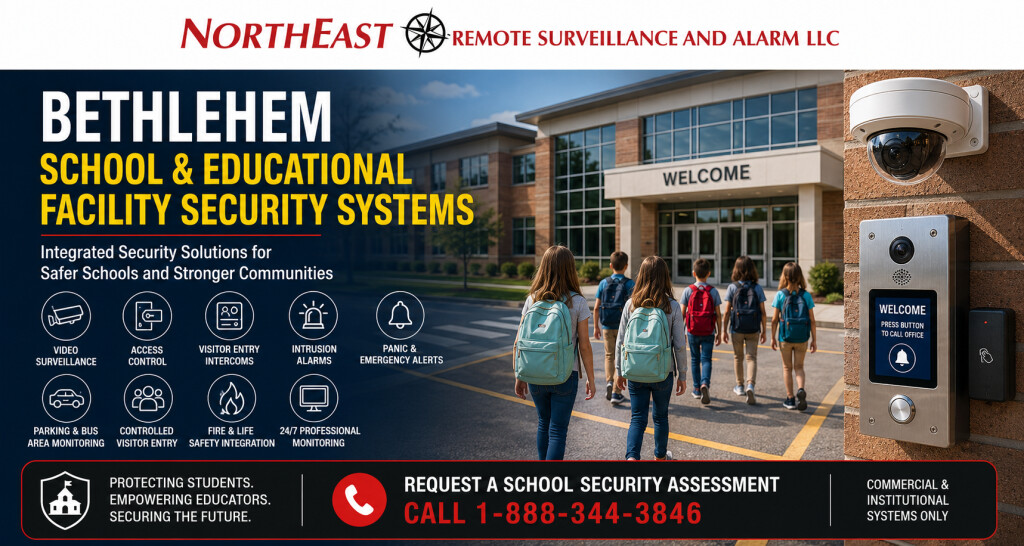
Security systems for Bethlehem schools and educational facilities should support controlled entry, visitor communication, staff accountability, campus visibility, emergency response, after-hours protection, and fire and life-safety coordination without unnecessarily disrupting the educational environment.
Northeast Remote Surveillance and Alarm, LLC designs, installs, integrates, monitors, upgrades, and supports commercial-grade security systems for public schools, private schools, charter schools, early-learning facilities, colleges, vocational schools, training centers, administrative buildings, and educational campuses in Bethlehem, Pennsylvania.
Every educational property operates differently. A neighborhood elementary school does not have the same entrances, schedules, visitor activity, parking conditions, or security responsibilities as a high school, college building, private academy, technical training facility, or multi-building campus. NERSA plans Bethlehem school security systems around the actual property, its occupants, its operating procedures, and the areas where better visibility, access control, communication, detection, and documentation are needed.
For broader commercial and institutional security planning throughout the city, begin with Commercial and Industrial Security Systems in Bethlehem, PA.
Request a Bethlehem School Security Assessment
Call 1-888-344-3846
Commercial and institutional systems only • New installations, upgrades, expansions, integrations, monitoring, and takeovers

Security Planning for Bethlehem Educational Facilities
School security should not begin with a predetermined camera package, a single locked entrance, or one isolated emergency device. It should begin with an understanding of how students, teachers, administrators, visitors, contractors, deliveries, buses, vehicles, after-school programs, athletic activities, and emergency responders move through the property.
A Bethlehem educational facility security assessment may review:
- Primary and secondary entrances
- Visitor arrival and reception procedures
- Staff and faculty entrances
- Student arrival and dismissal areas
- Bus loops and parent pickup lanes
- Parking lots and pedestrian routes
- Exterior and playground access points
- Classroom wings and shared corridors
- Administrative and counseling areas
- Gymnasiums, auditoriums, cafeterias, and libraries
- Laboratories, workshops, computer rooms, and equipment areas
- Records, information-technology, maintenance, and storage rooms
- Athletic fields and detached buildings
- Fire alarm, emergency communication, and life-safety interfaces
- After-hours, weekend, and summer-program activity
- Existing cameras, access systems, alarms, intercoms, cabling, and network infrastructure
The objective is not to turn the school into an unnecessarily restrictive environment. The objective is to help authorized people enter appropriately, improve awareness around important areas, provide useful information when an incident occurs, and support the school’s established security and emergency procedures.
Layered School Security Systems
No single device can address every school security concern. A stronger design uses several coordinated layers, each serving a defined purpose.
A layered Bethlehem school security system may combine:
- Controlled visitor entry
- Staff credential access
- Video surveillance
- Video intercoms
- Intrusion detection
- Panic or duress devices
- Emergency communication
- Parking and arrival-area cameras
- Door-position monitoring
- Remote system administration
- Professional alarm monitoring
- Fire alarm and life-safety coordination
- Structured cabling and network infrastructure
- Unified event review and system reporting
These systems should support the school’s policies, staff training, emergency plans, and communication procedures. Security technology is most useful when administrators understand what it does, who is responsible for it, and what actions should follow an alarm, door event, visitor request, emergency alert, or recorded incident.
Controlled Visitor Entry
The primary visitor entrance is one of the most important security points at a school or educational facility. Visitors should be able to identify themselves and communicate with authorized staff before receiving access to student or staff areas.
A controlled visitor-entry system may include:
- Exterior video intercom stations
- Interior reception communication
- Remote door release
- Cameras showing the visitor’s face and approach
- Door contacts and position monitoring
- Electrified locks or strikes
- Accessible entrance hardware
- Visitor-management coordination
- Recorded entry events
- Staff notification procedures
- Secondary communication methods when the office is unattended
The entrance should be designed around the actual arrival process. Administrators should be able to see and communicate with the visitor, determine why the person is present, and release the appropriate door without compromising other entrances.
Visitor entry should also account for deliveries, contractors, maintenance personnel, volunteers, substitute teachers, event attendees, and people arriving outside normal school hours.
Staff Access Control and Credential Management
Traditional keys can become difficult to control across educational facilities with numerous employees, substitute staff members, coaches, contractors, custodians, administrators, and temporary users.
Commercial access control allows authorized administrators to issue, change, suspend, or remove access without replacing every affected lock. Depending on the property, credentials may include keycards, key fobs, mobile credentials, or other approved identification methods.
Access control can support:
- Main staff entrances
- Administrative offices
- Information-technology rooms
- Records storage
- Maintenance and mechanical areas
- Laboratories and technical classrooms
- Medication or health-service rooms
- Athletic facilities
- Equipment storage
- Detached buildings
- Faculty-only areas
- After-hours program entrances
- Multi-building campus access
Permissions should reflect the user’s responsibilities. A teacher, custodian, administrator, athletic coach, technology employee, contractor, and temporary staff member may each require different doors and schedules.
Administrators may also need reports showing when a credential was used, whether a door remained open, whether an invalid credential was presented, or whether someone attempted to enter outside an approved schedule.
Door Hardware and Emergency Egress
Access control depends on the condition and operation of the door itself. A card reader cannot compensate for a damaged frame, misaligned latch, failing closer, incorrect locking device, or door that does not close consistently.
Door planning may involve:
- Electric strikes
- Electrified locksets
- Electrified panic hardware
- Door-position switches
- Request-to-exit devices
- Power supplies
- Door closers
- Accessible operators
- Delayed-egress or controlled-egress equipment where permitted
- Emergency release functions
- Fire alarm interfaces
- Lockdown-capable hardware
- Mechanical key override
- Door-propped and door-forced alerts
Security hardware must be coordinated with emergency egress, accessibility, fire alarm operation, and applicable approval requirements. NERSA approaches controlled openings as complete door systems rather than treating the reader as the entire installation.
School Video Surveillance Systems
Video surveillance can improve situational awareness, incident review, property protection, and administrative documentation when cameras are placed around defined objectives.
Potential camera locations include:
- Main entrances
- Visitor vestibules and reception areas
- Exterior approaches
- Staff entrances
- Parking lots
- Bus loops
- Parent pickup and dismissal lanes
- Building perimeters
- Playgrounds and recreation areas
- Shared corridors
- Stairwells
- Cafeterias
- Gymnasium entrances
- Auditoriums and event areas
- Loading and delivery areas
- Detached buildings
- Maintenance entrances
- Athletic-field approaches
- Restricted-room entrances
Camera placement should consider what the school needs to see. A wide overview may show general movement, while a more focused camera may be needed to identify a person, document a vehicle, review an entrance event, or understand what occurred at a specific doorway.
A properly planned system should also consider lighting, image quality, field of view, recording capacity, video retention, remote access, user permissions, system health, and the time required to retrieve footage.
Cameras should not be placed in locations where occupants have a reasonable expectation of privacy. Administrators should establish clear policies governing who may access video, why it may be reviewed, how long it is retained, and how exported footage is handled.
Parking Lots, Bus Areas, and Arrival Zones
Many school security concerns occur outside the building. Parking lots, bus lanes, parent pickup areas, pedestrian routes, athletic entrances, and exterior gathering points can be difficult to monitor from inside the office.
Exterior camera planning may support:
- Vehicle and pedestrian visibility
- Student arrival and dismissal review
- Bus movement
- Parent pickup activity
- Staff parking
- Visitor parking
- After-hours vehicle activity
- Vandalism investigation
- Event parking
- Building approaches
- Exterior door activity
- Coordination with campus security personnel
Exterior cameras require particular attention to nighttime lighting, weather exposure, mounting positions, distance, network connectivity, and the difference between general awareness and identification-quality video.
The goal is not simply to install the highest possible number of cameras. The goal is to create usable views around the routes and areas that matter to the facility.
Video Intercom and Entry Communication
A video intercom allows school personnel to communicate with a visitor before opening a controlled entrance. It can also help staff manage deliveries, contractors, late arrivals, after-school access, and entrances located away from the primary office.
A school intercom installation may include:
- Main visitor entrance stations
- Administrative-office answering stations
- Mobile or desktop answering options
- Remote door release
- Video verification
- Recorded call events
- Secondary entrances
- Delivery entrances
- Gate communication
- Athletic or event-building entrances
- Integration with access control and cameras
The system should be designed so authorized staff can answer consistently. An intercom that rings at an unattended desk or provides an unclear camera view may not improve the actual visitor-entry process.
Panic, Duress, and Emergency Alert Systems
Panic or duress devices can provide staff with a method to initiate an emergency notification from designated locations. They may be appropriate for administrative offices, reception areas, counseling spaces, health rooms, cash-handling locations, or other areas identified during the school’s risk assessment.
Emergency alert planning should define:
- Who is authorized to activate the device
- Whether the device is fixed, wireless, or software-based
- What signal is transmitted
- Who receives the notification
- Whether professional monitoring is involved
- Whether video is associated with the event
- What escalation procedures follow
- How the device is tested
- How accidental activation is addressed
- How staff members are trained
A panic button is not a complete emergency plan. It is one component that should support documented procedures, internal communication, first-responder coordination, and staff training.
Intrusion Alarm Systems for After-Hours Protection
Bethlehem educational facilities may remain active after the regular school day because of athletics, meetings, performances, community programs, maintenance, summer activities, and administrative work. The intrusion system should accommodate these schedules without forcing the entire property into one arming condition.
A commercial school alarm system may include:
- Exterior-door contacts
- Interior motion detection
- Glass-break detection
- Roof-hatch or vulnerable-opening protection
- Door and window monitoring
- Area partitions
- Individual user codes
- Open-and-close reporting
- Cellular or dual-path communication
- Professional alarm monitoring
- Video verification
- Separate schedules for buildings or wings
- Alerts for unexpected after-hours activity
- Environmental or supervisory conditions where appropriate
Partitioning may allow an athletic wing, auditorium, administrative area, or detached building to remain accessible while other sections are secured.
The system should be designed around who opens and closes the facility, which areas remain active, how alarms are verified, and who is contacted when an event occurs.
Remote Monitoring and Event Verification
Professional monitoring can support intrusion alarms, communication failures, system troubles, environmental conditions, and other defined events. Video verification may provide additional information when an alarm occurs, depending on the system and the school’s procedures.
Monitoring instructions should clearly identify:
- Primary and secondary contacts
- Authorized users
- Dispatch procedures
- Verification requirements
- Special schedules
- Building names and partitions
- After-hours activities
- Holiday or summer changes
- Escalation procedures
- Testing requirements
Monitoring information should be reviewed when administrators change, buildings are renovated, telephone or internet services are replaced, responsibilities shift, or the school’s operating schedule changes.
Weapons Detection and Screening Technology
Some educational facilities evaluate weapons-detection or screening technologies as one part of a broader security program. These systems vary in their intended use, operating requirements, staffing needs, detection methods, throughput, placement, and response procedures.
Weapons-detection technology should not be treated as a stand-alone guarantee of safety. Before implementation, the organization should evaluate visitor and student flow, secondary entrances, staffing, alarm-resolution procedures, privacy considerations, accessibility, event operations, training, and what personnel will do when the system generates an alert.
For broader planning considerations, review Weapons Detection and School Security Technology.
Fire Alarm and Life-Safety Coordination
School security equipment must not interfere with required emergency egress or fire and life-safety operation. Access-controlled doors, electrified hardware, emergency release devices, fire alarm interfaces, notification systems, and communication pathways should be coordinated as part of the complete building environment.
Planning may involve:
- Fire alarm release of designated locking equipment
- Emergency egress behavior
- Notification appliance coordination
- Fire alarm monitoring
- Cellular communicator upgrades
- Sprinkler supervisory signals
- Elevator-related interfaces
- Door-holder release
- Emergency communication
- Inspection and testing access
- Documentation of system interfaces
Security design does not replace the role of architects, engineers, code officials, fire marshals, school administrators, emergency planners, or the authority having jurisdiction. NERSA coordinates its work with the applicable project team and approval process.
Low-Voltage and Network Infrastructure
Modern school security systems depend on dependable cabling, power, network capacity, equipment locations, and communication pathways. Poor infrastructure can reduce camera performance, create intermittent door problems, interrupt remote access, and make future expansion unnecessarily difficult.
Infrastructure planning may include:
- Category cabling
- Fiber-optic backbone connections
- Power-over-Ethernet capacity
- Network switches
- Equipment racks and enclosures
- Uninterruptible power supplies
- Surge protection
- Network segmentation
- Secure remote connectivity
- Wireless bridges between buildings
- Cellular backup communication
- Cable labeling
- Pathway and conduit planning
- Documentation
- Capacity for future doors, cameras, or buildings
Educational campuses with multiple buildings may need a standardized infrastructure plan so cameras, access control, alarms, and intercoms can be managed consistently across the property.
Unified School Security Management
Disconnected systems can make an incident more difficult to understand. One platform may record a door event, another may store camera footage, and another may transmit an alarm without providing administrators with a complete timeline.
Depending on the selected systems, integration may allow authorized staff to:
- View video associated with a controlled door
- Review access events
- Identify forced or propped doors
- Receive alarm-related video
- Manage users and credentials
- Monitor system health
- Search recorded events
- Standardize permissions
- Administer multiple buildings
- Produce useful reports
- Coordinate intercom communication with door release
Integration should serve a defined operational purpose. Connecting systems merely because integration is technically possible can create unnecessary complexity. NERSA evaluates which connections improve visibility, administration, response, or long-term serviceability.
New School Security Installations
New construction and major renovation projects provide an opportunity to coordinate security, electrical, information technology, door hardware, fire alarm, communications, and building operations before walls and ceilings are completed.
Early planning can address:
- Camera and reader locations
- Door hardware requirements
- Equipment-room space
- Pathways and conduit
- Power supplies
- Network connections
- Fiber between buildings
- Visitor vestibule operation
- Emergency release requirements
- Future expansion
- System naming and documentation
- Testing and commissioning responsibilities
Security planning should begin early enough for the project team to resolve door, power, network, pathway, and life-safety requirements before installation.
Existing-System Upgrades and Takeovers
An aging or inherited school security system does not always need to be removed completely. Some cameras, cabling, door hardware, alarm devices, power supplies, or network components may remain useful when they are compatible, supportable, properly documented, and appropriate for the school’s current needs.
An upgrade or takeover assessment may review:
- Existing camera image quality
- Recorder age and storage capacity
- Unsupported software
- User and password control
- Remote access
- Existing access-control panels
- Reader and credential compatibility
- Door hardware condition
- Alarm communication paths
- Intercom performance
- Cabling and labeling
- Network capacity
- Fire alarm interfaces
- Monitoring procedures
- Missing drawings or documentation
- Potential for phased modernization
A phased project may allow the educational organization to correct the highest-priority areas first while maintaining a documented plan for later expansion.
Security for Individual Schools and Multi-Building Campuses
NERSA supports educational properties ranging from smaller private schools and training facilities to larger schools, administrative buildings, and multi-building campuses.
A smaller facility may need a controlled entrance, several cameras, a monitored intrusion alarm, and staff access control. A larger campus may require centralized credential management, multiple communication stations, extensive video coverage, fiber connections, separate alarm areas, standardized naming, user roles, and coordinated administration across several buildings.
The design should match the property’s actual scale. Smaller facilities should not be forced into an unnecessarily complicated enterprise platform, while larger institutions should not be limited by equipment that cannot support future users, doors, cameras, buildings, or administrative responsibilities.
Why Bethlehem Educational Facilities Choose NERSA
Northeast Remote Surveillance and Alarm, LLC is based in Bethlehem and has served commercial, industrial, institutional, municipal, healthcare, and educational properties since 2008.
NERSA focuses on non-residential systems and approaches school security as an operational and infrastructure project rather than a collection of isolated devices.
Our planning process considers:
- The people using the property
- Daily arrival and dismissal activity
- Visitor procedures
- Staff permissions
- Doors and locking hardware
- Cameras and recording objectives
- Emergency communication
- Intrusion detection
- Monitoring instructions
- Fire and life-safety coordination
- Network and low-voltage infrastructure
- Existing equipment
- System documentation
- Expansion requirements
- Long-term supportability
The recommended system may be a focused improvement to one entrance or a coordinated project involving multiple buildings and technologies. The objective is to provide a system the educational organization can operate, maintain, understand, and expand.
Request a Bethlehem School Security Assessment
A school security assessment should review the property before equipment is selected. NERSA can evaluate entrances, visitor procedures, staff access, parking areas, bus zones, exterior doors, camera objectives, alarm coverage, emergency devices, intercoms, fire alarm coordination, existing infrastructure, system condition, and long-term expansion needs.
Request a Commercial Security Assessment or call 1-888-344-3846 to discuss a Bethlehem school or educational facility security project.
Commercial and institutional systems only • Established in 2008 • New installations, upgrades, expansions, integrations, monitoring, and takeovers
Frequently Asked Questions About Bethlehem School Security Systems
What types of educational facilities does NERSA support in Bethlehem?
NERSA supports security planning for public schools, private schools, charter schools, early-learning facilities, colleges, vocational schools, training centers, administrative buildings, athletic facilities, and multi-building educational campuses in Bethlehem, Pennsylvania.
What systems can be included in a Bethlehem school security project?
A project may include video surveillance, access control, controlled visitor entry, video intercoms, intrusion alarms, panic or duress devices, emergency communication, professional monitoring, fire alarm coordination, and supporting low-voltage or network infrastructure.
Can NERSA secure only the main visitor entrance?
Yes. A focused project may improve one visitor entrance with video communication, controlled door release, cameras, door monitoring, and appropriate locking hardware. The entrance should still be evaluated as part of the building’s overall access, egress, and emergency procedures.
Can an existing school camera or access-control system be upgraded?
Yes. NERSA can evaluate existing cameras, recorders, cabling, access-control panels, readers, credentials, door hardware, alarms, intercoms, network equipment, and monitoring communication to determine what may be retained, corrected, expanded, or replaced.
Does NERSA install systems for both small educational facilities and larger campuses?
Yes. NERSA supports smaller private schools, early-learning facilities, training centers, and individual buildings as well as larger schools and multi-building educational campuses. The system is scaled around the number of entrances, users, cameras, buildings, risks, administrative requirements, and future expansion plans.
Can access control use different permissions for teachers, administrators, custodians, and contractors?
Yes. Access-control permissions can be organized by user, group, door, building, schedule, and responsibility. Access can be changed or removed without reissuing mechanical keys throughout the entire property.
Can cameras be connected with access control and alarms?
Depending on the selected platforms, camera video may be associated with door activity, forced-door events, intrusion alarms, intercom calls, or other system events. Integration should be selected when it improves incident review, response, reporting, or administration.
Does a school security system replace staff training and emergency planning?
No. Security technology should support the school’s policies, training, emergency procedures, communication plans, and first-responder coordination. Cameras, access control, alarms, intercoms, and emergency devices are tools within a broader security program.
Can NERSA work on an occupied school building?
Many upgrades can be completed in occupied facilities with appropriate scheduling, coordination, access planning, work-area control, and communication with school representatives. Project requirements depend on the building, system, schedule, and scope of work.
How should a Bethlehem educational facility begin a security project?
Begin with an assessment of the property, its entrances, users, schedules, visitor procedures, existing systems, emergency needs, parking and arrival areas, infrastructure, and long-term goals. This allows the system to be designed around the facility rather than around a generic equipment package.