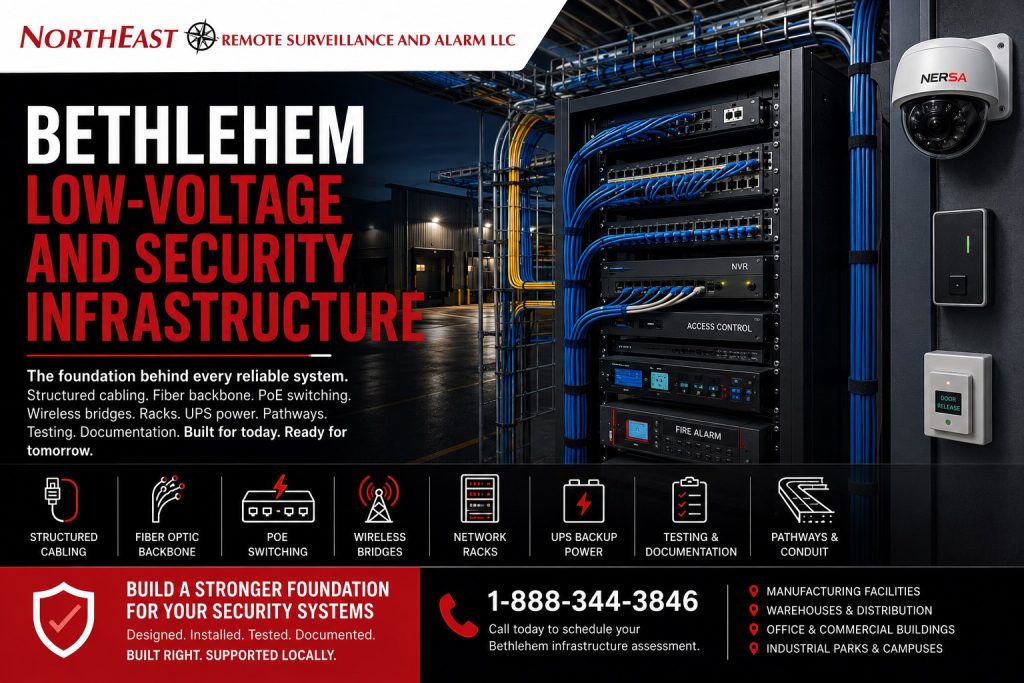
Structured cabling, fiber-optic backbone, PoE switching, wireless bridges, equipment racks, security networks, backup power, pathways, testing, and documentation for Bethlehem commercial and industrial facilities.
Bethlehem low-voltage and security infrastructure should be designed around the systems the facility depends on—not treated as wiring added after cameras, access control, alarms, monitoring equipment, intercoms, and connected platforms have already been selected.
Northeast Remote Surveillance and Alarm, LLC designs, installs, upgrades, organizes, and supports low-voltage infrastructure for Bethlehem manufacturing plants, warehouses, logistics facilities, offices, healthcare properties, schools, municipal buildings, industrial parks, multi-building campuses, contractor operations, and other non-residential properties.
This page focuses specifically on the physical and network foundation supporting commercial security systems in Bethlehem. That may include structured cabling, fiber between buildings, PoE switching, wireless links, MDF and IDF equipment locations, racks, enclosures, UPS-backed power, surge protection, cable pathways, network segmentation, labeling, testing, and expansion planning.
For broader city planning across cameras, access control, intrusion alarms, fire alarm, monitoring, gates, and facility types, visit Commercial and Industrial Security Systems in Bethlehem, PA.
For regional planning across Bethlehem, Allentown, Easton, Route 22, Route 33, and I-78, visit Lehigh Valley Commercial and Industrial Security Systems.
For broader infrastructure guidance outside Bethlehem, visit Commercial and Industrial Infrastructure and Cabling. NERSA’s broader infrastructure resource includes structured cabling, fiber backbones, network racks, wireless bridges, power distribution, UPS support, pathways, fire-alarm cabling coordination, and system documentation. (Northeast Remote Surveillance)
Project availability may depend on facility location, building conditions, pathway access, required cable types, distance, system scope, network requirements, permitting or inspection responsibilities, operating schedules, lift access, and long-term support needs.
Request a Bethlehem Low-Voltage Infrastructure Assessment or call 1-888-344-3846 to discuss your facility.

Infrastructure Built Around the Security System
Modern commercial security systems depend on more than field devices.
A camera needs a dependable network path, sufficient PoE power, recording connectivity, and backup-power planning. An access-controlled door may require reader cabling, lock power, door-status wiring, request-to-exit connections, fire-alarm coordination, and communication with the access-control panel. Remote video monitoring depends on stable connectivity, usable camera streams, analytics, and reliable event delivery.
A complete infrastructure plan should account for:
- The systems being installed
- Device locations and cable distances
- Available pathways and penetrations
- Bandwidth and PoE requirements
- Equipment-room locations
- Power and backup-power needs
- Connections between buildings
- Environmental and industrial conditions
- Network segmentation and remote access
- Labeling, testing, and documentation
- Future cameras, doors, buildings, and expansion
The objective is not simply to pull cable from one location to another. It is to create a clean, serviceable, testable, and scalable foundation that supports the facility over time.
Structured Cabling for Bethlehem Security Systems
Structured cabling provides the organized physical connection between security devices, network equipment, control panels, recorders, communication equipment, and management platforms.
A Bethlehem structured-cabling project may support:
- IP security cameras
- Access-control panels and intelligent controllers
- Intercoms and video-entry stations
- Network audio and talk-down speakers
- Alarm communicators
- Remote-monitoring appliances
- Wireless access points
- Security workstations
- Video recorders and cloud gateways
- Gate and perimeter equipment
- Connected building systems
A professional installation should include suitable cable, supported pathways, clean routing, properly terminated connections, tested runs, organized patching, clear labels, and records that allow future technicians to understand the system.
Loose cable placed above ceilings, unsupported bundles, undocumented paths, poor terminations, unclear labels, and improvised extensions can create intermittent failures and make future service unnecessarily difficult.
Cat6, Cat6A, and Security Network Cabling
Cat6 and Cat6A cabling may support cameras, switches, intercoms, access-control devices, workstations, wireless access points, and other network-connected security equipment.
The cable selection and installation method should reflect:
- Required bandwidth
- Cable-run distance
- PoE power requirements
- Pathway congestion
- Environmental conditions
- Electromagnetic interference
- Future system capacity
- Applicable building and installation requirements
The cable category printed on the jacket does not guarantee system performance by itself. Termination quality, bend radius, pathway conditions, connector selection, cable support, testing, and the connected equipment all affect the finished result.
Existing cable should be evaluated before it is reused for upgraded cameras, higher PoE loads, faster network links, or more demanding connected equipment.
Fiber-Optic Backbone and Building-to-Building Connectivity
Fiber-optic cabling may be appropriate when copper distance is impractical, several buildings must be connected, electrical interference is a concern, or a larger security system requires greater backbone capacity.
Fiber may support:
- Manufacturing and warehouse building connections
- Detached offices and maintenance buildings
- Remote IDF locations
- Gatehouses
- Parking-lot and perimeter systems
- Industrial-park properties
- High camera counts
- Long warehouse runs
- Remote recording or network locations
- Connections between existing and expanded facilities
A fiber design should account for pathway, distance, fiber type, strand count, termination method, enclosure locations, environmental exposure, testing, labeling, service access, and future growth.
The plan should also identify the equipment required at each end, including switches, optical modules, media conversion where appropriate, power, enclosures, UPS support, and network configuration.
Fiber should be treated as a permanent backbone—not as an undocumented point-to-point repair.
MDF, IDF, Network Rack, and Equipment-Room Planning
The main distribution frame, intermediate distribution frames, network closets, and security equipment rooms determine whether the system remains manageable after installation.
A Bethlehem rack or equipment-room buildout may include:
- Floor or wall-mounted racks
- Lockable network cabinets
- Patch panels
- Horizontal and vertical cable management
- Managed network switches
- Fiber enclosures
- Video recorders
- Cloud gateways
- Access-control equipment
- Alarm communicators
- Monitoring appliances
- UPS equipment
- Power-distribution units
- Environmental monitoring
- Grounding and bonding coordination
- Equipment and cable labels
Rack planning should allow technicians to identify equipment, trace cables, replace components, add devices, and troubleshoot problems without disturbing unrelated systems.
Equipment should not be stacked on shelves, left hanging by cables, placed in unsuitable environmental conditions, or connected through an undocumented collection of small switches and temporary power strips.
Ventilation, temperature, dust, moisture, access control, physical security, service clearance, and available power should be reviewed before the equipment location is approved.
PoE Switching and Power-Budget Planning
Power over Ethernet can deliver network connectivity and power to compatible cameras, intercoms, speakers, wireless devices, and other field equipment.
A successful PoE design requires more than counting available switch ports.
The design should review:
- Device wattage
- PoE, PoE+, or higher-power requirements
- Total switch power budget
- Distance and cable condition
- Uplink capacity
- Switch environmental rating
- Network management
- Redundant or backup power
- Surge exposure
- Future device additions
A switch may have enough physical ports but insufficient total power for every connected device. Higher-powered cameras, heaters, illuminators, intercoms, speakers, wireless radios, and multi-sensor devices can significantly affect the power budget.
PoE planning should leave reasonable headroom for device startup, environmental accessories, future additions, and replacement hardware.
Wireless Bridges for Remote Buildings and Exterior Systems
A commercial wireless bridge can connect a remote building, gate, yard, parking area, camera pole, or other security location where installing new fiber or copper is impractical.
Potential Bethlehem applications include:
- Detached warehouse buildings
- Industrial-yard cameras
- Contractor-yard systems
- Gatehouses and entrance lanes
- Remote loading areas
- Parking-lot cameras
- Exterior storage
- Temporary expansion areas
- Buildings separated by drives or active operations
Wireless design should account for:
- Clear line of sight
- Mounting height
- Distance
- Building construction
- Interference
- Bandwidth
- Camera count
- Environmental exposure
- Pole or structure movement
- Power availability
- Surge protection
- Network security
- Backup connectivity requirements
Wireless should not be selected simply because it appears easier than installing cable. The link must support the required bandwidth and remain stable under the property’s actual operating and weather conditions.
A proper bridge installation should include aligned radios, suitable mounts, weather-rated cabling, protected building entry, surge protection, network configuration, labeling, and performance testing.
UPS Backup, Power Distribution, and Surge Protection
Cameras, switches, access-control panels, recorders, monitoring equipment, intercoms, and communication devices depend on reliable power.
A power interruption can affect:
- Camera recording
- Remote viewing
- Access-control decisions
- Door-lock operation
- Alarm communication
- Remote monitoring
- Gate communication
- Network connectivity
- Event history
- Cloud or server connections
Power planning may include:
- UPS-backed network racks
- Access-control power supplies
- Recorder backup
- Switch-runtime calculations
- Power-distribution units
- Battery supervision
- Surge protection
- Generator coordination where applicable
- Separate circuits
- Environmental monitoring
- Graceful equipment shutdown
UPS equipment should be selected around actual connected load, desired runtime, environmental conditions, battery maintenance, and the systems that must remain operational.
A small desktop UPS should not be assumed to provide sufficient runtime or capacity for an industrial rack containing several PoE switches, recorders, servers, and network appliances.
Security Network Segmentation and Remote Access
Modern security devices are network-connected systems.
Cameras, access-control controllers, intercoms, recorders, monitoring equipment, and unified platforms may require:
- Managed network switching
- IP-address planning
- VLAN segmentation
- Firewall coordination
- Secure remote access
- VPN connectivity
- Role-based administration
- Network monitoring
- Logging
- Software and firmware management
- Credential protection
Security devices should not be placed on a flat, unmanaged network without considering performance, cybersecurity, support, and responsibility between the security provider and the facility’s IT team.
The infrastructure plan should identify:
- Who owns the network
- Who assigns addresses
- Which VLANs apply
- Which outbound or inbound connections are required
- How remote support is authorized
- How credentials are controlled
- Who maintains switches and firewalls
- How network changes will be communicated
- What documentation is retained
Network segmentation can help separate security traffic from guest, public, office, production, or other connected systems while making performance and troubleshooting easier to manage.
Infrastructure for Video Surveillance
Video surveillance is one of the most infrastructure-intensive commercial security systems.
A camera deployment may require:
- Individual camera cabling
- PoE switching
- Fiber backbones
- Wireless connections
- Network-recording capacity
- Cloud connectivity
- Rack space
- UPS support
- Bandwidth planning
- Secure remote access
- Recording retention
- Camera-health monitoring
Higher resolutions, additional frame rates, multi-sensor cameras, analytics, longer retention, and remote monitoring can increase bandwidth, storage, and power requirements.
The infrastructure should be designed around the expected camera system—not selected after the cameras have already been installed.
Infrastructure for Access Control and Electrified Doors
Access control may require pathways and wiring for:
- Credential readers
- Controllers
- Door-position switches
- Request-to-exit devices
- Electrified locks
- Magnetic locks
- Electric strikes
- Exit hardware
- Power supplies
- Intercoms
- Door operators
- Gate controllers
- Fire-alarm interfaces
- Network communication
Door infrastructure should be coordinated with the selected hardware, opening construction, operating mode, power needs, required egress, accessibility, emergency release, and future service access.
The wiring should be labeled by opening and function so facility managers and technicians can identify the reader, lock, contact, request-to-exit device, power supply, controller, and interface serving each door.
Fire Alarm Cabling and Life-Safety Coordination
Fire alarm wiring is life-safety infrastructure and should not be treated as interchangeable with general data or security cabling.
Applicable cable types, pathways, separation, physical protection, power sources, circuit supervision, penetrations, labeling, and testing depend on the system, building, adopted requirements, approved plans, equipment listings, and Authority Having Jurisdiction.
Low voltage does not mean that installation requirements can be ignored. NERSA’s NFPA 70 planning resource emphasizes that wiring methods, pathways, power architecture, environmental-air spaces, building-entry conditions, and the actual installation environment remain part of the compliance discussion. (Northeast Remote Surveillance)
For code-aware guidance focused specifically on security wiring, visit NFPA 70 NEC and Low-Voltage Security System Wiring.
Security cabling, data cabling, and fire alarm wiring should only share pathways or spaces when the arrangement is permitted and appropriate for the systems involved.
Applicable requirements must be determined from the adopted code edition, approved design, project documents, listed equipment, site conditions, permitting path, and AHJ direction.
Infrastructure for Bethlehem Manufacturing Facilities
Manufacturing buildings create different infrastructure conditions than conventional offices.
Potential challenges include:
- Long cable distances
- High ceilings
- Active machinery
- Vibration
- Dust
- Heat
- Oil or process residue
- Electrical interference
- Lift-access restrictions
- Production shutdown requirements
- Building additions
- Outdoor transitions
- Limited equipment-room space
Manufacturing infrastructure may require protected pathways, conduit, cable tray, fiber between production zones, shielded cabling where appropriate, hardened switches, industrial enclosures, outdoor-rated materials, and careful coordination around operating equipment.
The installation plan should minimize disruption to production while preserving safe access, clean routing, future serviceability, and expansion capacity.
For manufacturing-specific infrastructure planning, use Low-Voltage Infrastructure for Bethlehem Manufacturing Security. That page is the narrower manufacturing child, while this page remains the broader Bethlehem city infrastructure resource. (Northeast Remote Surveillance)
Infrastructure for Bethlehem Warehouses and Logistics Properties
Warehouse and logistics facilities may require:
- High camera counts
- Long horizontal pathways
- Multiple IDFs
- Fiber backbones
- Dock-area cabling
- Outdoor and yard connections
- Gate connectivity
- Wireless bridges
- PoE capacity
- Equipment-room upgrades
- Remote-monitoring connectivity
- Backup power
- Expansion planning
High ceilings, metal construction, racking, loading operations, moving equipment, trailer areas, and large footprints can make infrastructure design more complex.
Planning backbone capacity, switch locations, fiber paths, rack space, and future device counts before installation can reduce later disruption and repeated retrofit work.
Infrastructure for Industrial Parks and Multi-Building Sites
Industrial parks and multi-building properties may require coordinated infrastructure across:
- Separate tenants
- Warehouses
- Manufacturing buildings
- Management offices
- Gatehouses
- Parking areas
- Utility buildings
- Loading areas
- Exterior yards
- Shared roads and entrances
A multi-building design may include fiber, wireless bridges, separate IDFs, distributed PoE switching, centralized or site-level recording, segmented networks, common monitoring, and tenant-specific administration.
Ownership and responsibility should be documented. Property management, tenants, IT providers, and security vendors should understand which organization controls each rack, switch, pathway, connection, account, and piece of equipment.
Existing Cabling Cleanup, Testing, and Infrastructure Upgrades
An existing low-voltage system should be evaluated when the facility has:
- Unlabeled cables
- Unsupported cable above ceilings
- Abandoned wiring
- Damaged or exposed outdoor cable
- Overloaded PoE switches
- Frequent camera outages
- Unreliable wireless links
- Flat or unmanaged networks
- Insufficient rack power
- No UPS backup
- Improvised patching
- Daisy-chained switches
- Poor equipment ventilation
- No fiber backbone
- Missing documentation
- Little room for expansion
An infrastructure upgrade may involve:
- Testing existing cable
- Replacing failed runs
- Reterminating connections
- Relabeling cables and patch panels
- Removing abandoned wiring where appropriate
- Rebuilding racks
- Replacing unmanaged switches
- Adding VLAN capability
- Increasing PoE capacity
- Adding UPS backup
- Installing fiber
- Replacing wireless links
- Improving surge protection
- Correcting pathways
- Documenting the finished system
The strongest improvement may be correcting the infrastructure that several systems already share rather than replacing every connected security device.
Testing, Labeling, and Documentation
Infrastructure should be tested and documented before the project is considered complete.
Project documentation may include:
- Cable labels
- Patch-panel schedules
- Rack elevations
- Device and cable schedules
- Fiber strand assignments
- Fiber test results
- Copper certification results
- Switch-port assignments
- PoE load records
- Equipment serial numbers
- Wireless-link information
- UPS and battery details
- Network notes
- As-built pathways
- IP-address information where appropriate
- Expansion recommendations
Labels such as “Camera 17” or “Cable 42” provide limited value without context.
Descriptions such as:
- North Loading Dock Camera
- Building Two Gate Intercom
- East Employee Entrance Reader
- Manufacturing IDF Fiber Uplink
- Warehouse South Camera Switch
make the system easier to understand, troubleshoot, expand, and support.
Documentation should reflect the finished installation rather than an early design that no longer matches field conditions.
Planning for Future Expansion
Bethlehem facilities frequently expand, renovate, add tenants, change production layouts, increase camera counts, control more doors, or connect additional buildings.
A scalable infrastructure plan may reserve capacity for:
- Additional cameras
- Additional controlled doors
- New intercoms
- New alarm points
- Expanded monitoring
- Additional access-control panels
- Higher PoE loads
- Additional fiber strands
- New buildings
- Additional network closets
- Larger recorders or cloud gateways
- Multi-site integration
Planning spare rack space, switch capacity, fiber, cable pathways, power, UPS load, and network addressing can reduce the cost and disruption of future additions.
The infrastructure should not be designed so tightly around today’s device count that the next camera or door requires rebuilding the system.
What This Bethlehem Infrastructure Page Covers
This page focuses on the infrastructure supporting commercial and industrial security systems in Bethlehem.
It includes structured cabling, fiber, pathways, switches, PoE, racks, wireless links, backup power, security networking, testing, labeling, documentation, and expansion planning.
It does not replace:
- A complete Bethlehem security-system assessment
- Dedicated video-surveillance design
- Access-control door and hardware planning
- Fire alarm engineering or design
- General office IT outsourcing
- Electrical engineering
- Building-code determinations
- AHJ approval
- Manufacturer-specific design requirements
Those subjects may affect the project, but each should be handled through the appropriate design, service, compliance, or professional resource.
Why Bethlehem Businesses Choose Northeast Remote Surveillance and Alarm, LLC
Northeast Remote Surveillance and Alarm, LLC is based in Bethlehem and focuses on non-residential commercial and industrial security environments.
NERSA plans low-voltage infrastructure around:
- The systems being supported
- Building and environmental conditions
- Device locations
- Cable pathways
- Network requirements
- PoE power
- Fiber needs
- Wireless connectivity
- Equipment rooms
- Backup power
- Cybersecurity
- Documentation
- Future expansion
- Long-term serviceability
The objective is not to complete the fastest cable pull.
The objective is to create an organized and dependable infrastructure backbone that supports cameras, access control, alarms, monitoring, communications, and connected security systems throughout their useful life.
Request a Bethlehem Low-Voltage Infrastructure Assessment
A Bethlehem low-voltage infrastructure assessment may review:
- Existing cabling
- Cable labels and documentation
- Pathways and penetrations
- MDF and IDF locations
- Equipment racks
- Patch panels
- Network switches
- PoE capacity
- Fiber requirements
- Wireless links
- Network segmentation
- Remote access
- UPS and backup power
- Surge protection
- Environmental conditions
- Fire alarm wiring coordination
- Outdoor and building-to-building connections
- Current reliability problems
- Planned cameras, doors, or system expansion
Northeast Remote Surveillance and Alarm, LLC can help determine what should be retained, tested, relabeled, reorganized, repaired, upgraded, expanded, or replaced.
Request a Bethlehem Low-Voltage Infrastructure Assessment or call 1-888-344-3846.
Frequently Asked Questions About Bethlehem Low-Voltage and Security Infrastructure
What is low-voltage security infrastructure?
Low-voltage security infrastructure includes the cabling, fiber, pathways, network switches, equipment racks, power supplies, wireless links, backup power, and documentation supporting cameras, access control, alarms, intercoms, monitoring, and connected security systems.
Why is infrastructure important to security-system reliability?
Security devices depend on stable cabling, network connections, switching, power, and communication paths. Weak infrastructure can cause camera outages, access-control failures, unreliable monitoring, lost recording, communication problems, and difficult troubleshooting.
What is structured cabling?
Structured cabling is an organized cabling system using defined pathways, termination points, patch panels, labels, equipment locations, and documentation to support connected devices throughout a commercial property.
When does a Bethlehem facility need fiber?
Fiber may be appropriate when buildings must be connected, copper distances are too long, higher bandwidth is required, electrical interference is a concern, remote IDFs are needed, or a large property requires a stronger backbone.
What is the difference between an MDF and an IDF?
The MDF is generally the primary network or cabling distribution location. An IDF is a secondary distribution point serving another floor, building section, warehouse area, or separate building.
Why does PoE power budgeting matter?
A PoE switch must have enough total power to operate all connected devices. A switch may have available ports but insufficient wattage for higher-powered cameras, heaters, illuminators, intercoms, speakers, or other connected equipment.
Can wireless bridges connect separate buildings?
Yes. Properly designed point-to-point or point-to-multipoint wireless links may connect cameras, gates, warehouses, offices, and other remote security locations when reliable line of sight, power, bandwidth, and secure network configuration are available.
Can existing cabling be reused?
Possibly. Existing cabling should be inspected and tested for condition, category, distance, termination quality, pathway, labeling, environmental exposure, and suitability for the new equipment.
Can old network racks and cabling be cleaned up?
Yes. Existing racks and cabling may be tested, relabeled, reterminated, reorganized, documented, expanded, or replaced to improve reliability and service access.
Do security systems need separate network segments?
Many commercial properties benefit from separating security traffic from guest, public, production, or general office traffic. The appropriate architecture depends on the facility’s IT standards, security platforms, management needs, and cybersecurity requirements.
Does low voltage mean the wiring is exempt from code requirements?
No. Wiring methods, pathways, power sources, cable types, environmental conditions, penetrations, and building-entry conditions may still be governed by adopted requirements, approved plans, listings, and AHJ direction.
Can security and fire alarm wiring use the same pathways?
Only where the arrangement is permitted and appropriate for the specific systems. Fire alarm wiring has separate life-safety, supervision, pathway, separation, and installation considerations and should not be mixed casually with data or security wiring.
Does NERSA provide infrastructure for smaller businesses?
Yes. NERSA can support a smaller Bethlehem commercial property requiring several camera runs, a compact network cabinet, a controlled door, or an improved UPS and switch arrangement.
Can NERSA support large industrial and multi-building facilities?
Yes. Larger projects may include multiple IDFs, fiber backbones, high camera counts, industrial pathways, managed PoE switching, wireless links, gates, outdoor systems, segmented networks, rack buildouts, and scalable documentation.
What happens during a low-voltage infrastructure assessment?
An assessment may review existing cabling, pathways, racks, switches, PoE capacity, fiber needs, wireless connectivity, network segmentation, UPS support, environmental conditions, documentation, reliability problems, and future expansion.
How does a business begin a Bethlehem infrastructure project?
Begin with Request a Bethlehem Low-Voltage Infrastructure Assessment or call 1-888-344-3846 to discuss the property, current systems, infrastructure problems, planned equipment, construction schedule, and future expansion needs.